From SimplyBook.me
Importing a new version from external source |
Importing a new version from external source |
||
| Line 1: | Line 1: | ||
<br><br> | <br><br> | ||
[[Special:MyLanguage/ | [[Special:MyLanguage/Service_Categories_custom_feature | Service Categories]] and [[Special:MyLanguage/Multiple Locations custom feature | Multiple Locations]] features will help you with setting these options up.<br> | ||
Please select “Class categories and position” tab, click on “do you wish to enable categories” option to switch on the feature and click on “+” icon to create new category. | Please select “Class categories and position” tab, click on “do you wish to enable categories” option to switch on the feature and click on “+” icon to create new category. | ||
[[File:Class categories connect redesigned.png|1200px | center|link=https://help.simplybook.me/images/8/8c/Class_categories_connect_redesigned.png]] | [[File:Class categories connect redesigned.png|1200px | center|link=https://help.simplybook.me/images/8/8c/Class_categories_connect_redesigned.png]] | ||
Latest revision as of 09:38, 23 September 2025
Service Categories and Multiple Locations features will help you with setting these options up.
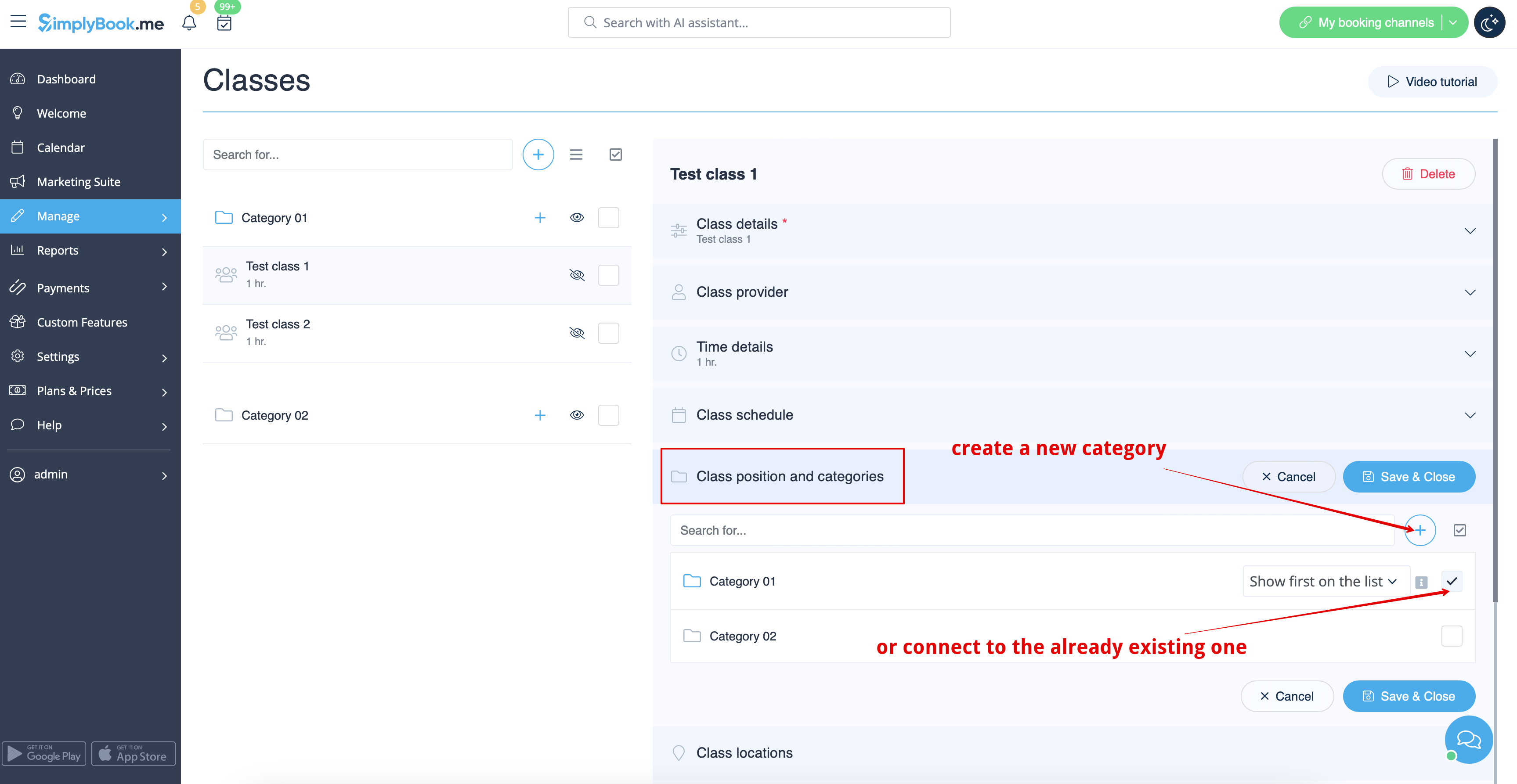
Please select “Class categories and position” tab, click on “do you wish to enable categories” option to switch on the feature and click on “+” icon to create new category.
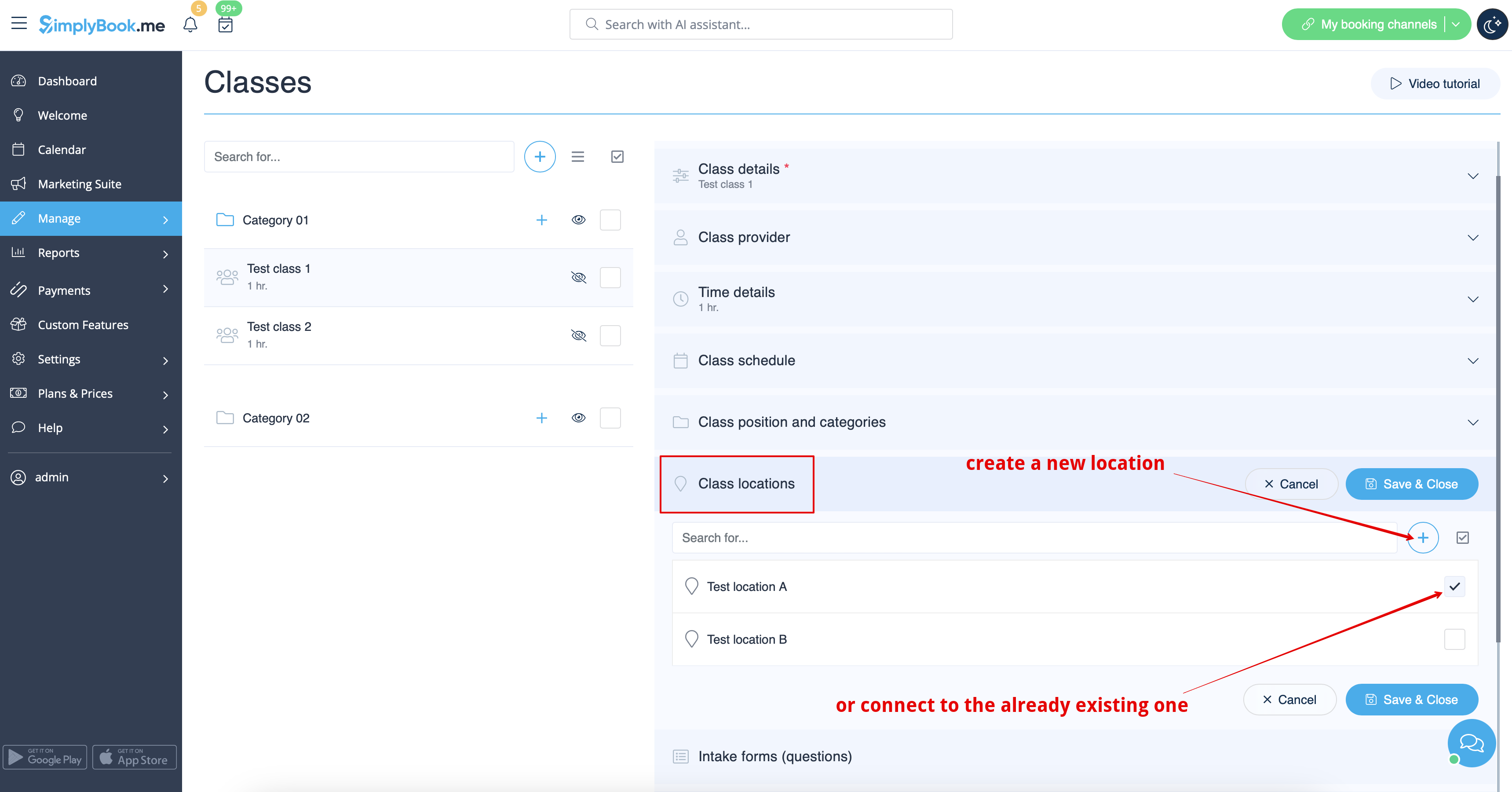
If you need to attach classes to locations just select “Locations” tab, enable corresponding option and and create locations one by one with the help of “+” icon.