From SimplyBook.me
Importing a new version from external source |
Importing a new version from external source |
||
| Line 1: | Line 1: | ||
:10. Once they have connected own accounts you will be able to see this information in <span style="background-color:#d4f8e5; padding:5px; border-radius:5px;">Custom features</span> -> <span style="background-color:#d4f8e5; padding:5px; border-radius:5px;">Online meetings</span> -> <span style="background-color:#d4f8e5; padding:5px; border-radius:5px;">Meeting providers&Meeting services.</span> | :10. Once they have connected own accounts you will be able to see this information in <span style="background-color:#d4f8e5; padding:5px; border-radius:5px;">Custom features</span> -> <span style="background-color:#d4f8e5; padding:5px; border-radius:5px;">Online meetings</span> -> <span style="background-color:#d4f8e5; padding:5px; border-radius:5px;">Meeting providers&Meeting services.</span> | ||
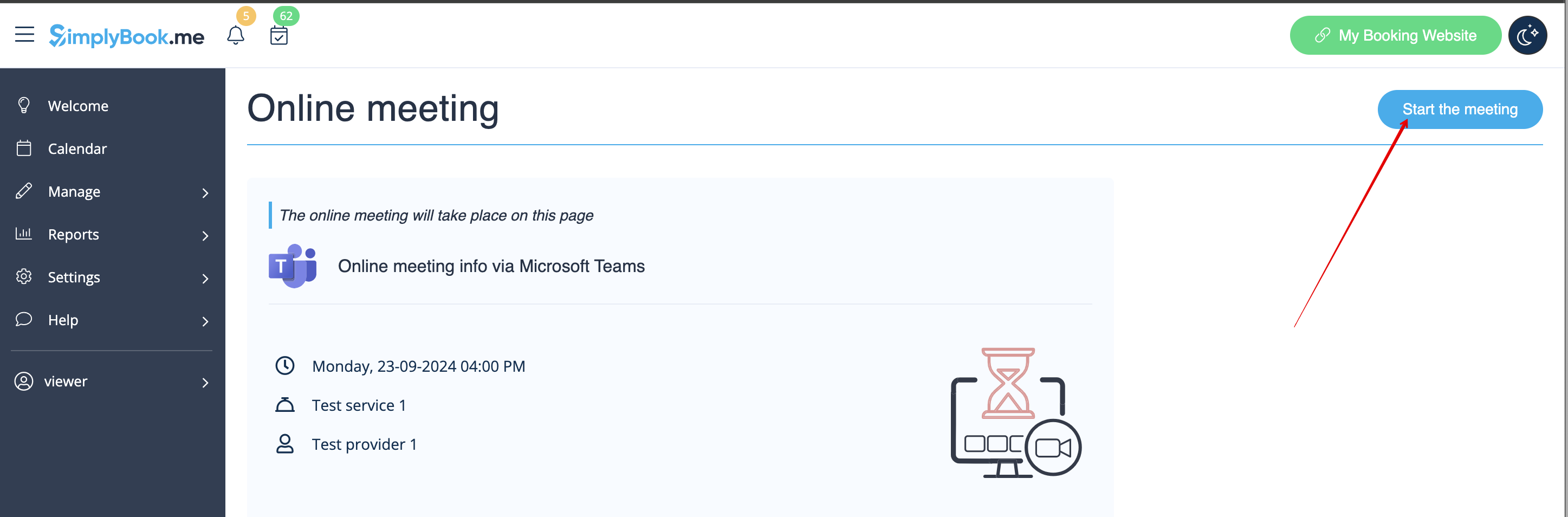
:<span style="background-color:#ffe9e9; padding:5px; border-radius:5px;">'''Please note!''' It is only possible to manually start a meetings for the users that have admin, senior employee or junior employee(connected to specific provider) <span style="background-color:#cdeffc; padding:5px; border-radius:5px;">[[Adding_other_users_to_the_system|rights.]]</span></span> | :<span style="background-color:#ffe9e9; padding:5px; border-radius:5px;">'''Please note!''' It is only possible to manually start a meetings for the users that have admin, senior employee or junior employee(connected to specific provider) <span style="background-color:#cdeffc; padding:5px; border-radius:5px;">[[Special:MyLanguage/Adding_other_users_to_the_system|rights.]]</span></span> | ||
[[File:Manually start the meeting redesigned.png|1200px|border|center|link=https://help.simplybook.me/images/2/28/Manually_start_the_meeting_redesigned.png]] | [[File:Manually start the meeting redesigned.png|1200px|border|center|link=https://help.simplybook.me/images/2/28/Manually_start_the_meeting_redesigned.png]] | ||
<br><br> | <br><br> | ||
Latest revision as of 07:41, 24 September 2025
- 10. Once they have connected own accounts you will be able to see this information in Custom features -> Online meetings -> Meeting providers&Meeting services.
- Please note! It is only possible to manually start a meetings for the users that have admin, senior employee or junior employee(connected to specific provider) rights.