Translations:Custom CSS custom feature/4/nl: Difference between revisions

From SimplyBook.me
Created page with "<span style="background-color: #26dd7d; padding:5px; border-radius:5px;">Gratis aangepaste functie!</span> <br><br> ;Hoe te gebruiken :1. Schakel deze optie in op uw pagina Aangepaste functies. 1200px| center|link=https://help.simplybook.me/images/9/93/Custom_css_enable_path_redesigned.png <br><br> :2. Klik op "Instellingen" voor deze functie. File:Custom css settings path redesigned.png|1200px | center|link=https://help.s..."
 
(No difference)

Latest revision as of 12:48, 13 October 2025

Information about message (contribute)
This message has no documentation. If you know where or how this message is used, you can help other translators by adding documentation to this message.
Message definition (Custom CSS custom feature)
<br>
<span style="background-color: #26dd7d; padding:5px; border-radius:5px;">Free custom feature!</span>
<br><br>
;How to use
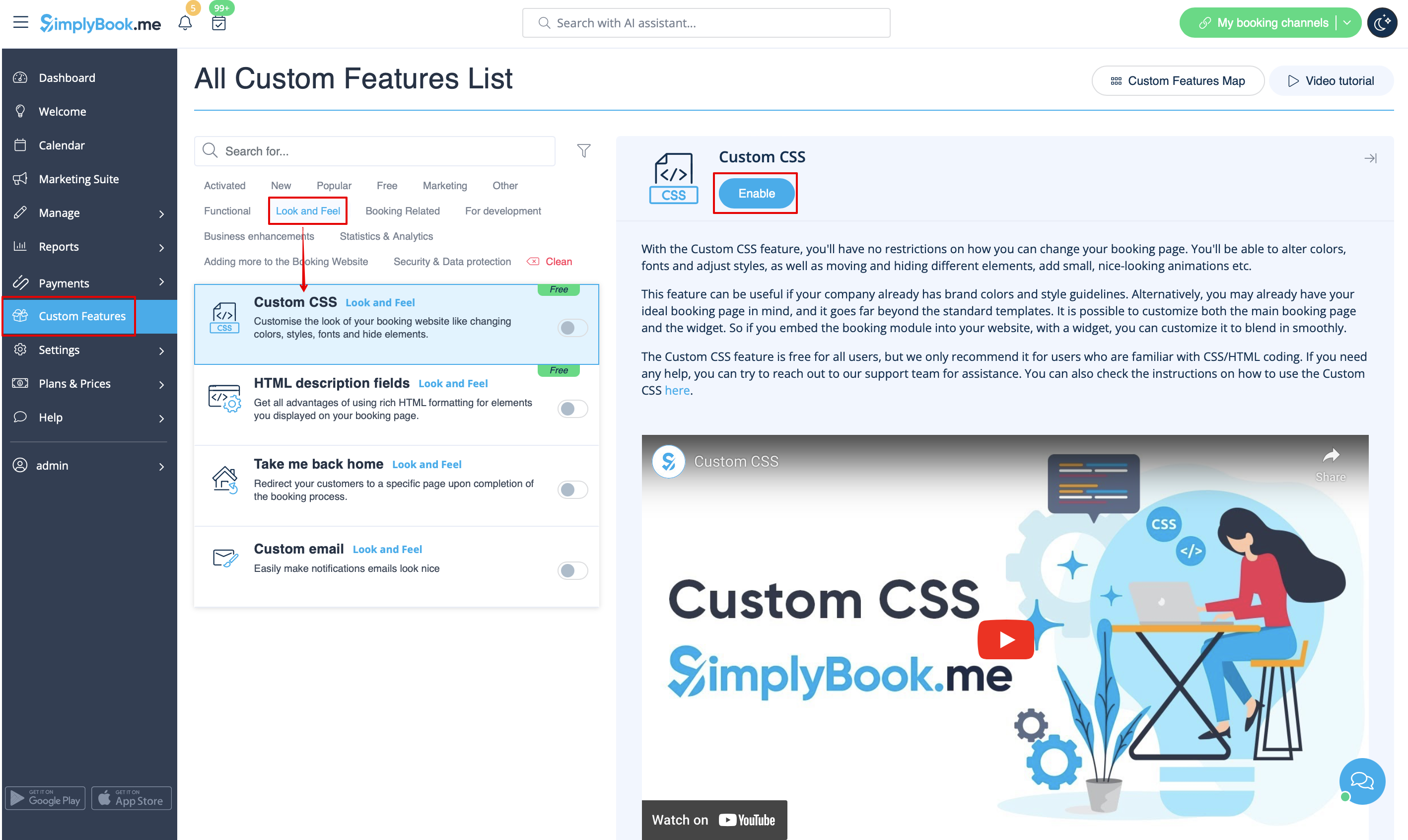
:1. Enable this option on your Custom Features page.
[[File:Custom css enable path redesigned.png|1200px| center|link=https://help.simplybook.me/images/9/93/Custom_css_enable_path_redesigned.png]]
<br><br>
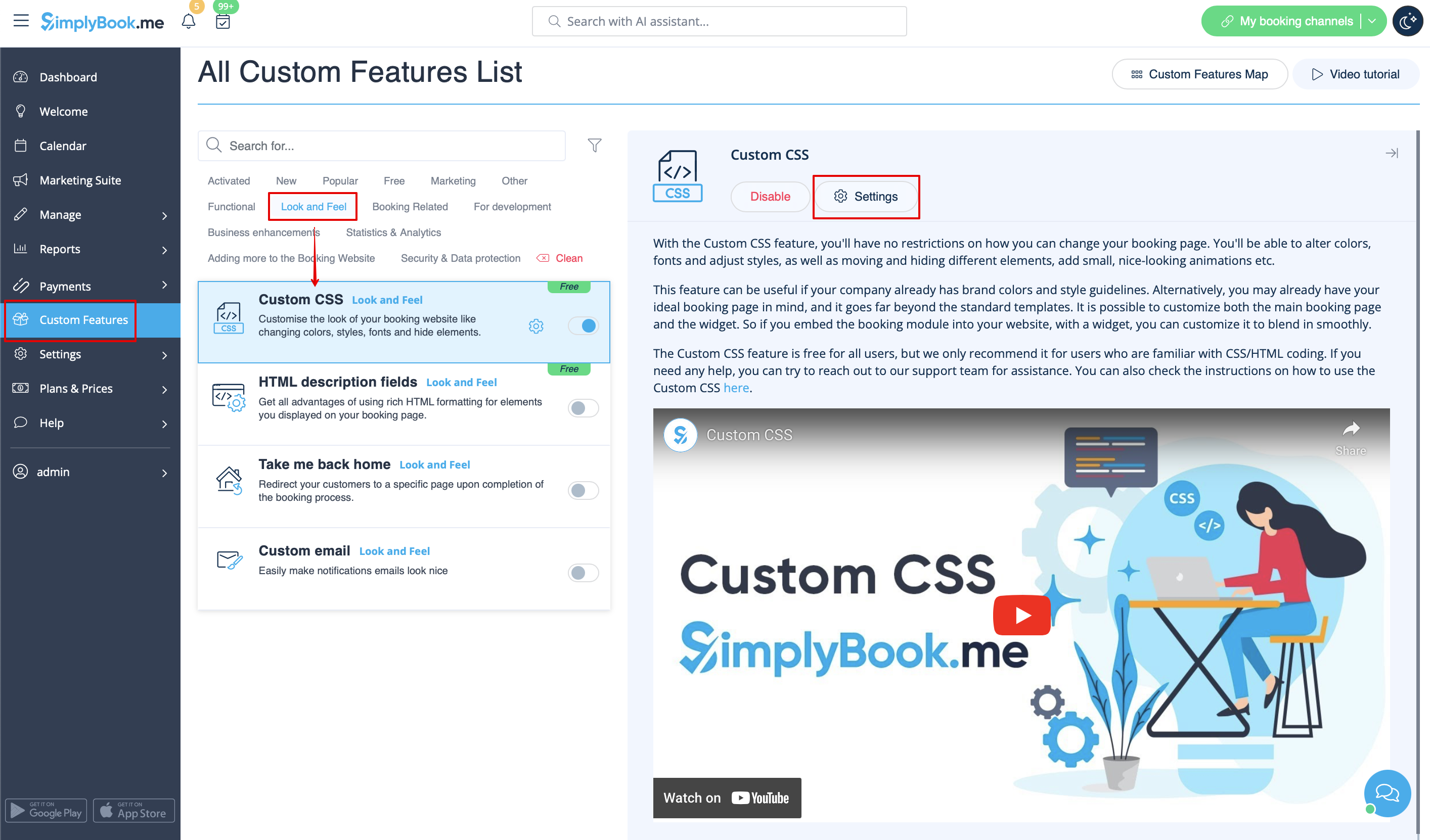
:2. Click on "Settings" for this feature.
[[File:Custom css settings path redesigned.png|1200px | center|link=https://help.simplybook.me/images/3/35/Custom_css_settings_path_redesigned.png]]
<br><br>
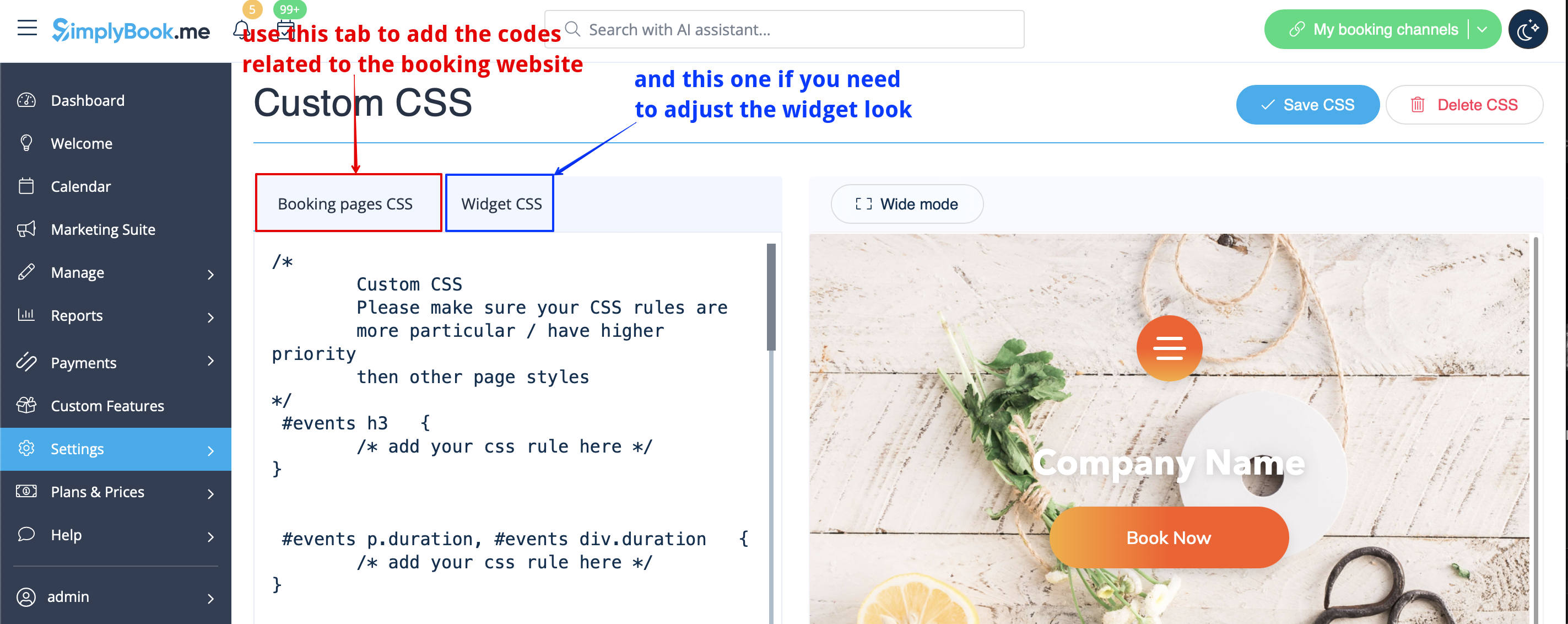
:3. Add the code(s) to adjust the styles to "Booking pages CSS" tab if you wish to edit the booking page<br>
:or "Widget CSS" if you are editing widget on your website.
[[File:Custom css tabs redesigned.png|1200px| center|link=https://help.simplybook.me/images/1/1c/Custom_css_tabs_redesigned.png]]
<br><br>
'''[[Special:MyLanguage/Remove Elements from booking page#Removing with Custom CSS| See most common requests how to remove elements with CSS here (phone, email fields, social tabs, our time, etc)]]'''
<br><br>

Gratis aangepaste functie!

Hoe te gebruiken
1. Schakel deze optie in op uw pagina Aangepaste functies.


2. Klik op "Instellingen" voor deze functie.


3. Voeg de code(s) toe om de stijlen aan te passen aan het tabblad "CSS van boekingspagina's" als u de boekingspagina wilt bewerken
of "Widget CSS" als u de widget op uw website bewerkt.
Bekijk hier de meest voorkomende verzoeken voor het verwijderen van elementen met CSS (telefoon, e-mailvelden, sociale tabbladen, onze tijd, enz.)