From SimplyBook.me
Updating to match new version of source page |
Updating to match new version of source page |
||
| (One intermediate revision by the same user not shown) | |||
| Line 3: | Line 3: | ||
{{#seo: | {{#seo: | ||
|title=First and Last Names - SimplyBook.me | |title=First and Last Names - SimplyBook.me | ||
|description= | |description=Configure separate fields for first and last names in booking forms. Split name collection for better client data organization and reporting. | ||
|titlemode=append | |titlemode=append | ||
|keywords=faq, frequently asked questions, booking software, appointment system questions, appointments online, calendar software, booking system, booking calendar, scheduling software, online appointment scheduling, online scheduling, plugins, custom features, additional functionality, client registration, client data, customer data, customer registration, sign up, additional information, client intake form | |keywords=faq, frequently asked questions, booking software, appointment system questions, appointments online, calendar software, booking system, booking calendar, scheduling software, online appointment scheduling, online scheduling, plugins, custom features, additional functionality, client registration, client data, customer data, customer registration, sign up, additional information, client intake form | ||
| Line 11: | Line 11: | ||
<br><br> | <br><br> | ||
:It may happen that you need to have separate fields for clients' first and last names during registration process. | :It may happen that you need to have separate fields for clients' first and last names during registration process. | ||
:Now it is possible with our <span style="background-color:#cdeffc; padding:5px; border-radius:5px;">[[Client_Fields_Custom_Feature|Client Fields]]</span> feature and new reordering functionality. | :Now it is possible with our <span style="background-color:#cdeffc; padding:5px; border-radius:5px;">[[Special:MyLanguage/Client_Fields_Custom_Feature|Client Fields]]</span> feature and new reordering functionality. | ||
<br><br> | <br><br> | ||
:<span style="background-color:#ffe9e9; padding:5px; border-radius:5px;">'''Please note!''' This setup is available with <span style="background-color:#cdeffc; padding:5px; border-radius:5px;">[[Client_Login_custom_feature|Client login]]</span> feature enabled.</span> | :<span style="background-color:#ffe9e9; padding:5px; border-radius:5px;">'''Please note!''' This setup is available with <span style="background-color:#cdeffc; padding:5px; border-radius:5px;">[[Special:MyLanguage/Client_Login_custom_feature|Client login]]</span> feature enabled.</span> | ||
<br><br> | <br><br> | ||
| Line 38: | Line 38: | ||
<br><br> | <br><br> | ||
:6. (optional) Add the desired variables to the notifications templates in <span style="background-color:#d4f8e5; padding:5px; border-radius:5px;">Settings</span> -> <span style="background-color:#d4f8e5; padding:5px; border-radius:5px;">Email and SMS settings</span> (or <span style="background-color:#cdeffc; padding:5px; border-radius:5px;">[[Flexible_Notifications_custom_feature|Flexible notifications]]</span> feature if you have customized them per service/provider). | :6. (optional) Add the desired variables to the notifications templates in <span style="background-color:#d4f8e5; padding:5px; border-radius:5px;">Settings</span> -> <span style="background-color:#d4f8e5; padding:5px; border-radius:5px;">Email and SMS settings</span> (or <span style="background-color:#cdeffc; padding:5px; border-radius:5px;">[[Special:MyLanguage/Flexible_Notifications_custom_feature|Flexible notifications]]</span> feature if you have customized them per service/provider). | ||
Latest revision as of 15:04, 2 February 2026
- It may happen that you need to have separate fields for clients' first and last names during registration process.
- Now it is possible with our Client Fields feature and new reordering functionality.
- Please note! This setup is available with Client login feature enabled.
- How to use
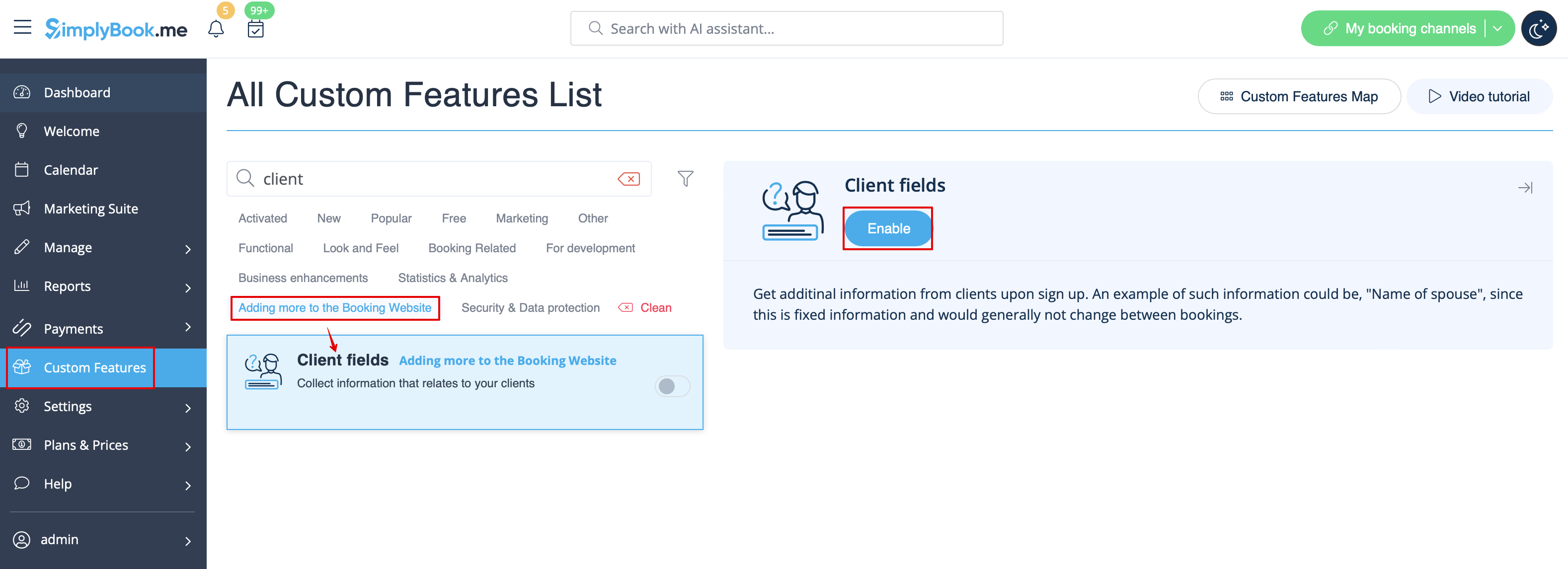
- 1. Enable Client Fields custom feature on the Custom Features page.
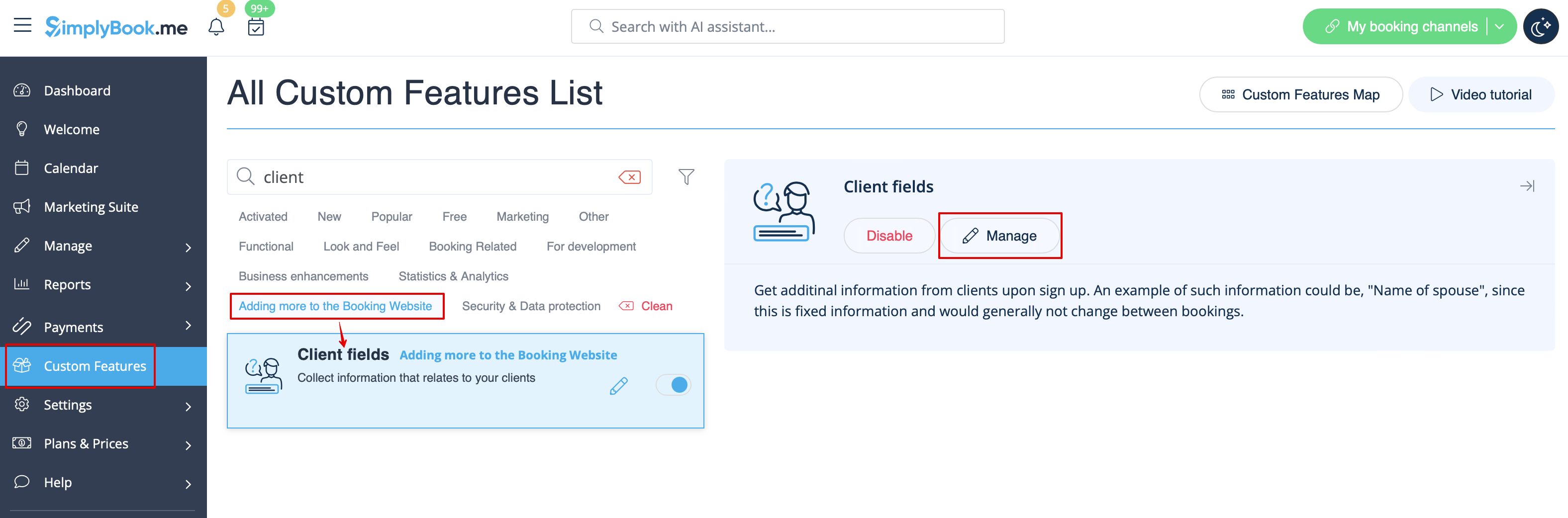
- 2. Go to its settings by clicking on Manage link.
- Or navigate to Manage -> Client fields in the left-side menu.
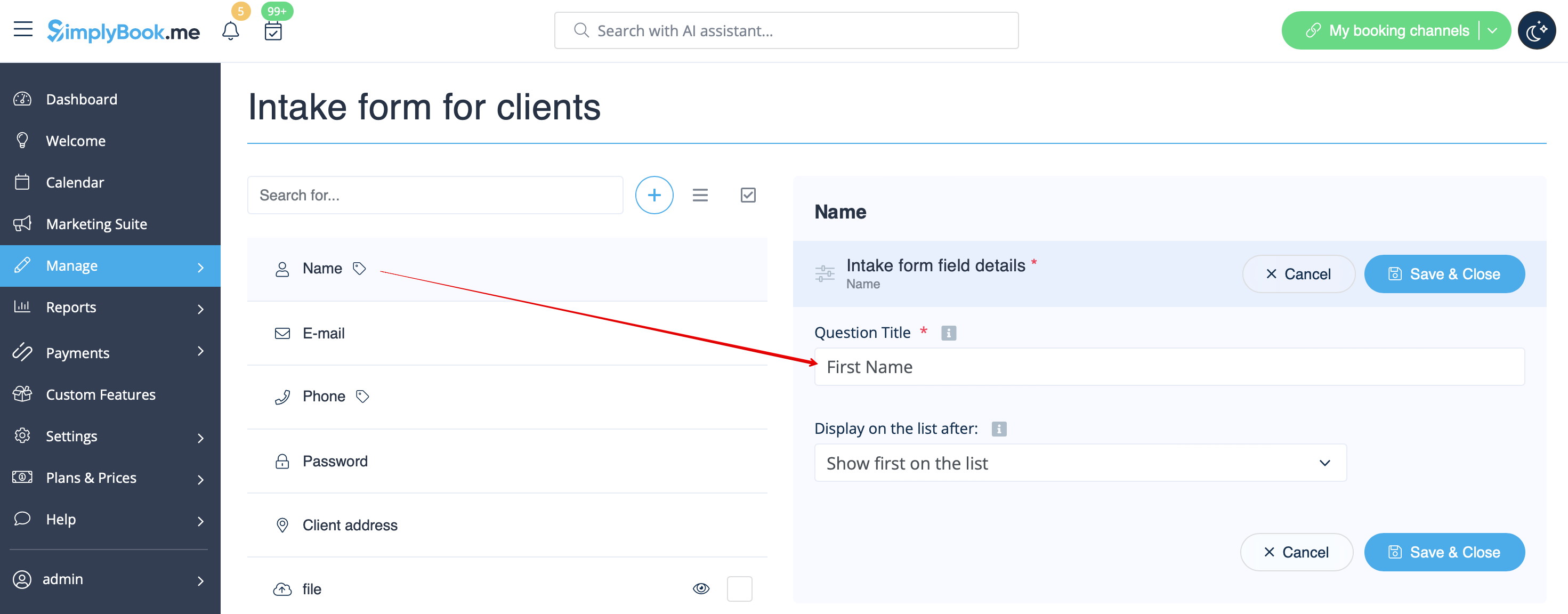
- 3. You will see default registration fields there. Select the first one called Name and rename it to First Name. Save.
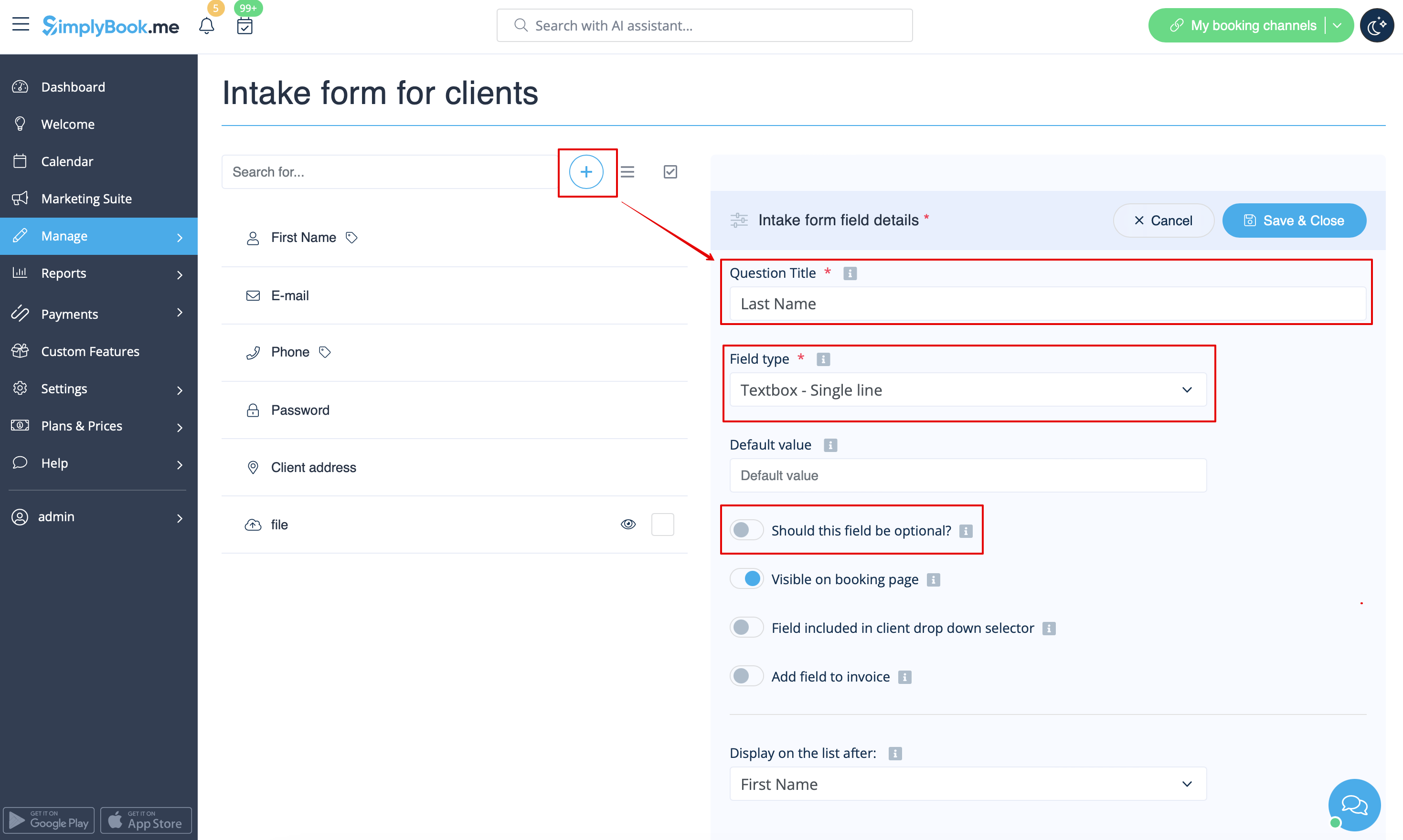
- 4. Click on + at the top to create new client field, add Last Name as a Question title and select Textbox - Single line type.
- By default the field is set to be obligatory to fill in by clients but if you need to make it non-mandatory please use the corresponding switcher.
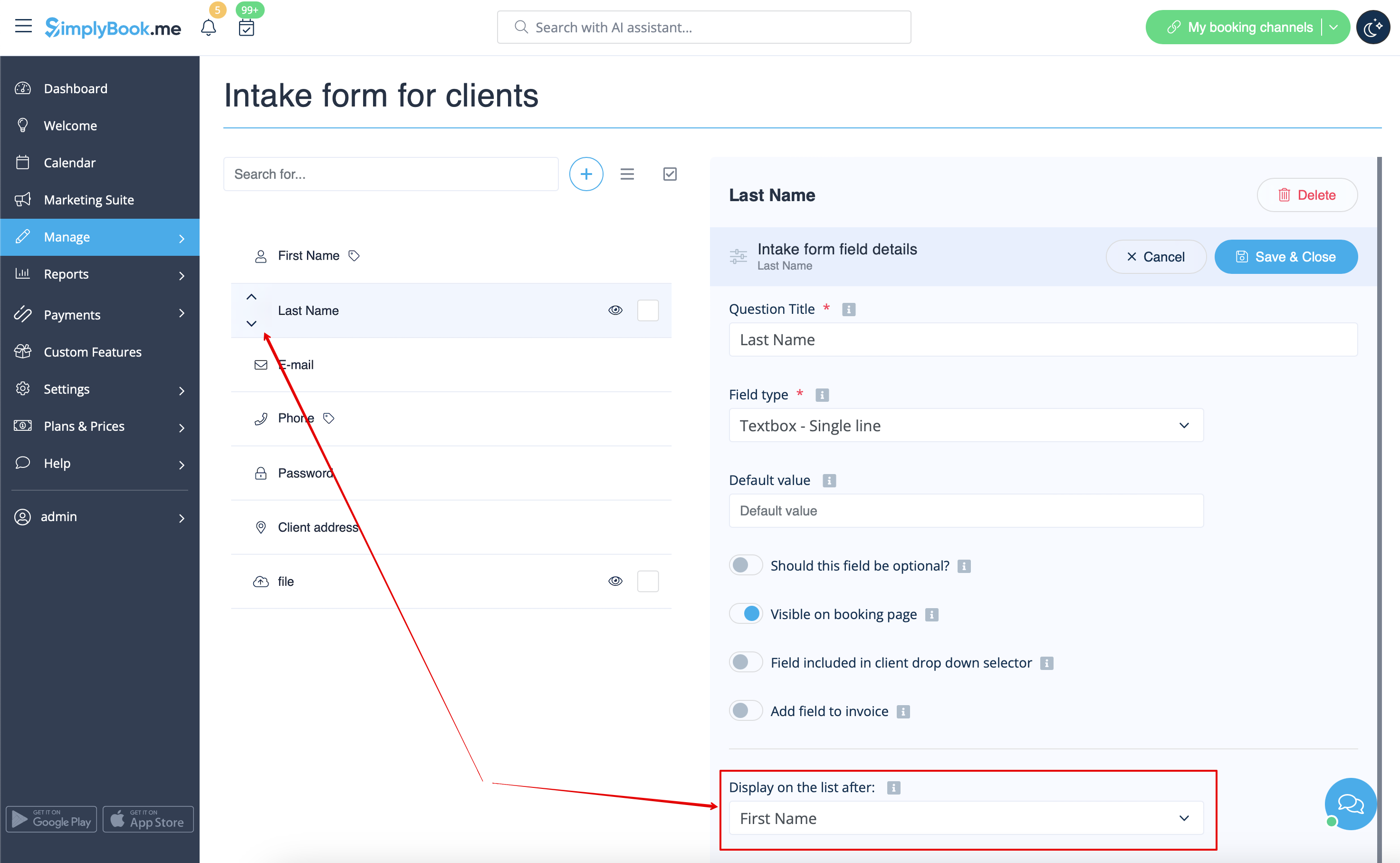
- 5. Select its position to be after First Name and save.
- Or if you have already saved the field use the arrows to re-order.
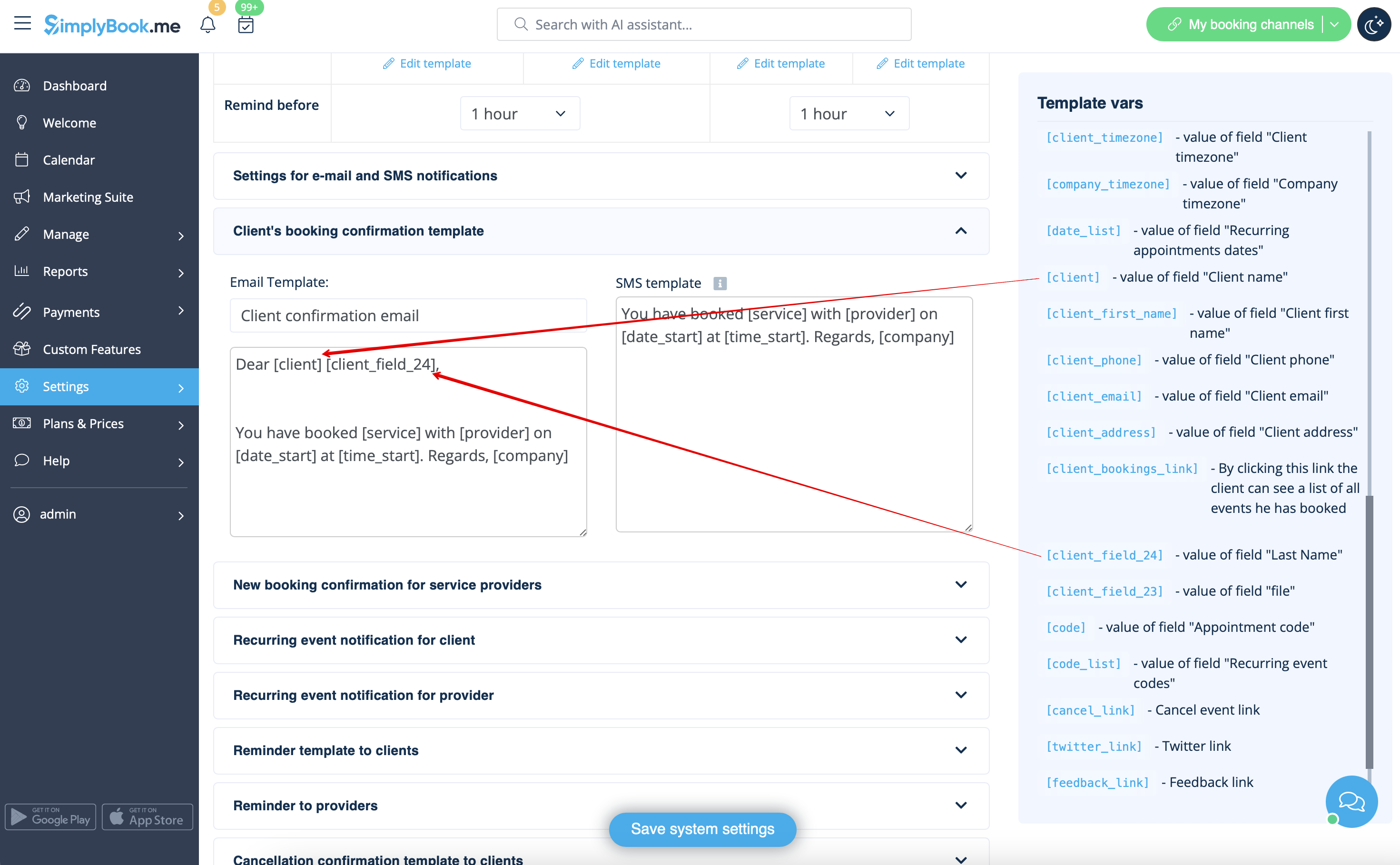
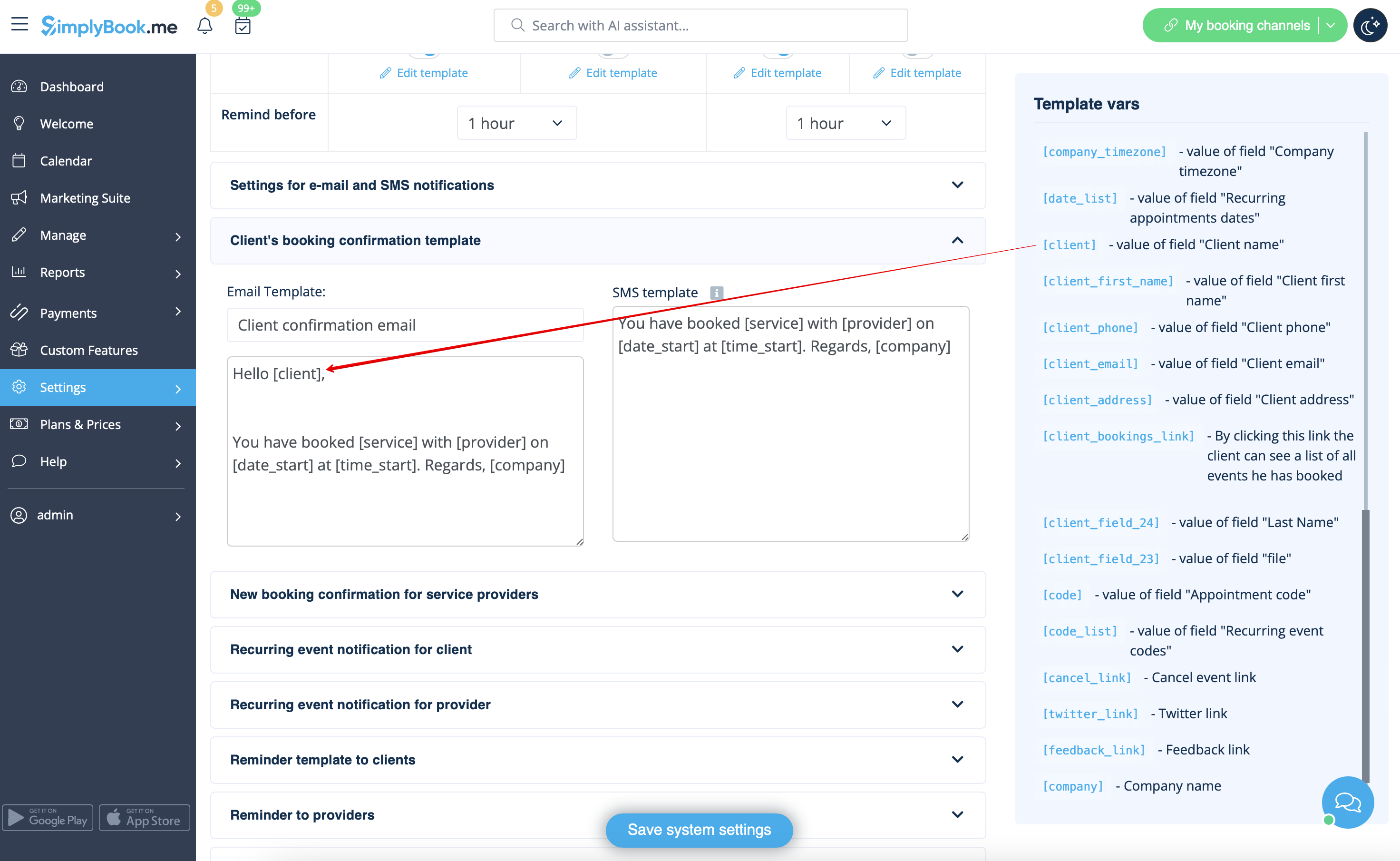
- 6. (optional) Add the desired variables to the notifications templates in Settings -> Email and SMS settings (or Flexible notifications feature if you have customized them per service/provider).
- For example, you can make booking related more personal by using only first name in the greeting.
- (here we are using default [client] variable as we have simply renamed the default field in step #3)
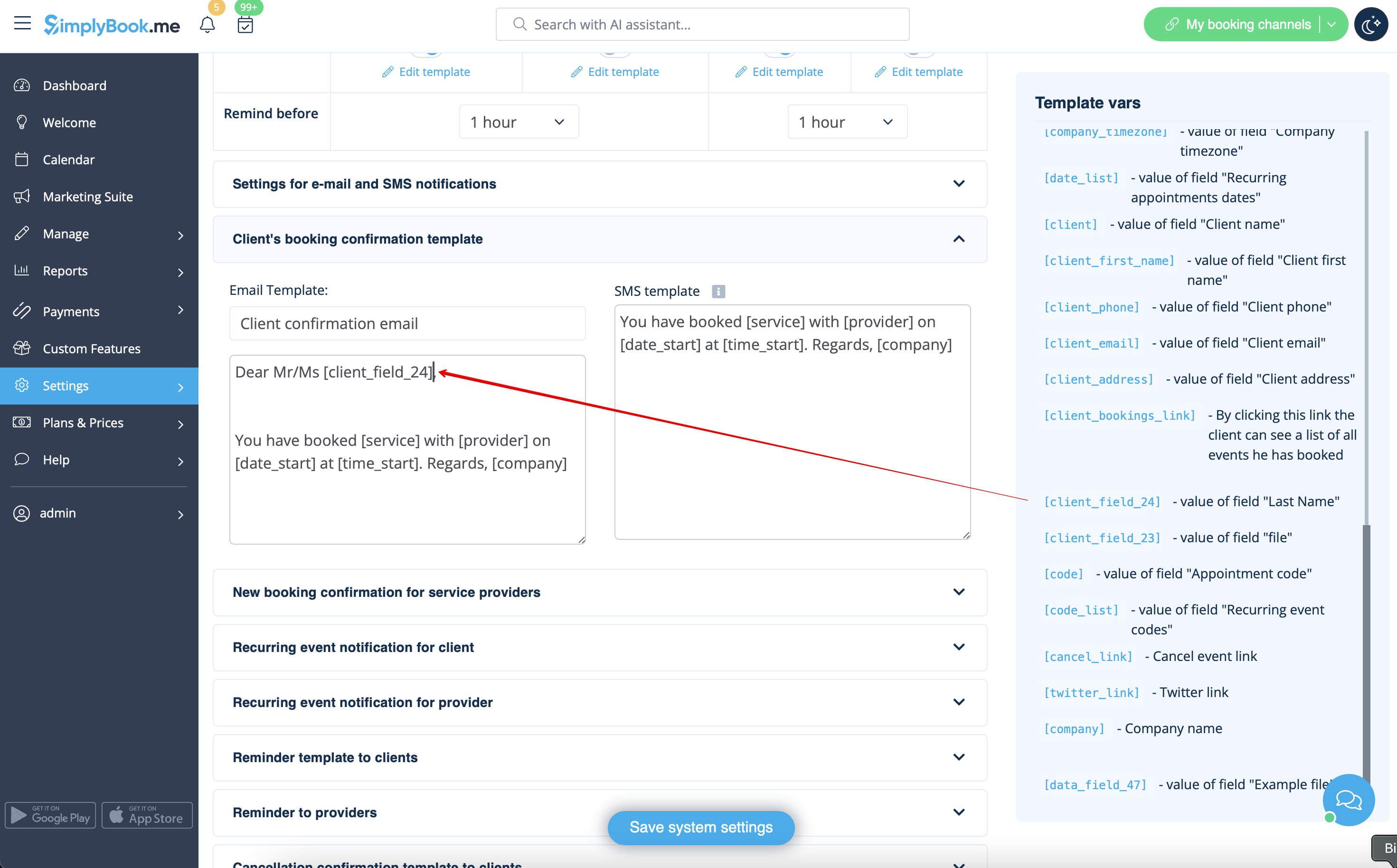
- Or sound more official with only last name use.
- (client field is used here, taken from step #4)
- Or even use both if you like.
- (default variable and client form combined)