From SimplyBook.me
Updating to match new version of source page |
Updating to match new version of source page |
||
| (One intermediate revision by the same user not shown) | |||
| Line 1: | Line 1: | ||
<languages/> | <languages/> | ||
{{#seo: | {{#seo: | ||
|title=Any Employee Selector Custom Feature - SimplyBook.me | |title=Any Employee Selector Custom Feature - SimplyBook.me | ||
|description=Auto-assign available staff to appointments. Balance workload, simplify booking process. Clients pick service, system selects provider automatically. | |||
|titlemode=append | |titlemode=append | ||
|keywords=faq, frequently asked questions, booking software, appointment system questions, appointments online, calendar software, booking system, booking calendar, scheduling software, online appointment scheduling, online scheduling, setup, setup help, support, help content, any employee, any employee selector, hide providers, hide provider step, any provider, any performer | |keywords=faq, frequently asked questions, booking software, appointment system questions, appointments online, calendar software, booking system, booking calendar, scheduling software, online appointment scheduling, online scheduling, setup, setup help, support, help content, any employee, any employee selector, hide providers, hide provider step, any provider, any performer | ||
| Line 22: | Line 22: | ||
;How to use | ;How to use | ||
:1. Enable "Any Employee selector" custom feature in Custom features section. | :1. Enable "Any Employee selector" custom feature in Custom features section. | ||
[[File:Any employee enable path | [[File:Any employee enable path redesigned.png|1200px| center|link=https://help.simplybook.me/images/0/05/Any_employee_enable_path_redesigned.png]] | ||
<br><br> | <br><br> | ||
:2. Go to the settings on the right to adjust "Any employee" option title and description to your needs. | :2. Go to the settings on the right to adjust "Any employee" option title and description to your needs. | ||
[[File:Any employee | [[File:Any employee setting s redesigned.png|1200px | center|link=https://help.simplybook.me/images/d/d9/Any_employee_setting_s_redesigned.png]] | ||
<br><br> | <br><br> | ||
:3. If you need to hide providers from the booking site and/or assign them randomly please check the corresponding boxes there. | :3. If you need to hide providers from the booking site and/or assign them randomly please check the corresponding boxes there. | ||
<br><br> | <br><br> | ||
Latest revision as of 19:39, 2 February 2026

You can use this Custom Feature to add a service provider called "Any provider" to the booking page, and if the client chooses this provider, all times of available providers will show.

You can also use this Custom Feature to:
- Hide employee step on the booking page.
- Auto allocate any available provider for selected service randomly.
This way the client only chooses the service and the time so it simplifies the booking process.
- How to use
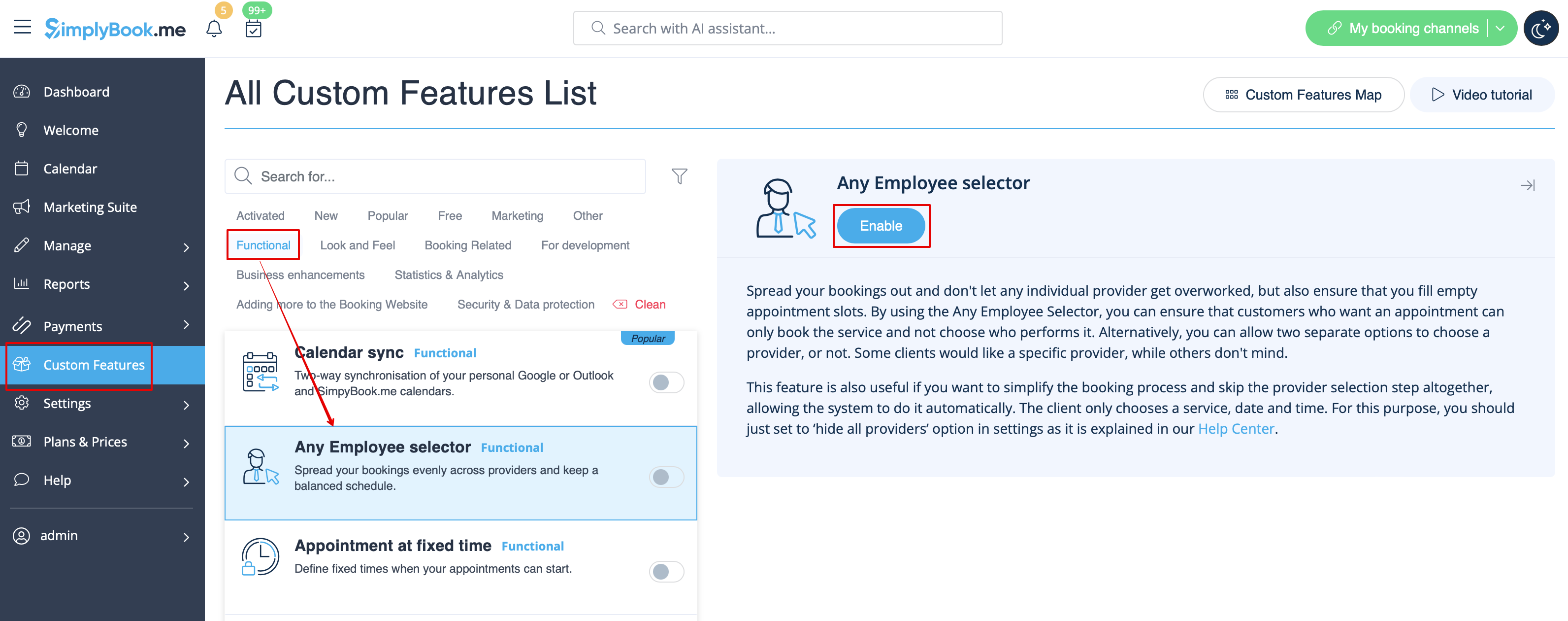
- 1. Enable "Any Employee selector" custom feature in Custom features section.
- 2. Go to the settings on the right to adjust "Any employee" option title and description to your needs.
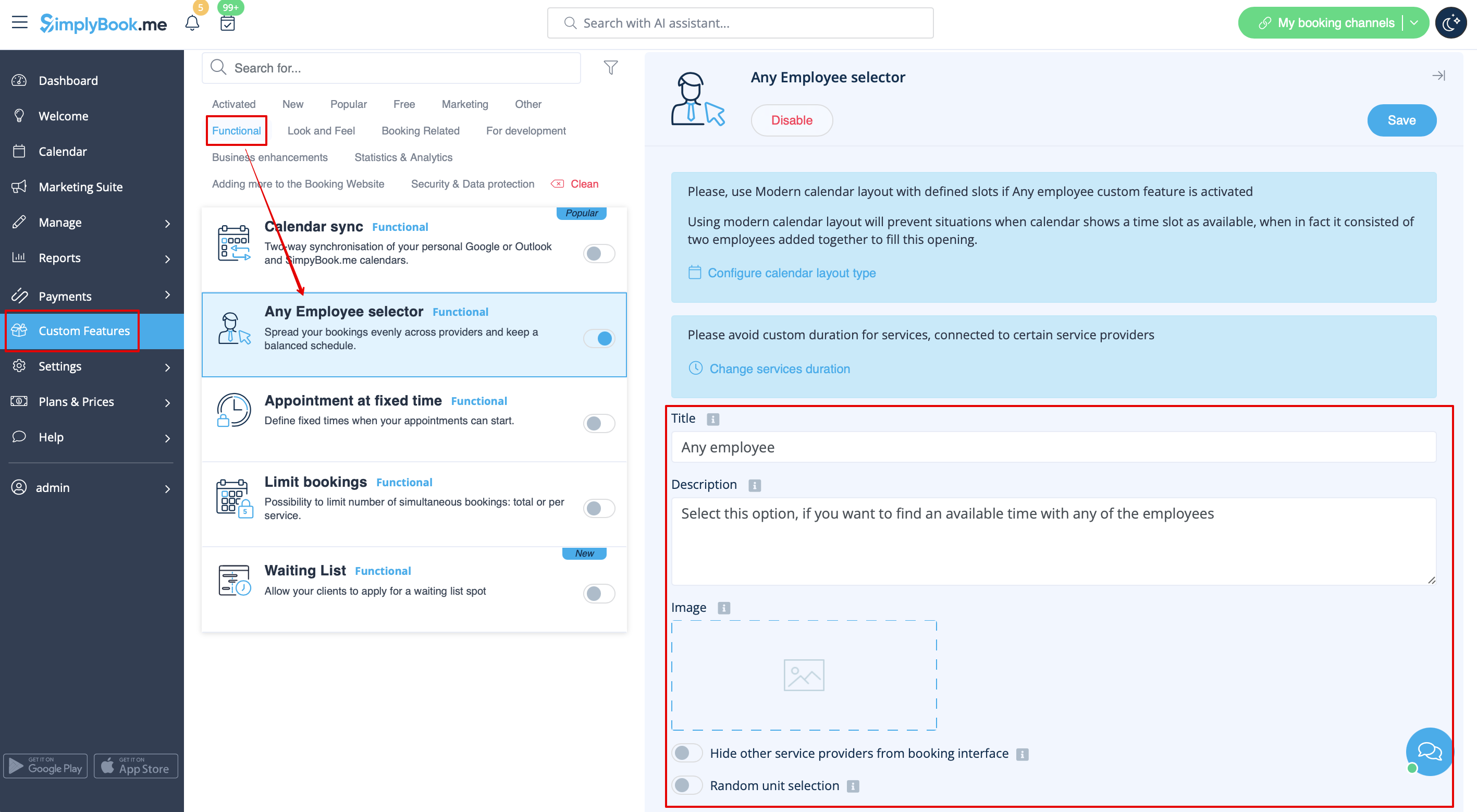
- 3. If you need to hide providers from the booking site and/or assign them randomly please check the corresponding boxes there.
