Marked this version for translation |
No edit summary |
||
| (One intermediate revision by the same user not shown) | |||
| Line 4: | Line 4: | ||
{{#seo: | {{#seo: | ||
|title=Adjusting client invoices - SimplyBook.me | |title=Adjusting client invoices - SimplyBook.me | ||
|description= | |description=Customize invoice appearance and content. Add company logo, adjust layout, include intake form data. Configure invoice numbering, terms, footer information. | ||
|titlemode=append | |titlemode=append | ||
|keywords=faq, frequently asked questions, booking software, appointment system questions, appointments online, calendar software, booking system, booking calendar, scheduling software, online appointment scheduling, online scheduling, setup, setup help, support, help content | |keywords=faq, frequently asked questions, booking software, appointment system questions, appointments online, calendar software, booking system, booking calendar, scheduling software, online appointment scheduling, online scheduling, setup, setup help, support, help content | ||
| Line 45: | Line 45: | ||
<!--T:6--> | <!--T:6--> | ||
3. '''Client address.'''<br> | 3. '''Client address.'''<br> | ||
For the client address to be displayed please enable [[Client_Login_custom_feature|Client Login]] custom feature, enable both <span style="background-color:#d4f8e5; padding:5px; border-radius:5px;">Display address on the booking page</span> and <span style="background-color:#d4f8e5; padding:5px; border-radius:5px;">Make address mandatory registration field</span> in <span style="background-color:#d4f8e5; padding:5px; border-radius:5px;">Accessibility</span> section. Save settings. | For the client address to be displayed please enable [[Special:MyLanguage/Client_Login_custom_feature|Client Login]] custom feature, enable both <span style="background-color:#d4f8e5; padding:5px; border-radius:5px;">Display address on the booking page</span> and <span style="background-color:#d4f8e5; padding:5px; border-radius:5px;">Make address mandatory registration field</span> in <span style="background-color:#d4f8e5; padding:5px; border-radius:5px;">Accessibility</span> section. Save settings. | ||
[[File:Make address mandatory redesigned.png|1200px|border|center|link=https://help.simplybook.me/images/6/68/Make_address_mandatory_redesigned.png]] | [[File:Make address mandatory redesigned.png|1200px|border|center|link=https://help.simplybook.me/images/6/68/Make_address_mandatory_redesigned.png]] | ||
<br><br> | <br><br> | ||
| Line 89: | Line 89: | ||
<translate> | <translate> | ||
<!--T:12--> | <!--T:12--> | ||
<span style="background-color:#ffe9e9; padding:5px; border-radius:5px;">'''Please note!''' Importing invoices from external platforms directly into the system is not supported. However, SimplyBook.me offers integration options with various accounting software, including [[Xero_integration| Xero]], [[QuickBooks_integration| QuickBooks]], and [[FreshBooks_integration| FreshBooks]]. You can efficiently manage your invoices within your preferred accounting system.</span> | <span style="background-color:#ffe9e9; padding:5px; border-radius:5px;">'''Please note!''' Importing invoices from external platforms directly into the system is not supported. However, SimplyBook.me offers integration options with various accounting software, including [[Special:MyLanguage/Xero_integration| Xero]], [[Special:MyLanguage/QuickBooks_integration| QuickBooks]], and [[Special:MyLanguage/FreshBooks_integration| FreshBooks]]. You can efficiently manage your invoices within your preferred accounting system.</span> | ||
<br><br> | <br><br> | ||
</translate> | </translate> | ||
Latest revision as of 19:49, 2 February 2026
It may be necessary to show or hide some data or change the look for the invoices that the system sends to clients after they make a purchase on your booking website.
You can adjust the following items:
1. Company address.
The company address added in Payments(SBPay.me) -> Payment systems -> Settings -> Company profile -> Address will be reflected in the invoices.
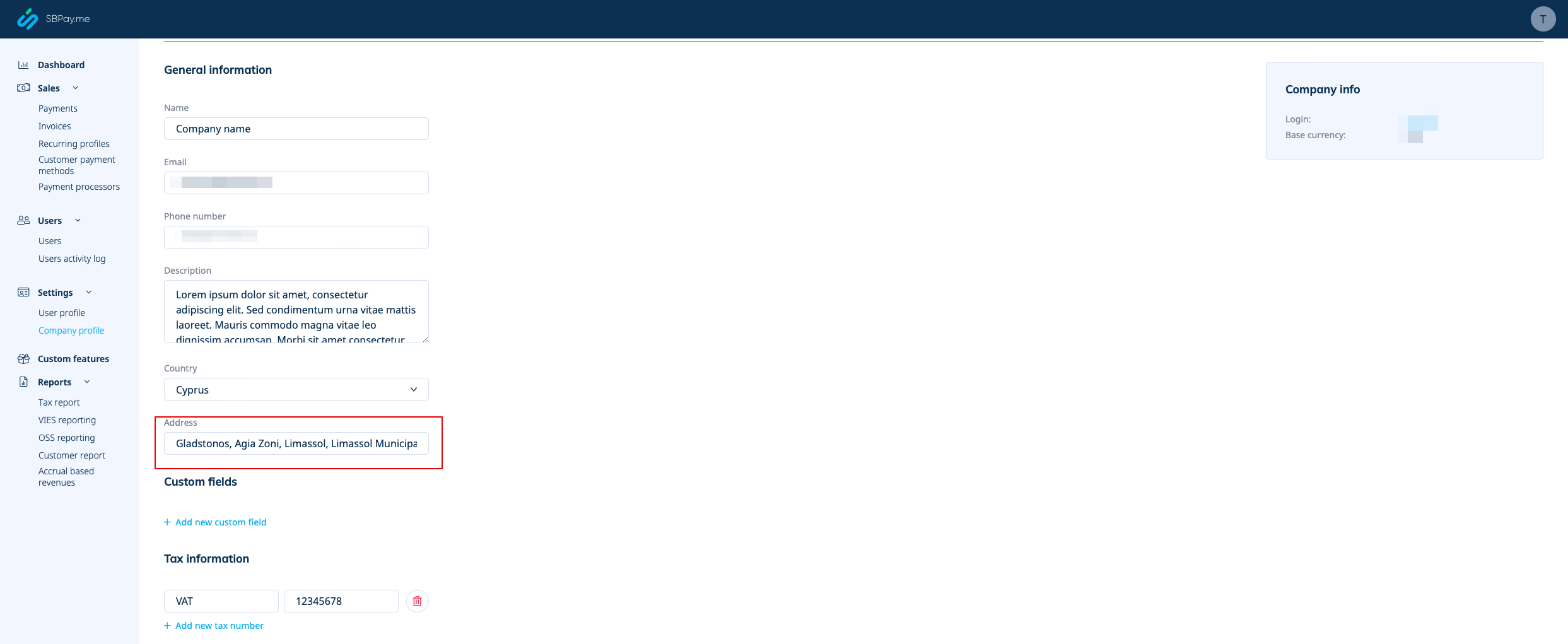
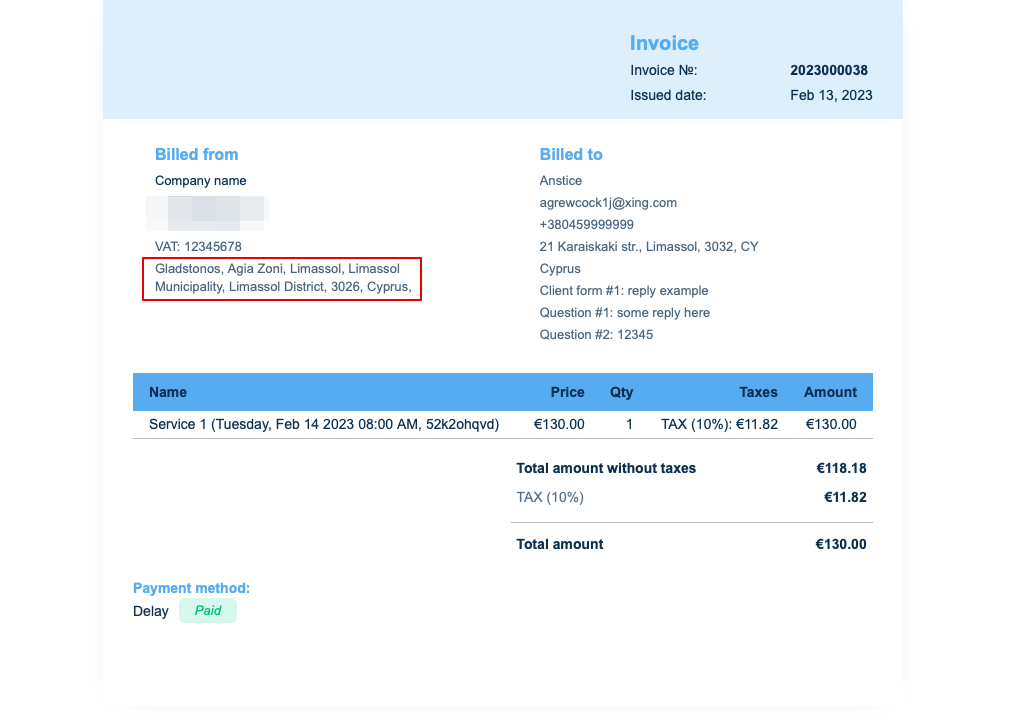
If you need to hide it simply remove address from that field and save settings.
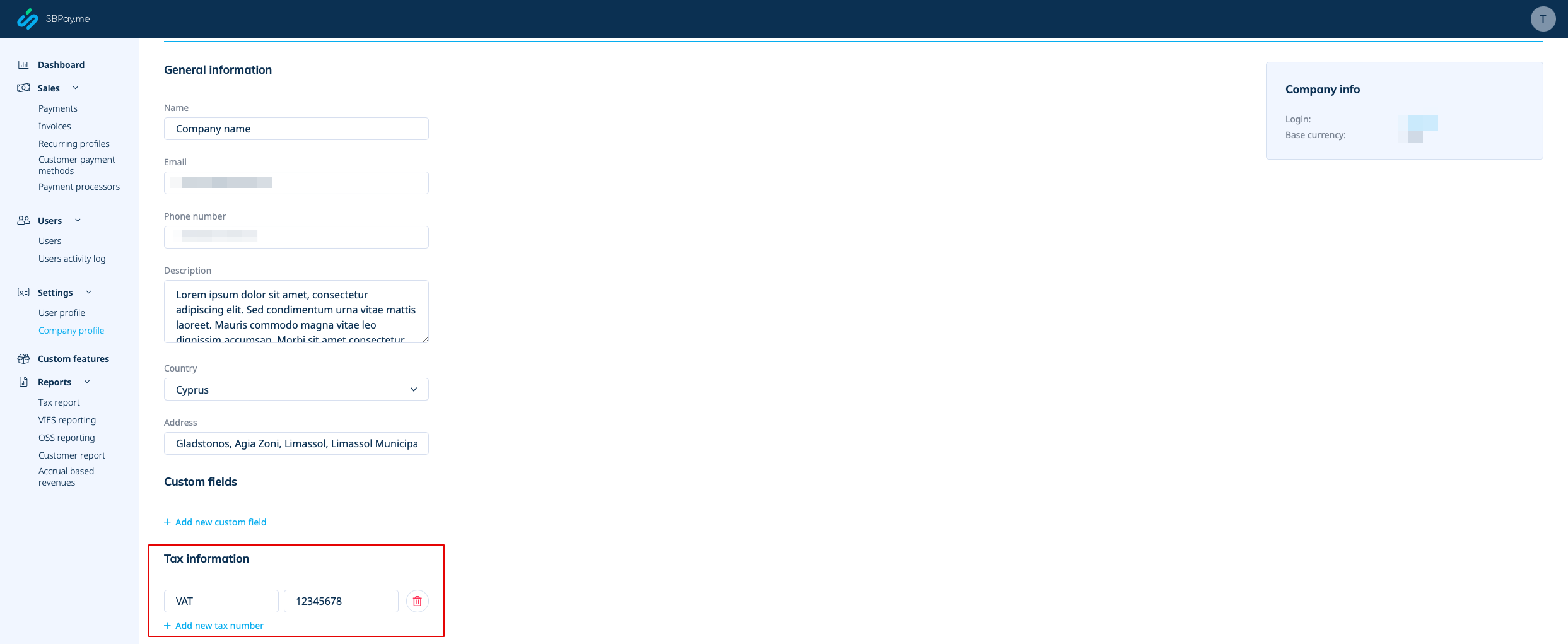
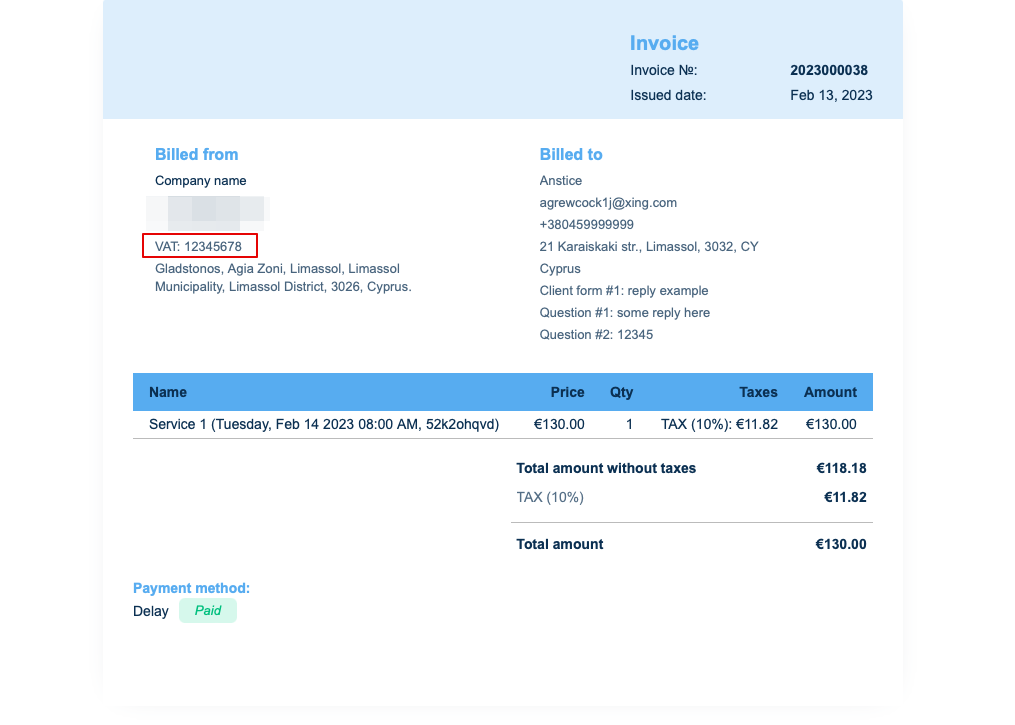
2. Company VAT number.
If it is added in Payments(SBPay.me) -> Payment systems -> Settings -> Company profile -> Tax information it will be included to the invoice header.
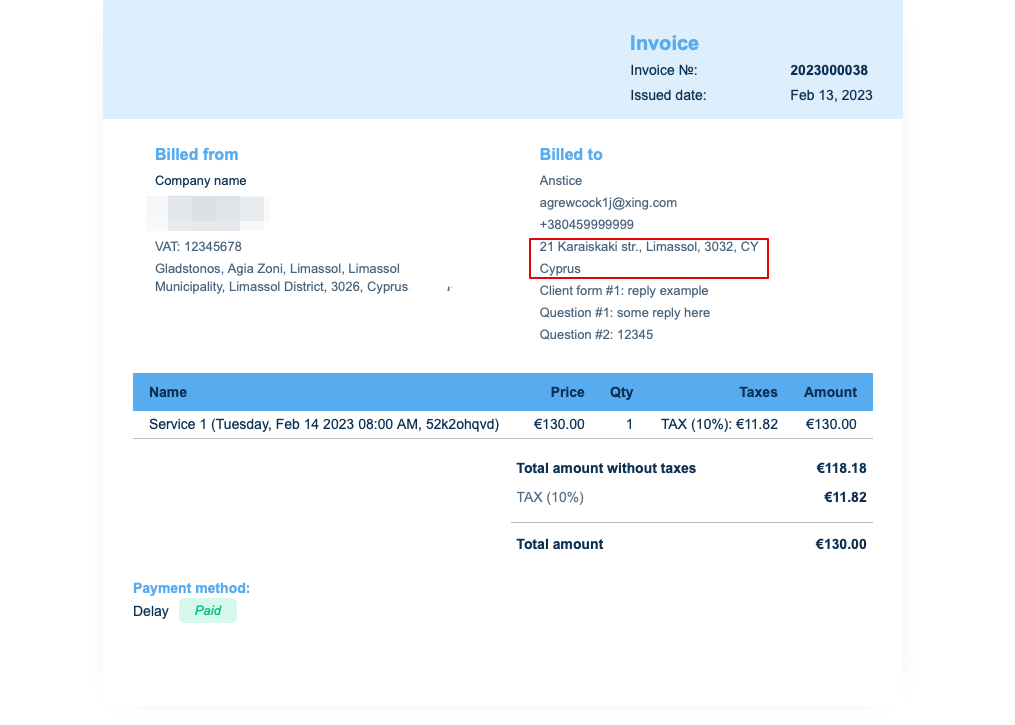
3. Client address.
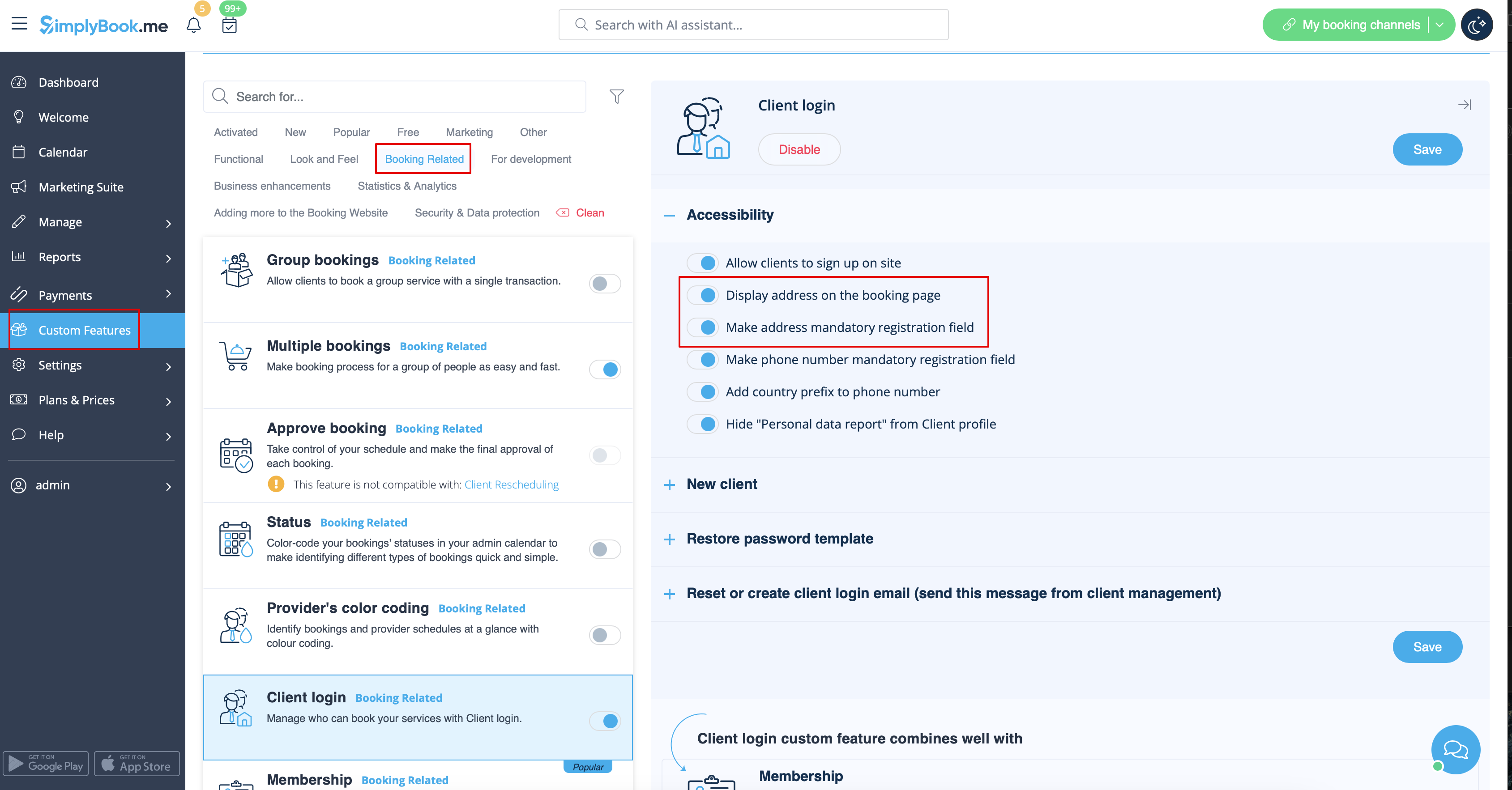
For the client address to be displayed please enable Client Login custom feature, enable both Display address on the booking page and Make address mandatory registration field in Accessibility section. Save settings.
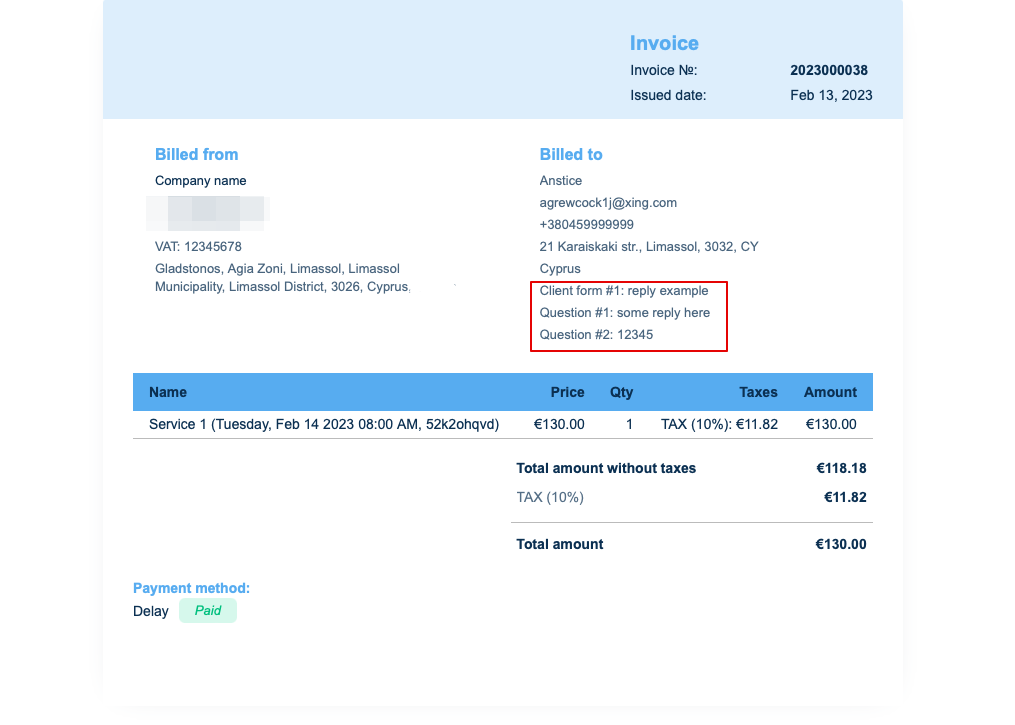
4. Intake forms and Client Fields
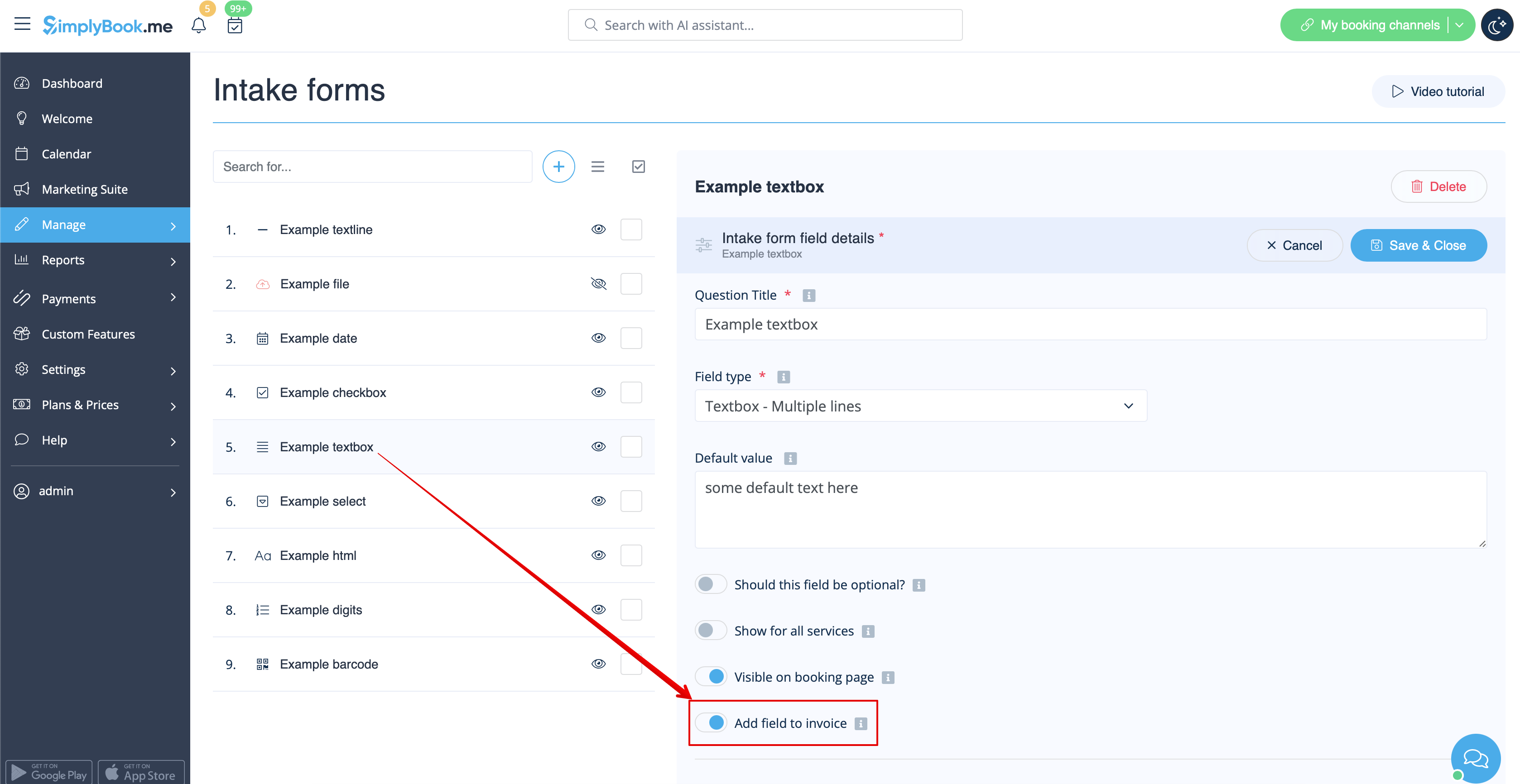
You can add certain forms to be displayed in the client information block.
If it is an intake form please go to Manage -> Intake forms -> click on the necessary form to select -> enable Add field to invoice, save settings.
Or if you wish to add a client form then navigate to Manage -> Client fields -> click on the desired field to edit it -> enable Add field to invoice, save.
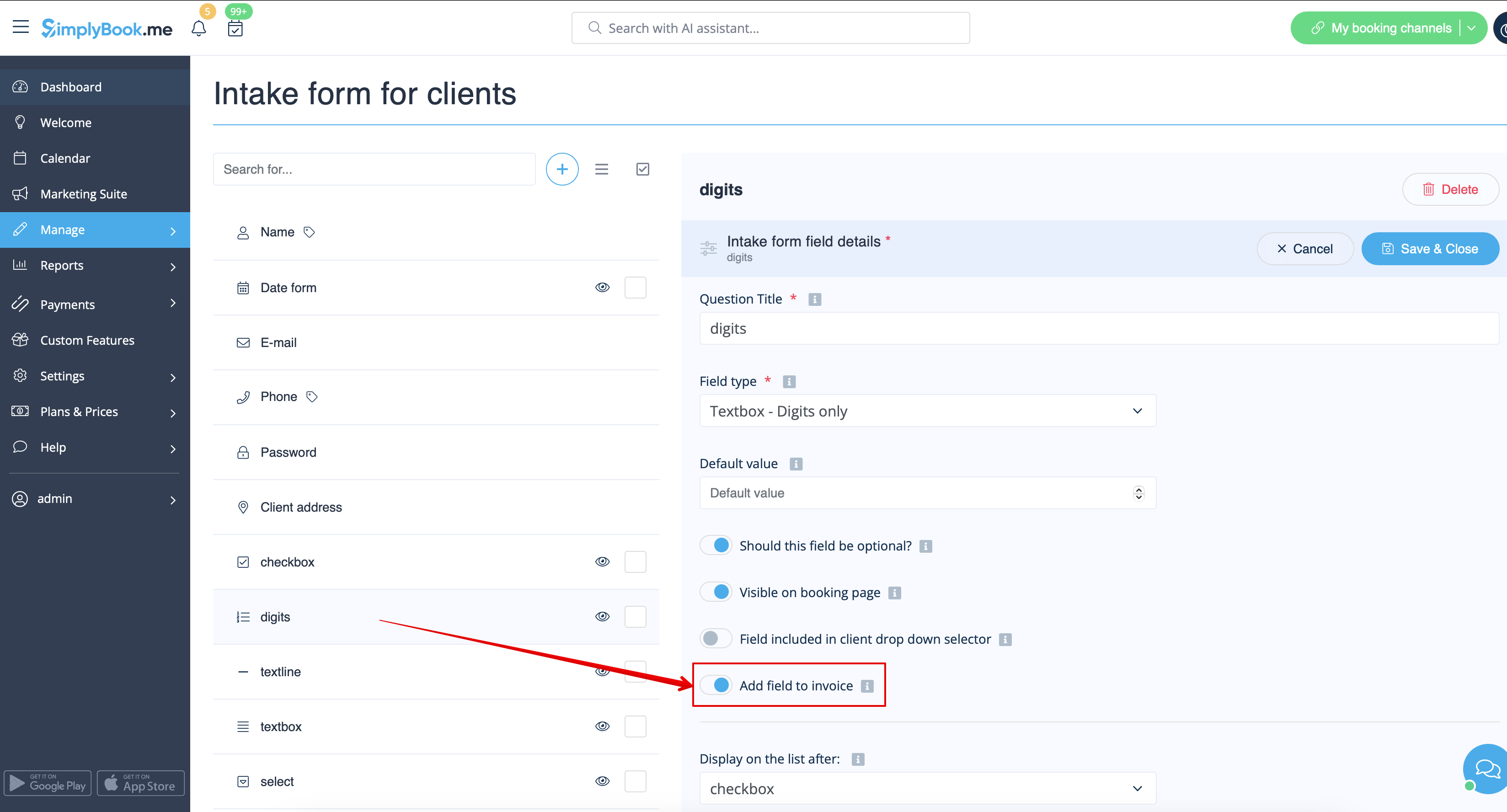
As the result both the form title and the client response will be reflected in the invoice.
5. Invoice design.
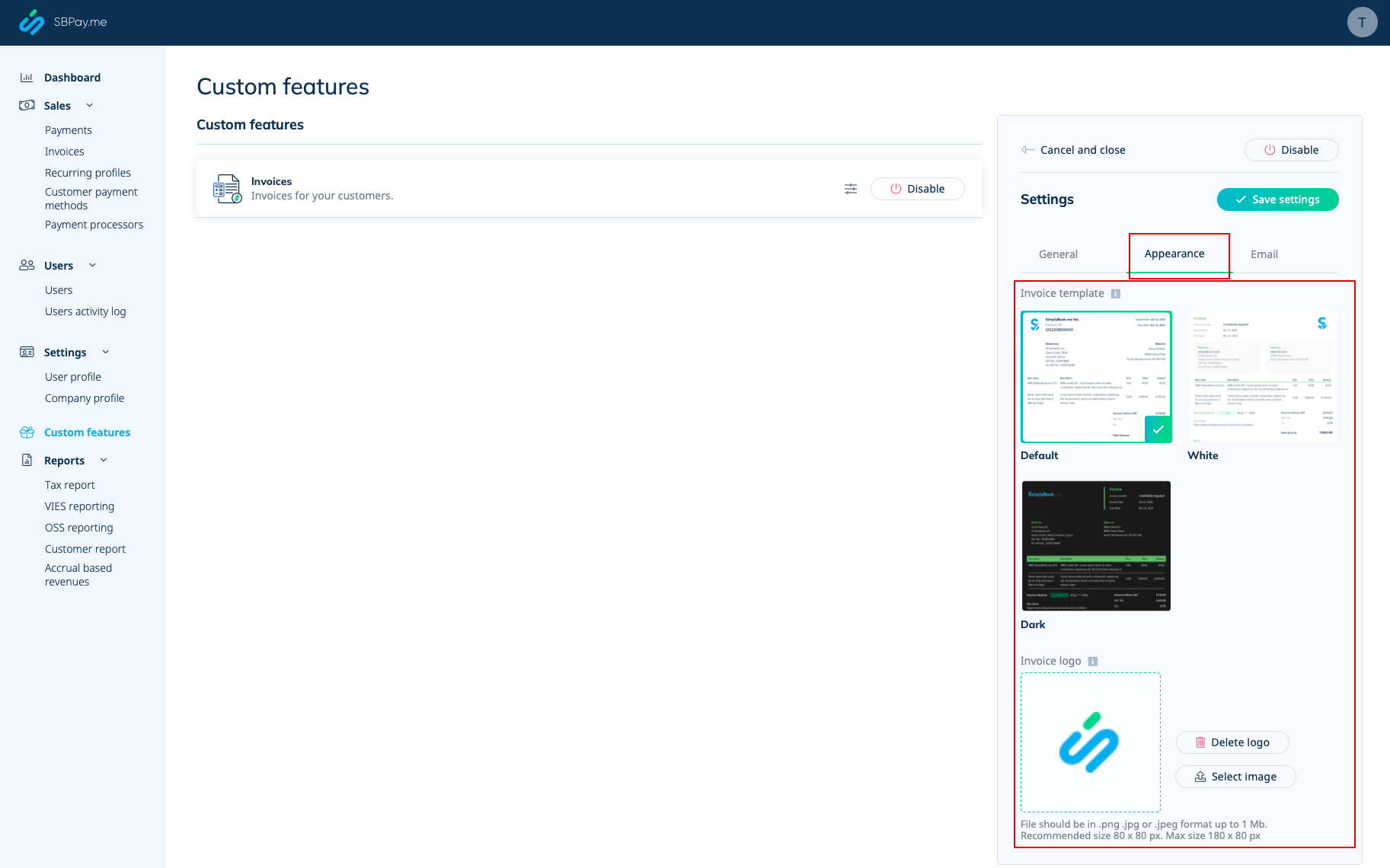
There are three templates to choose from in Payments(SBPay.me) -> Payment systems -> Custom features -> Invoices -> Settings -> Appearance.
Please cheese the one you like the most, add your comopany logo and save settings.
Please note! Importing invoices from external platforms directly into the system is not supported. However, SimplyBook.me offers integration options with various accounting software, including Xero, QuickBooks, and FreshBooks. You can efficiently manage your invoices within your preferred accounting system.
