From SimplyBook.me
No edit summary |
No edit summary |
||
| (One intermediate revision by one other user not shown) | |||
| Line 1: | Line 1: | ||
<languages/> | <languages/> | ||
{{#seo: |title=WordPress-plugin – SimplyBook.me |description= | {{#seo: |title=WordPress-plugin – SimplyBook.me |description=Installera SimplyBook.me WordPress-plugin. Lägg till bokningsfunktionalitet på WordPress-webbplatser. Konfigurera inställningar, välj layout och bädda in på sidor med ett enkelt block.|titlemode=lägg till |keywords=faq, vanliga frågor, bokningsprogramvara, frågor om bokningssystem, onlinebokningar, kalenderprogramvara, bokningssystem, bokningskalender, schemaläggningsprogramvara, onlinebokning, onlinebokning, plugin, wordpress-integration, widget, webbplatswidget, wordpress-plugin }} | ||
__FORCETOC__ | __FORCETOC__ | ||
| Line 49: | Line 49: | ||
:<span style="background-color:#fef3de; padding:5px; border-radius:5px;">Exempel</span> (kan se annorlunda ut beroende på ditt WP-tema och [https://simplybook.me/ SimplyBook.me-tema] och inställningar). | :<span style="background-color:#fef3de; padding:5px; border-radius:5px;">Exempel</span> (kan se annorlunda ut beroende på ditt WP-tema och [https://simplybook.me/ SimplyBook.me-tema] och inställningar). | ||
<div class="mw-translate-fuzzy"> | |||
[[File:Wp select location.png|center]] | [[File:Wp select location.png|center]] | ||
<br><br> | <br><br> | ||
<br><br> | <br><br> | ||
</div> | |||
<div lang="en" dir="ltr" class="mw-content-ltr"> | |||
With the AI Voice Booking widget, you can easily place an interactive AI widget button anywhere on your client’s website. Simply enable your feature on SimplyBook.me side, insert the widget code into an HTML section in your website builder and visitors will be able to book appointments just by messaging or speaking to the AI directly on the site. Please, check the [[Special:MyLanguage/AI Voice Booking|tutorial]] to setup the integration. | |||
</div> | |||
Latest revision as of 20:06, 9 February 2026
Med hjälp av WordPress-plugin
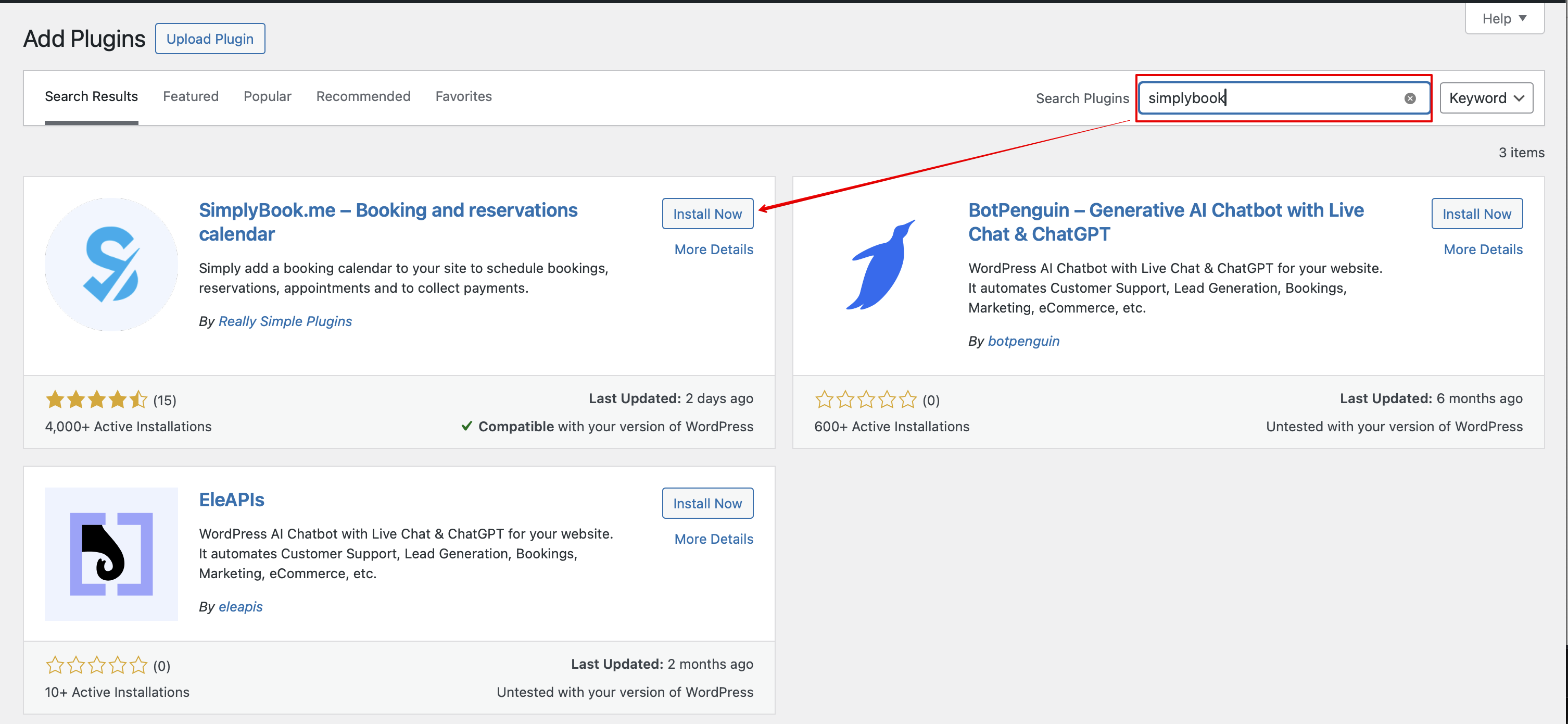
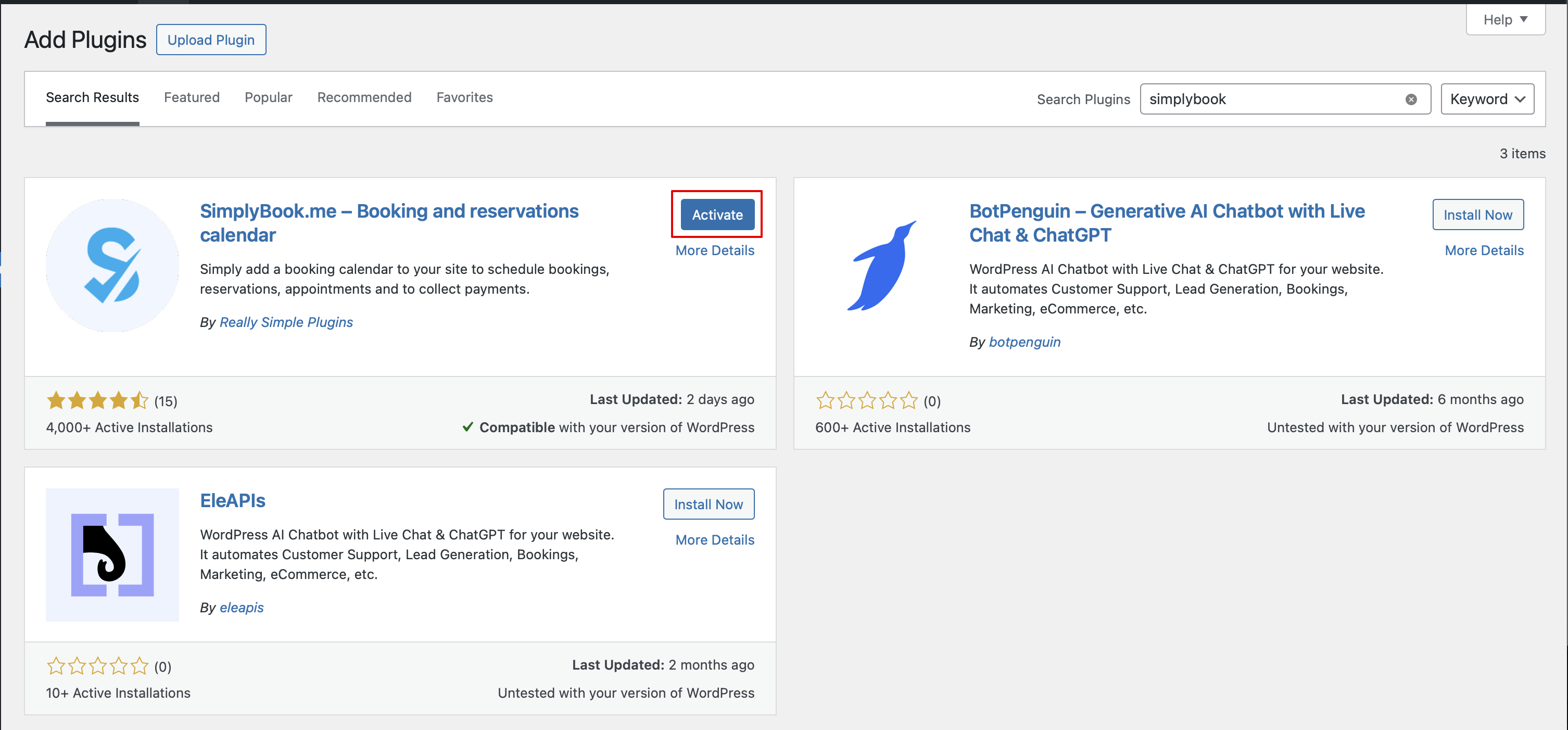
- 1. I din WordPress-administrationspanel, gå till Tillägg -> Lägg till nytt tillägg och sök efter Simplybook.
- Installera det och aktivera.
- 2. Gå till tilläggets Inställningar.
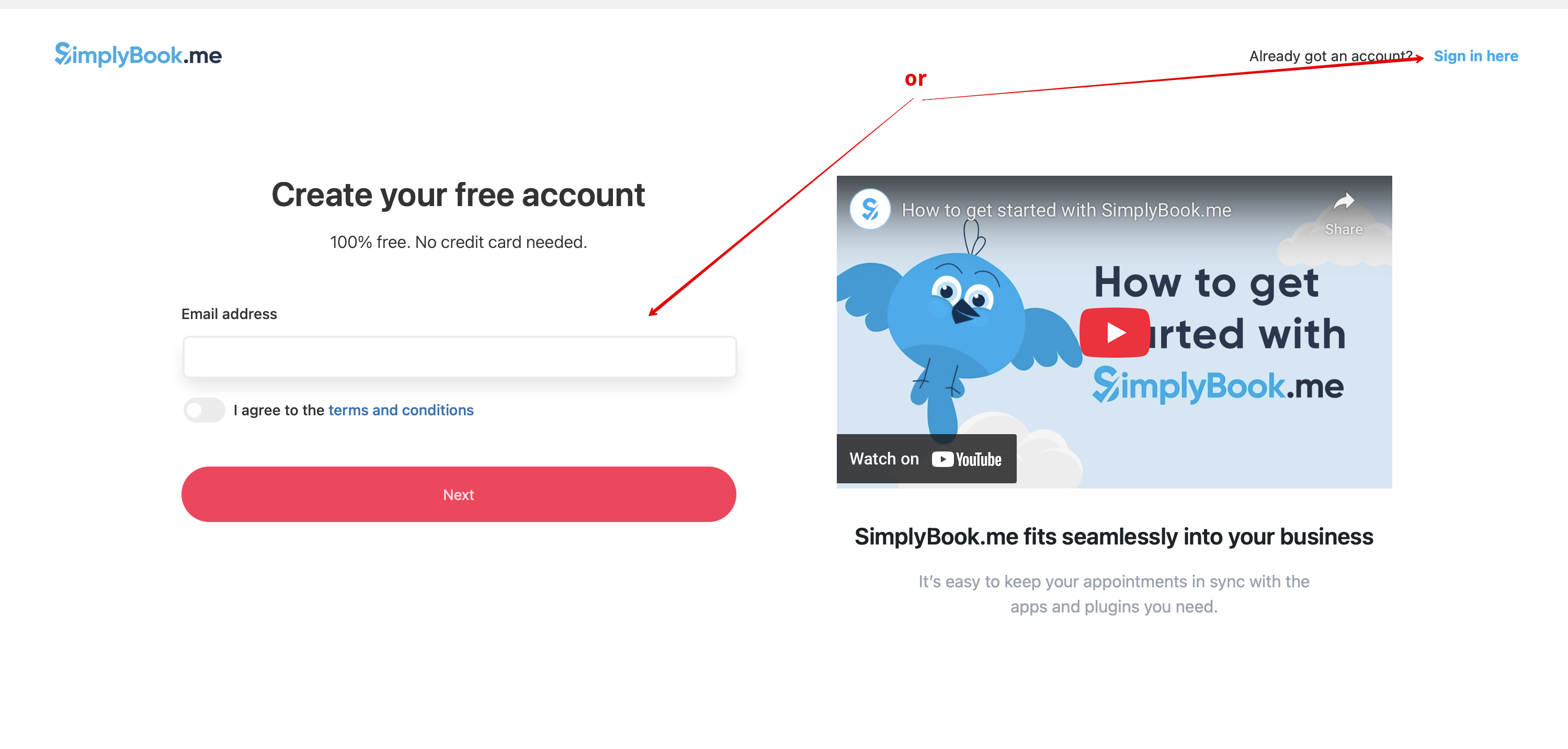
- 3. Om du redan har ett konto hos SimplyBook.me, välj alternativet Logga in här.
- Om du ännu inte har skapat ett konto, följ bara stegen för att Skapa gratis konto.

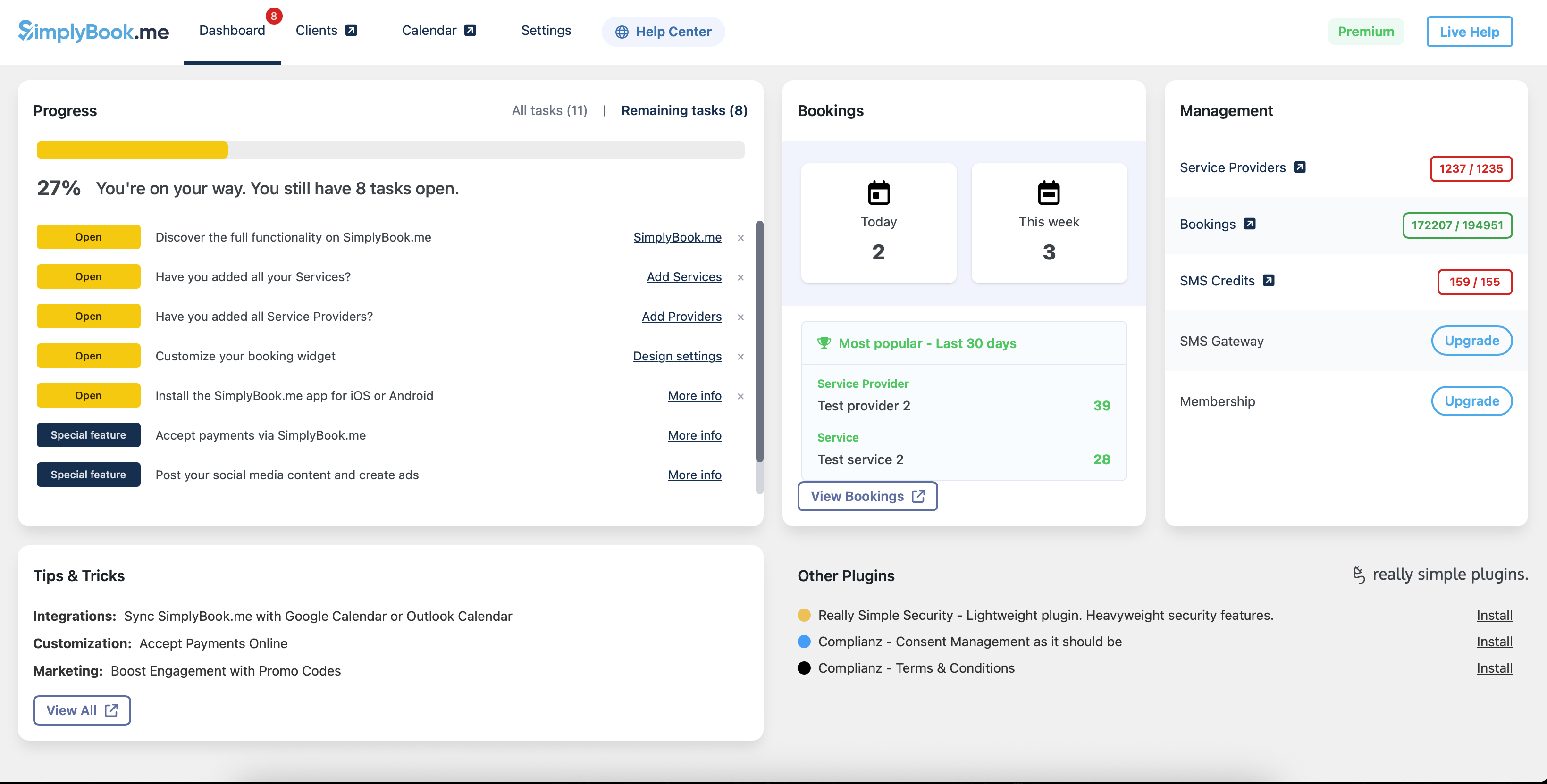
- 4. Efter en kort registrerings-/inloggningsprocess kommer du till din Översiktspanel.
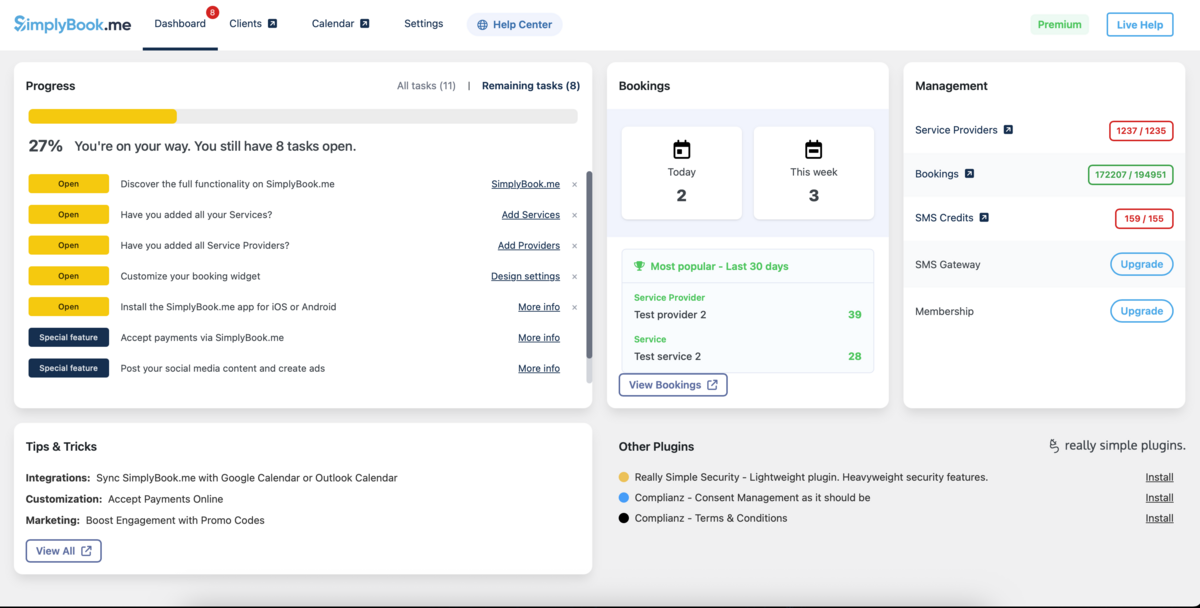
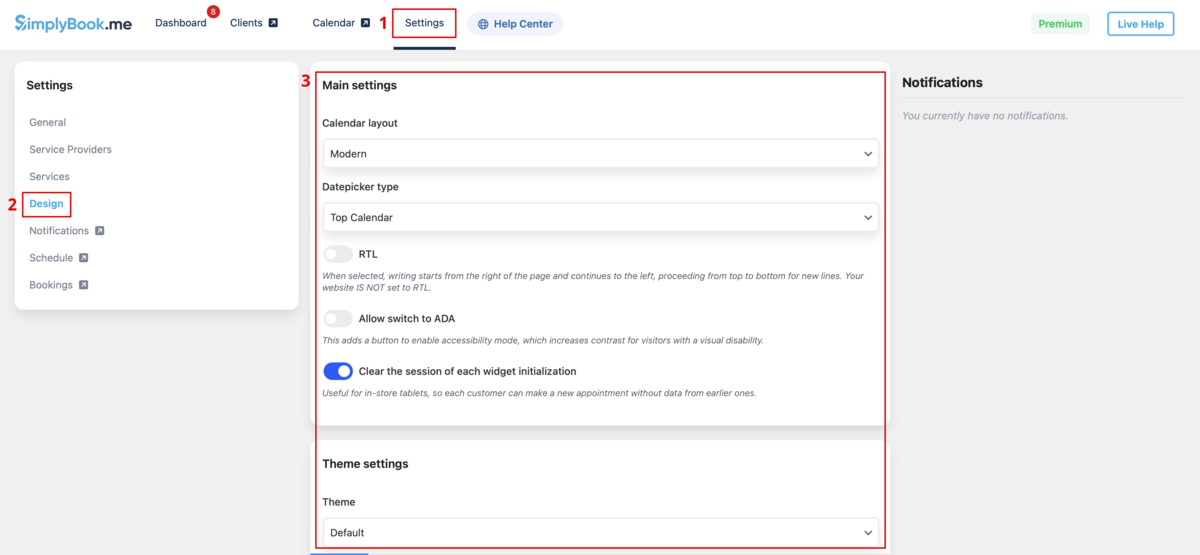
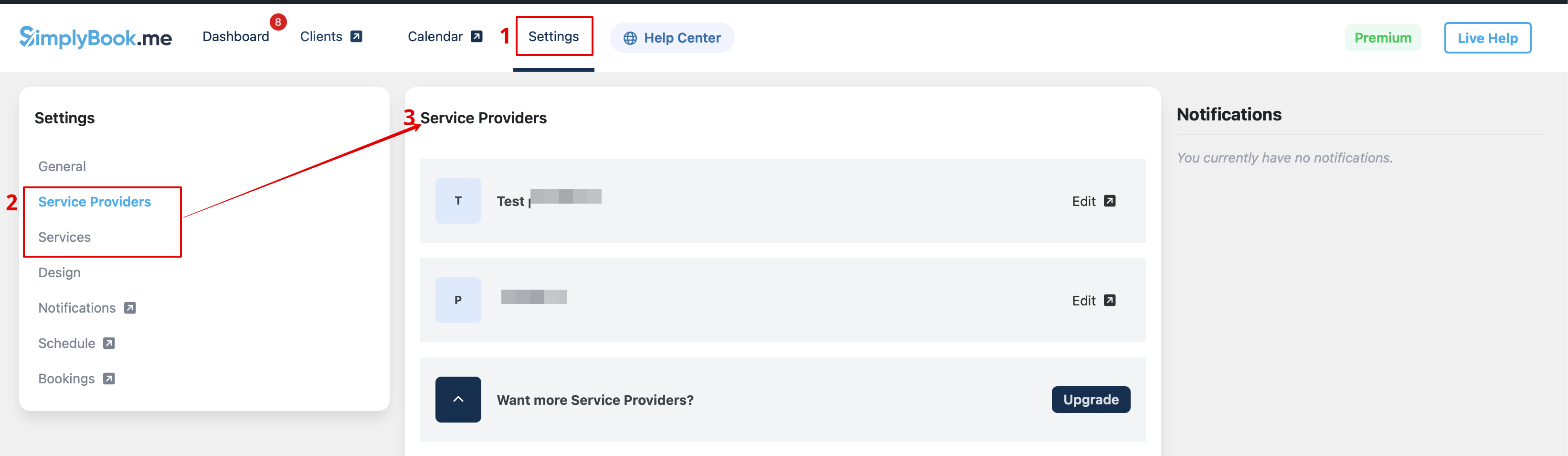
- 5. Gå till fliken Inställningar och välj "Tjänster" eller "Leverantörer" för att se befintliga i ditt konto och enkelt hantera dem eller lägga till fler.

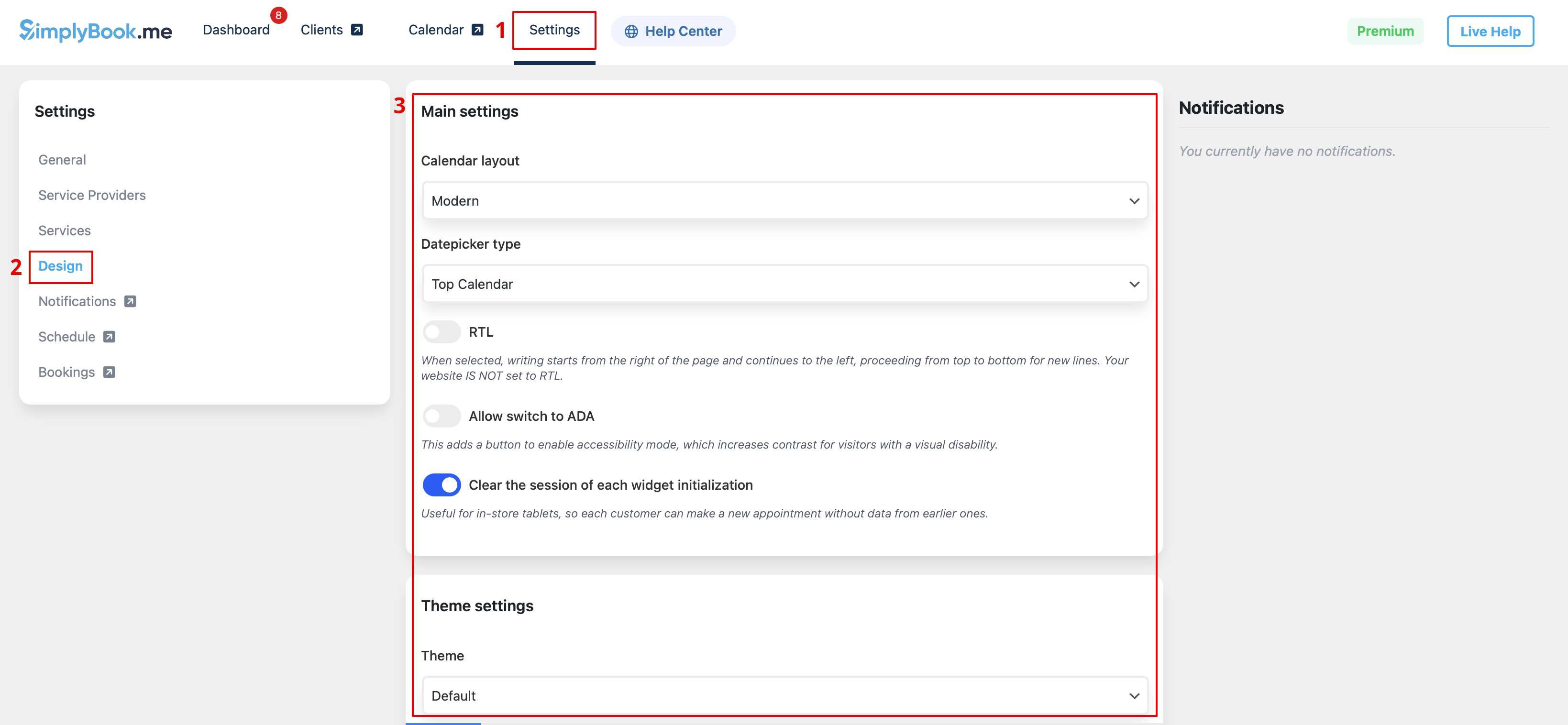
- 6. Växla till fliken Design.
- Justera utseendet på din widget.
- Du kan välja önskat kalenderlayout, justera färgerna och mycket mer.
- 7. Spara dina inställningar och gå till fliken Sidor i WordPress-gränssnittet.
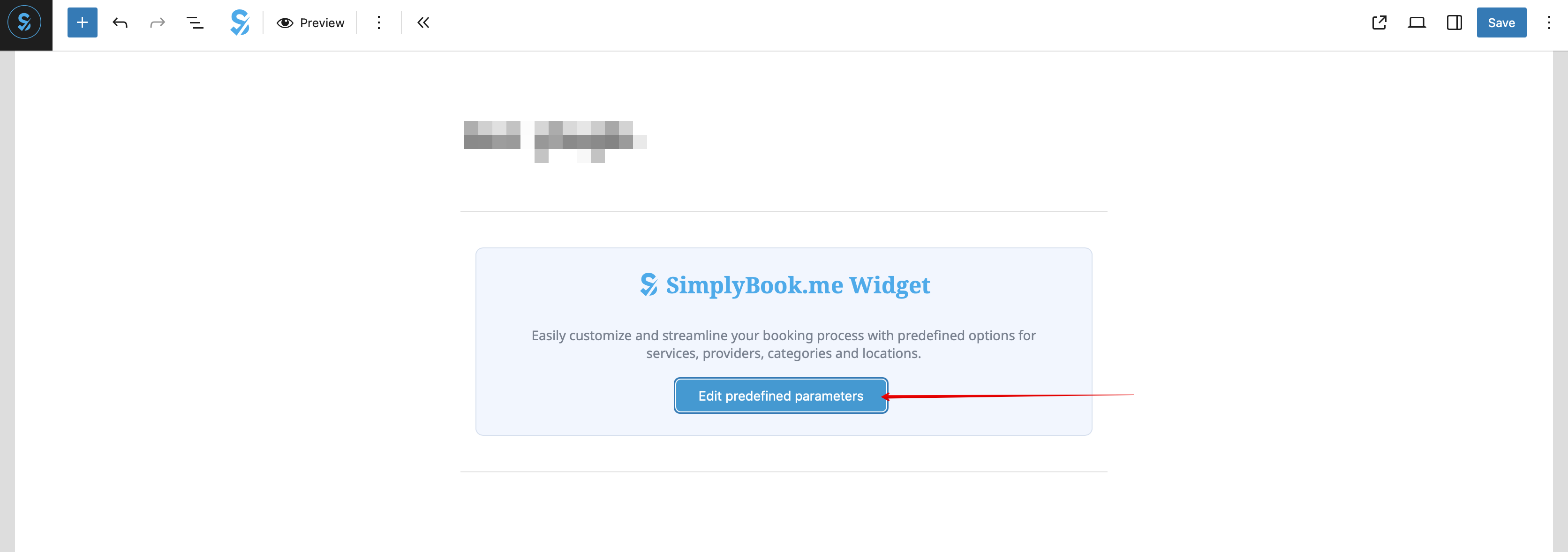
- Öppna sidan du vill lägga till bokningsfunktionen på, eller skapa en ny. :Klicka på "+"-knappen och leta efter alternativet Simplybook. Klicka på det för att lägga till det på sidan. Spara sidan.
- När webbplatsen är publicerad kommer kunder att kunna boka dina tjänster.

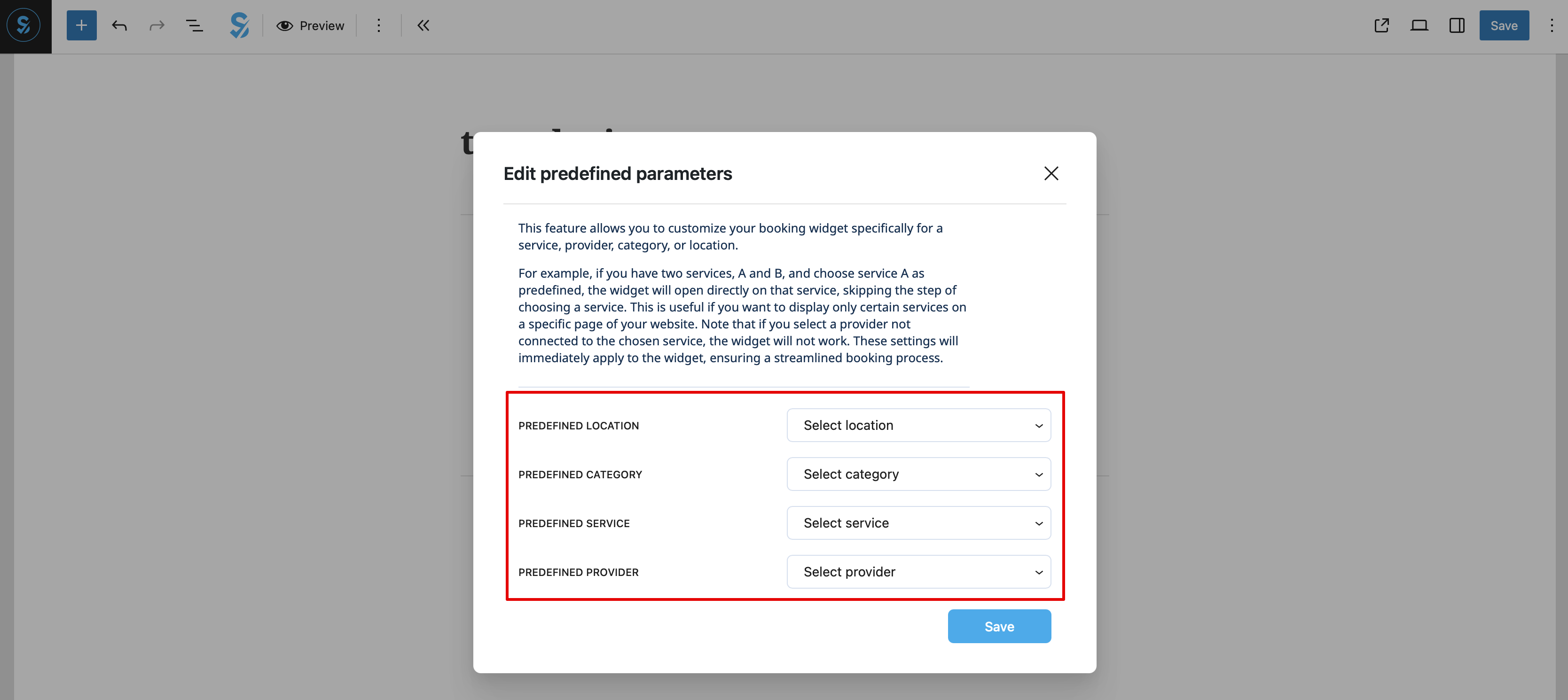
- 8. (valfritt) Om du endast vill ha bokningsfunktionen för en viss tjänst/leverantör/plats/kategori kan du använda alternativet Redigera fördefinierade parametrar.

:Och välj önskat/önskade alternativ i popup-fönstret som visas.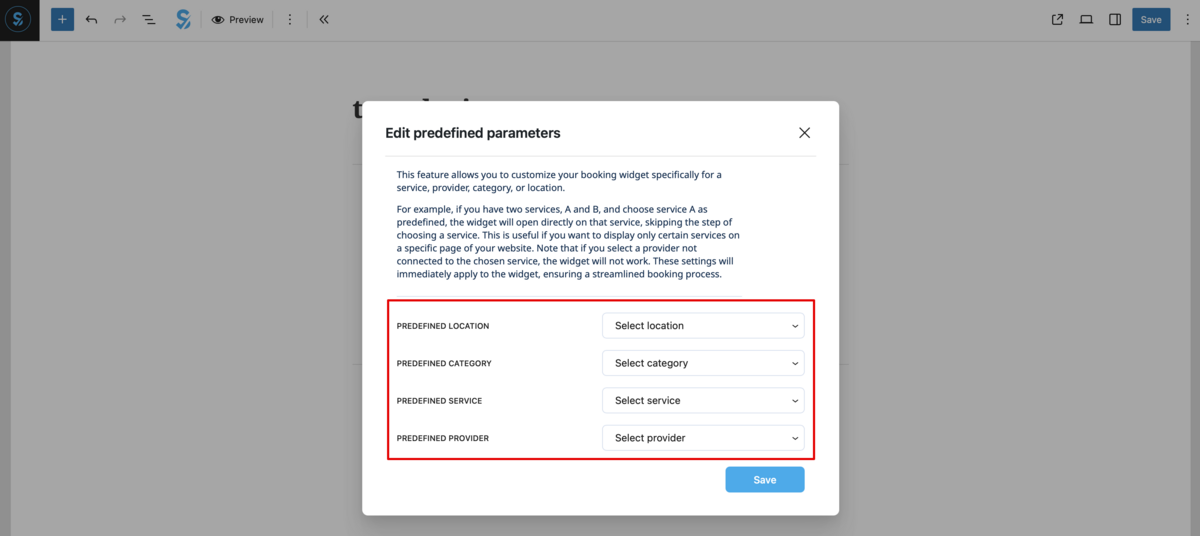
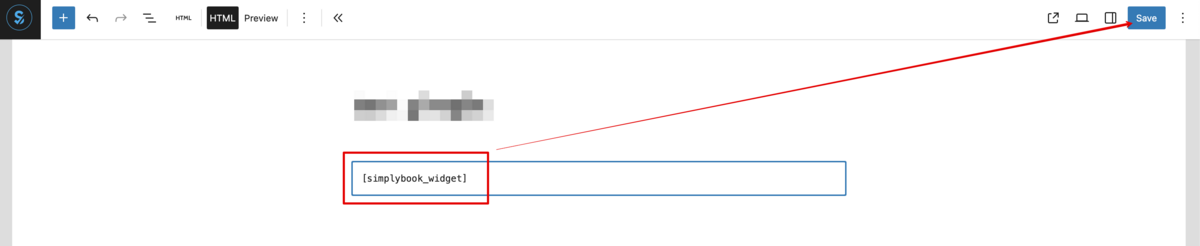
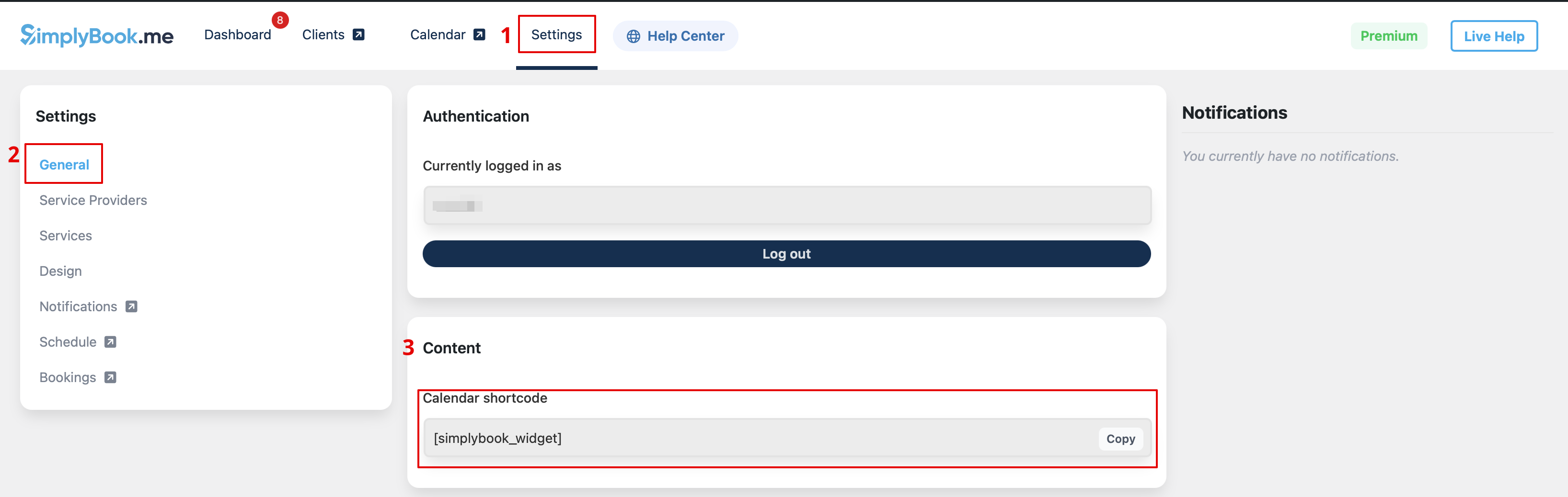
- 9. Som ett alternativt sätt att lägga till funktionen på sidan kan du använda en kortkod. :Kopiera kalenderkortkoden från tilläggets Inställningar-sida.

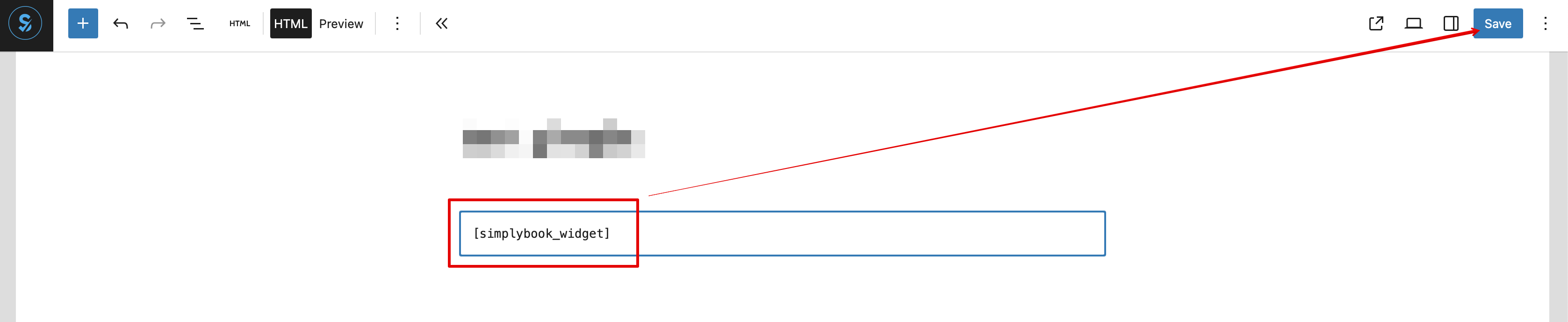
- Och klistra helt enkelt in den i HTML-delen på den sida du önskar.

Som widget
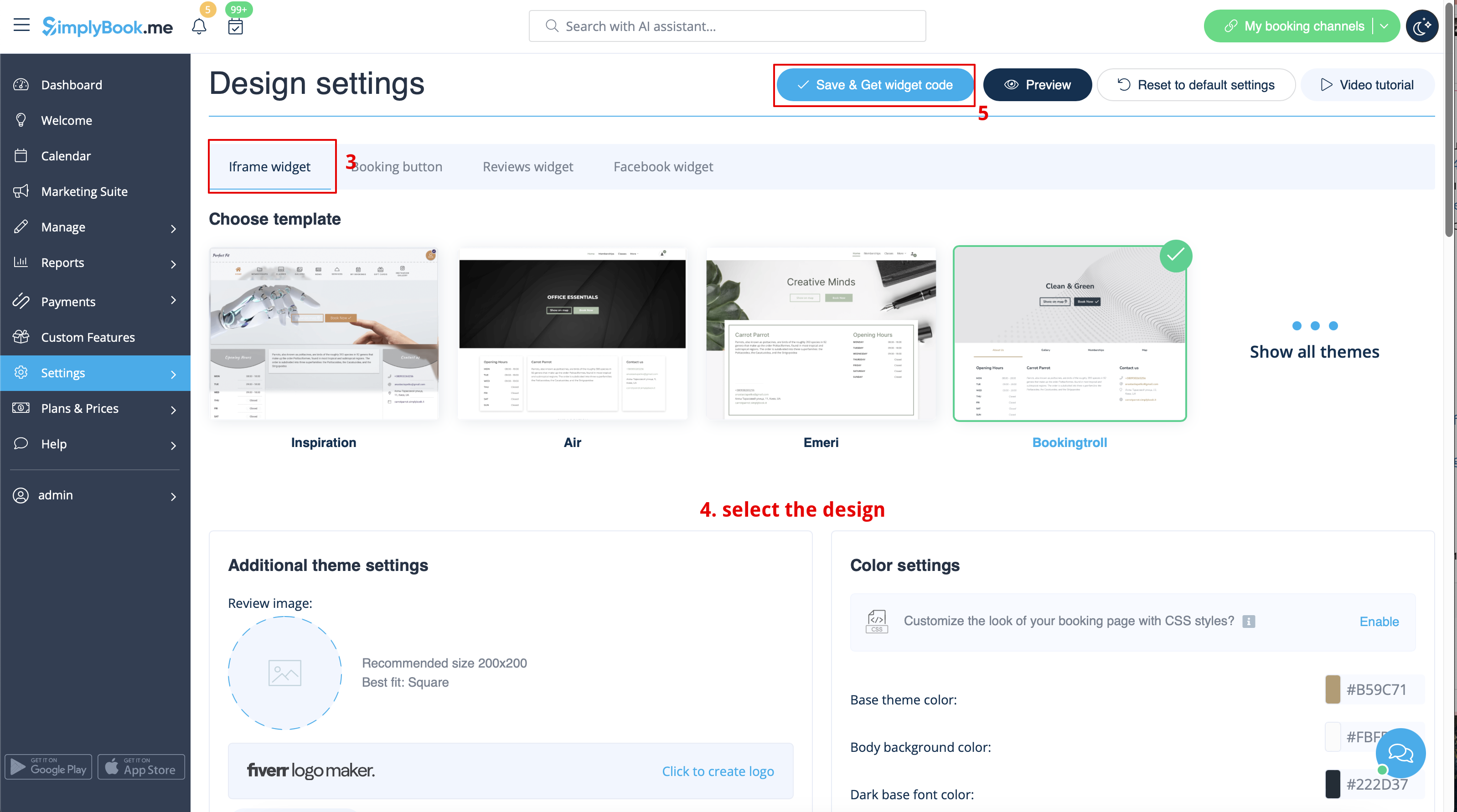
- 1. Kopiera koden från Inställningar -> Inställningar för bokningswidget -> iFrame-widget -> Hämta widgetkod.


- 2. Gå till din WordPress-administratörssida och skapa en ny sida eller navigera till en redan skapad sida där du planerar att lägga till widgeten. Klicka på +- ikonen.

- 3. Sök efter HTML- alternativet.

- 4. Klistra in den tidigare kopierade koden.

- 5. Publicera dina ändringar.
- Exempel (kan se annorlunda ut beroende på ditt WP-tema och SimplyBook.me-tema och inställningar).

With the AI Voice Booking widget, you can easily place an interactive AI widget button anywhere on your client’s website. Simply enable your feature on SimplyBook.me side, insert the widget code into an HTML section in your website builder and visitors will be able to book appointments just by messaging or speaking to the AI directly on the site. Please, check the tutorial to setup the integration.
