From SimplyBook.me
Created page with ":1. Pour activer cette fonctionnalité, accédez à la page <span style="background-color:#d4f8e5; padding:5px; border-radius:5px;">Fonctionnalités personnalisées</span>, section <span style="background-color:#d4f8e5; padding:5px; border-radius:5px;">Améliorations commerciales</span>, cliquez sur <span style="background-color:#d4f8e5; padding:5px; border-radius:5px;">Accepter les acomptes</span> et placez le curseur sur la position <span style="background-color:#d4f8e..." |
No edit summary |
||
| (One intermediate revision by one other user not shown) | |||
| Line 2: | Line 2: | ||
{{#seo: | {{#seo: | ||
|title=Custom Features - SimplyBook.me | |title=Custom Features - SimplyBook.me | ||
|description= | |description=Exigez des acomptes pour sécuriser les réservations. Définissez le montant de l’acompte par service. Les clients paient une partie à l’avance, le reste plus tard. Réduit les absences et garantit l’engagement. | ||
|titlemode=append | |titlemode=append | ||
|keywords=faq, frequently asked questions, booking software, appointment system questions, appointments online, calendar software, booking system, booking calendar, scheduling software, online appointment scheduling, online scheduling, plugins, custom features, additional functionality, deposit, deposits, accept deposits, deposit to book | |keywords=faq, frequently asked questions, booking software, appointment system questions, appointments online, calendar software, booking system, booking calendar, scheduling software, online appointment scheduling, online scheduling, plugins, custom features, additional functionality, deposit, deposits, accept deposits, deposit to book | ||
Latest revision as of 16:53, 12 February 2026

Utilisez les acomptes pour augmenter les chances que les clients se présentent pour le service et vous assurer que, s'ils ne se présentent pas, vous pouvez conserver l'acompte. Notez que certains clients peuvent contacter directement leur banque pour obtenir le remboursement des acomptes, auquel cas vous ne pouvez pas faire grand-chose, mais ces cas devraient être rares.
Remarque:
- Lorsque vous activez la fonctionnalité « Accepter les acomptes », la fonctionnalité « Accepter les paiements » est également activée.
- Les montants des acomptes ne peuvent être définis que par service et/ou cours.
- Cette fonctionnalité n'est pas compatible avec les tickets et le code QR des tickets.
- Si le client souhaite appliquer un code promotionnel ou un forfait acheté précédemment lors de l'achat, il doit payer le prix total, car ces articles ne peuvent pas être appliqués aux acomptes.
- Comment utiliser
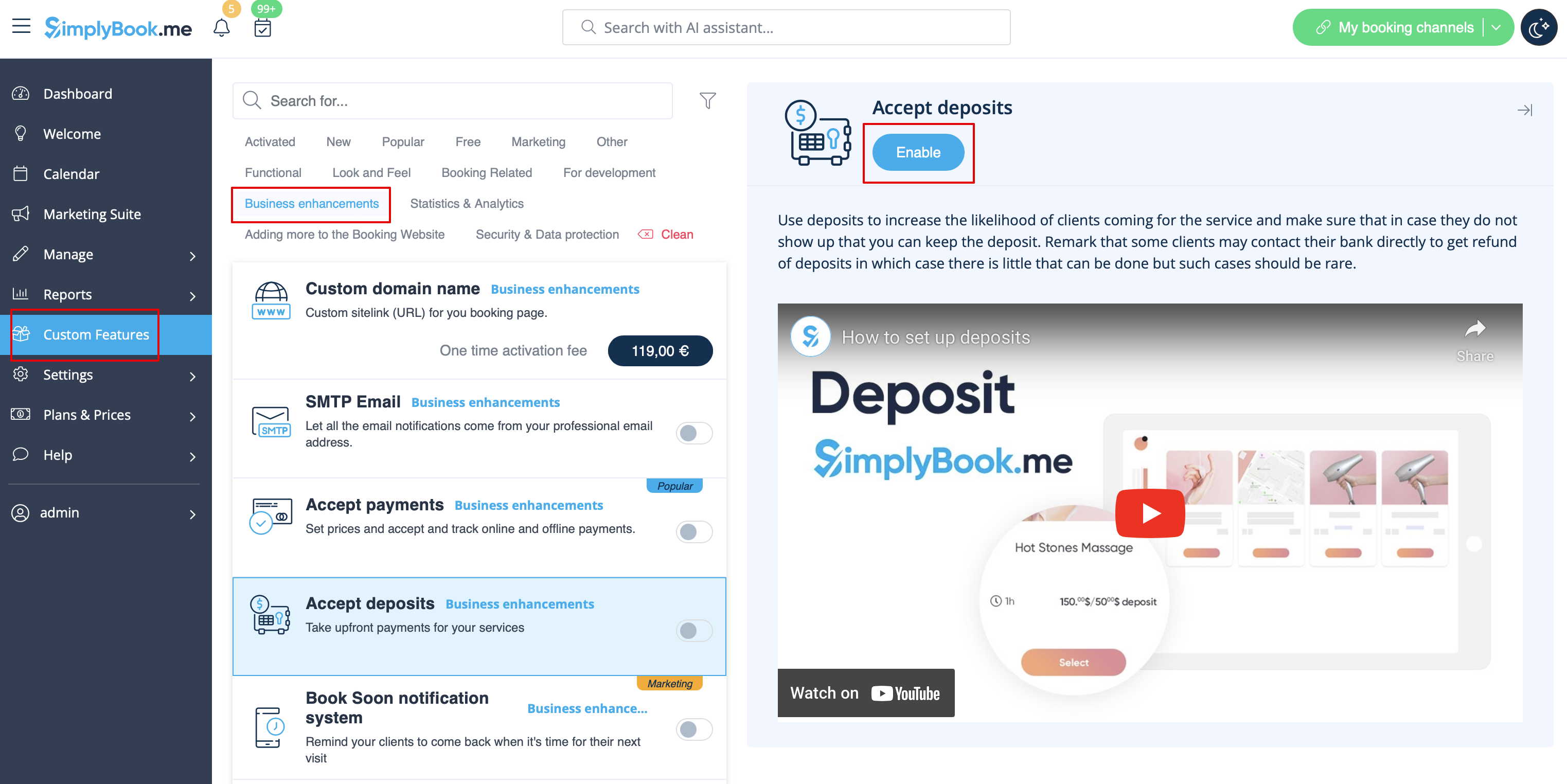
- 1. Pour activer cette fonctionnalité, accédez à la page Fonctionnalités personnalisées, section Améliorations commerciales, cliquez sur Accepter les acomptes et placez le curseur sur la position Activé ou cliquez sur le bouton Activer à droite de la page.
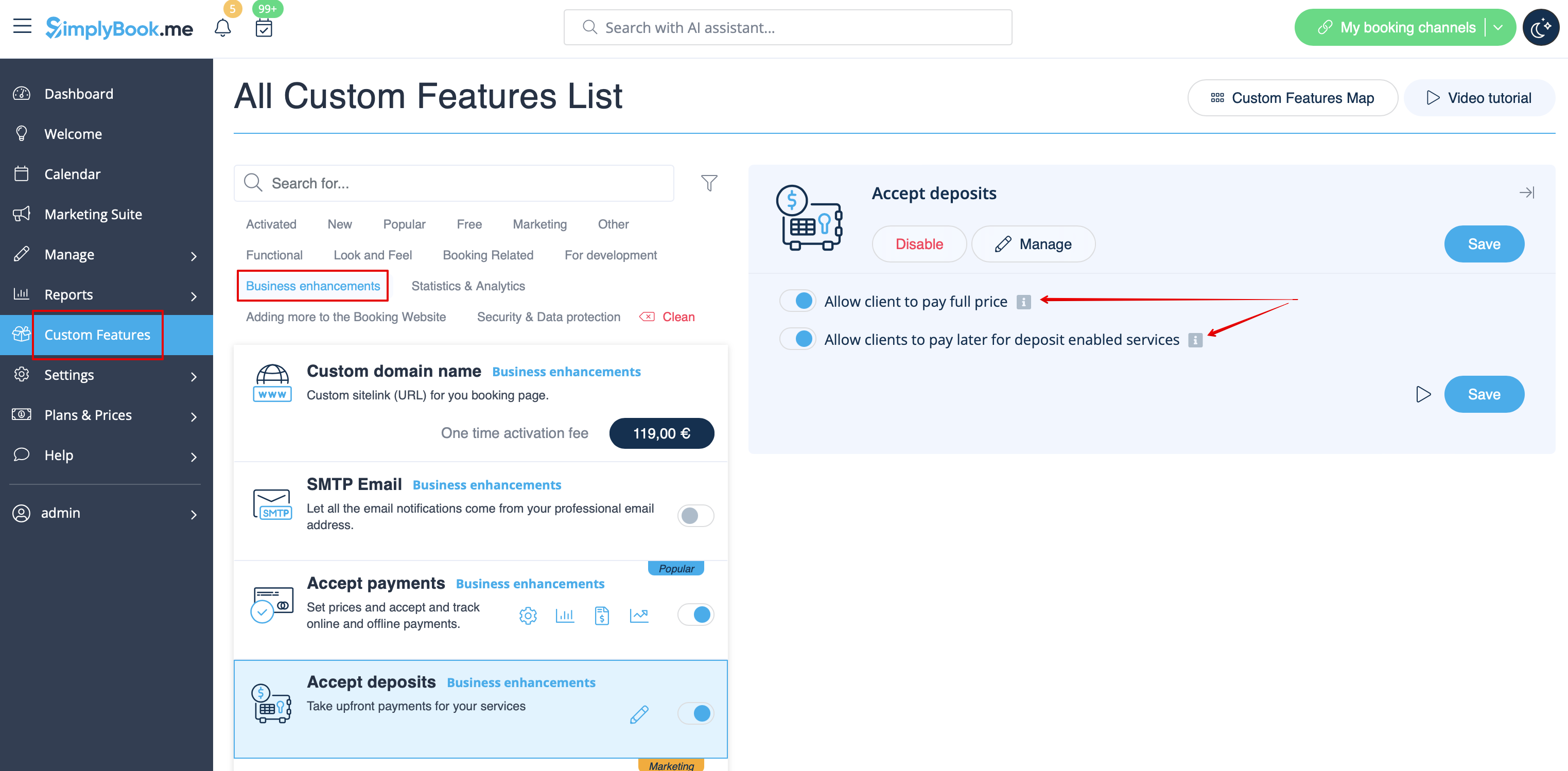
- 2. Vous pouvez configurer le système pour permettre aux clients de payer des acomptes uniquement via le site de réservation en désactivant l'option Autoriser les clients à payer le prix total à droite de la page.
- Dans ce cas, si le montant de l'acompte est indiqué parservice/cours, le client paiera ce montant pour confirmer sa réservation.
- Si seul le montant total est défini par service/cours, les clients paieront le prix total.
- Si l'option Autoriser les clients à payer le prix total est activée (état par défaut) et que le montant de l'acompte est indiqué par service/cours, les clients auront le choix de payer le prix total ou l'acompte lors du paiement.
Vous pouvez également autoriser ou interdire la sélection de l'option « Payer plus tard » pour les paiements d'acompte.
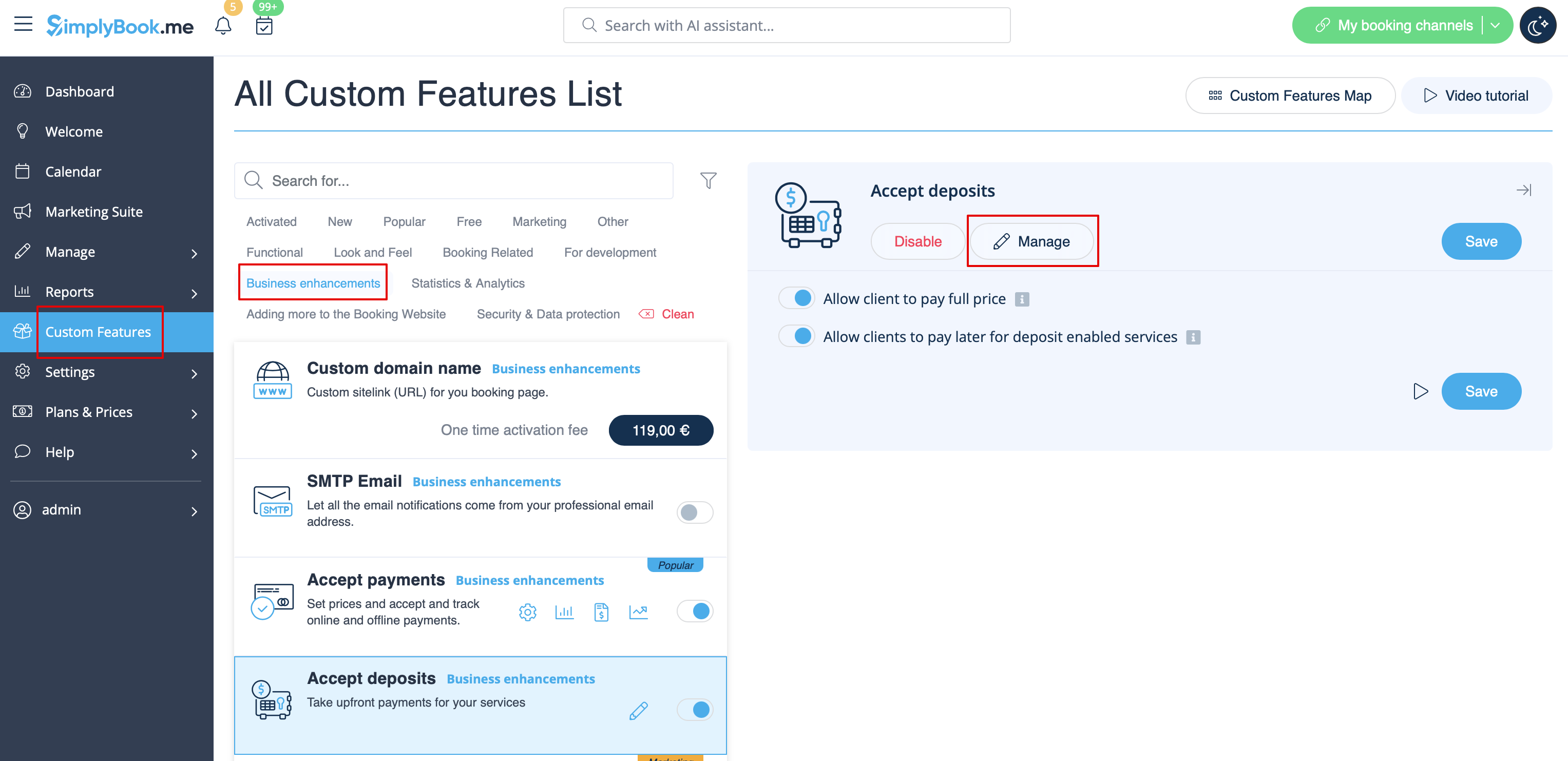
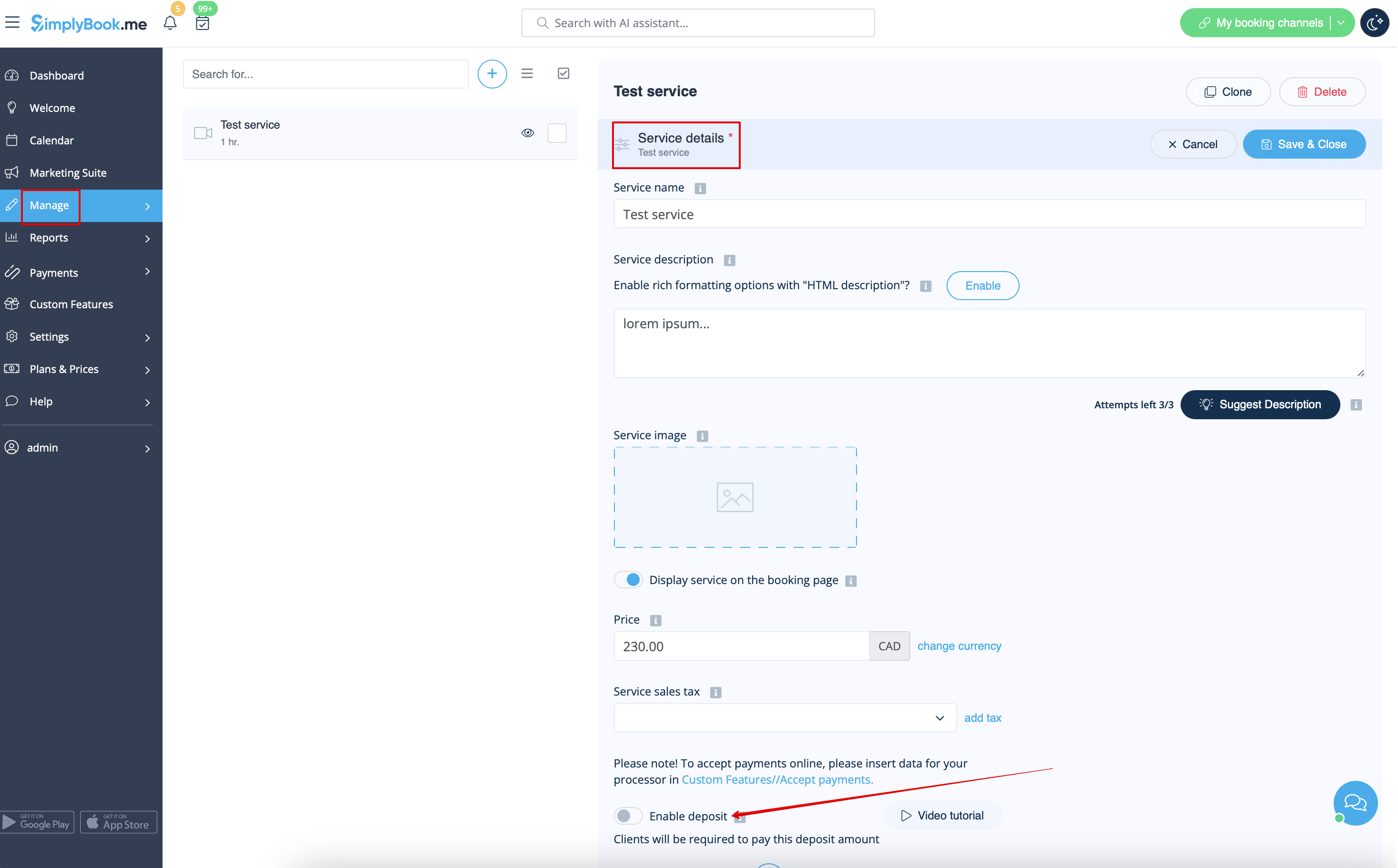
- 3. Pour définir les montants des acomptes par service, veuillez vous rendre dans Gérer -> Services (Cours) ou utiliser le bouton Gérer à côté du titre de cette fonctionnalité personnalisée.
- 4. Cliquez sur le nom du service/de la classe correspondant à l'élément souhaité pour ouvrir l'onglet Détails du service/de la classe, puis activez le bouton Activer le dépôt.
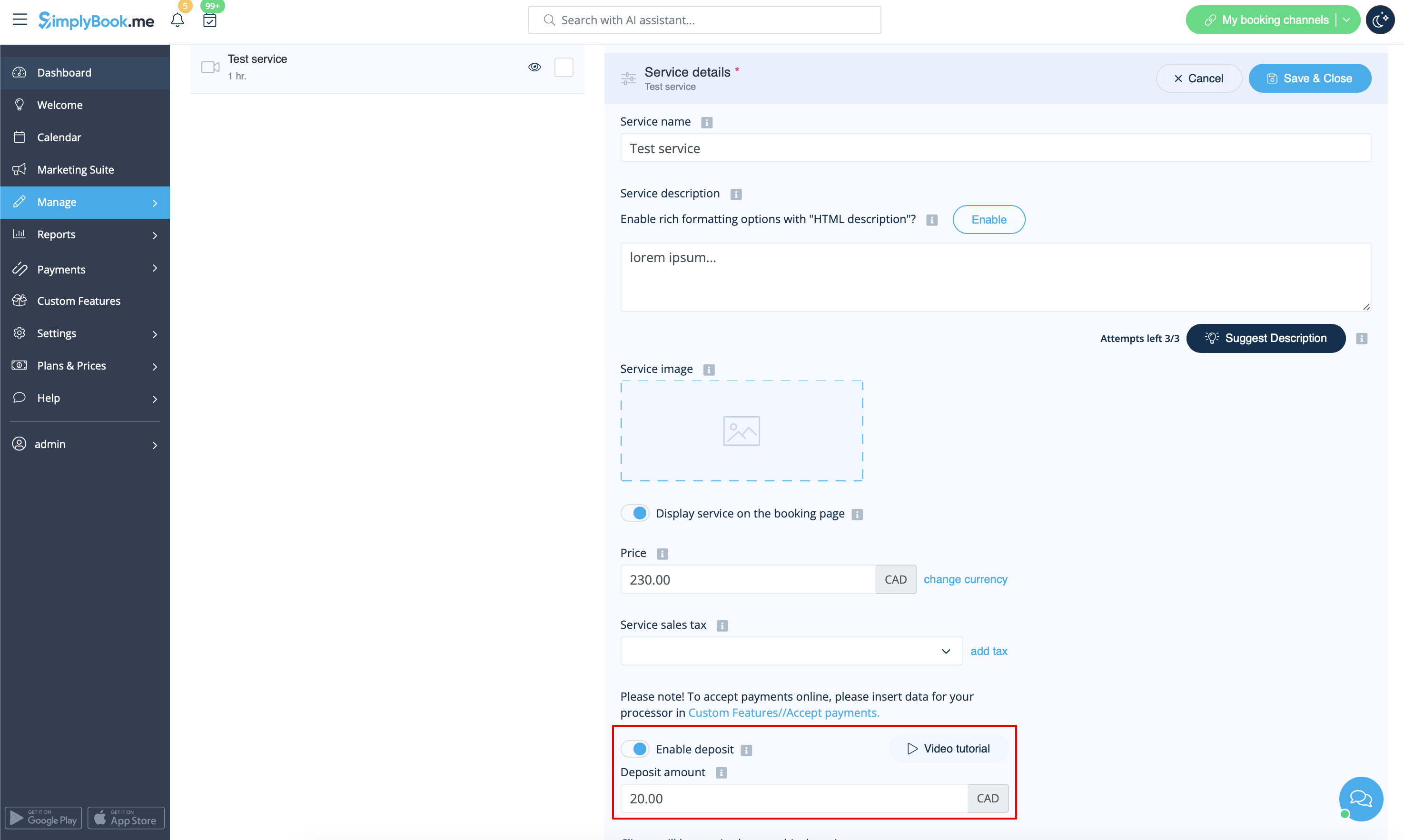
- 5. Indiquez le montant que vous souhaitez recevoir à titre de dépôt pour cet élément dans la case correspondante (il doit être inférieur au prix réel, mais supérieur à 0) et enregistrez les paramètres.
- 6. Une fois tous les paramètres enregistrés, les services afficheront deux prix sur le site de réservation : le montant total et l'acompte.

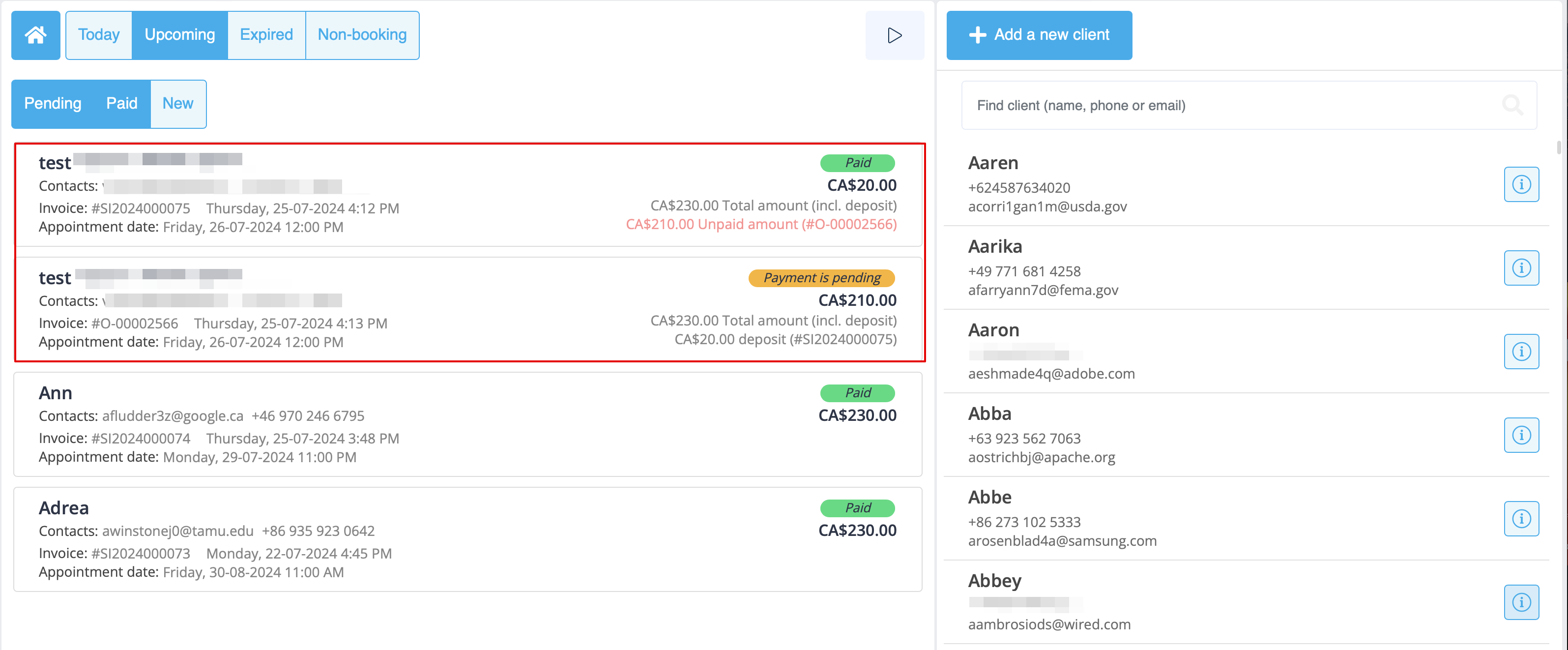
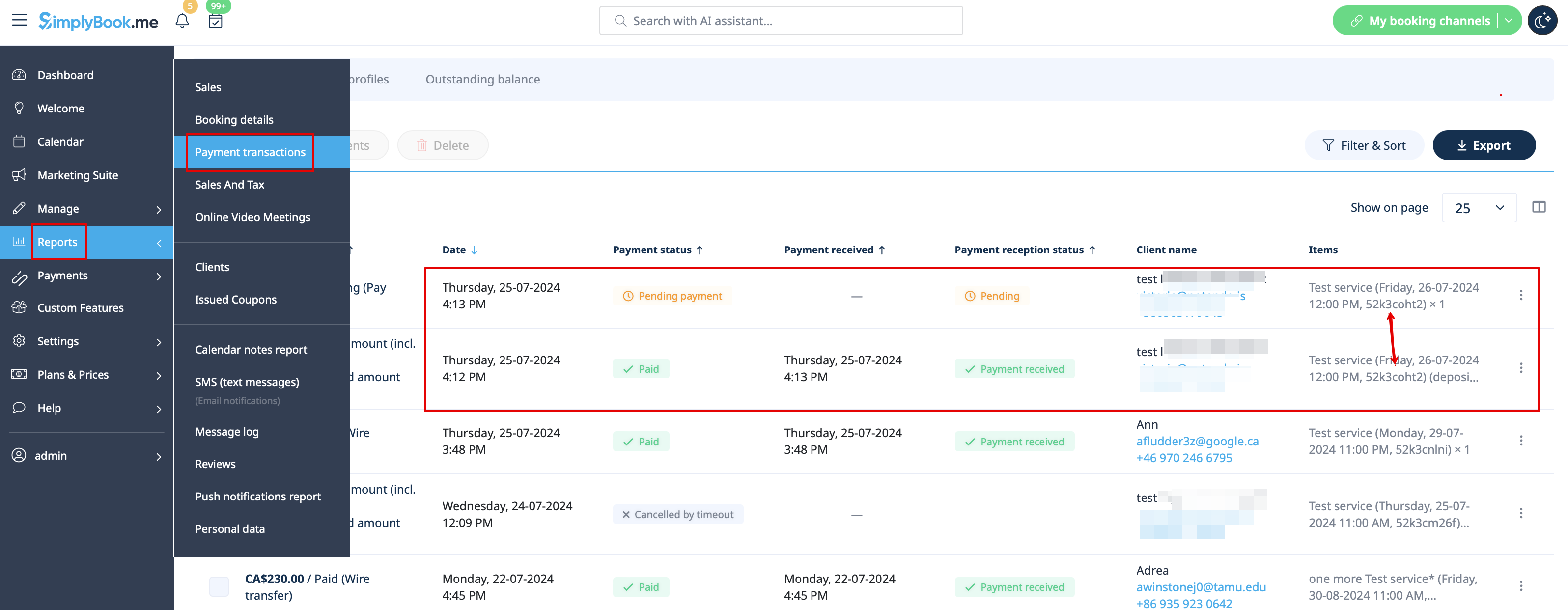
- 7. Lorsque les clients paient l'acompte en ligne pour confirmer leur réservation, deux commandes/factures sont créées dans le système : une pour l'acompte et une pour le solde
- (elles apparaîtront comme en attente jusqu'à ce que le client paie sur place et que vous les approuviez manuellement).
- Vous pouvez les gérer dans Rapports -> Transactions de paiement.
- Ou via l'interface Point de vente: