mNo edit summary Tag: Manual revert |
No edit summary |
||
| (2 intermediate revisions by one other user not shown) | |||
| Line 4: | Line 4: | ||
{{#seo: | {{#seo: | ||
|title=My SimplyBook.me subscription and how to renew | SimplyBook.me | |title=My SimplyBook.me subscription and how to renew | SimplyBook.me | ||
|description= | |description=Manage subscription plan and renewals. View current plan, upgrade options, billing details. Renew expired subscriptions, change payment methods. | ||
|titlemode=append | |titlemode=append | ||
|keywords=faq, frequently asked questions, booking software, appointment system questions, appointments online, calendar software, booking system, booking calendar, scheduling software, online appointment scheduling, online scheduling, setup, setup help, support, help content | |keywords=faq, frequently asked questions, booking software, appointment system questions, appointments online, calendar software, booking system, booking calendar, scheduling software, online appointment scheduling, online scheduling, setup, setup help, support, help content | ||
| Line 10: | Line 10: | ||
</translate> | </translate> | ||
<translate> | <translate> | ||
<!--T:2--> | <!--T:2--> | ||
__FORCETOC__ | __FORCETOC__ | ||
| Line 54: | Line 54: | ||
<!--T:8--> | <!--T:8--> | ||
:Beneficiary: SimplyBook.me ltd | :Beneficiary: SimplyBook.me ltd | ||
:Address: | :Address: 28 Nafpliou, Medical Court, Flat 401, 3025 Limassol, Cyprus | ||
<!--T:9--> | <!--T:9--> | ||
Latest revision as of 19:41, 16 February 2026
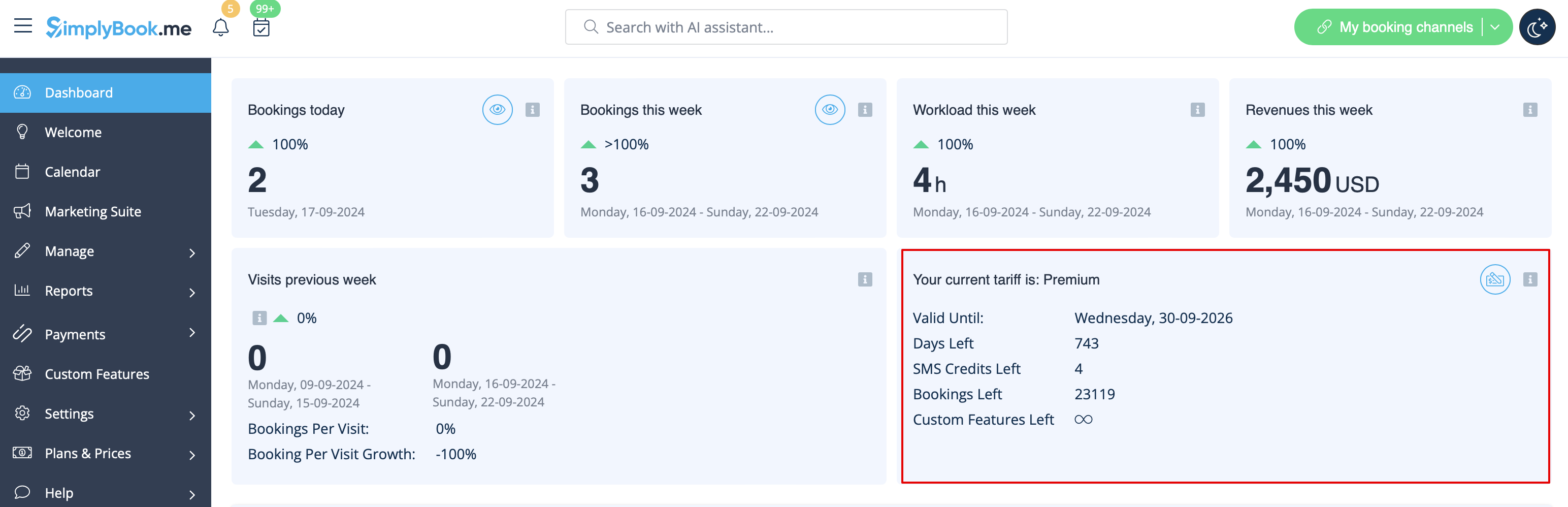
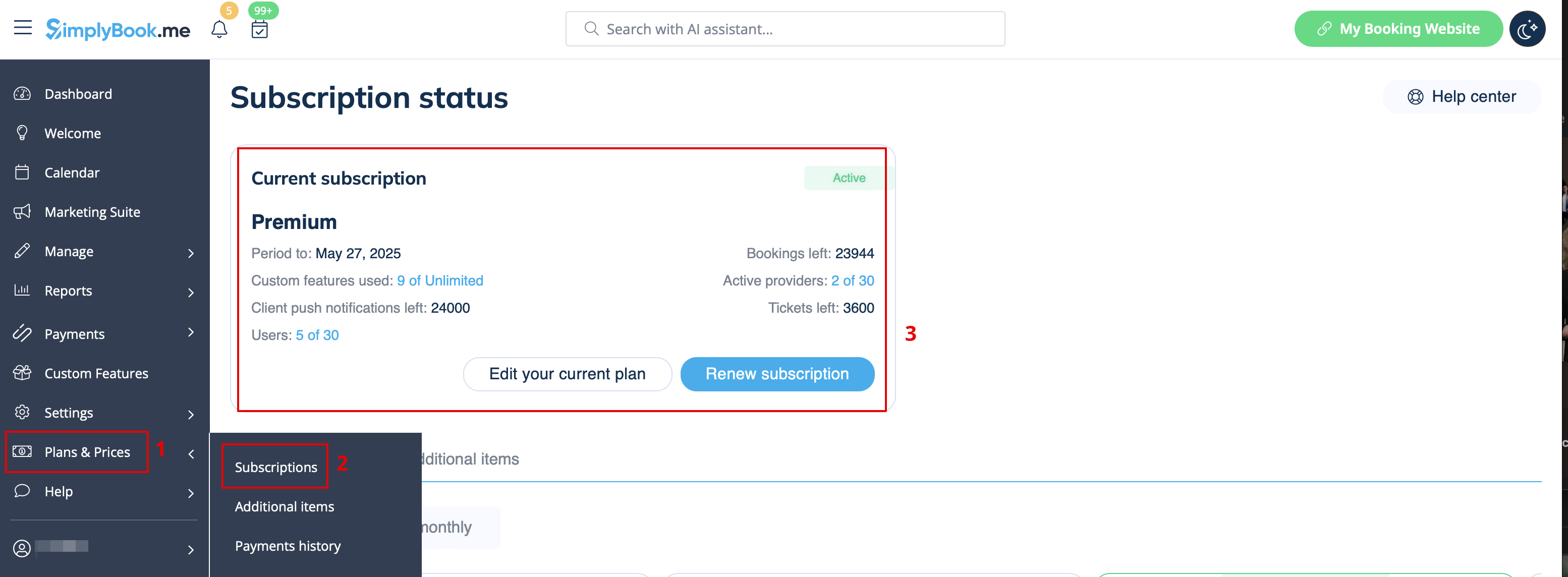
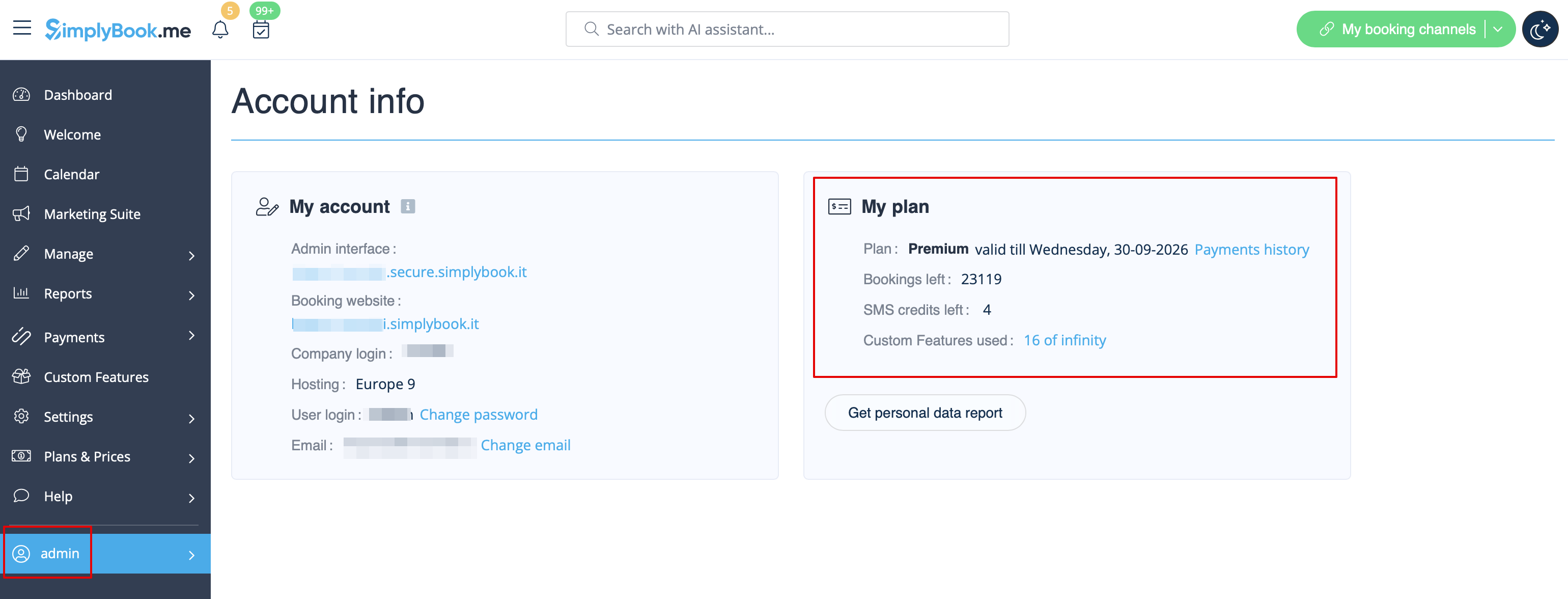
Where to check subscription details
There are several places where you can see your subscription details
- 1. Dashboard, Your current tariff section
- 2. Plans&Prices//Subscriptions above Subscriptions table
- 3. On Account info page, on the right side.
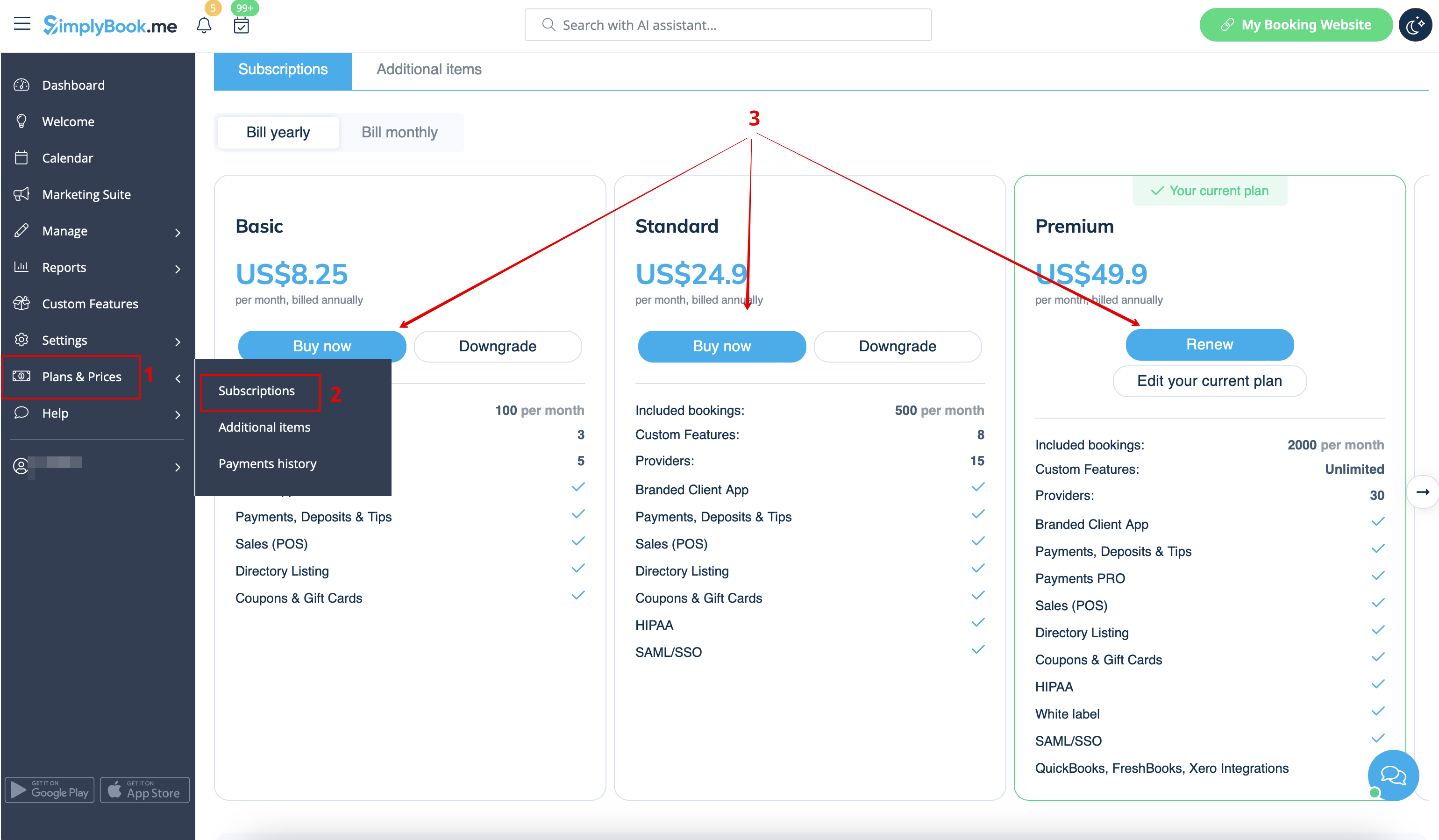
How to renew subscription
In Plans&Prices // Subscriptions section choose the package you need and press "Buy/Renew" under it.
There are several payment gateways to pay for your subscription depending on your region/currency:
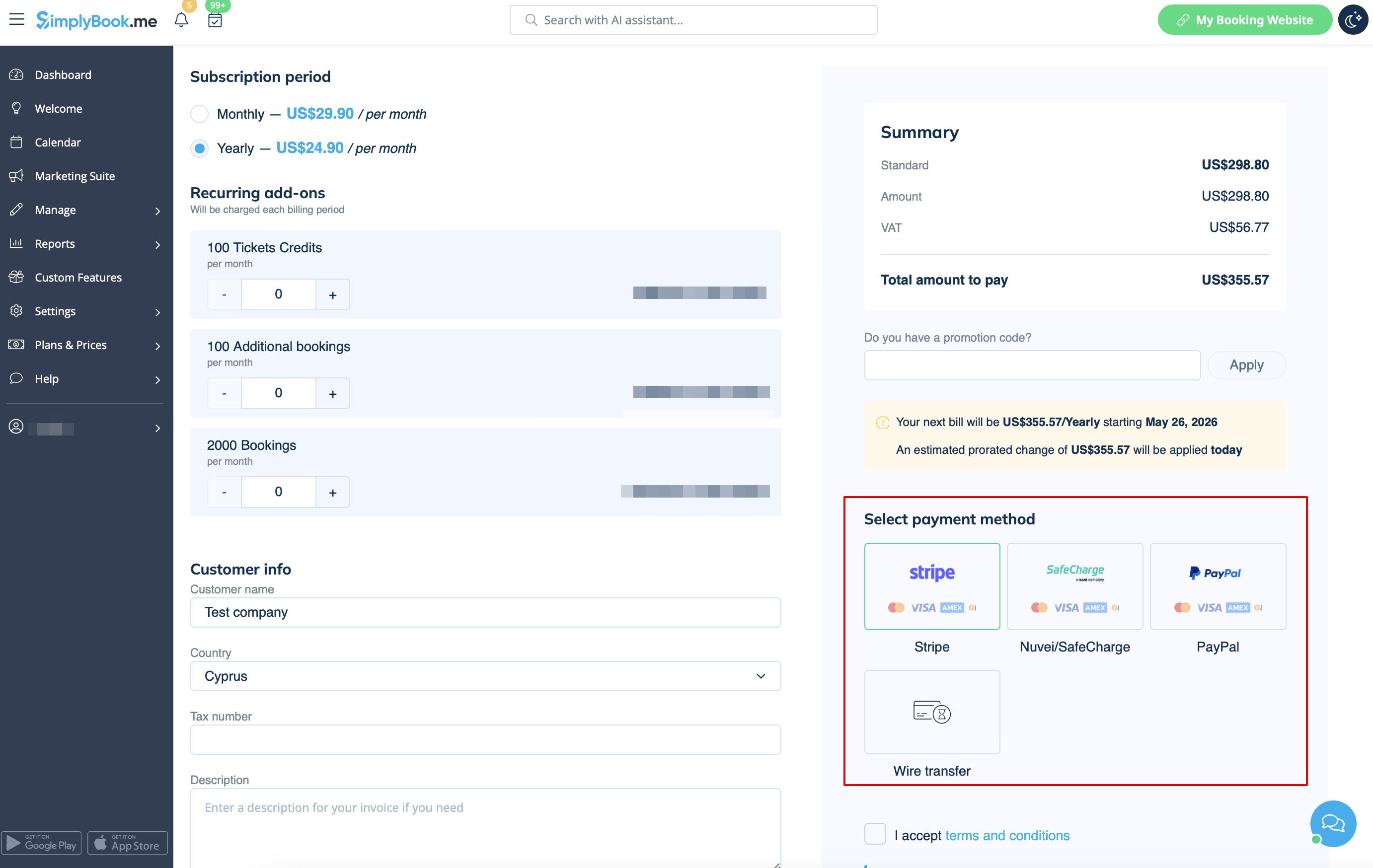
- Credit Card via SafeCharge or Stripe systems
- Wire transfer to account:
- Beneficiary: SimplyBook.me ltd
- Address: 28 Nafpliou, Medical Court, Flat 401, 3025 Limassol, Cyprus
- IBAN EURO: IS800537387113314509189970
- IBAN GBP: IS920537382003884509189970
- IBAN USD: IS280537381011334509189970
- SWIFT: GLITISRE
- REMARK: Minimum transfer is $50/50Eur/40GBP
Please note! Subscription payments made for your SimplyBook.me account via SafeCharge, Stripe (or PayPal if you have difficulties with Safecharge system) are set as recurring and will automatically renew based on the selected subscription period.
You can cancel recurring payment at any time in Plans & Prices -> Payments history -> Recurring payment profiles.
When you select to pay with your bank card (via SafeCharge, Stripe systems or PayPal) your payment method gets saved in Plans & Prices -> Payments history -> Payment methods
and you will be able to use these saved methods for the future purchases of subscriptions and/or additional items so that you will not need to remember the credentials each time you need to add something to your system.
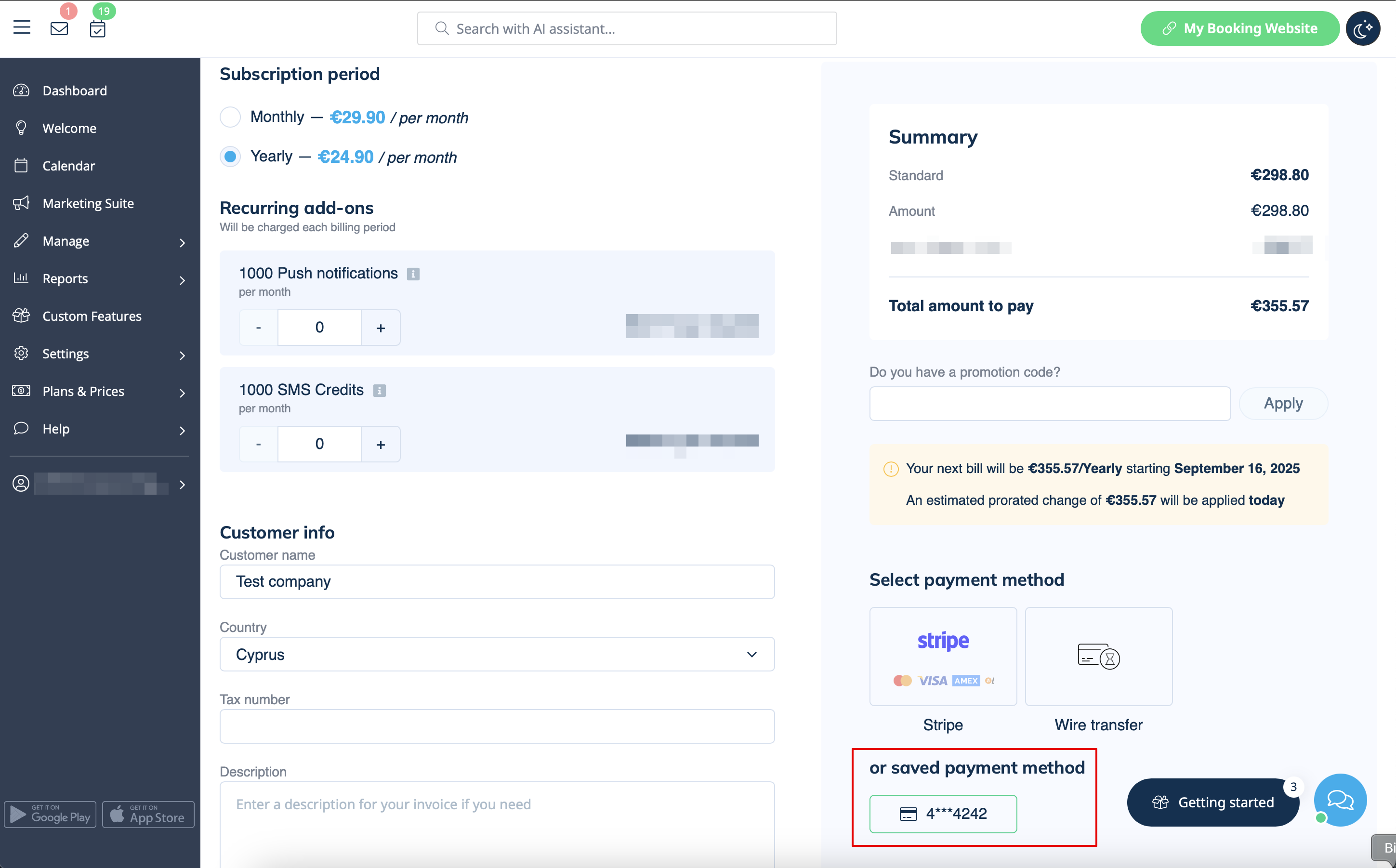
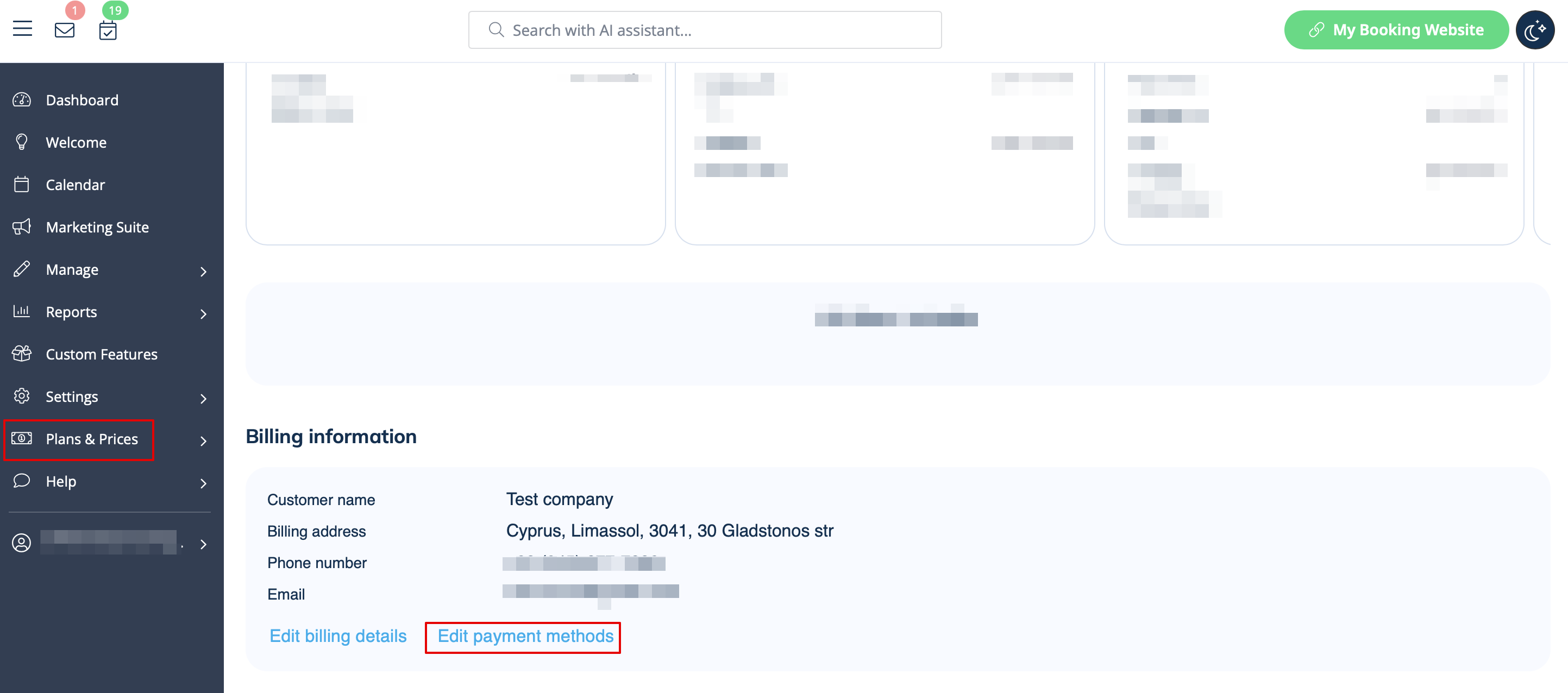
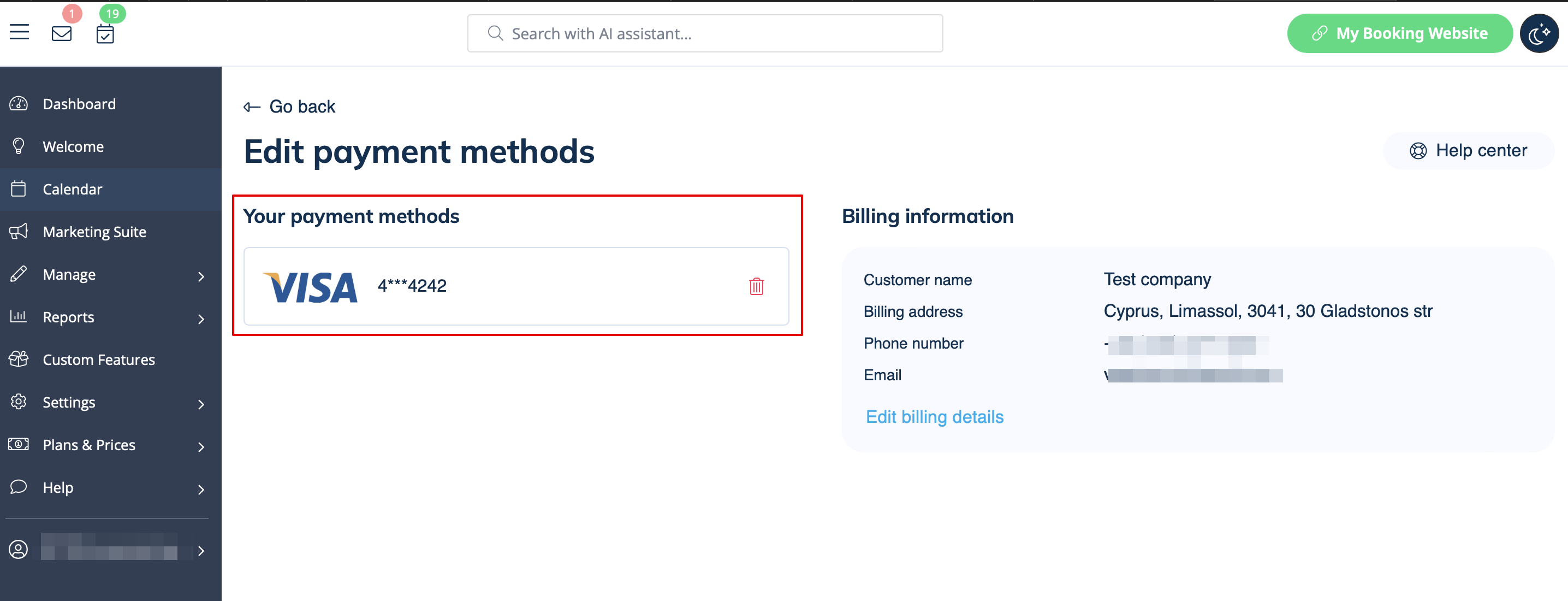
You can always disable the methods that were previously saved in Plans & Prices -> Subscriptions -> scroll the page down -> Edit payment methods.
How to change payment method
It may happen that you need to change either your credit card details or switch between payment options.
You can simply make a new payment for the desired plan by clicking on "Buy"/"Renew"/"Upgrade" under the corresponding option in the "Subscriptions" tab.
Choose the preferred payment method, provide you details and confirm payment. New payment method will be automatically saved when your payment is confirmed.
