From SimplyBook.me
No edit summary |
No edit summary |
||
| (2 intermediate revisions by the same user not shown) | |||
| Line 1: | Line 1: | ||
<languages/> | <languages/> | ||
{{#seo: | |||
|title=HTML Description Field for Events custom feature - SimplyBook.me | |||
<translate> | <translate> | ||
<!--T:3--> | |||
|description=Add HTML formatting to service descriptions. Use rich text: colors, bold, italics, links. Enhance service presentation with formatted descriptions. Free feat... | |||
</translate> | </translate> | ||
|titlemode=append | |titlemode=append | ||
|keywords=faq, frequently asked questions, booking software, appointment system questions, appointments online, calendar software, booking system, booking calendar, scheduling software, online appointment scheduling, online scheduling, plugins, custom features, additional functionality, html, html formatting, font change, font size change, font color change, add image to description, add video to description, text formatting, bold text, italic text, align text | |keywords=faq, frequently asked questions, booking software, appointment system questions, appointments online, calendar software, booking system, booking calendar, scheduling software, online appointment scheduling, online scheduling, plugins, custom features, additional functionality, html, html formatting, font change, font size change, font color change, add image to description, add video to description, text formatting, bold text, italic text, align text | ||
Latest revision as of 12:59, 17 February 2026

Allows inserting HTML formatting (background and font color, bold, italic, underline, alignment and other HTML elements) for Service, Service Providers, Locations and Categories description fields.
Free custom feature!
- How to use
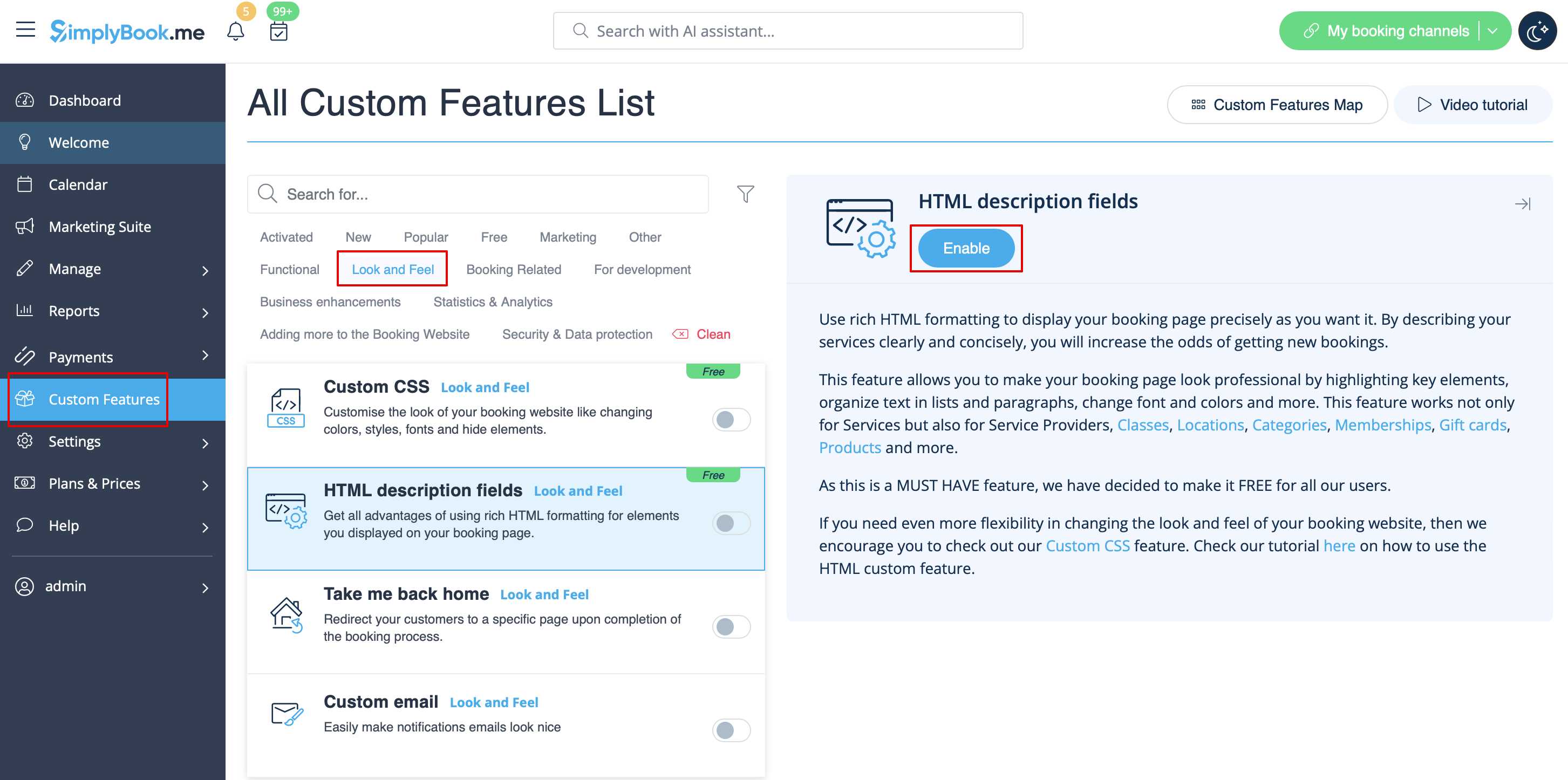
- 1. Enable this functionalitty on your Custom Features page.
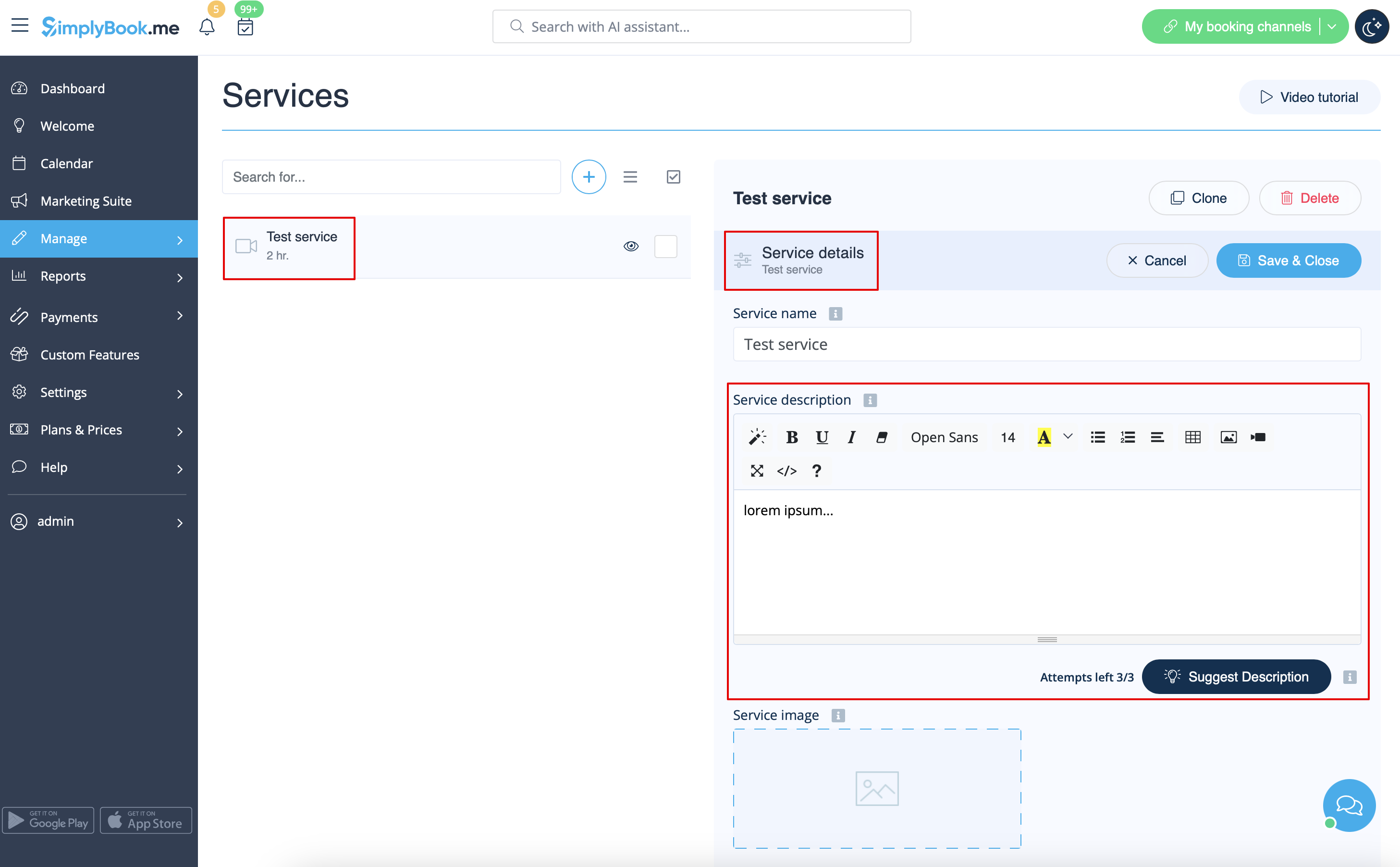
- 2. Go to Manage section using left-side menu and select Services/Providers/Classes/Memberships/Products for sale depending on which item do you wish to add/edit description to.
- Select the item and the first tab with name and details.
- Edit the description and save settings