From SimplyBook.me
Marked this version for translation |
No edit summary |
||
| (9 intermediate revisions by the same user not shown) | |||
| Line 1: | Line 1: | ||
<languages/> | <languages/> | ||
{{#seo: | |||
|title=Import Clients custom feature - SimplyBook.me | |||
<translate> | <translate> | ||
<!--T:2--> | |||
|description=Import clients from CSV file. Bulk upload client data, map fields. Add existing client list to system quickly. Improve customer experience. | |||
</translate> | </translate> | ||
|titlemode=append | |titlemode=append | ||
|keywords=faq, frequently asked questions, booking software, appointment system questions, appointments online, calendar software, booking system, booking calendar, scheduling software, online appointment scheduling, online scheduling, plugins, custom features, additional functionality, add clients to the system, import database, import client database, import clients | |keywords=faq, frequently asked questions, booking software, appointment system questions, appointments online, calendar software, booking system, booking calendar, scheduling software, online appointment scheduling, online scheduling, plugins, custom features, additional functionality, add clients to the system, import database, import client database, import clients | ||
| Line 17: | Line 19: | ||
:'''Attention!''' It is forbidden to import a client list with emails and client information where the clients have not specifically granted you the right to do so. | :'''Attention!''' It is forbidden to import a client list with emails and client information where the clients have not specifically granted you the right to do so. | ||
<br> | <br> | ||
:'''Please note''' | :'''Please note!''' | ||
* This feature is available with Standard and Premium subscriptions only(former Advanced, Gold and Platinum).<br> | |||
* It is only possible to import 500 clients by default. If you need to import more please contact support for details. | |||
* Imported clients are unsubscribed from promotional materials(reviews, messages from reports, campaigns, book soon notifications, promotions (gift cards & coupons), etc.) by default. Only bookings and purchases notifications will be sent till they change the preferences from their side. | |||
* Our system will not import clients who have both the same email and phone number — those entries will be skipped. Clients who have neither an email nor a phone number, or who don’t have a name, will also not be imported. | |||
<br><br> | <br><br> | ||
'''How to use this option:''' | '''How to use this option:''' | ||
:1. Enable "Import Clients" custom feature on your Custom features page: | :1. Enable "Import Clients" custom feature on your Custom features page: | ||
[[File:Import clients enable path | [[File:Import clients enable path redesigned.png|1200px | center|link=https://help.simplybook.me/images/5/55/Import_clients_enable_path_redesigned.png]] | ||
<br><br> | <br><br> | ||
:2. Prepare your Excel file. | :2. Prepare your Excel file. | ||
| Line 30: | Line 35: | ||
<br><br> | <br><br> | ||
:3. Go to Manage//Clients//Import from CSV or simply click on "Settings" near this custom feature. | :3. Go to Manage//Clients//Import from CSV or simply click on "Settings" near this custom feature. | ||
[[ File:Import | [[ File:Import csv file path redesigned.png|1200px | center|link=https://help.simplybook.me/images/c/cb/Import_csv_file_path_redesigned.png]] | ||
<br><br> | <br><br> | ||
:4. Press "Choose file" and select the prepared file. | :4. Press "Choose file" and select the prepared file. | ||
[[File:Import | [[File:Import page redesigned.png|1200px| center|link=https://help.simplybook.me/images/0/06/Import_page_redesigned.png]] | ||
<br><br> | <br><br> | ||
:5. Assign values to the columns from drop-down lists in the upper bar (above each column, marked with black arrows). Assign "name", "email" and "phone". | :5. Assign values to the columns from drop-down lists in the upper bar (above each column, marked with black arrows). Assign "name", "email" and "phone".<br> | ||
[[File: | :(if you are using [[Special:MyLanguage/Client_Fields_Custom_Feature|Client Fields Custom Feature]] you can also import some of the forms values) | ||
[[File:Assign values to columns import redesigned.png|1200px | center|link=https://help.simplybook.me/images/b/bf/Assign_values_to_columns_import_redesigned.png]] | |||
<br><br> | <br><br> | ||
:6. Press "Confirm clients import". | :6. Press "Confirm clients import". | ||
Latest revision as of 17:56, 30 January 2026

Use this feature if you need to add the list of clients to your system with just several clicks. Simply upload a CSV file containing your clients data, then select headers for corresponding columns, and you will have an updated list of clients in your client register.
Free custom feature!
- Attention! It is forbidden to import a client list with emails and client information where the clients have not specifically granted you the right to do so.
- Please note!
- This feature is available with Standard and Premium subscriptions only(former Advanced, Gold and Platinum).
- It is only possible to import 500 clients by default. If you need to import more please contact support for details.
- Imported clients are unsubscribed from promotional materials(reviews, messages from reports, campaigns, book soon notifications, promotions (gift cards & coupons), etc.) by default. Only bookings and purchases notifications will be sent till they change the preferences from their side.
- Our system will not import clients who have both the same email and phone number — those entries will be skipped. Clients who have neither an email nor a phone number, or who don’t have a name, will also not be imported.
How to use this option:
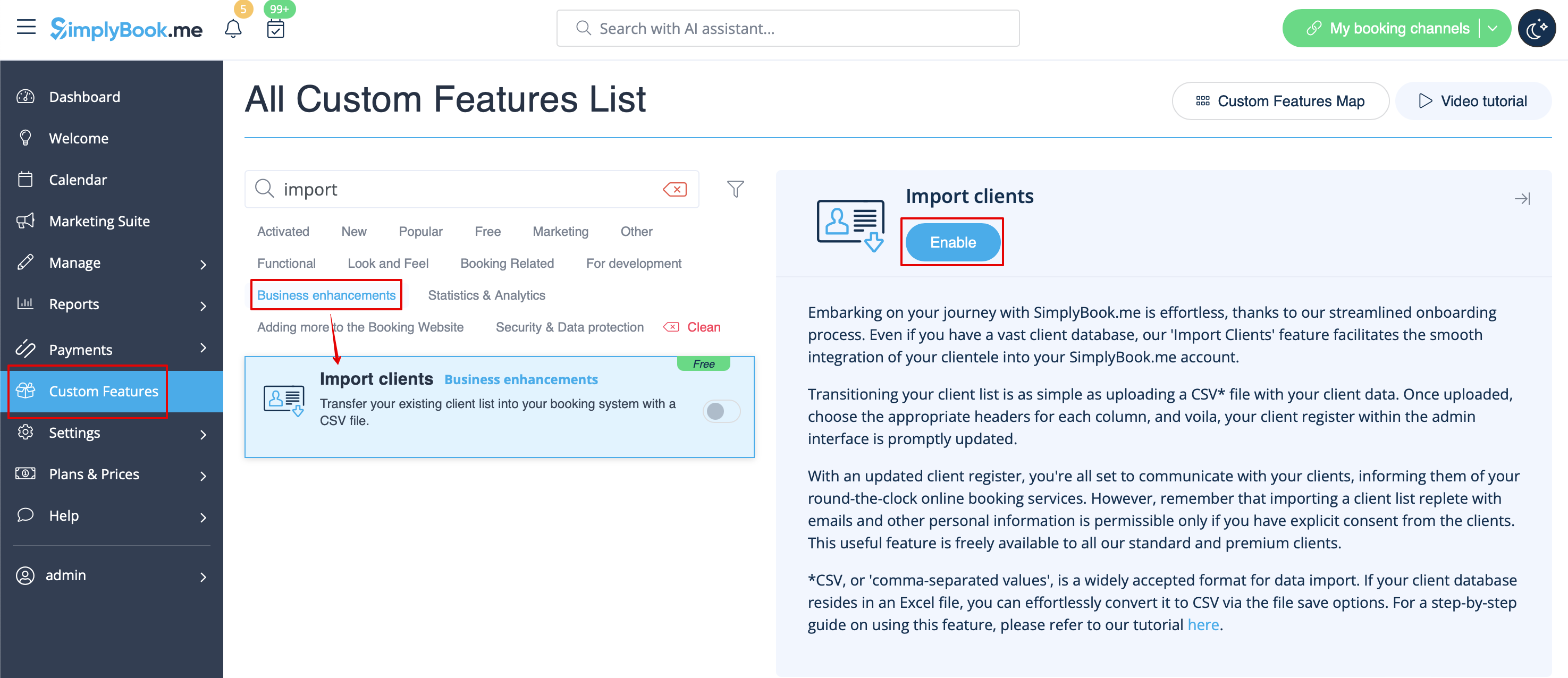
- 1. Enable "Import Clients" custom feature on your Custom features page:
- 2. Prepare your Excel file.
- - No text above the list of clients should be written
- - Make sure all cells are correctly displayed
- - Save file in .csv format with comma separation.
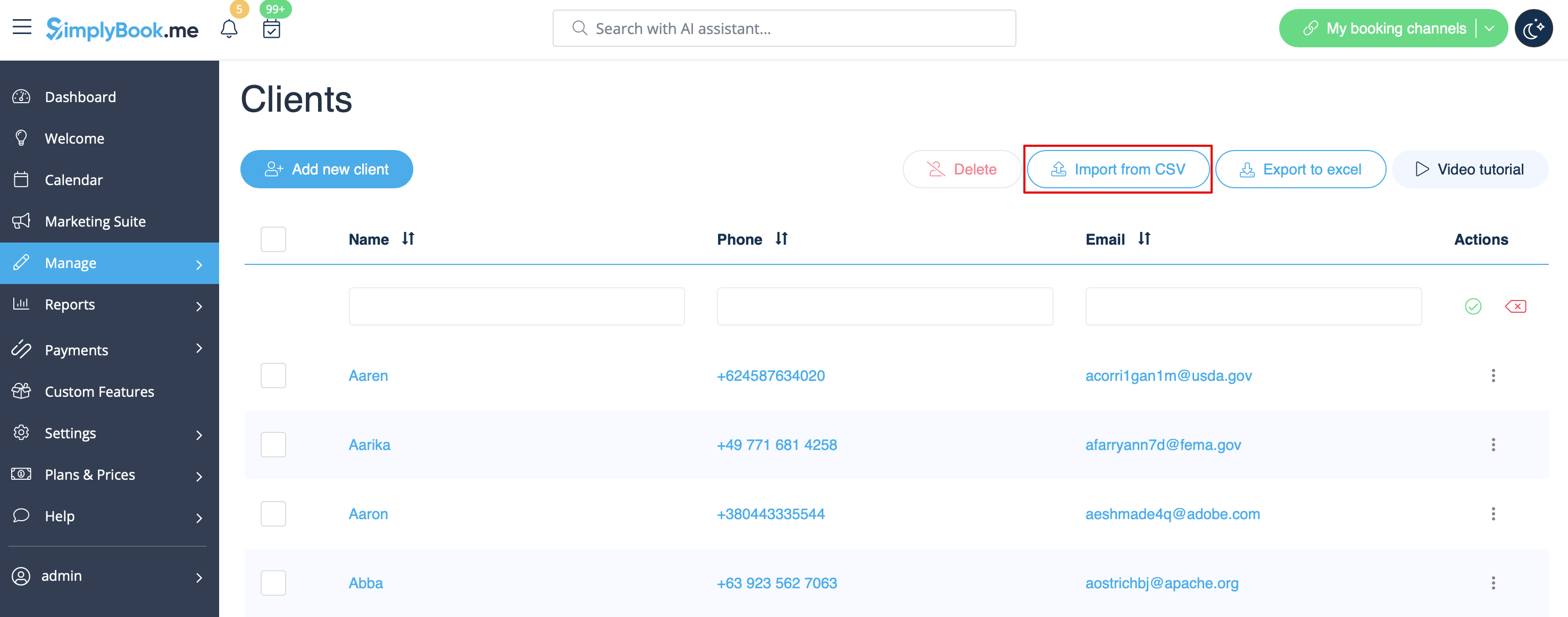
- 3. Go to Manage//Clients//Import from CSV or simply click on "Settings" near this custom feature.
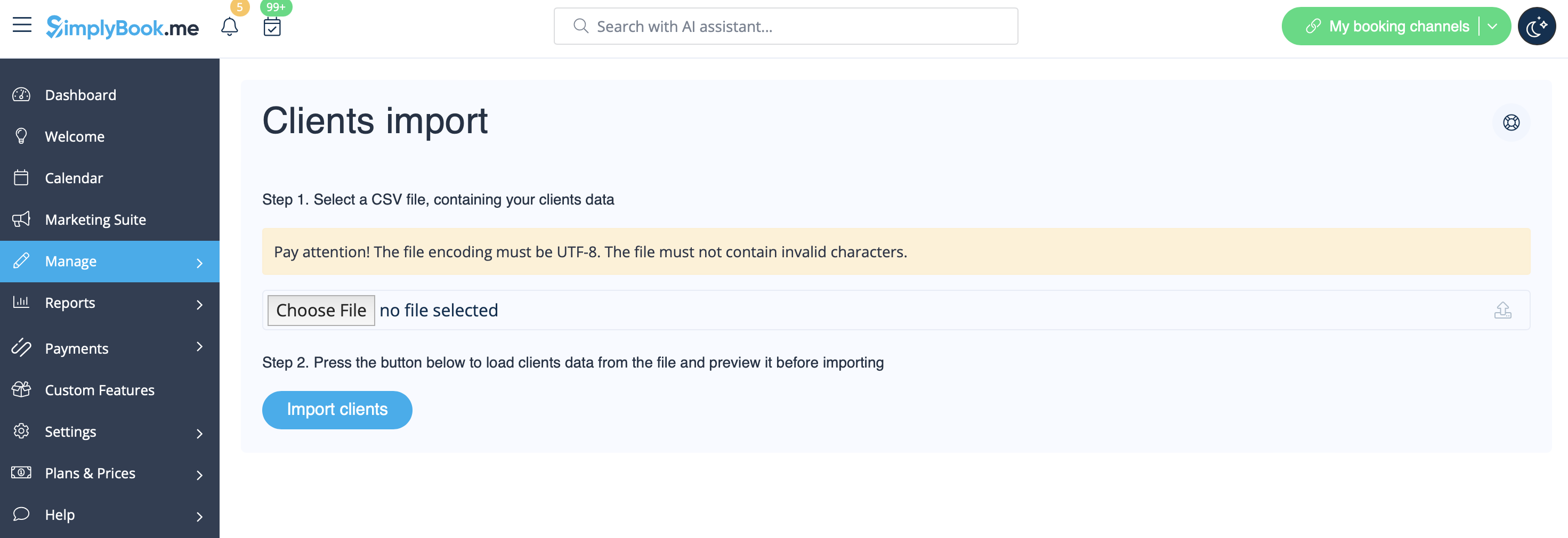
- 4. Press "Choose file" and select the prepared file.
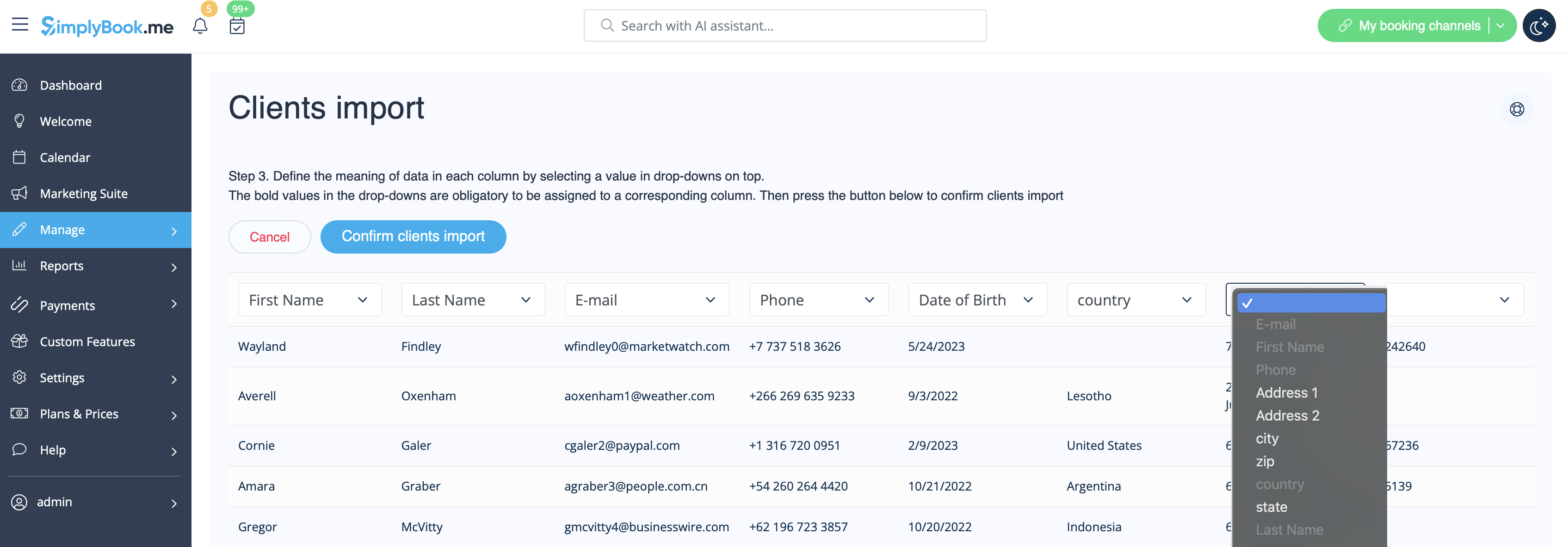
- 5. Assign values to the columns from drop-down lists in the upper bar (above each column, marked with black arrows). Assign "name", "email" and "phone".
- (if you are using Client Fields Custom Feature you can also import some of the forms values)
- 6. Press "Confirm clients import".
- Please note that only 10 clients will be shown in preview, but after you import, all clients will be shown.
- If you can't import clients, please check the possible reasons
- 1. Format of .csv file is incorrect. It should be saved in .csv with comma or tab separation.
- 2. There is some text above the data or unnecessary columns that prevent successful import. Please delete the text.
- 3. Values are not assigned. Use drop-down menus above the columns to assign values "name", "email", "phone", etc.
