From SimplyBook.me
Marked this version for translation |
No edit summary |
||
| Line 4: | Line 4: | ||
<translate> | <translate> | ||
<!--T:5--> | <!--T:5--> | ||
|description= | |description=Automate re-booking reminders to clients. Send follow-up campaigns encouraging repeat visits. Set intervals, customize messages to drive client retention. | ||
</translate> | </translate> | ||
|titlemode=append | |titlemode=append | ||
Latest revision as of 19:33, 2 February 2026

Make sure your clients come again! This Custom Feature will remind your clients to come back as you can send them a message x-number of days after their appointment. For example, you can compose your own message and send a reminder always 30 days after an appointment.
Please note!
- This custom feature is available with paid subscriptions only.
- The clients should be subscribed to your marketing materials to be able to receive such notifications.
- How to use
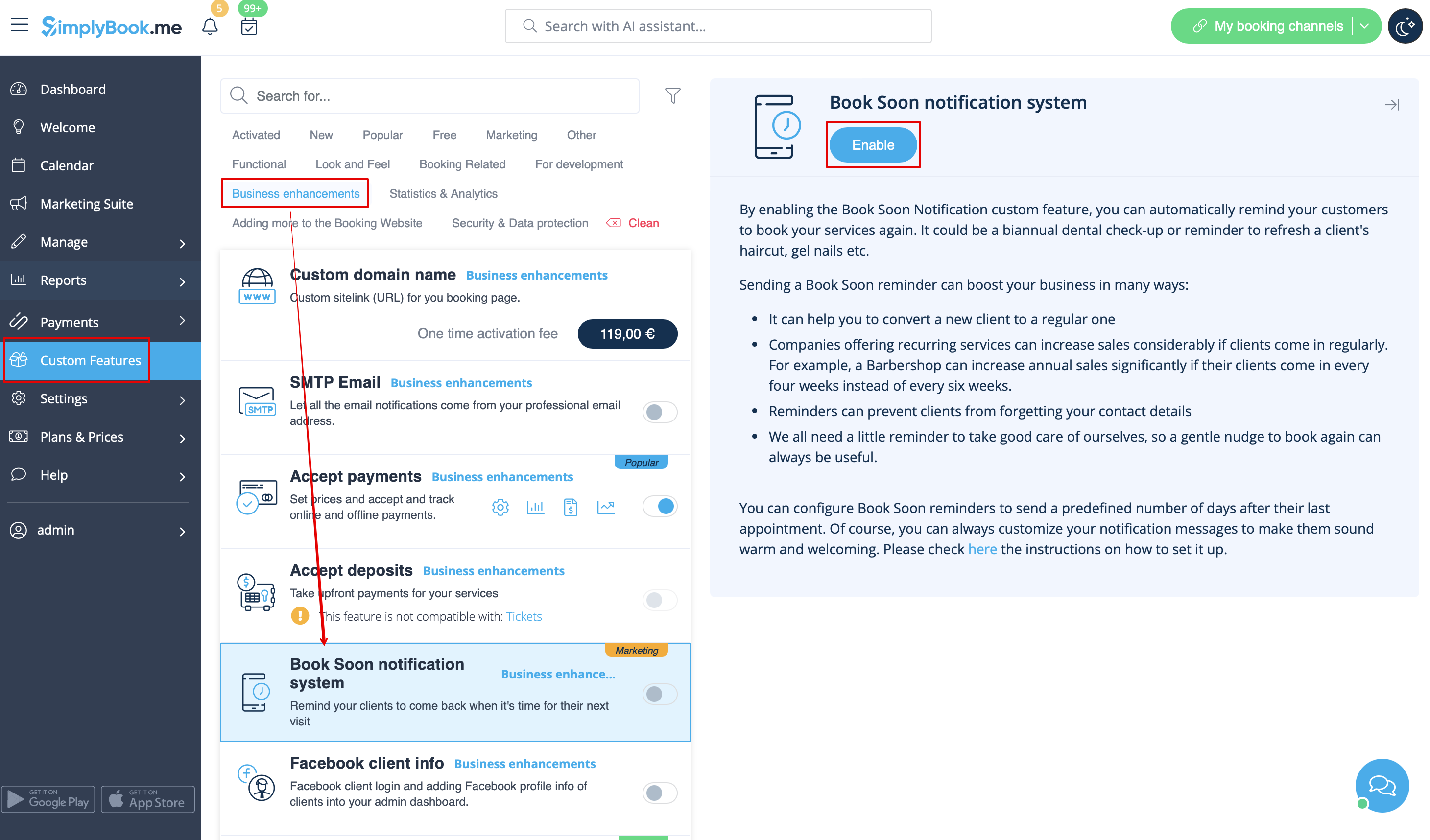
- 1. Enable this custom feature on your Custom features page.
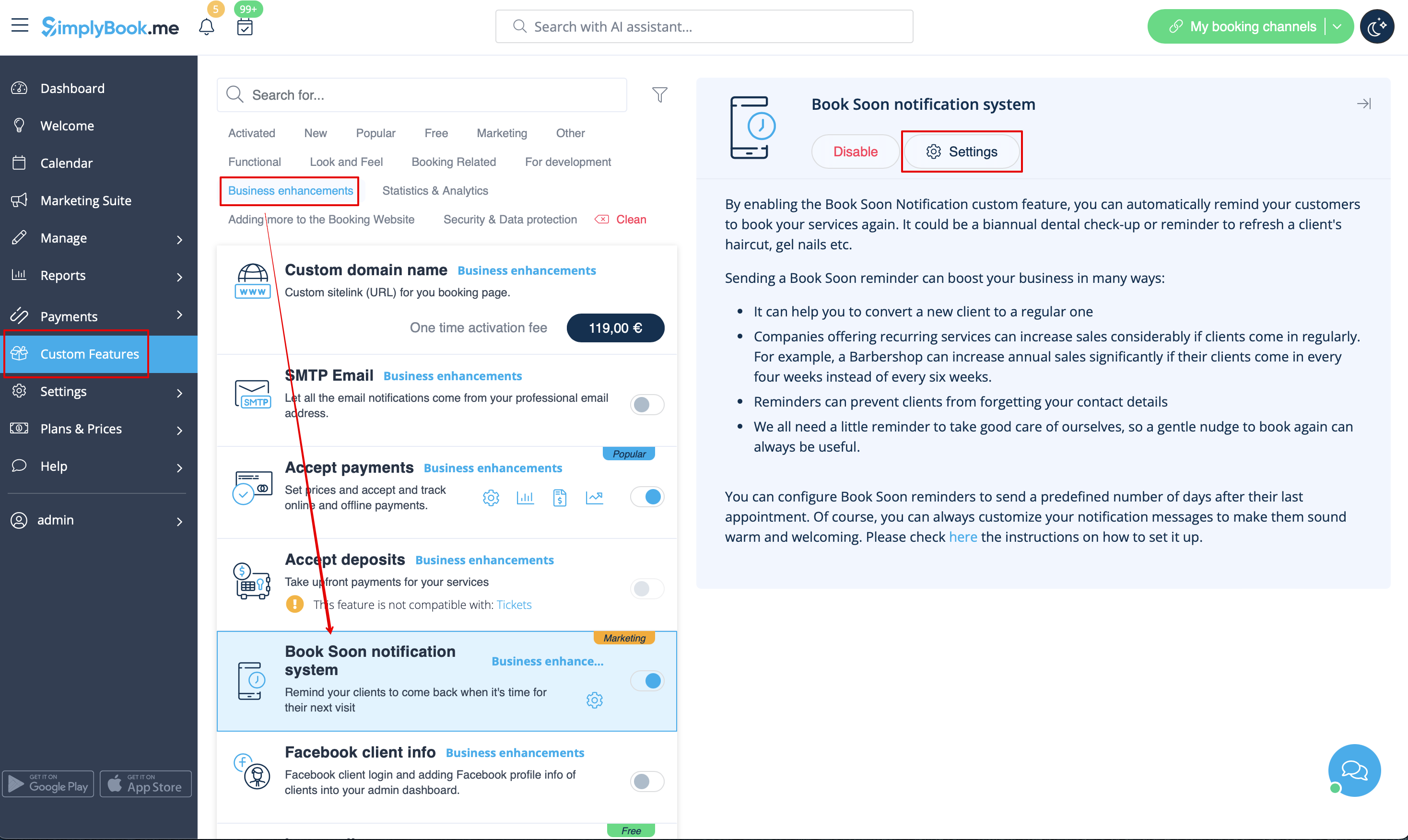
- 2. Go to "Settings" near this option.
- 3. In the settings press "Add new".

- 4. Configure email and /or sms notifications by writing the subject and the text.
- You can use the following variables in your message: [client_name], [client_phone], [client_email], [event](for the service name), [unit](for the provider name), [code], [date_start], [time_start].
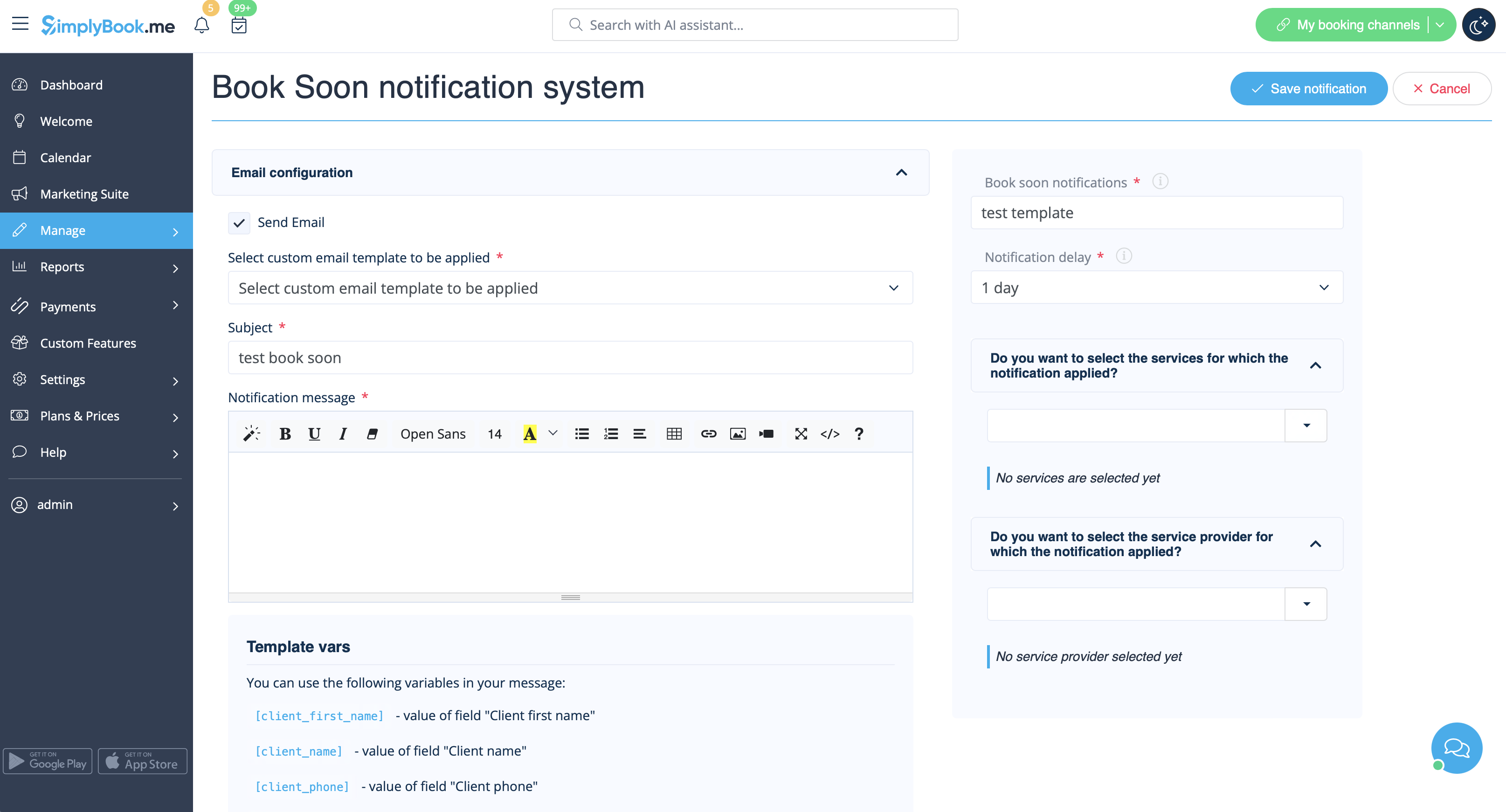
- 5. In the field "Book soon notifications" name this notification to distinguish it from other notifications you may want to create in future.
- 6. Set notification delay days (number of days after the appointment when notification should be sent)
- 7. Select service and provider for which the notification will be applied to (optional).
