From SimplyBook.me
Marked this version for translation |
No edit summary |
||
| (3 intermediate revisions by the same user not shown) | |||
| Line 4: | Line 4: | ||
<translate> | <translate> | ||
<!--T:3--> | <!--T:3--> | ||
|description= | |description=Create discount coupons and sell gift cards. Set percentage/fixed discounts, validity periods, usage limits. Requires Accept Payments feature enabled. | ||
</translate> | </translate> | ||
|titlemode=append | |titlemode=append | ||
| Line 18: | Line 18: | ||
Create and sell gift cards, and send coupons to your clients with the Coupons & Gift Cards custom feature! You can make % and fixed amount discounts and sell gift certificates. Use this amazing feature to promote your business. Customize your promotions with defined dates, messages and codes. | Create and sell gift cards, and send coupons to your clients with the Coupons & Gift Cards custom feature! You can make % and fixed amount discounts and sell gift certificates. Use this amazing feature to promote your business. Customize your promotions with defined dates, messages and codes. | ||
<br><br><br> | <br><br><br> | ||
:Please check our '''video tutorial''' on how to use this feature | :Please check our '''video tutorial''' on how to use this feature <p><youtube>IANG62Mm-KI</youtube></p> | ||
<br><br> | <br><br> | ||
'''Please note!''' | '''Please note!''' | ||
*This Custom feature cannot be used together with [[Special:MyLanguage/Custom_Features#Clean_History | Clean History]]. | *This Custom feature '''cannot be used together''' with [[Special:MyLanguage/Custom_Features#Clean_History | Clean History]]. | ||
*When you enable this feature [[Special:MyLanguage/Custom_Features#Accept_Payments | Accept Payments]] will be enabled as well. | *When you enable this feature '''[[Special:MyLanguage/Custom_Features#Accept_Payments | Accept Payments]]''' will be enabled as well. | ||
*Fixed amount discounts can be used for several purchases till the full discount amount is used. | *'''Fixed amount discounts''' can be used for '''several purchases''' till the full discount amount is used. | ||
*The clients should be subscribed to your marketing materials to be able to receive such notifications. | *The clients should be '''subscribed to your marketing materials''' to be able to receive such notifications. | ||
*If you are using this feature with [[Special:MyLanguage/Custom_Features#Multiple_Bookings | Multiple Bookings]], [[Special:MyLanguage/Custom_Features#Group_Bookings | Group Bookings]] or [[Special:MyLanguage/Recurring_services(packs) |recurring services]] the discount will be applied to the whole purchase(all the sessions selected). | *If you are using this feature with [[Special:MyLanguage/Custom_Features#Multiple_Bookings | Multiple Bookings]], [[Special:MyLanguage/Custom_Features#Group_Bookings | Group Bookings]] or [[Special:MyLanguage/Recurring_services(packs) |recurring services]] the discount will be applied to the '''whole purchase(all the sessions selected)'''. | ||
*It is not possible to reschedule bookings with [[Special:MyLanguage/Client Rescheduling custom feature|Client rescheduling]] feature if a gift card was applied to it. | *It is '''not possible to reschedule''' bookings with [[Special:MyLanguage/Client Rescheduling custom feature|Client rescheduling]] feature if a gift card was applied to it. | ||
*If you '''delete''' the coupon and the coupon code was already '''used''': The coupon details are retained on the specific Invoices (Reports -> Payment transactions report) where it was applied, and in the Reports -> Issued coupons. It is not possible to create a new coupon with the exact same redeemable code. | |||
*If you '''delete''' the coupon and the coupon code was '''never used''': The coupon details are removed. You can create a new coupon using the exact same redeemable code. | |||
<br><br> | <br><br> | ||
Latest revision as of 15:39, 30 January 2026

Create and sell gift cards, and send coupons to your clients with the Coupons & Gift Cards custom feature! You can make % and fixed amount discounts and sell gift certificates. Use this amazing feature to promote your business. Customize your promotions with defined dates, messages and codes.
- Please check our video tutorial on how to use this feature
Please note!
- This Custom feature cannot be used together with Clean History.
- When you enable this feature Accept Payments will be enabled as well.
- Fixed amount discounts can be used for several purchases till the full discount amount is used.
- The clients should be subscribed to your marketing materials to be able to receive such notifications.
- If you are using this feature with Multiple Bookings, Group Bookings or recurring services the discount will be applied to the whole purchase(all the sessions selected).
- It is not possible to reschedule bookings with Client rescheduling feature if a gift card was applied to it.
- If you delete the coupon and the coupon code was already used: The coupon details are retained on the specific Invoices (Reports -> Payment transactions report) where it was applied, and in the Reports -> Issued coupons. It is not possible to create a new coupon with the exact same redeemable code.
- If you delete the coupon and the coupon code was never used: The coupon details are removed. You can create a new coupon using the exact same redeemable code.
- How to use
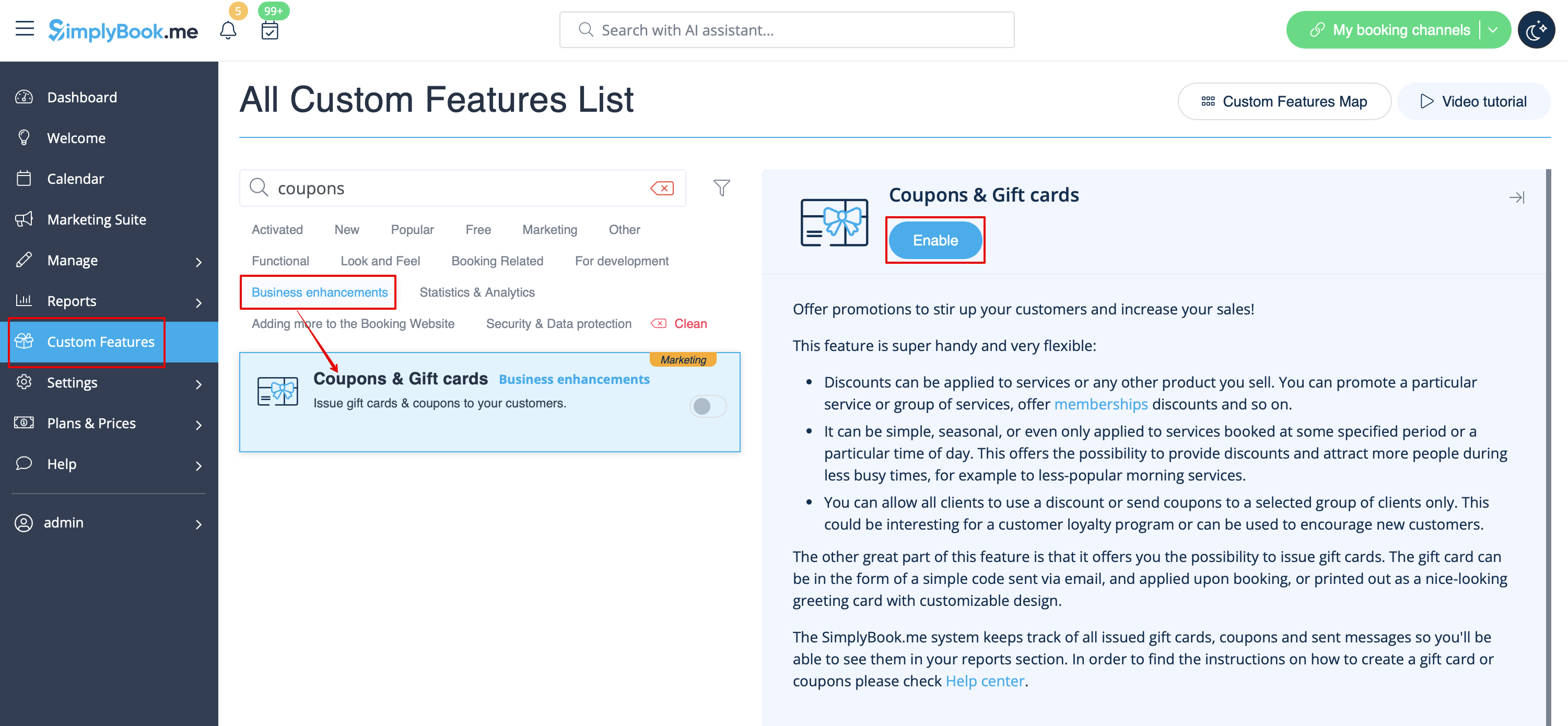
- 1. Enable this custom feature in Business Enhancements section of your Custom Features page.
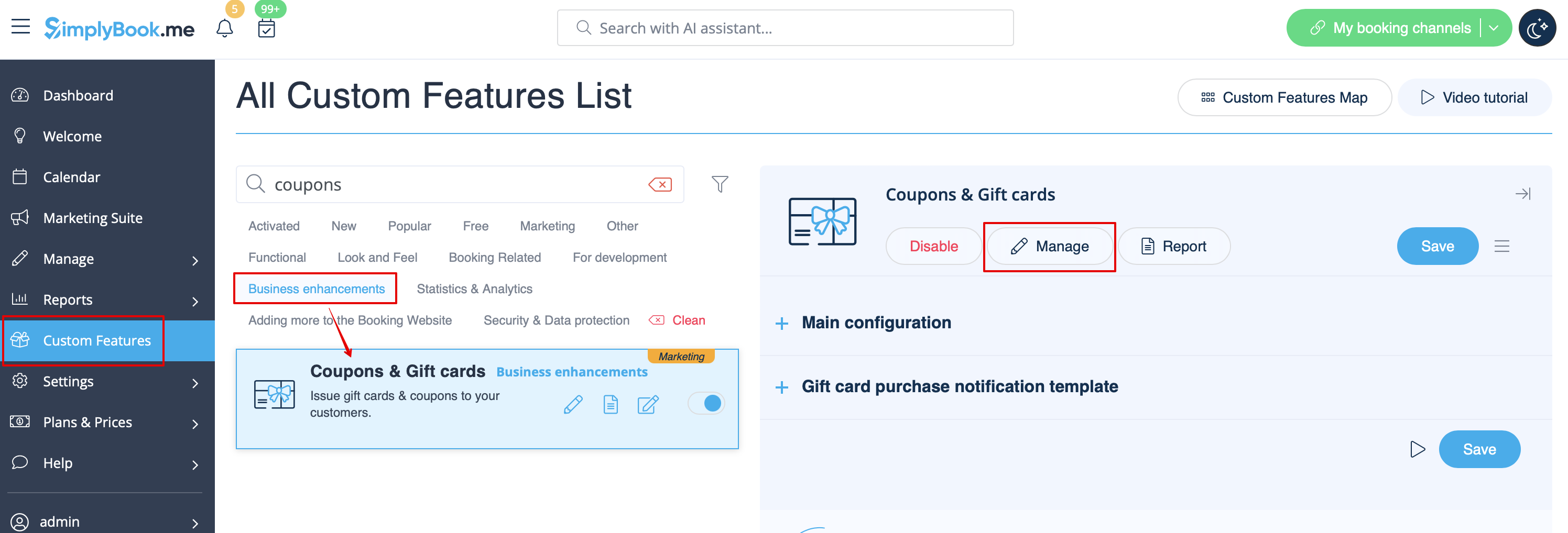
- 2. Navigate to "Manage" on the right or go to Manage//Coupons and Gift Cards.
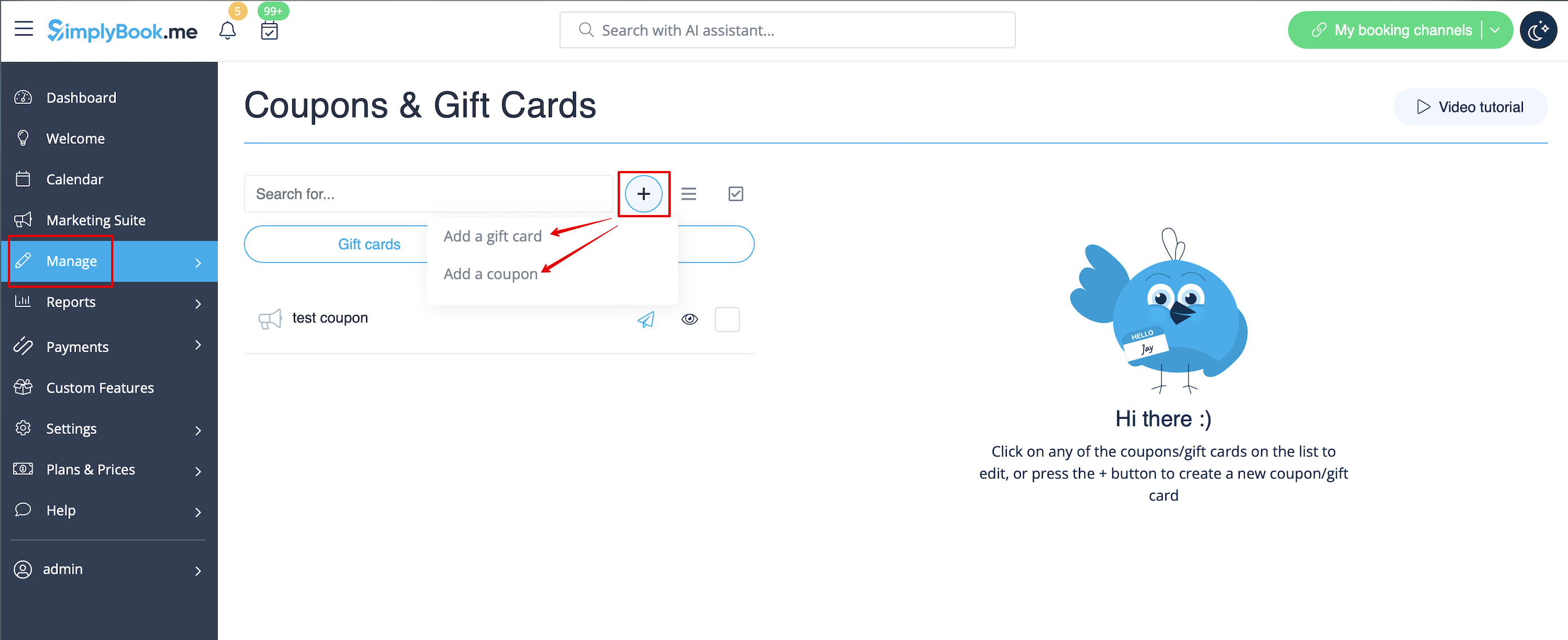
- 3. Click on "+" icon to create a promotion or a gift card.
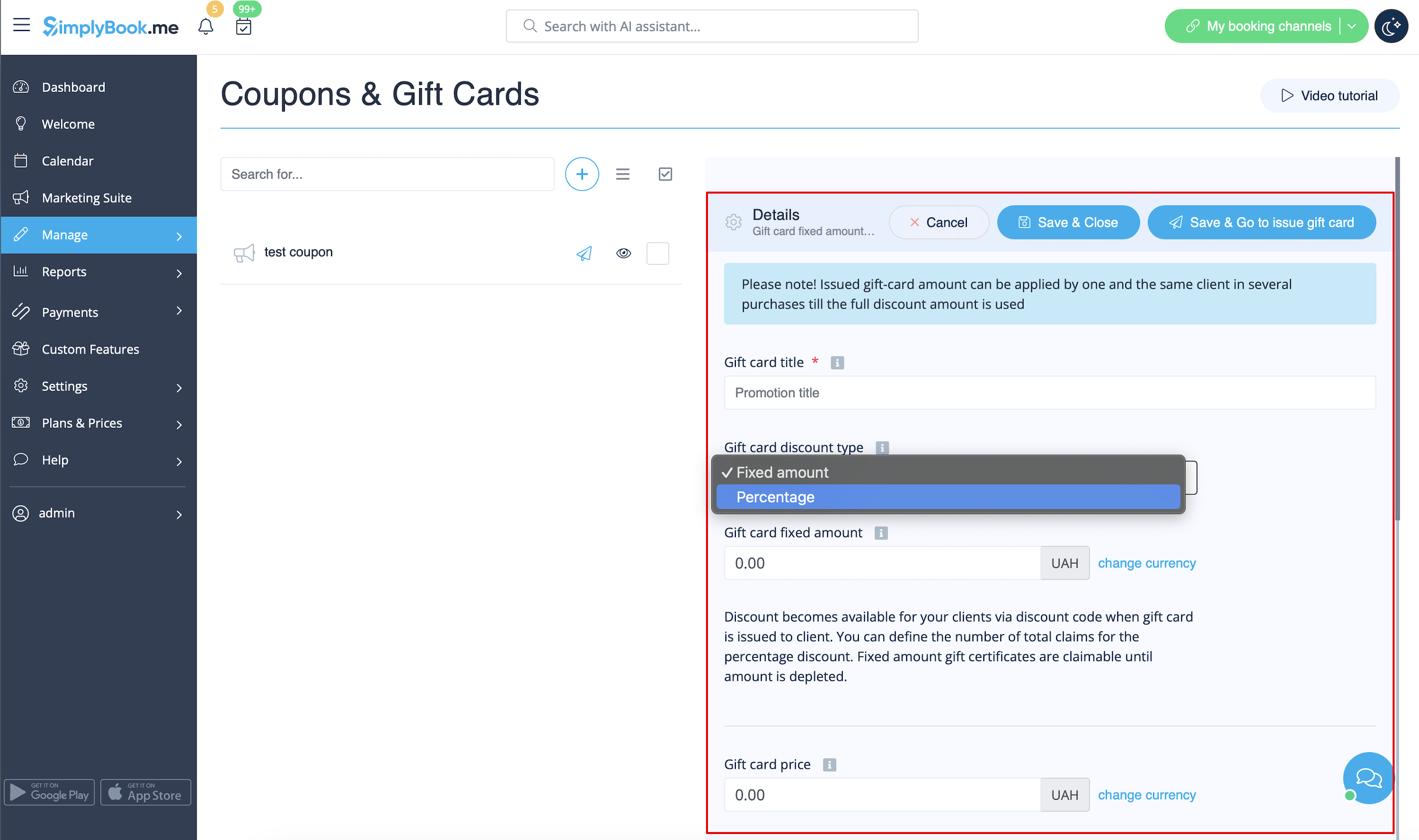
- 4. Fill in main details in the menu that appears on the right side.
- 5. Add details that your clients will see.
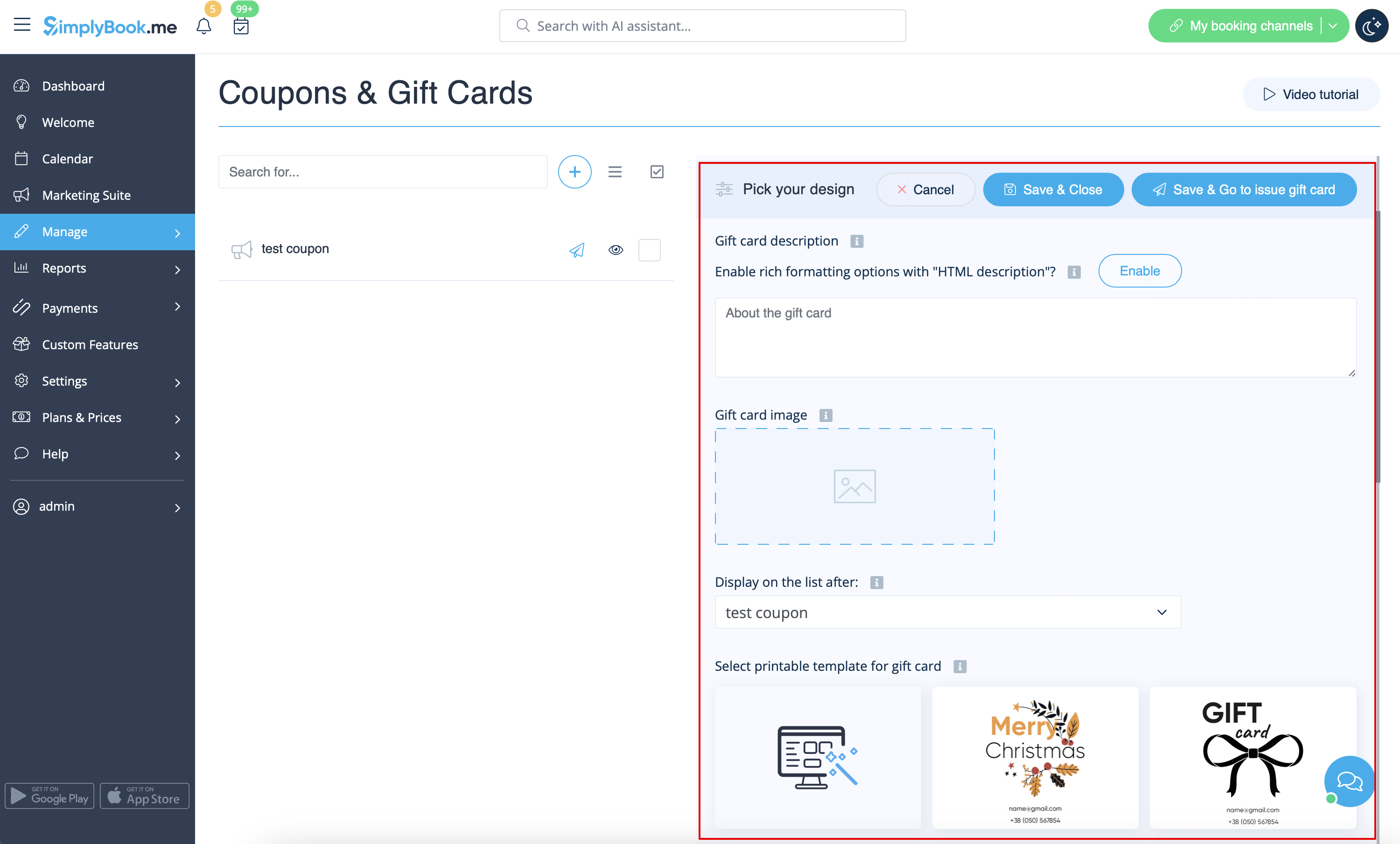
- 6. (optional) Set the period when promotion or gift card will be valid.
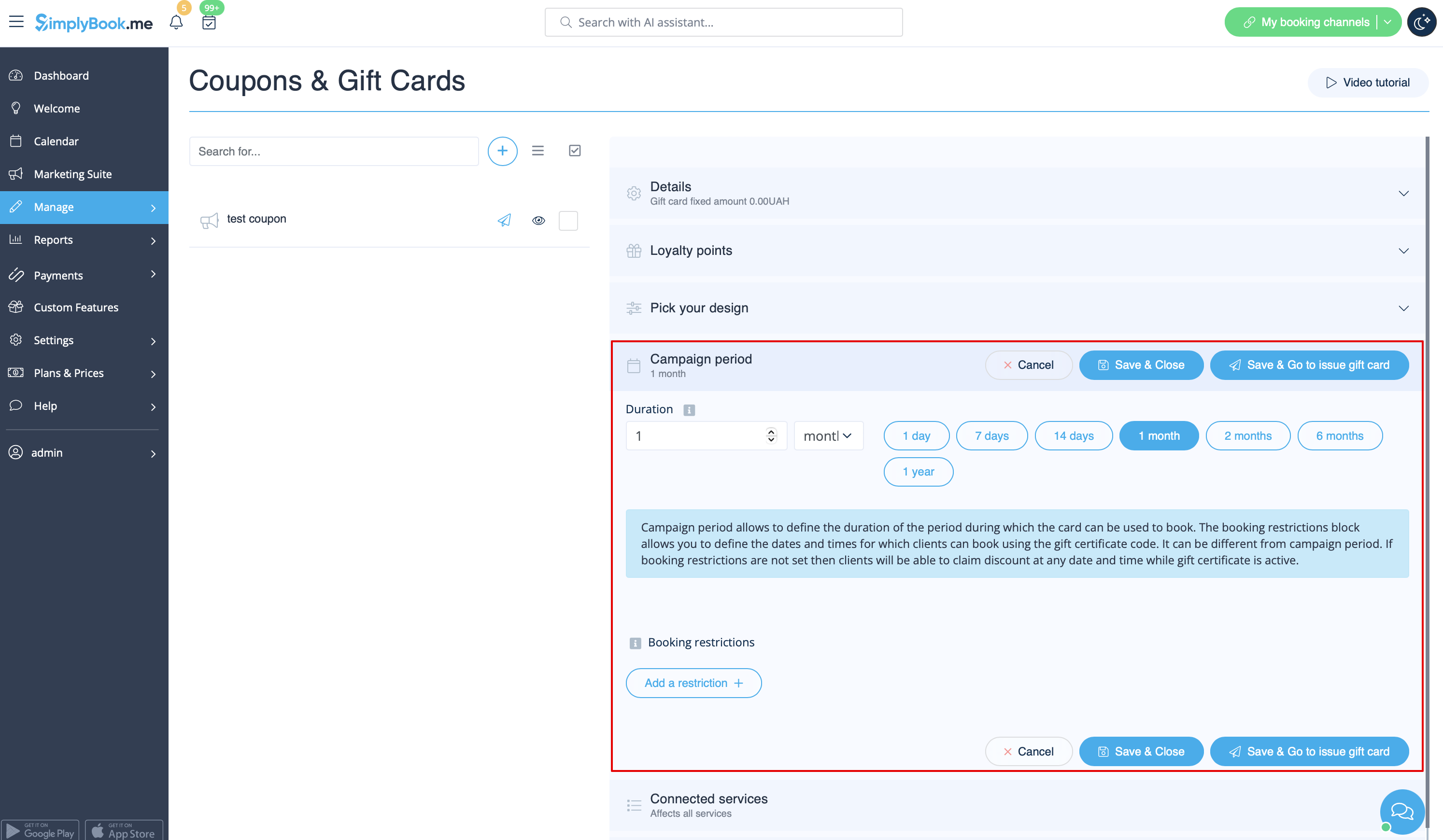
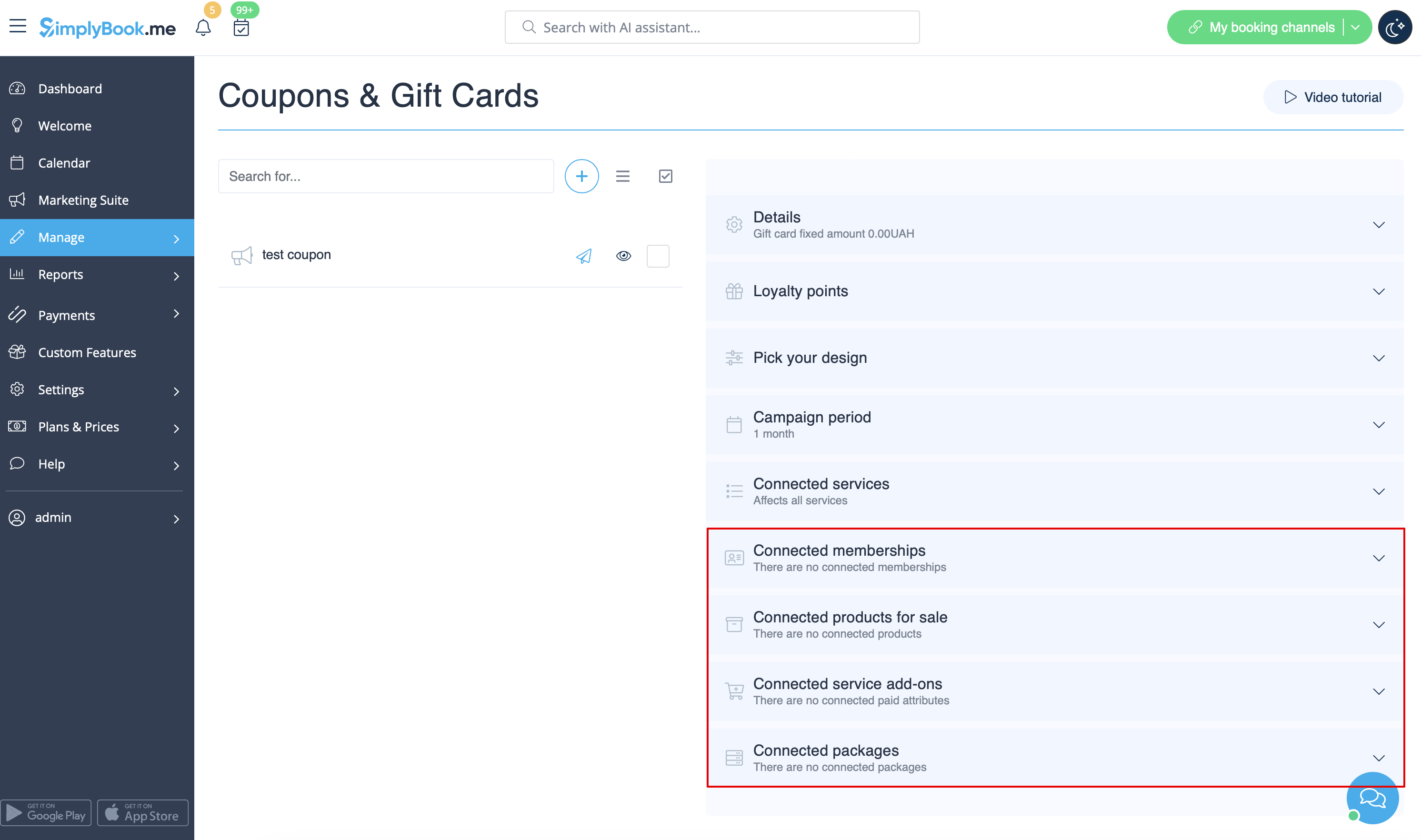
- 7. As well you can connect your promotion/gift card to specific service(s), membership(s), product(s) for sale and/or service add-on(s).
- (By default, it will be connected to all services/classes you have)
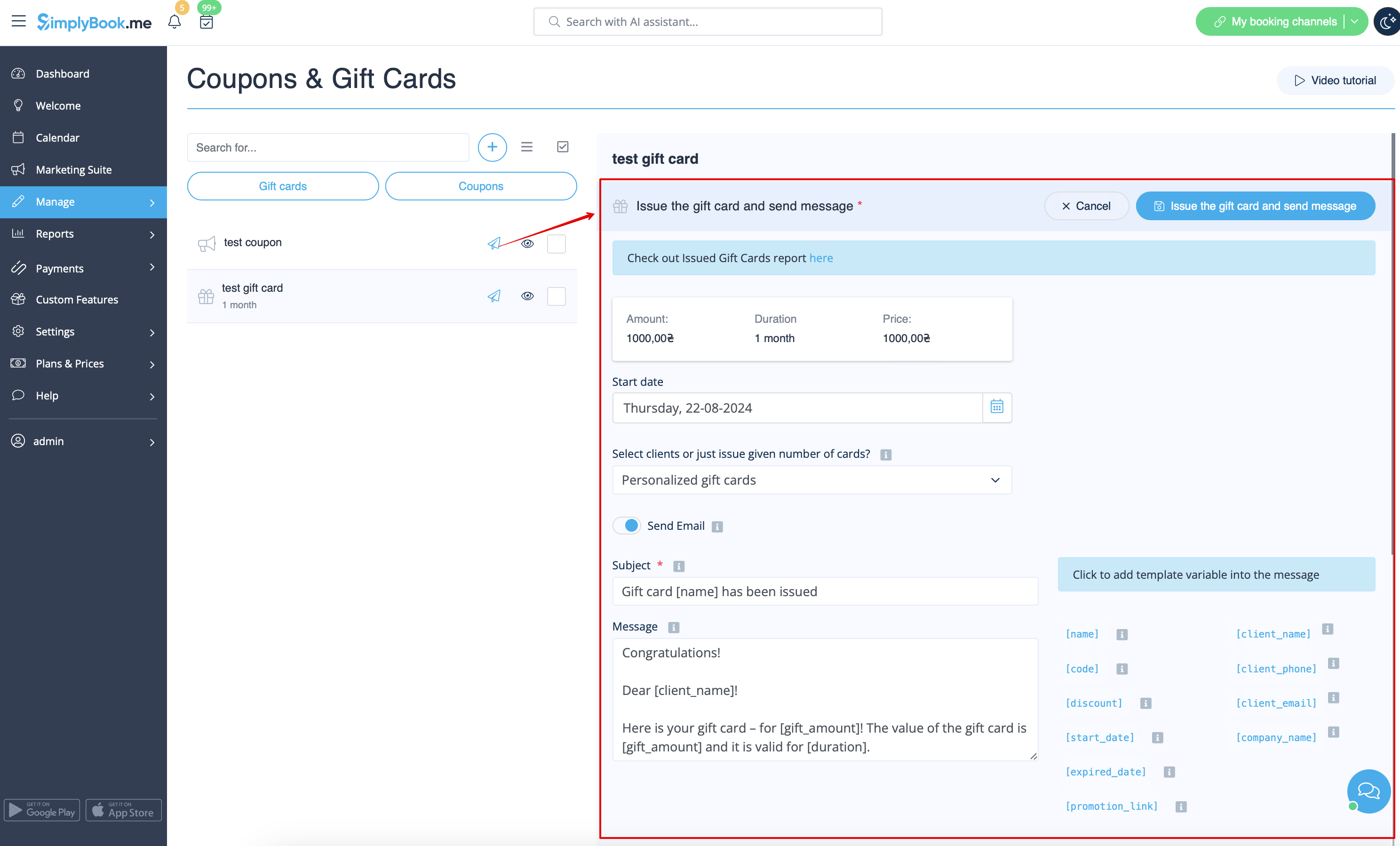
- 8. Save your settings. If necessary you can now issue the gift cards and/or send promotion messages to your existing customers by clicking on the "Issue gift card"/"Send coupon message" button near the desired item.
- Or create a batch of non-personalized gift cards there.
- 9. You can also set templates for clients to receive email and/or SMS notifications when they purchase a gift-card themselves on the booking site.
- To do that please navigate to Custom features//Coupons and Gift Cards, right side of the page.

