From SimplyBook.me
No edit summary |
No edit summary |
||
| (One intermediate revision by the same user not shown) | |||
| Line 3: | Line 3: | ||
|title=Insights custom feature - SimplyBook.me | |title=Insights custom feature - SimplyBook.me | ||
<translate> | <translate> | ||
|description= | <!--T:4--> | ||
|description=Access advanced analytics and business insights. Track booking trends, revenue, popular services. Make data-driven decisions to grow your business. | |||
</translate> | </translate> | ||
|titlemode=append | |titlemode=append | ||
Latest revision as of 19:44, 16 February 2026

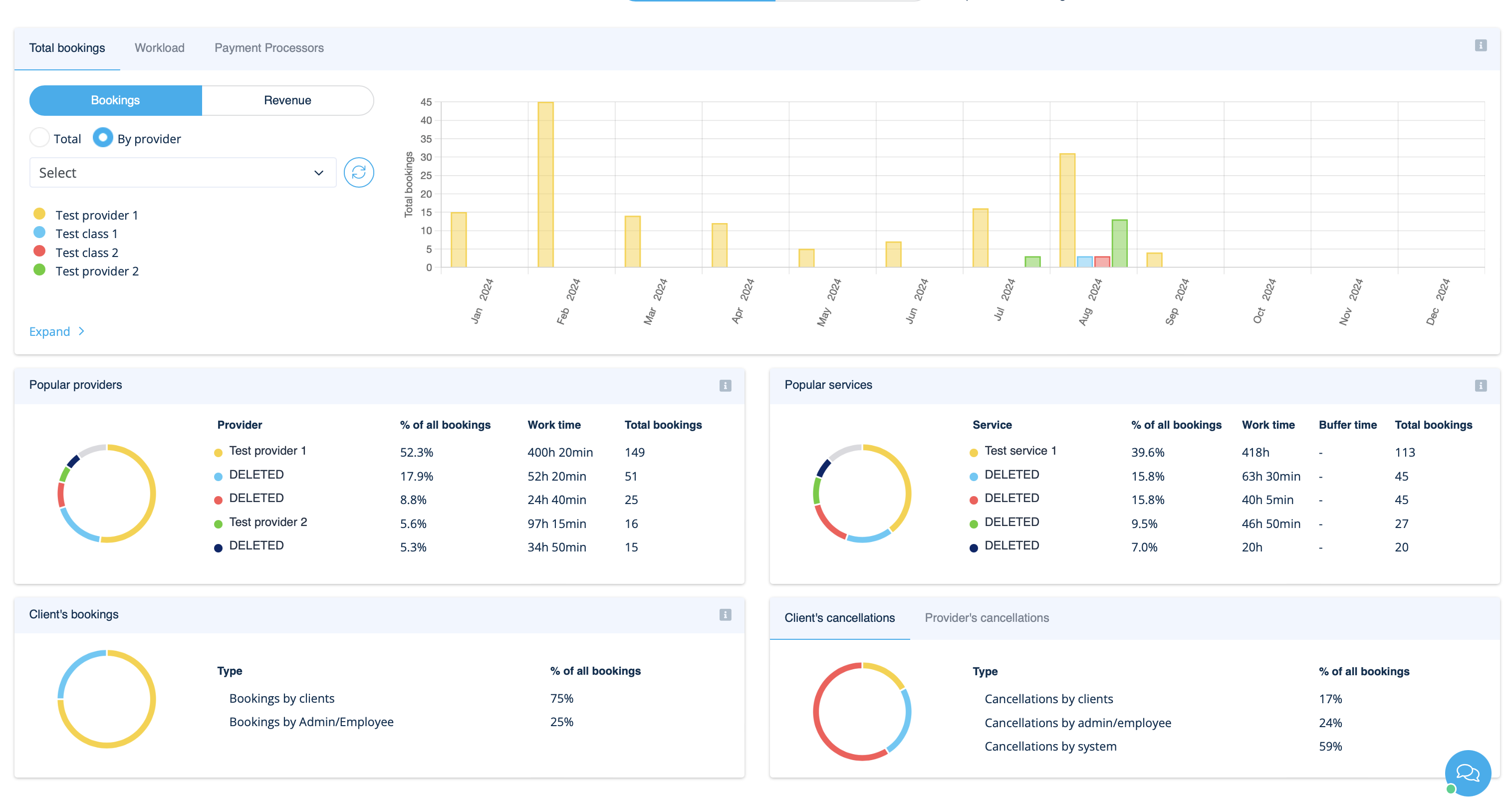
This Custom Feature creates a variety of charts with key performance indicators in your new financial dashboard.
Providers availability, total bookings, payment per provider etc
- How to use
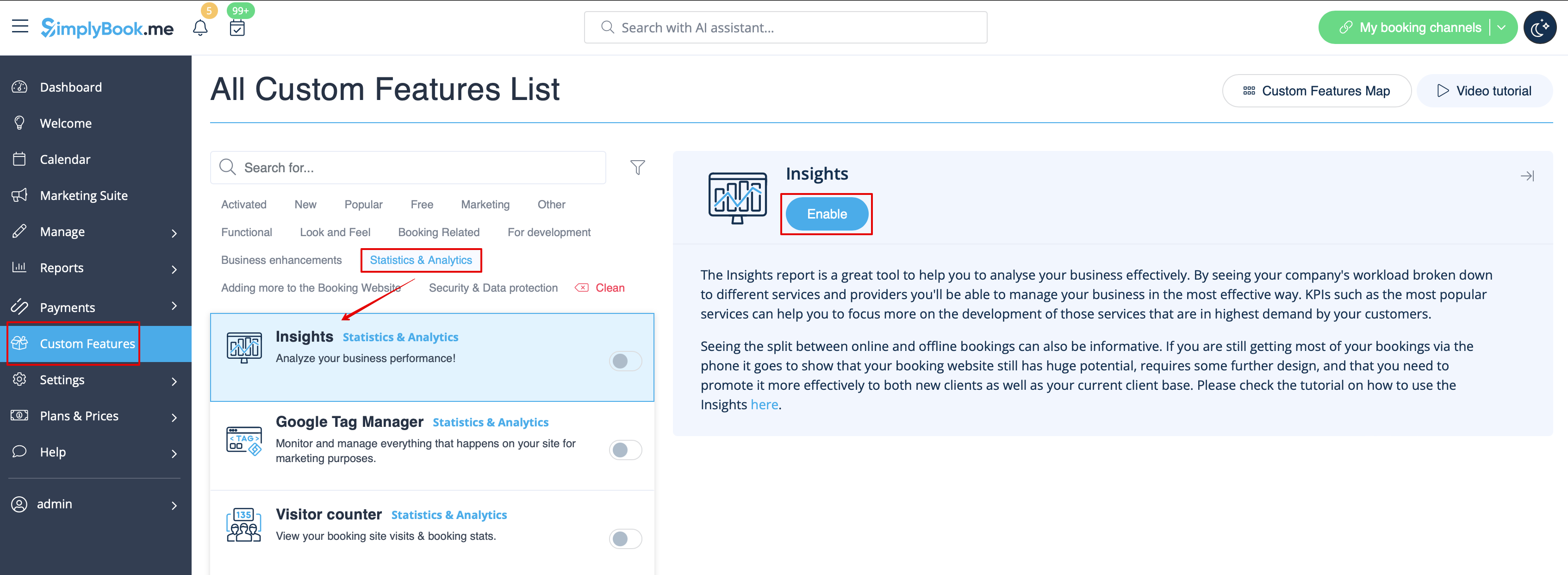
- 1. Enable Insights on your Custom features page.
- 2. Navigate to Dashboard to check the graphs and charts.