From SimplyBook.me
No edit summary |
No edit summary |
||
| (One intermediate revision by the same user not shown) | |||
| Line 1: | Line 1: | ||
<languages/> | <languages/> | ||
<translate> | <translate> | ||
<!--T:1--> | |||
{{#seo: | {{#seo: | ||
|title=Break times - SimplyBook.me | |title=Break times - SimplyBook.me | ||
|description= | |description=Configure breaks in provider schedules. Set lunch breaks, gaps between appointments. Manage availability by blocking off specific time periods during working... | ||
|titlemode=append | |titlemode=append | ||
|keywords=faq, frequently asked questions, booking software, appointment system questions, appointments online, calendar software, booking system, booking calendar, scheduling software, online appointment scheduling, online scheduling, setup, setup help, support, help content | |keywords=faq, frequently asked questions, booking software, appointment system questions, appointments online, calendar software, booking system, booking calendar, scheduling software, online appointment scheduling, online scheduling, setup, setup help, support, help content | ||
| Line 11: | Line 12: | ||
<translate> | <translate> | ||
<!--T:2--> | |||
__FORCETOC__ | __FORCETOC__ | ||
<br><br> | <br><br> | ||
| Line 28: | Line 30: | ||
</translate> | </translate> | ||
<translate> | <translate> | ||
=Other options to update the availability= | =Other options to update the availability= <!--T:3--> | ||
<!--T:4--> | |||
:1. If you wish to add breaktime or day off for all providers/services, you can also do it in Settings//Company opening hours for weekly schedule (if it is regular off time)<br> | :1. If you wish to add breaktime or day off for all providers/services, you can also do it in Settings//Company opening hours for weekly schedule (if it is regular off time)<br> | ||
:or in Settings//Company opening hours//Special days schedule(if you need to add it only for particular date). <br> | :or in Settings//Company opening hours//Special days schedule(if you need to add it only for particular date). <br> | ||
Latest revision as of 17:49, 30 January 2026
Quickly block times from Calendar
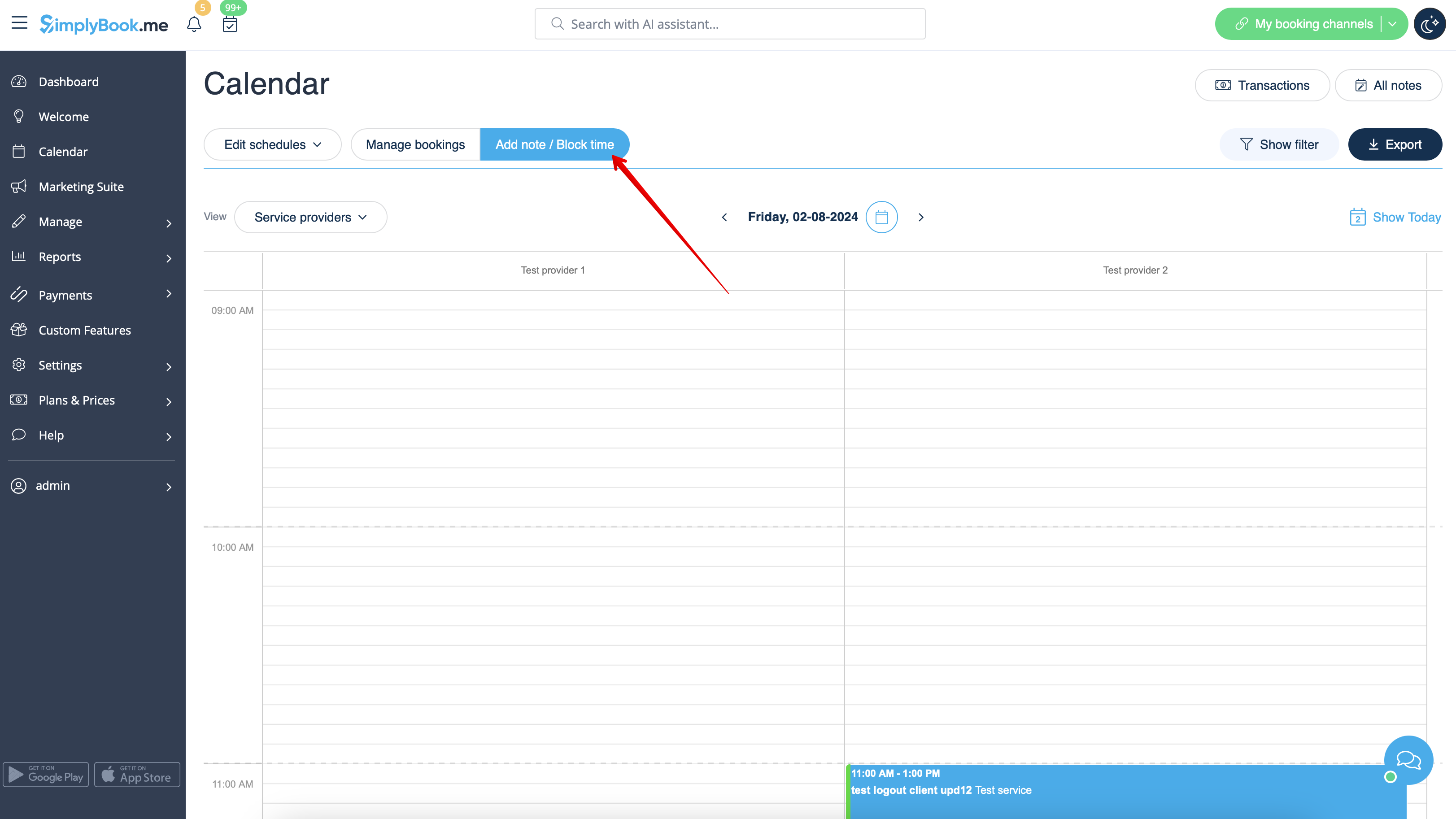
You can close the availability from Calendar page using "Add note/Block time" mode. Switch to it and click on the timeslot you want to close.
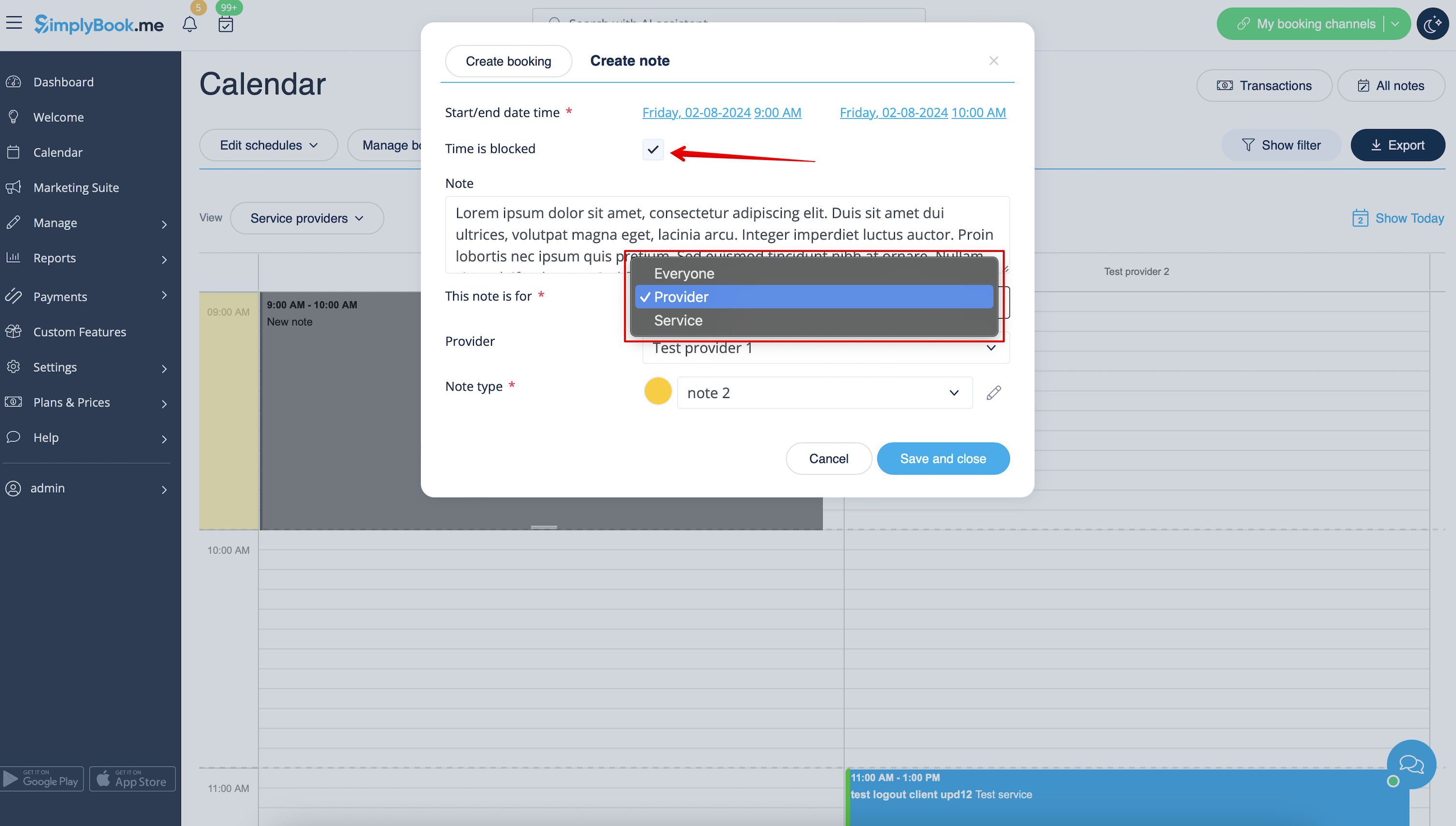
In the note popup check "Time is blocked" option and choose whether you need to block time period for everyone in your company or only for specific provider or service.
Add the reason of blocking if necessary.
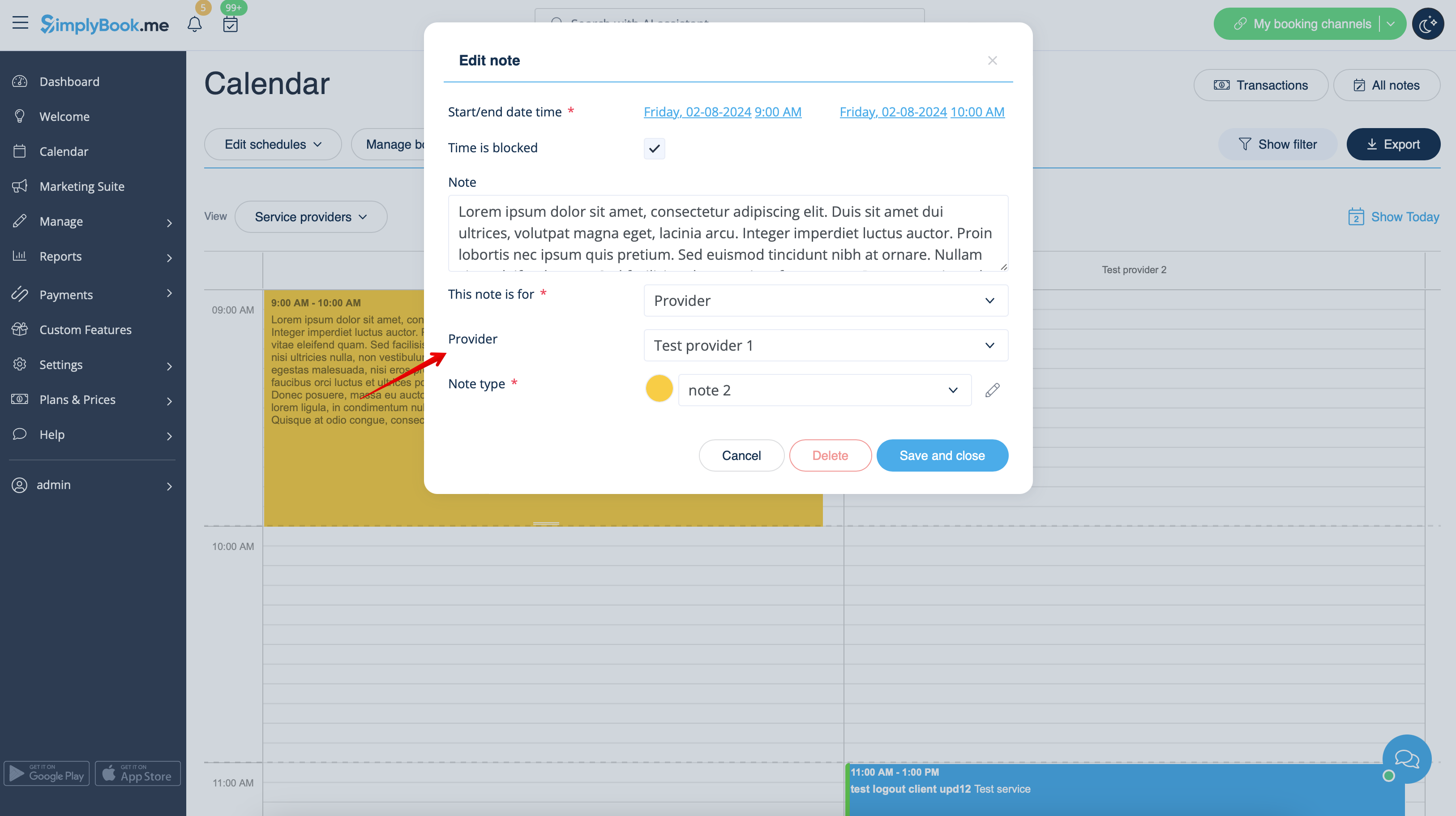
To remove or edit blocked time you simply can click on the corresponding note and delete it or update and save.
Other options to update the availability
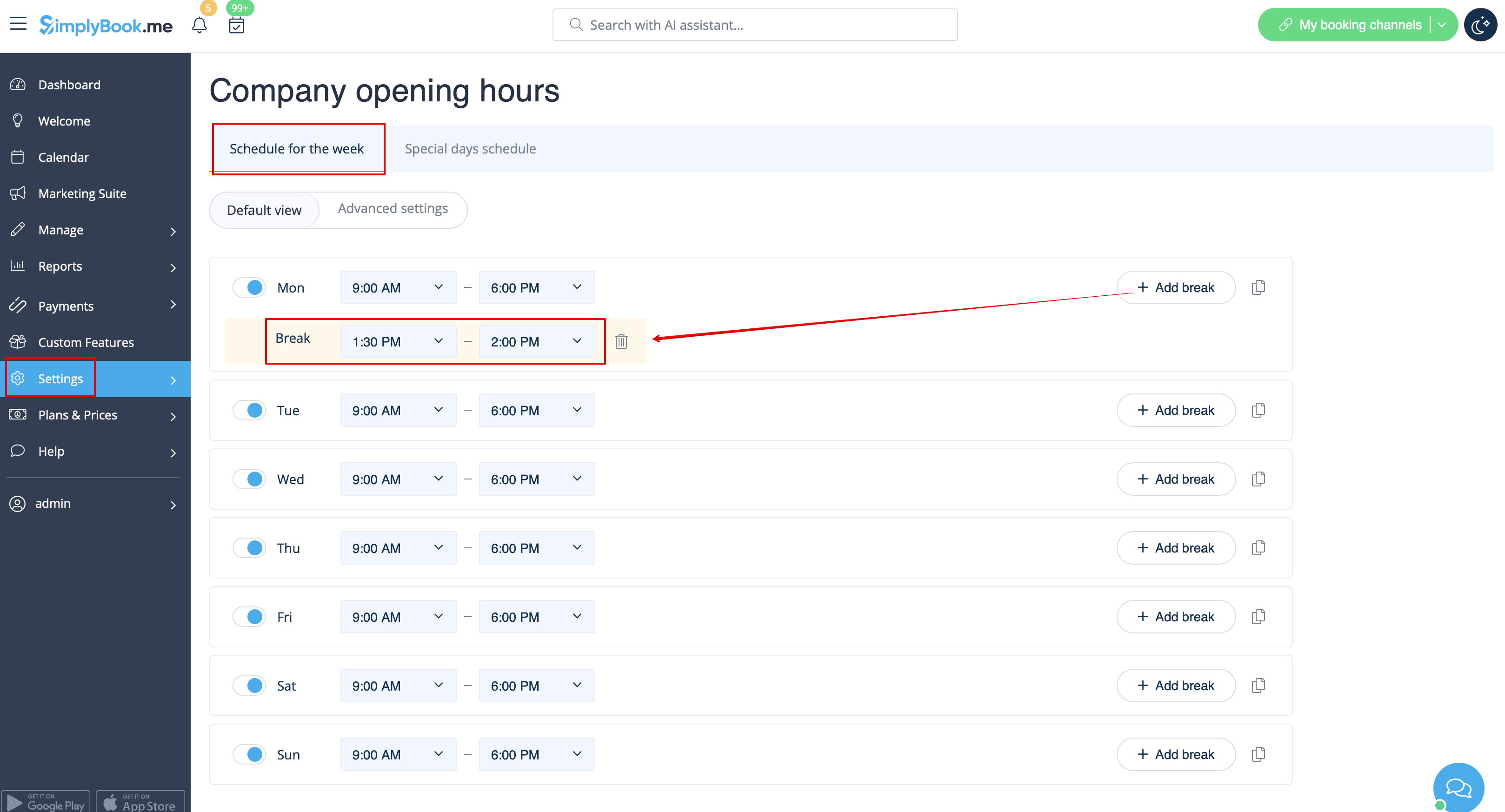
- 1. If you wish to add breaktime or day off for all providers/services, you can also do it in Settings//Company opening hours for weekly schedule (if it is regular off time)
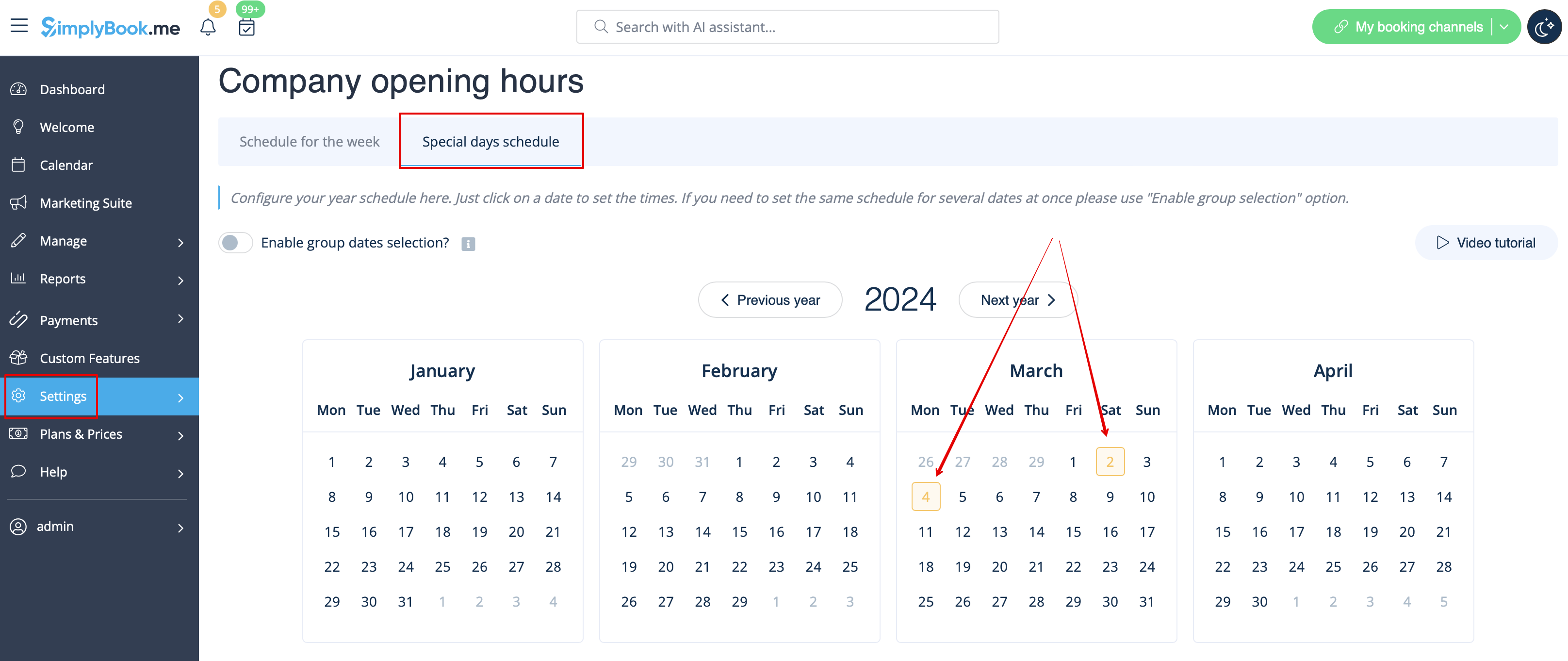
- or in Settings//Company opening hours//Special days schedule(if you need to add it only for particular date).
- Use
 "add breaktime" icon to add breaktime or
  remove breaktime icon to delete it.


- 2. If you wish to add breaktime or day off for certain provider, you can do it in Settings//Providers schedule for weekly schedule (if it is regular off time) or in Settings//Providers schedule//Special days tab (if you need to add it only for particular date).
- 3. If you wish to add breaktime or day off for certain service, you can do it in Settings//Services schedule for weekly schedule (if it is regular off time) or in Settings//Services schedule//Special days tab (if you need to add it only for particular date).
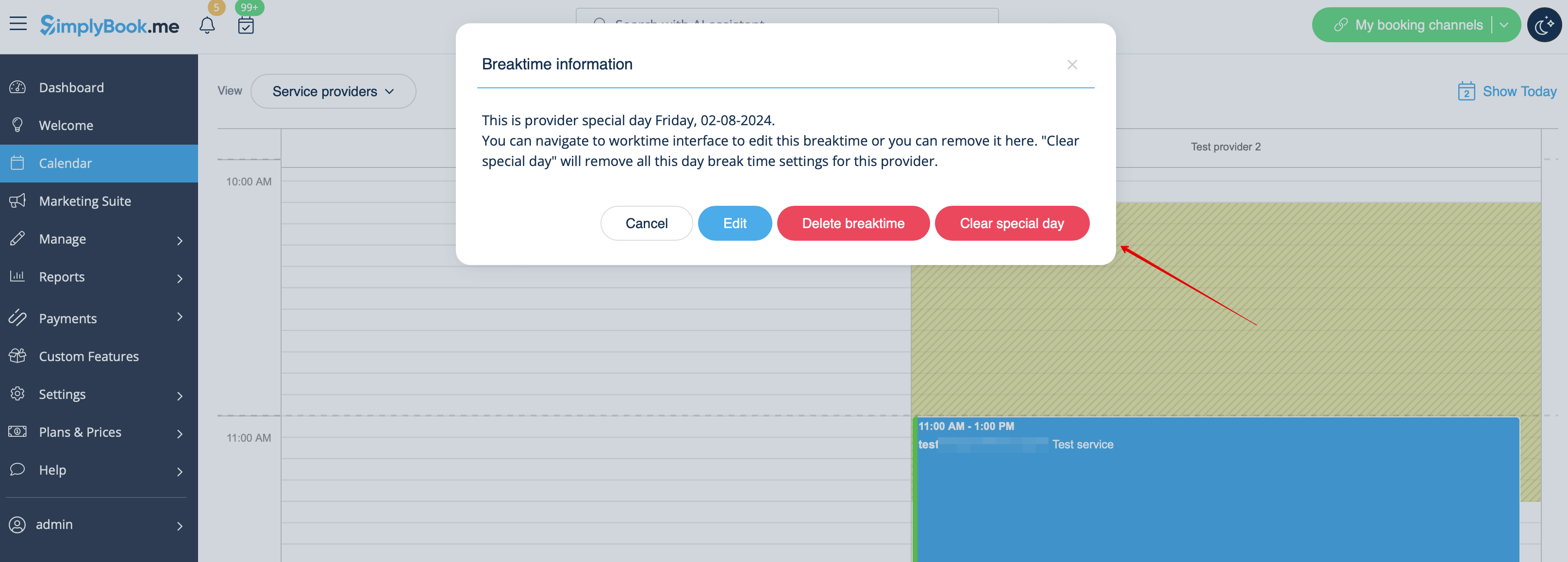
- These breaktimes will also be seen on Calendar page and can be removed either at the page where you have added them or in some cases directly from calendar page by clicking on them and selecting the corresponding option.