Created page with "{{#seo: |title=Mijn SimplyBook.me-abonnement en hoe ik dit kan verlengen |description=Begrijp uw abonnementsgegevens en het verlengingsproces. Volg de handleiding om uw SimplyBook.me-account te onderhouden. |titlemode=toevoegen |keywords=faq, veelgestelde vragen, boekingssoftware, vragen over het afspraken systeem, online afspraken, kalendersoftware, boekingssysteem, boekingskalender, planningssoftware, online afspraken plannen, online planning, installatie, hulp bij ins..." |
No edit summary Tags: Mobile edit Mobile web edit |
||
| (7 intermediate revisions by 2 users not shown) | |||
| Line 1: | Line 1: | ||
<languages/> | <languages/> | ||
{{#seo: |title=Mijn SimplyBook.me-abonnement en hoe ik dit kan verlengen |description= | {{#seo: |title=Mijn SimplyBook.me-abonnement en hoe ik dit kan verlengen |description=Abonnementsplan en verlengingen beheren. Bekijk het huidige plan, upgrade-opties en factureringsgegevens. Verleng verlopen abonnementen en wijzig betaalmethoden.|titlemode=toevoegen |keywords=faq, veelgestelde vragen, boekingssoftware, vragen over het afspraken systeem, online afspraken, kalendersoftware, boekingssysteem, boekingskalender, planningssoftware, online afspraken plannen, online planning, installatie, hulp bij installatie, ondersteuning, helpinhoud }} | ||
__FORCETOC__ | __FORCETOC__ | ||
== Waar kunt u uw abonnementsgegevens controleren? == | == Waar kunt u uw abonnementsgegevens controleren? == | ||
| Line 29: | Line 29: | ||
*'''Overschrijving''' naar rekening:<br><br> | *'''Overschrijving''' naar rekening:<br><br> | ||
<div class="mw-translate-fuzzy"> | |||
:Begunstigde: SimplyBook.me ltd | :Begunstigde: SimplyBook.me ltd | ||
:Adres: 21 Karaiskaki str., Oasis Center, 3032 Limassol, Cyprus | :Adres: 21 Karaiskaki str., Oasis Center, 3032 Limassol, Cyprus | ||
</div> | |||
:IBAN EURO: IS800537387113314509189970 | :IBAN EURO: IS800537387113314509189970 | ||
| Line 58: | Line 60: | ||
[[File:Buy new subscription path redesigned2.png|1200px| center|link=https://help.simplybook.me/images/3/34/Buy_new_subscription_path_redesigned2.png]] | [[File:Buy new subscription path redesigned2.png|1200px| center|link=https://help.simplybook.me/images/3/34/Buy_new_subscription_path_redesigned2.png]] | ||
<br><br> | <br><br> | ||
Kies de gewenste betaalmethode, vul uw gegevens in en bevestig de betaling. De nieuwe betaalmethode wordt automatisch opgeslagen zodra uw betaling is bevestigd. | |||
<br><br> | <br><br> | ||
Latest revision as of 19:41, 16 February 2026
Waar kunt u uw abonnementsgegevens controleren?
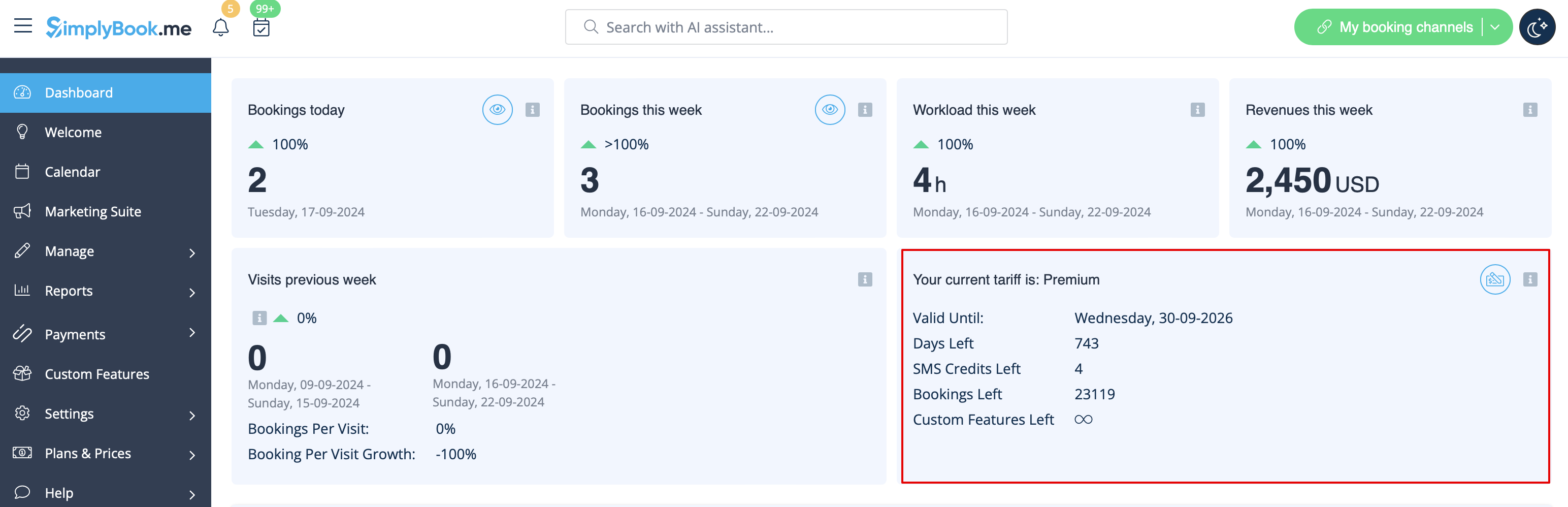
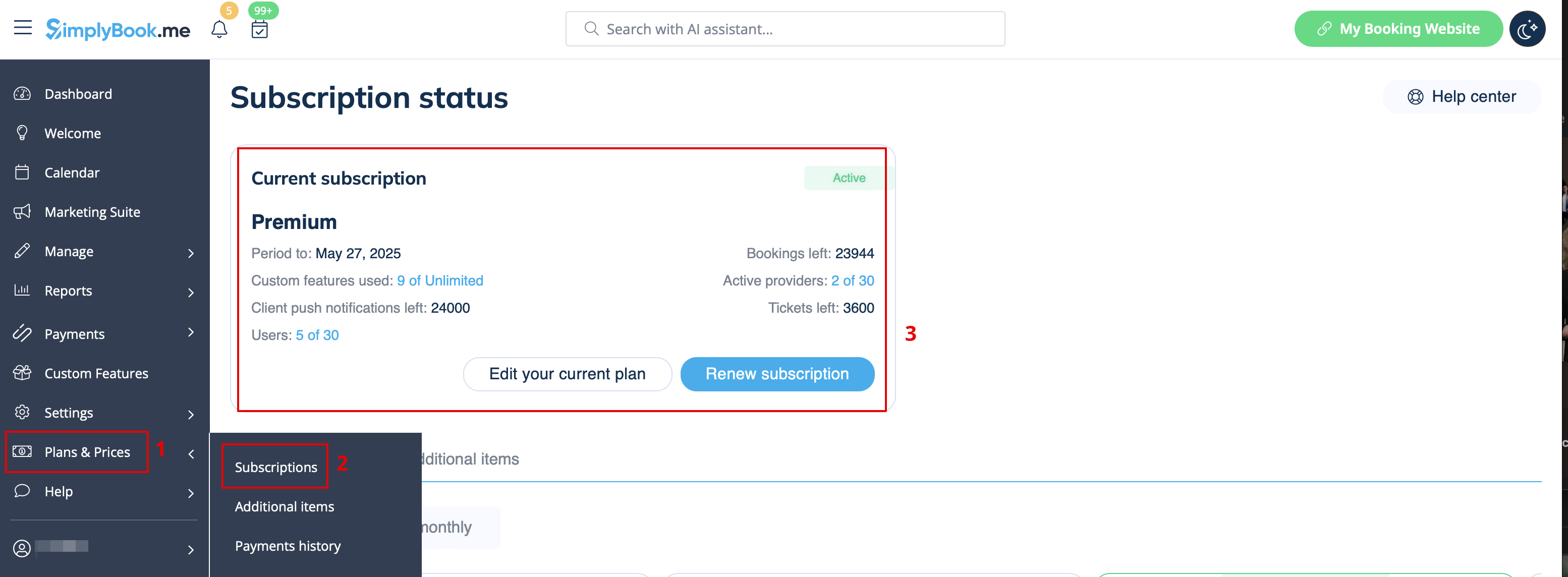
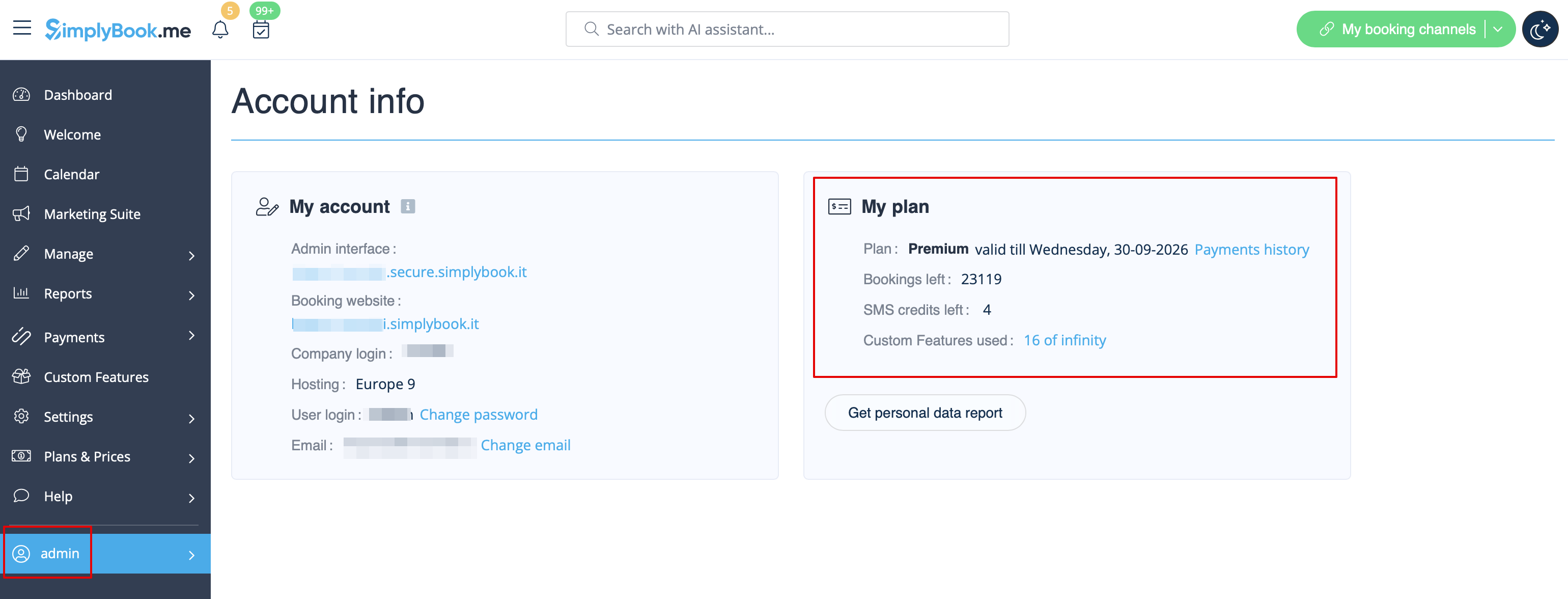
Er zijn verschillende plaatsen waar u uw abonnementsgegevens kunt bekijken
- 1. Dashboard, sectie Uw huidige tarief
- 2. Plannen en prijzen//Abonnementen boven de abonnemententabel
- 3. Op de pagina Accountgegevens, aan de rechterkant.
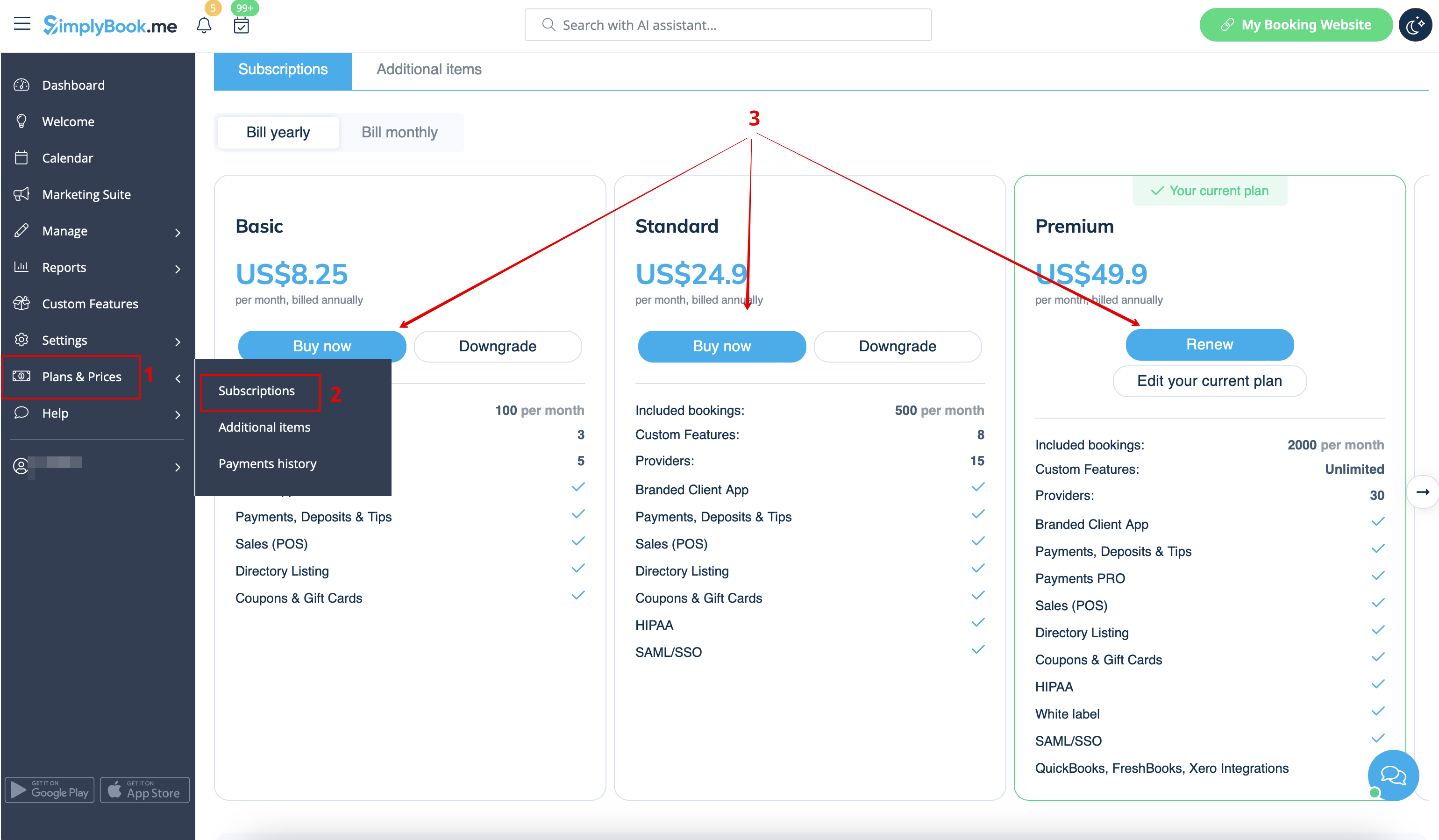
Hoe kunt u uw abonnement verlengen?
Kies in het gedeelte 'Plannen en prijzen // Abonnementen' het gewenste pakket en klik eronder op 'Kopen/Vernieuwen'.
Er zijn verschillende betalingsgateways om uw abonnement te betalen, afhankelijk van uw regio/valuta:
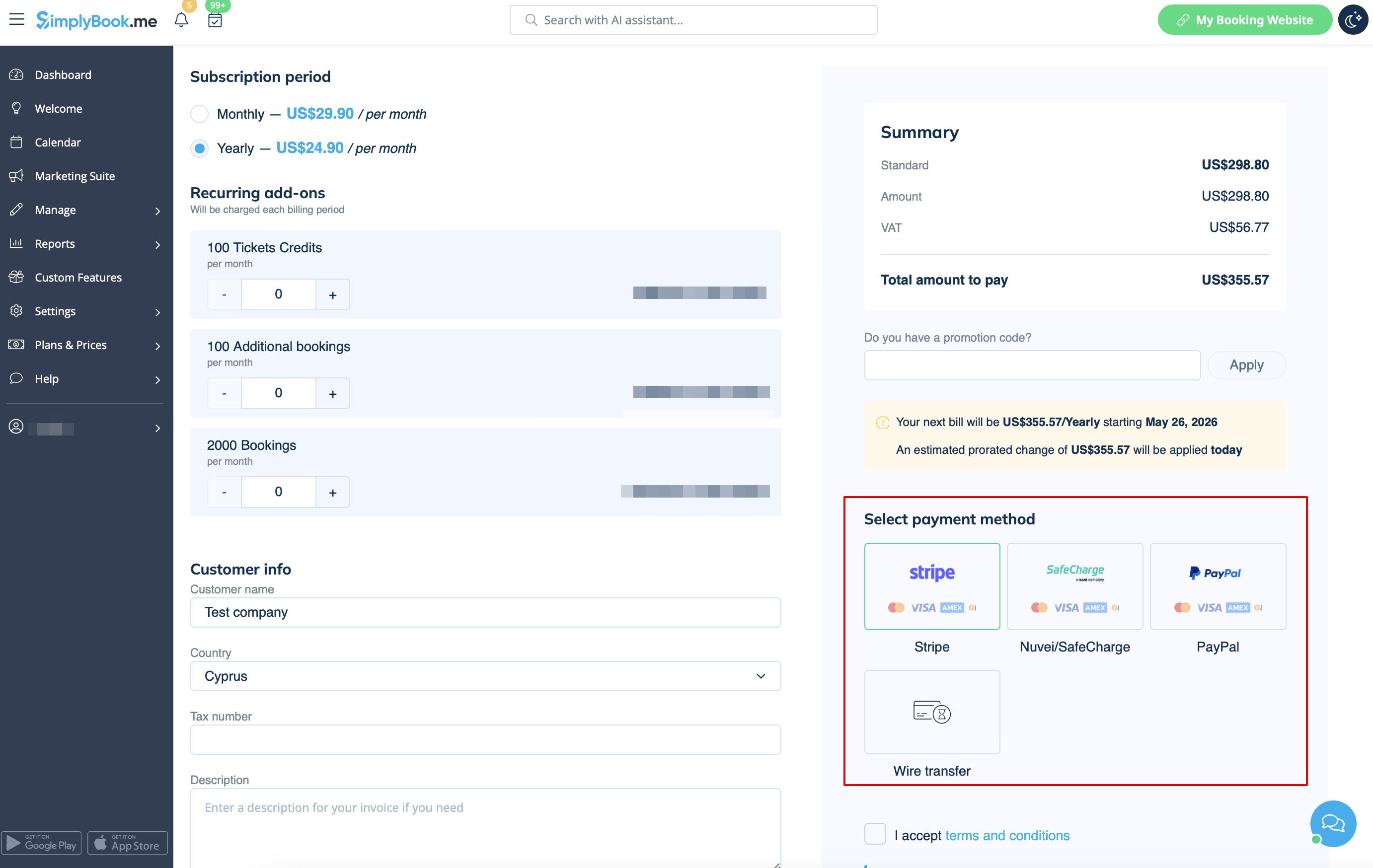
- Creditcard via SafeCharge- of Stripe-systemen
- Overschrijving naar rekening:
- Begunstigde: SimplyBook.me ltd
- Adres: 21 Karaiskaki str., Oasis Center, 3032 Limassol, Cyprus
- IBAN EURO: IS800537387113314509189970
- IBAN GBP: IS920537382003884509189970
- IBAN USD: IS280537381011334509189970
- SWIFT: GLITISRE
- OPMERKING: Het minimumtarief is $ 50/50 euro/40 Britse pond
Let op! Abonnementsbetalingen voor uw SimplyBook.me-account via SafeCharge, Stripe (of PayPal als u problemen hebt met het Safecharge-systeem) worden ingesteld als terugkerende betalingen en worden automatisch verlengd op basis van de geselecteerde abonnementsperiode.
U kunt terugkerende betalingen op elk moment annuleren in Plannen & prijzen -> Betalingsgeschiedenis -> Profielen voor terugkerende betalingen.
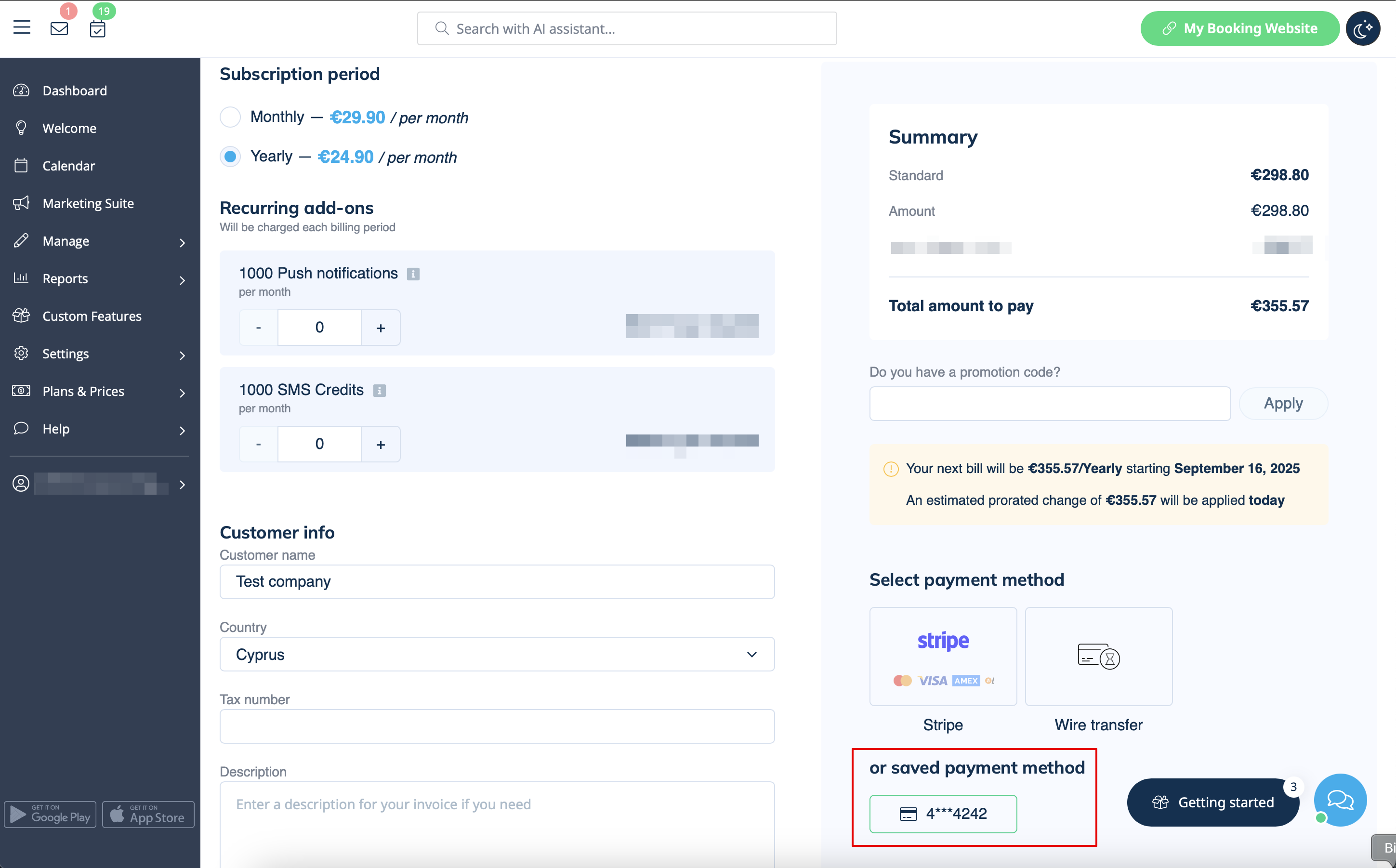
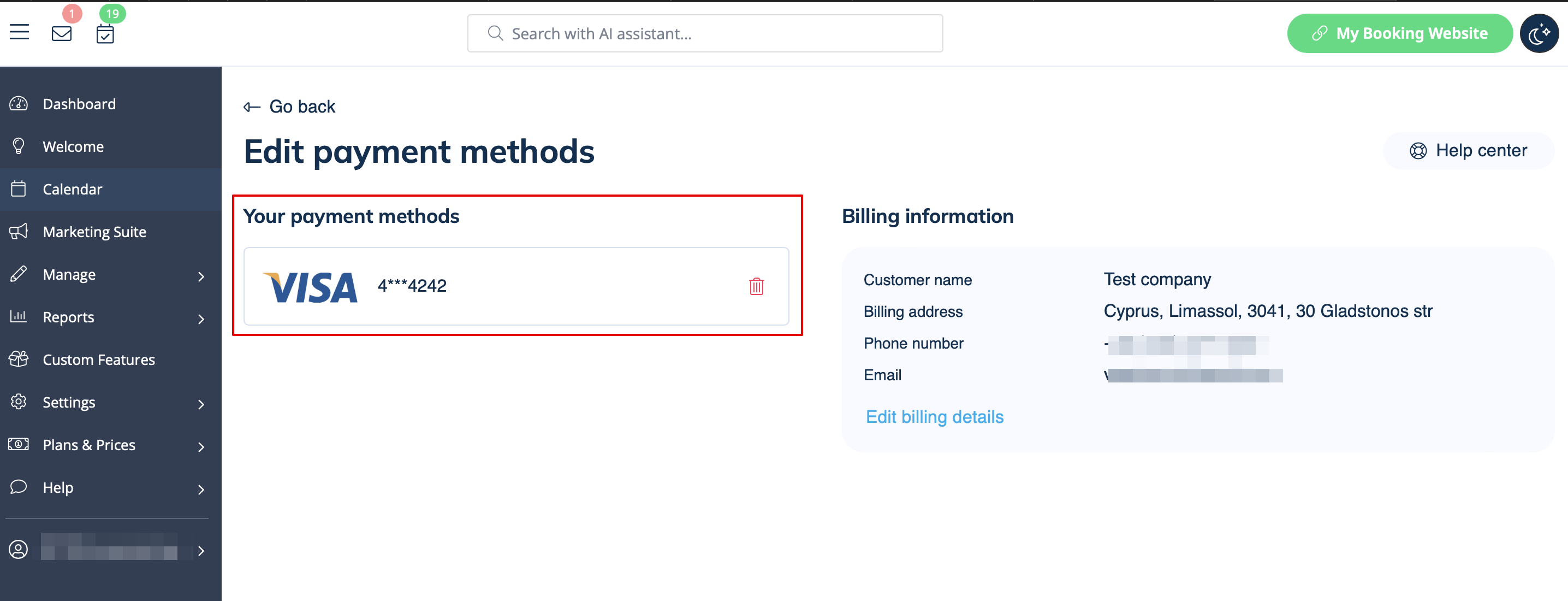
Wanneer u ervoor kiest om met uw bankkaart te betalen (via SafeCharge, Stripe of PayPal), wordt uw betaalmethode opgeslagen in Plannen & prijzen -> Betalingsgeschiedenis -> Betaalmethoden
en kunt u deze opgeslagen methoden gebruiken voor toekomstige aankopen van abonnementen en/of extra items, zodat u niet elke keer uw inloggegevens hoeft te onthouden wanneer u iets aan uw systeem wilt toevoegen.
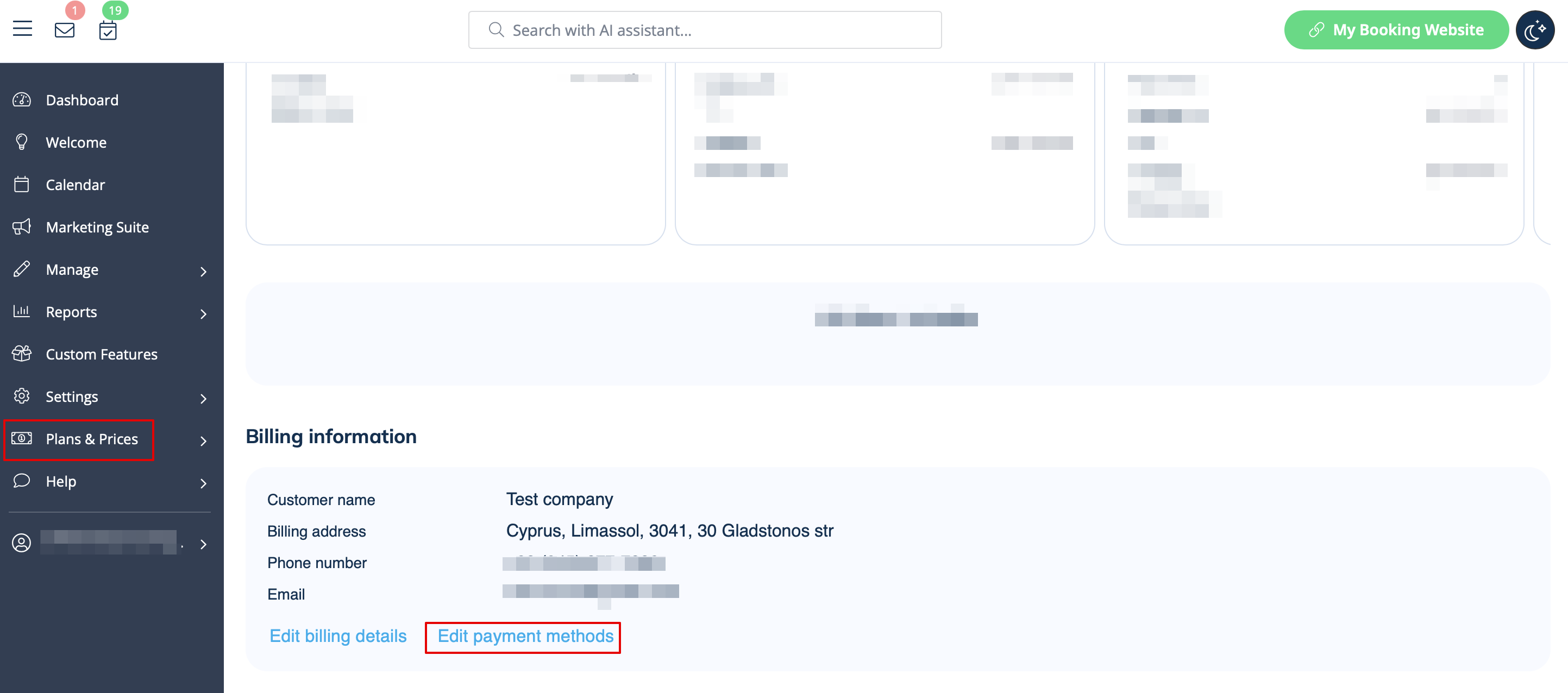
U kunt de methoden die eerder zijn opgeslagen in Plannen en prijzen -> Abonnementen -> scroll naar beneden -> Betaalmethoden bewerken altijd uitschakelen.
Hoe u de betaalmethode kunt wijzigen
Het kan voorkomen dat u uw creditcardgegevens moet wijzigen of van betaalmethode moet veranderen.
U kunt eenvoudig een nieuwe betaling voor het gewenste abonnement uitvoeren door op 'Kopen'/'Vernieuwen'/'Upgraden' te klikken onder de overeenkomstige optie op het tabblad 'Abonnementen'.
Kies de gewenste betaalmethode, vul uw gegevens in en bevestig de betaling. De nieuwe betaalmethode wordt automatisch opgeslagen zodra uw betaling is bevestigd.
