Updating to match new version of source page |
Updating to match new version of source page |
||
| Line 2: | Line 2: | ||
{{#seo: | {{#seo: | ||
|title=How to enable custom feature - SimplyBook.me | |title=How to enable custom feature - SimplyBook.me | ||
|description= | |description=Step-by-step guide to activate custom features. Navigate to Custom Features page, click Enable, configure settings, and start using new functionality. | ||
|titlemode=append | |titlemode=append | ||
|keywords=faq, frequently asked questions, booking software, appointment system questions, appointments online, calendar software, booking system, booking calendar, scheduling software, online appointment scheduling, online scheduling, plugins, custom features, custom booking page link, domain name, custom domain name, custom url | |keywords=faq, frequently asked questions, booking software, appointment system questions, appointments online, calendar software, booking system, booking calendar, scheduling software, online appointment scheduling, online scheduling, plugins, custom features, custom booking page link, domain name, custom domain name, custom url | ||
Latest revision as of 18:19, 30 January 2026
To enable Custom Feature, go to the Custom Feature section in the left-side menu. Find the necessary Custom Feature and press "Enable" button near it or set the switcher to an active position.
For example:
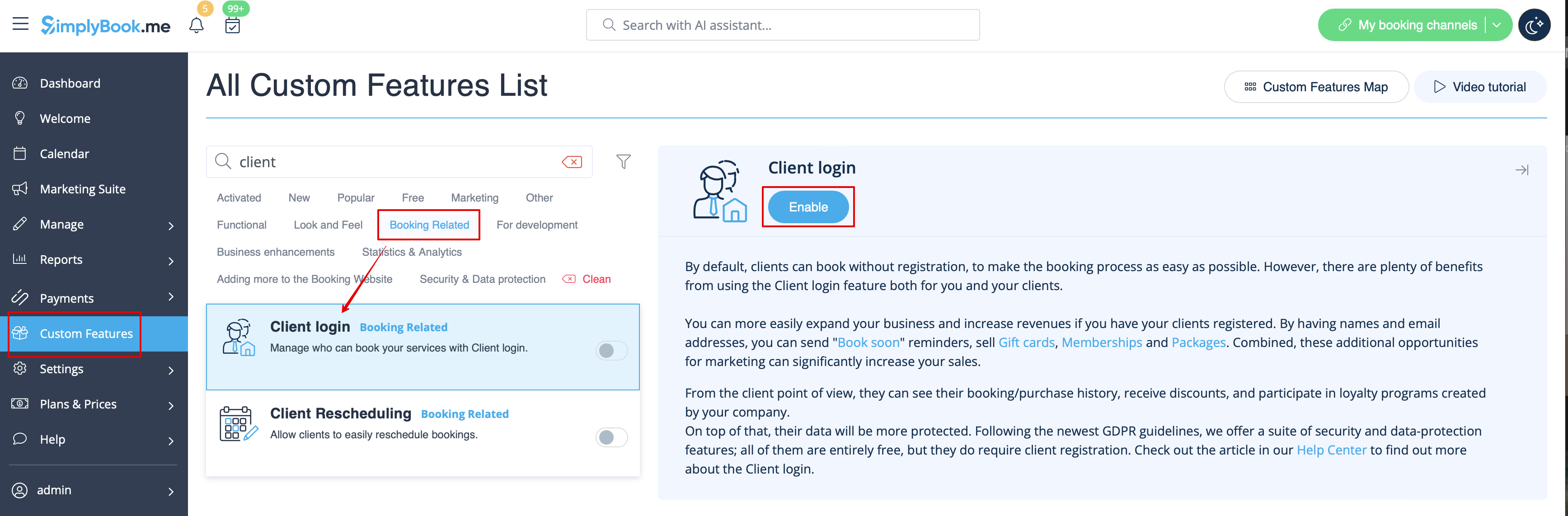
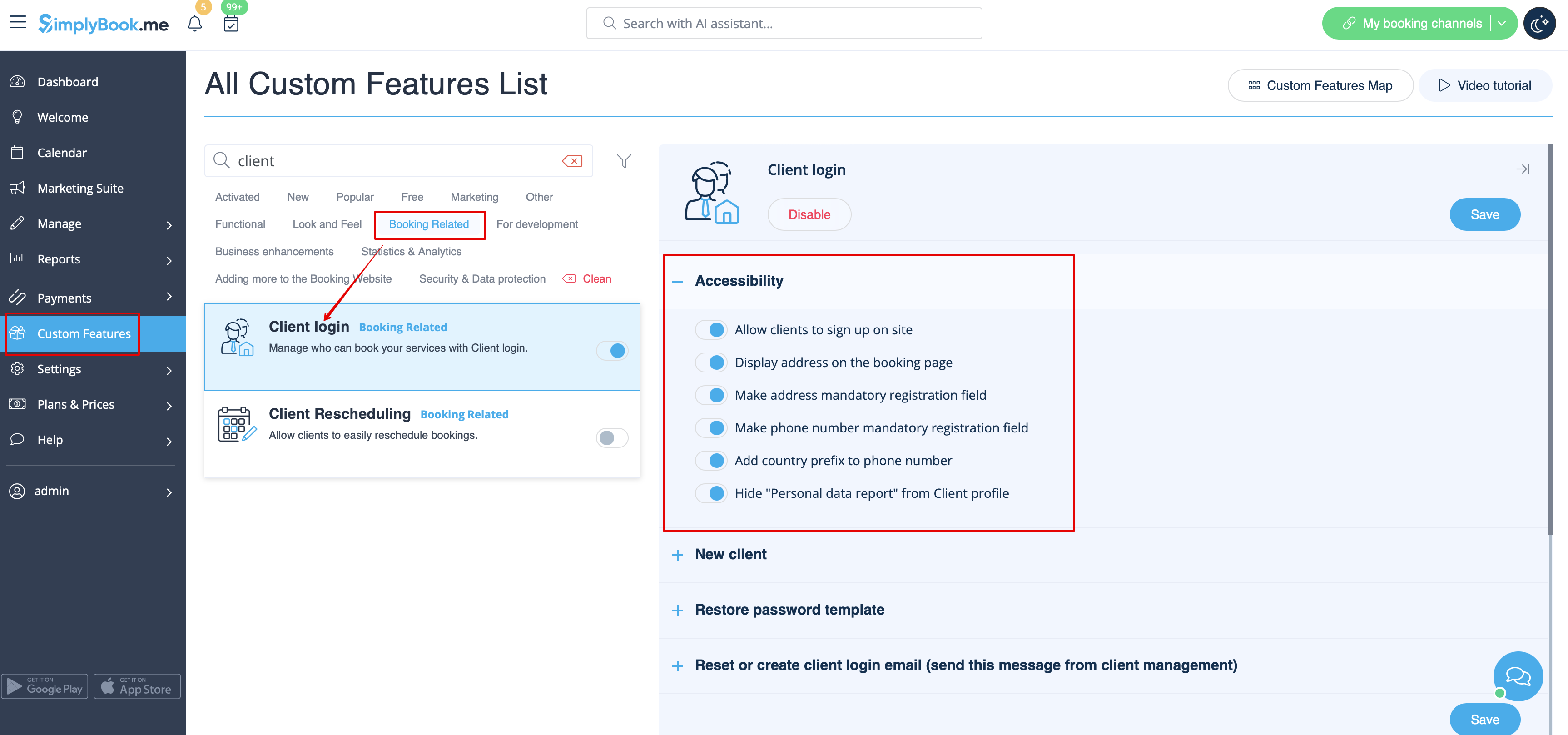
As the result you will see the success message at the bottom and settings options/links on the right if there are any for the particular feature.
- There is no "Enable" button near the Custom Feature or it is disabled.
Please check how many Custom Features your subscription allows, maybe you have reached maximum number of enabled Custom Features. Free plan allows using only 1 Custom Feature (unlimited during first 14 trial days only).
You can check your subscription details in Plans&Prices//Subscriptions by scrolling down to the bottom of the page. If you want to have more Custom Features, please upgrade to a larger subscription in Plans&Prices//Subscriptions.
