From SimplyBook.me
No edit summary |
No edit summary |
||
| (One intermediate revision by the same user not shown) | |||
| Line 1: | Line 1: | ||
<languages/> | <languages/> | ||
<translate> | <translate> | ||
<!--T:1--> | |||
{{#seo: | {{#seo: | ||
|title=Quest rooms using Appointment Booking System Scheduler SimplyBook.me | |title=Quest rooms using Appointment Booking System Scheduler SimplyBook.me | ||
|description= | |description=Configure escape room bookings. Setup rooms as providers, fixed times, group capacity. Collect feedback. Tailored for entertainment venues with timed experie... | ||
|titlemode=append | |titlemode=append | ||
|keywords=faq, frequently asked questions, booking software, appointment system questions, appointments online, calendar software, booking system, booking calendar, scheduling software, online appointment scheduling, online scheduling, setup, setup help, support, help content | |keywords=faq, frequently asked questions, booking software, appointment system questions, appointments online, calendar software, booking system, booking calendar, scheduling software, online appointment scheduling, online scheduling, setup, setup help, support, help content | ||
| Line 9: | Line 10: | ||
<translate> | <translate> | ||
<!--T:2--> | |||
<br><br> | <br><br> | ||
[https://simplybook.me/ Simplybook] is a perfect online booking system for quest and escape rooms of various types. It allows clients to choose the room and book specific time when the game will take place. Clients can leave feedback on the company booking page after the follow up email. | [https://simplybook.me/ Simplybook] is a perfect online booking system for quest and escape rooms of various types. It allows clients to choose the room and book specific time when the game will take place. Clients can leave feedback on the company booking page after the follow up email. | ||
| Line 14: | Line 16: | ||
<br><br></translate> | <br><br></translate> | ||
<translate> | <translate> | ||
<!--T:3--> | |||
:1. Create service as game with corresponding duration in Manage // Services // "+". Use Manage // Services // Time details to edit service duration.<br> | :1. Create service as game with corresponding duration in Manage // Services // "+". Use Manage // Services // Time details to edit service duration.<br> | ||
[[File:Quest rooms service redesigned.png|1200px | center|link=https://help.simplybook.me/images/2/2f/Quest_rooms_service_redesigned.png ]]<br><br> | [[File:Quest rooms service redesigned.png|1200px | center|link=https://help.simplybook.me/images/2/2f/Quest_rooms_service_redesigned.png ]]<br><br> | ||
| Line 25: | Line 28: | ||
:6. If each room has different price and you plan to accept payments online with our [[Custom_Features#Accept_Payments| Accept Payments]] custom feature, create more services in Manage // Services // Add service, set price for those services and relate with rooms by checking correponding boxes in "Service providers" tab.<br></translate> | :6. If each room has different price and you plan to accept payments online with our [[Custom_Features#Accept_Payments| Accept Payments]] custom feature, create more services in Manage // Services // Add service, set price for those services and relate with rooms by checking correponding boxes in "Service providers" tab.<br></translate> | ||
<translate> | <translate> | ||
<!--T:4--> | |||
[[File:Quest rooms connect service to provider.png|1200px| center|link=https://help.simplybook.me/images/2/2f/Quest_rooms_connect_service_to_provider.png ]]<br><br> | [[File:Quest rooms connect service to provider.png|1200px| center|link=https://help.simplybook.me/images/2/2f/Quest_rooms_connect_service_to_provider.png ]]<br><br> | ||
:7. If morning game prices are different from evening/weekend game prices - add Morning games and Evening/Weekend games services in Manage // Services, and set corresponding price for each service. Then in Manage // Service Providers create 2 providers for each game and set available hours for providers in "Service provider schedule" tab.<br> | :7. If morning game prices are different from evening/weekend game prices - add Morning games and Evening/Weekend games services in Manage // Services, and set corresponding price for each service. Then in Manage // Service Providers create 2 providers for each game and set available hours for providers in "Service provider schedule" tab.<br> | ||
Latest revision as of 19:11, 2 February 2026
Simplybook is a perfect online booking system for quest and escape rooms of various types. It allows clients to choose the room and book specific time when the game will take place. Clients can leave feedback on the company booking page after the follow up email.
In order to use Simplybook.me efficiently we recommend the following setup:
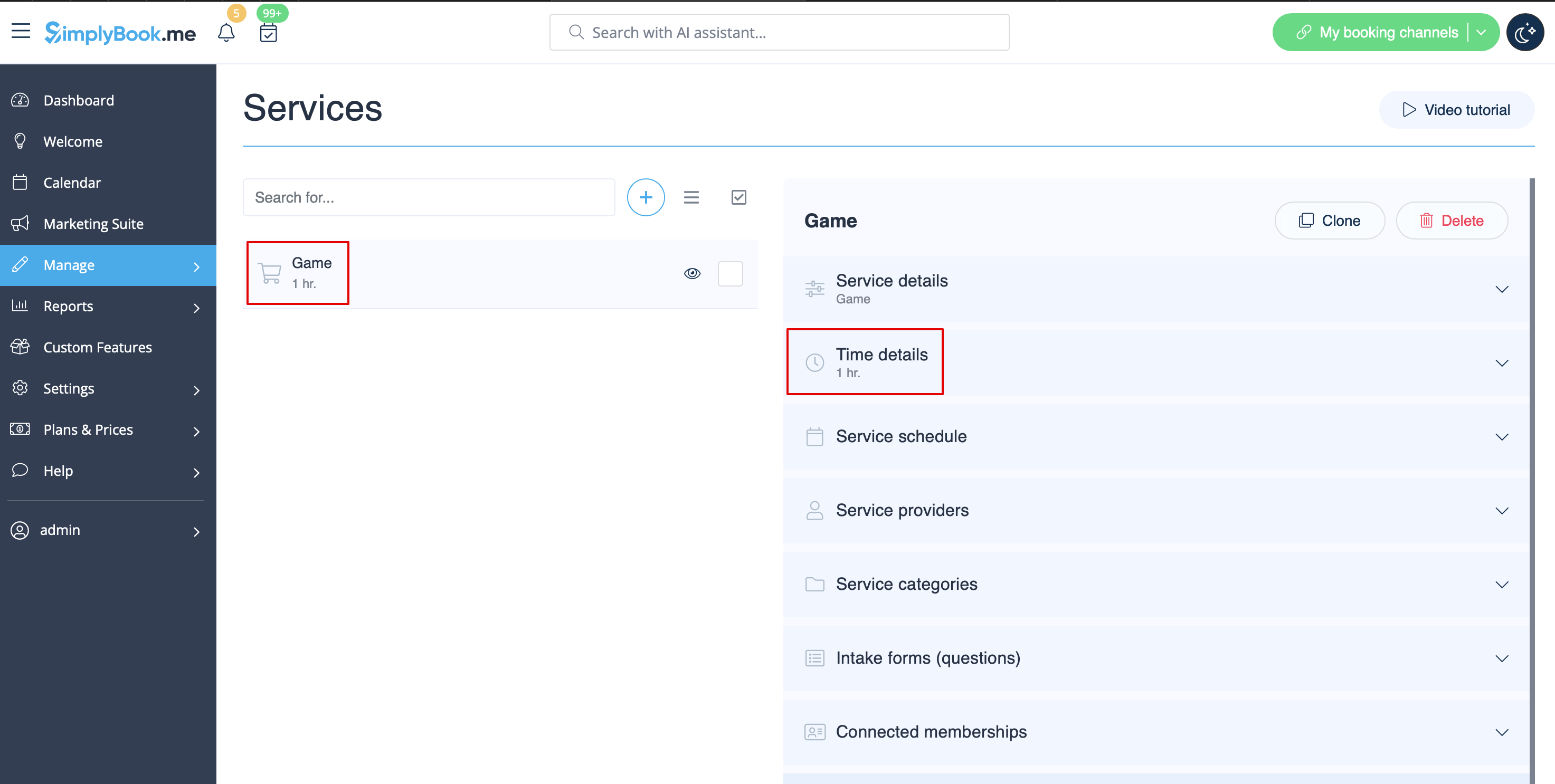
- 1. Create service as game with corresponding duration in Manage // Services // "+". Use Manage // Services // Time details to edit service duration.
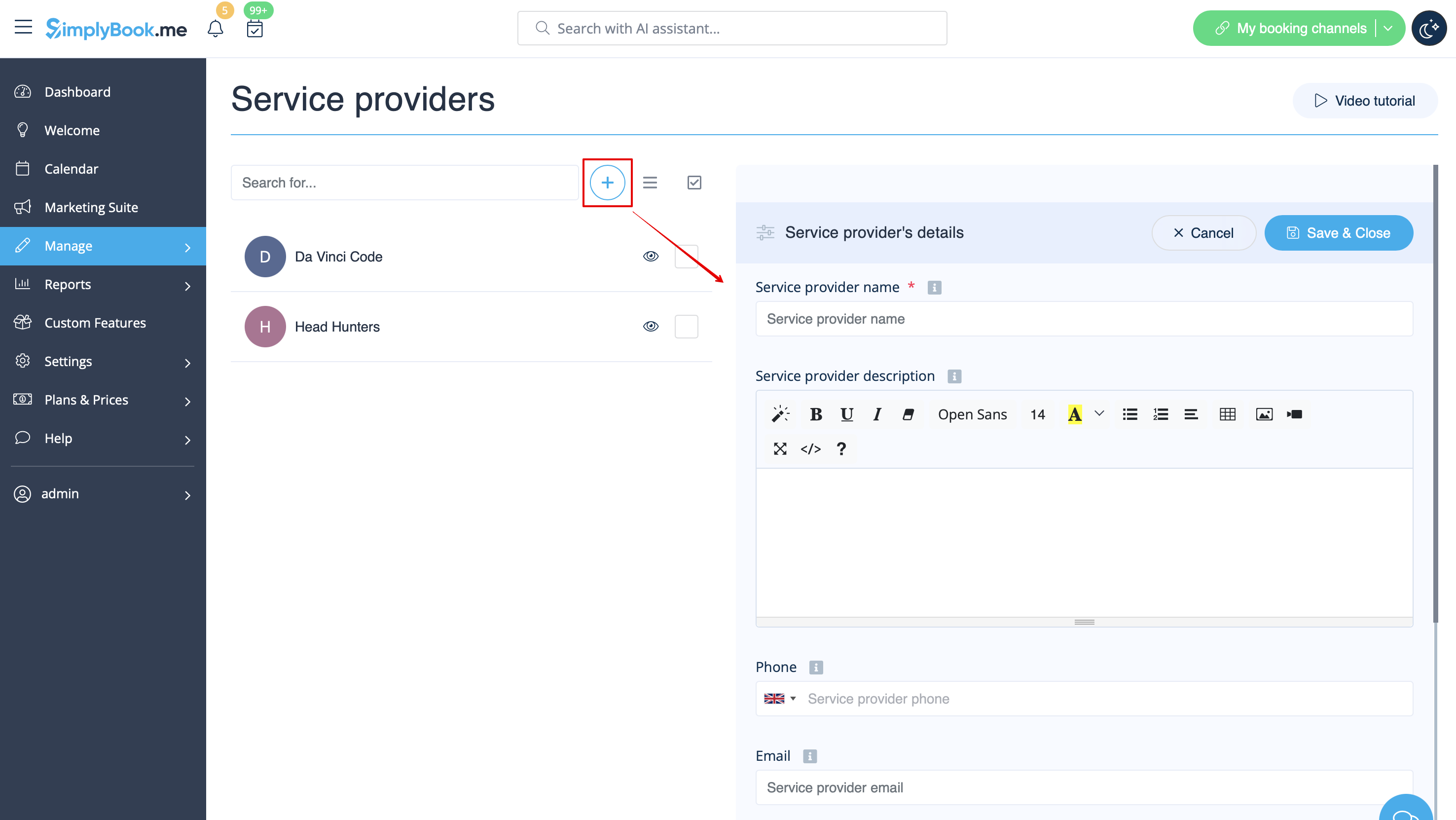
- 2. Make providers as rooms. In Manage // Service Providers // "+" to add new service provider - create the number of providers equal to the rooms you have.
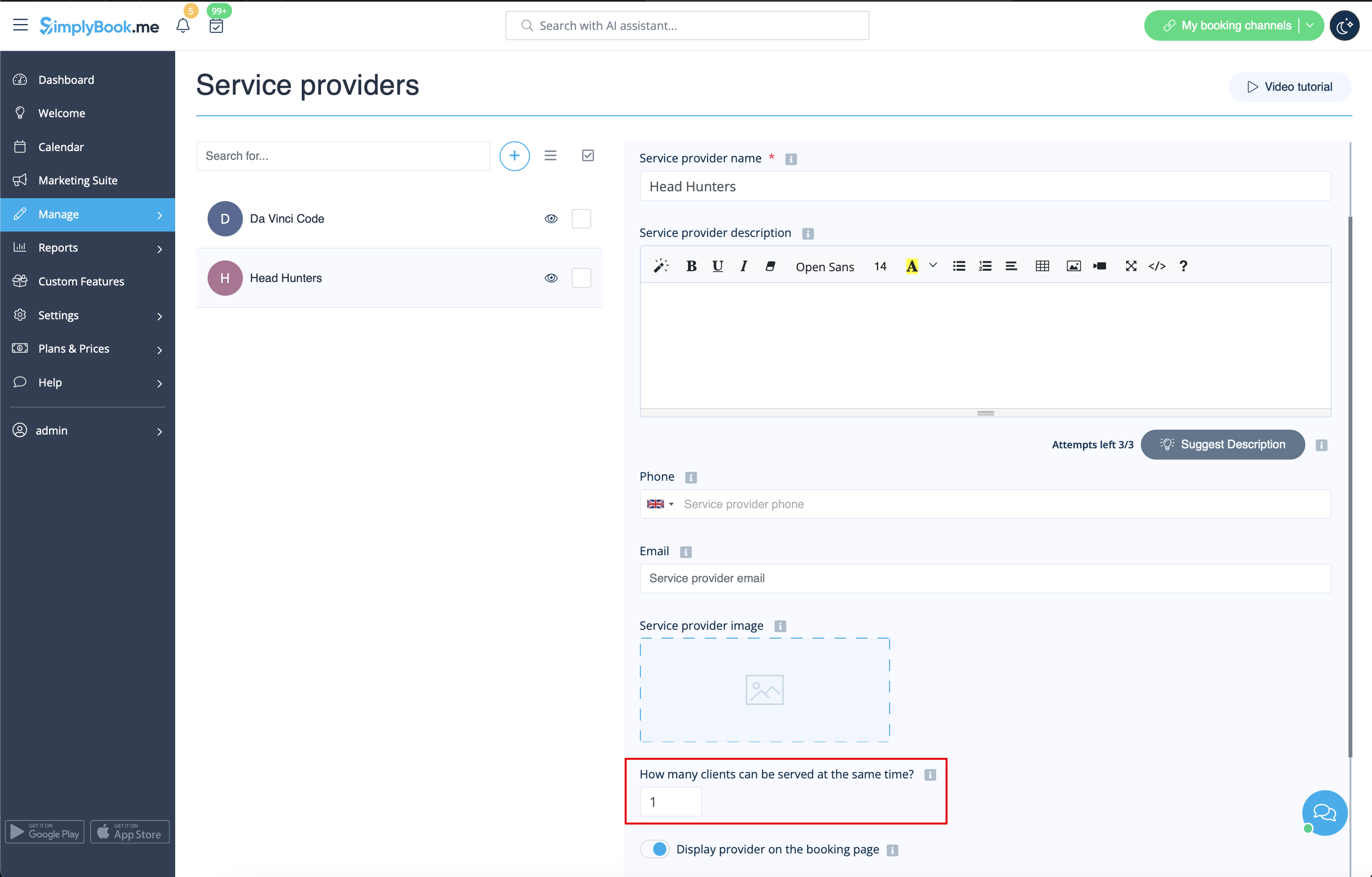
- 3. Make sure that each provider can serve 1 client at a time.
- 4. You can also set specific availability for that room by clicking on "Customize time settings for this provider" on "Service provider schedule" tab in Manage // Service Providers.
- 5. Rename the word "Employee" on the booking page to "Room" or "Game" in Settings // Custom wording & translations.

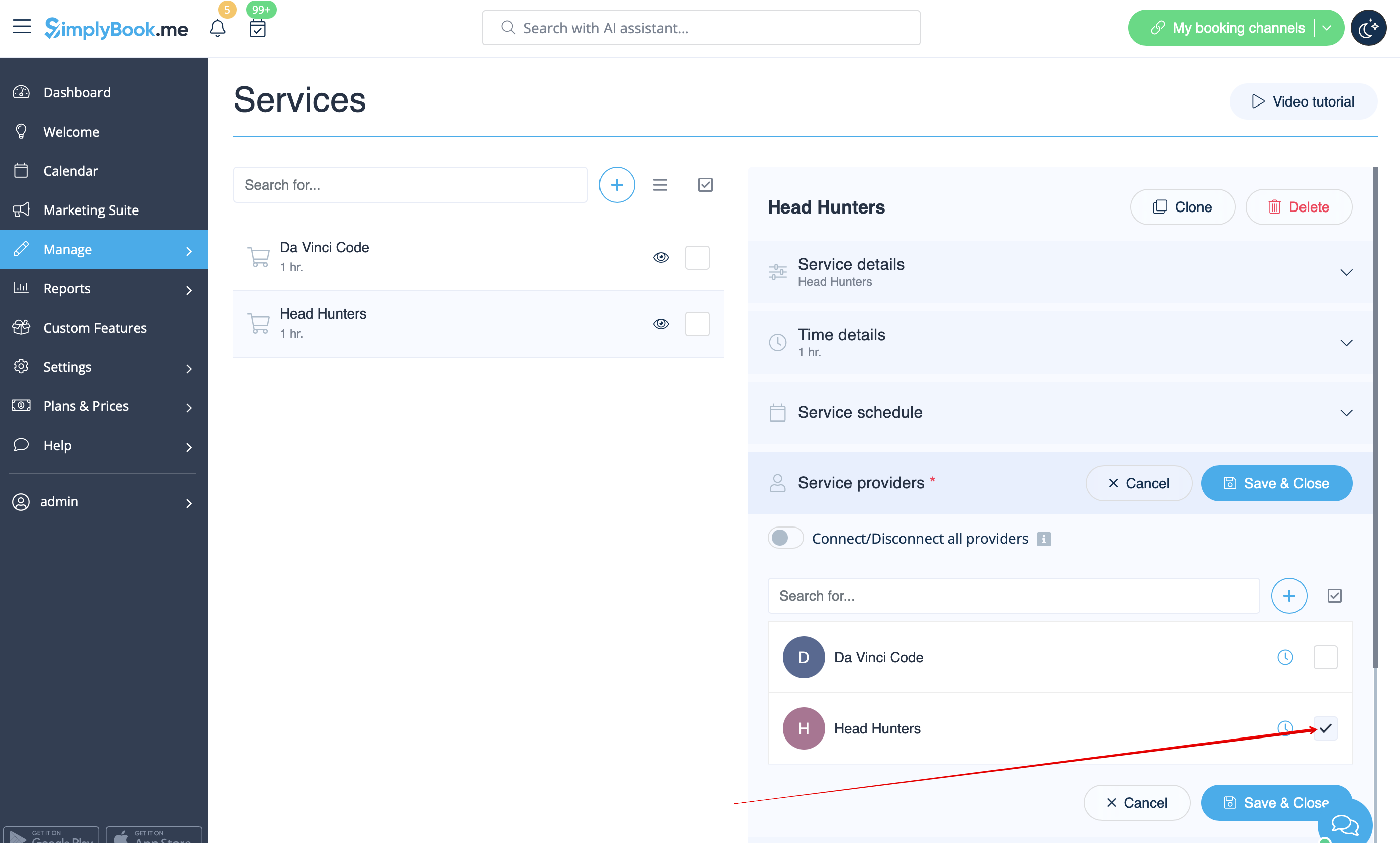
- 6. If each room has different price and you plan to accept payments online with our Accept Payments custom feature, create more services in Manage // Services // Add service, set price for those services and relate with rooms by checking correponding boxes in "Service providers" tab.
- 7. If morning game prices are different from evening/weekend game prices - add Morning games and Evening/Weekend games services in Manage // Services, and set corresponding price for each service. Then in Manage // Service Providers create 2 providers for each game and set available hours for providers in "Service provider schedule" tab.
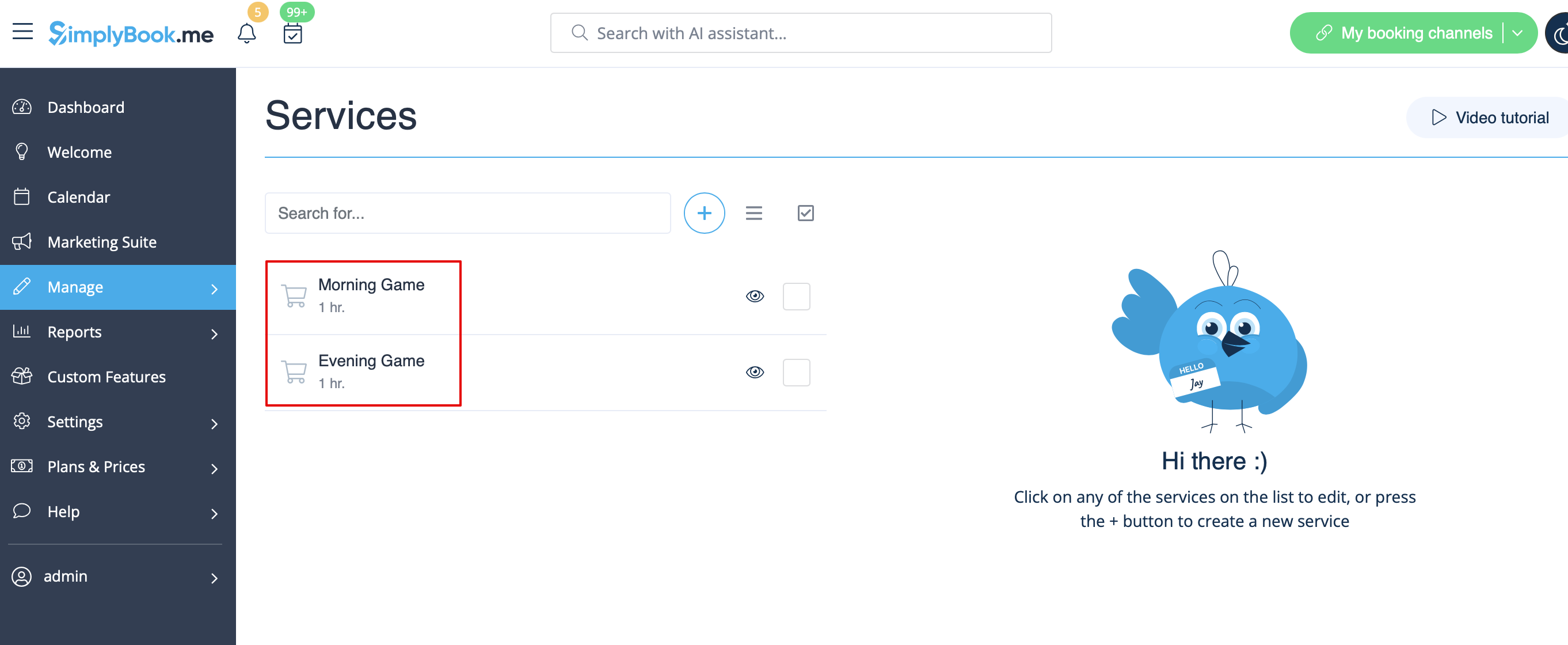
- 8. Connect providers to corresponding services
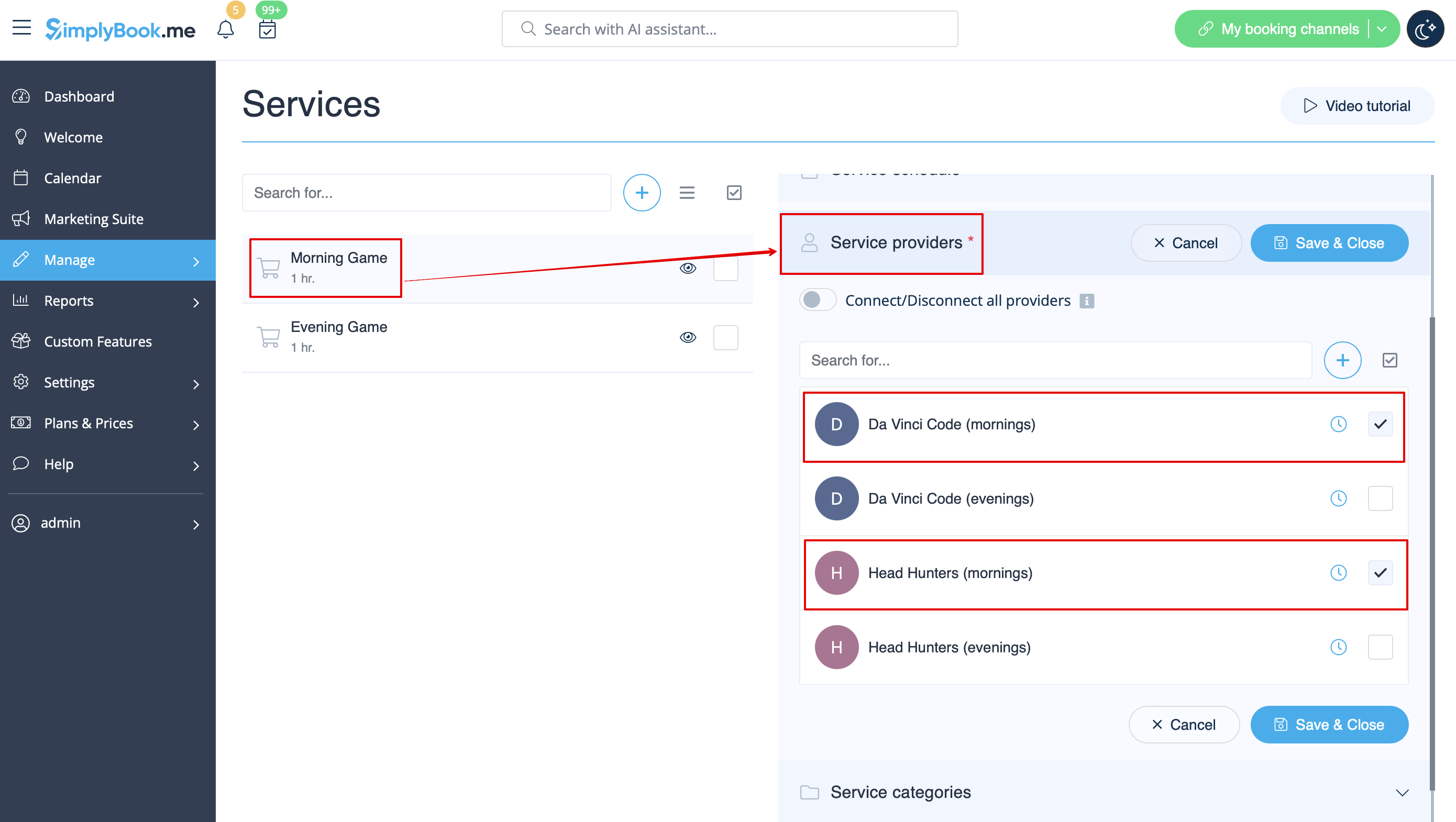
- 9. On the booking page clients will choose morning/weekend hours, select game - and then will see available slots.

- 10. If you have fixed schedule, you may need Appointment at fixed time custom feature where you can set specific start times for each of your services.
- 11. With the help of Intake Forms custom feature you can request additional info from clients such as how many clients will be in a group.
