From SimplyBook.me
Created page with "comment utiliser l' :1. Pour activer cette option, veuillez cliquer sur « Activer » à côté de l'option correspondante sur votre page Fonctionnalités personnalisées. 1200px| center|link=https://help.simplybook.me/images/8/8c/Contact_widget_enable_path_redesigned.png <br><br> :2. Veuillez choisir « Paramètres » pour configurer l'apparence du widget et générer le code nécessaire. File:Contact widget settings..." |
No edit summary |
||
| (One intermediate revision by one other user not shown) | |||
| Line 2: | Line 2: | ||
{{#seo: | {{#seo: | ||
|title=Contact Widget custom feature - SimplyBook.me | |title=Contact Widget custom feature - SimplyBook.me | ||
|description=Ajoutez un | |description=Ajoutez un bouton de contact flottant à n’importe quel site web. Les clients peuvent facilement réserver ou envoyer des messages. Améliorez les conversions grâce à un canal de communication pratique et accessible. | ||
|titlemode=append | |titlemode=append | ||
|keywords=faq, frequently asked questions, booking software, appointment system questions, appointments online, calendar software, booking system, booking calendar, scheduling software, online appointment scheduling, online scheduling, plugins, custom features, widget, integration, contact us form, booking widget, contact and booking widget, contact button, booking button, website integration | |keywords=faq, frequently asked questions, booking software, appointment system questions, appointments online, calendar software, booking system, booking calendar, scheduling software, online appointment scheduling, online scheduling, plugins, custom features, widget, integration, contact us form, booking widget, contact and booking widget, contact button, booking button, website integration | ||
Latest revision as of 17:04, 30 January 2026

Activez cette fonctionnalité personnalisée si vous souhaitez ajouter un widget « Réserver » et « Contact » à votre propre site web ou simplement ajouter un formulaire de contact au site web de réservation. Grâce à cette fonctionnalité personnalisée, vos clients pourront réserver directement depuis votre site web et vous envoyer un message avec des informations détaillées.
comment utiliser l'
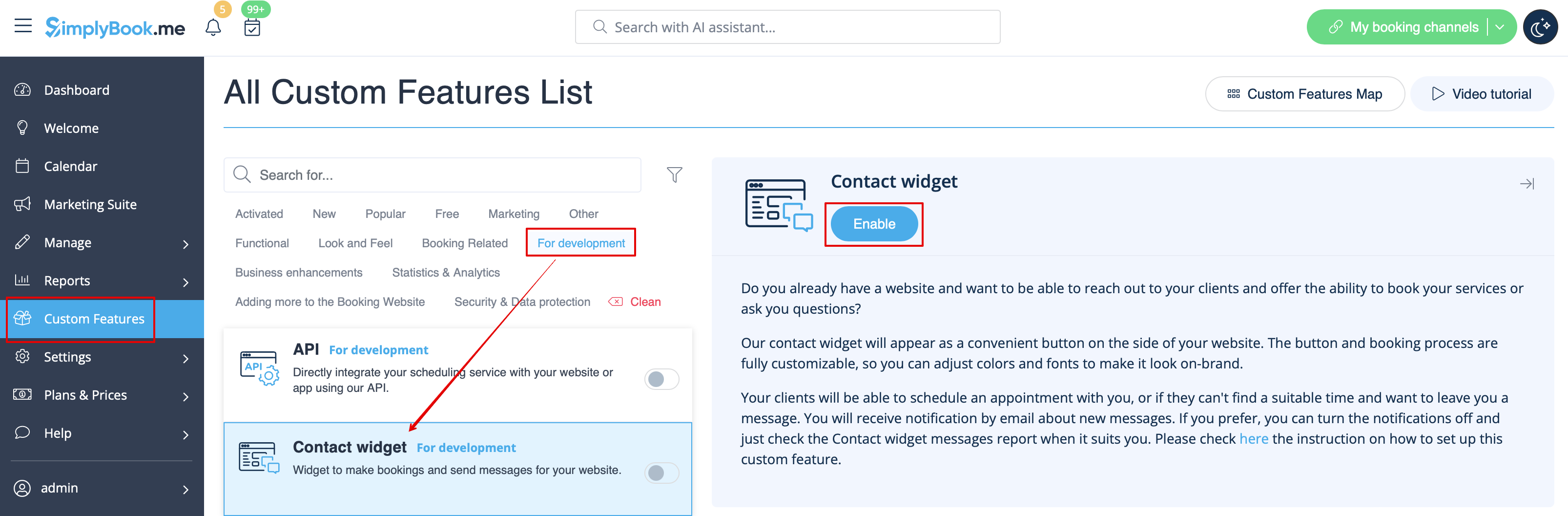
- 1. Pour activer cette option, veuillez cliquer sur « Activer » à côté de l'option correspondante sur votre page Fonctionnalités personnalisées.
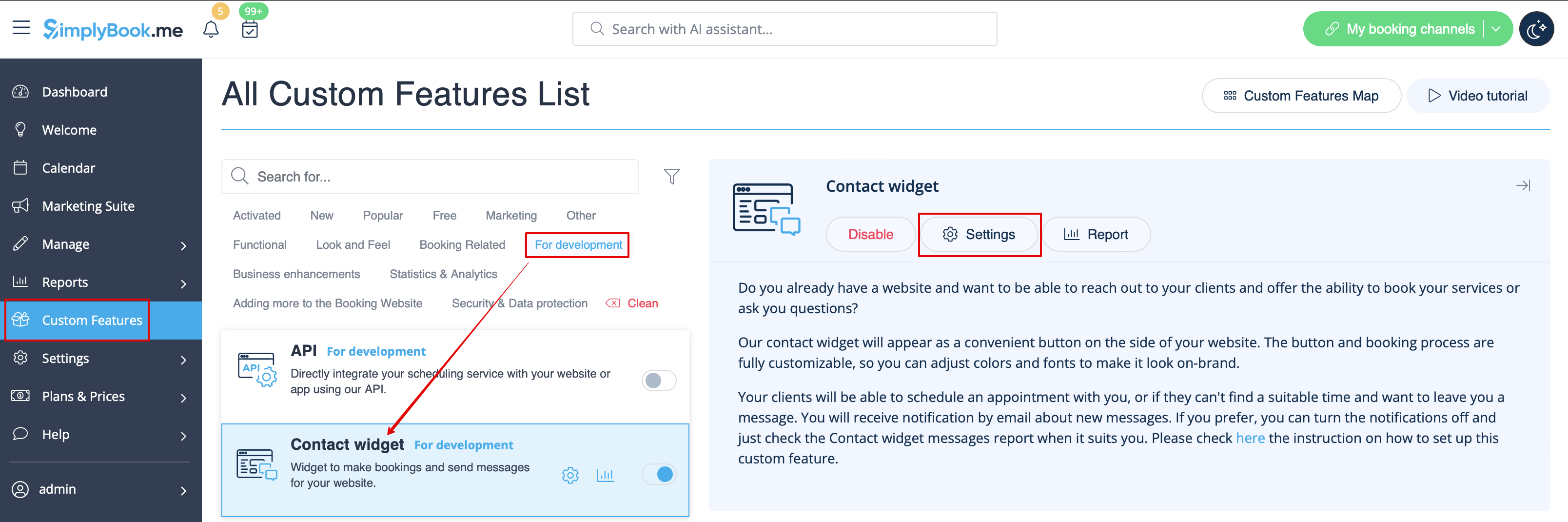
- 2. Veuillez choisir « Paramètres » pour configurer l'apparence du widget et générer le code nécessaire.
- Consultez les instructions pour ajouter le widget de réservation à votre site web
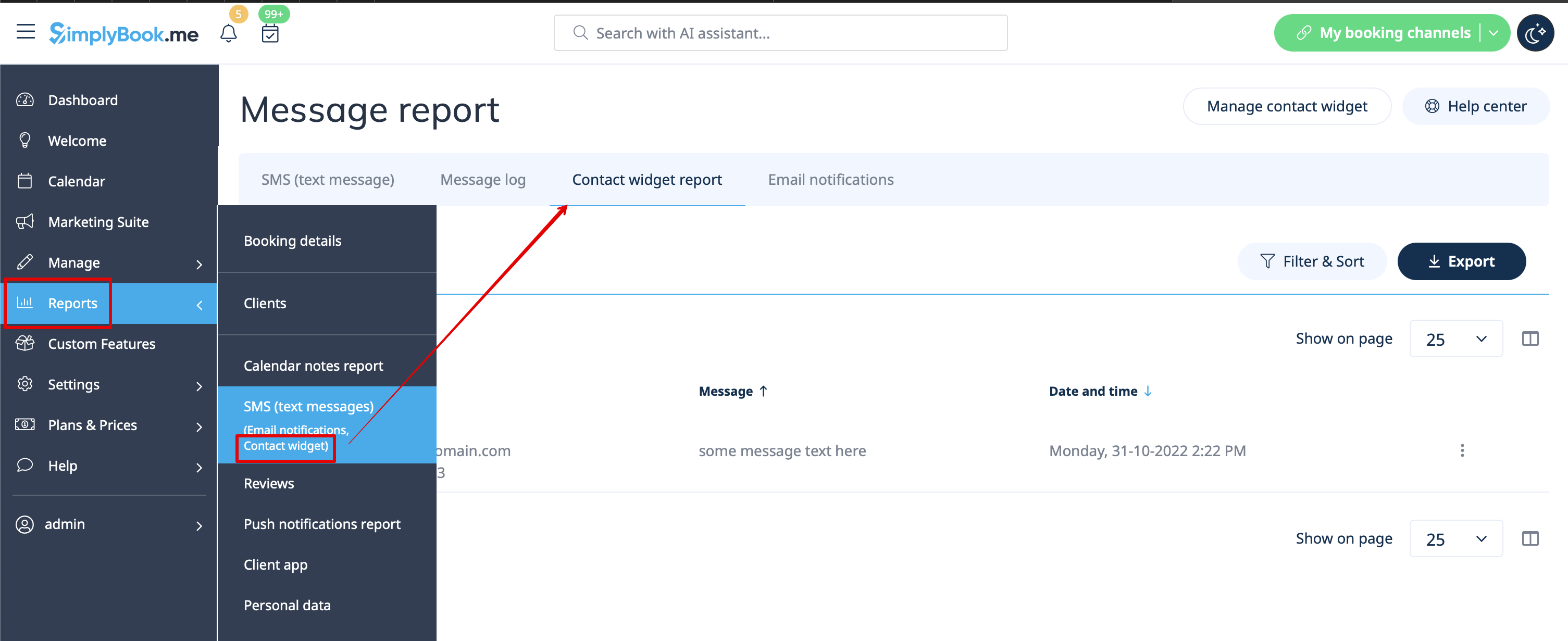
- 3. Pour consulter les messages reçus de vos clients, veuillez vous rendre dans Rapports -> SMS (messages texte) -> Widget de contact