From SimplyBook.me
No edit summary |
No edit summary |
||
| Line 1: | Line 1: | ||
__FORCETOC__ | |||
:1. Activez cette fonctionnalité | ==Comment l'utiliser si vous possédez déjà un nom de domaine== | ||
:1. Activez cette fonctionnalité via un paiement unique (vous verrez le prix exact dans votre compte) sur votre page de fonctionnalités personnalisées. | |||
[[File:Custom domain enable path redesigned.png|1200px | center|link=https://help.simplybook.me/images/a/a3/Custom_domain_enable_path_redesigned.png]] | [[File:Custom domain enable path redesigned.png|1200px | center|link=https://help.simplybook.me/images/a/a3/Custom_domain_enable_path_redesigned.png]] | ||
<br><br> | <br><br> | ||
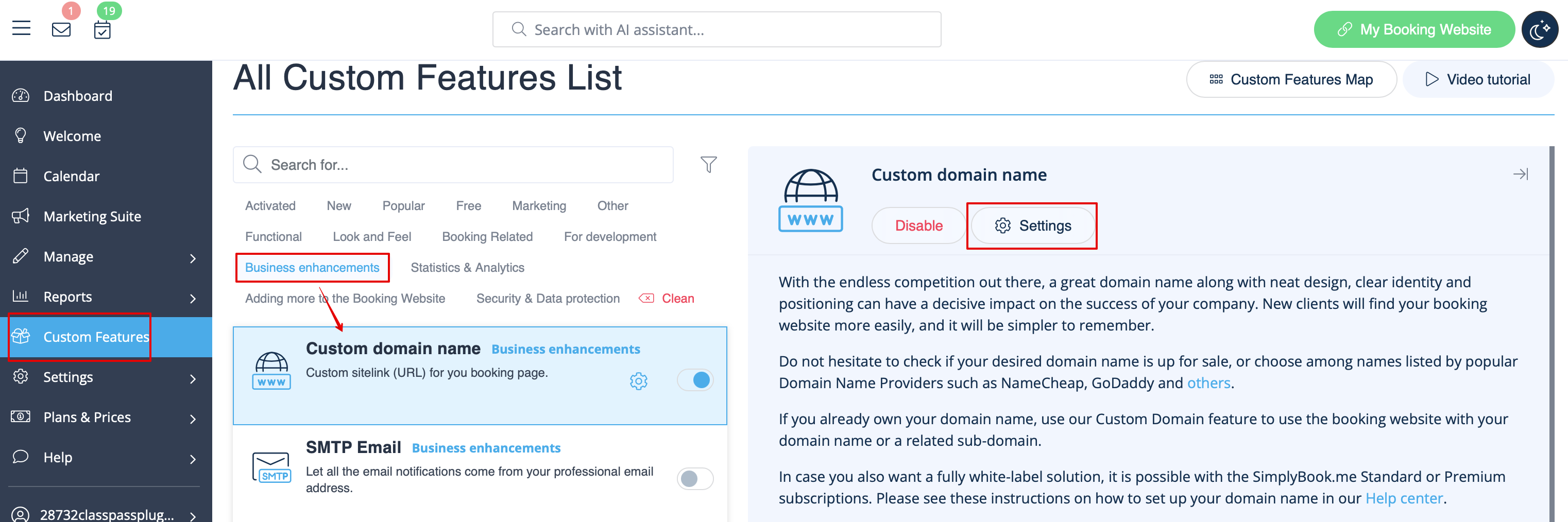
:2. Accédez à ses « Paramètres » en sélectionnant l'option correspondante | :2. Accédez à ses « Paramètres » en sélectionnant l'option correspondante sur le côté droit de la page. | ||
[[File:Custom domain settings path redesigned.png|1200px| center|link=https://help.simplybook.me/images/e/ef/Custom_domain_settings_path_redesigned.png]] | [[File:Custom domain settings path redesigned.png|1200px| center|link=https://help.simplybook.me/images/e/ef/Custom_domain_settings_path_redesigned.png]] | ||
<br><br> | <br><br> | ||
Latest revision as of 09:25, 1 June 2026
Comment l'utiliser si vous possédez déjà un nom de domaine
- 1. Activez cette fonctionnalité via un paiement unique (vous verrez le prix exact dans votre compte) sur votre page de fonctionnalités personnalisées.
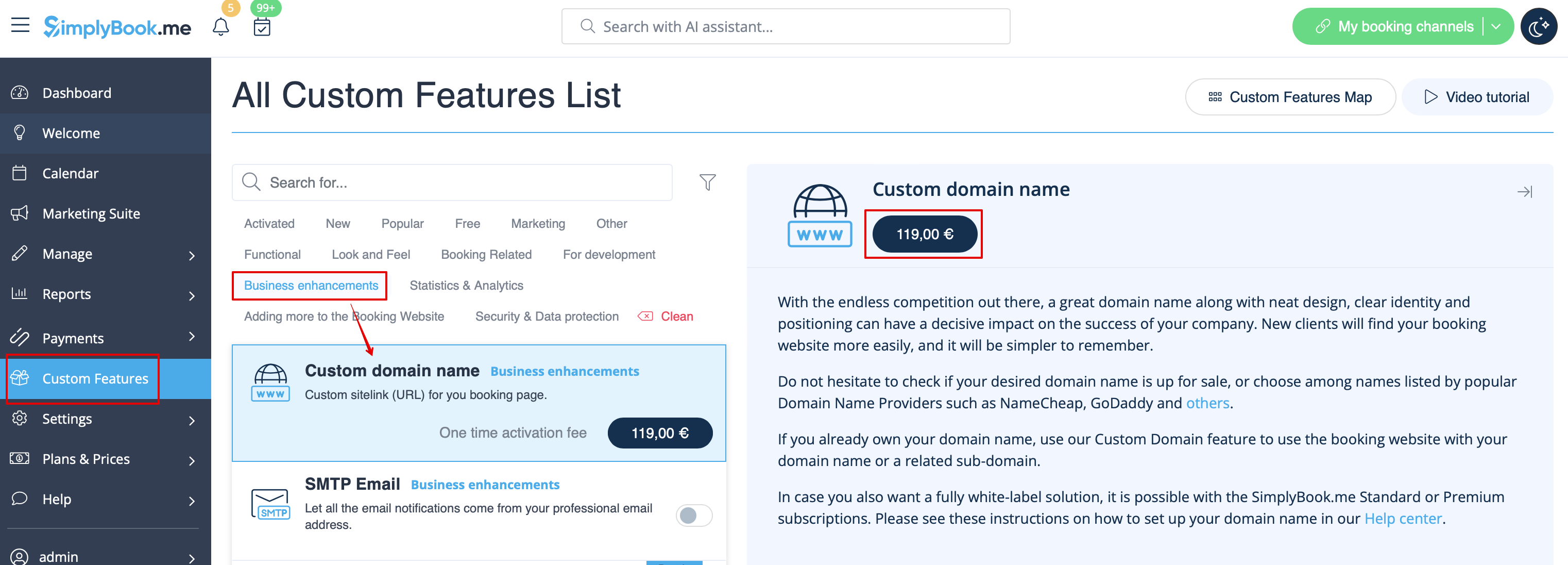
- 2. Accédez à ses « Paramètres » en sélectionnant l'option correspondante sur le côté droit de la page.