From SimplyBook.me
Created page with ";Hoe gebruik je ' :' 1. Schakel deze optie in op je pagina 'Aangepaste functies'. 1200px| center|link=https://help.simplybook.me/images/f/f1/Facebook_client_info_enable_path_redesigned.png <br><br> :2. De klanten kunnen zich nu met hun Facebook-profiel aanmelden op de boekingssite. center center <br><br>" Tags: Mobile edit Mobile web edit |
No edit summary |
||
| (One intermediate revision by one other user not shown) | |||
| Line 4: | Line 4: | ||
{{#seo: | {{#seo: | ||
|title=Facebook Client Info custom feature - SimplyBook.me | |title=Facebook Client Info custom feature - SimplyBook.me | ||
|description= | |description=Schakel Facebook-login in voor eenvoudig boeken. Klanten gebruiken hun Facebook-profiel om afspraken te boeken. Profielfoto’s worden automatisch weergegeven in het beheerdersdashboard. | ||
|titlemode=append | |titlemode=append | ||
|keywords=faq, frequently asked questions, booking software, appointment system questions, appointments online, calendar software, booking system, booking calendar, scheduling software, online appointment scheduling, online scheduling, plugins, custom features, facebook login, details from facebook, book using facebook profile | |keywords=faq, frequently asked questions, booking software, appointment system questions, appointments online, calendar software, booking system, booking calendar, scheduling software, online appointment scheduling, online scheduling, plugins, custom features, facebook login, details from facebook, book using facebook profile | ||
Latest revision as of 15:18, 2 February 2026

De Facebook Custom Feature maakt uw leven en dat van uw klanten een stuk eenvoudiger. Ze kunnen inloggen en afspraken maken met hun Facebook-profiel. U kunt daardoor ook hun Facebook-profielfoto zien in het dashboard, zodat u ze herkent wanneer ze binnenkomen. Houd er rekening mee dat diensten zichtbaar kunnen zijn op hun tijdlijn.
Let op!
- Deze functie is niet compatibel met Aangepast domein.
- Deze optie wordt niet weergegeven als de aangepaste functie Klantlogin is ingeschakeld (er zijn aparte opties om in te loggen via sociale netwerken).
- Hoe gebruik je '
- ' 1. Schakel deze optie in op je pagina 'Aangepaste functies'.
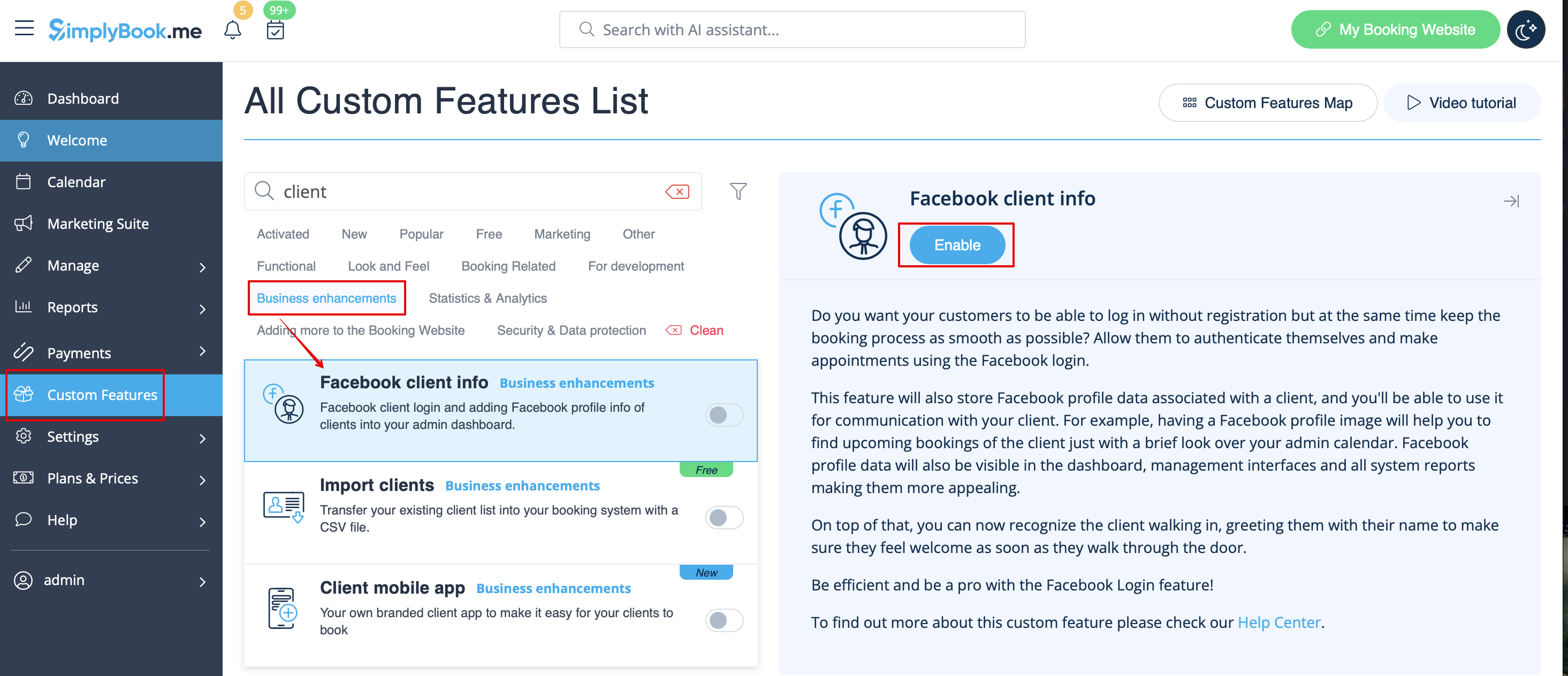
- 2. De klanten kunnen zich nu met hun Facebook-profiel aanmelden op de boekingssite.


