Created page with ":2. Ouvrez la page « Informations sur le compte » en cliquant sur votre nom d'utilisateur dans le menu de gauche et suivez les liens qui s'y trouvent pour télécharger l'application si vous ne l'avez pas déjà fait. 1200px | center|link=https://help.simplybook.me/images/e/e4/Account_infor_page_download_app2.png <br><br> :3. Cliquez sur le lien « Connecter/Modifier », scannez le code, entrez le code obtenu et enregistrez..." Tags: Mobile edit Mobile web edit |
No edit summary Tags: Mobile edit Mobile web edit |
||
| (One intermediate revision by one other user not shown) | |||
| Line 2: | Line 2: | ||
{{#seo: | {{#seo: | ||
|title=Google Authenticator custom feature - SimplyBook.me | |title=Google Authenticator custom feature - SimplyBook.me | ||
|description= | |description=Activez l’authentification à deux facteurs pour la connexion administrateur. Utilisez Google Authenticator ou des applications TOTP compatibles pour des codes à 6 chiffres. Renforce la sécurité du compte. Fonction gratuite. | ||
|titlemode=append | |titlemode=append | ||
|keywords=faq, frequently asked questions, booking software, appointment system questions, appointments online, calendar software, booking system, booking calendar, scheduling software, online appointment scheduling, online scheduling, plugins, custom features, 2-step authentication, 2-step auth, account access, secure access | |keywords=faq, frequently asked questions, booking software, appointment system questions, appointments online, calendar software, booking system, booking calendar, scheduling software, online appointment scheduling, online scheduling, plugins, custom features, 2-step authentication, 2-step auth, account access, secure access | ||
Latest revision as of 14:57, 2 February 2026

png
Renforcez la sécurité de votre compte. Vous pouvez utiliser une authentification en deux étapes lorsque vous vous connectez à votre compte afin d'empêcher tout accès non autorisé. Après avoir saisi votre mot de passe, vous serez invité à saisir un code de connexion à 6 chiffres provenant de votre authentificateur Google ou d'une application tierce.
Vous pouvez utiliser cette fonctionnalité personnalisée avec ou sans la fonctionnalité HIPAA, selon vos besoins et les exigences de votre entreprise.
- Remarque : si cette fonctionnalité est activée, nos agents d'assistance ne pourront pas accéder aux paramètres de votre compte.
- De même, il ne sera pas possible de connecter le compte à Zapier.
Comment l'utiliser en tant qu'utilisateur administrateur
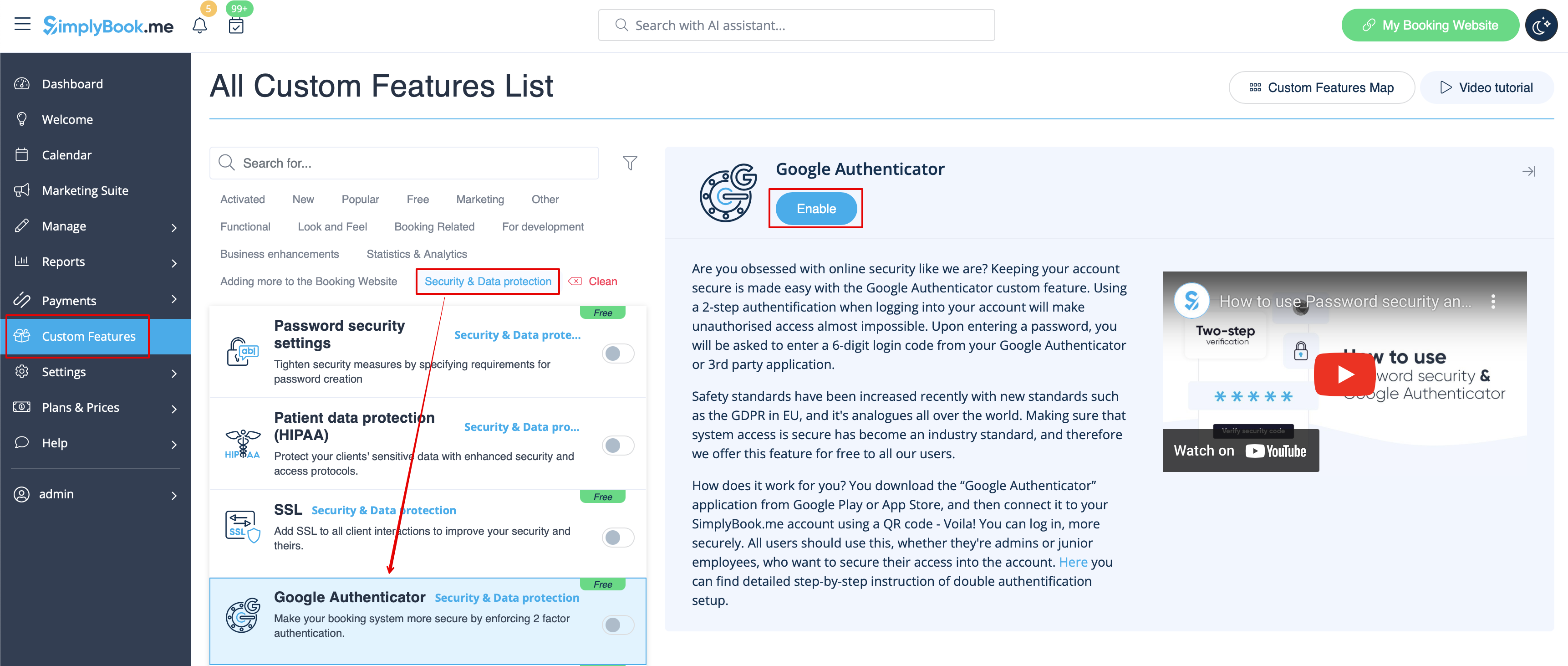
- 1. Ouvrez la page « Fonctionnalités personnalisées » à l'aide du menu de gauche de votre interface d'administration et recherchez la section « Sécurité et protection des données ». Cliquez simplement sur « Activer » à côté de « Google Authenticator ».
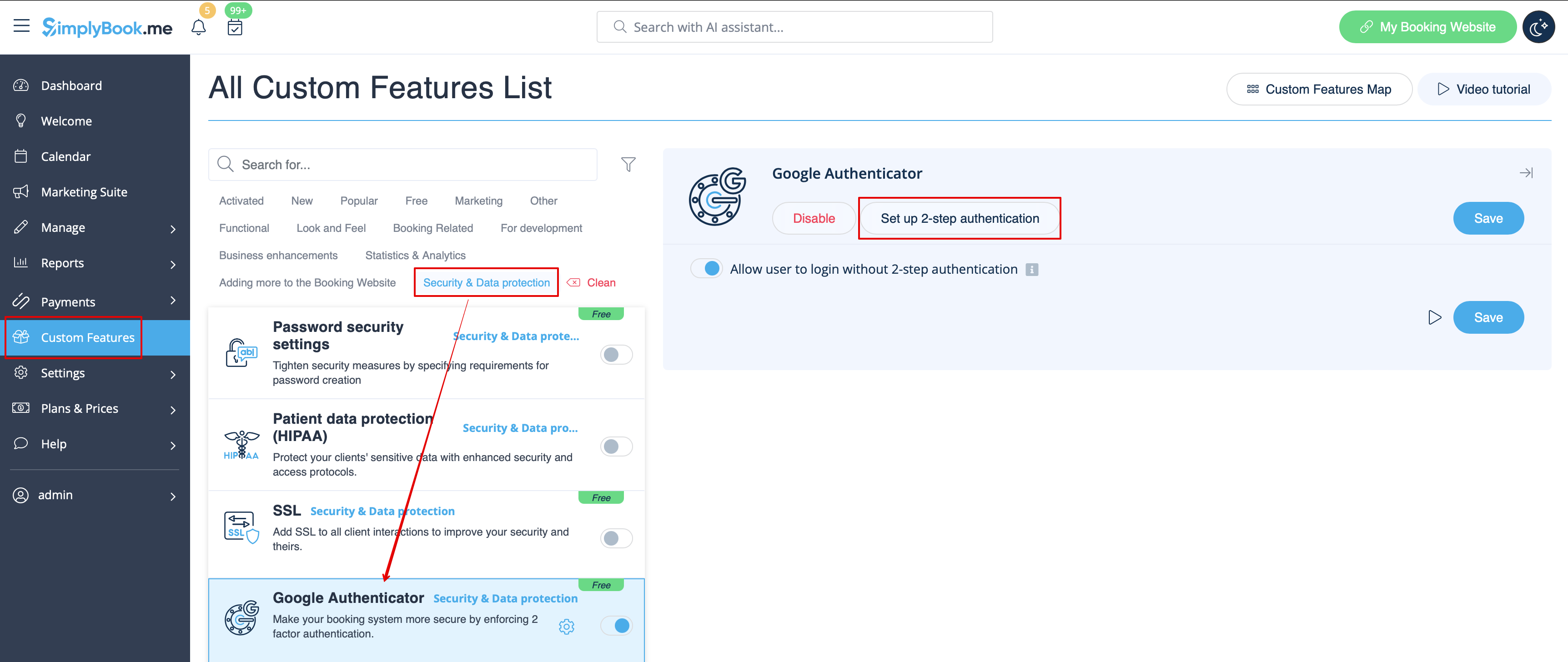
- 2. Pour configurer l'authentification en deux étapes, veuillez vous rendre dans Gérer//Utilisateurs à l'aide du menu situé à gauche ou cliquer sur « Configurer l'authentification en deux étapes » à côté de cette fonctionnalité personnalisée.
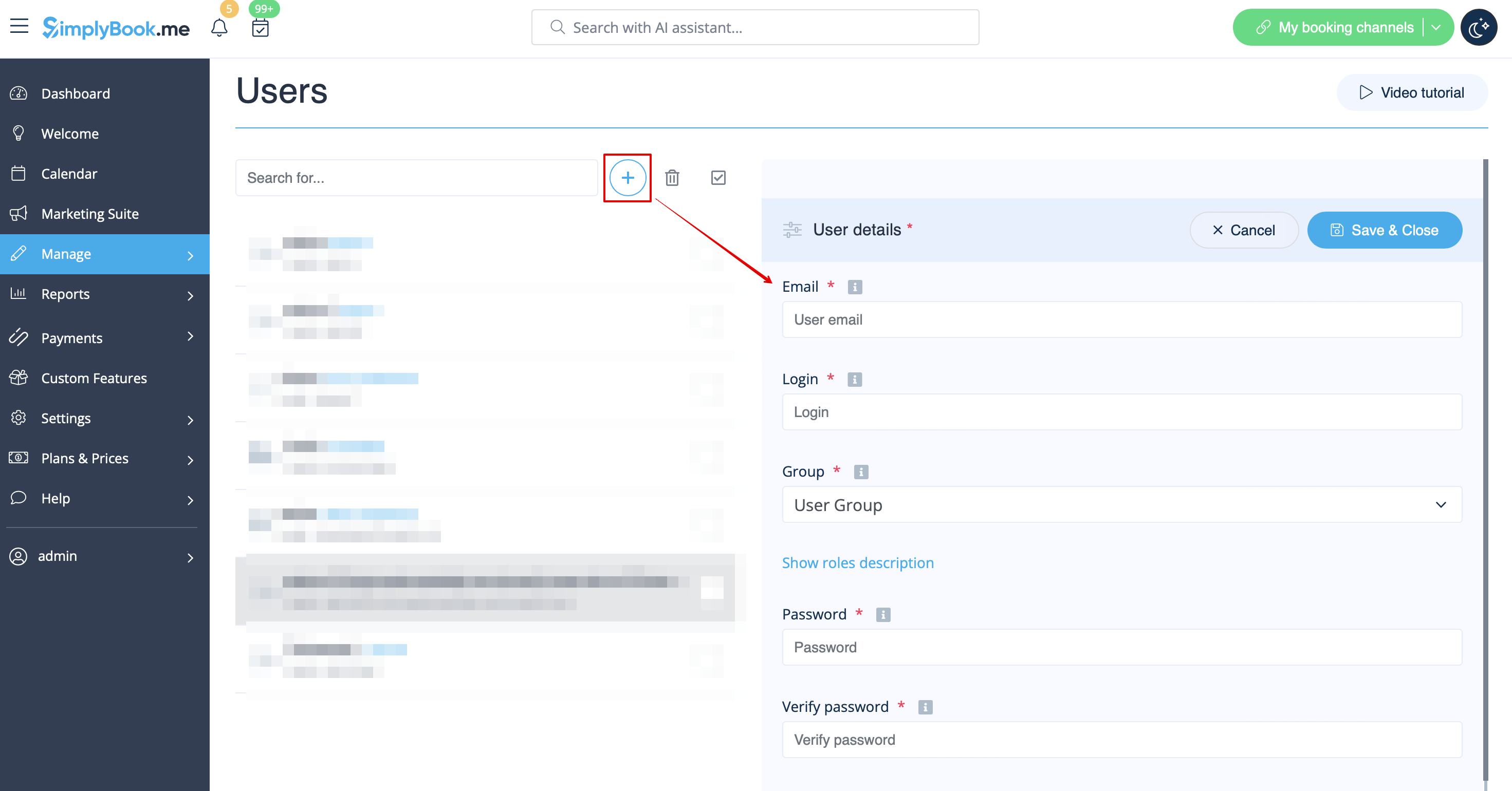
- 3. Sur la page Gérer//Utilisateurs, cliquez sur « + » et créez tous les utilisateurs système souhaités afin de pouvoir connecter chacun d'entre eux à l'authentification en deux étapes.
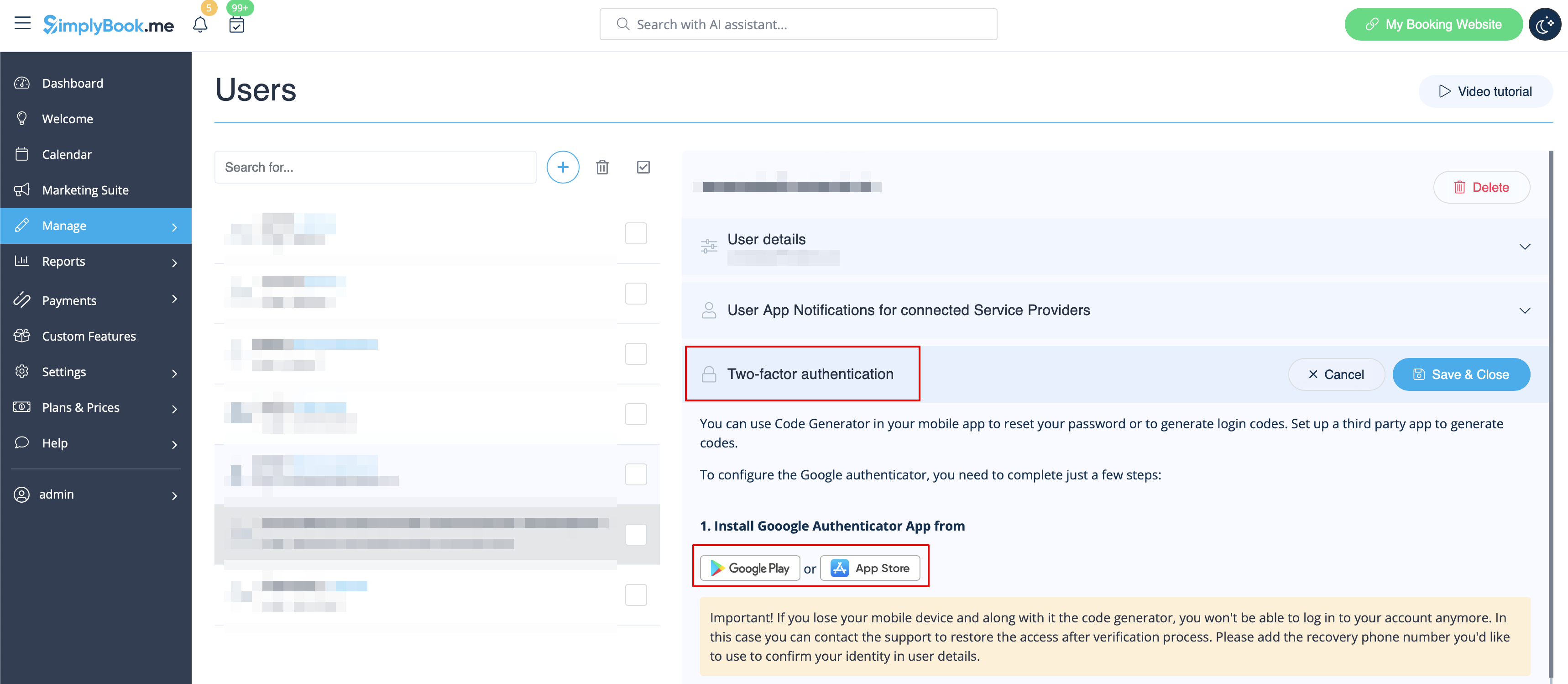
- 4. Téléchargez l'application « Google Authenticator » depuis Google Play ou l'App Store. Vous pouvez simplement scanner le code QR dans Gérer//Utilisateurs//sélectionner l'utilisateur//Google Authenticator et accéder immédiatement à la page de l'application.
- 5. Dans la même section, scannez le code QR avec l'application Google Authenticator sur votre smartphone, entrez le code que vous voyez dans l'application et cliquez sur le bouton « Connecter ».
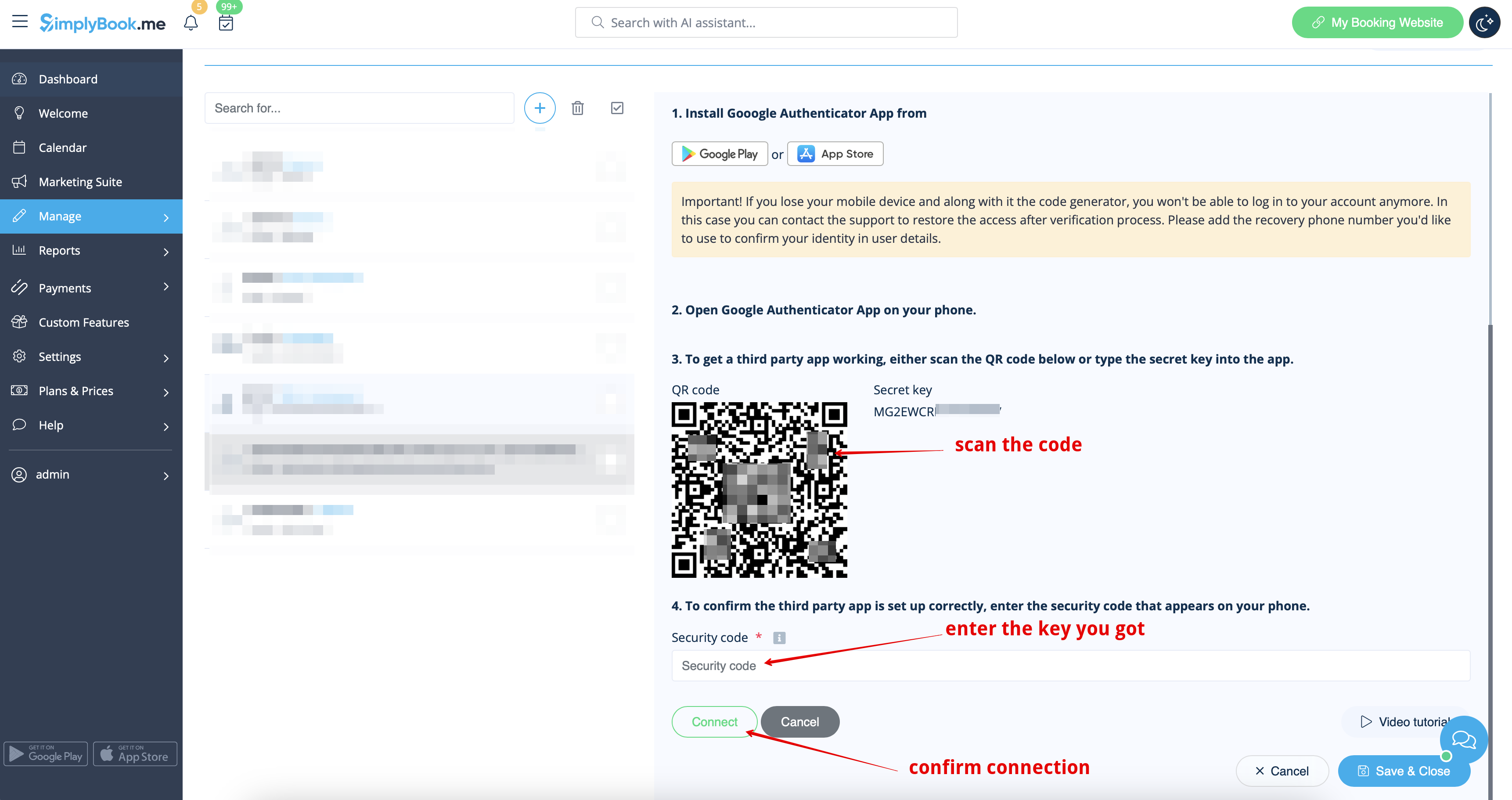
- 6. C'est terminé ! Cet utilisateur peut désormais se connecter de manière plus sécurisée !
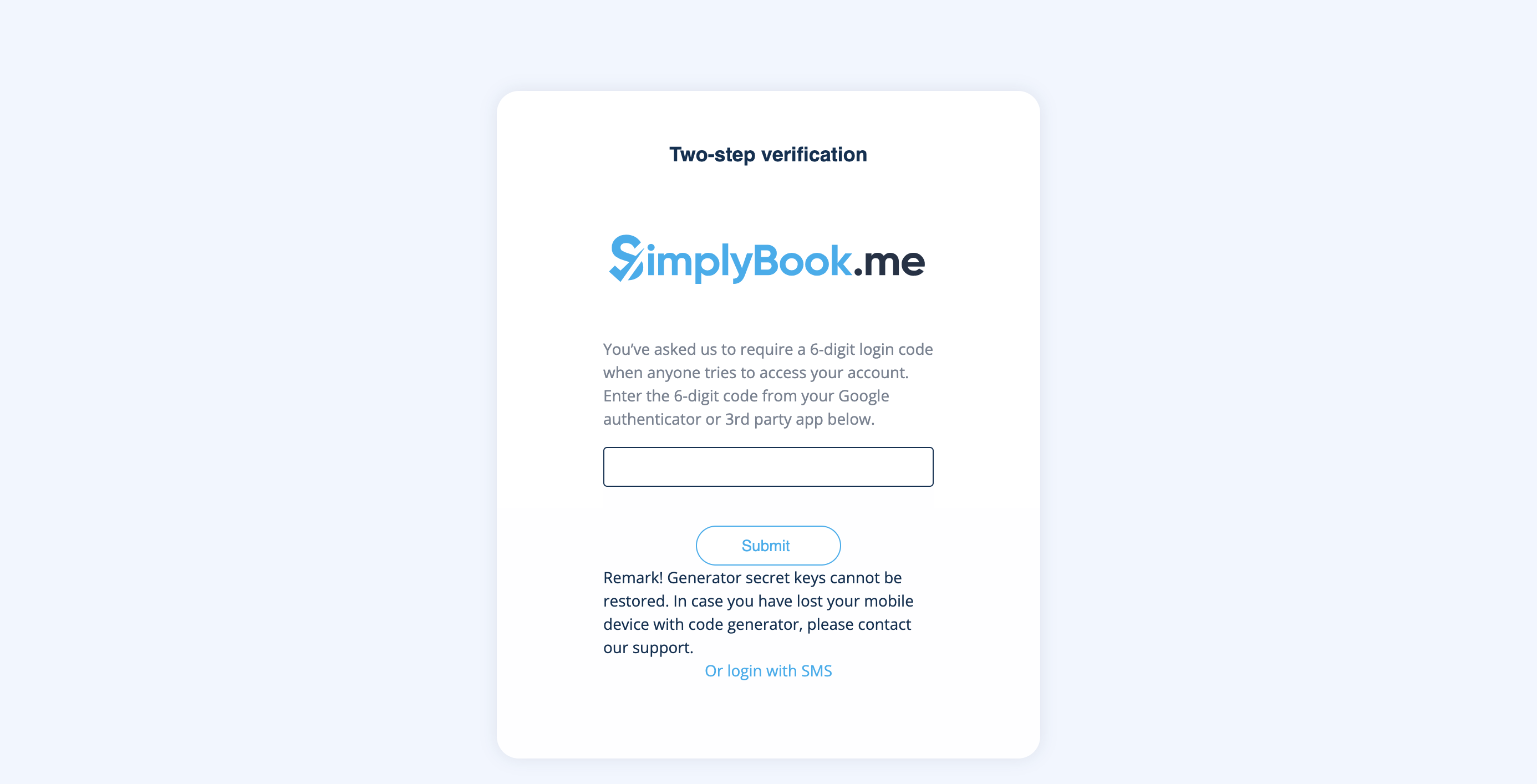
- Le processus de connexion se déroulera comme suit :
- - ouvrez le site Simplybook.me ou le lien direct sous la forme nomdelasociété.simplybook.me
- - remplissez toutes les informations nécessaires et votre mot de passe
- - saisissez le code à 6 chiffres fourni par la fonctionnalité Google Authenticator
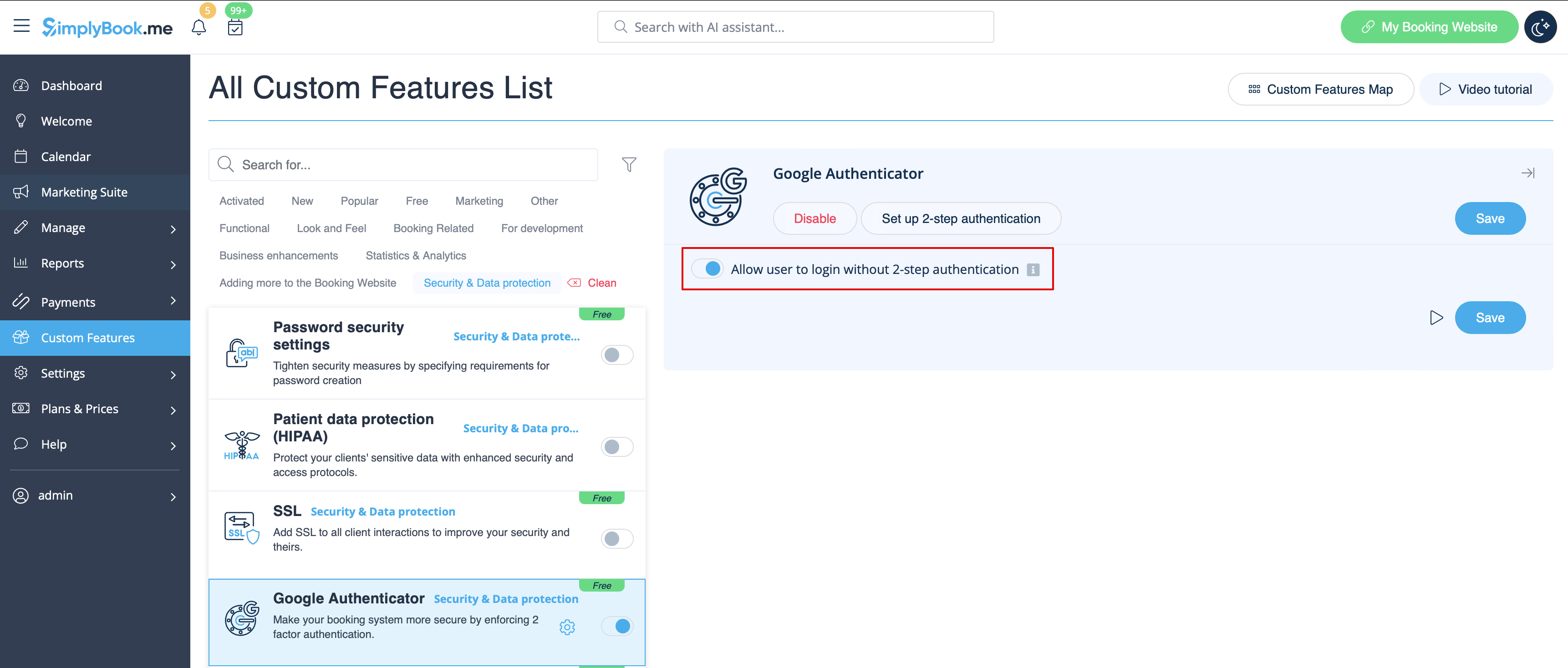
Si vous prévoyez d'autoriser vos employés à se connecter eux-mêmes, veuillez les créer au préalable en tant qu'utilisateurs et leur permettre de se connecter sans authentification en deux étapes dans Fonctionnalités personnalisées//Authentificateur Google//Paramètres//Paramètres.
Comment connecter Google Authenticator si vous êtes un utilisateur
- 1. La fonctionnalité personnalisée Google Authenticator doit être préalablement activée par l'administrateur comme décrit ci-dessus.
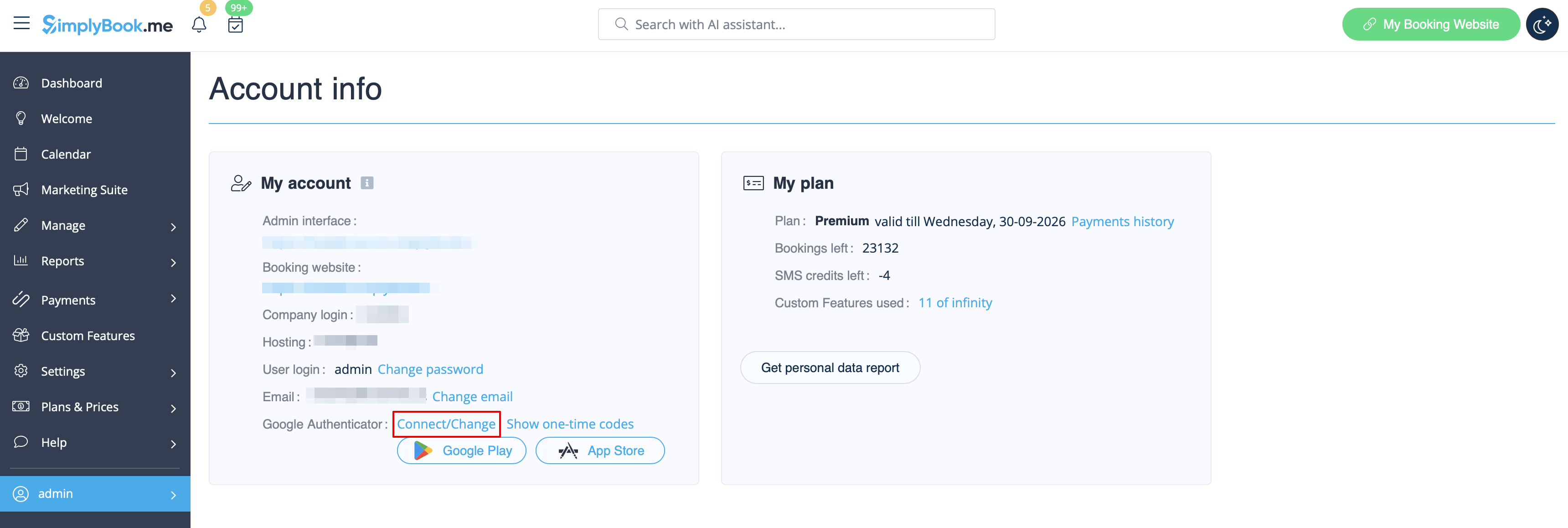
- 2. Ouvrez la page « Informations sur le compte » en cliquant sur votre nom d'utilisateur dans le menu de gauche et suivez les liens qui s'y trouvent pour télécharger l'application si vous ne l'avez pas déjà fait.
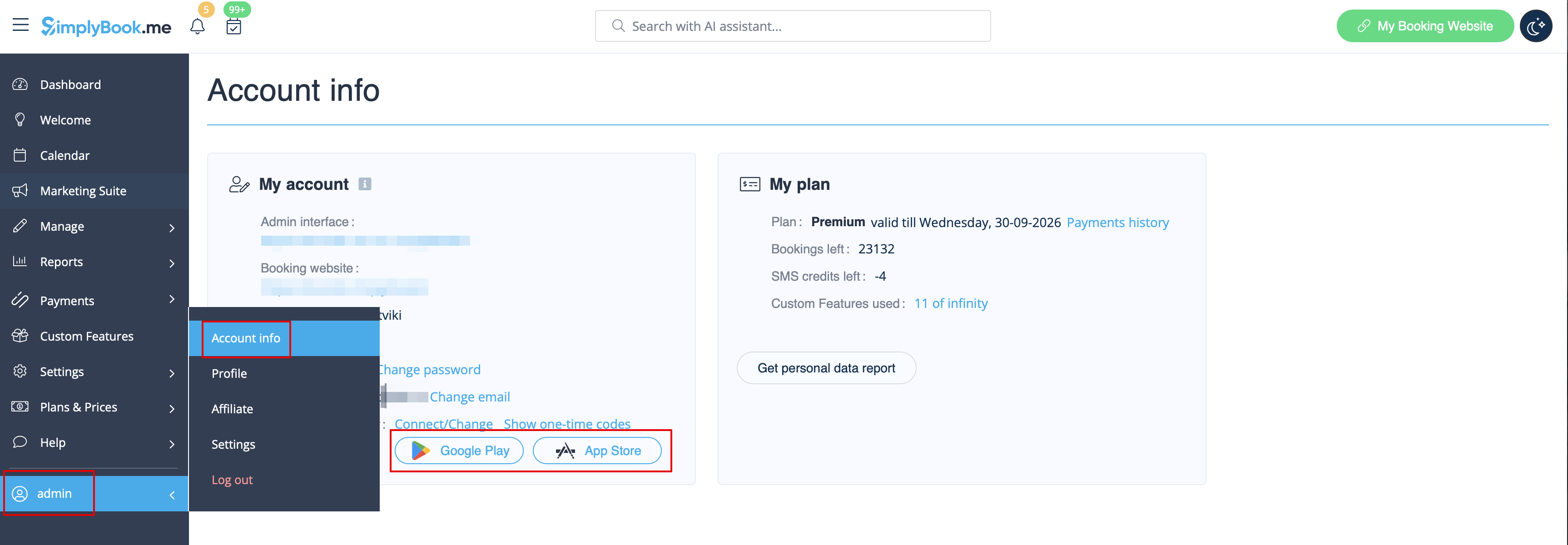
- 3. Cliquez sur le lien « Connecter/Modifier », scannez le code, entrez le code obtenu et enregistrez les paramètres.
- 4. Désormais, vous vous connecterez de manière plus sécurisée !
- Le processus de connexion se déroulera comme suit :
- - ouvrez le site Simplybook.me ou le lien direct https://companyname.simplybook.me
- - remplissez toutes les informations nécessaires et votre mot de passe
- - saisissez le code à 6 chiffres fourni par Google Authenticator

