No edit summary |
No edit summary |
||
| (One intermediate revision by the same user not shown) | |||
| Line 1: | Line 1: | ||
<languages/> | <languages/> | ||
<translate> | <translate> | ||
<!--T:1--> | |||
{{#seo: | {{#seo: | ||
|title=Terms and Conditions custom feature - SimplyBook.me | |title=Terms and Conditions custom feature - SimplyBook.me | ||
|titlemode=append | |titlemode=append | ||
|description= | |description=Add terms and conditions to bookings. Display legal text, require client agreement. Checkbox appears before booking confirmation. Free feature. | ||
|keywords=faq, frequently asked questions, booking software, appointment system questions, appointments online, calendar software, booking system, booking calendar, scheduling software, online appointment scheduling, online scheduling, plugins, custom features, additional functionality, terms, terms and conditions, terms of service | |keywords=faq, frequently asked questions, booking software, appointment system questions, appointments online, calendar software, booking system, booking calendar, scheduling software, online appointment scheduling, online scheduling, plugins, custom features, additional functionality, terms, terms and conditions, terms of service | ||
}} | }} | ||
</translate> | </translate> | ||
<translate> | <translate> | ||
<!--T:2--> | |||
__FORCETOC__ | __FORCETOC__ | ||
<!--T:3--> | |||
<br> | <br> | ||
[[File:Terms and conditions new icon.png |left]] | [[File:Terms and conditions new icon.png |left]] | ||
<!--T:4--> | |||
If you want your business to be bulletproof then this Custom Feature is a MUST. Use it to create and manage terms & conditions for your company towards your clients. | If you want your business to be bulletproof then this Custom Feature is a MUST. Use it to create and manage terms & conditions for your company towards your clients. | ||
The text inserted in the Custom Feature will be displayed on the "Details" page above the "Book Now" button or on sign up step if you are using [[Custom_Features#Client_Login | Client login feature]] as a checkbox with text "''I agree with -your company name- Terms & Conditions''" and the clients will need to agree to it to be able to book your services | The text inserted in the Custom Feature will be displayed on the "Details" page above the "Book Now" button or on sign up step if you are using [[Custom_Features#Client_Login | Client login feature]] as a checkbox with text "''I agree with -your company name- Terms & Conditions''" and the clients will need to agree to it to be able to book your services | ||
| Line 21: | Line 25: | ||
</translate> | </translate> | ||
<translate> | <translate> | ||
<!--T:5--> | |||
==Terms & Conditions== | ==Terms & Conditions== | ||
;How to use | ;How to use | ||
| Line 36: | Line 41: | ||
<translate> | <translate> | ||
<!--T:6--> | |||
==Privacy Policy== | ==Privacy Policy== | ||
As a part of the Terms and Conditions custom feature you can also add your Privacy Policy.<br> | As a part of the Terms and Conditions custom feature you can also add your Privacy Policy.<br> | ||
Latest revision as of 18:18, 11 February 2026

If you want your business to be bulletproof then this Custom Feature is a MUST. Use it to create and manage terms & conditions for your company towards your clients.
The text inserted in the Custom Feature will be displayed on the "Details" page above the "Book Now" button or on sign up step if you are using Client login feature as a checkbox with text "I agree with -your company name- Terms & Conditions" and the clients will need to agree to it to be able to book your services
Free custom feature!
Terms & Conditions
- How to use
- 1. Enable this feature on your Custom Features page.
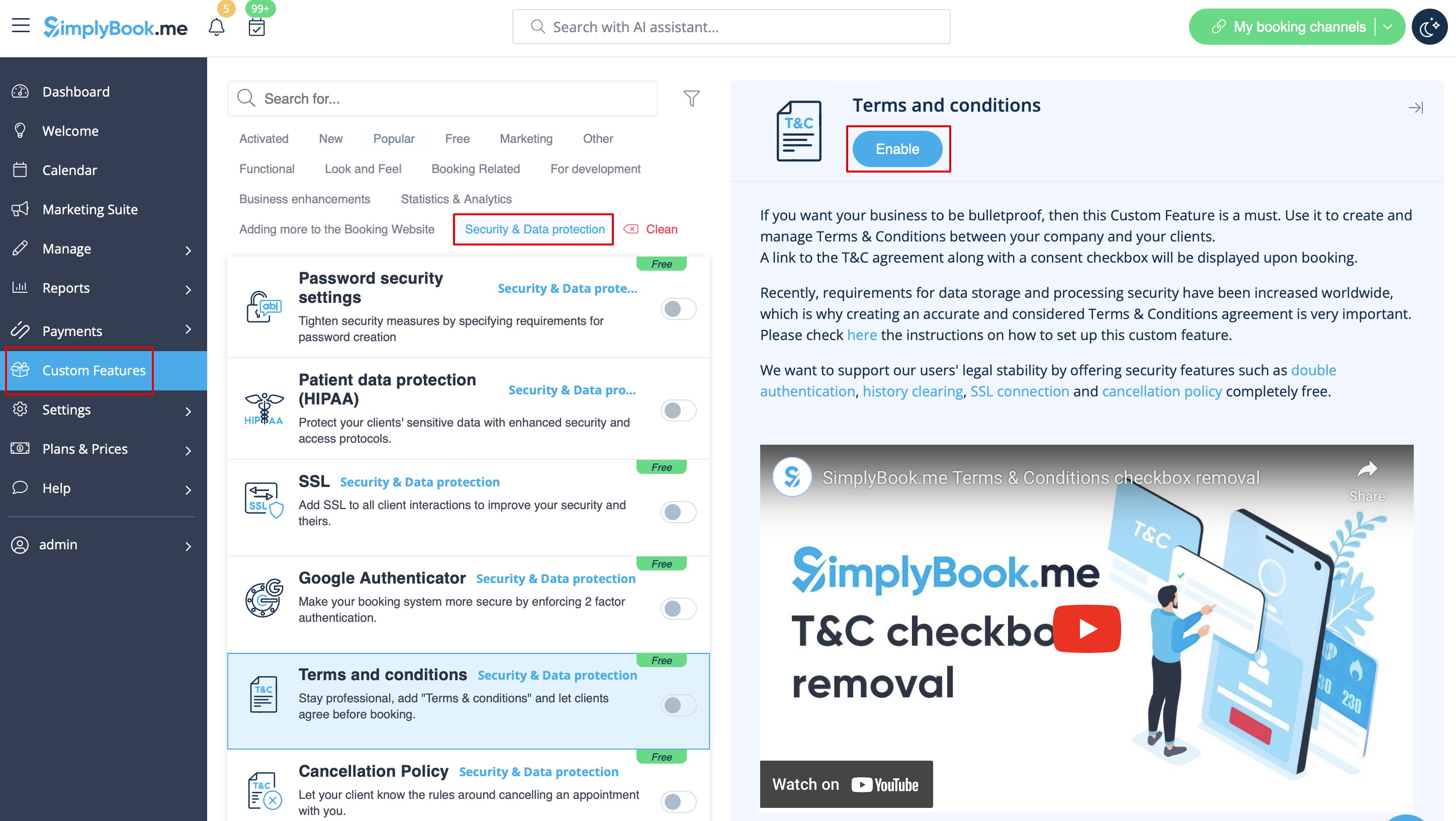
- 2. Go to its settings on the right to manage your Terms and Conditions.
- 3. Add the text. You can use HTML formatting there to adjust the look.
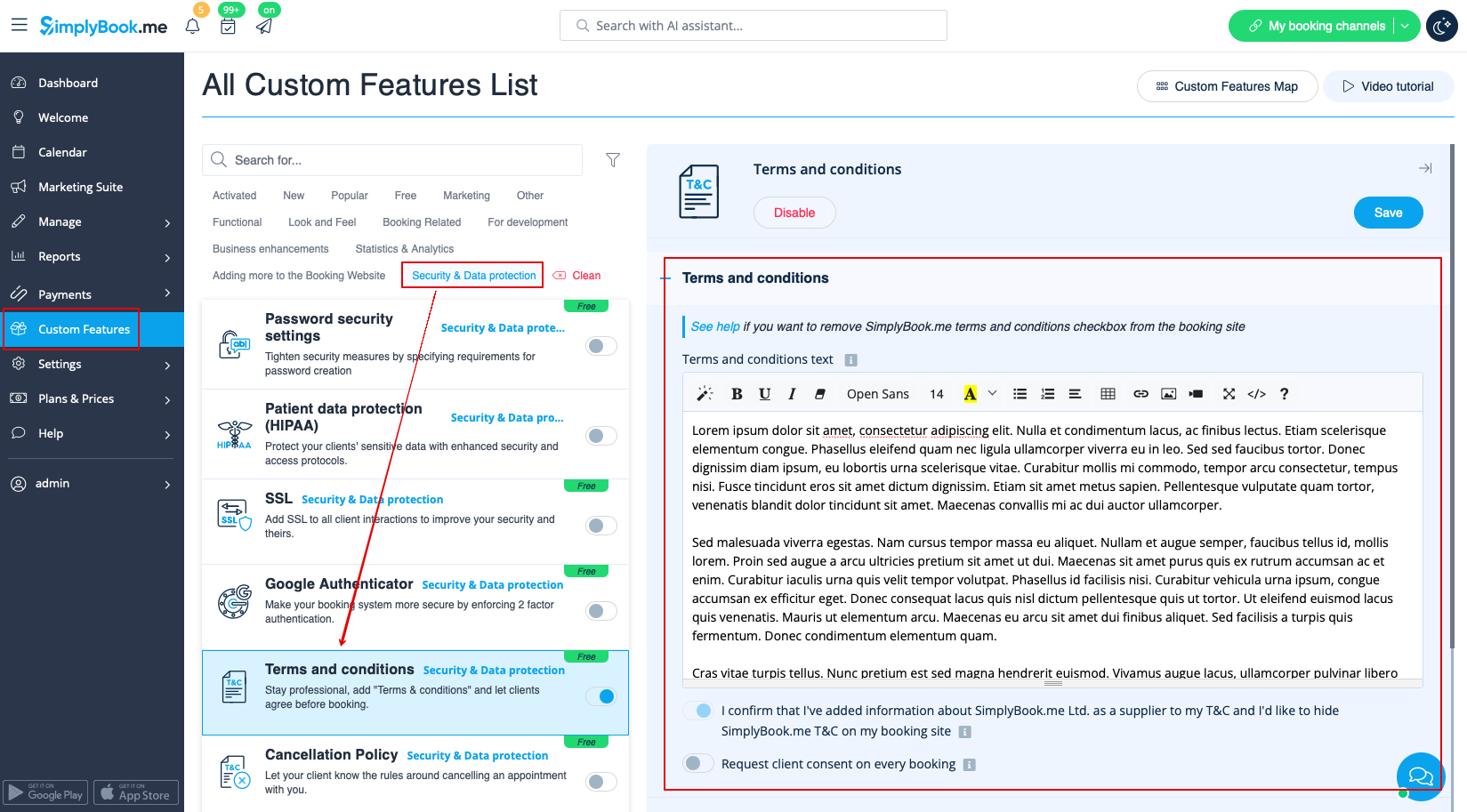
- 4. (optional) Make it required to agree to your terms with each booking if you need a consent even if the same client books the services from time to time.
Privacy Policy
As a part of the Terms and Conditions custom feature you can also add your Privacy Policy.
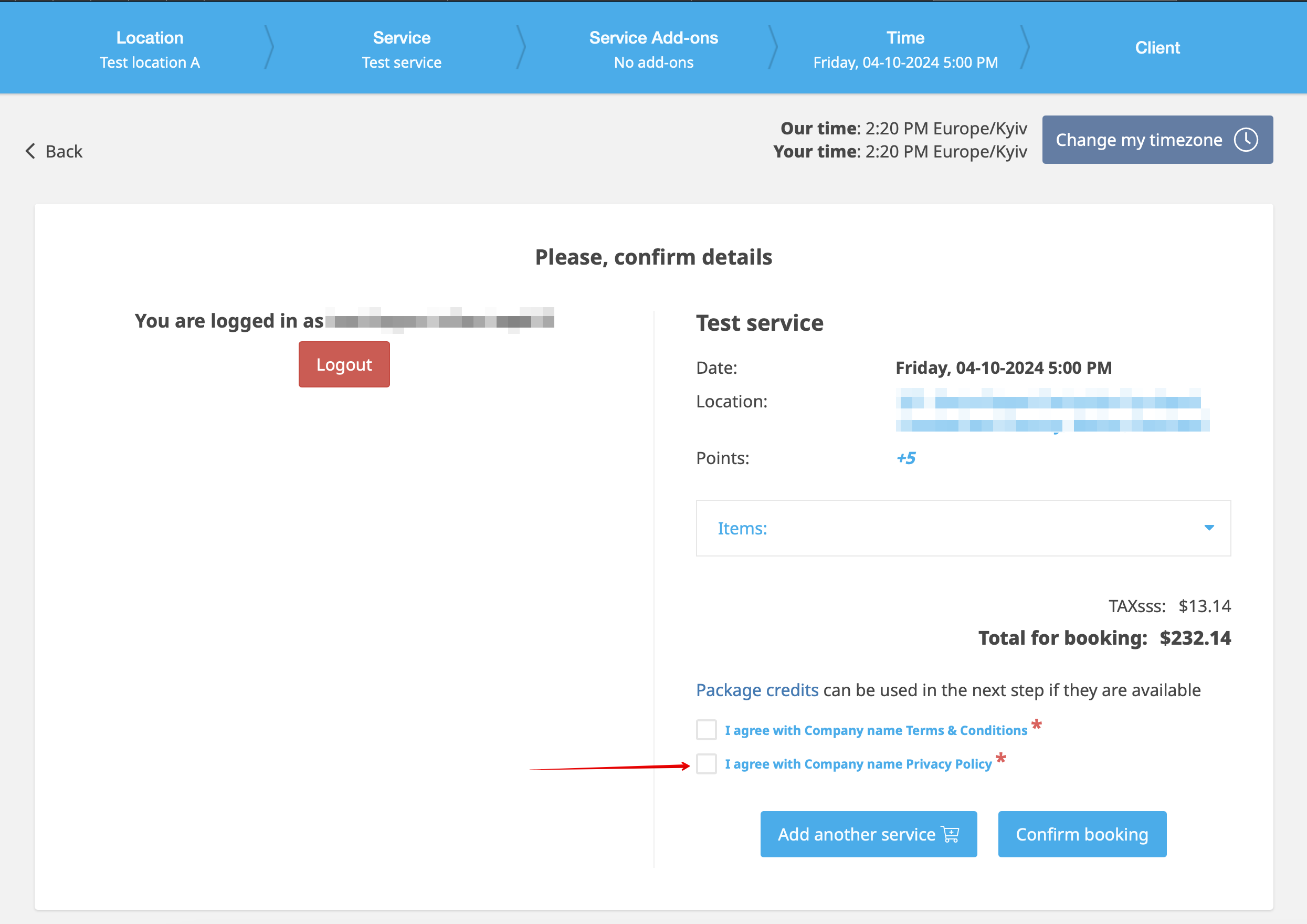
It will be shown as a separate point to agree to on the booking website, at the end of the booking process.
- How to use
1. When Terms & Conditions feature is already enabled, please expand Privacy policy section.
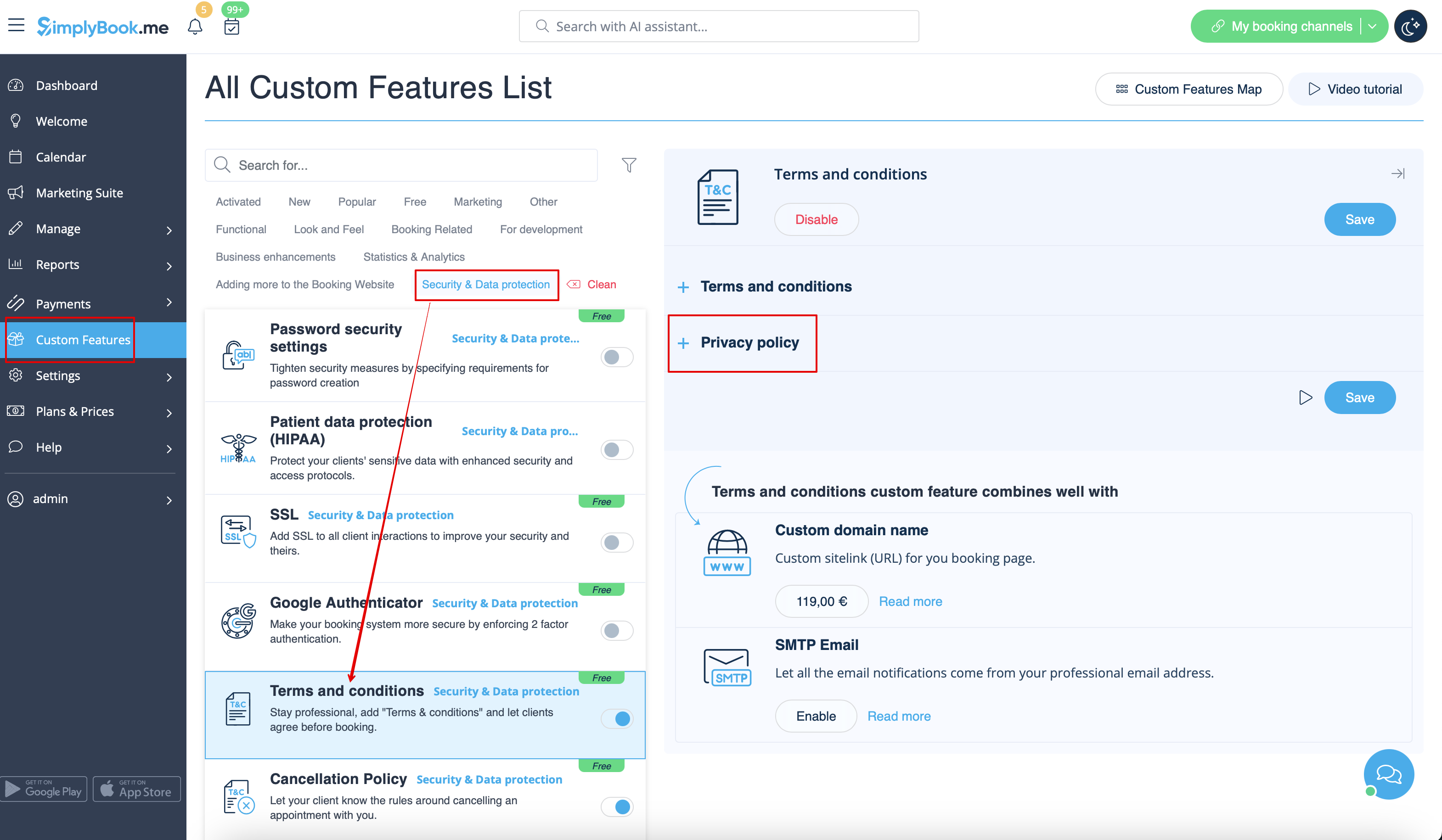
- 2. Add your Privacy policy text.
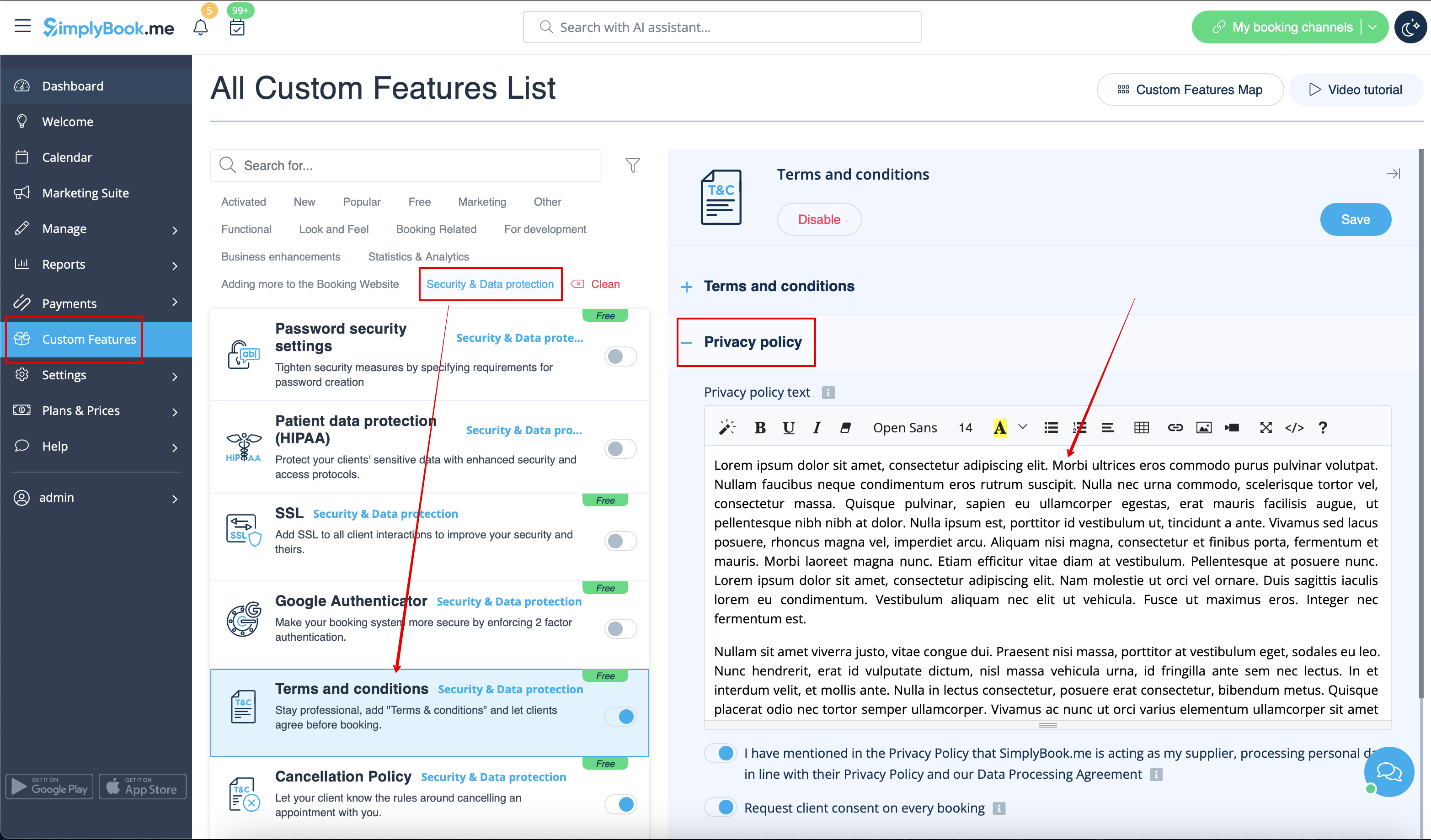
- 3. Select whether the clients should agree to it with every booking (if this point is disabled they will only agree to it once).
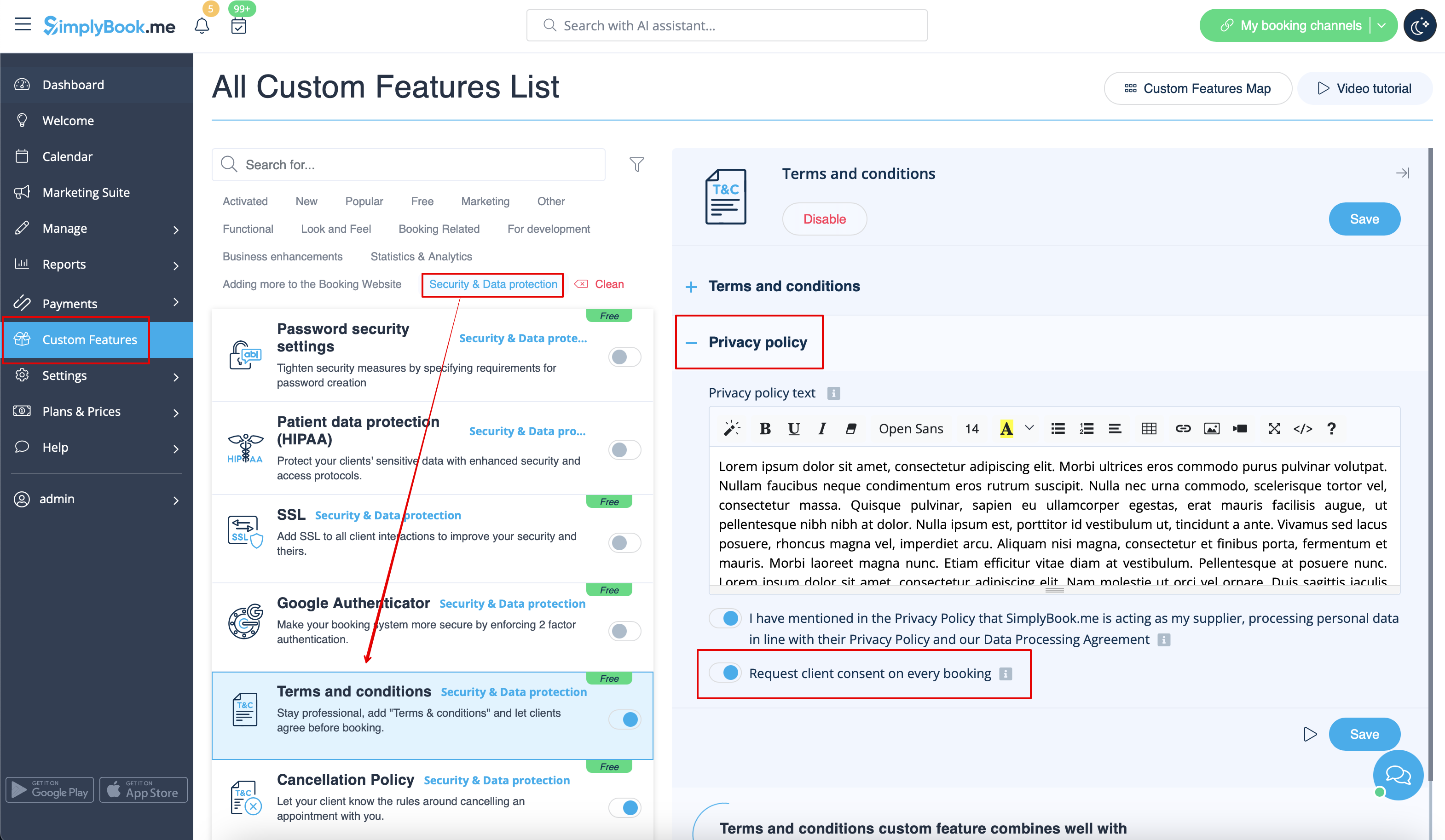
- 4. Save settings. Here is one of the ways how it will be shown on the booking website or widget.