From SimplyBook.me
Importing a new version from external source |
Importing a new version from external source |
||
| (One intermediate revision by the same user not shown) | |||
| Line 1: | Line 1: | ||
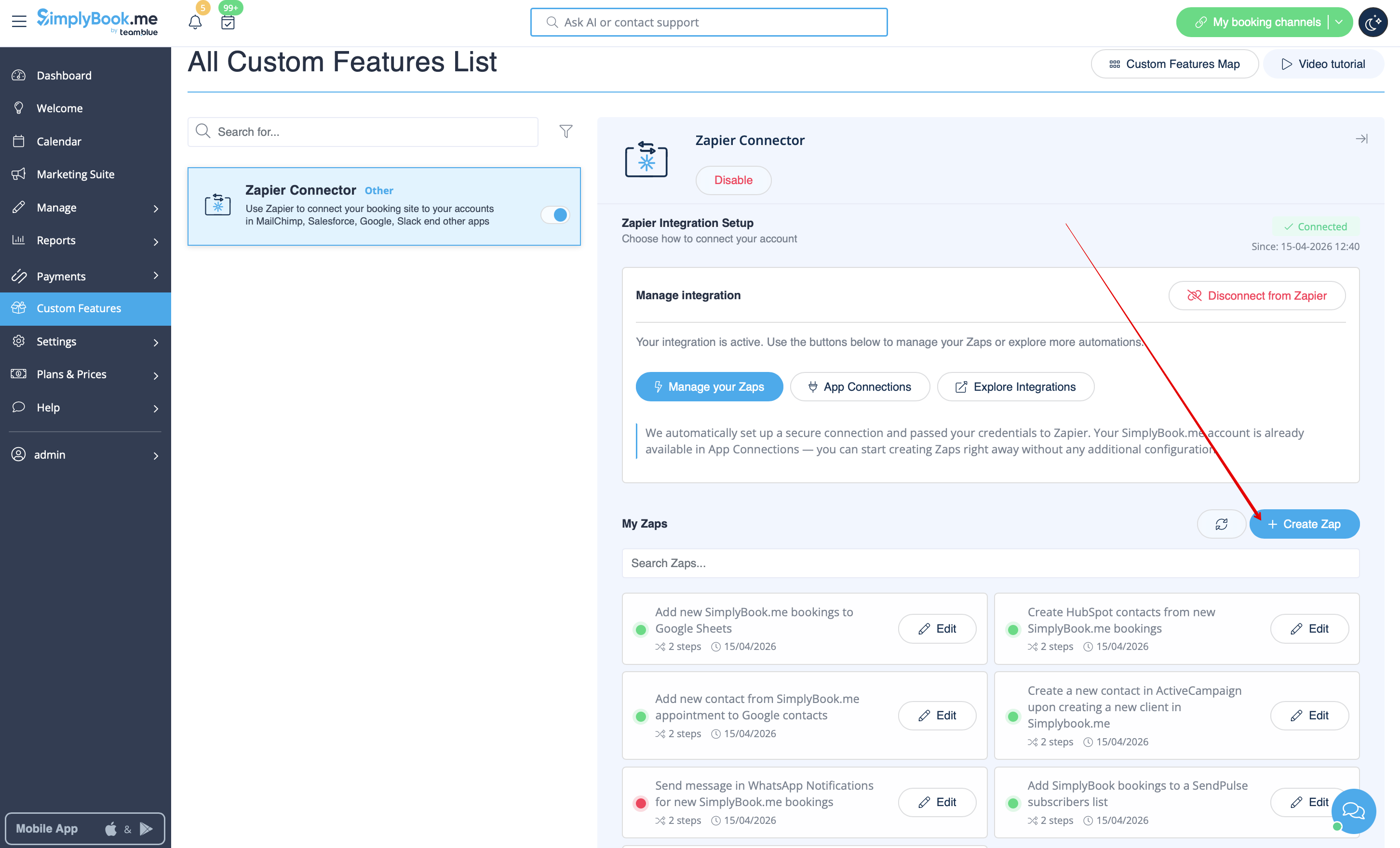
:''' | :3. Click on '''+ Create Zap''' button. | ||
[[File:Zapier | [[File:Create zap path.png|1200px|border | center|link=https://help.simplybook.me/images/2/24/Create_zap_path.png]] | ||
<br><br> | |||
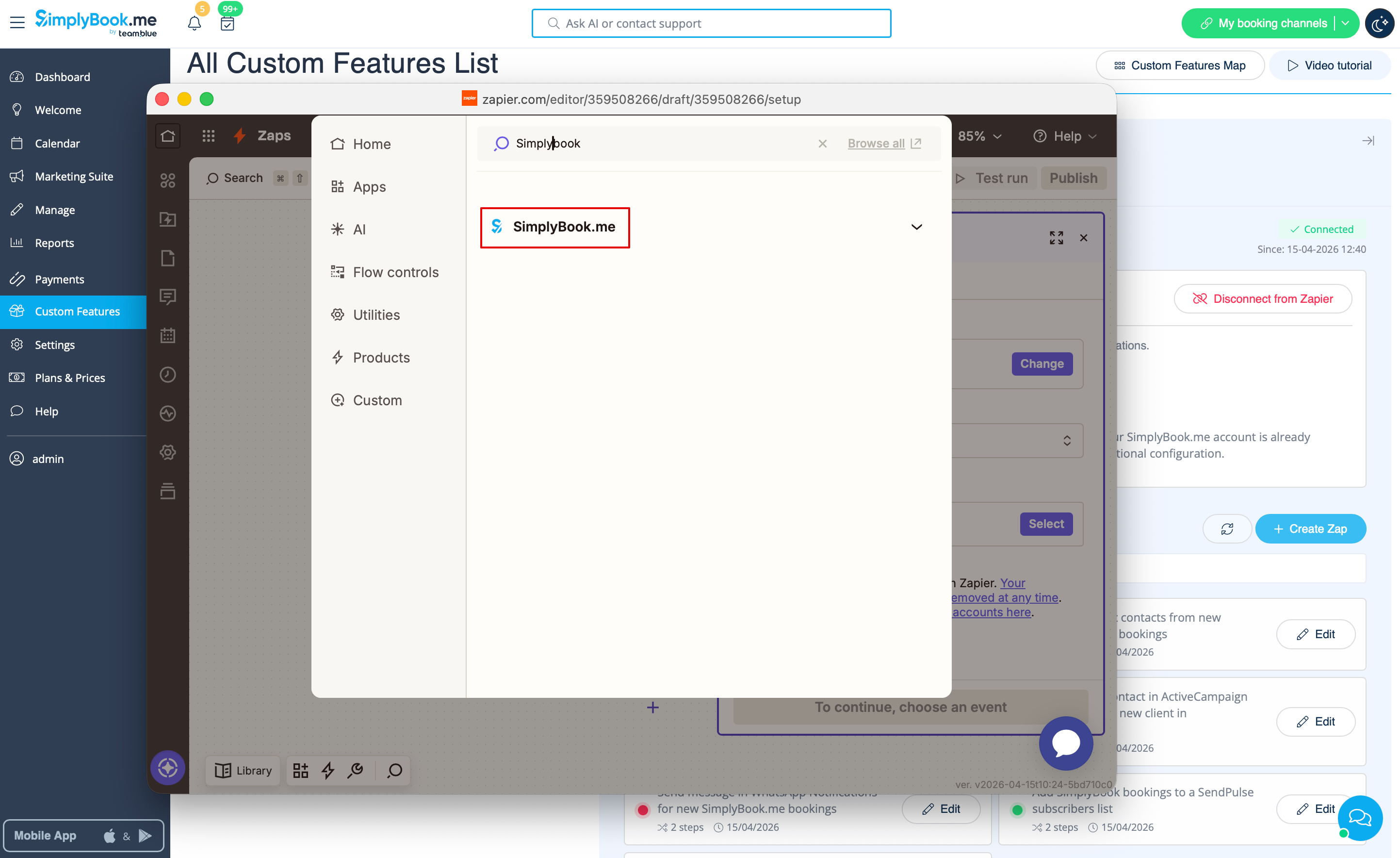
:4. In the popup that appears find SimplyBook.me in the list of apps to connect to. | |||
[[File:Zapier new sb as trigger.png|1200px|border | center|link=https://help.simplybook.me/images/1/13/Zapier_new_sb_as_trigger.png]] | |||
<br><br> | |||
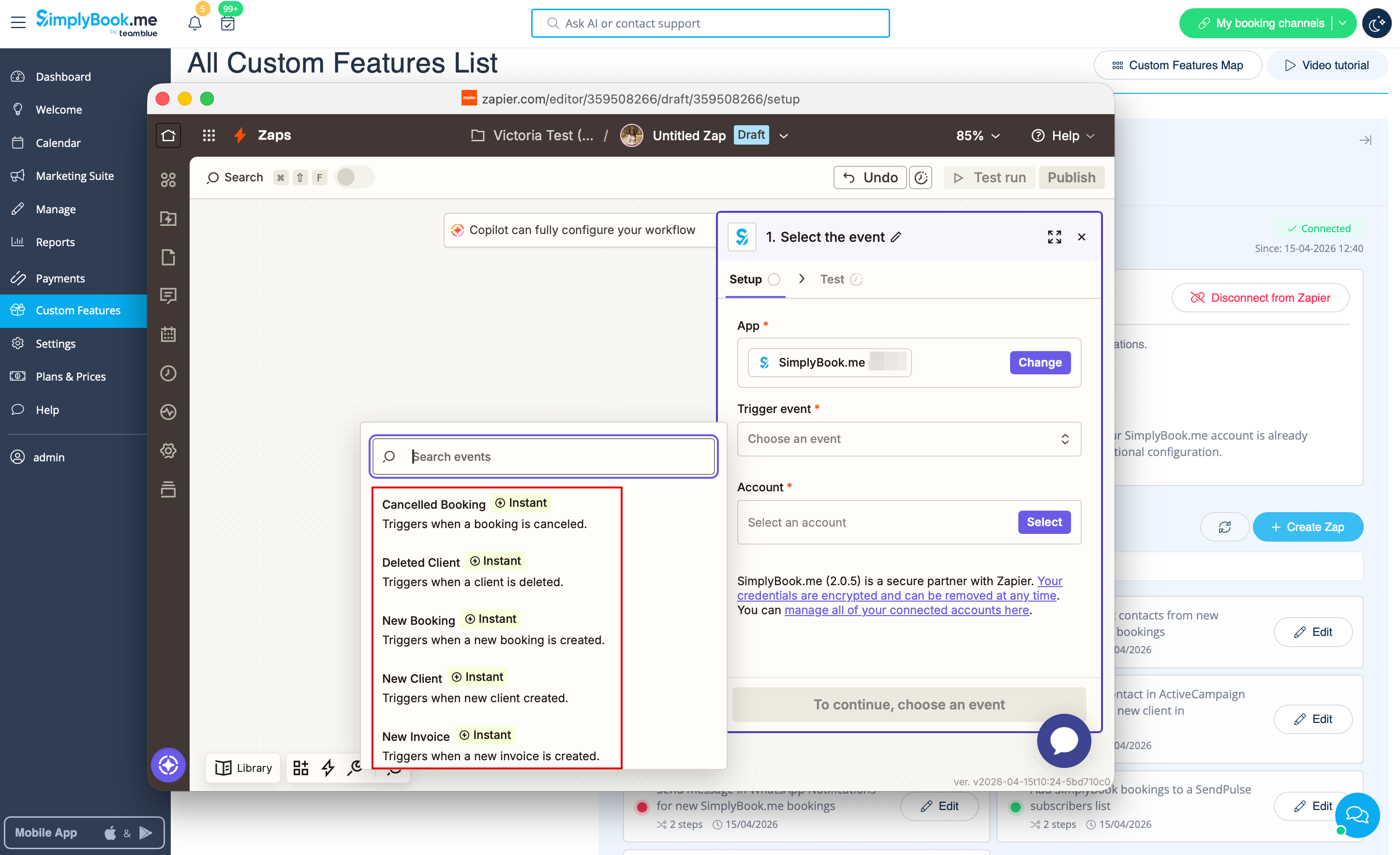
:5. Choose "New booking" trigger and the account that you have previously connected. Click "Continue". | |||
[[File:Zapier new choose trigger event.png|1200px|border | center|link=https://help.simplybook.me/images/4/45/Zapier_new_choose_trigger_event.png]] | |||
<br><br> | |||
:6. Test your trigger, select the sample record and proceed to the action step. | |||
<br><br> | <br><br> | ||
''If Zapier shows an error "We could not find the booking" on test step don't worry, it may occur when your account is new or you have not got new bookings recently.<br> | ''If Zapier shows an error "We could not find the booking" on test step don't worry, it may occur when your account is new or you have not got new bookings recently.<br> | ||
You can skip test step and continue with setup.'' | You can skip test step and continue with setup.'' | ||
<br><br> | <br><br> | ||
Latest revision as of 14:54, 17 April 2026
- 3. Click on + Create Zap button.
- 4. In the popup that appears find SimplyBook.me in the list of apps to connect to.
- 5. Choose "New booking" trigger and the account that you have previously connected. Click "Continue".
- 6. Test your trigger, select the sample record and proceed to the action step.
If Zapier shows an error "We could not find the booking" on test step don't worry, it may occur when your account is new or you have not got new bookings recently.
You can skip test step and continue with setup.
