No edit summary |
|||
| (2 intermediate revisions by 2 users not shown) | |||
| Line 1: | Line 1: | ||
<languages/> | <languages/> | ||
{{#seo: |title=Donner accès au système à d'autres personnes - SimplyBook.me |description= | {{#seo: |title=Donner accès au système à d'autres personnes - SimplyBook.me |description=Accordez l’accès au système au personnel. Créez des comptes utilisateurs et attribuez des rôles. Gérez les autorisations des prestataires, managers et réceptionnistes avec des niveaux d’accès appropriés.|titlemode=ajouter |keywords=faq, foire aux questions, logiciel de réservation, questions sur le système de rendez-vous, rendez-vous en ligne, logiciel de calendrier, système de réservation, calendrier de réservation, logiciel de planification, planification de rendez-vous en ligne, planification en ligne, plugins, fonctionnalités personnalisées, lien vers une page de réservation personnalisée, nom de domaine, nom de domaine personnalisé, URL personnalisée }} | ||
<br><br> | <br><br> | ||
| Line 10: | Line 10: | ||
[[File:Relate user with provider redesined.png|1200px | center|link=https://help.simplybook.me/images/4/4b/Relate_user_with_provider_redesined.png]] | [[File:Relate user with provider redesined.png|1200px | center|link=https://help.simplybook.me/images/4/4b/Relate_user_with_provider_redesined.png]] | ||
<br><br> | <br><br> | ||
Lorsque vous ajoutez les informations d'un nouvel utilisateur, activez simplement l'option <span style="background-color:#d4f8e5; padding:5px; border-radius:5px;">Envoyer les informations de connexion à l'utilisateur</span> et enregistrez la fiche utilisateur.<br> | |||
Le système enverra automatiquement l'e-mail contenant les identifiants de connexion selon le modèle que vous avez défini dans <span style="background-color:#d4f8e5; padding:5px; border-radius:5px;">Paramètres</span> -> <span style="background-color:#d4f8e5; padding:5px; border-radius:5px;">Paramètres e-mail et SMS</span> -> <span style="background-color:#d4f8e5; padding:5px; border-radius:5px;">Notification de connexion d'un nouvel utilisateur.</span> | |||
[[File:New user notification redesigned.png|1200px|border|center|link=https://help.simplybook.me/images/e/e8/New_user_notification_redesigned.png]] | [[File:New user notification redesigned.png|1200px|border|center|link=https://help.simplybook.me/images/e/e8/New_user_notification_redesigned.png]] | ||
<br><br> | <br><br> | ||
Vous pouvez également envoyer manuellement le nom d'utilisateur et le mot de passe à vos utilisateurs avec le lien vers votre page d'administration après avoir enregistré l'utilisateur. | |||
<br><br> | <br><br> | ||
Latest revision as of 16:32, 12 February 2026
Vous pouvez créer un utilisateur distinct pour la personne qui doit accéder à votre page d'administration dans Gérer -> Utilisateurs et lui attribuer les droits correspondants.
Consultez la liste des rôles utilisateur disponibles ici.
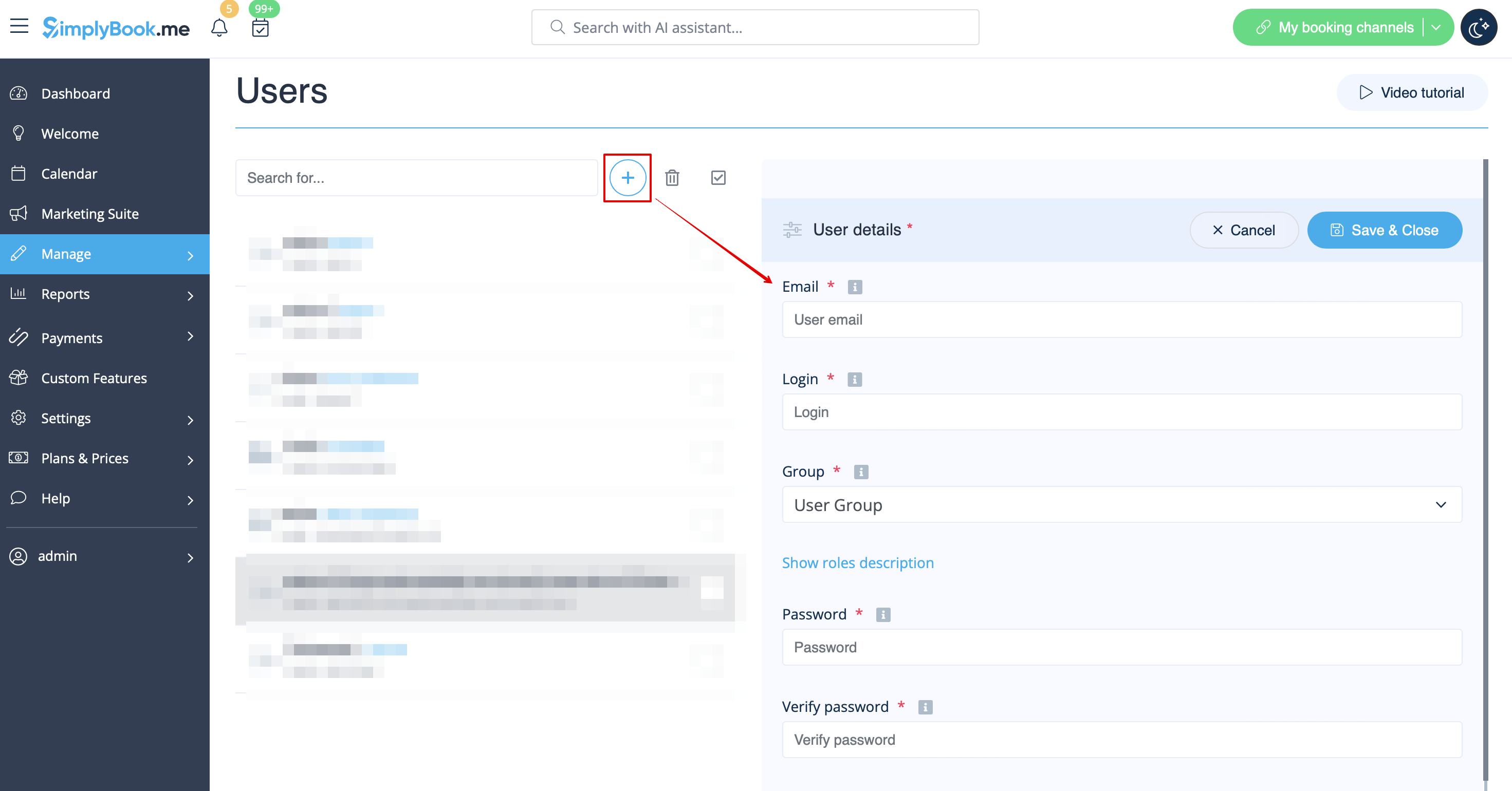
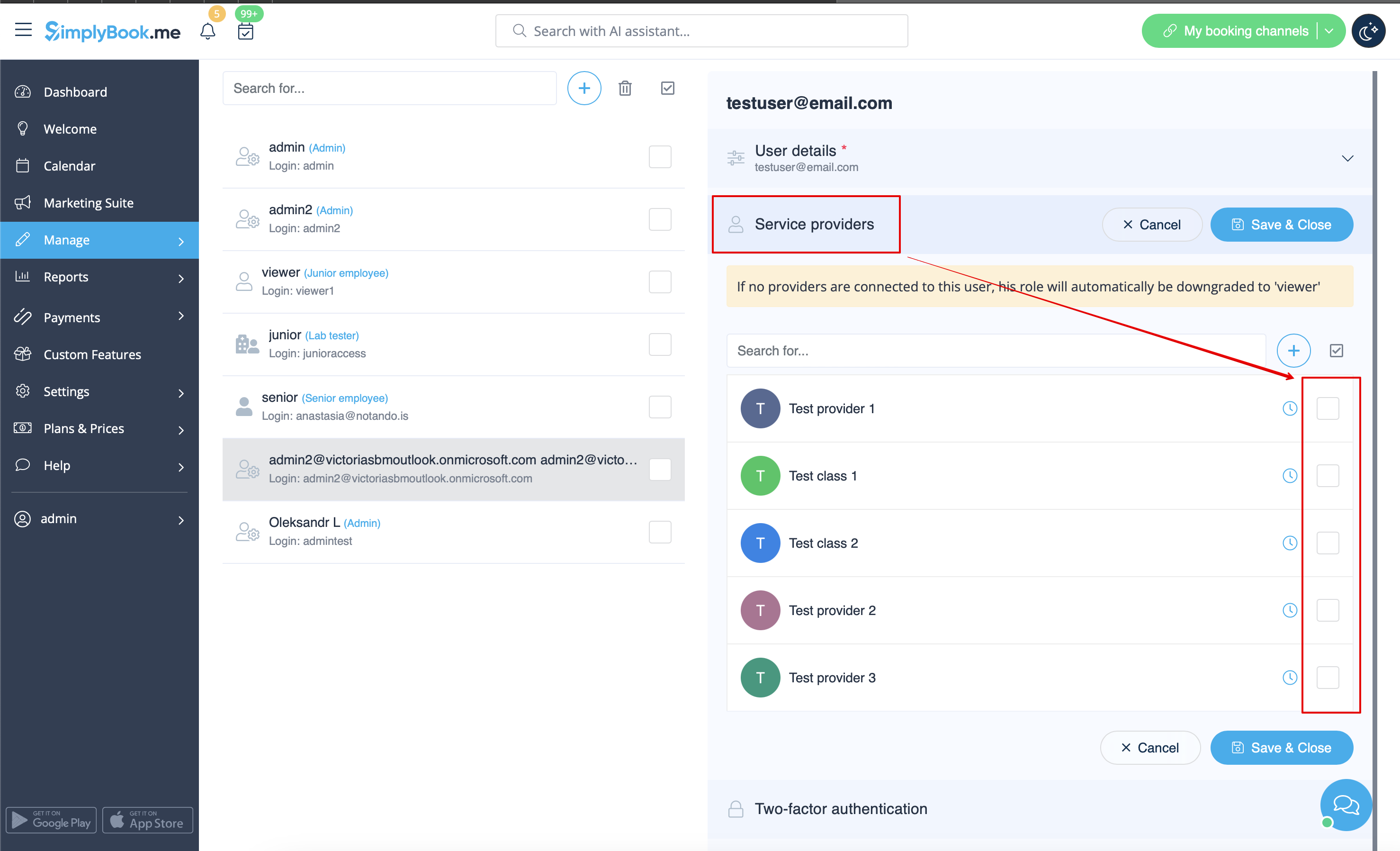
Lorsque vous ajoutez les informations d'un nouvel utilisateur, activez simplement l'option Envoyer les informations de connexion à l'utilisateur et enregistrez la fiche utilisateur.
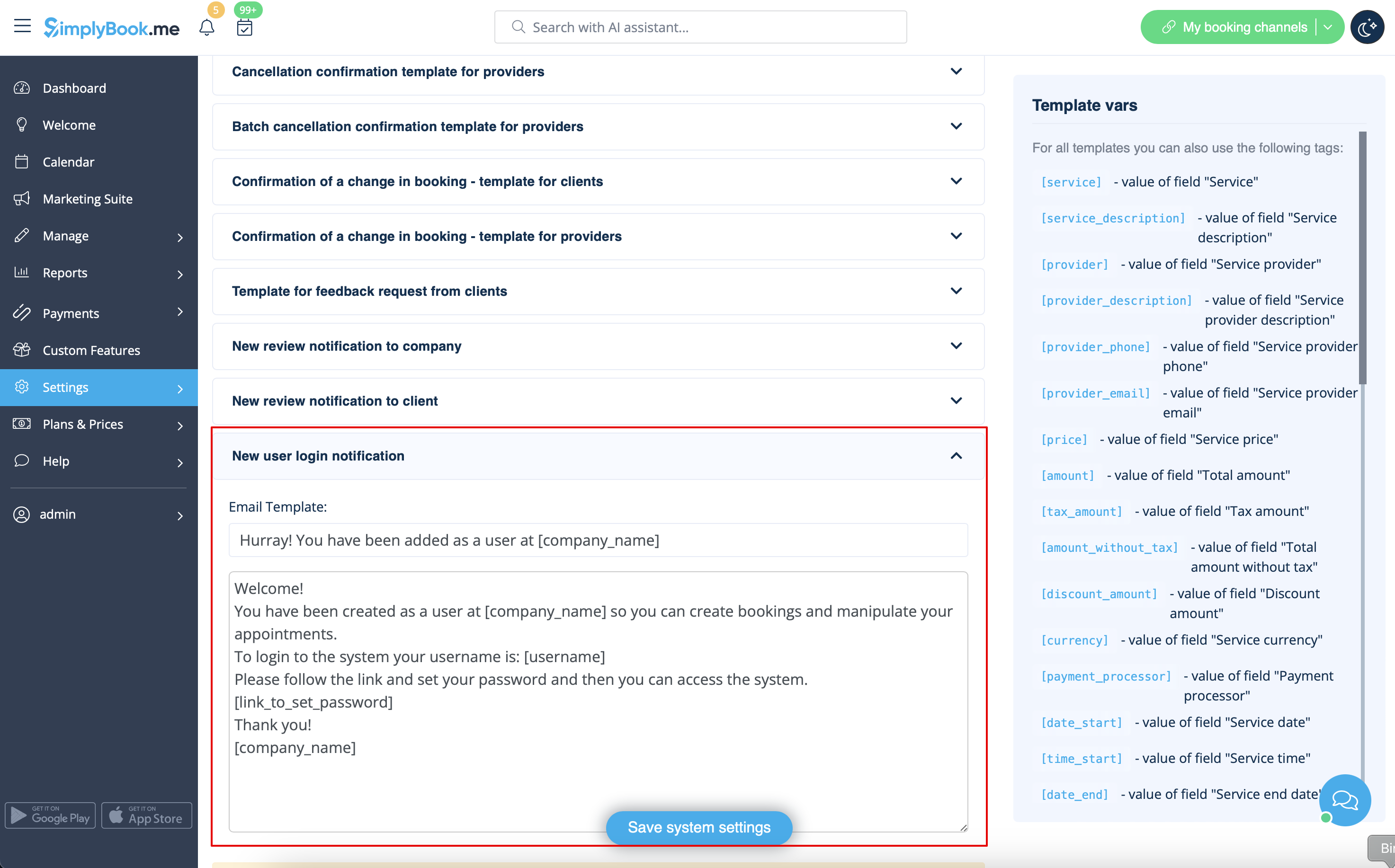
Le système enverra automatiquement l'e-mail contenant les identifiants de connexion selon le modèle que vous avez défini dans Paramètres -> Paramètres e-mail et SMS -> Notification de connexion d'un nouvel utilisateur.
Vous pouvez également envoyer manuellement le nom d'utilisateur et le mot de passe à vos utilisateurs avec le lien vers votre page d'administration après avoir enregistré l'utilisateur.

