No edit summary |
No edit summary |
||
| (2 intermediate revisions by the same user not shown) | |||
| Line 10: | Line 10: | ||
[[File:DudaOneLogo.png|left]] | [[File:DudaOneLogo.png|left]] | ||
<translate> | <translate> | ||
<!--T: | <!--T:2--> | ||
If you're building your website on Duda and want to offer a sleek, professional appointment booking experience, SimplyBook.me is the perfect solution. With just a few simple steps, you can embed your booking widget directly into your Duda site. All services, pricing, availability, and settings are managed in your SimplyBook.me admin, while the widget is fully customizable to match your website’s look and feel. Let’s get started! | If you're building your website on Duda and want to offer a sleek, professional appointment booking experience, SimplyBook.me is the perfect solution. With just a few simple steps, you can embed your booking widget directly into your Duda site. All services, pricing, availability, and settings are managed in your SimplyBook.me admin, while the widget is fully customizable to match your website’s look and feel. Let’s get started! | ||
</translate> | </translate> | ||
<br><br> | <br><br> | ||
<translate> | <translate> | ||
<!--T:3--> | |||
;How to set | ;How to set | ||
1. Log into your [https://my.duda.co/ Duda dashboard].<br> | 1. Log into your [https://my.duda.co/ Duda dashboard].<br> | ||
| Line 33: | Line 34: | ||
8. To adjust the design please use the built-in editing options, the widget will adjust to your website styles. | 8. To adjust the design please use the built-in editing options, the widget will adjust to your website styles. | ||
<!--T:4--> | |||
[[File:Duda widget sb adjust design.png|1200px|center|link=https://help.simplybook.me/images/5/55/Duda_widget_sb_adjust_design.png]] | [[File:Duda widget sb adjust design.png|1200px|center|link=https://help.simplybook.me/images/5/55/Duda_widget_sb_adjust_design.png]] | ||
<br><br> | <br><br> | ||
| Line 39: | Line 41: | ||
<br><br> | <br><br> | ||
<!--T:5--> | |||
''You might also need'' | ''You might also need'' | ||
* <div class="article">[[Special:MyLanguage/Adding_services,_providers_and_availability(new_interface) | Adding services and providers]]</div> | * <div class="article">[[Special:MyLanguage/Adding_services,_providers_and_availability(new_interface) | Adding services and providers]]</div> | ||
* <div class="article">[[Special:MyLanguage/Accept_payments_custom_feature| Accepting Payments]]</div> | * <div class="article">[[Special:MyLanguage/Accept_payments_custom_feature| Accepting Payments]]</div> | ||
<br><br><br><br> | <br><br><br><br> | ||
==AI Voice Booking== | |||
With the AI Voice Booking widget, you can easily place an interactive AI widget button anywhere on your client’s website. Simply enable your feature on SimplyBook.me side, insert the widget code into an HTML section in your website builder and visitors will be able to book appointments just by messaging or speaking to the AI directly on the site. Please, check the [[Special:MyLanguage/AI Voice Booking|tutorial]] to setup the integration. | |||
</translate> | </translate> | ||
Latest revision as of 08:33, 3 December 2025

If you're building your website on Duda and want to offer a sleek, professional appointment booking experience, SimplyBook.me is the perfect solution. With just a few simple steps, you can embed your booking widget directly into your Duda site. All services, pricing, availability, and settings are managed in your SimplyBook.me admin, while the widget is fully customizable to match your website’s look and feel. Let’s get started!
- How to set
1. Log into your Duda dashboard.
2. Create a new website or open the existing one where you want to embed the booking widget.
3. Click on Widgets in the left-side menu.
4. Search for 'SimplyBook and install it.
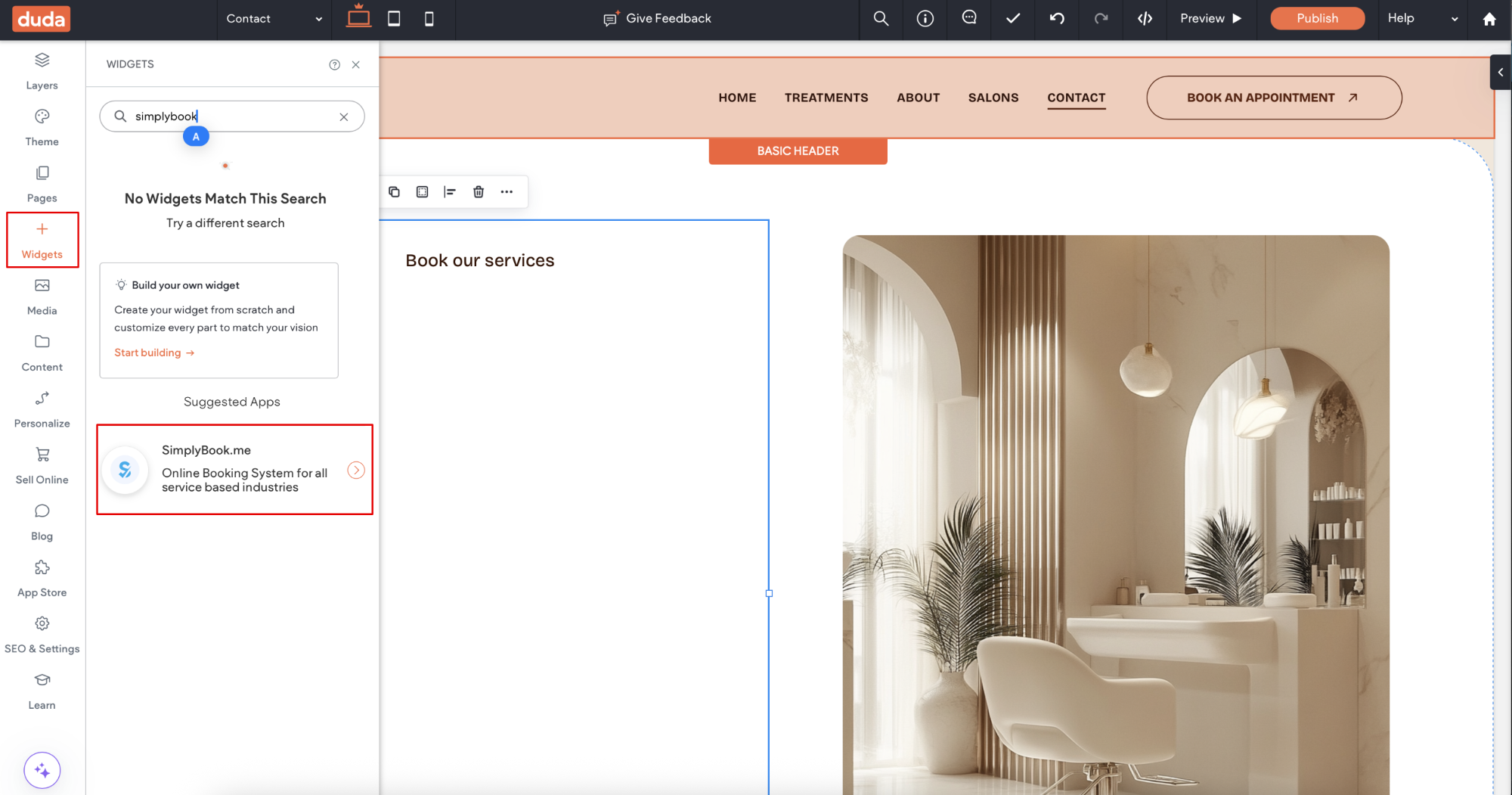
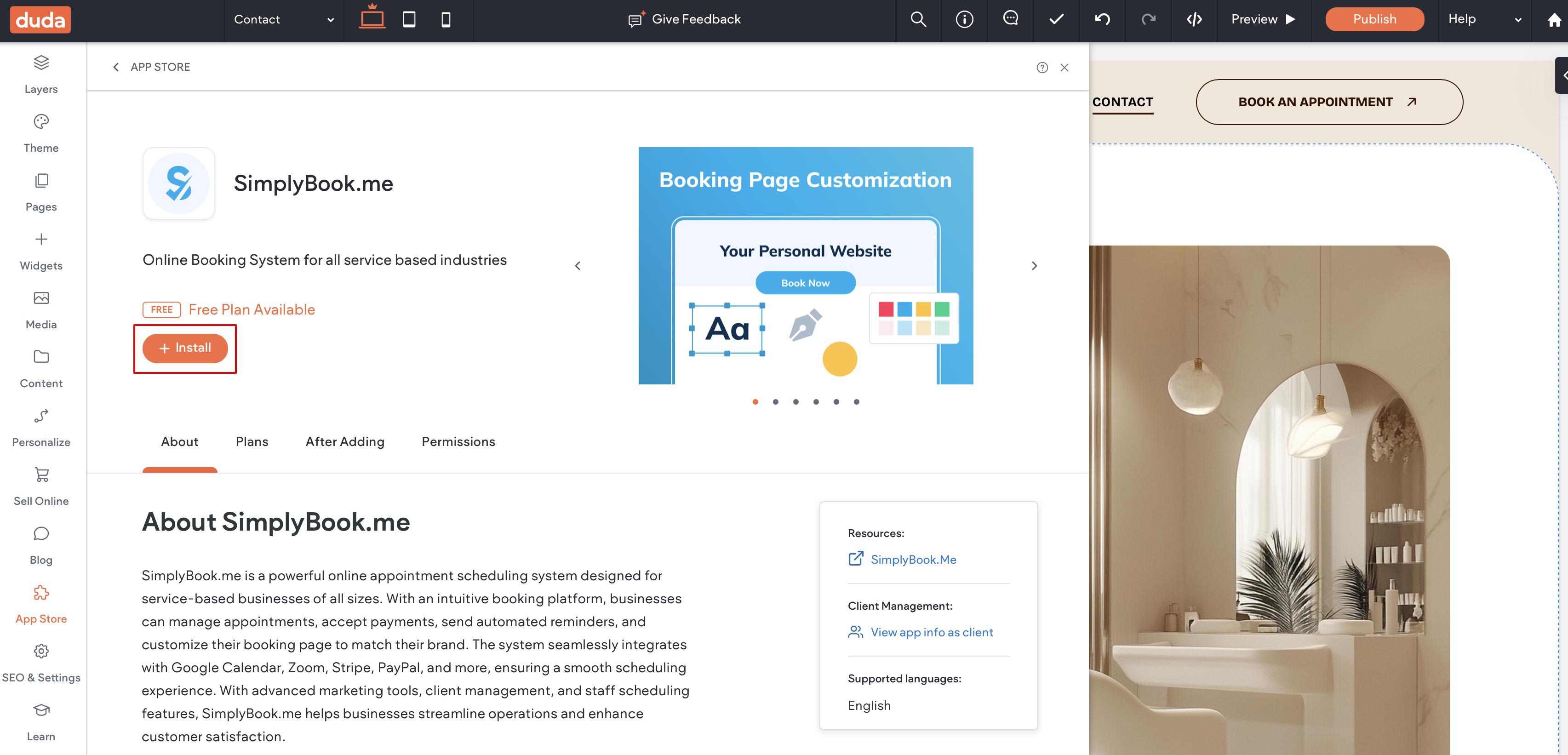
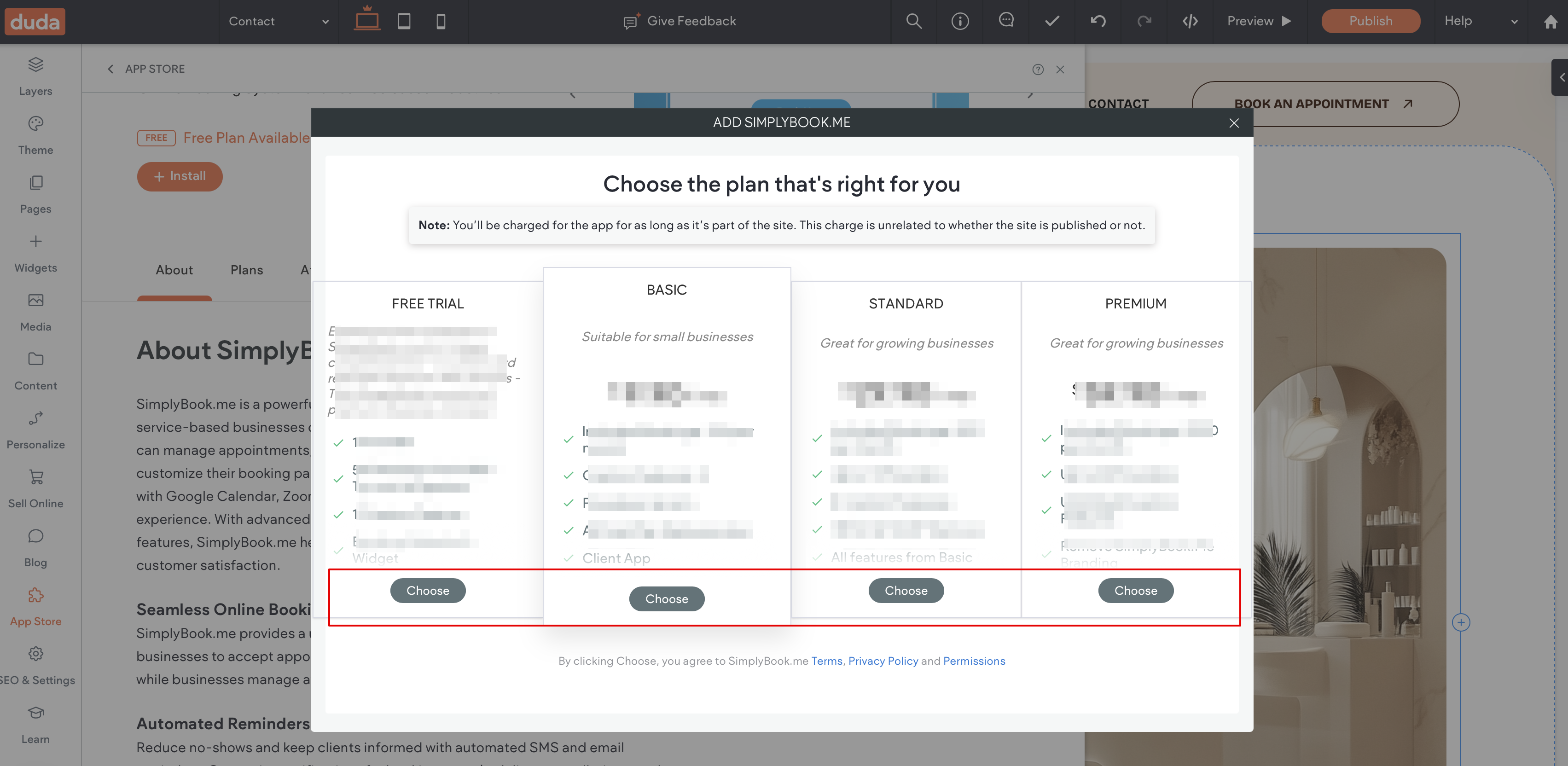
5. Choose the applicable subscription to be applied to your system.
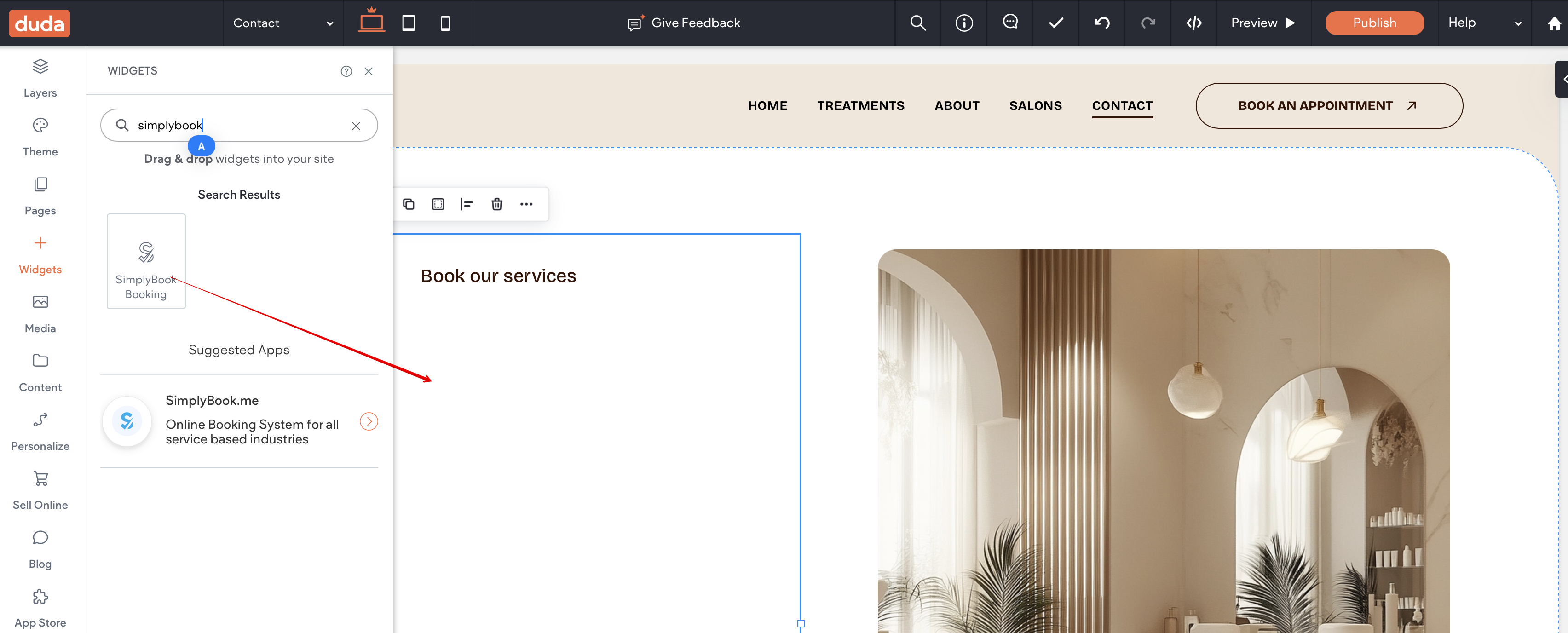
6. Choose a place on the page where the booking tool should appear.
7. Click on Widgets again and select the 'Simplybook booking to drag it to the page.
That's it, the widget is added.
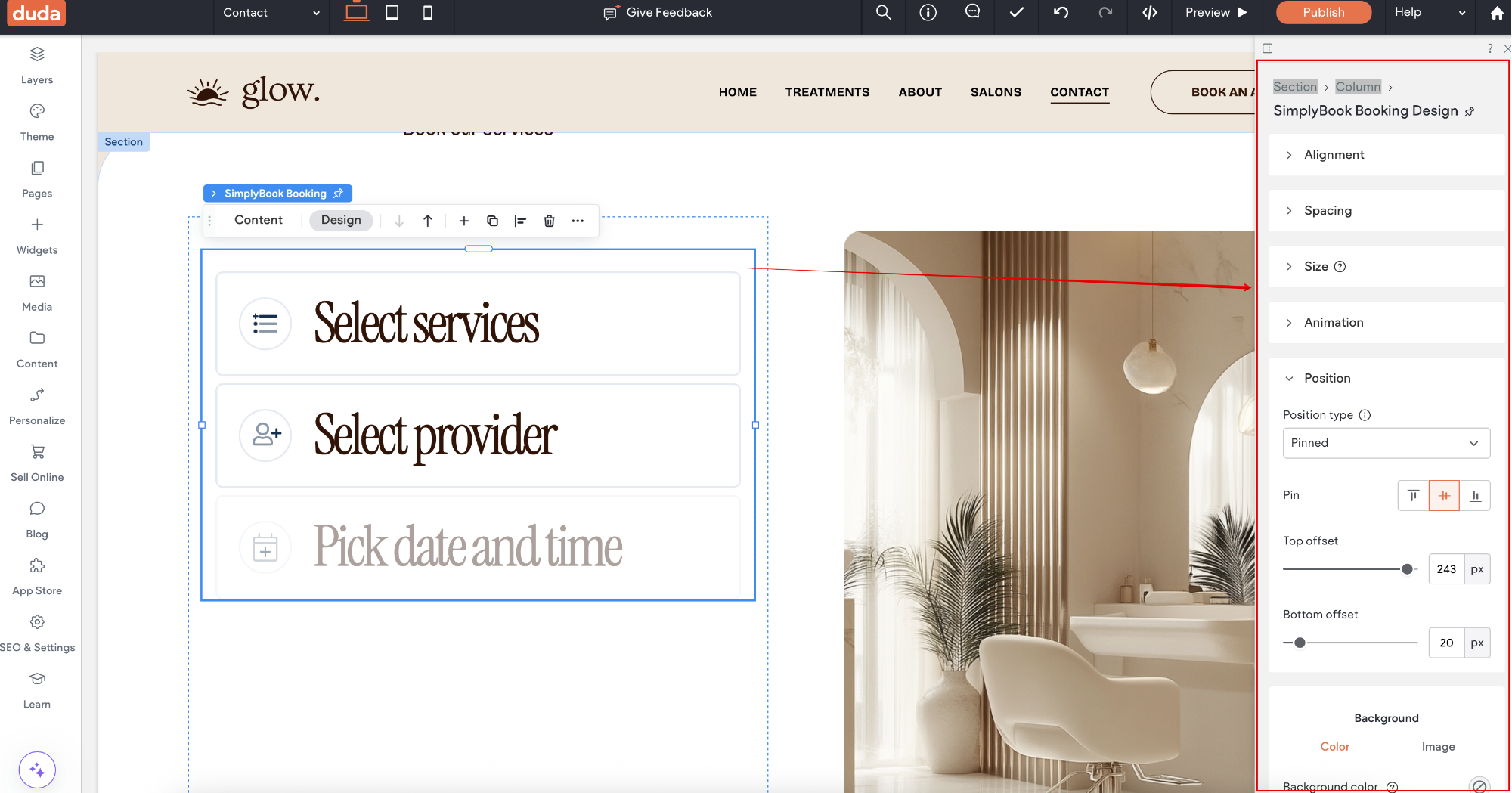
8. To adjust the design please use the built-in editing options, the widget will adjust to your website styles.
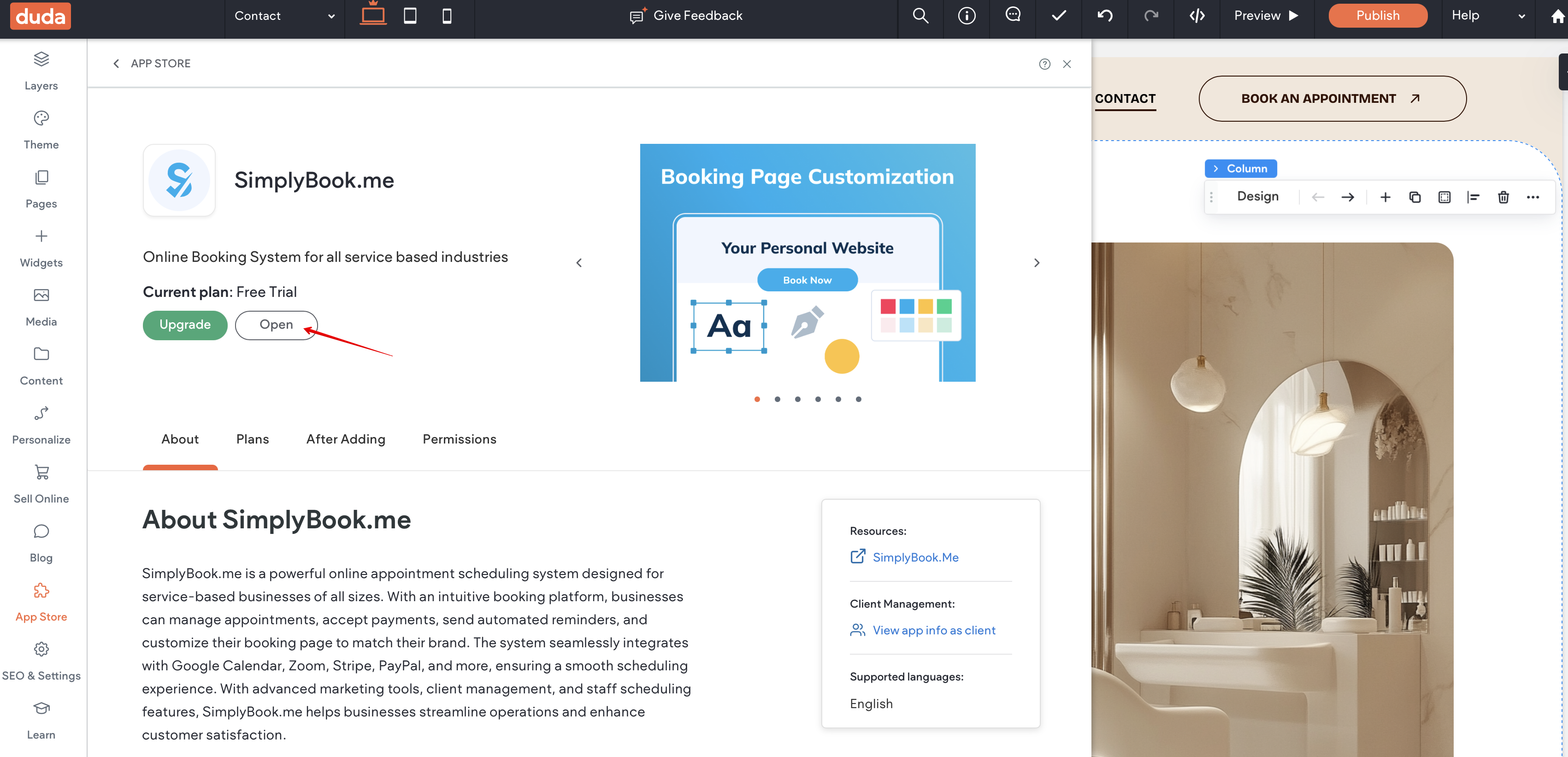
9. To add or edit your services, set prices, etc. please navigate to SimplyBook.me admin interface by clicking on Open button in the installed app.
You might also need
AI Voice Booking
With the AI Voice Booking widget, you can easily place an interactive AI widget button anywhere on your client’s website. Simply enable your feature on SimplyBook.me side, insert the widget code into an HTML section in your website builder and visitors will be able to book appointments just by messaging or speaking to the AI directly on the site. Please, check the tutorial to setup the integration.
