No edit summary |
No edit summary |
||
| (2 intermediate revisions by the same user not shown) | |||
| Line 1: | Line 1: | ||
<languages/> | <languages/> | ||
<translate> | <translate> | ||
<!--T:1--> | |||
{{#seo: | {{#seo: | ||
|title=Custom Features - SimplyBook.me | |title=Custom Features - SimplyBook.me | ||
| Line 8: | Line 9: | ||
</translate> | </translate> | ||
<translate> | <translate> | ||
Smart Widget (Beta) is a next-generation booking widget built with React, focused on delivering a fast, modern, and user-friendly experience. It allows clients to book multiple services in a single timeslot, where services are performed one after another — ideal for streamlined, sequential appointments. | <!--T:2--> | ||
[[File:React widget logo.png|left]] Smart Widget (Beta) is a next-generation booking widget built with React, focused on delivering a fast, modern, and user-friendly experience. It allows clients to book multiple services in a single timeslot, where services are performed one after another — ideal for streamlined, sequential appointments. | |||
The widget is fully mobile-responsive, quick to load, and does not trigger third-party cookie popups. While in beta, it includes basic style settings like font size adjustments and is easy to embed via a simple copy-paste of the code. | The widget is fully mobile-responsive, quick to load, and does not trigger third-party cookie popups. While in beta, it includes basic style settings like font size adjustments and is easy to embed via a simple copy-paste of the code. | ||
<br><br><br><br> | <br><br><br><br> | ||
'''Please note!''' | '''Please note!''' | ||
* When you enable this feature '''[[Special:MyLanguage/API_custom_feature |API]]''' will be enabled as well.<br><br> | * When you enable this feature '''[[Special:MyLanguage/API_custom_feature |API]]''' will be enabled as well. | ||
* When [[Special:MyLanguage/Multiple Bookings custom feature| Multiple bookings]] feature is enabled there is no separate button to "Add a new service". With this widget type the services are added to the cart by a click on them and the times will be booked consecutively. If the client decides to reschedule them the whole batch will be rescheduled together (this does not apply to admin access and if some of the bookings were already edited from the admin side). | |||
<br><br> | |||
Smart Widget does not yet support all existing functionality.<br> | Smart Widget does not yet support all existing functionality.<br> | ||
Some functionality may be unavailable:<br> | Some functionality may be unavailable:<br> | ||
* [[Special:MyLanguage/Coupons and Gift Cards custom feature|Coupons & Gift cards]] | * [[Special:MyLanguage/Coupons and Gift Cards custom feature|Coupons & Gift cards]] | ||
* [[Special:MyLanguage/Custom CSS custom feature|Custom CSS]] | * [[Special:MyLanguage/Custom CSS custom feature|Custom CSS]] | ||
Latest revision as of 08:22, 16 July 2026

Smart Widget (Beta) is a next-generation booking widget built with React, focused on delivering a fast, modern, and user-friendly experience. It allows clients to book multiple services in a single timeslot, where services are performed one after another — ideal for streamlined, sequential appointments.
The widget is fully mobile-responsive, quick to load, and does not trigger third-party cookie popups. While in beta, it includes basic style settings like font size adjustments and is easy to embed via a simple copy-paste of the code.
Please note!
- When you enable this feature API will be enabled as well.
- When Multiple bookings feature is enabled there is no separate button to "Add a new service". With this widget type the services are added to the cart by a click on them and the times will be booked consecutively. If the client decides to reschedule them the whole batch will be rescheduled together (this does not apply to admin access and if some of the bookings were already edited from the admin side).
Smart Widget does not yet support all existing functionality.
Some functionality may be unavailable:
- Coupons & Gift cards
- Custom CSS
- Display Remaining Spaces
- Membership
- Packages
- Products for sale
- Service Add-ons
- File Uploader - Google Drive
- Loyalty System
- Waiting List
- Online Video Meetings
- Custom wording & translations (the widget is automatically translated based on the metadata of page where it is placed)
- Themes & colors
- Client timezone
- How to use
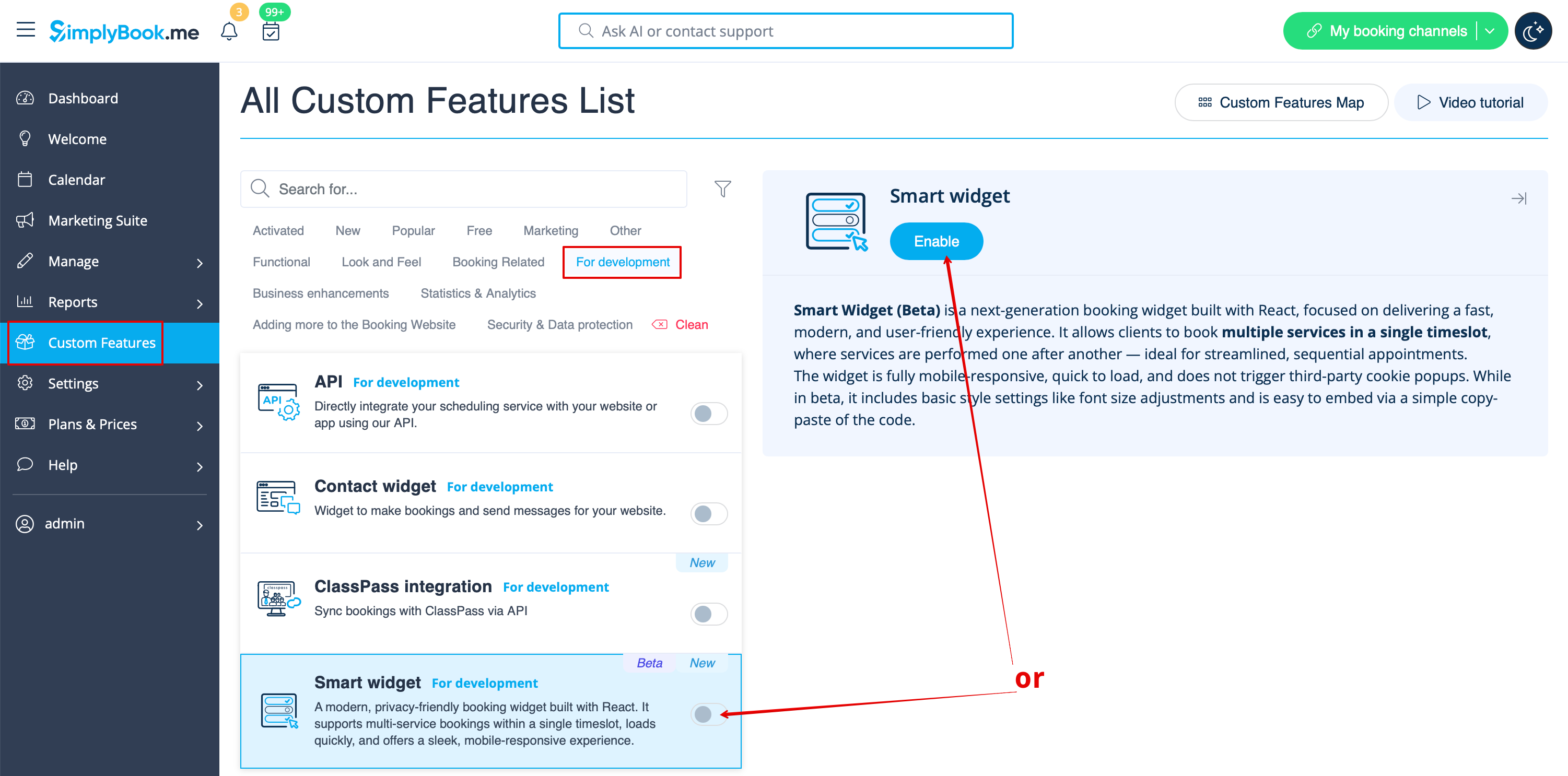
1. To enable this feature please navigate to Custom Features page, For development section and either move the switcher to the On position or hit Enable button on the right side of the page.
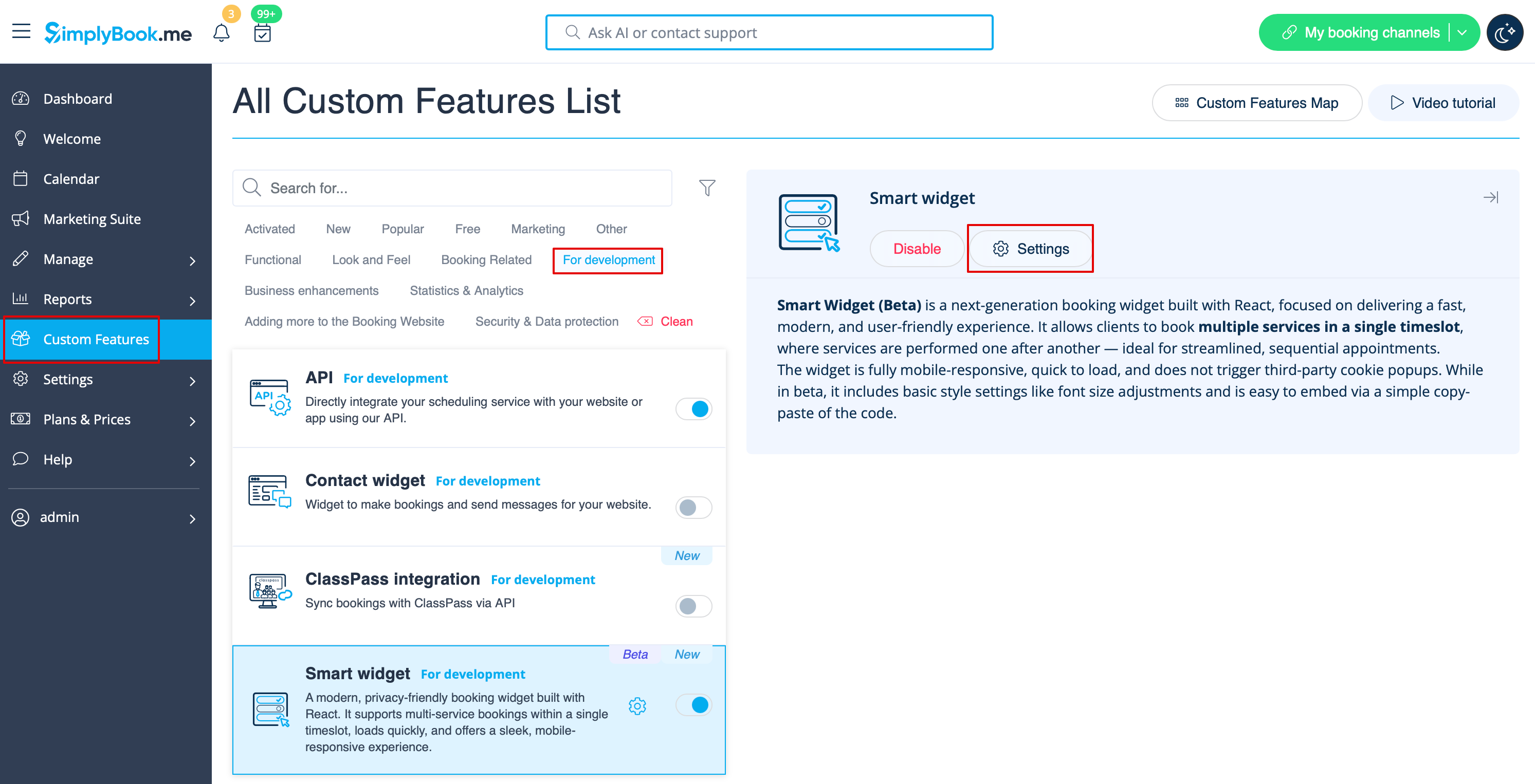
2. Click on Settings near the feature to navigate to the options page.
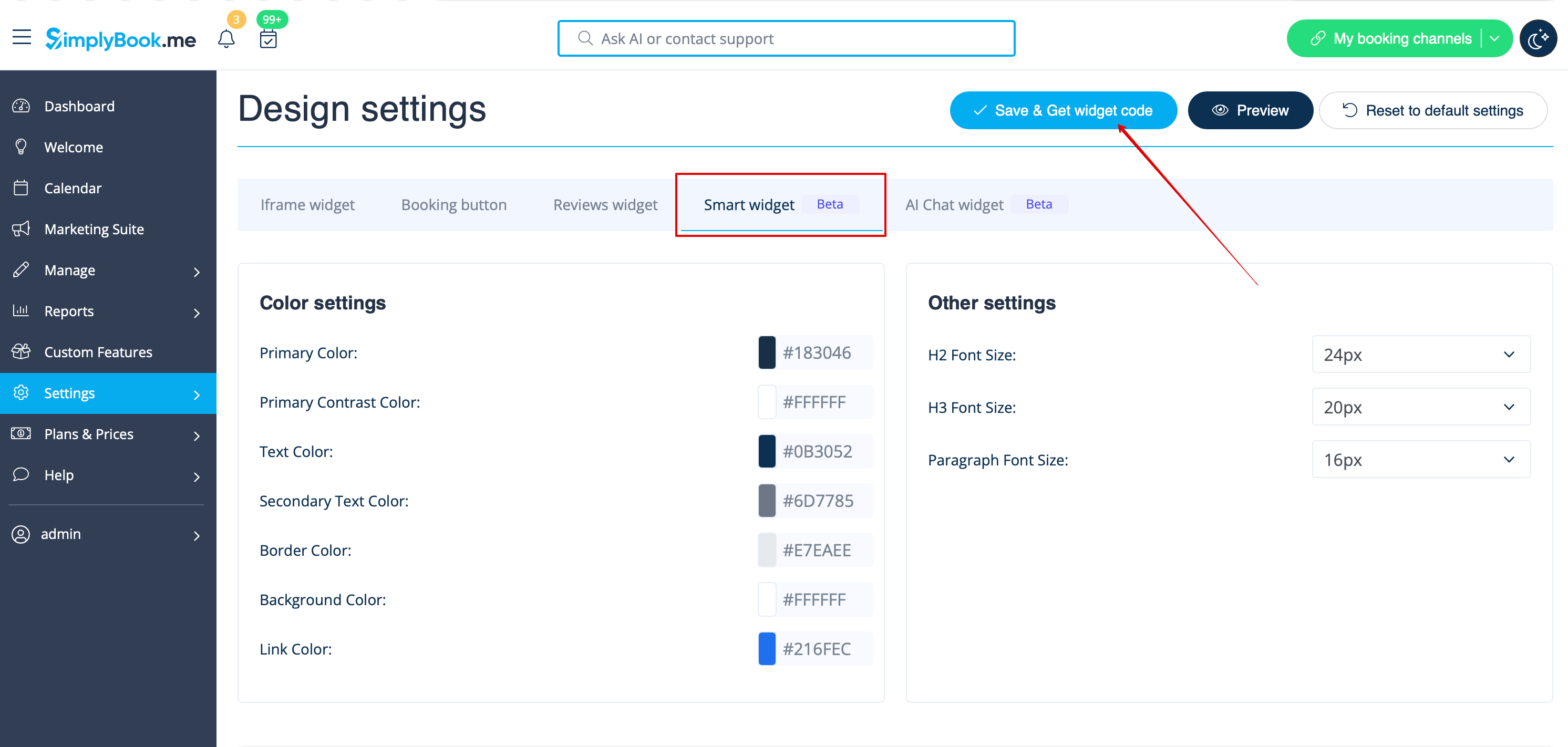
3. Adjust the parameters to your liking and click on Save & Get widget code.
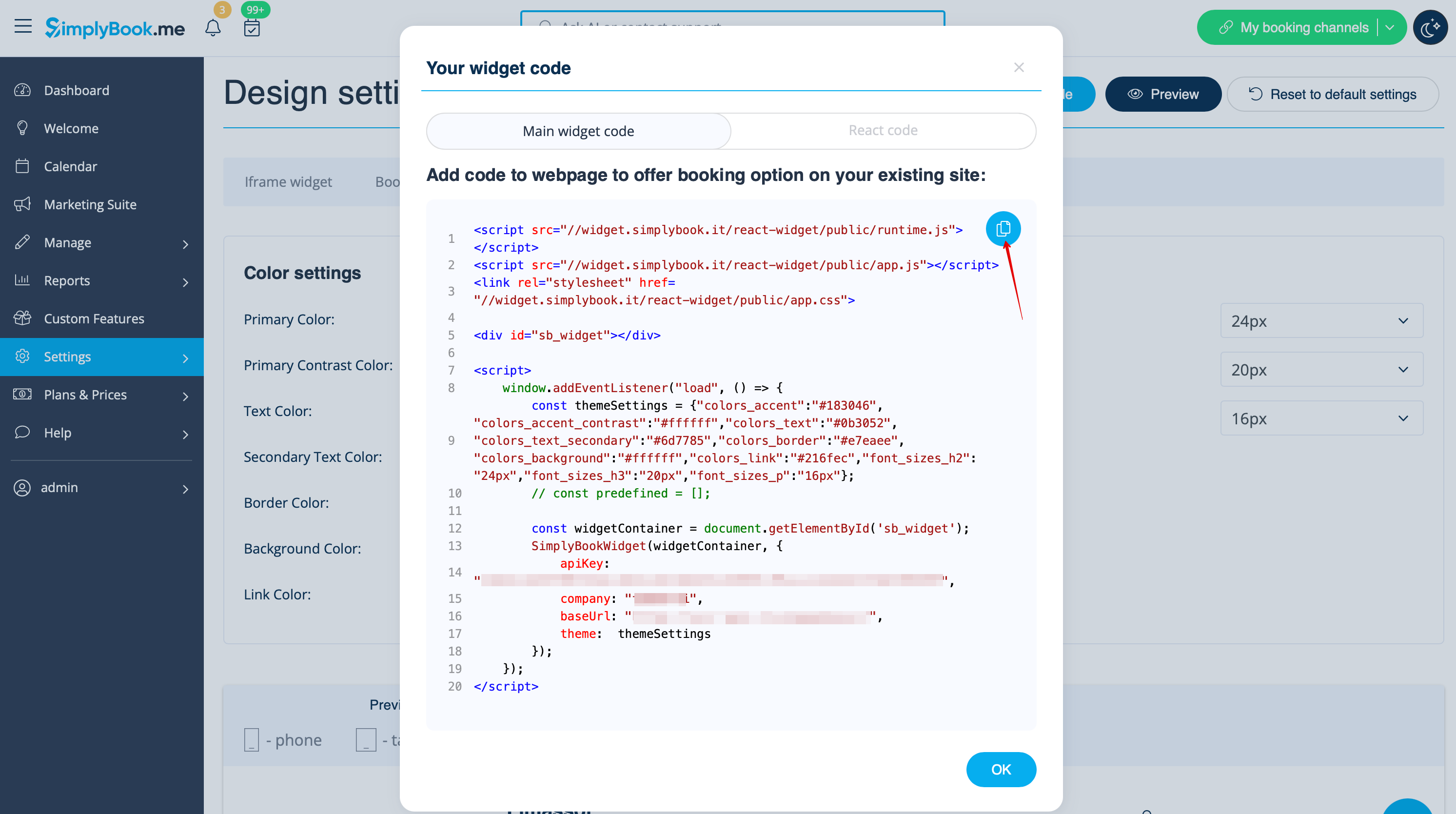
4. Copy the code and paste to your website HTML body. That's it!