From SimplyBook.me
No edit summary |
No edit summary |
||
| (5 intermediate revisions by 2 users not shown) | |||
| Line 1: | Line 1: | ||
<languages/> | |||
<translate> | |||
<!--T:1--> | |||
{{#seo: | |||
|title=How to get invoice in SimplyBook.me | |||
|description=Generate and access invoices for bookings. Configure invoice templates, add company details, send invoices to clients automatically or manually. | |||
|titlemode=append | |||
|keywords=faq, frequently asked questions, booking software, appointment system questions, appointments online, calendar software, booking system, booking calendar, scheduling software, online appointment scheduling, online scheduling, plugins, custom features, custom booking page link, domain name, custom domain name, custom url | |||
}} | |||
</translate> | |||
<br><br> | <br><br> | ||
<translate> | |||
Generally, all invoices about your subscription payments are sent either to your company email indicated in Settings | <!--T:2--> | ||
[[File:Company email.png | center]] | Generally, all invoices about your subscription payments are sent either to your company email indicated in Settings -> Company information -> Email | ||
[[File:Company email address redesigned.png|1200px| center|link=https://help.simplybook.me/images/7/7c/Company_email_address_redesigned.png]] | |||
<br><br> | <br><br> | ||
or to the email address you have indicated in "Invoice email" box. | or to the email address you have indicated in "Invoice email" box. | ||
[[File: | [[File:Email for invoice redesigned.png|1200px | center|link=https://help.simplybook.me/images/3/35/Email_for_invoice_redesigned.png]] | ||
<br><br> | <br><br> | ||
</translate> | |||
<translate> | |||
<!--T:3--> | |||
It may happen that you need a copy of the invoice for accounting or reporting purposes and now you can easily download them. | It may happen that you need a copy of the invoice for accounting or reporting purposes and now you can easily download them. | ||
Please go to Plans&Prices | Please go to Plans&Prices -> Payment history. | ||
In the first block "History" in the last column you will be able to see "Download invoice" button for the payments where it is available. | In the first block "History" in the last column you will be able to see "Download invoice" button for the payments where it is available. | ||
[[File: | [[File:Invoices list redesigned.png|1200px | center|link=https://help.simplybook.me/images/f/f8/Invoices_list_redesigned.png]] | ||
<br><br> | <br><br> | ||
If you need invoices for old payments or for the ones where such button does not appear please contact support. | If you need invoices for old payments or for the ones where such button does not appear please contact support. | ||
<br><br> | <br><br> | ||
</translate> | |||
Latest revision as of 18:16, 30 January 2026
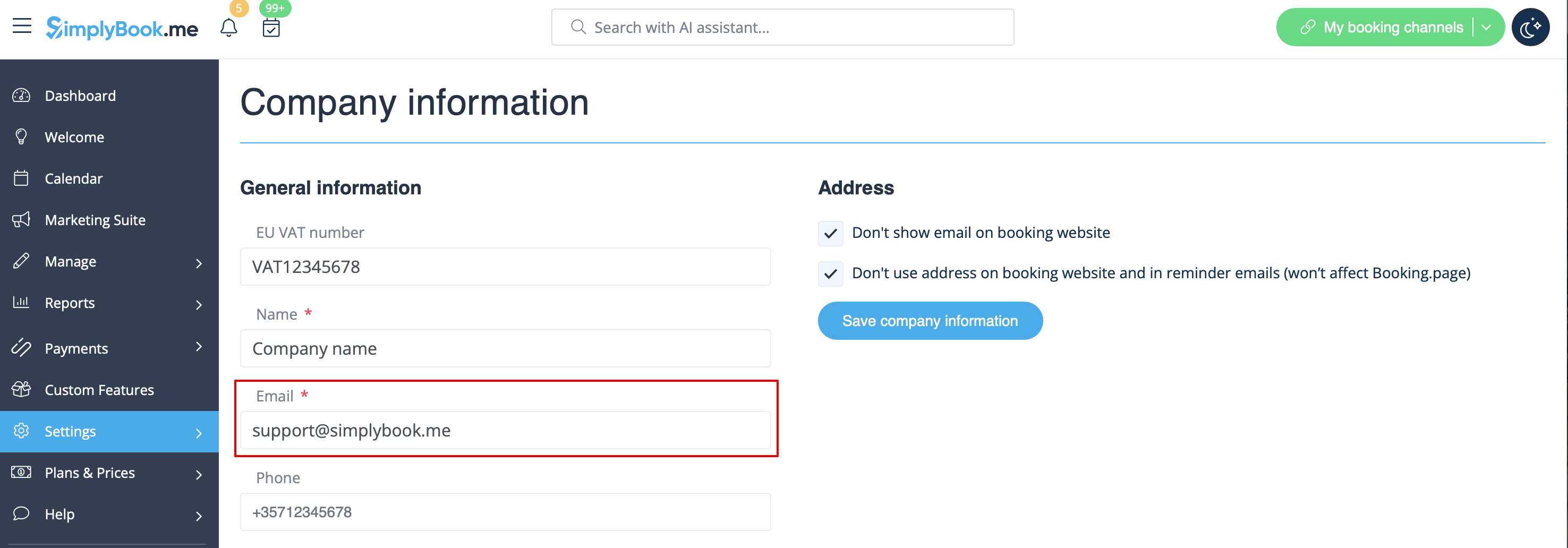
Generally, all invoices about your subscription payments are sent either to your company email indicated in Settings -> Company information -> Email
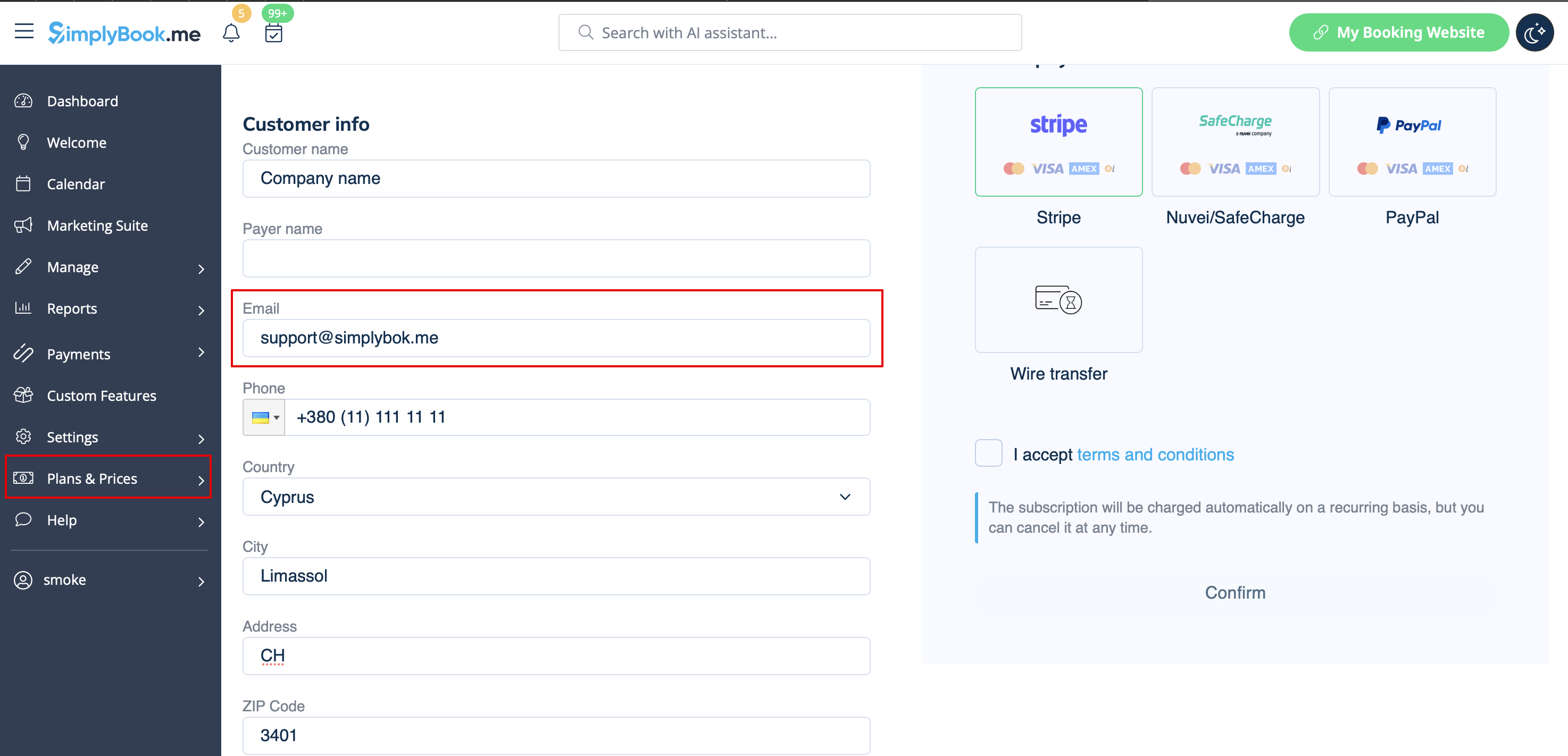
or to the email address you have indicated in "Invoice email" box.
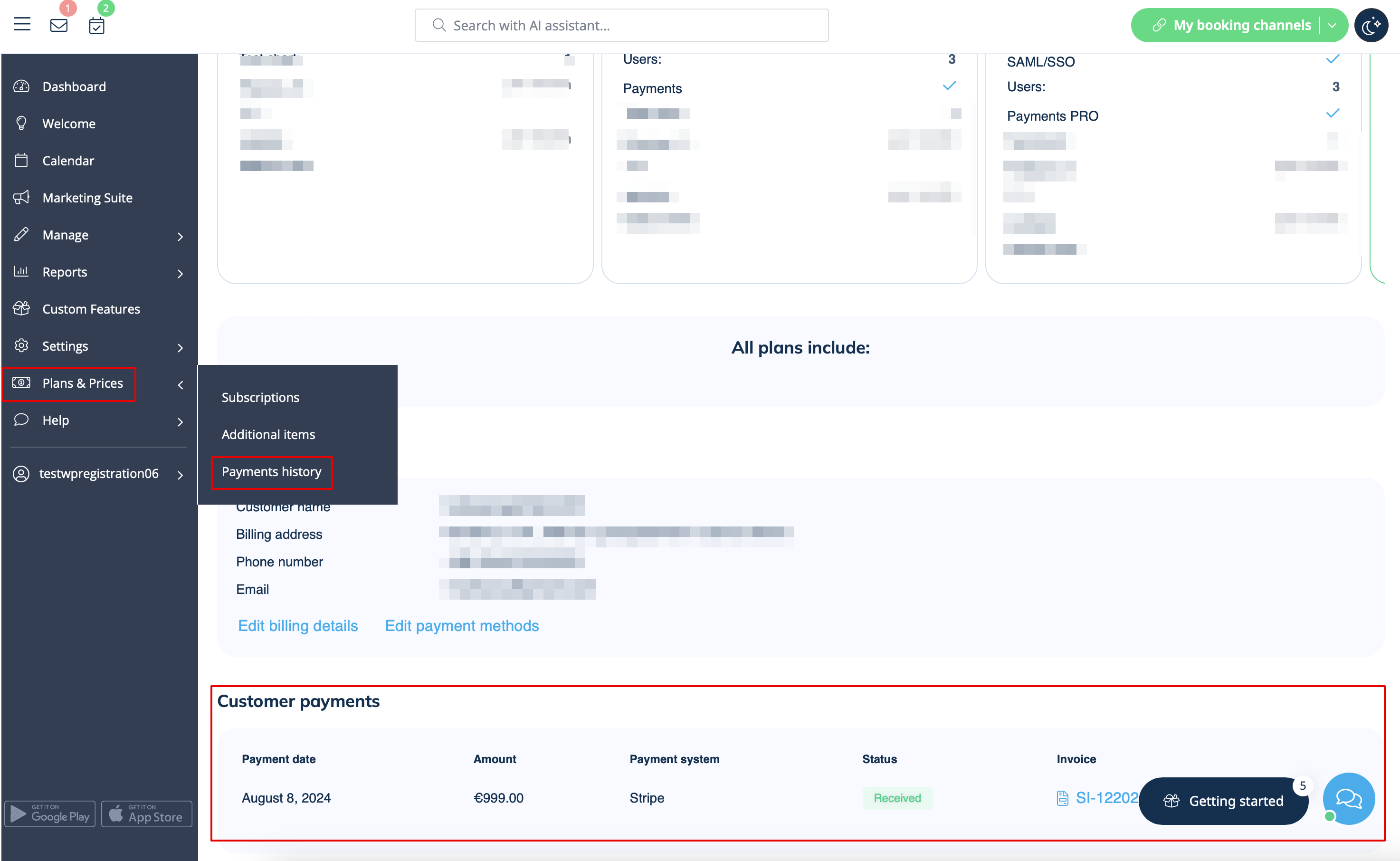
It may happen that you need a copy of the invoice for accounting or reporting purposes and now you can easily download them.
Please go to Plans&Prices -> Payment history.
In the first block "History" in the last column you will be able to see "Download invoice" button for the payments where it is available.
If you need invoices for old payments or for the ones where such button does not appear please contact support.
