| Line 72: | Line 72: | ||
Make your booking page more attractive showing the photos of your services with <span style="background-color:#cdeffc; padding:5px; border-radius:5px;">[[Custom_Features#Photo_Gallery| Photo Gallery]]</span> custom feature. | Make your booking page more attractive showing the photos of your services with <span style="background-color:#cdeffc; padding:5px; border-radius:5px;">[[Custom_Features#Photo_Gallery| Photo Gallery]]</span> custom feature. | ||
To enable it please go to <span style="background-color:#d4f8e5; padding:5px; border-radius:5px;">Custom Features</span> -> <span style="background-color:#d4f8e5; padding:5px; border-radius:5px;">Adding more to the booking website</span> -> <span style="background-color:#cdeffc; padding:5px; border-radius:5px;">[[Custom_Features#Photo_Gallery| Photo Gallery]]</span> -> <span style="background-color:#d4f8e5; padding:5px; border-radius:5px;">Enable</span> | To enable it please go to <span style="background-color:#d4f8e5; padding:5px; border-radius:5px;">Custom Features</span> -> <span style="background-color:#d4f8e5; padding:5px; border-radius:5px;">Adding more to the booking website</span> -> <span style="background-color:#cdeffc; padding:5px; border-radius:5px;">[[Custom_Features#Photo_Gallery| Photo Gallery]]</span> -> <span style="background-color:#d4f8e5; padding:5px; border-radius:5px;">Enable</span> | ||
[[File:Photo gallery enable path | [[File:Photo gallery enable path redesigned.png|1200px | border|center|link=https://help.simplybook.me/images/7/79/Photo_gallery_enable_path_redesigned.png]] | ||
<br><br> | <br><br> | ||
=News= | =News= | ||
<br><br> | <br><br> | ||
Revision as of 13:20, 29 July 2024
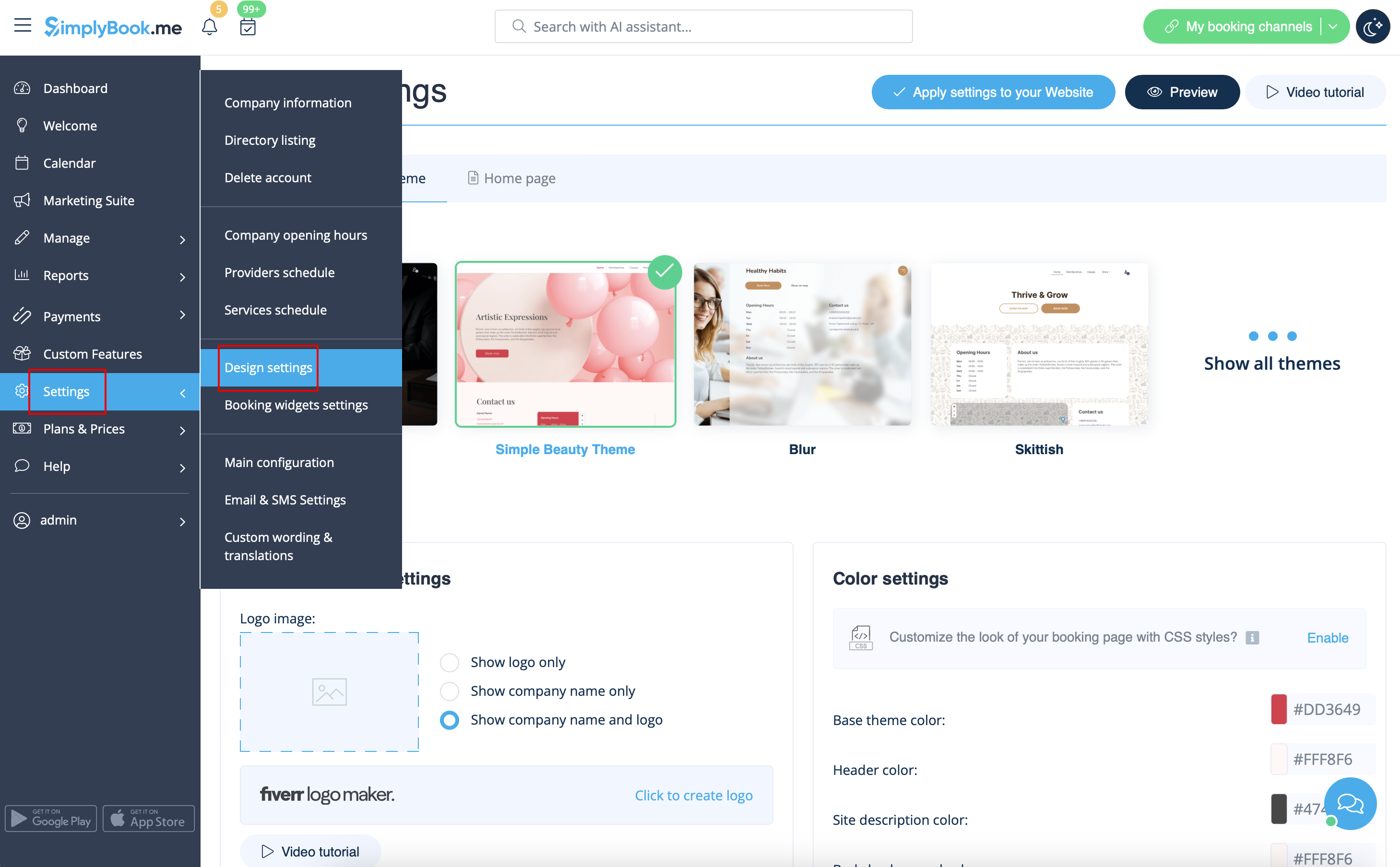
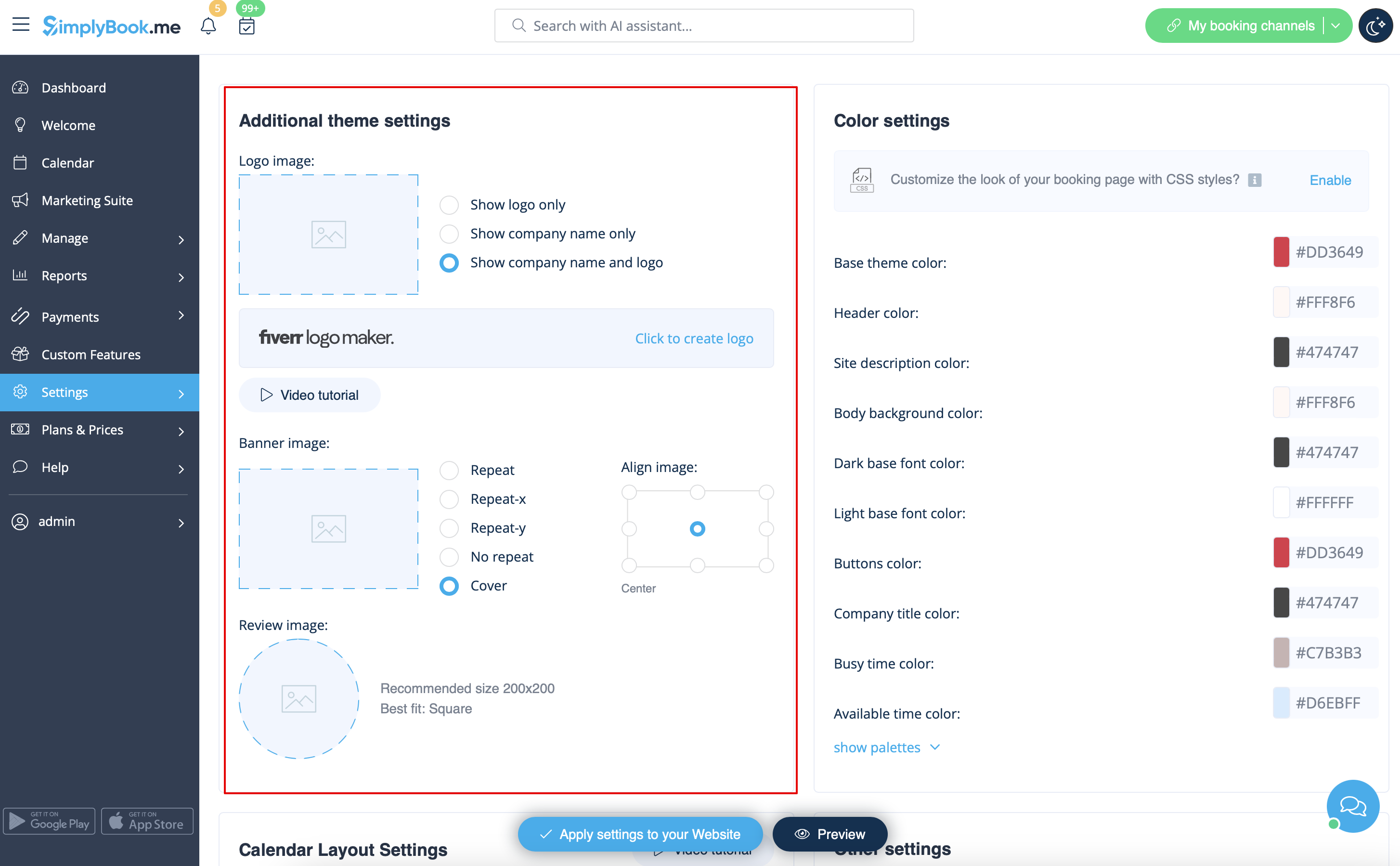
Logo and background
You can add your company logo and nice banner, as well as a separate logo for the "Reviews" page in
Settings
->
Design settings
->
Additional theme settings
Pictures
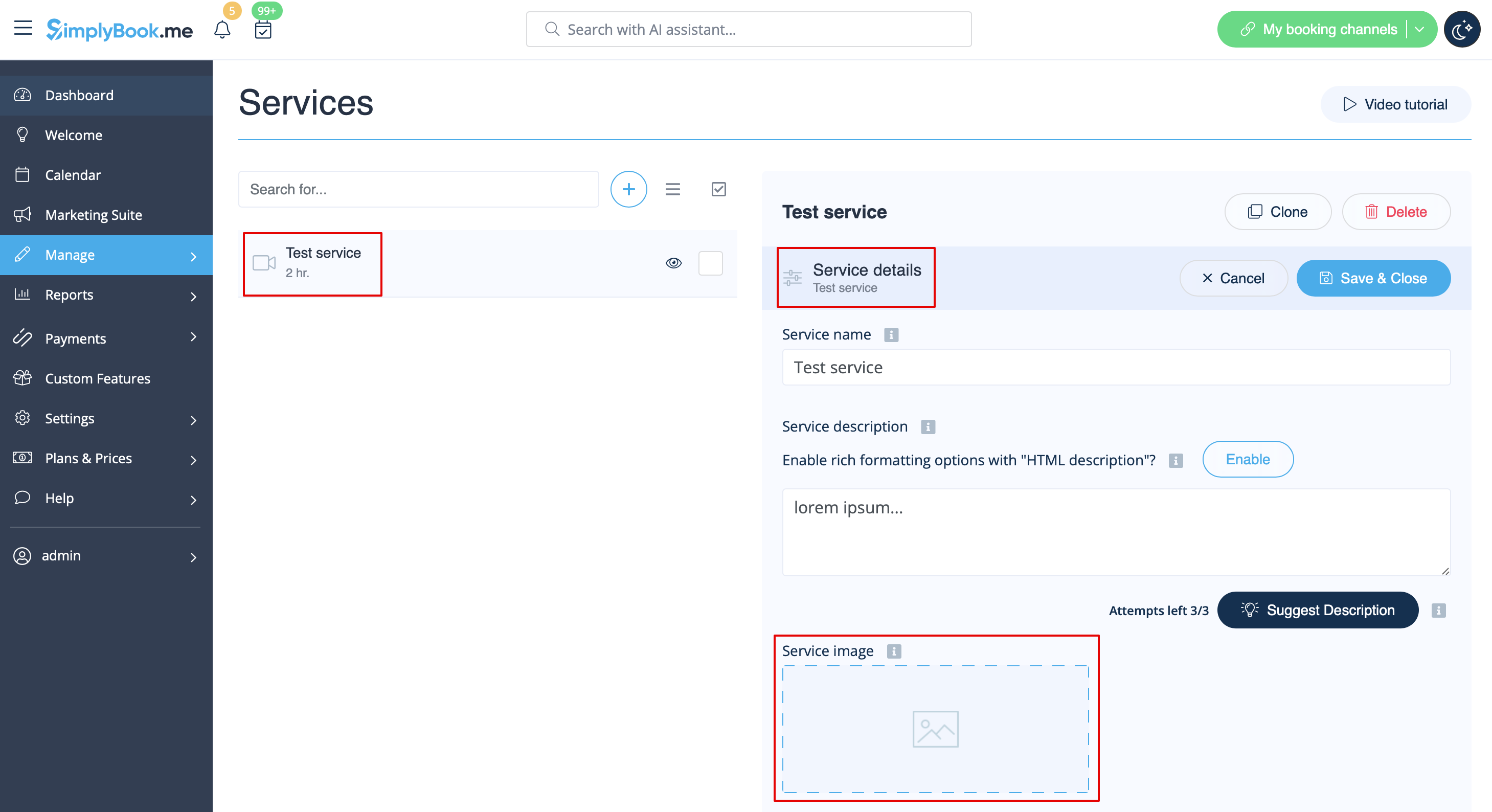
You can add pictures to your services, providers, categories and locations, etc. in Manage -> Services/Service Providers -> Service details or Service provider details tab -> click on the photo icon in Service image or Service provider image box and browse the photo.
Descriptions
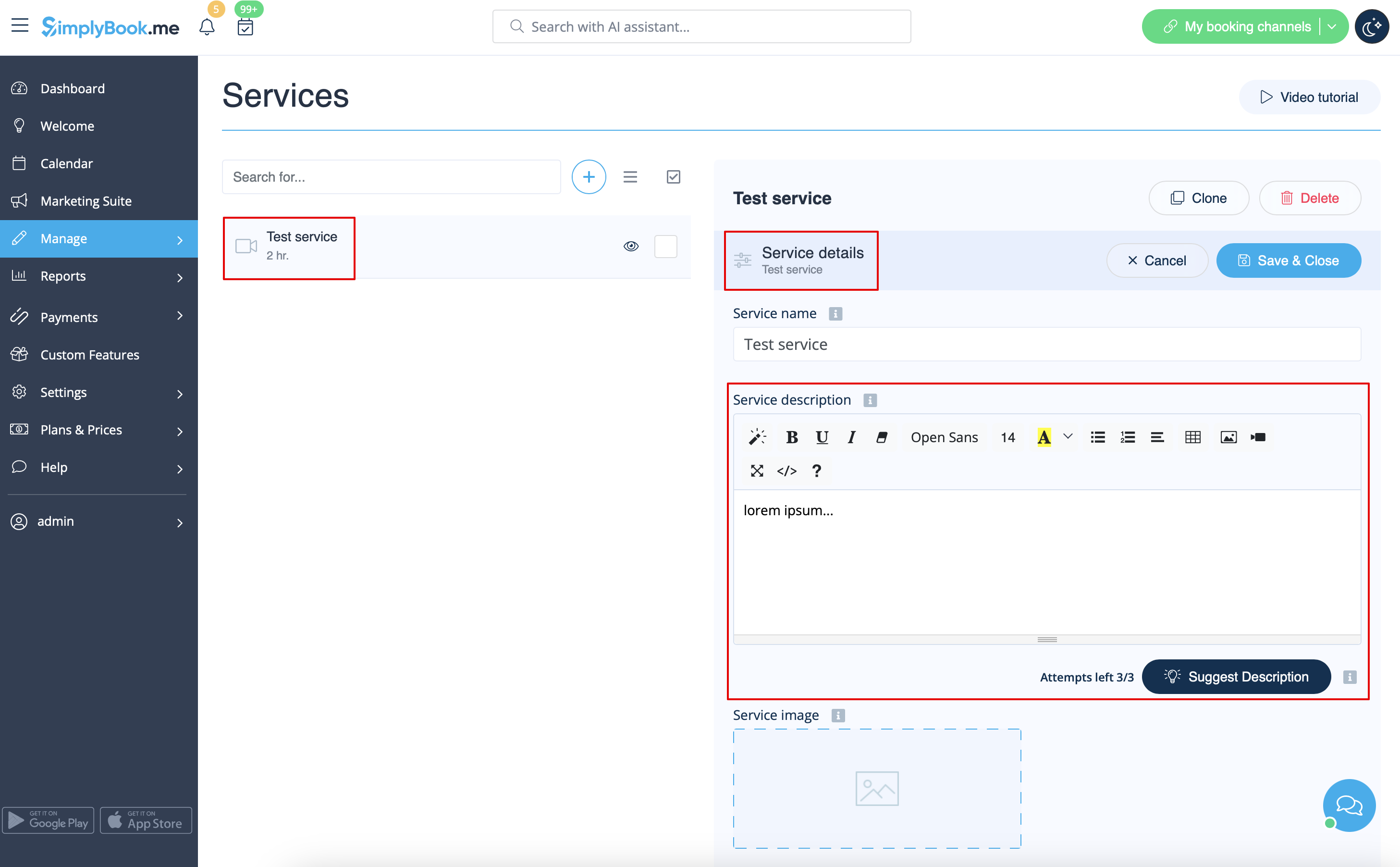
Need to provide more information regarding your services and/or employees?
You can set this in Manage -> Services/Service Providers -> Service details or Service provider details tab -> Service description or Service provider description
About section
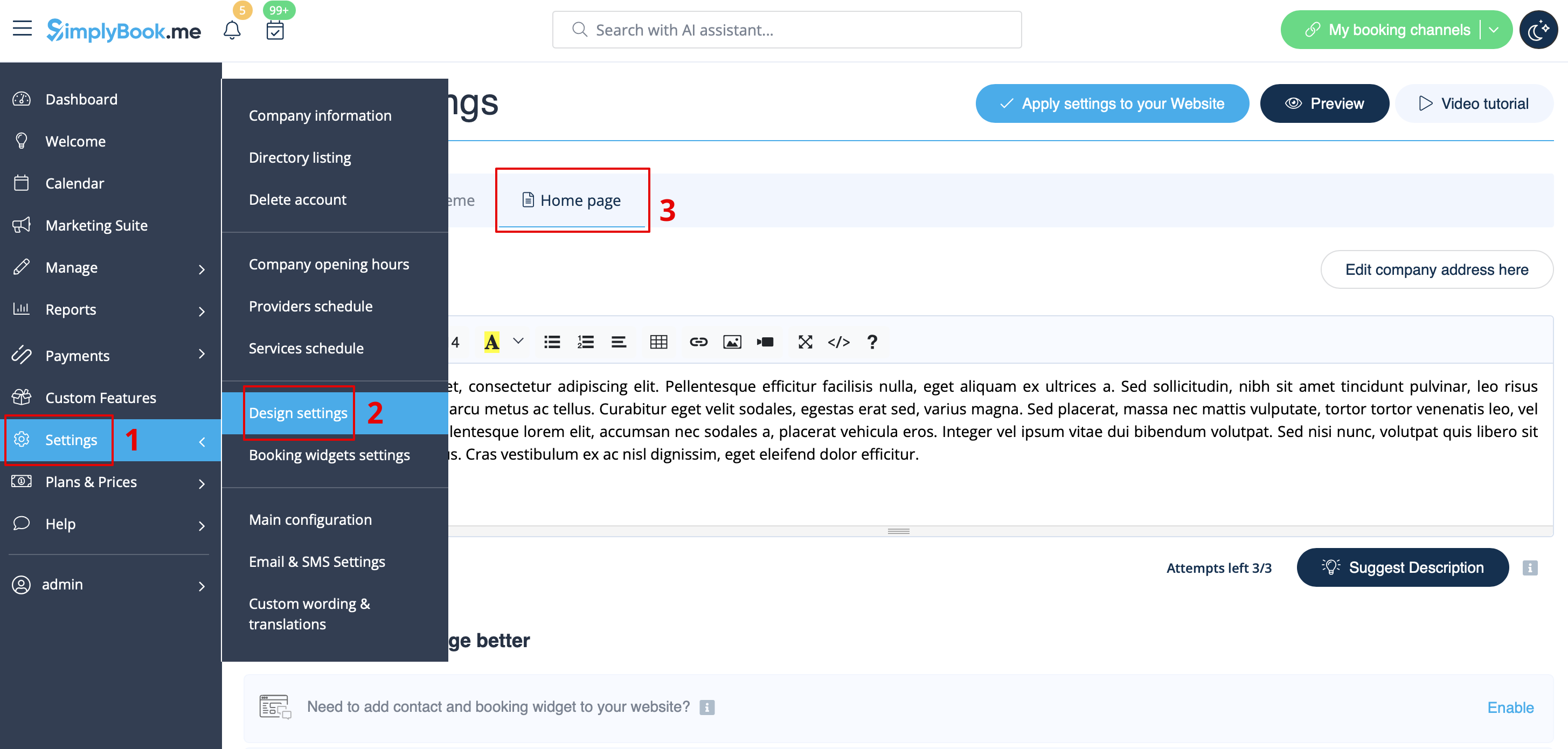
In Settings -> Design settings -> Home page you can add some company description and other important information that you wish to be displayed on your home page.
Contacts
Need to show your clients some contact details? Please add them in Settings -> Company information
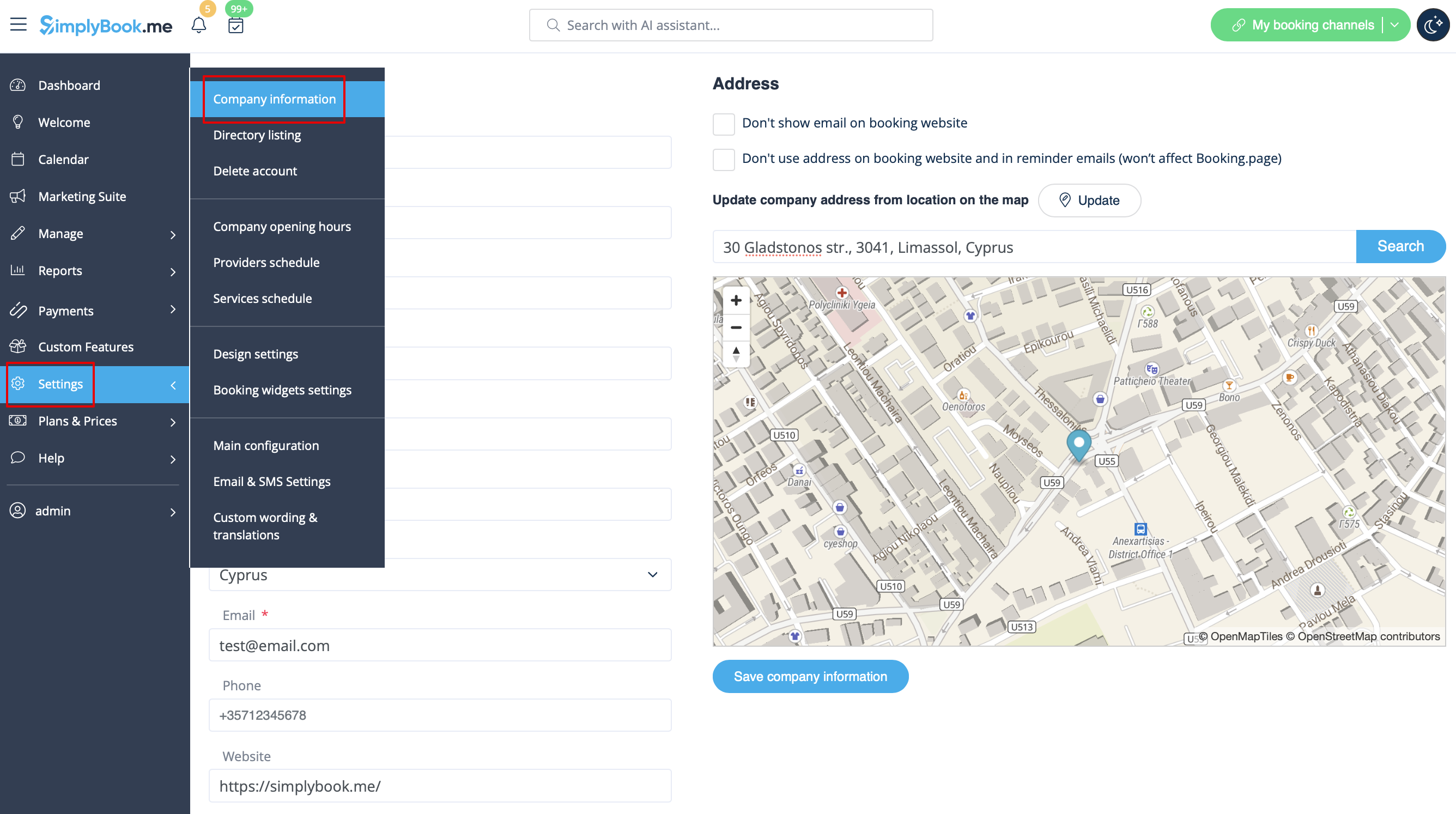
You can add the following details there:
- Email address
- Phone number
- Website address
- WhatsApp phone
- Facebook profile url
- X.com (Twitter) page link
- Instagram page url
- LinkedIn page
An example of the client side look.
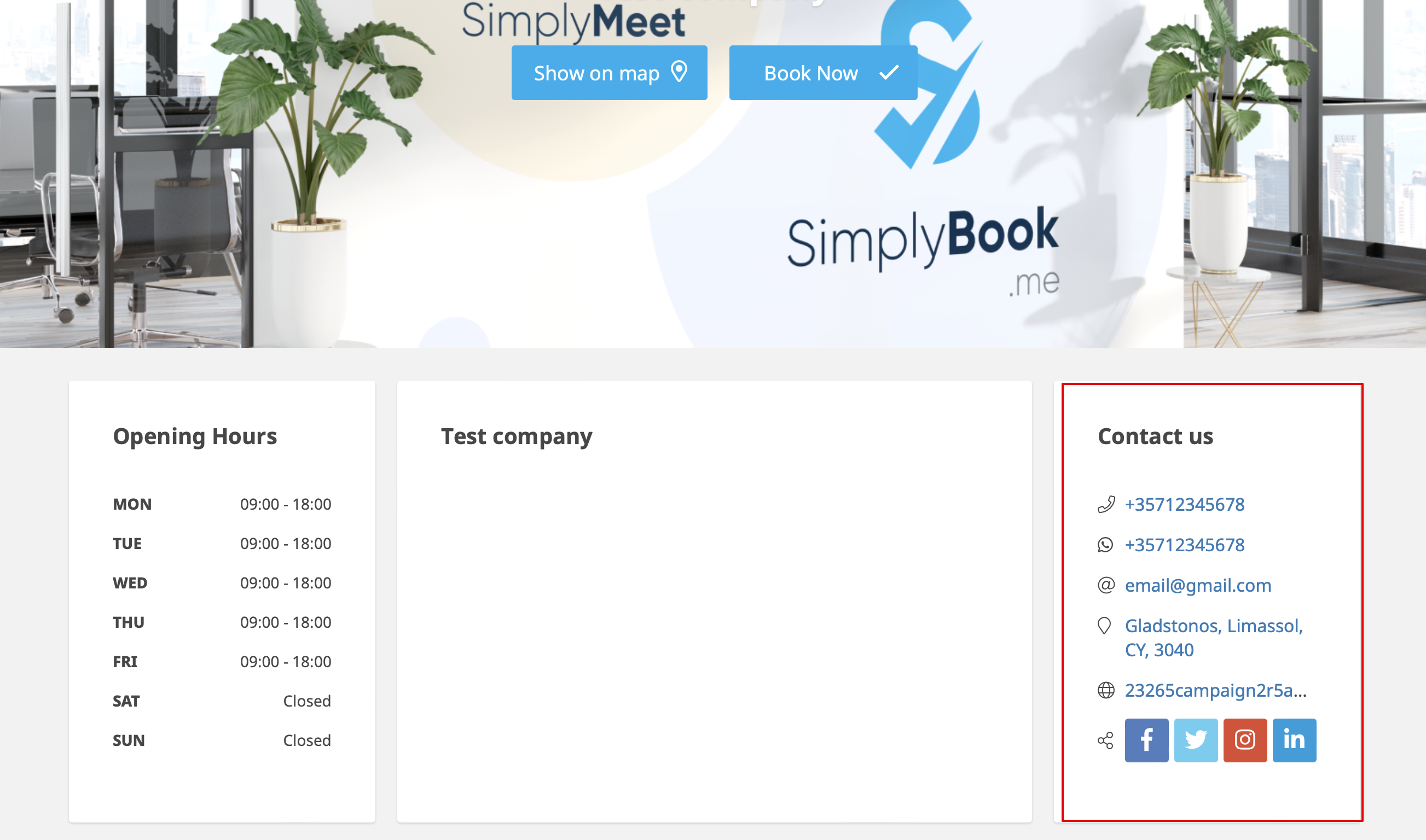
The clients will be able to, for example, click on WhatsApp number and be redirected to the WhatsApp messenger to easily contact you there.
Gallery
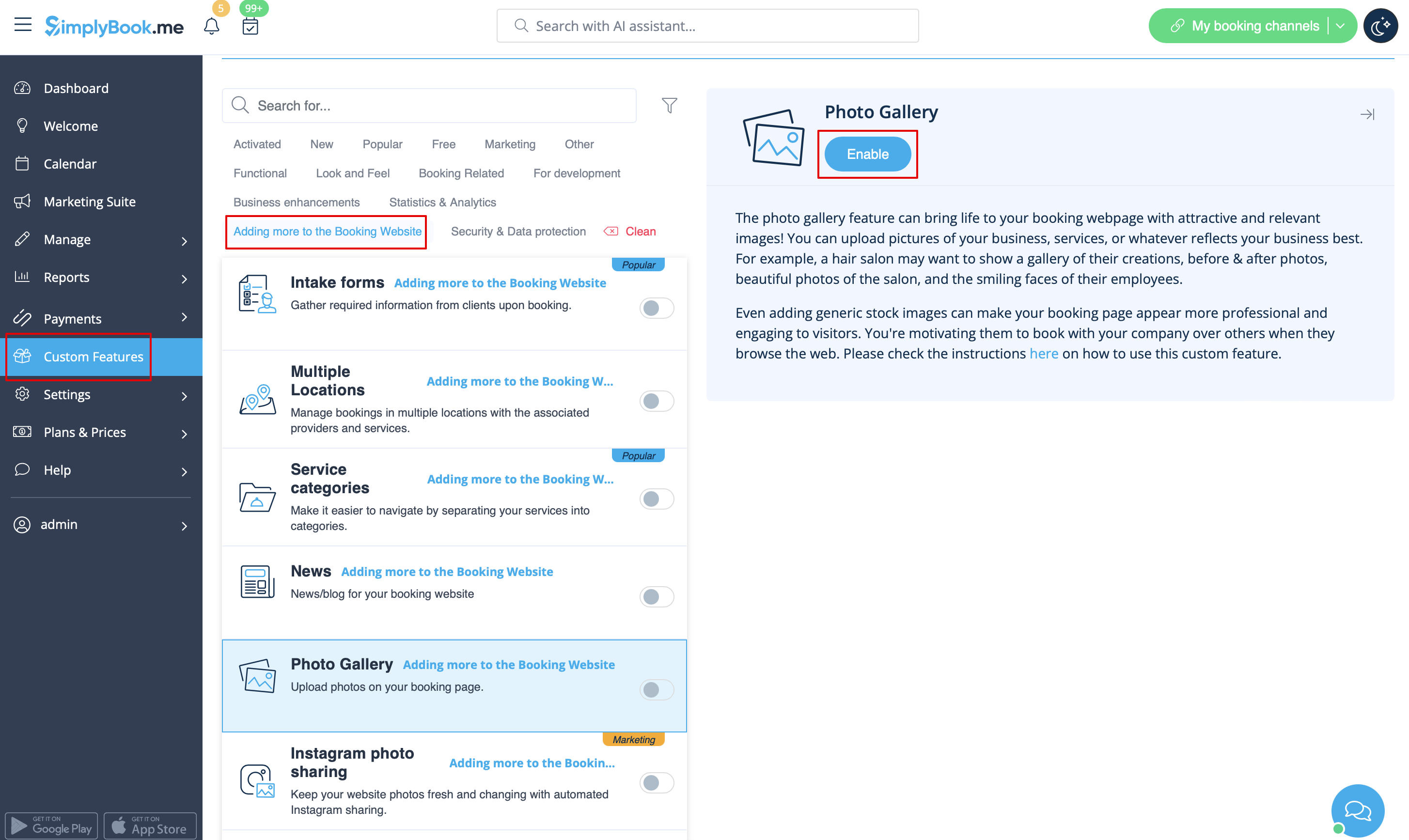
Make your booking page more attractive showing the photos of your services with Photo Gallery custom feature.
To enable it please go to Custom Features -> Adding more to the booking website -> Photo Gallery -> Enable
News
This option allows to add fresh news to your booking website.
To activate it please go to Custom Features -> Adding more to the booking website -> News -> Enable

After it is enabled in Custom Features -> News -> Settings you can create news posts and they will be shown in the separate tab on your booking site.


Terms and Conditions
Need your business to be bulletproof? You can add your own Terms and Conditions by enabling the corresponding custom feature in Custom Features -> Security & Data protection and adding the text of your T&C in its settings.

Cancellation Policy
Need to restrict the period when bookings can be canceled by clients? Please go to Custom Features -> Data protection -> Cancellation Policy -> Enable and set it to your needs.

Html formatting for description fields
This feature allows making descriptions more eye-catching with the use of HTML formatting.
Please go to Custom Features -> Look and Feel -> HTML description fields -> Enable and edit descriptions for services, providers, locations and categories in the corresponding Manage section.

