Created page with ":5. Fügen Sie die Informationen in die erforderlichen Felder ein. :Vergewissern Sie sich, dass Sie im Abschnitt "App-Typen" die Web-App auswählen und geben Sie auch die E-Ma..." |
Created page with ":6. Nachdem das LINE Login erstellt wurde, klicken Sie auf den Reiter LIFF und fügen Sie dort die LIFF App hinzu. File:Add liff app path.png|1200px|center|link=https://help..." |
||
| Line 32: | Line 32: | ||
[[File:Create line channel form.png|1200px|center|link=https://help.simplybook.me/images/c/c7/Create_line_channel_form.png]] | [[File:Create line channel form.png|1200px|center|link=https://help.simplybook.me/images/c/c7/Create_line_channel_form.png]] | ||
:6. Nachdem das LINE Login erstellt wurde, klicken Sie auf den Reiter LIFF und fügen Sie dort die LIFF App hinzu. | |||
:6. | |||
[[File:Add liff app path.png|1200px|center|link=https://help.simplybook.me/images/2/21/Add_liff_app_path.png]] | [[File:Add liff app path.png|1200px|center|link=https://help.simplybook.me/images/2/21/Add_liff_app_path.png]] | ||
<div lang="en" dir="ltr" class="mw-content-ltr"> | <div lang="en" dir="ltr" class="mw-content-ltr"> | ||
Revision as of 13:51, 2 January 2025

Die Integration von LINE LIFF mit SimplyBook.me bietet Unternehmen die Möglichkeit, ihren Terminbuchungsprozess und die Kundenbindung zu verbessern. Durch das Anbieten eines nahtlosen und effizienten Erlebnisses direkt in der Line Messaging App können Unternehmen Kunden anziehen und binden, ihre Abläufe rationalisieren und sich auf dem Markt behaupten.
Bitte beachten Sie! Die individuelle Funktion "Kundenfelder" ist nicht mit der LINE LIFF-Funktion kompatibel.
Wie verwenden Sie diese Funktion
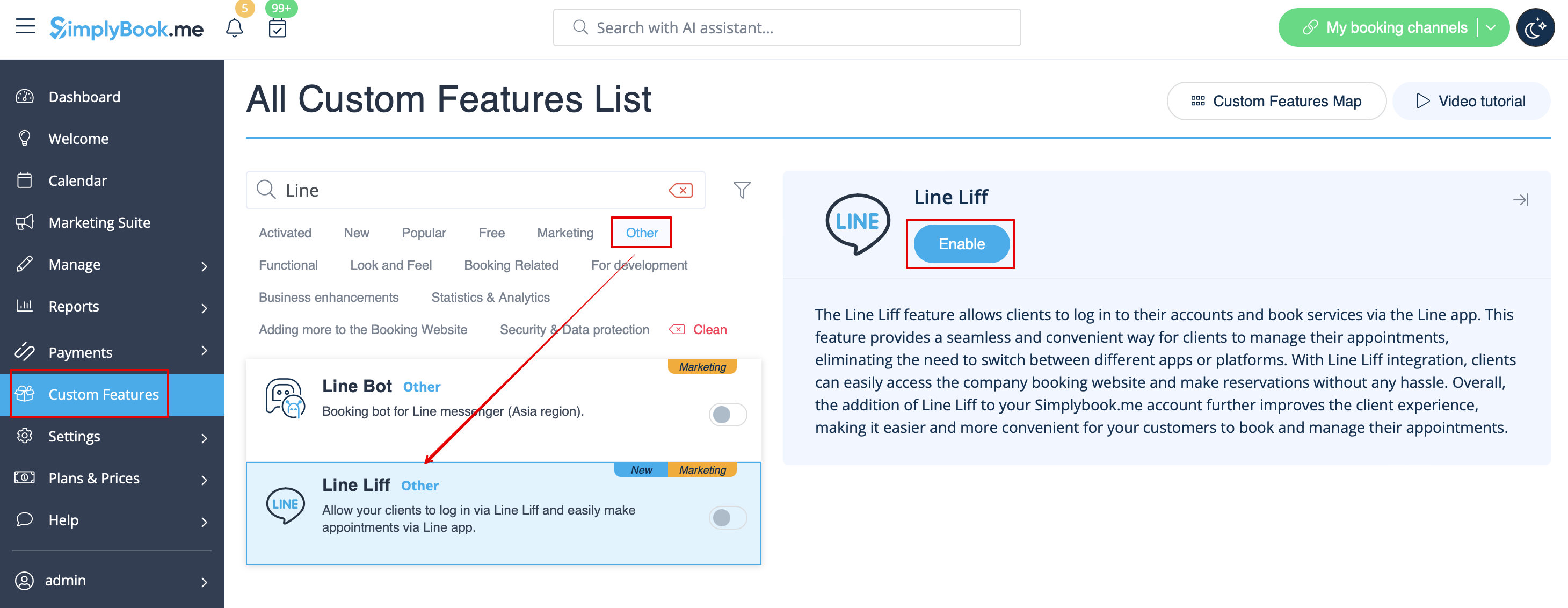
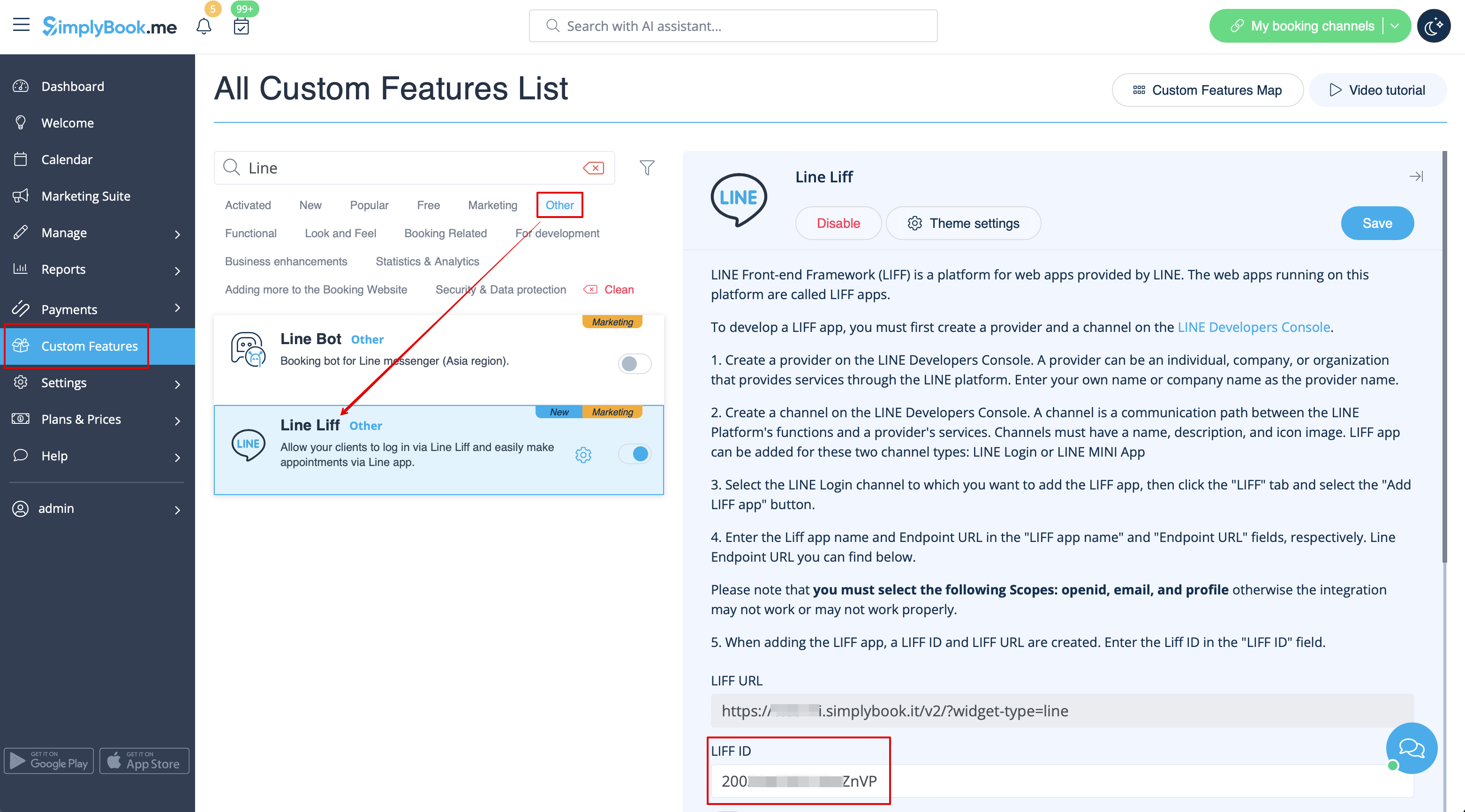
- 1. Um diese Funktion zu aktivieren, gehen Sie zum Abschnitt Individuelle Funktionen im Menü auf der linken Seite Ihrer Verwaltungsoberfläche, suchen Sie LINE LIFF und klicken Sie auf die Schaltfläche Aktivieren oder verwenden Sie den Umschalter.

- 2. Um eine LIFF-App zu integrieren, müssen Sie einen Anbieter und einen Kanal in der LINE Developers Console erstellen.
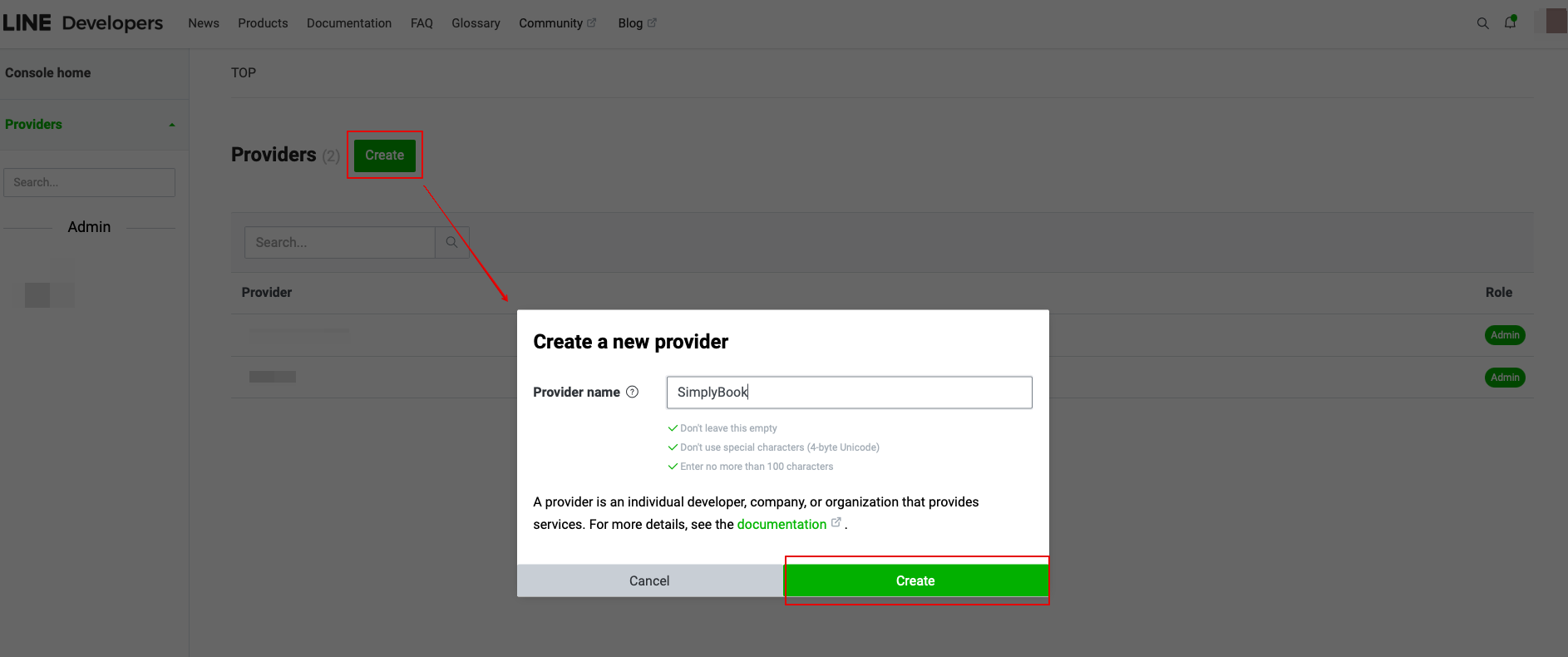
- 3. Sobald Sie sich dort angemeldet haben, fahren Sie mit der Erstellung einer Provider-Instanz fort.
- (Anbieter kann eine Einzelperson, ein Unternehmen oder eine Organisation sein, die Dienste über die LINE-Plattform anbietet)
- Geben Sie den gewünschten Namen oder Firmennamen als Anbieternamen in das entsprechende Formular ein.
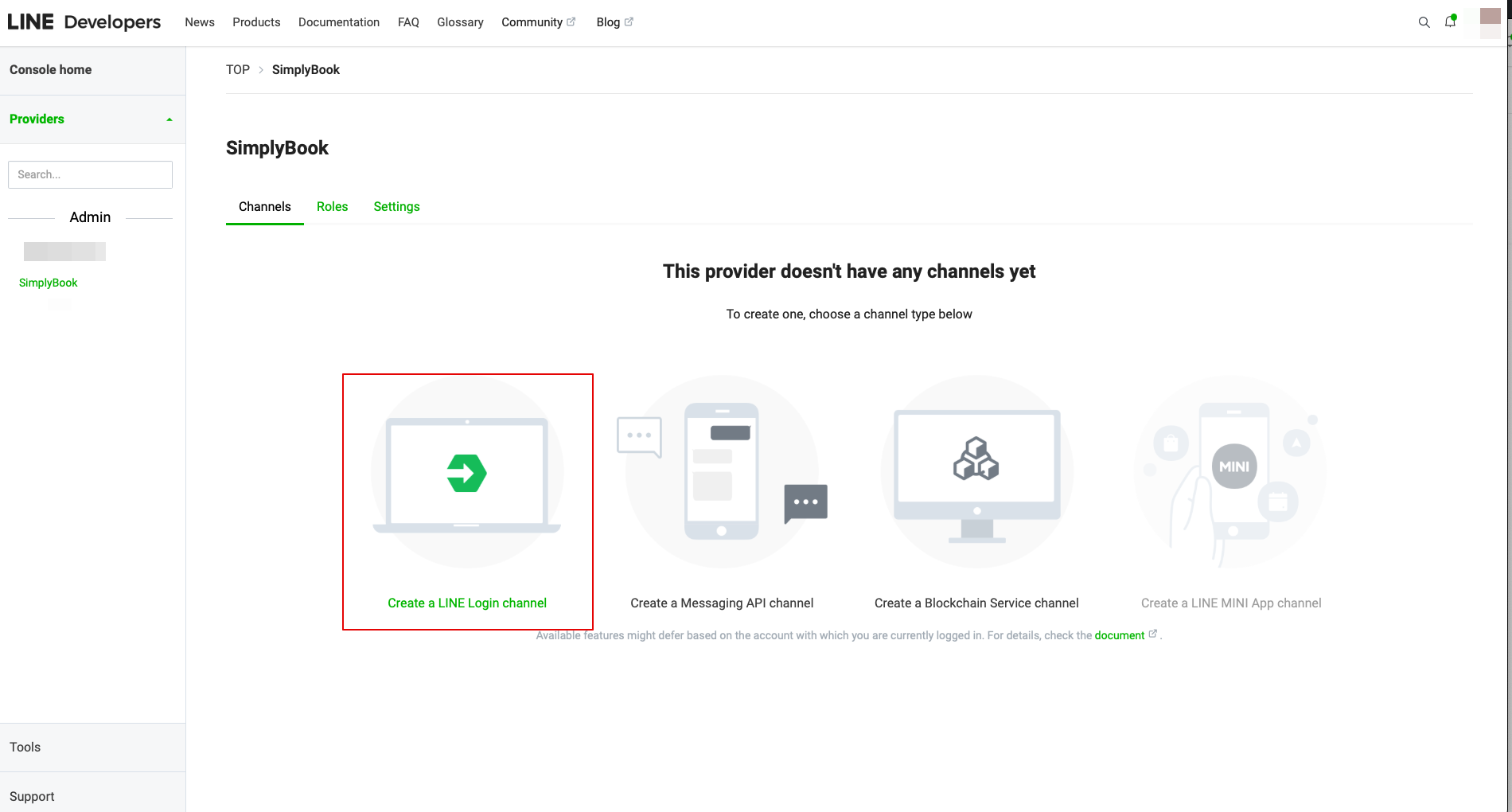
- 4. Gehen Sie dann zum Erstellen eines LINE Login-Kanals.
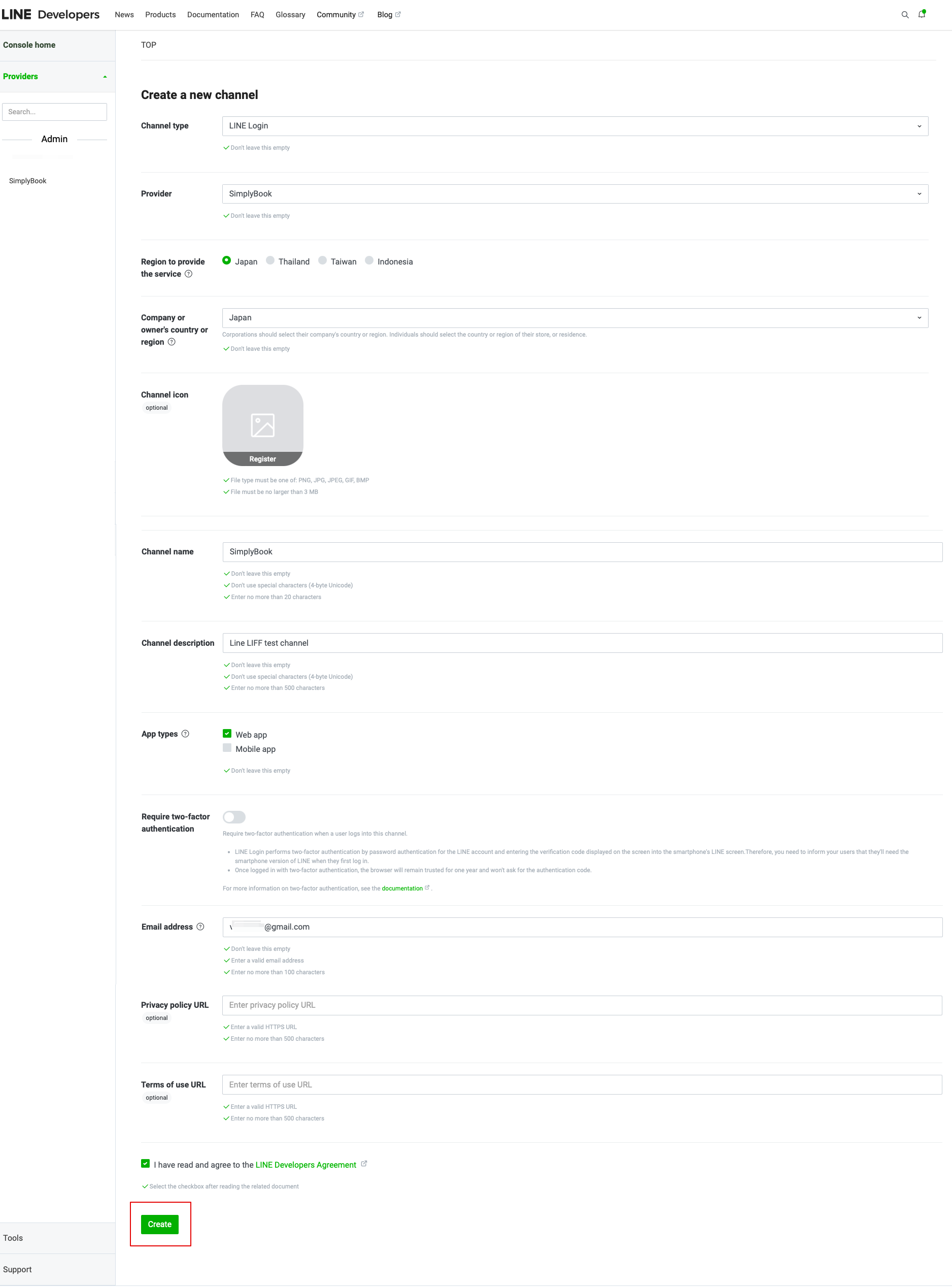
- 5. Fügen Sie die Informationen in die erforderlichen Felder ein.
- Vergewissern Sie sich, dass Sie im Abschnitt "App-Typen" die Web-App auswählen und geben Sie auch die E-Mail-Adresse ein.
- Sobald Sie die "LINE-Entwicklervereinbarung" akzeptiert haben, klicken Sie bitte auf "Erstellen", um diesen Schritt abzuschließen.
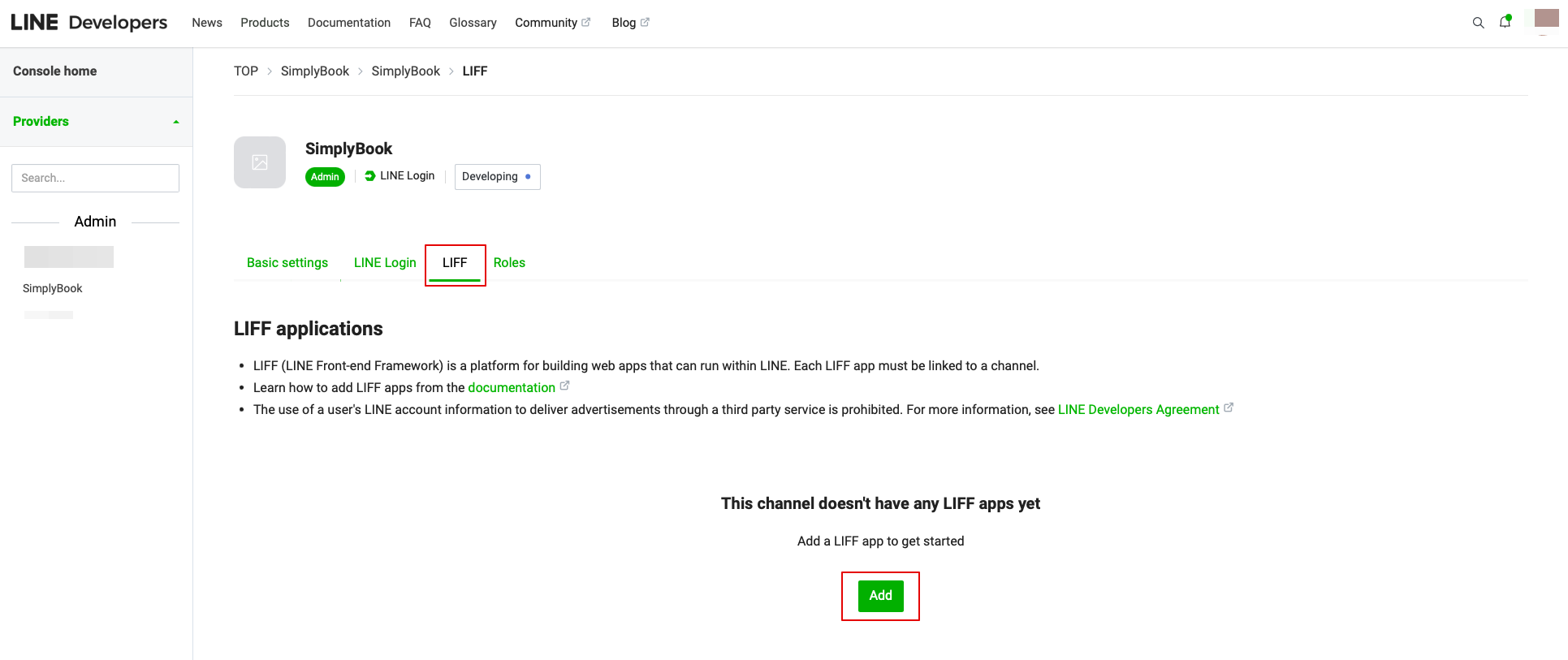
- 6. Nachdem das LINE Login erstellt wurde, klicken Sie auf den Reiter LIFF und fügen Sie dort die LIFF App hinzu.
You need to enter the following data:
- LIFF app name: your brand/company name;
- Select the app size;
- Endpoint URL: should be copied from LIFF url (Simplybook.me LINE LIFF feature settings);
- (obligatory) Select the following Scopes: openid and profile, otherwise the integration may not work or may not work properly;
- Bot Link feature should be turned on.
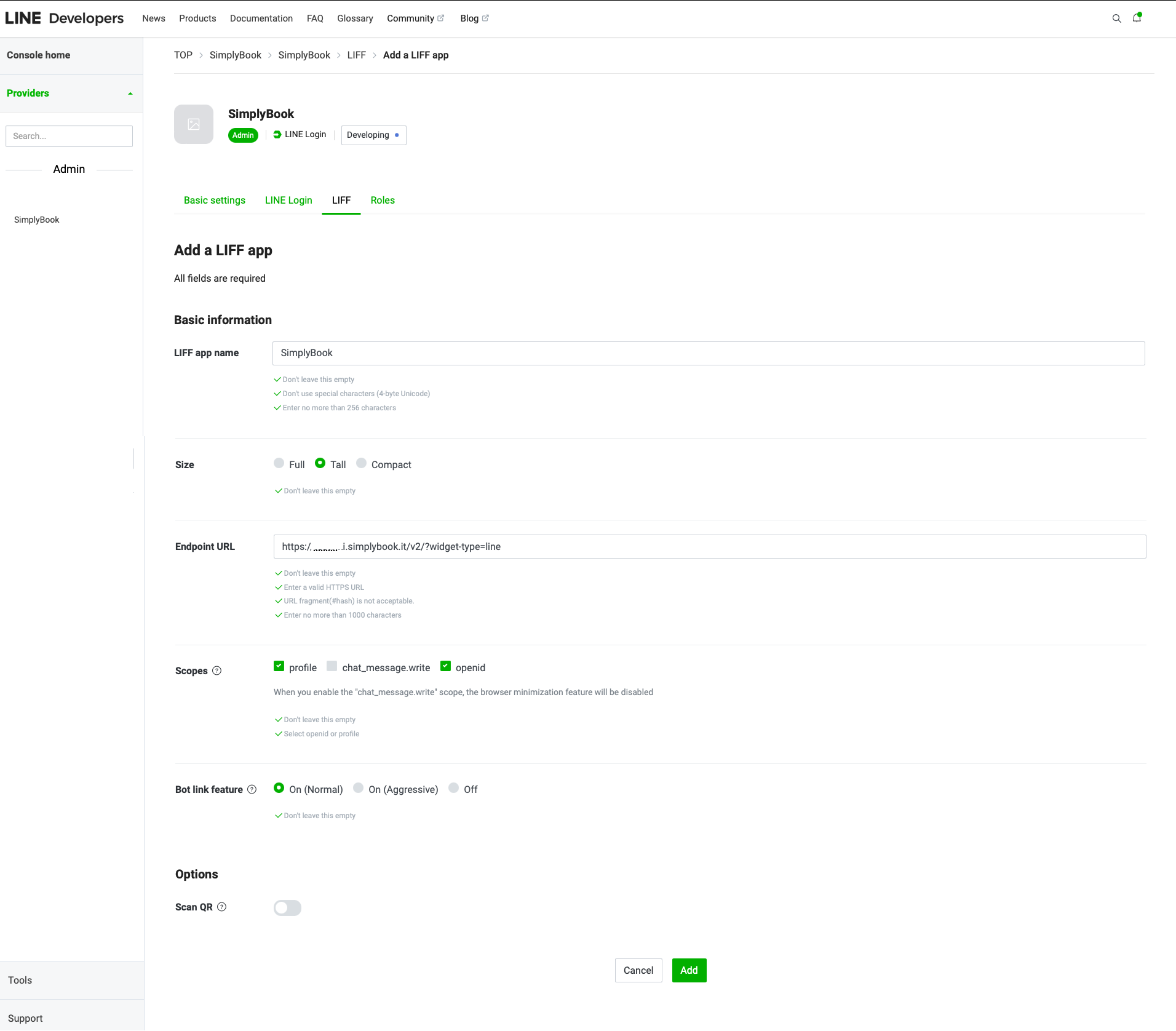
- After all the above settings are completed, click the green Add button to add LINE LIFF.
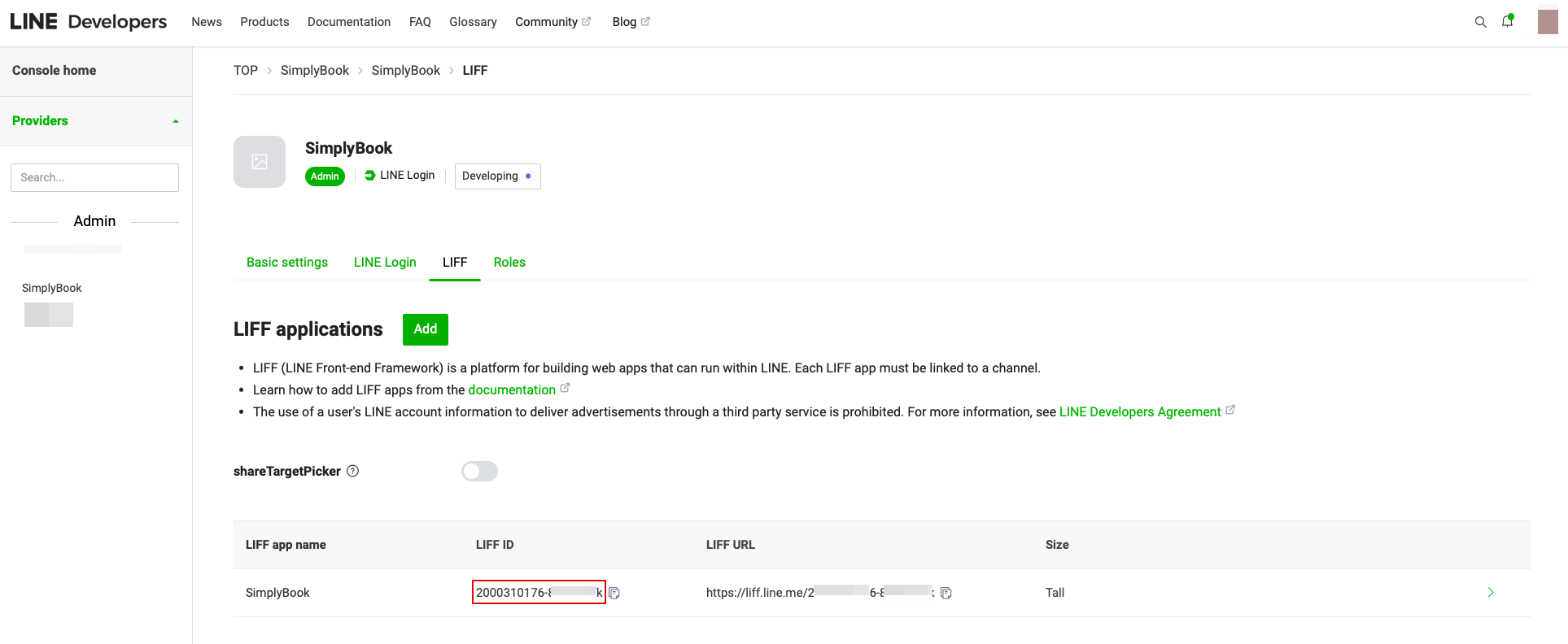
- 7. Then you will be directed to the page where you can see your LIFF ID.
- Please copy the LIFF ID and input it to the corresponding field on the Simplybook side.
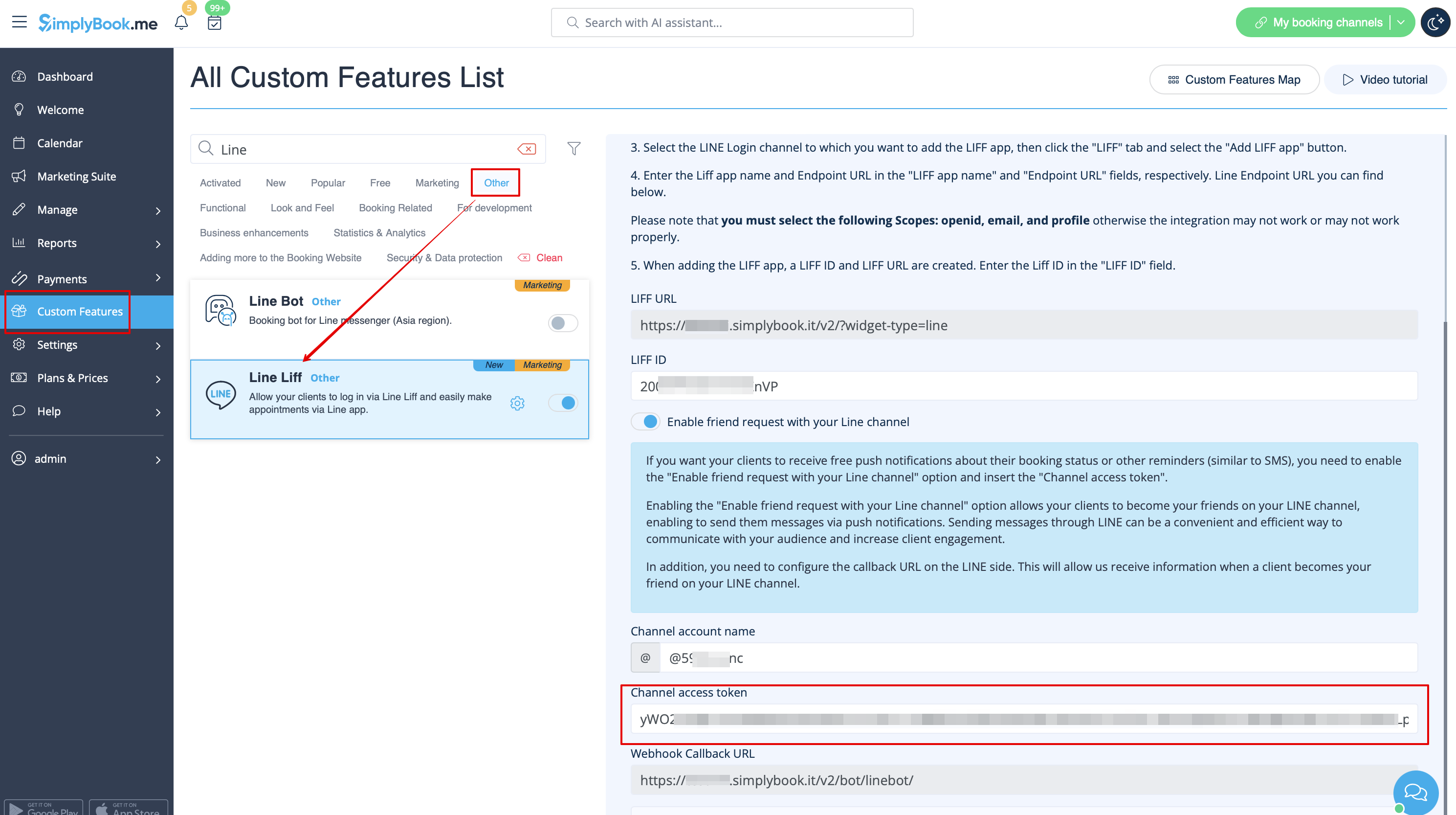
- 8. If you want your clients to receive push notifications about their booking status or other reminders (similar to SMS), you can turn on the "Enable friend request with your LINE channel" option in Simplybook LINE LIFF Custom Feature and insert the "Channel access token".
- (the information on how to obtain the Channel access token will be presented further in the guide)
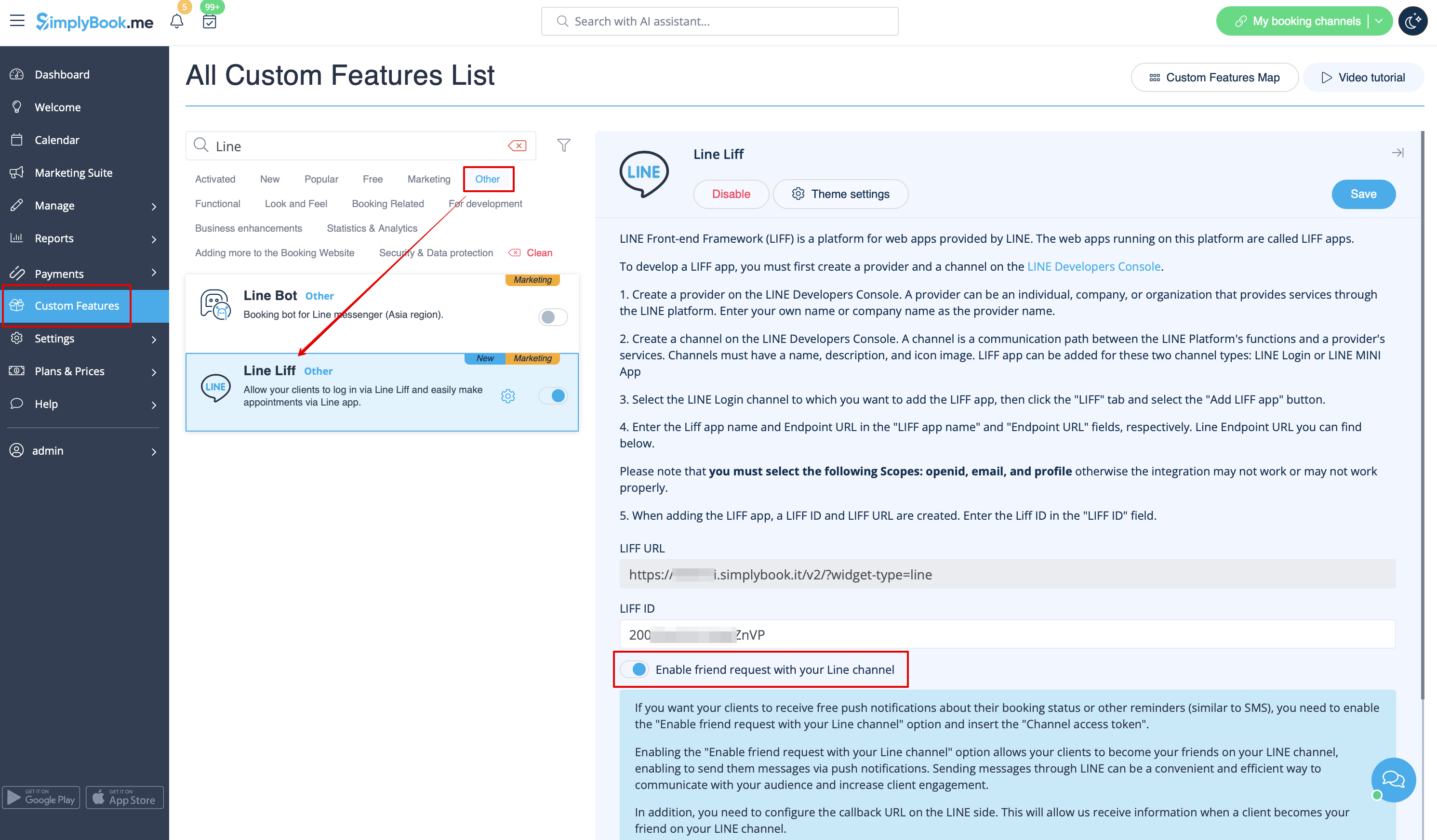
- In addition, you need to configure the Callback URL on the LINE side. This will allow us to receive information when a client becomes your friend on your LINE channel.
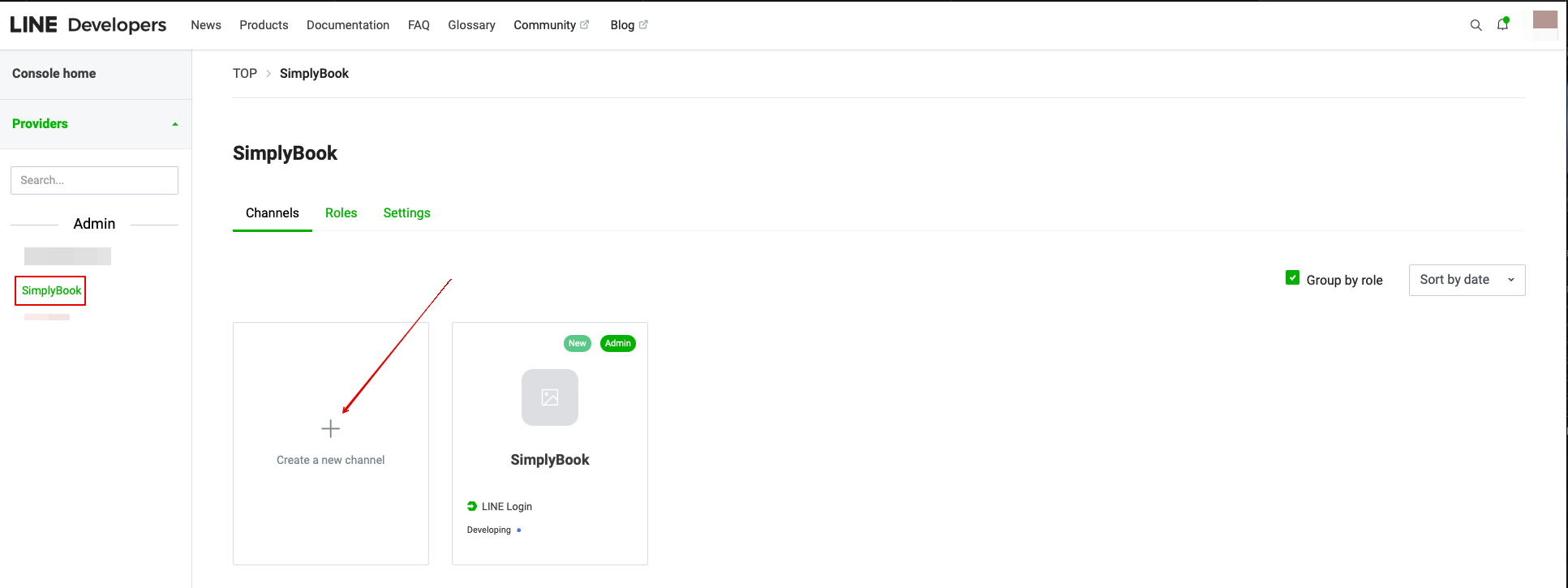
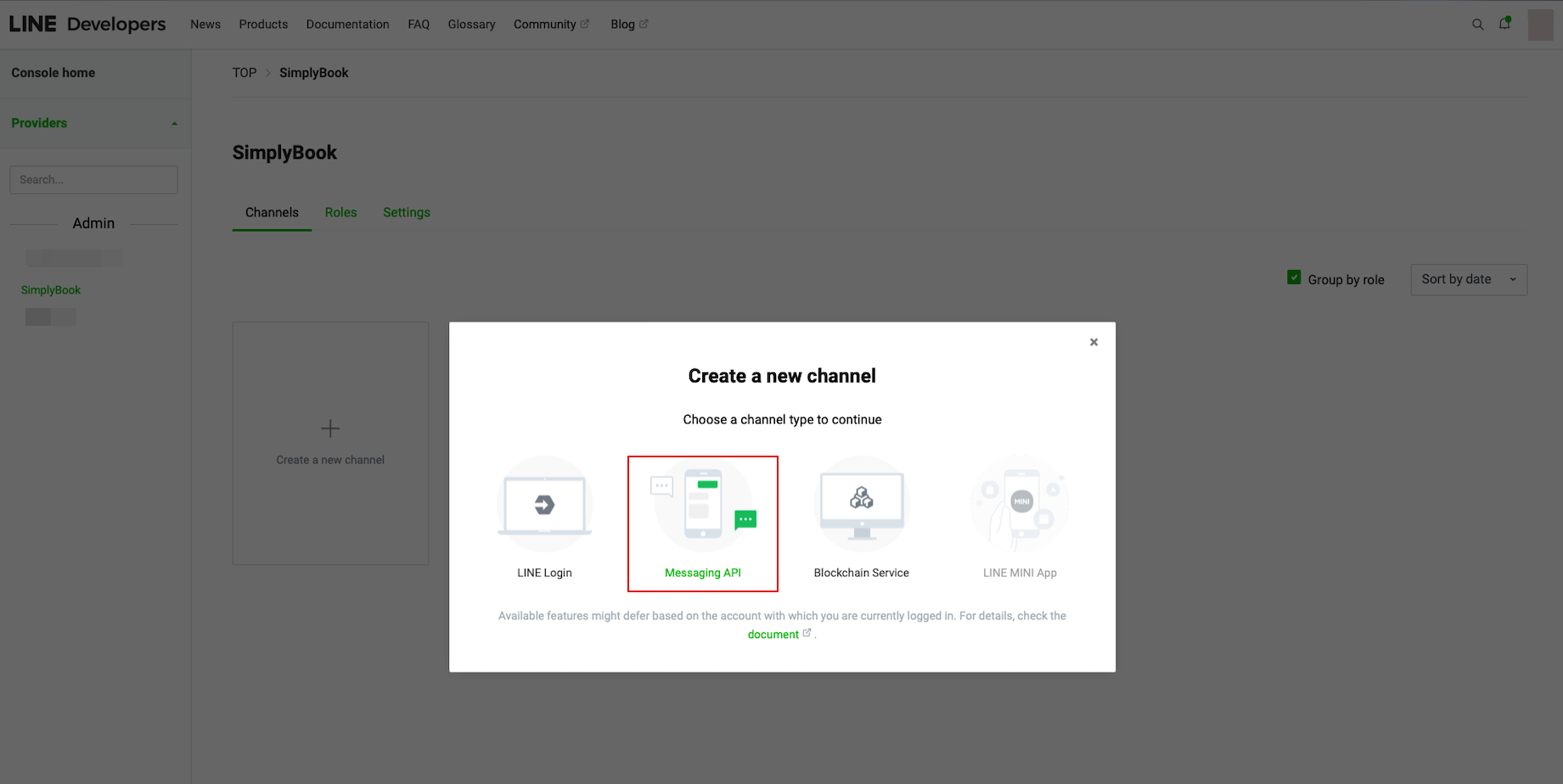
- To do that please go to your LINE LIFF Developers console, select the previously added provider account and create new channel called “Messaging API”
- (both channels must be under the same provider for all the connections to work)
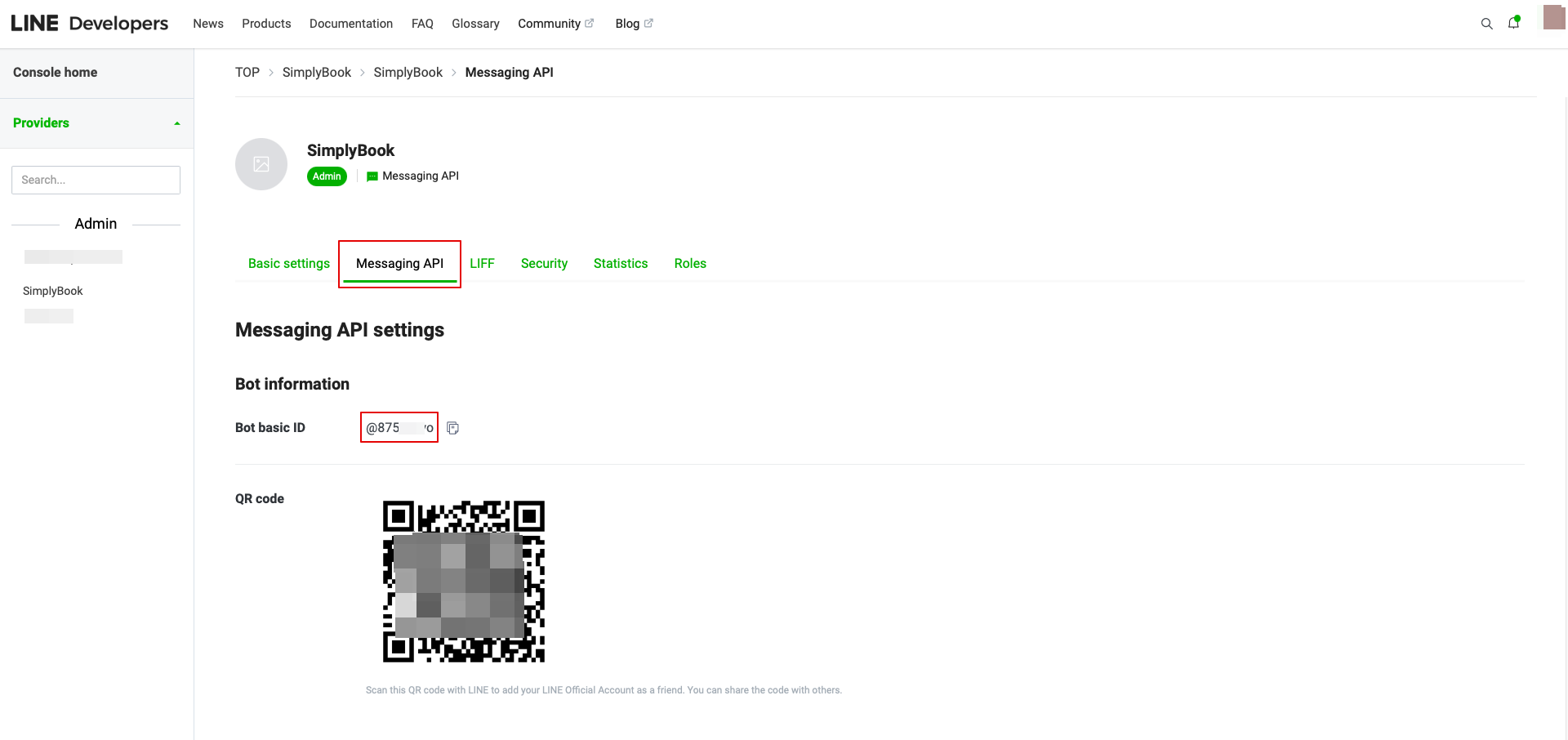
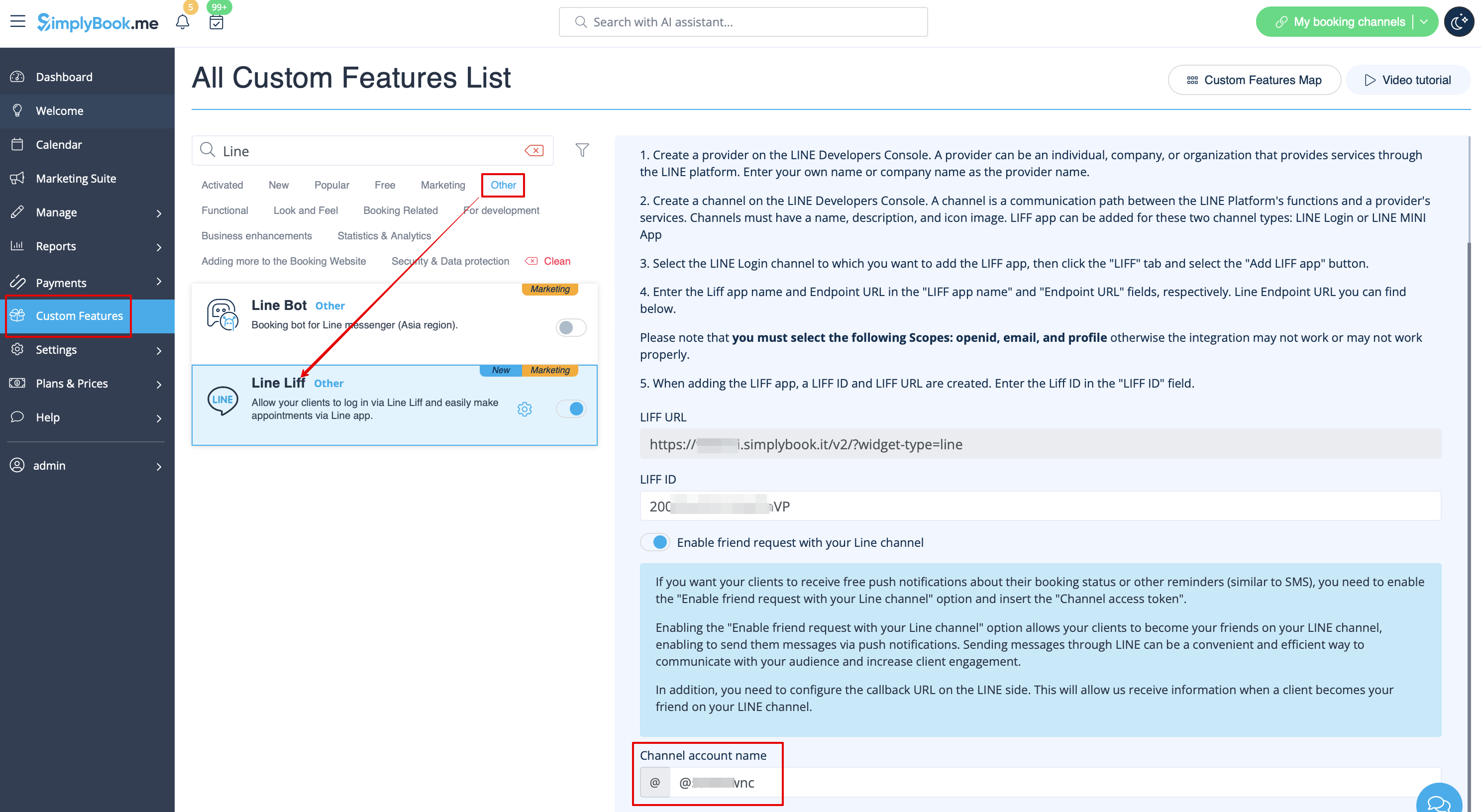
- 9. After completing these settings, select the Message API tab to get the Bot Basic ID. Copy and paste the Bot ID to the Channel account name field of SimplyBook.me LINE LIFF Custom Feature.
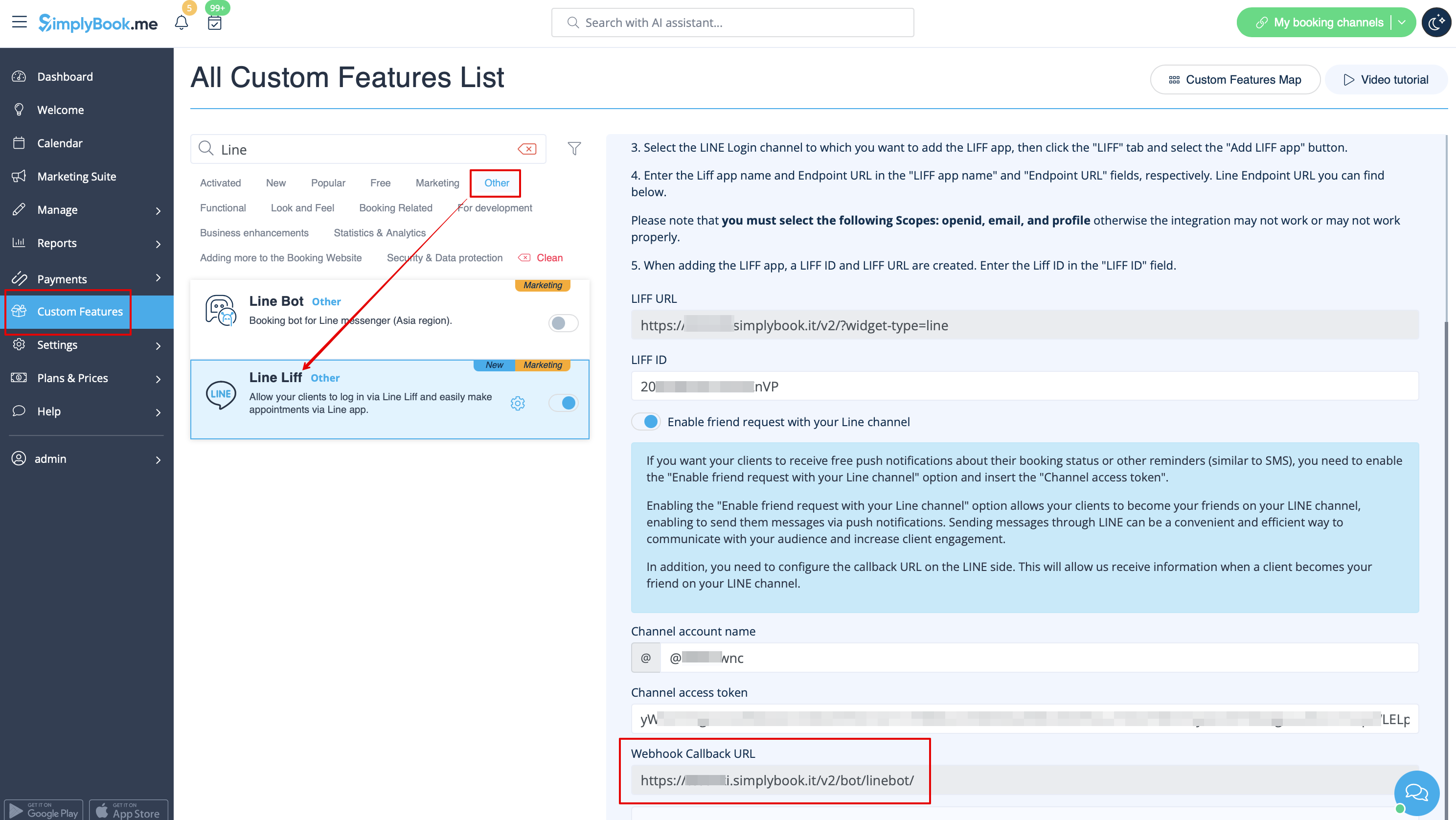
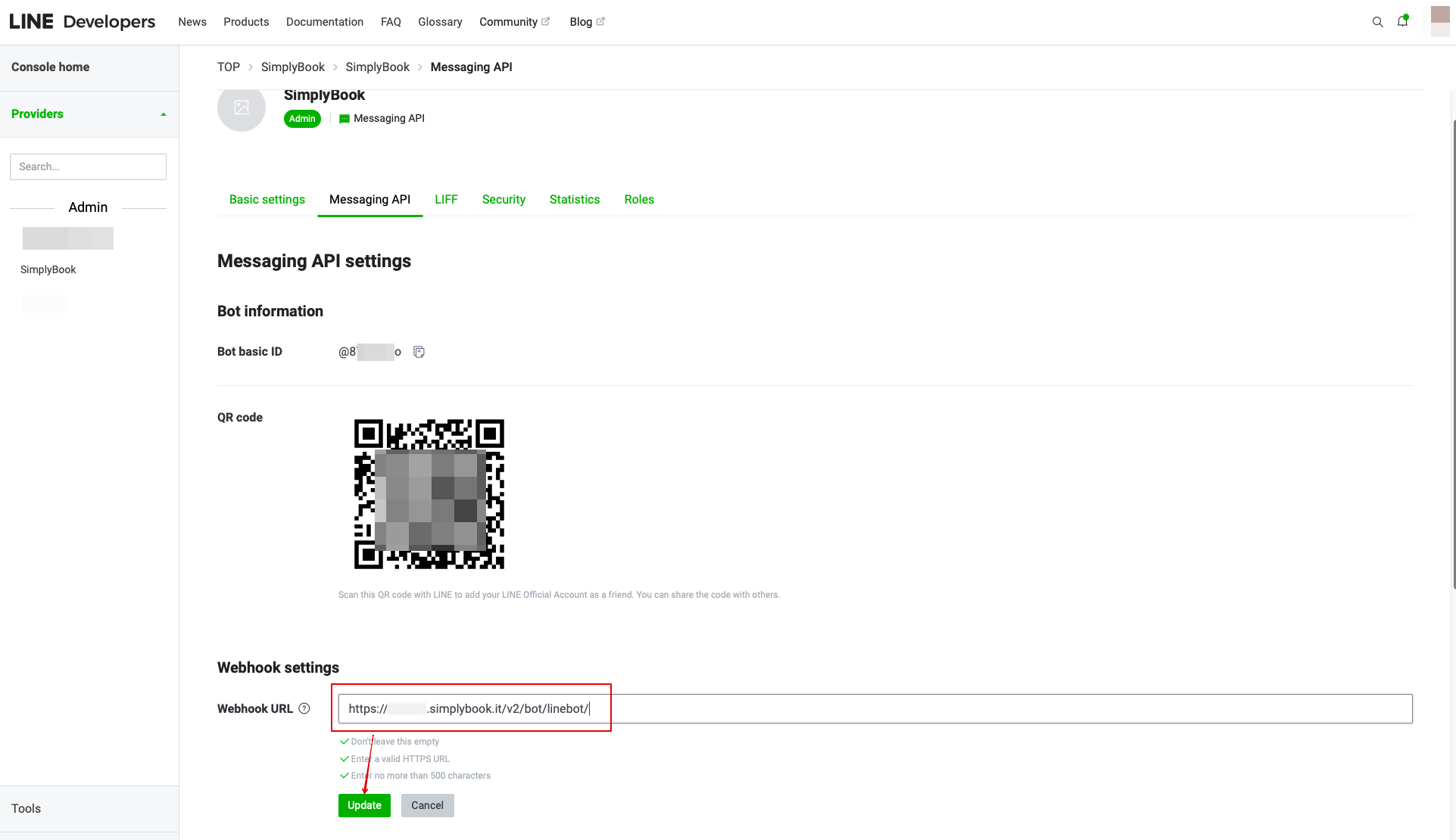
- In the Custom Feature setting you can also see the Webhook Callback URL. Please copy it and paste it to the Webhook URL field on the Line//Messaging API side.
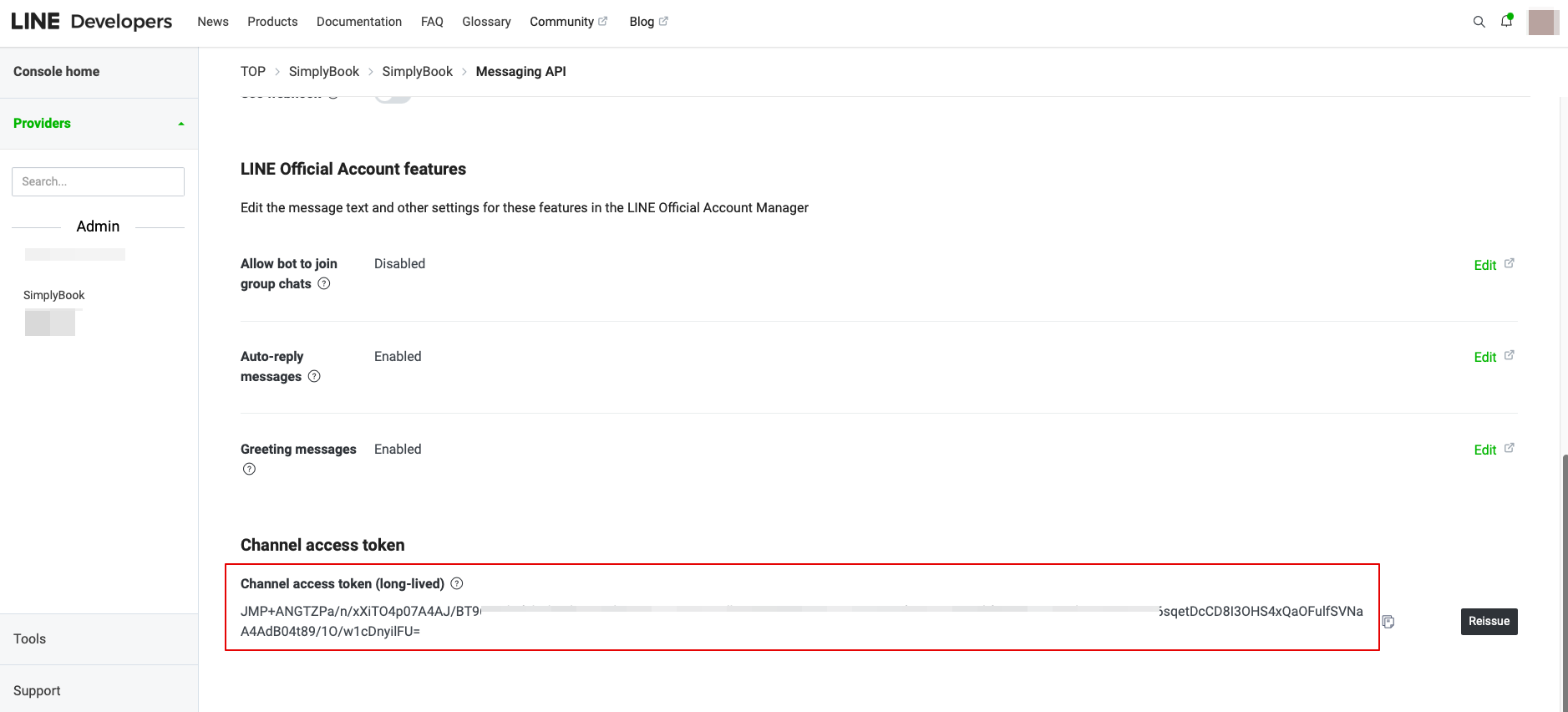
- 10. In the Messaging API on the LINE side you need to scroll down to the Channel access token, issue it, copy the result value and insert it to the Simplybook.me LINE LIFF settings.
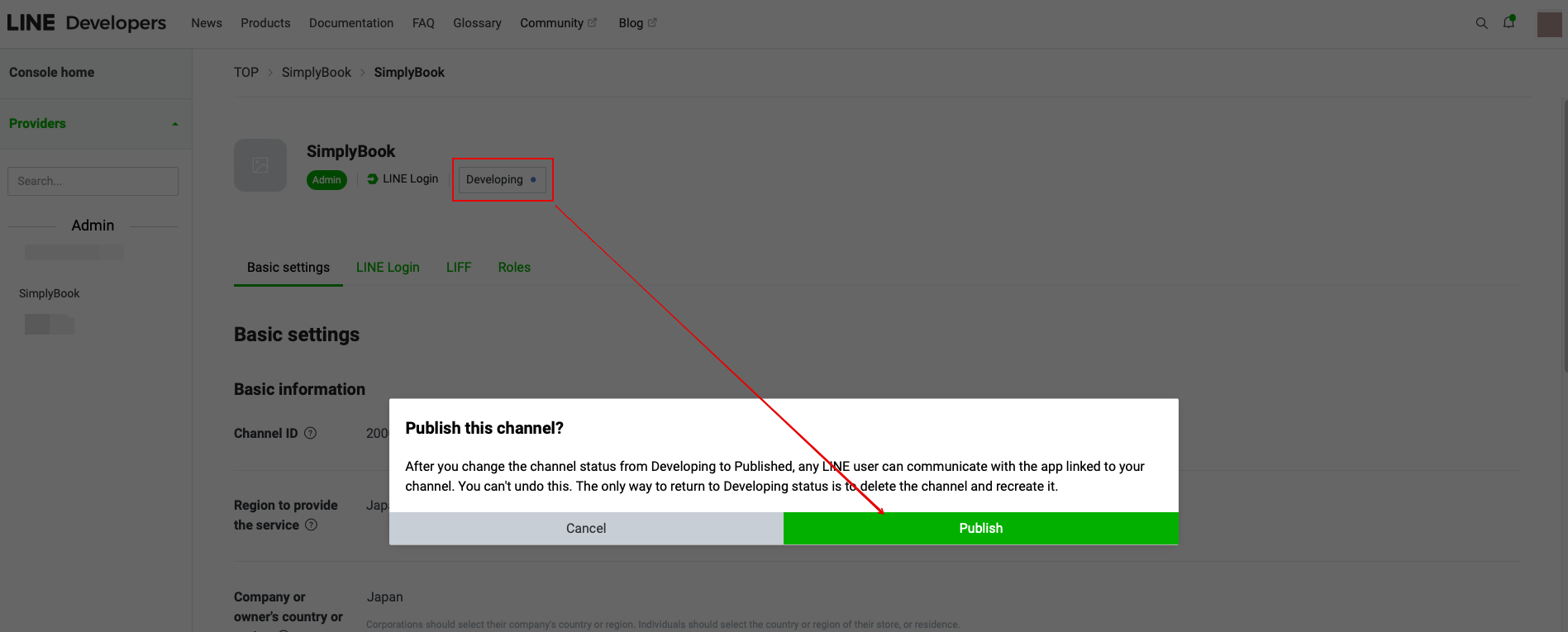
11. Please go back to the LINE Login channel, click the Developing status under the channel name, and change it to Publish.
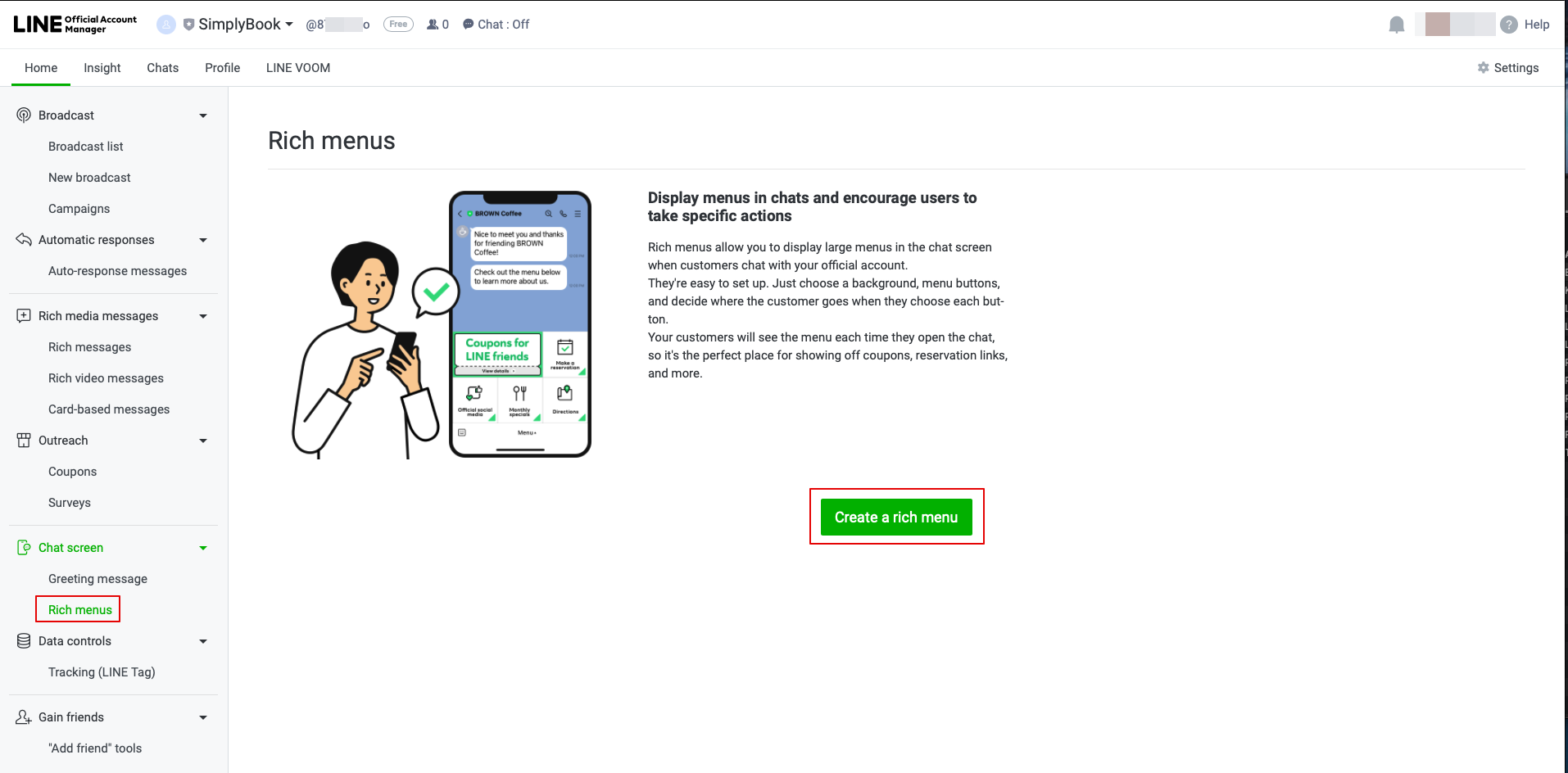
- 12. Once published, you need to log into the Line Official Account under the same LINE account as the Developers Console.
- When you access it, please click on Rich Menu option in the navigation and Create a Rich Menu there.
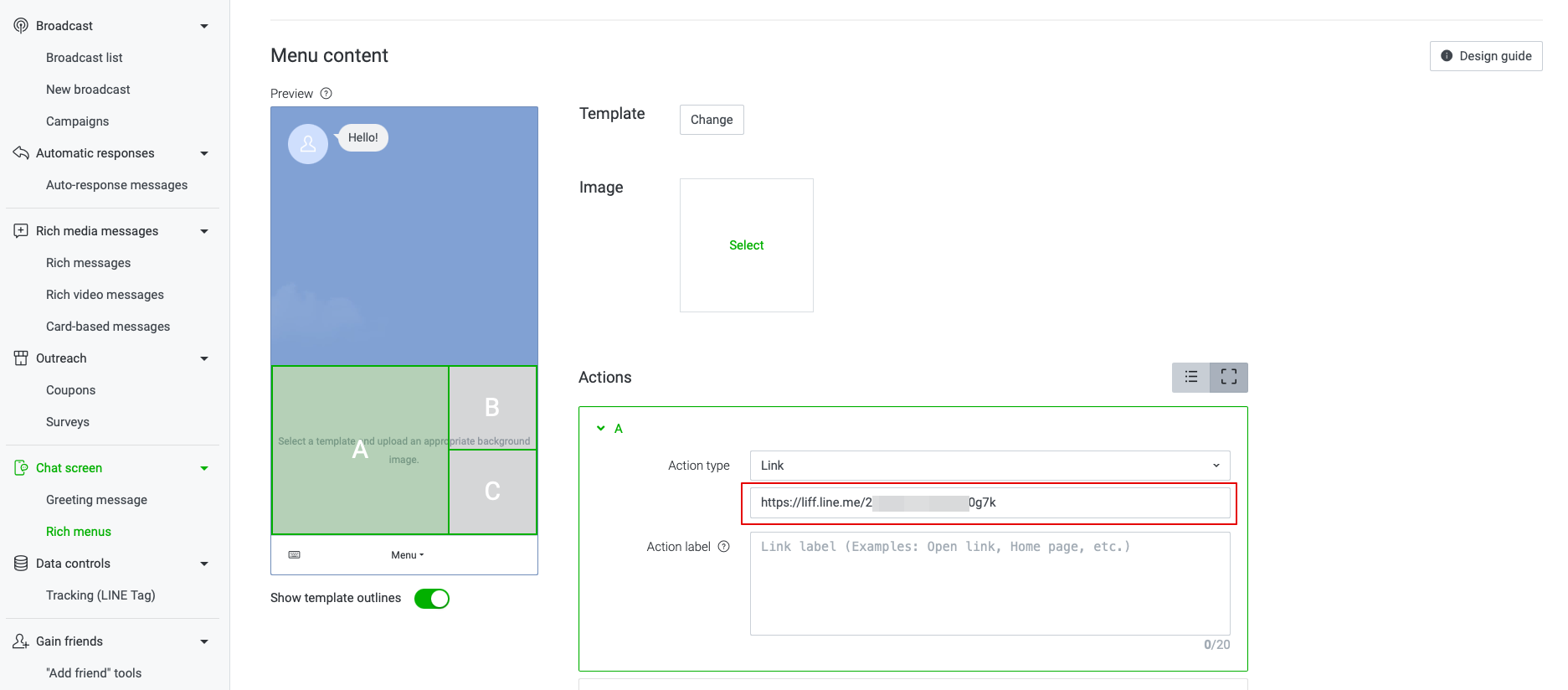
- 13. Fill in the required fields.
- In menu Content please select the template and add the image.
- Choose “Link” type in Actions block and add the LIFF url from the Developer Console//LINE Login channel.
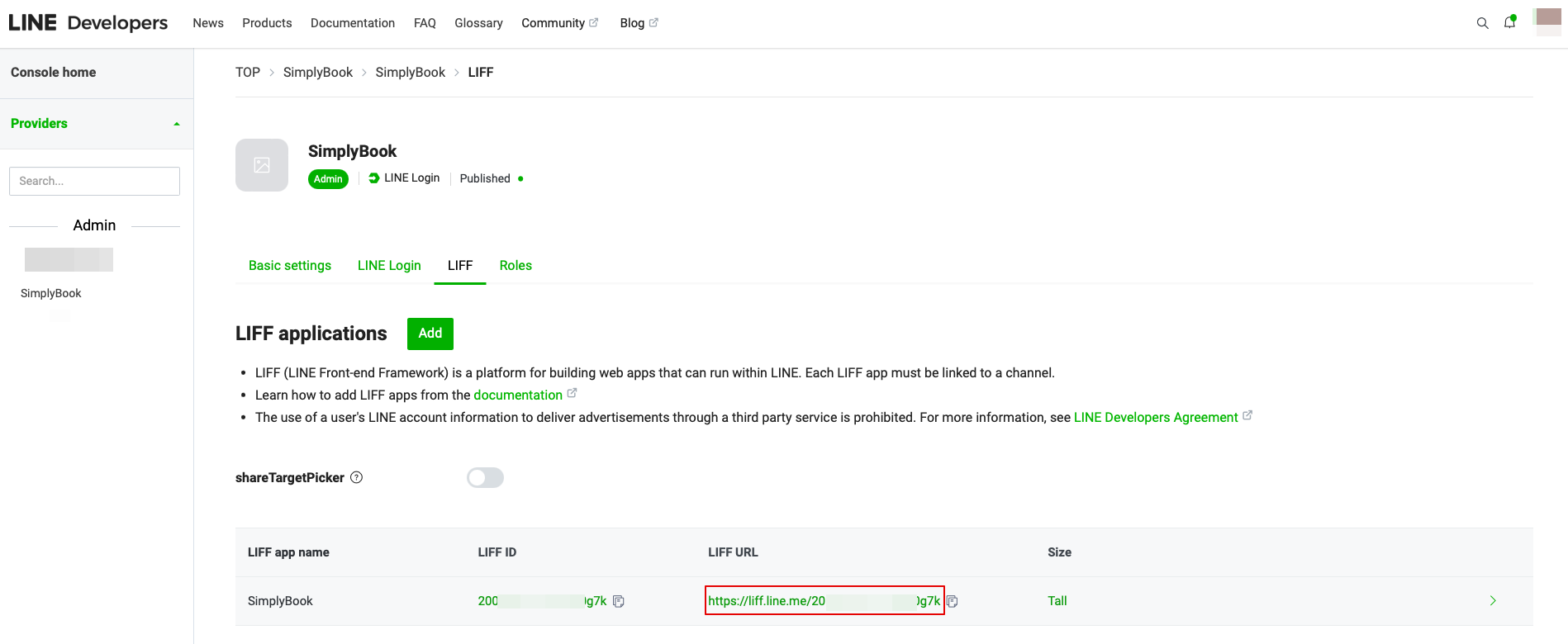
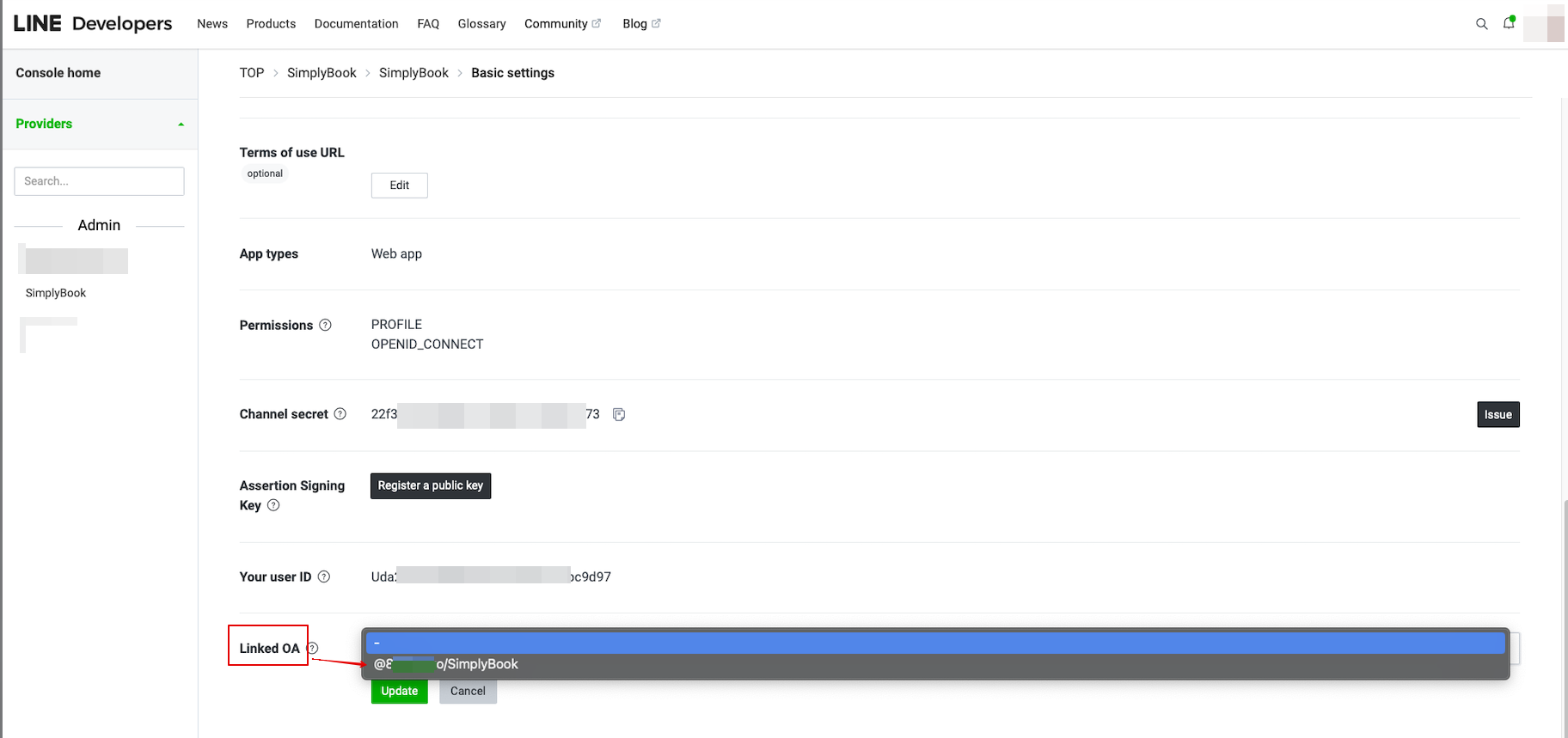
- 14. To link LINE Official account with the LINE Developers account please to to the Developer Console and click on the LINE Login channel. In the Linked OA you need select the Official account to make both parts connected.
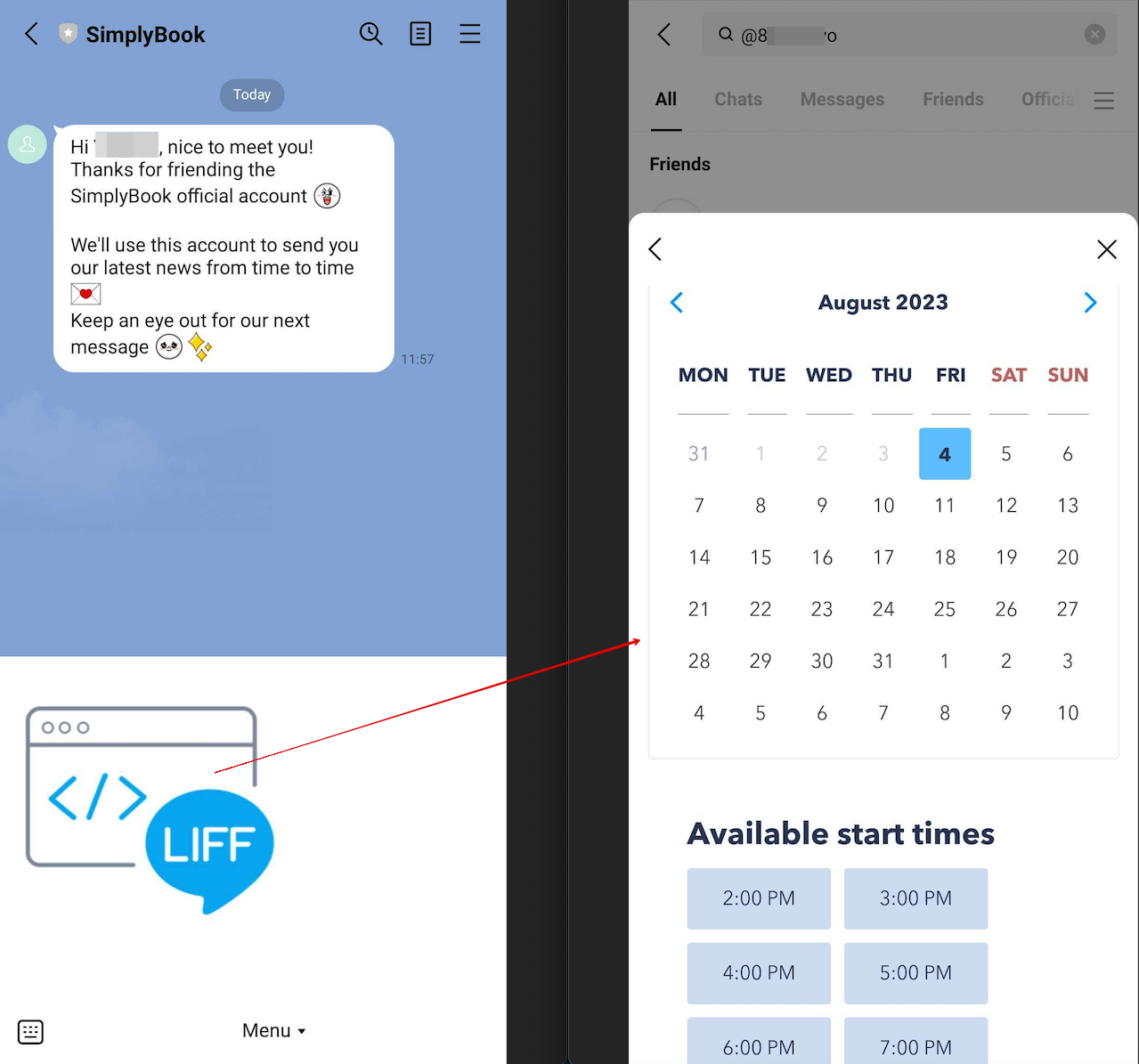
- 15. After opening the Official LINE account page in the LINE app, customers can click on the menu to start the booking process. During the process they can select the services, date and time they want to reserve, login with their LINE account and confirm the reservation.
- The integration also allows the clients to easily see their bookings within this in-app widget.
How to customize LINE Official Account notifications?
Go to the SimplyBook.me admin panel, select Settings → Email and SMS Settings. The LINE booking notifications texts will be consistent with the SMS notification content. If you want to adjust the information included, you can edit the corresponding templates there.
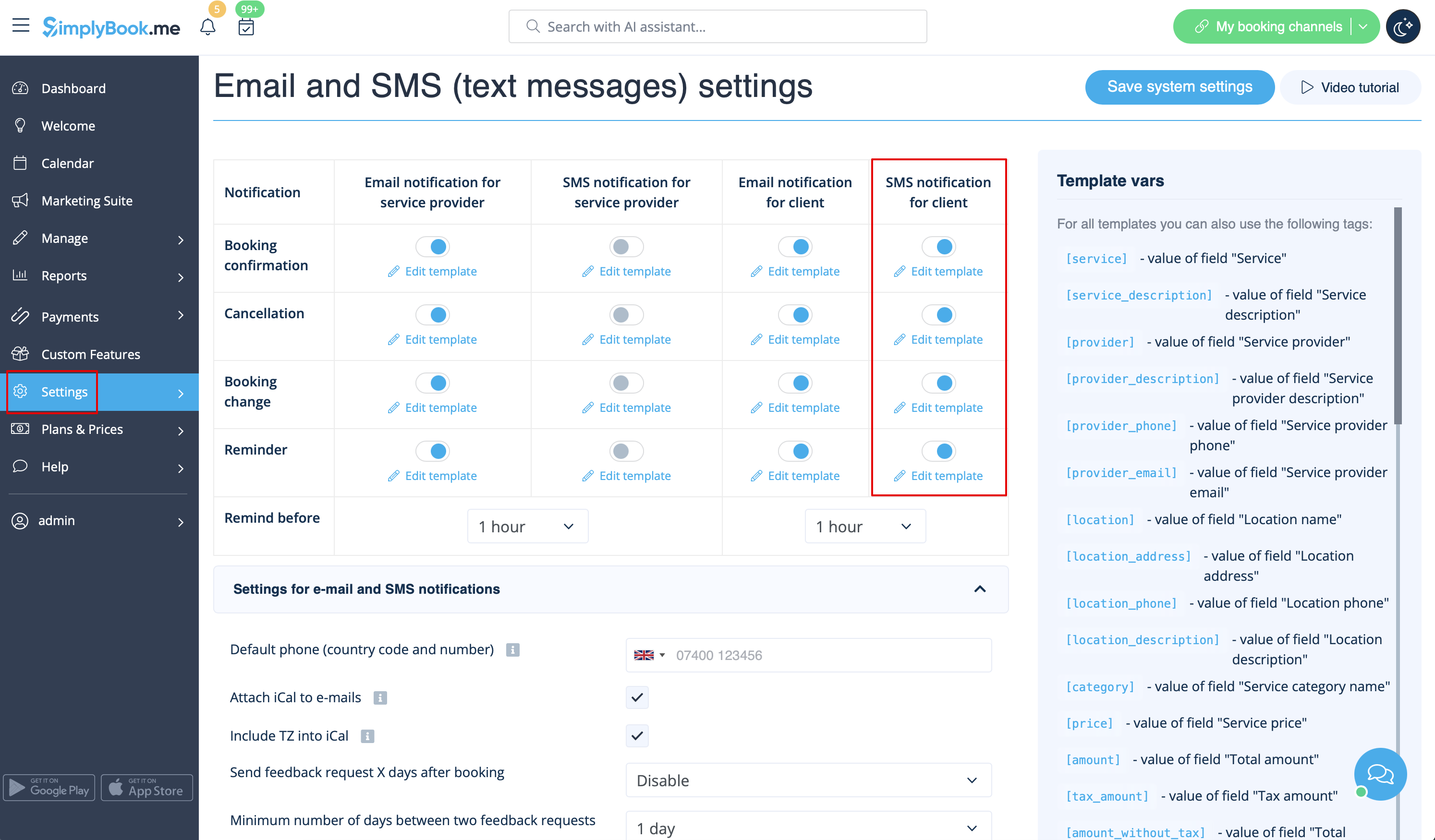
Remark: If you do not check the boxes for client SMS notifications in Settings → Email and SMS Settings, the system will still automatically send appointment reminders and other appointments notifications through LINE.
