From SimplyBook.me
Marked this version for translation |
No edit summary |
||
| Line 4: | Line 4: | ||
<translate> | <translate> | ||
<!--T:4--> | <!--T:4--> | ||
|description=Set | |description=Set cancellation time limits before appointments. Restrict or prohibit cancellations within X hours. Protect revenue from last-minute cancellations. Free fea... | ||
</translate> | </translate> | ||
|titlemode=append | |titlemode=append | ||
Latest revision as of 16:40, 5 February 2026

You can restrict time when clients can cancel appointments with the help of Cancellation Policy Custom Feature. Simply set the number of hours before appointment when cancellation is possible or prohibit cancellations at all. If client tries to cancel an appointment beyond the limit, he/she will see a warning notice that the booking cannot be cancelled.
Free custom feature!
- How to use
- 1. Enable Cancellation policy fature on your Custom Features page.
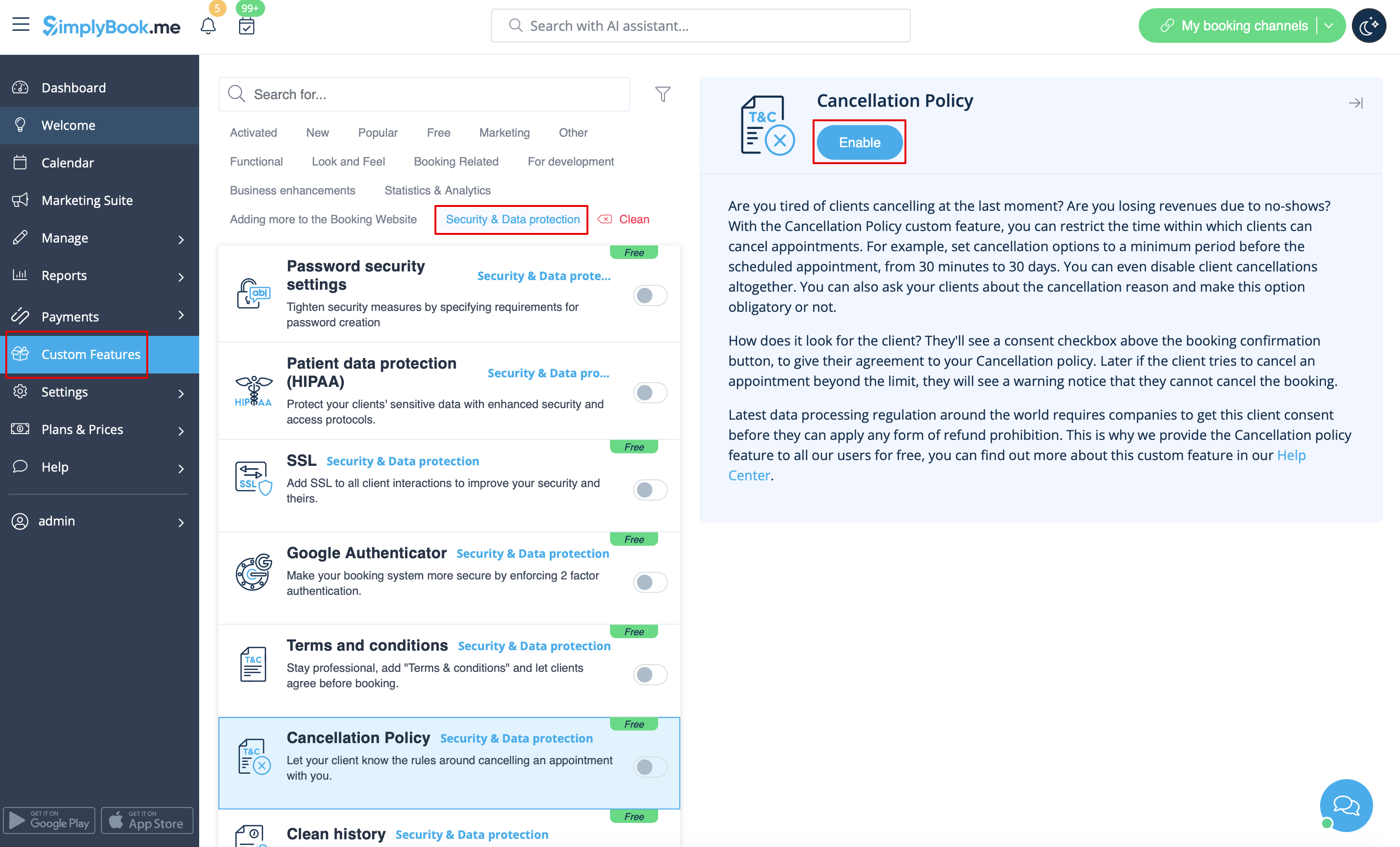
- 2. Go to its settings on the right.
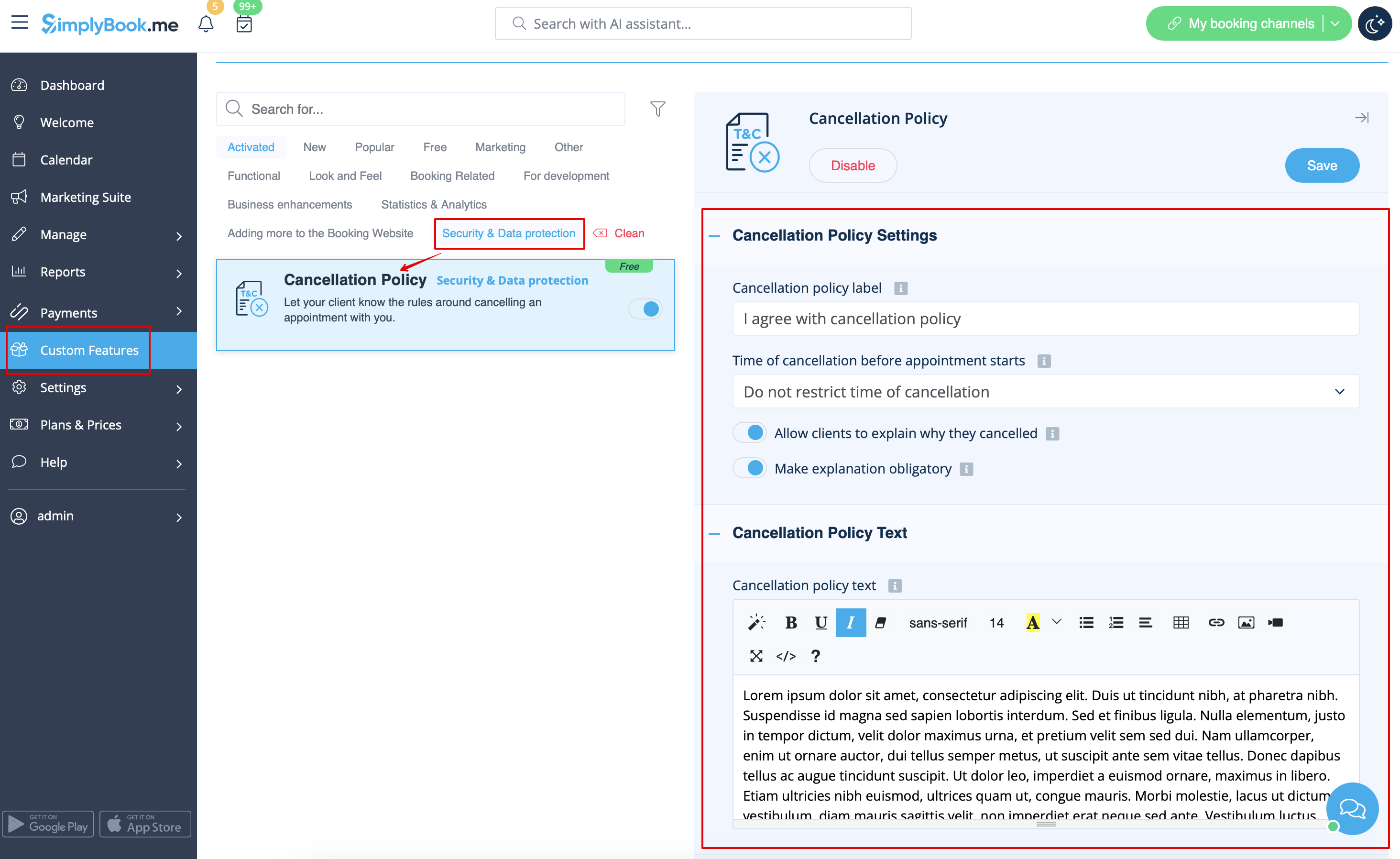
- 3. Add your text to the corresponding field and select the period when bookings can be canceled
- (you can use HTML tags there to format the text to your needs).
- 4. You can also ask your clients about the cancellation reason and make this option obligatory or not.
