From SimplyBook.me
Importing a new version from external source |
Importing a new version from external source |
||
| Line 5: | Line 5: | ||
<br><br> | <br><br> | ||
==Phone field== | ==Phone field== | ||
<span style="background-color:#cdeffc; padding:5px; border-radius:5px;">([[ | <span style="background-color:#cdeffc; padding:5px; border-radius:5px;">([[Special:MyLanguage/Client_Login_custom_feature |Client login]]</span> feature is disabled)<br> | ||
:1. Go to <span style="background-color:#d4f8e5; padding:5px; border-radius:5px;">Settings</span> -> <span style="background-color:#d4f8e5; padding:5px; border-radius:5px;">Email and SMS settings</span> -> <span style="background-color:#d4f8e5; padding:5px; border-radius:5px;">Settings for email and SMS notifications</span> -> <span style="background-color:#d4f8e5; padding:5px; border-radius:5px;">Mandatory registration fields</span> -> <span style="background-color:#d4f8e5; padding:5px; border-radius:5px;">Email</span> (to make phone not mandatory). | :1. Go to <span style="background-color:#d4f8e5; padding:5px; border-radius:5px;">Settings</span> -> <span style="background-color:#d4f8e5; padding:5px; border-radius:5px;">Email and SMS settings</span> -> <span style="background-color:#d4f8e5; padding:5px; border-radius:5px;">Settings for email and SMS notifications</span> -> <span style="background-color:#d4f8e5; padding:5px; border-radius:5px;">Mandatory registration fields</span> -> <span style="background-color:#d4f8e5; padding:5px; border-radius:5px;">Email</span> (to make phone not mandatory). | ||
Latest revision as of 10:24, 6 August 2025
Removing with Custom CSS
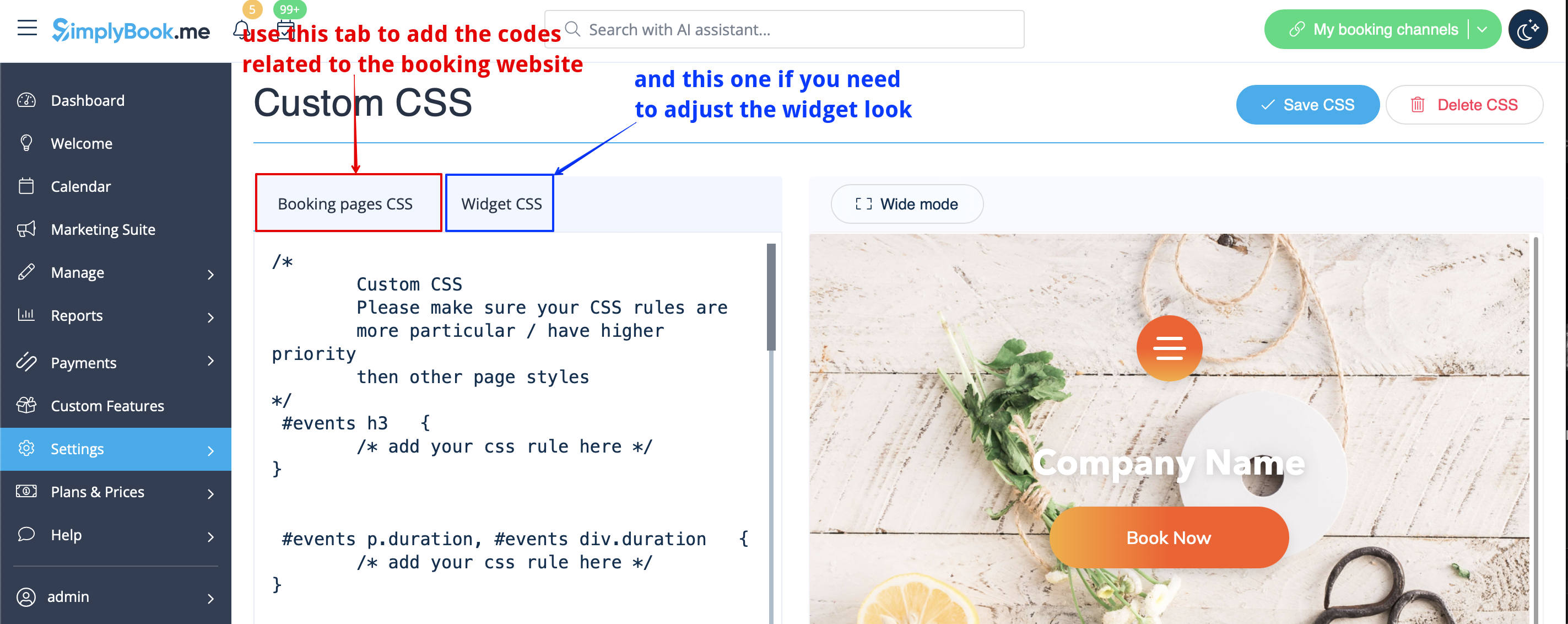
- Please note! Add the code(s) to adjust the styles to "Booking pages CSS" tab if you wish to edit the booking website
- or "Widget CSS" if you are editing widget on your website.
Phone field
(Client login feature is disabled)
- 1. Go to Settings -> Email and SMS settings -> Settings for email and SMS notifications -> Mandatory registration fields -> Email (to make phone not mandatory).
