Created page with "Hvis du ønsker at tilføje en klientformular, skal du navigere til <span style="background-color:#d4f8e5; padding:5px; border-radius:5px;">Administrer</span> -> <span style="background-color:#d4f8e5; padding:5px; border-radius:5px;">Klientfelter</span> -> klikke på det ønskede felt for at redigere det -> aktivere <span style="background-color:#d4f8e5; padding:5px; border-radius:5px;">Tilføj felt til faktura og</span> gemme.<br> File:Add client form to invo..." Tags: Mobile edit Mobile web edit |
Created page with "<span style="background-color:#ffe9e9; padding:5px; border-radius:5px;">'''Bemærk!''' Import af fakturaer fra eksterne platforme direkte til systemet understøttes ikke. SimplyBook.me tilbyder dog integrationsmuligheder med forskellige regnskabsprogrammer, herunder Xero, QuickBooks og FreshBooks. Du kan effektivt administrere dine fakturaer i dit foretrukne regnskabssystem.</span> <br><br>" Tags: Mobile edit Mobile web edit |
||
| Line 40: | Line 40: | ||
<br><br> | <br><br> | ||
Som resultat vil både formularens titel og klientens svar blive afspejlet på fakturaen. | |||
[[File:Sbpay printed invoice example with client fields and intake forms.png|1200px|border|center|link=https://help.simplybook.me/images/8/88/Sbpay_printed_invoice_example_with_client_fields_and_intake_forms.png]] | [[File:Sbpay printed invoice example with client fields and intake forms.png|1200px|border|center|link=https://help.simplybook.me/images/8/88/Sbpay_printed_invoice_example_with_client_fields_and_intake_forms.png]] | ||
5. '''Fakturadesign.'''<br> | |||
5. ''' | Der er tre skabeloner at vælge imellem i <span style="background-color:#d4f8e5; padding:5px; border-radius:5px;">Betalinger (SBPay.me)</span> -> <span style="background-color:#d4f8e5; padding:5px; border-radius:5px;">Betalingssystemer - </span> > <span style="background-color:#d4f8e5; padding:5px; border-radius:5px;">Tilpassede funktioner</span> -> <span style="background-color:#d4f8e5; padding:5px; border-radius:5px;">Fakturaer</span> -> <span style="background-color:#d4f8e5; padding:5px; border-radius:5px;">Indstillinger</span> -> <span style="background-color:#d4f8e5; padding:5px; border-radius:5px;">Udseende.</span> | ||
Vælg den, du bedst kan lide, tilføj dit firmalogo og gem indstillingerne. | |||
[[File:Sbpay invoice appearance settings.png|1200px|border|center|link=https://help.simplybook.me/images/f/f3/Sbpay_invoice_appearance_settings.png]] | [[File:Sbpay invoice appearance settings.png|1200px|border|center|link=https://help.simplybook.me/images/f/f3/Sbpay_invoice_appearance_settings.png]] | ||
<br><br> | <br><br> | ||
<span style="background-color:#ffe9e9; padding:5px; border-radius:5px;">'''Bemærk!''' Import af fakturaer fra eksterne platforme direkte til systemet understøttes ikke. SimplyBook.me tilbyder dog integrationsmuligheder med forskellige regnskabsprogrammer, herunder [[Xero_integration| Xero]], [[QuickBooks_integration| QuickBooks]] og [[FreshBooks_integration| FreshBooks]]. Du kan effektivt administrere dine fakturaer i dit foretrukne regnskabssystem.</span> | |||
<span style="background-color:#ffe9e9; padding:5px; border-radius:5px;">''' | |||
<br><br> | <br><br> | ||
Revision as of 15:00, 15 May 2025
Det kan være nødvendigt at vise eller skjule nogle data eller ændre udseendet på de fakturaer, som systemet sender til kunder, når de foretager et køb på din bookingwebsite.
Du kan justere følgende elementer:
1. Virksomhedsadresse.
Virksomhedsadressen, der er tilføjet i Betalinger (SBPay.me) -> Betalingssystemer - > Indstillinger -> Virksomhedsprofil -> Adresse, vil blive vist på fakturaerne.
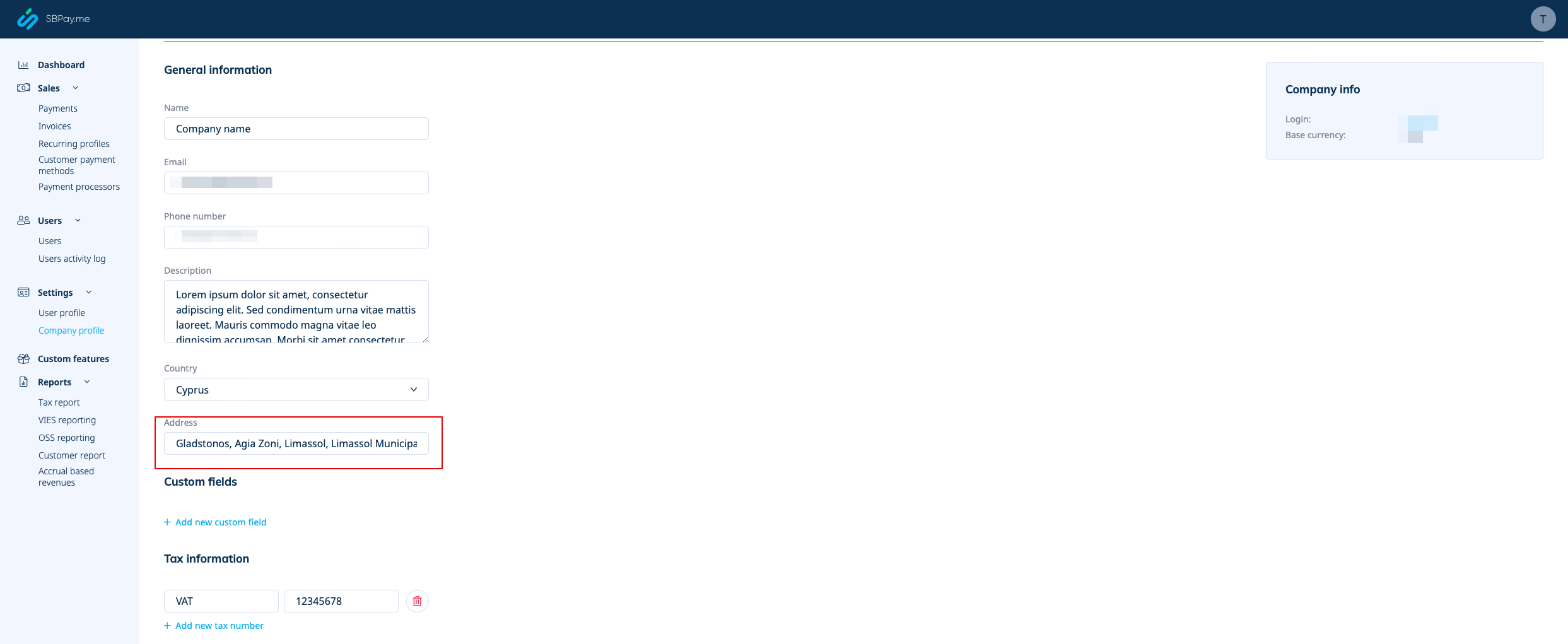
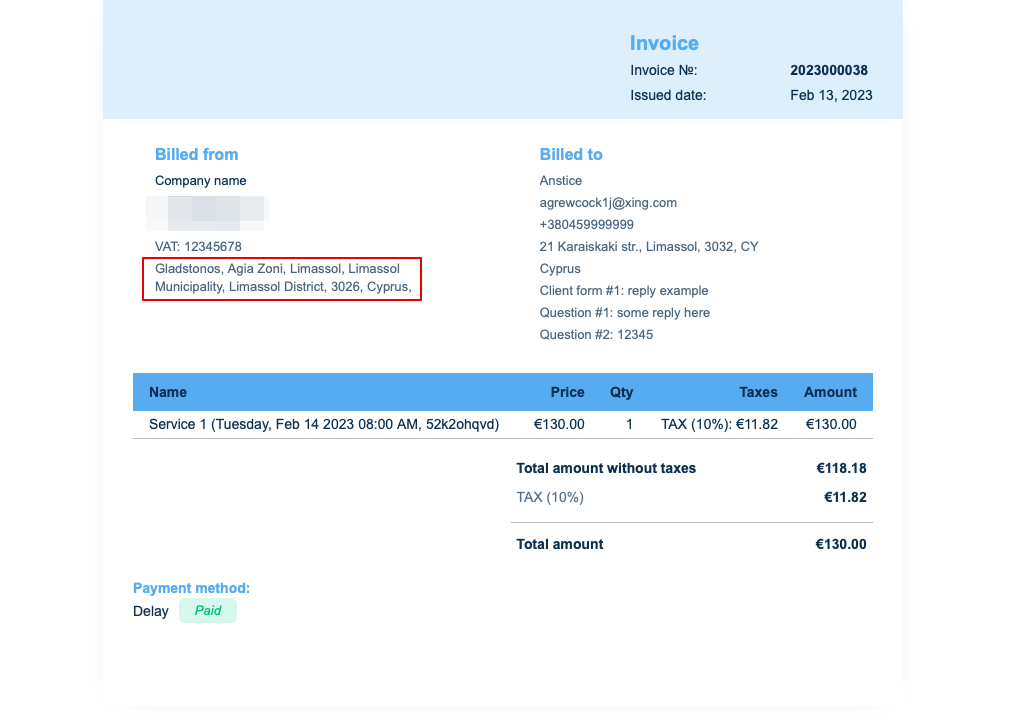
Hvis du vil skjule det, skal du blot fjerne adressen fra det felt og gemme indstillingerne.
2. Virksomhedens momsnummer.
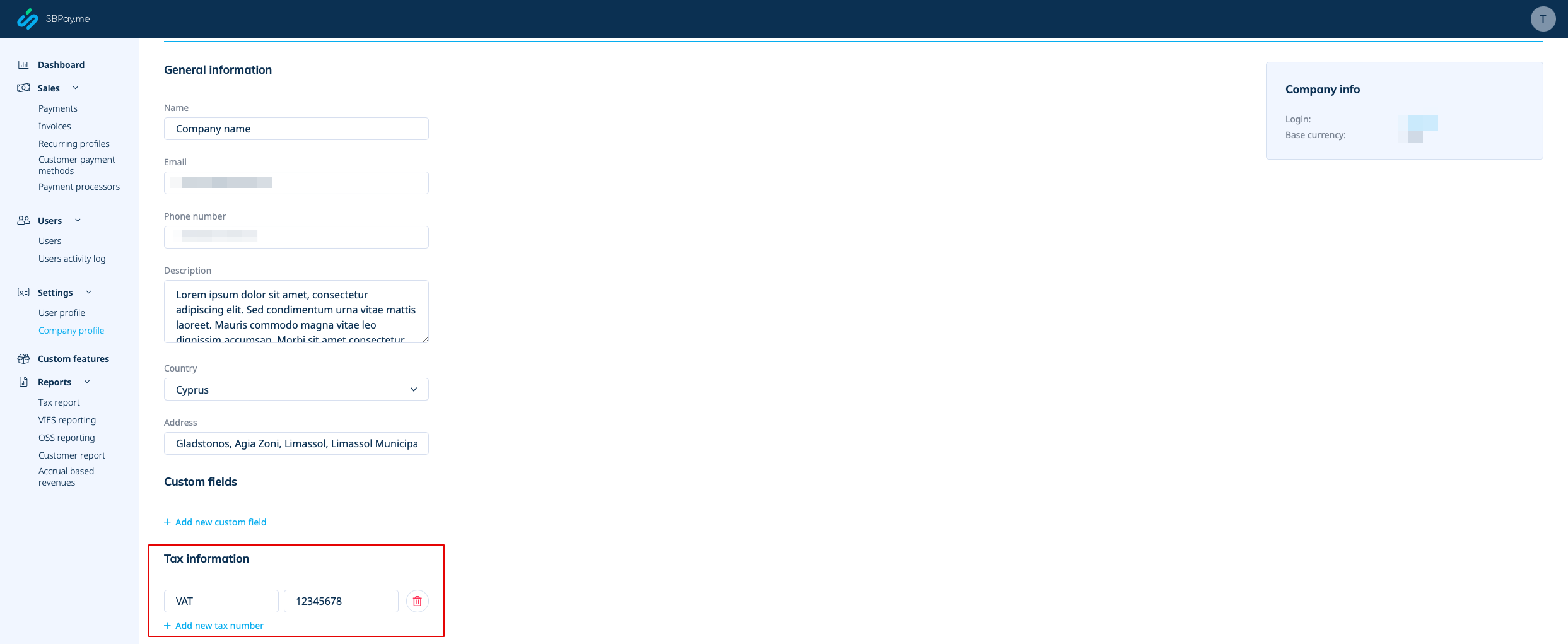
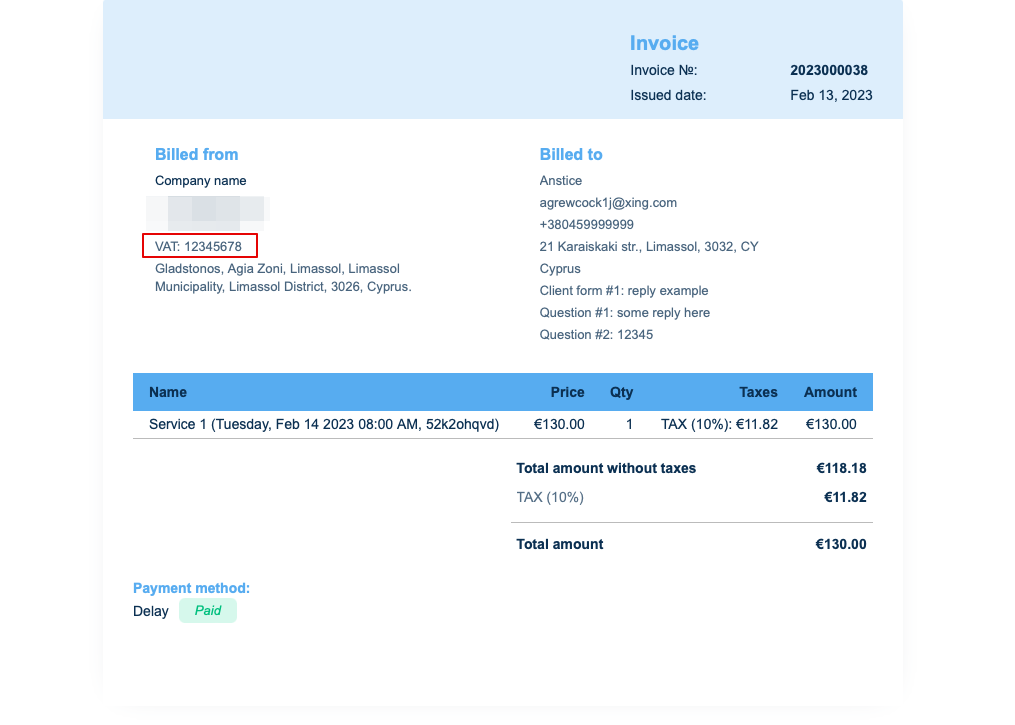
Hvis det tilføjes i Betalinger (SBPay.me) -> Betalingssystemer - > Indstillinger -> Virksomhedsprofil -> Skatteoplysninger, vil det blive inkluderet i fakturaoverskriften.
3. Kundeadresse.
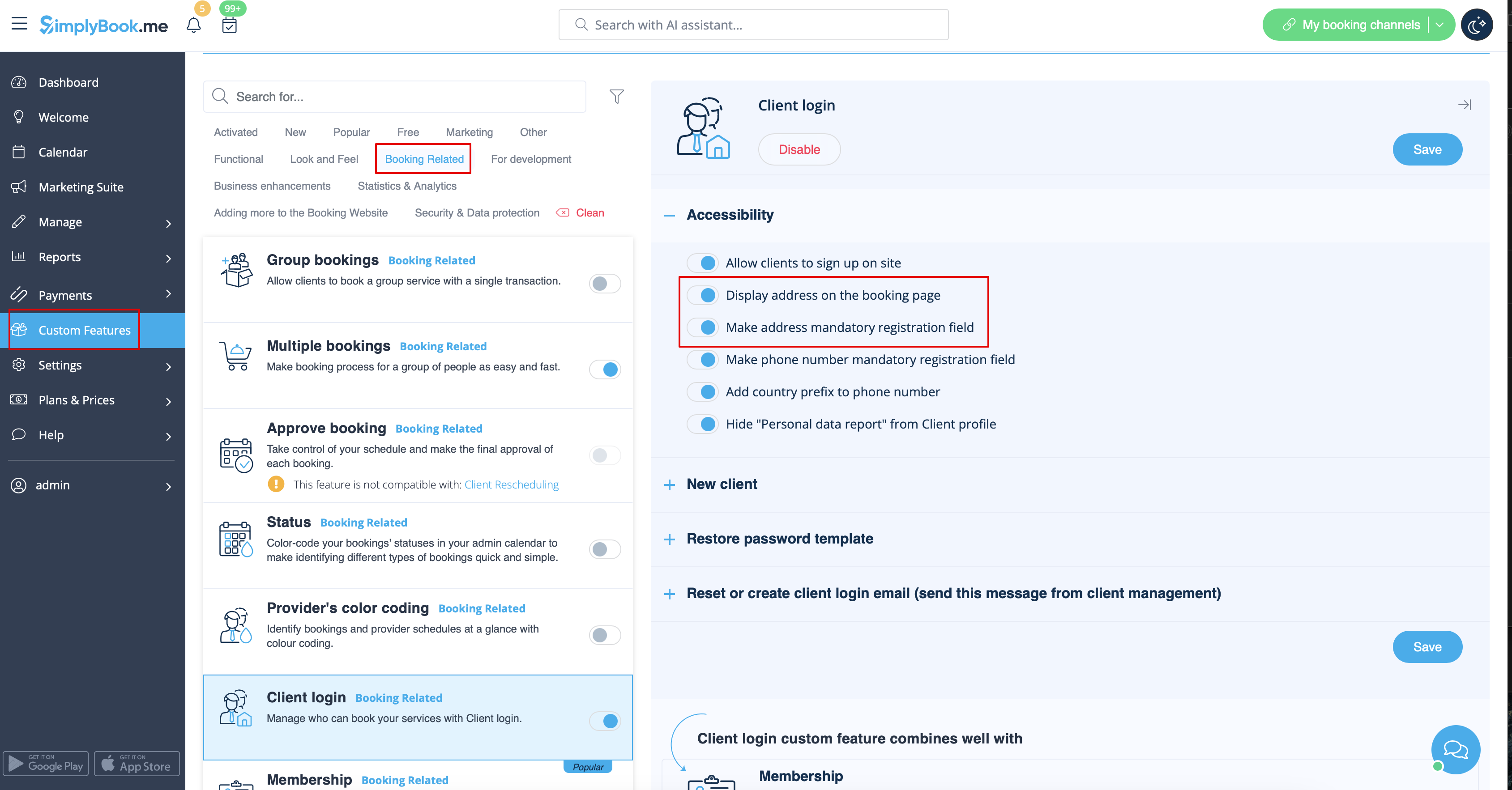
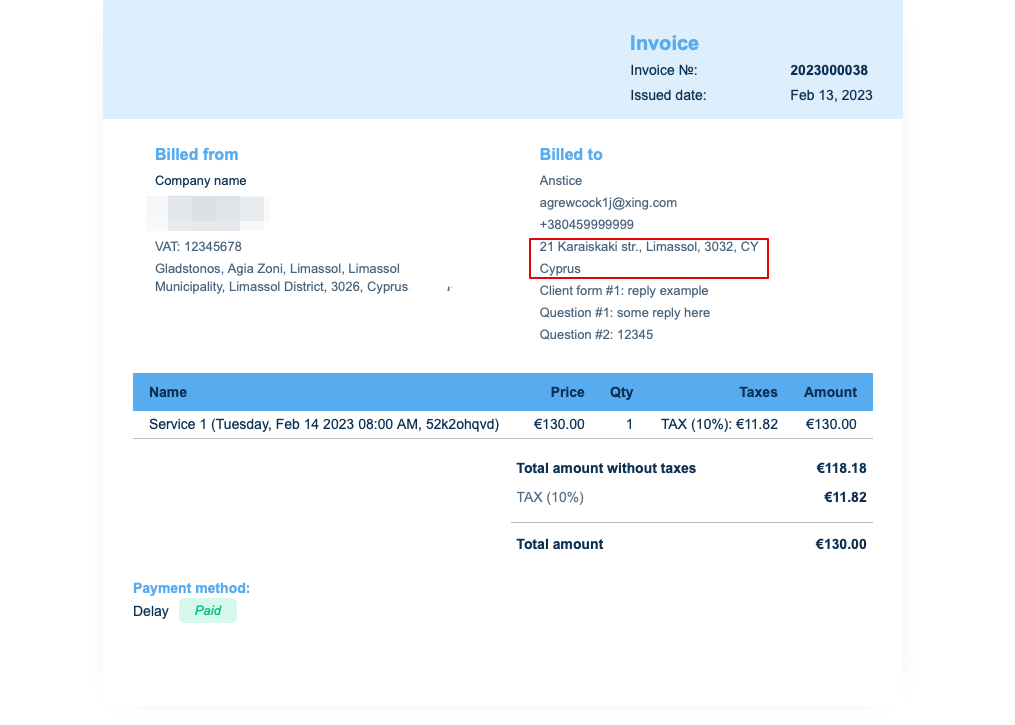
For at klientadressen skal vises, skal du aktivere den brugerdefinerede funktion Klientlogin, aktivere både Vis adresse på reservationssiden og Gør adresse obligatorisk registreringsfelt i afsnittet Tilgængelighed. Gem indstillinger.
4. Indtastningsformularer og klientfelter
Du kan tilføje bestemte formularer, der skal vises i klientinformationsblokken.
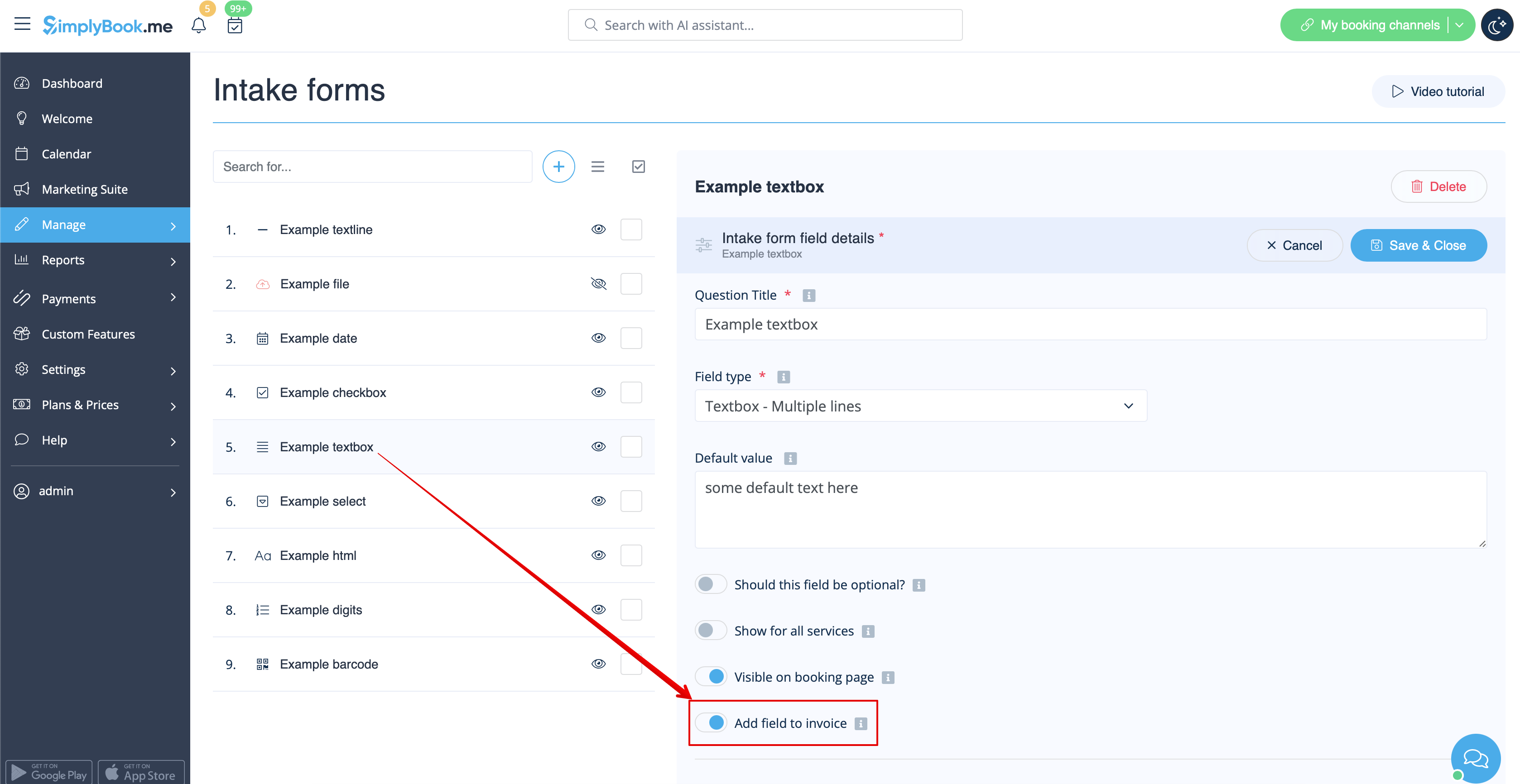
Hvis det er en indtastningsformular, skal du gå til Administrer -> Indtastningsformularer -> klikke på den ønskede formular for at vælge den -> aktivere Tilføj felt til faktura, gem indstillinger.
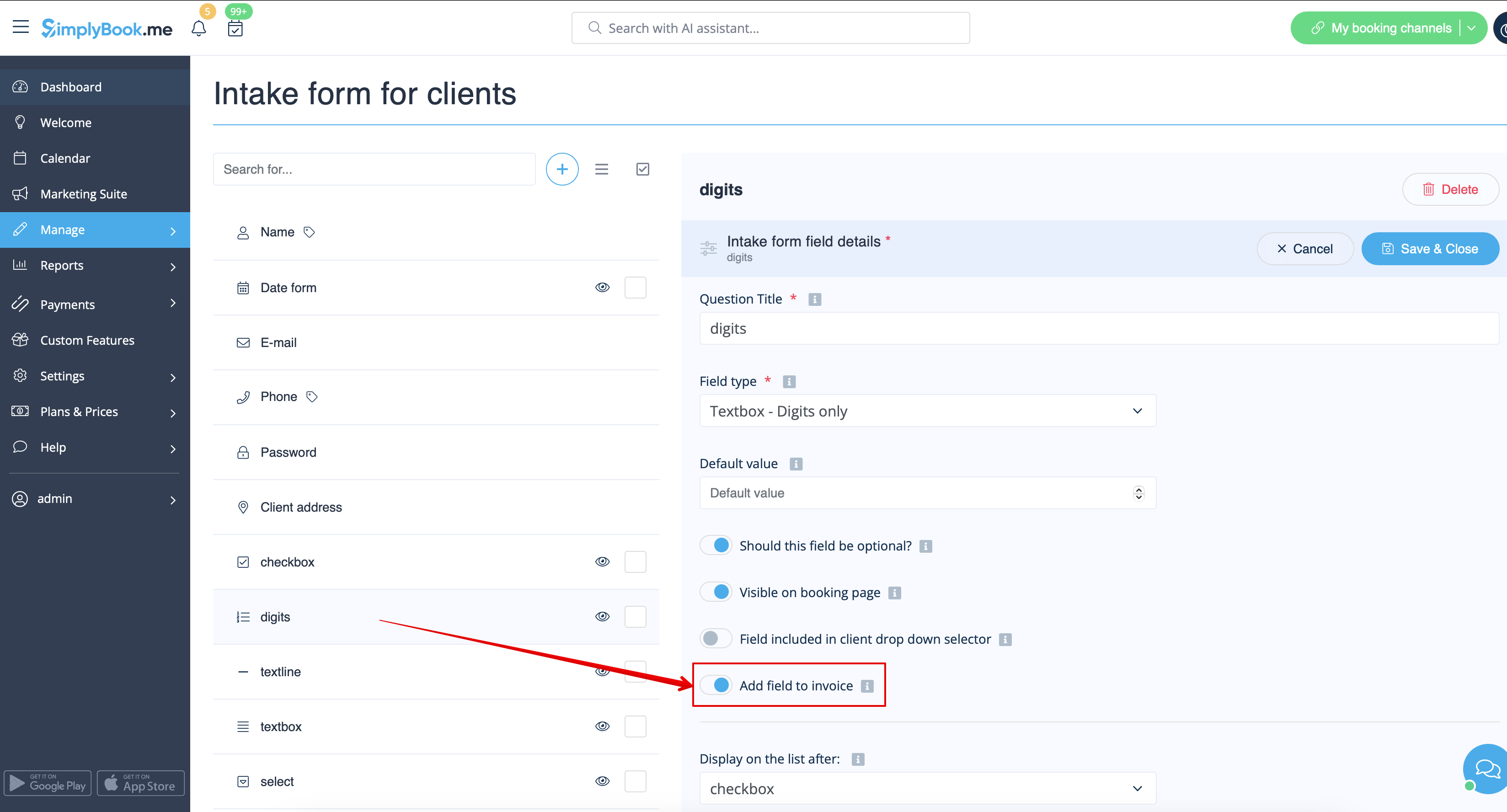
Hvis du ønsker at tilføje en klientformular, skal du navigere til Administrer -> Klientfelter -> klikke på det ønskede felt for at redigere det -> aktivere Tilføj felt til faktura og gemme.
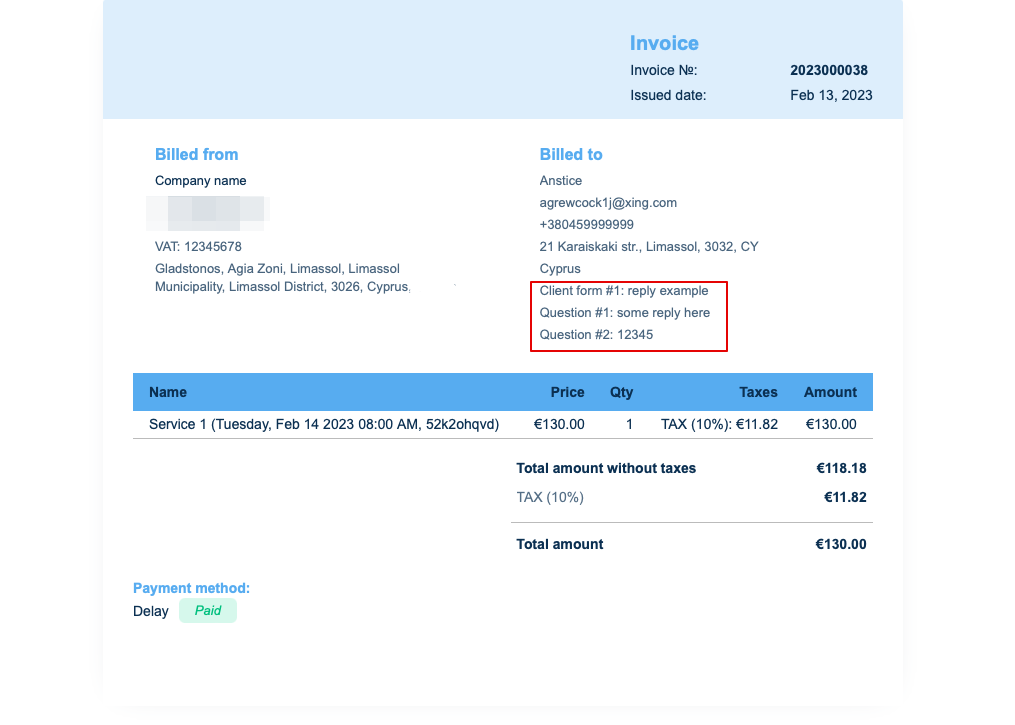
Som resultat vil både formularens titel og klientens svar blive afspejlet på fakturaen.
5. Fakturadesign.
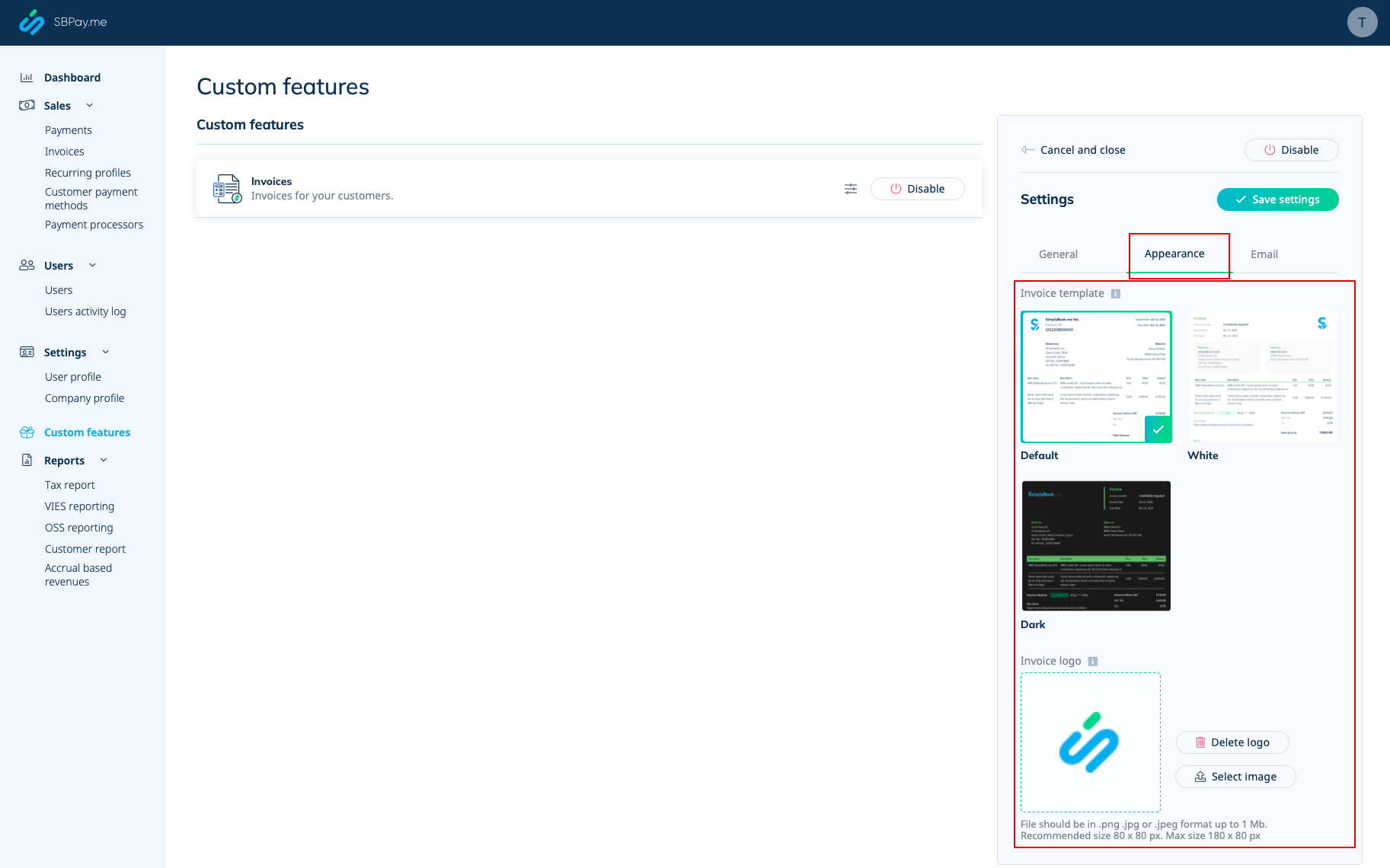
Der er tre skabeloner at vælge imellem i Betalinger (SBPay.me) -> Betalingssystemer - > Tilpassede funktioner -> Fakturaer -> Indstillinger -> Udseende.
Vælg den, du bedst kan lide, tilføj dit firmalogo og gem indstillingerne.
Bemærk! Import af fakturaer fra eksterne platforme direkte til systemet understøttes ikke. SimplyBook.me tilbyder dog integrationsmuligheder med forskellige regnskabsprogrammer, herunder Xero, QuickBooks og FreshBooks. Du kan effektivt administrere dine fakturaer i dit foretrukne regnskabssystem.
