Translations:How to set my availability/4/en: Difference between revisions

From SimplyBook.me
FuzzyBot (talk | contribs)
Importing a new version from external source
Tags: Mobile edit Mobile web edit
 
FuzzyBot (talk | contribs)
Importing a new version from external source
Tags: Mobile edit Mobile web edit
 
Line 12: Line 12:
<br><br>
<br><br>
;You may also need:
;You may also need:
*[[Need_to_change_interval_(timeframe)| Other interval than 60 minutes]]
*[[Special:MyLanguage/Need_to_change_interval_(timeframe)| Other interval than 60 minutes]]
*[[How_to_change_the_way_time_slots_are_shown| Change the way time slots are shown on the booking page]]
*[[Special:MyLanguage/How_to_change_the_way_time_slots_are_shown| Change the way time slots are shown on the booking page]]
<br><br>
<br><br>

Latest revision as of 12:08, 11 August 2025

Information about message (contribute)
This message has no documentation. If you know where or how this message is used, you can help other translators by adding documentation to this message.
Message definition (How to set my availability)
=I have schedules for services=
<br><br>
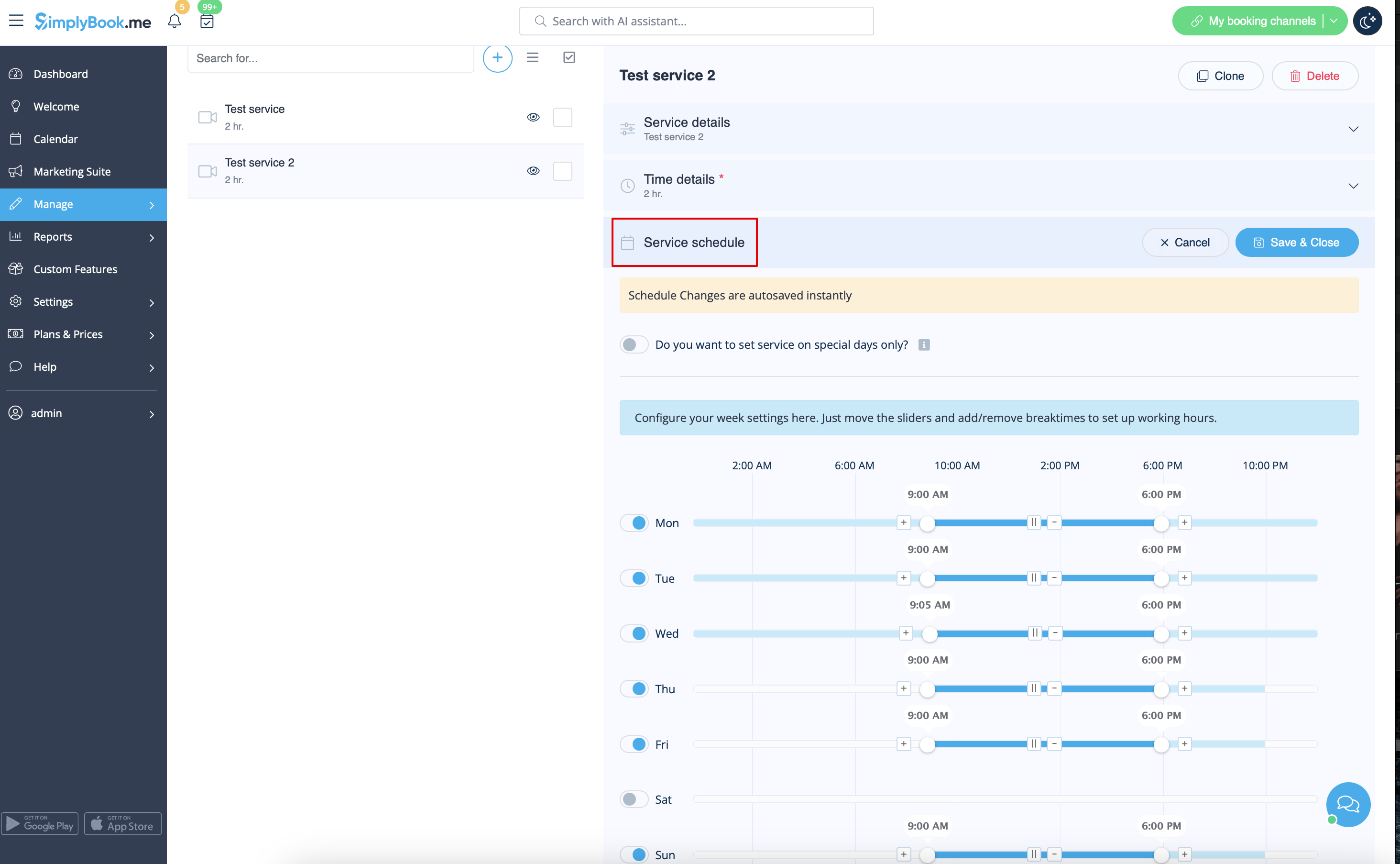
In Manage//Services//Service schedule tab move the sliders to set open times for this service if it differs from usual company schedule.
<br><br>
[[File:Service schedule path redesigned.png|1200px| center|link=https://help.simplybook.me/images/e/ec/Service_schedule_path_redesigned.png]] 
<br><br>
If the service has the same schedule as company you do not have to change anything there, it will be applied automatically.
<br><br>
If you need to set some exceptions in service schedule for holidays or other needs please choose "Show advanced settings" and then “Special days schedule” tab.
<br><br>
[[File:Service special days path redesigned.png|1200px | center|link=File:Service special days path redesigned.png]]  
<br><br>
;You may also need:
*[[Special:MyLanguage/Need_to_change_interval_(timeframe)| Other interval than 60 minutes]]
*[[Special:MyLanguage/How_to_change_the_way_time_slots_are_shown| Change the way time slots are shown on the booking page]]
<br><br>

I have schedules for services


In Manage//Services//Service schedule tab move the sliders to set open times for this service if it differs from usual company schedule.


If the service has the same schedule as company you do not have to change anything there, it will be applied automatically.

If you need to set some exceptions in service schedule for holidays or other needs please choose "Show advanced settings" and then “Special days schedule” tab.


You may also need