From SimplyBook.me
Created page with "== WhatsApp-meldingen == Als u en uw klanten actief gebruikmaken van WhatsApp Messenger, kunt u daar meldingen over boekingen ontvangen. ;Hoe gebruikt u 1. Schakel de gewenste typen WhatsApp-meldingen in via Instellingen -> E-mail- en sms-instellingen 1200px|center|link=https://help.simplybook.me/images/1/14/Whatapp_notofications_switchers.png <br><br> 2. Koop WhatsApp-tegoed in Abonnementen en prijzen -> Abonnementen of..." |
No edit summary |
||
| Line 9: | Line 9: | ||
[[File:Add whatapp credits to subscription.png|1200px|center|link=https://help.simplybook.me/images/c/c8/Add_whatapp_credits_to_subscription.png]] | [[File:Add whatapp credits to subscription.png|1200px|center|link=https://help.simplybook.me/images/c/c8/Add_whatapp_credits_to_subscription.png]] | ||
<br><br> | <br><br> | ||
<span style="background-color:#ffe9e9; padding:5px; border-radius:5px;">'''Let op!''' | <span style="background-color:#ffe9e9; padding:5px; border-radius:5px;">'''Let op!'''</span> | ||
<br><br> | <br><br> | ||
Latest revision as of 13:16, 13 August 2025
WhatsApp-meldingen
Als u en uw klanten actief gebruikmaken van WhatsApp Messenger, kunt u daar meldingen over boekingen ontvangen.
- Hoe gebruikt u
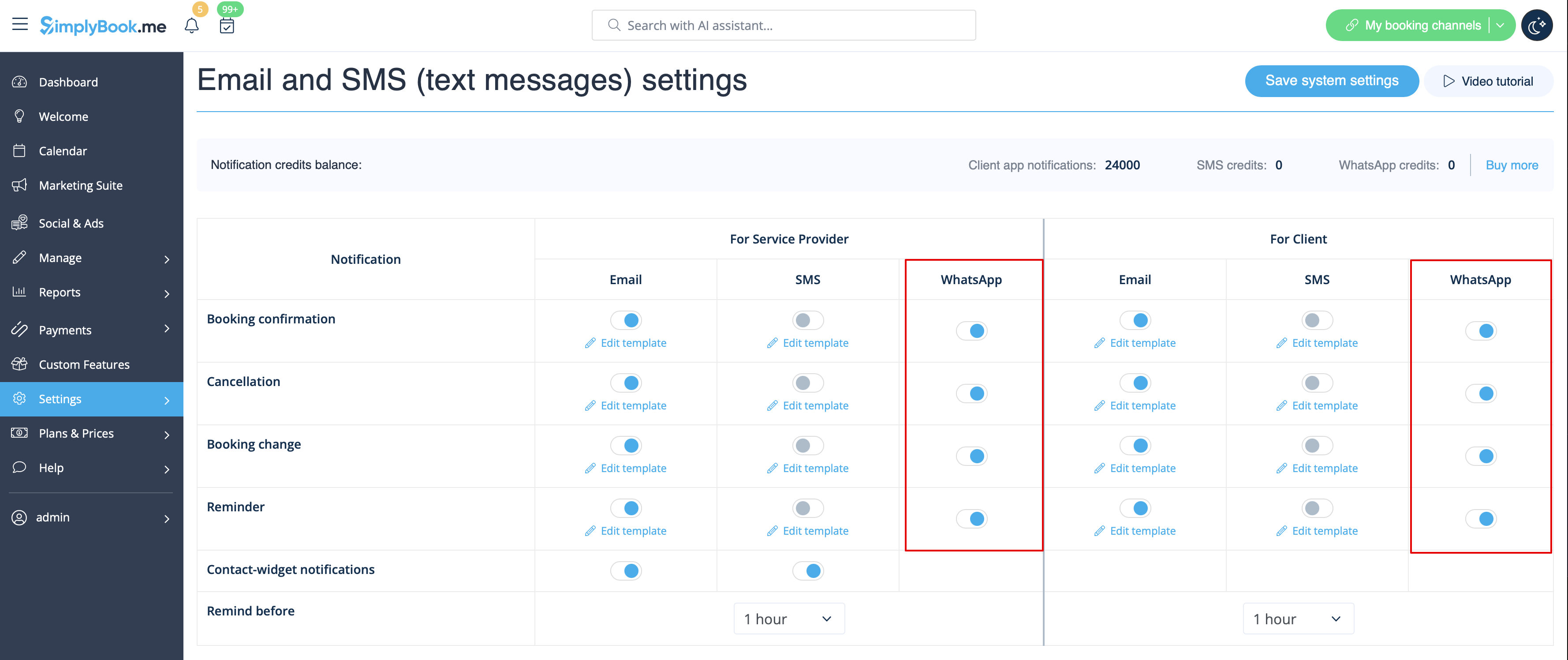
1. Schakel de gewenste typen WhatsApp-meldingen in via Instellingen -> E-mail- en sms-instellingen
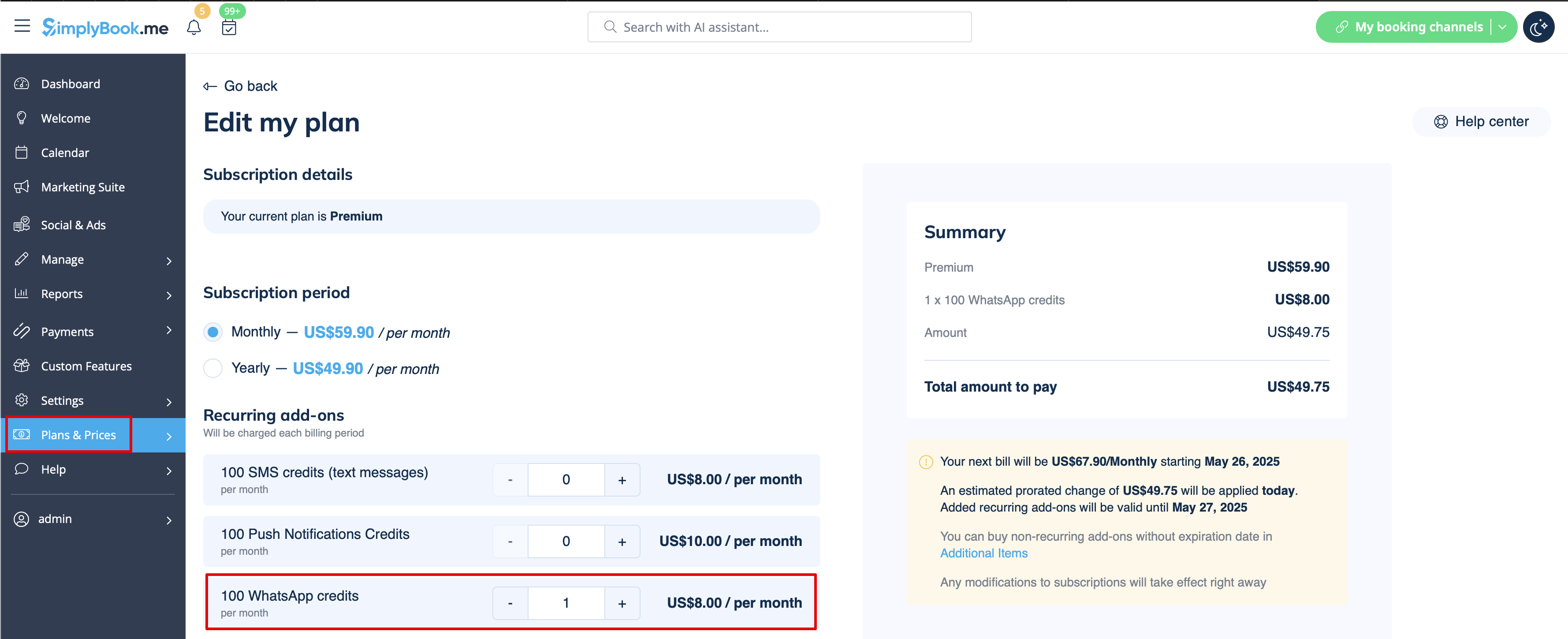
2. Koop WhatsApp-tegoed in Abonnementen en prijzen -> Abonnementen of Extra items, afhankelijk van of u het tegoed automatisch wilt verlengen met uw abonnement of liever een eenmalige aankoop doet.
(U kunt ook de berichten bekijken die vanuit het systeem zijn verzonden, evenals het aantal gebruikte credits in Rapporten -> SMS (txt-berichten) -> WhatsApp-meldingen)
Let op!

