From SimplyBook.me
Created page with "== Notifications WhatsApp == Si vous et vos clients utilisez activement WhatsApp Messenger, vous pouvez recevoir des notifications relatives aux réservations sur cette plateforme. ;Comment utiliser 1. Activez les types de notifications WhatsApp souhaités dans Paramètres -> Paramètres e-mail et SMS 1200px|center|link=https://help.simplybook.me/images/1/14/Whatapp_notofications_switchers.png <br><br> 2. Achetez des crédi..." |
No edit summary |
||
| Line 9: | Line 9: | ||
[[File:Add whatapp credits to subscription.png|1200px|center|link=https://help.simplybook.me/images/c/c8/Add_whatapp_credits_to_subscription.png]] | [[File:Add whatapp credits to subscription.png|1200px|center|link=https://help.simplybook.me/images/c/c8/Add_whatapp_credits_to_subscription.png]] | ||
<br><br> | <br><br> | ||
<span style="background-color:#ffe9e9; padding:5px; border-radius:5px;">'''Remarque importante !''' | <span style="background-color:#ffe9e9; padding:5px; border-radius:5px;">'''Remarque importante !'''</span> | ||
<br><br> | <br><br> | ||
Latest revision as of 14:15, 13 August 2025
Notifications WhatsApp
Si vous et vos clients utilisez activement WhatsApp Messenger, vous pouvez recevoir des notifications relatives aux réservations sur cette plateforme.
- Comment utiliser
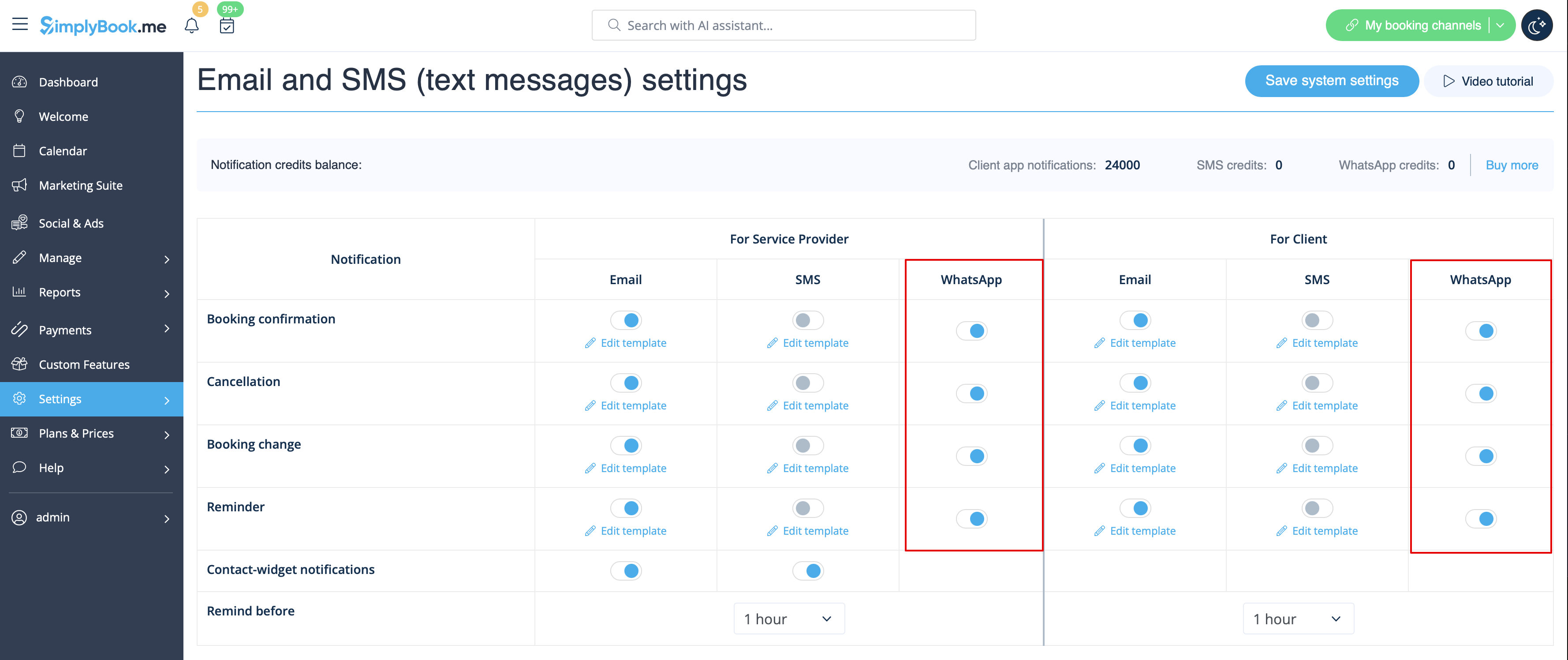
1. Activez les types de notifications WhatsApp souhaités dans Paramètres -> Paramètres e-mail et SMS
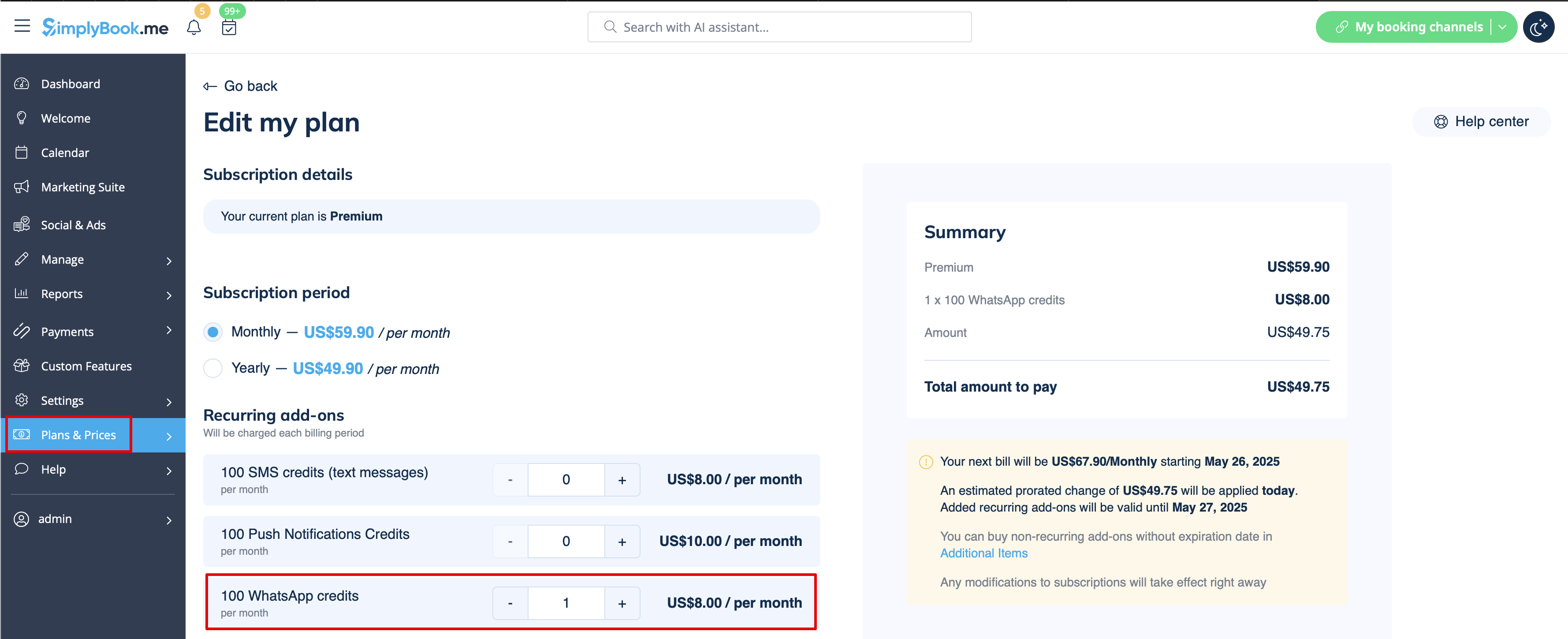
2. Achetez des crédits WhatsApp dans Plans et tarifs -> Abonnements ou Éléments supplémentaires selon que vous souhaitez que les crédits soient renouvelés automatiquement avec votre abonnement ou que vous préférez un achat unique.
(Vous pourrez également consulter les messages envoyés par le système ainsi que le nombre de crédits utilisés dans Rapports -> SMS (messages texte) -> Notifications WhatsApp)
Remarque importante !

