From SimplyBook.me
Created page with "{{#seo: |title=Як отримати рахунок у SimplyBook.me |description=Отримайте доступ та завантажте рахунки за вашу підписку на SimplyBook.me. Виконайте ці кроки, щоб легко керувати своїми рахунками. |titlemode=додати |keywords=fAQ, поширені запитання, програмне забезпечення для бронювання, запитанн..." |
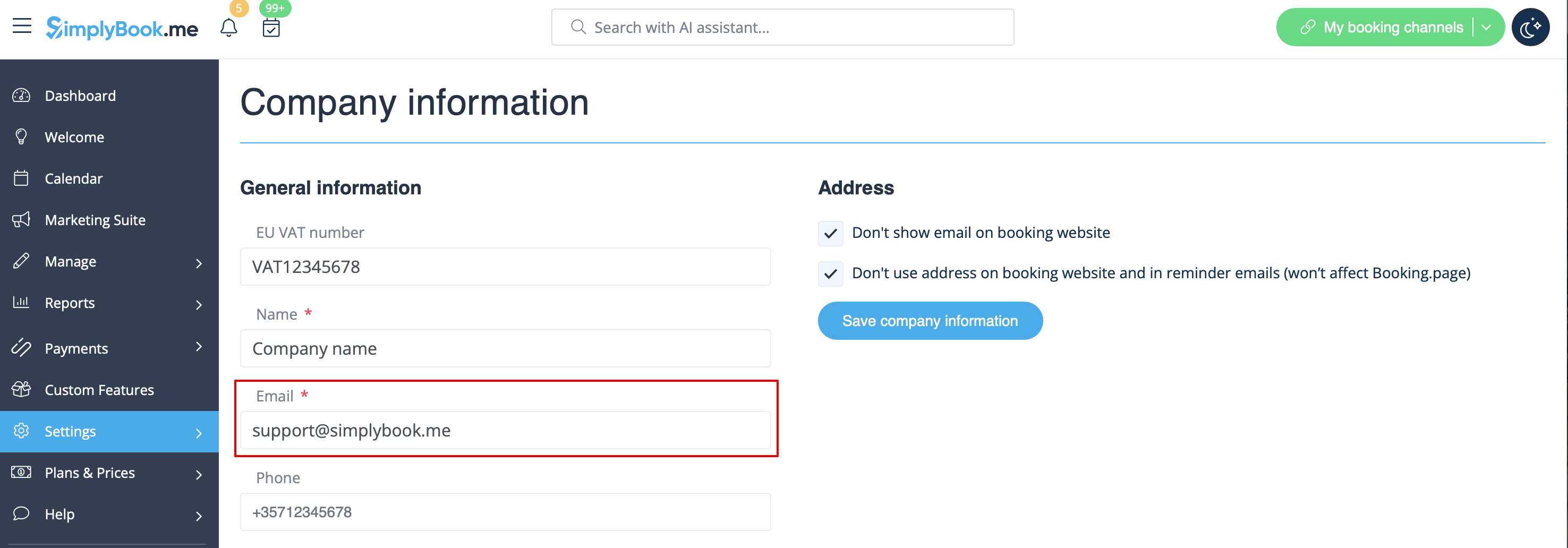
Created page with "Зазвичай всі рахунки за ваші абонентські платежі надсилаються на електронну адресу вашої компанії, вказану в розділі «Налаштування» -> «Інформація про компанію» -> «Електронна адреса File:Company email address redesigned.png|1200px| center|link=https://help.simplybook.me/images/7/7c/Company_email_address_redesig..." |
||
| Line 4: | Line 4: | ||
<br><br> | <br><br> | ||
Зазвичай всі рахунки за ваші абонентські платежі надсилаються на електронну адресу вашої компанії, вказану в розділі «Налаштування» -> «Інформація про компанію» -> «Електронна адреса | |||
[[File:Company email address redesigned.png|1200px| center|link=https://help.simplybook.me/images/7/7c/Company_email_address_redesigned.png]] | [[File:Company email address redesigned.png|1200px| center|link=https://help.simplybook.me/images/7/7c/Company_email_address_redesigned.png]] | ||
<br><br> | <br><br> | ||
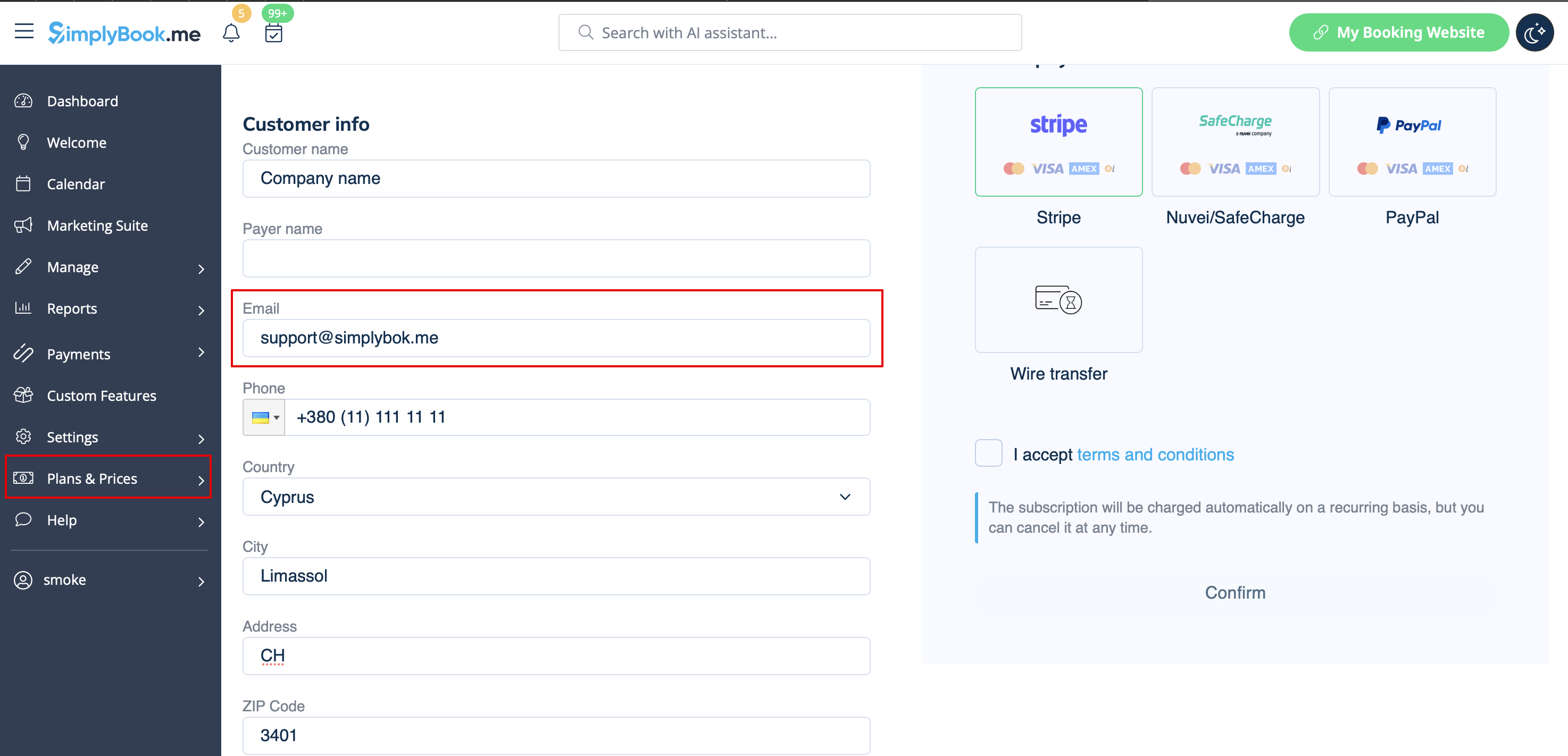
або на електронну адресу, вказану в полі «Електронна адреса для рахунків». | |||
[[File:Email for invoice redesigned.png|1200px | center|link=https://help.simplybook.me/images/3/35/Email_for_invoice_redesigned.png]] | [[File:Email for invoice redesigned.png|1200px | center|link=https://help.simplybook.me/images/3/35/Email_for_invoice_redesigned.png]] | ||
<br><br> | <br><br> | ||
<div lang="en" dir="ltr" class="mw-content-ltr"> | <div lang="en" dir="ltr" class="mw-content-ltr"> | ||
It may happen that you need a copy of the invoice for accounting or reporting purposes and now you can easily download them. | It may happen that you need a copy of the invoice for accounting or reporting purposes and now you can easily download them. | ||
Revision as of 12:48, 16 May 2025
Зазвичай всі рахунки за ваші абонентські платежі надсилаються на електронну адресу вашої компанії, вказану в розділі «Налаштування» -> «Інформація про компанію» -> «Електронна адреса
або на електронну адресу, вказану в полі «Електронна адреса для рахунків».
It may happen that you need a copy of the invoice for accounting or reporting purposes and now you can easily download them. Please go to Plans&Prices -> Payment history. In the first block "History" in the last column you will be able to see "Download invoice" button for the payments where it is available.
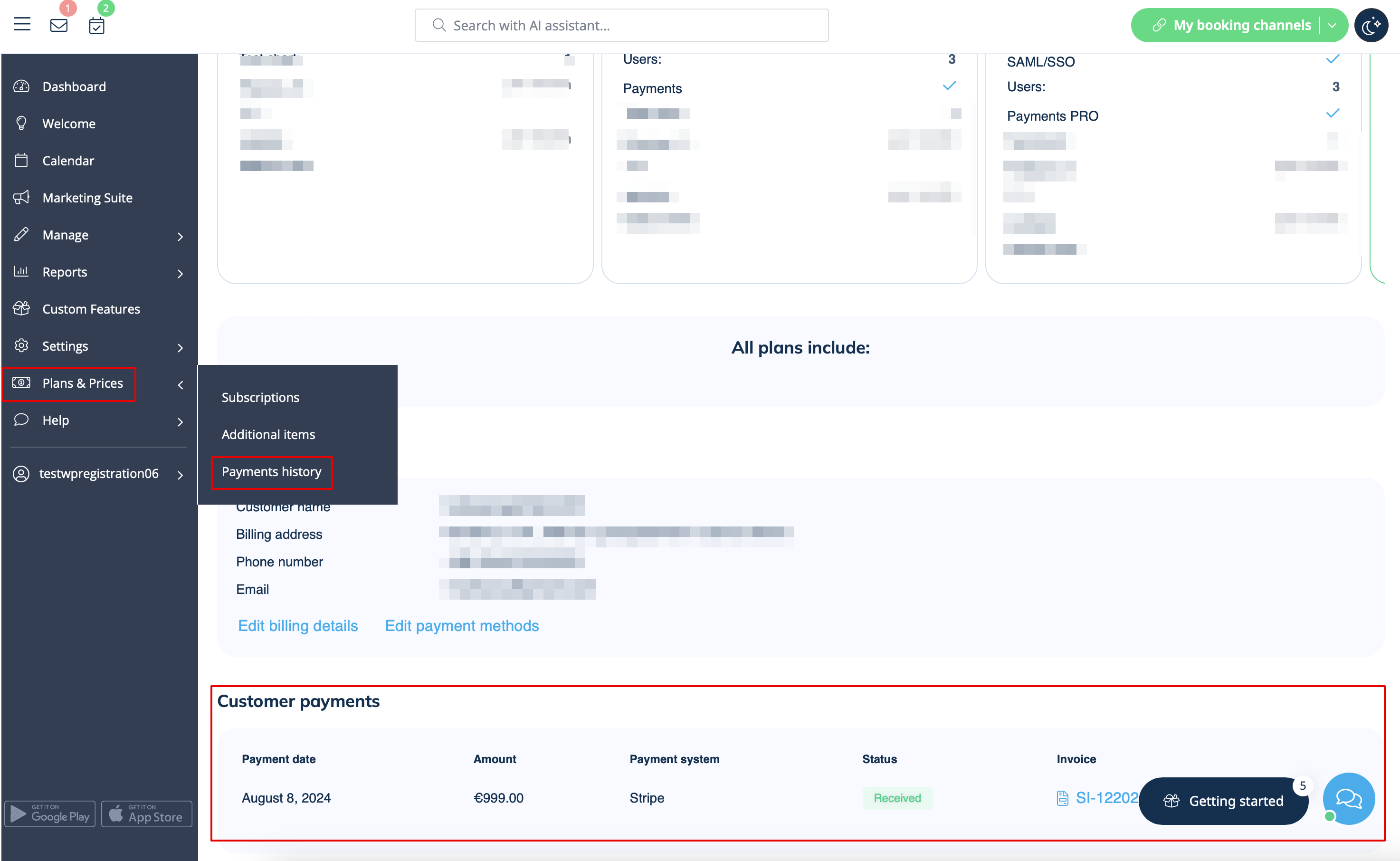
If you need invoices for old payments or for the ones where such button does not appear please contact support.
