From SimplyBook.me
Created page with "{{#seo: |title=Hur du får fakturan i SimplyBook.me |description=Öppna och ladda ner fakturor för ditt SimplyBook.me-abonnemang. Följ dessa steg för att enkelt hantera din fakturering. |titlemode=lägg till |keywords=faq, vanliga frågor, bokningsprogramvara, frågor om bokningssystem, onlinebokningar, kalenderprogramvara, bokningssystem, bokningskalender, schemaläggningsprogramvara, onlinebokning, onlinebokning, plugins, anpassade funktioner, anpassad bokningssida,..." |
Created page with "Det kan hända att du behöver en kopia av fakturan för bokföring eller rapportering, och nu kan du enkelt ladda ner den. Gå till Planer och priser -> Betalningshistorik. I det första blocket "Historik" i den sista kolumnen ser du knappen "Ladda ner faktura" för de betalningar där den är tillgänglig. 1200px | center|link=https://help.simplybook.me/images/f/f8/Invoices_list_redesigned.png <br><br> Om du behöver fakturor f..." Tags: Mobile edit Mobile web edit |
||
| Line 4: | Line 4: | ||
<br><br> | <br><br> | ||
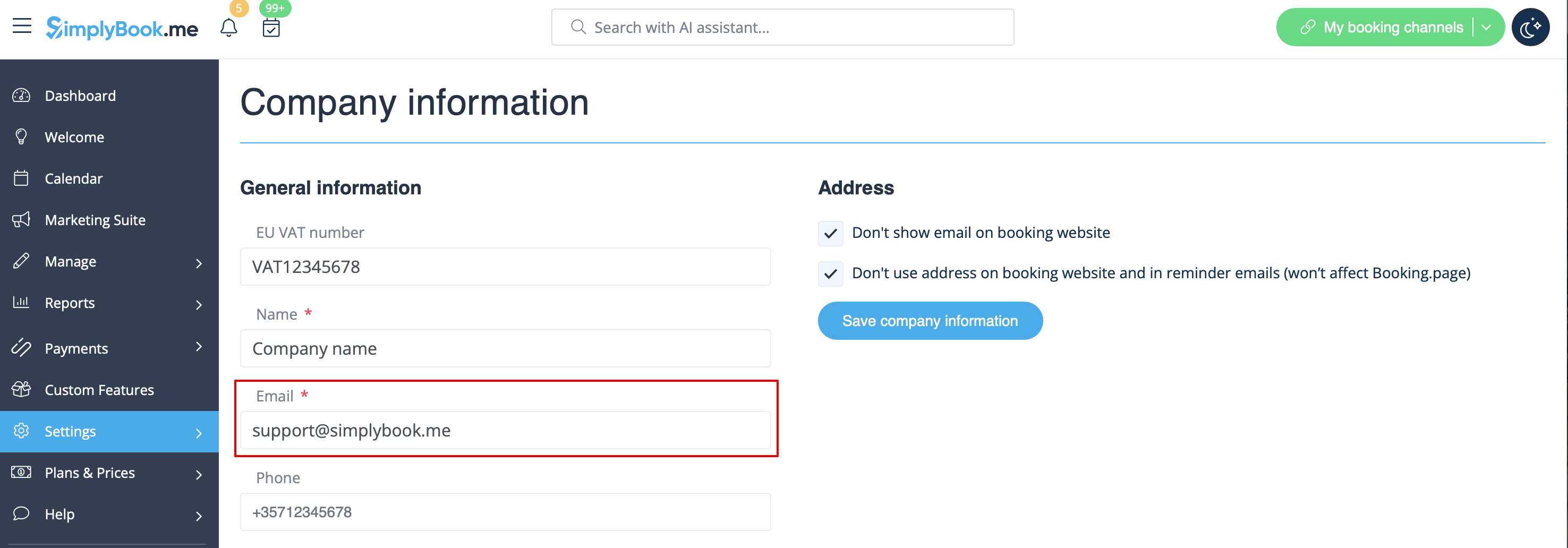
I allmänhet skickas alla fakturor om dina prenumerationsbetalningar antingen till din företags-e-postadress som anges i Inställningar -> Företagsinformation -> E-post | |||
[[File:Company email address redesigned.png|1200px| center|link=https://help.simplybook.me/images/7/7c/Company_email_address_redesigned.png]] | [[File:Company email address redesigned.png|1200px| center|link=https://help.simplybook.me/images/7/7c/Company_email_address_redesigned.png]] | ||
<br><br> | <br><br> | ||
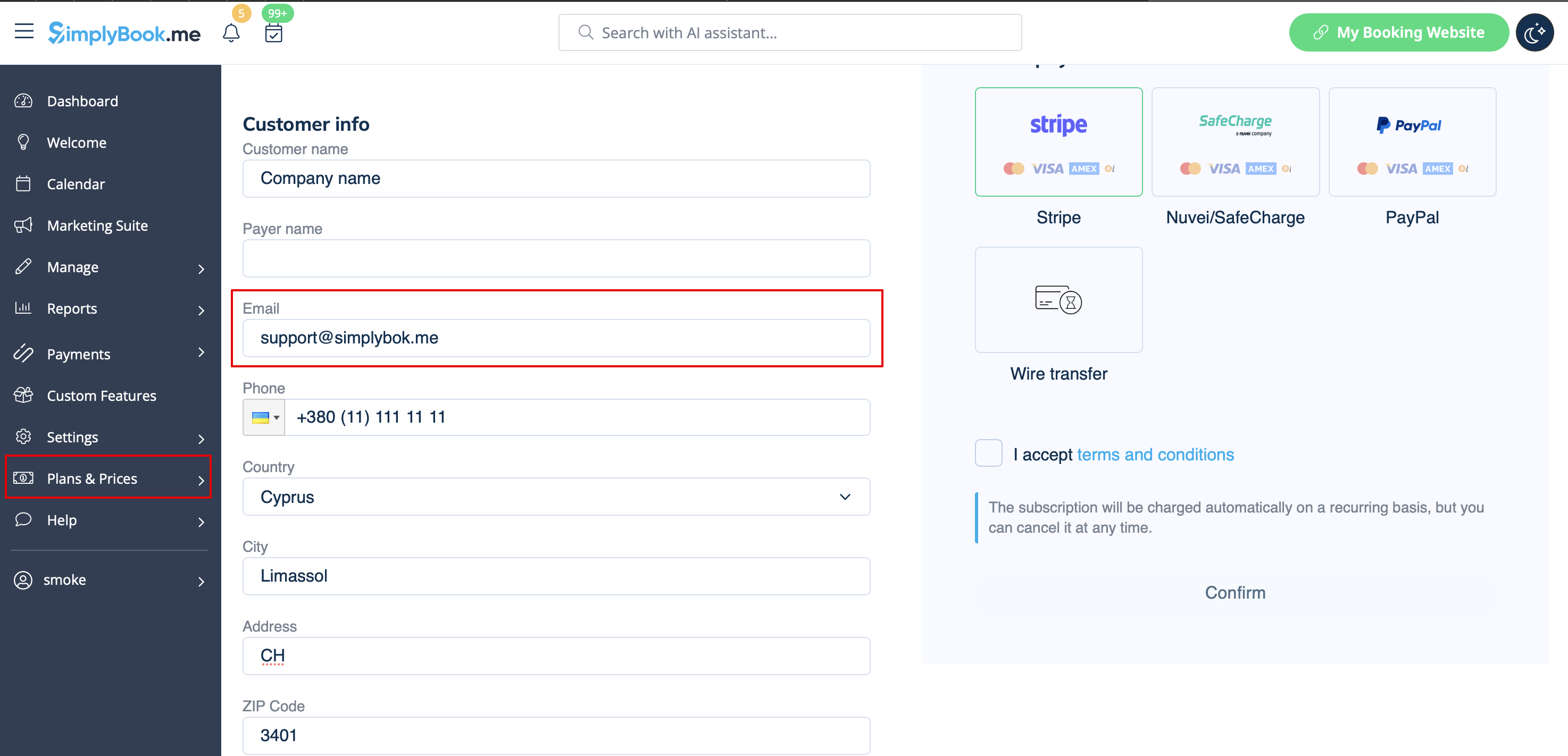
eller till den e-postadress du har angett i rutan "Faktura-e-post". | |||
[[File:Email for invoice redesigned.png|1200px | center|link=https://help.simplybook.me/images/3/35/Email_for_invoice_redesigned.png]] | [[File:Email for invoice redesigned.png|1200px | center|link=https://help.simplybook.me/images/3/35/Email_for_invoice_redesigned.png]] | ||
<br><br> | <br><br> | ||
Det kan hända att du behöver en kopia av fakturan för bokföring eller rapportering, och nu kan du enkelt ladda ner den. | |||
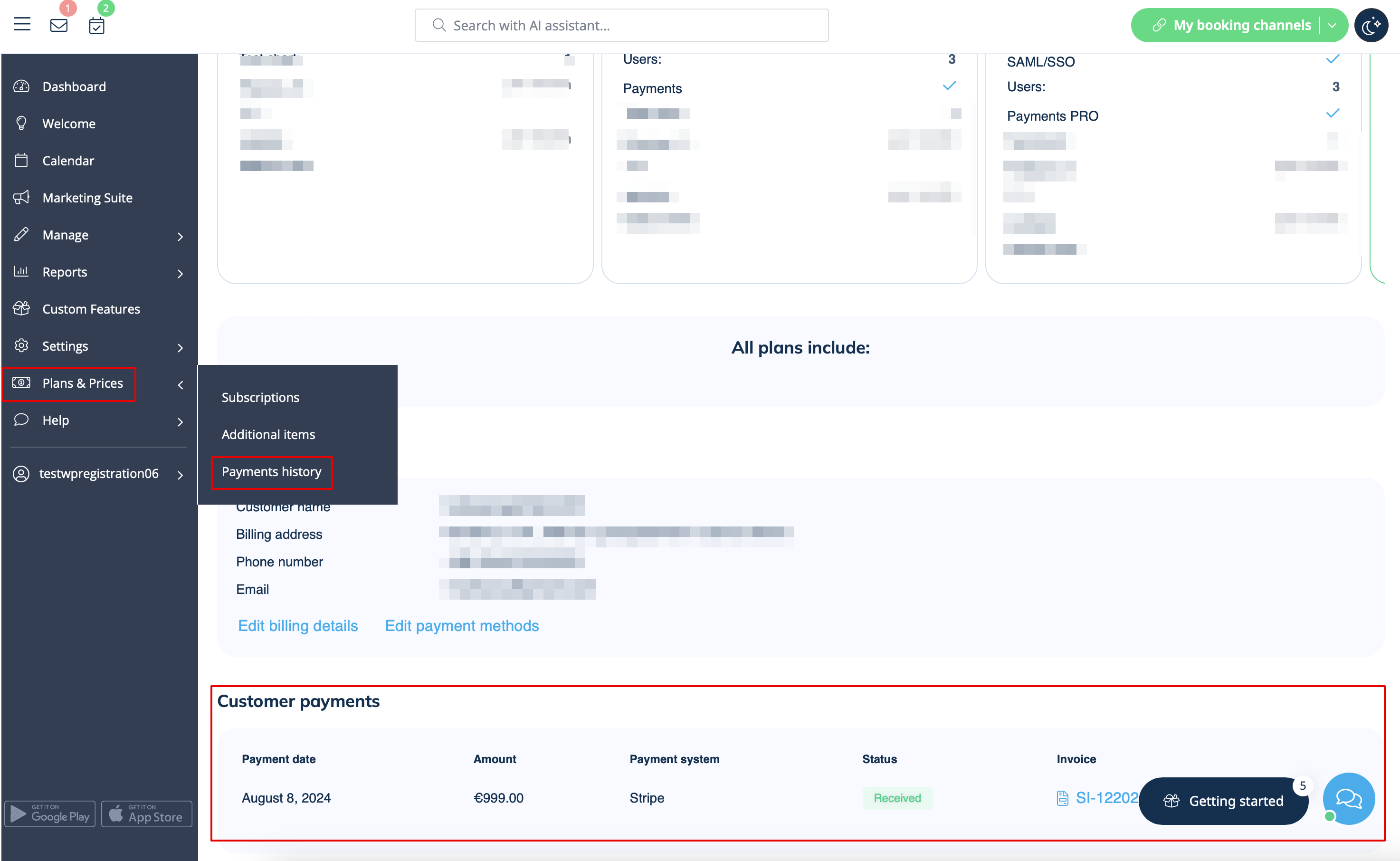
Gå till Planer och priser -> Betalningshistorik. | |||
I det första blocket "Historik" i den sista kolumnen ser du knappen "Ladda ner faktura" för de betalningar där den är tillgänglig. | |||
[[File:Invoices list redesigned.png|1200px | center|link=https://help.simplybook.me/images/f/f8/Invoices_list_redesigned.png]] | [[File:Invoices list redesigned.png|1200px | center|link=https://help.simplybook.me/images/f/f8/Invoices_list_redesigned.png]] | ||
<br><br> | <br><br> | ||
Om du behöver fakturor för gamla betalningar eller för sådana där knappen inte visas, vänligen kontakta supporten. | |||
<br><br> | <br><br> | ||
Revision as of 12:49, 16 May 2025
I allmänhet skickas alla fakturor om dina prenumerationsbetalningar antingen till din företags-e-postadress som anges i Inställningar -> Företagsinformation -> E-post
eller till den e-postadress du har angett i rutan "Faktura-e-post".
Det kan hända att du behöver en kopia av fakturan för bokföring eller rapportering, och nu kan du enkelt ladda ner den.
Gå till Planer och priser -> Betalningshistorik.
I det första blocket "Historik" i den sista kolumnen ser du knappen "Ladda ner faktura" för de betalningar där den är tillgänglig.
Om du behöver fakturor för gamla betalningar eller för sådana där knappen inte visas, vänligen kontakta supporten.

