Created page with "<!--- ------------- = Voice bookings report = If you are using Voice bookings custom feature you will be able to see all calls information in Reports//Voice bookings.<br> In this report you can: *filter the calls by: <ol style="list-style-type: circle;"> <li>call date range;</li> <li>booking date range;</li> <li>client name;</li> <li>client phone number.</li></ol> *export the information to Excel(use the filters if necessary). <nomobi..." |
Created page with "= Rapport pr. specifik klient = <br><br> Denne rapport giver dig mulighed for at se forskellige rapporter, der findes i systemet, men filtreret efter en bestemt kunde på ét praktisk sted.<br> Følgende rapporter er tilgængelige:" Tags: Mobile edit Mobile web edit |
||
| Line 221: | Line 221: | ||
[[File:Recurring profiles new.png|1200px|center|link=https://help.simplybook.me/images/9/93/Recurring_profiles_new.png]] | [[File:Recurring profiles new.png|1200px|center|link=https://help.simplybook.me/images/9/93/Recurring_profiles_new.png]] | ||
<br><br> | <br><br> | ||
Den tredje fane, '''"Udestående saldo'''", giver mulighed for at: | |||
* | *se udestående saldo pr. kunde; | ||
* | *filtrere udestående saldo efter beløb og/eller kunde; | ||
* | *eksportere data om udestående saldo til Excel eller .csv (ved hjælp af filtre, hvis nødvendigt). | ||
[[File:Outstanding balance report new.png|1200px|center|link=https://help.simplybook.me/images/f/f5/Outstanding_balance_report_new.png]] | [[File:Outstanding balance report new.png|1200px|center|link=https://help.simplybook.me/images/f/f5/Outstanding_balance_report_new.png]] | ||
<div lang="en" dir="ltr" class="mw-content-ltr"> | <div lang="en" dir="ltr" class="mw-content-ltr"> | ||
Revision as of 09:19, 19 May 2025
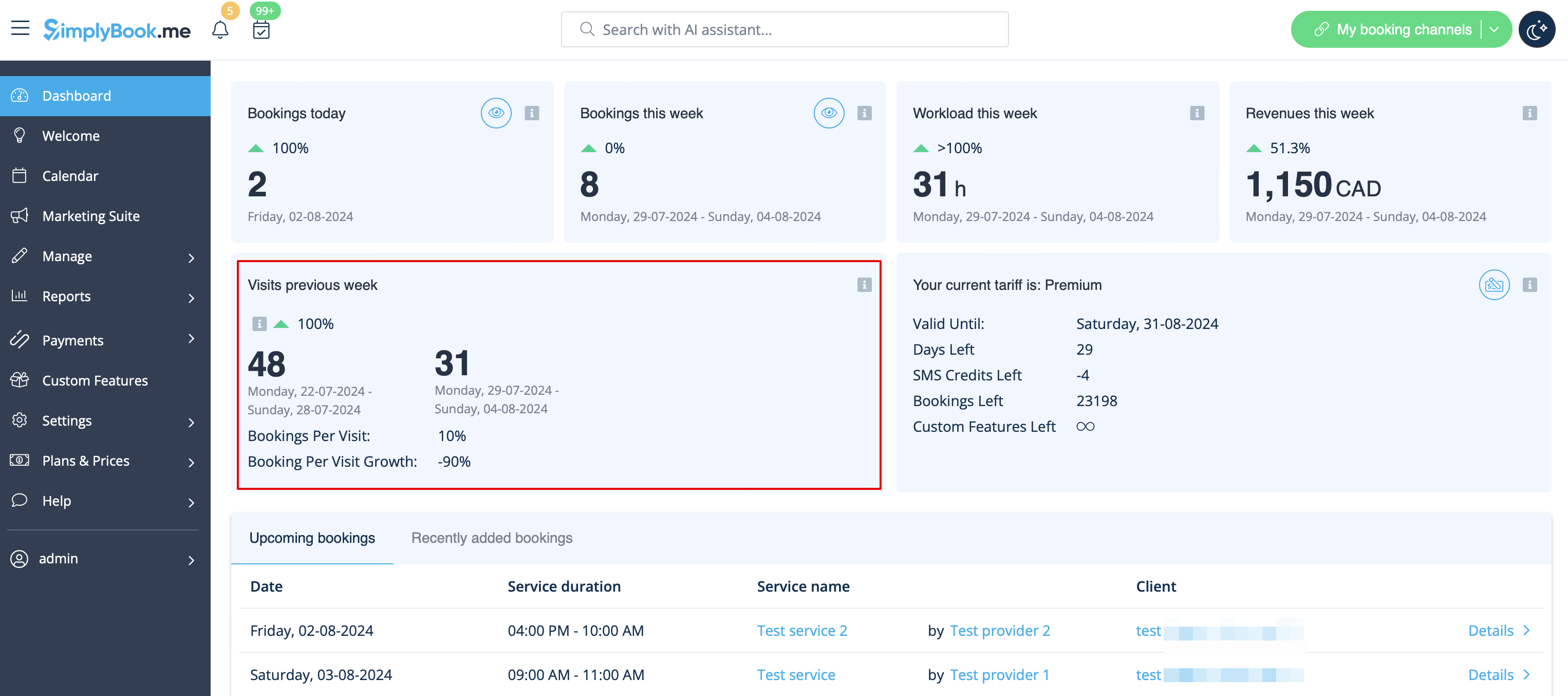
Besøgstæller
Resultaterne vises på Dashboard-siden i din admin-grænseflade, hvis den tilsvarende brugerdefinerede funktion er aktiveret.
Det giver mulighed for at spore besøg på din reservationsside.
Daglig rapport
giver mulighed for at modtage en liste over bookinger til din virksomheds e-mailadresse hver dag.
Du skal aktivere tilføjelsesfunktionen Daglig rapport for at modtage sådanne oplysninger.
Du kan f.eks. indstille den til at blive sendt om morgenen, så du kan forberede dig på dagen.
Det er også muligt at vælge at modtage oplysninger om:
- nye bookinger;
- aflyste bookinger;
- kommende bookinger.

Bookingoplysninger
Video-vejledning 
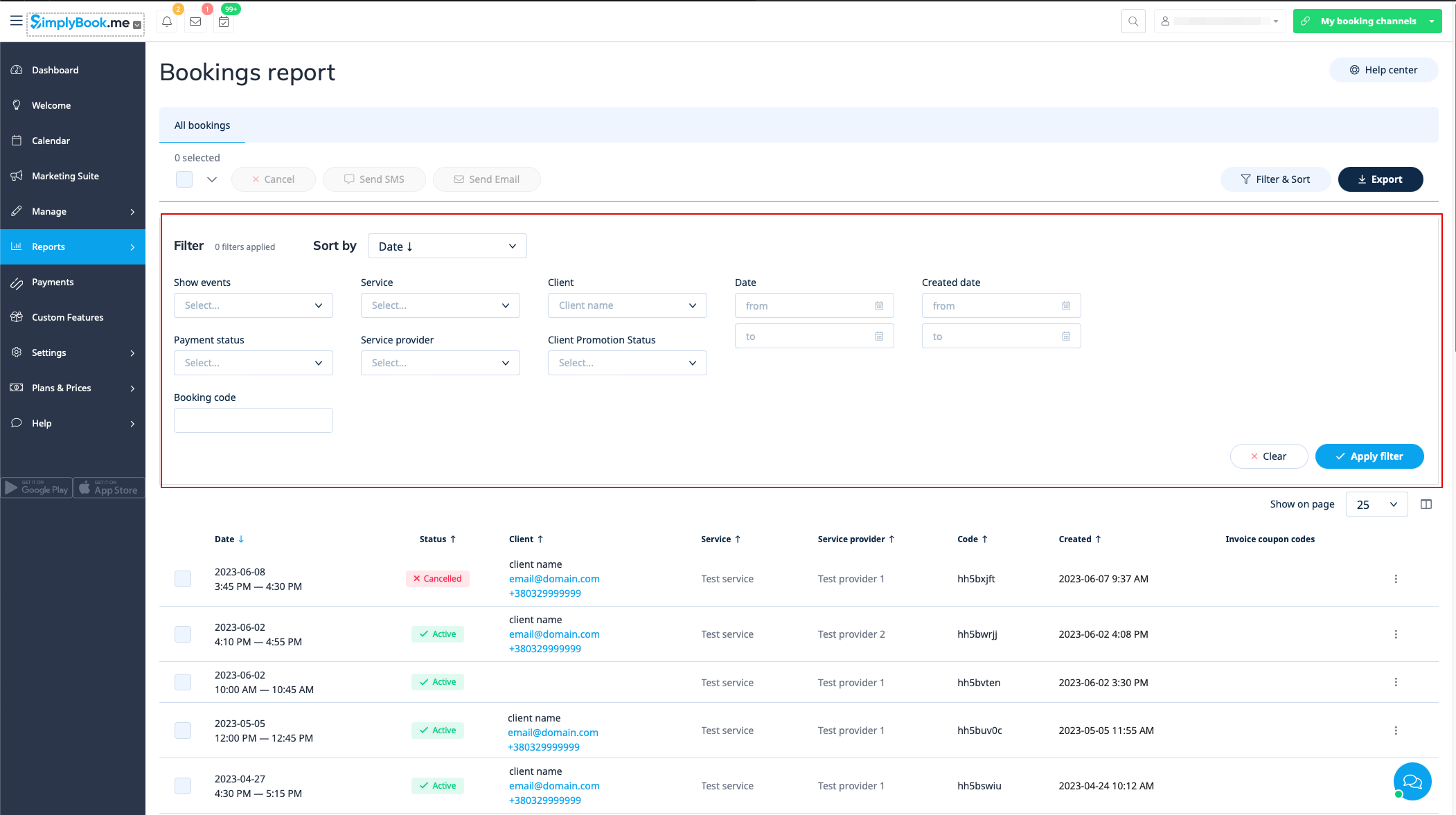
Du kan finde en liste over alle dine bookinger i Rapporter // Bookingsdetaljer.
I denne rapport kan du:
- e på "se booking" i handlingsmenuen for hver række for at se de specifikke bookingoplysninger;
- e e-mail/sms til din(e) kunde(r) (du kan endda bruge nogle af de variabler, der er nævnt der);
- e til den specifikke kunderapport ved at vælge "Vis kundens rapport" i hver række;
- e bookinger efter:
- bookingdato;
- datoen, hvor bookingen blev foretaget;
- service;
- tjenesteudbyder;
- kunde;
- unik reservationskode
- status (alle bookinger, annullerede bookinger, ikke-annullerede bookinger);
- betalingsstatus (hvis betalingsfunktionen er aktiveret);
- kundepromoveringsstatus (for kun at se tilmeldte eller afmeldte kunder).
- eksportér bookinger til Excel eller .csv (brug filtrene til kun at eksportere bookinger inden for et bestemt datointerval eller relateret til en bestemt udbyder, vælg hvilke kolonner der skal eksporteres osv. hvis nødvendigt).
Kunderapport
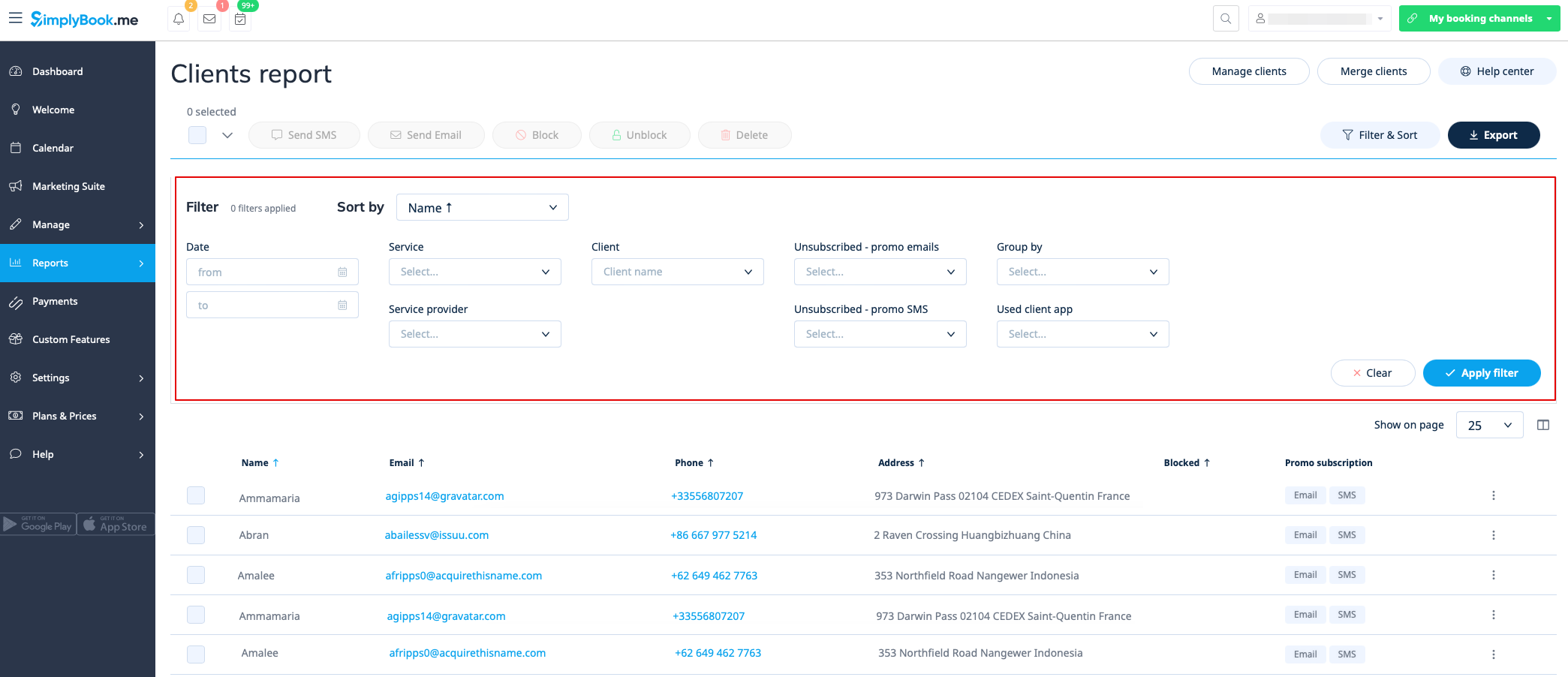
Du kan finde en liste over alle dine kunder og deres bookinger under Rapporter // Kunderapport.
I denne rapport kan du:
- klikke på "Vis detaljer" for hver række for at se detaljer om den pågældende klient;
- klikke på "Vis historik" for at få en liste over bookinger foretaget af den pågældende klient (med mulighed for eksport til Excel);
- sende e-mail/sms til dine klienter;
- blokere, ophæve blokering eller slette nogle klienter, hvis det er nødvendigt;
- navigere til siden for sammenlægning af klientoplysninger (hvis funktionen Klientlogin er aktiveret)
- filtrere bookinger efter:
- bookingdato;
- service;
- serviceudbyder;
- klient;
- klientens status for kampagneabonnement;
- om klienten/klienterne har brugt klientappen (hvis funktionen klientmobilapp er aktiveret).
- eksporter bookinger til Excel eller .csv (brug filtre til at eksportere bookinger for et bestemt datointerval eller for en bestemt udbyder, vælg hvilke kolonner der skal eksporteres).
Du kan også beslutte, hvordan du vil gruppere dine kunder (for at undgå dobbelte kunder) efter e-mail, telefon eller e-mail og telefon.
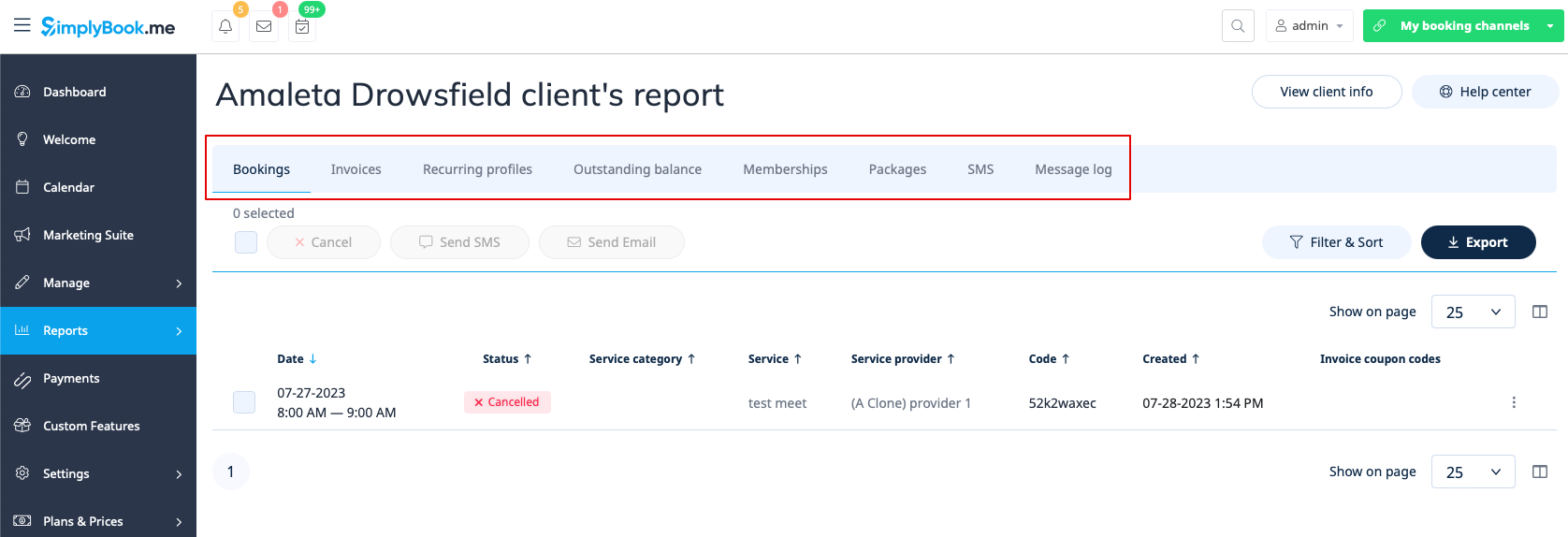
Rapport pr. specifik klient
Denne rapport giver dig mulighed for at se forskellige rapporter, der findes i systemet, men filtreret efter en bestemt kunde på ét praktisk sted.
Følgende rapporter er tilgængelige:
- Bookingsdetaljer
- Betalingstransaktioner
- Tilbagevendende profiler
- Udestående saldo
- Medlemskaber
- Pakker
- SMS
- Meddelelseslog
- Billetter
- Loyalitetspoint
Du kan anvende forskellige filtre pr. fane, se detaljer eller eksportere til xls/csv-formater.
Meddelelsesrapport
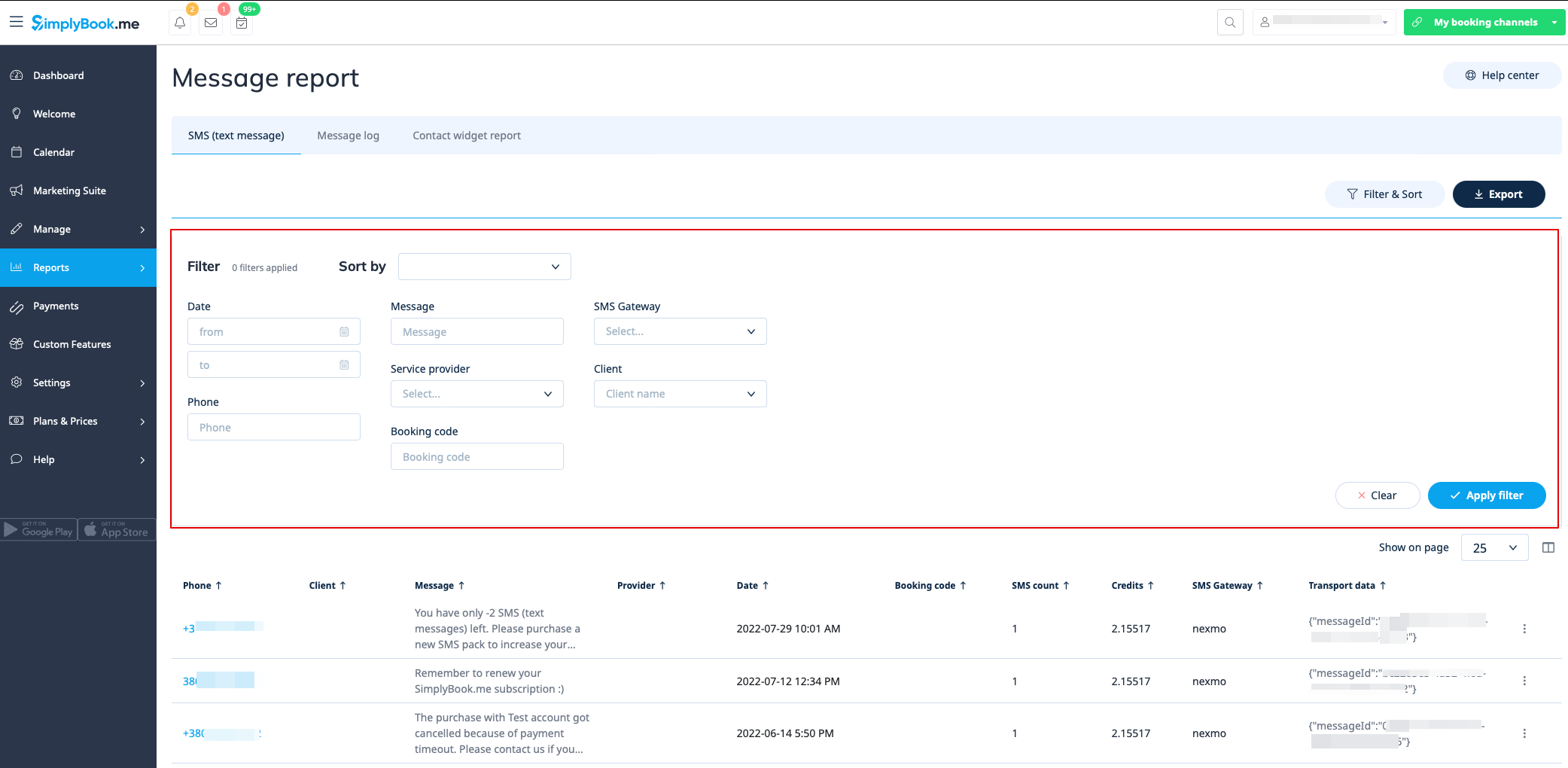
Du kan finde en liste over alle dine sms-beskeder, der er sendt fra systemet, i rapporten Rapporter//SMS (tekstbeskeder) i den første fane.
I denne rapport kan du:
- filtrere beskeder efter:
- datoen, hvor beskeden blev sendt
- telefonnummer
- klientnavn
- udbyderens navn
- bookingskode;
- SMS-gateway
- beskedtekst.
- eksportér beskeder til Excel eller .csv (brug filtrene, hvis nødvendigt, og vælg, hvilke kolonner der skal eksporteres);
- se, hvor mange kreditter der blev brugt til at sende en bestemt besked;
- se, hvor mange sms'er beskeden fyldte (hvis der blev brugt specialtegn og/eller lange tekster).
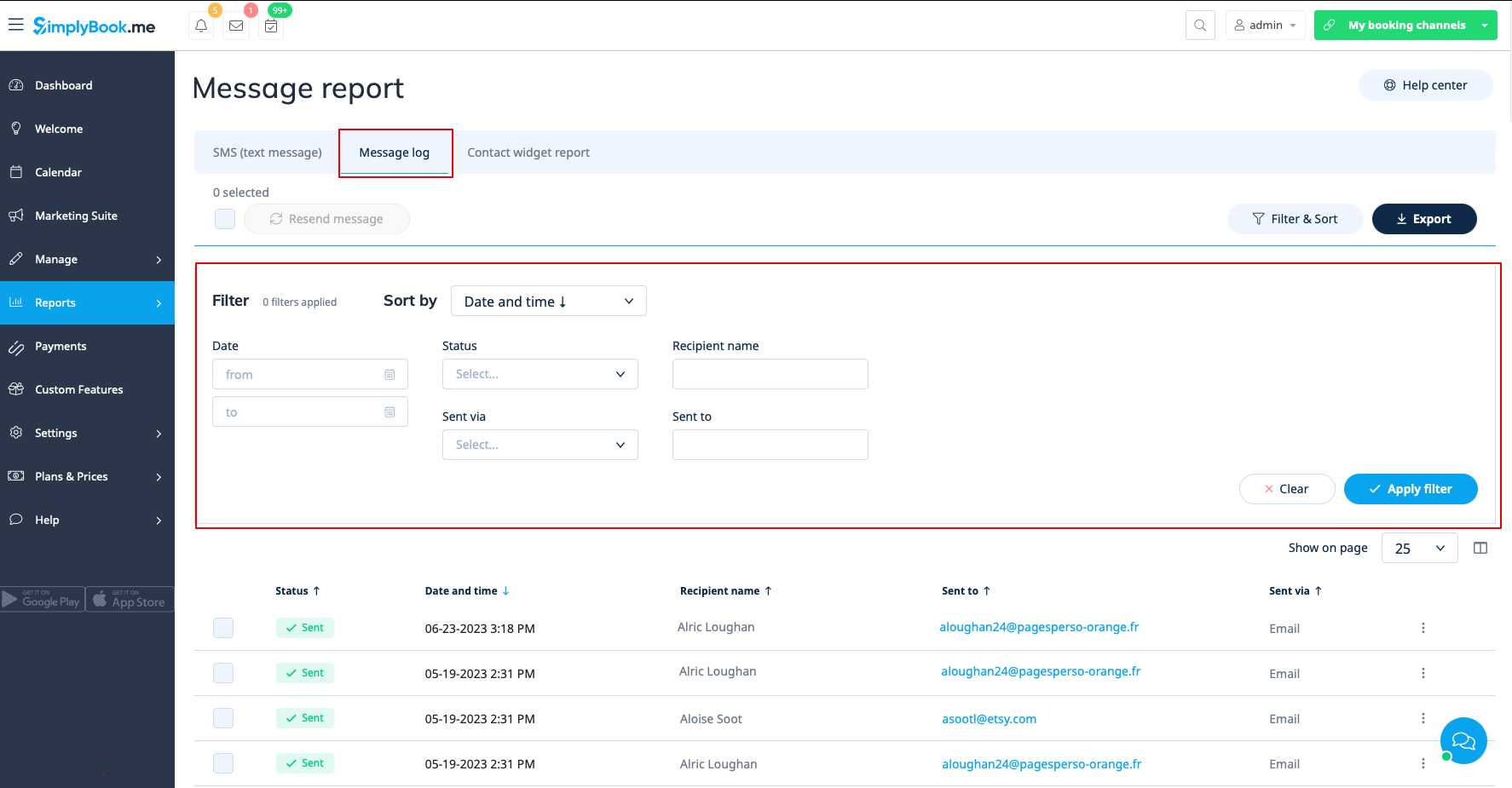
I den anden fane, Meddelelseslog, kan du:
- se loggen over reklamemeddelelser og meddelelsesstatusser (sendt, gentag, ny, sender, fejl);
- filtrere meddelelser efter:
- datointerval
- status
- modtagerens navn;
- sendt via e-mail eller sms;
- e-mailadresse eller telefonnummer afhængigt af gatewayen.
- forsøg at sende beskederne til kunderne igen;
- eksporter data til Excel eller .csv (brug filtre, hvis nødvendigt).
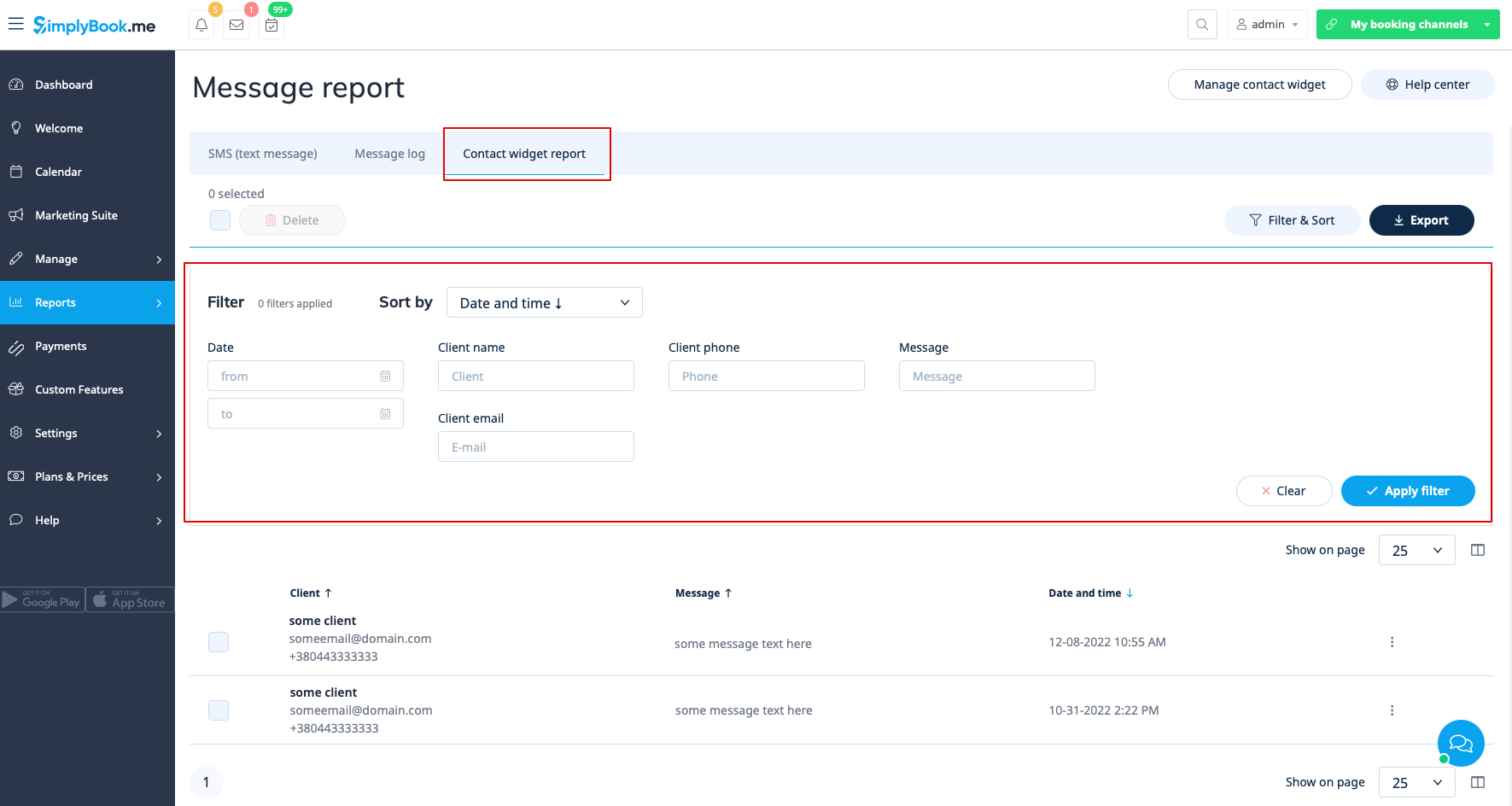
Den tredje fane, Contact widget report, kan bruges, når den tilpassede kontaktwidget-funktion er aktiveret, og giver mulighed for at:
- se listen over beskeder, som kunder eller potentielle kunder har efterladt på bookingwebstedet, og svare på dem;
- filtrere beskeder efter:
- datointerval
- klientnavn;
- kundens telefonnummer;
- kundens e-mail;
- beskedtekst.
- eksportér data til Excel eller .csv (brug filtre, hvis nødvendigt).
Liste over anmeldelser
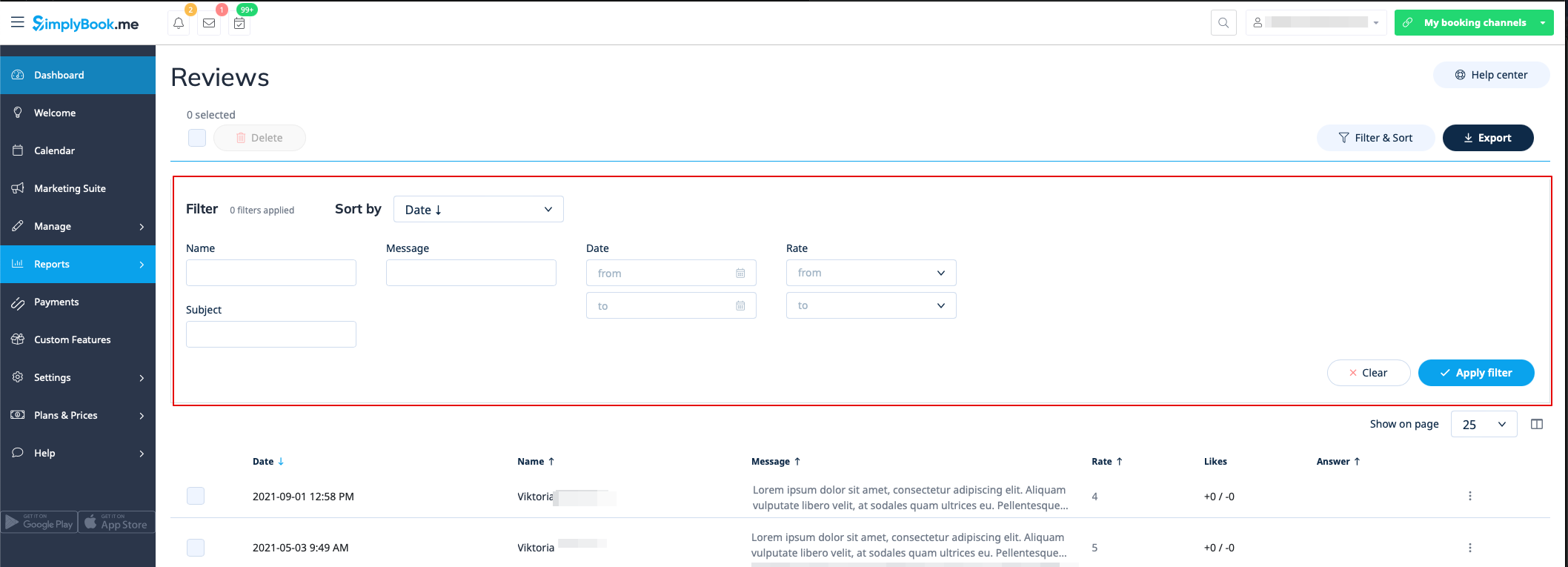
Du kan finde en liste over alle de tilbagemeldinger, dine kunder har efterladt, under Rapporter//Anmeldelser.
I denne rapport kan du:
- e filtrere anmeldelser efter:
- klientnavn
- emne
- besked
- datointerval, hvor anmeldelsen blev tilføjet;
- vurdering.
- eksporter anmeldelserne til Excel eller .csv (brug filtrene, hvis nødvendigt, og vælg, hvilke kolonner der skal eksporteres).
- Svar på dine kunders anmeldelser (svarene vil være synlige for kunderne).
- Slet anmeldelser, hvis nødvendigt.
Rapport over betalingstransaktioner
Du kan få adgang til den under Rapporter//Betalings transaktioner. Her kan du se alle betalingsrelaterede oplysninger i dit system.
I denne rapport kan du bruge tre faner: Fakturaer, Tilbagevendende profiler, Udestående saldo.
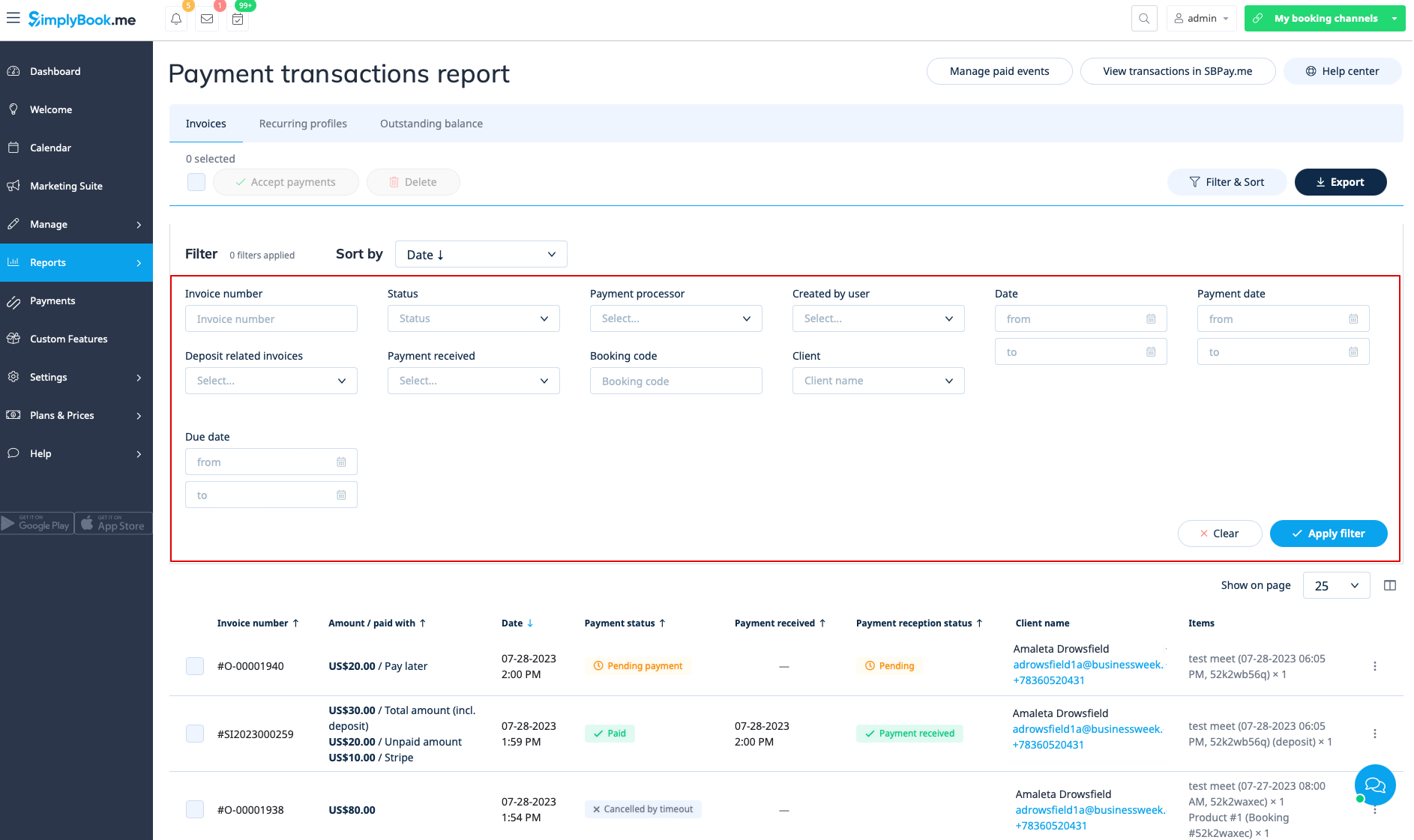
I den første fane Fakturaer kan du:
- se alle fakturaer, der er oprettet, når kunderne har booket tjenesten eller købt pakker, medlemskaber, produkter til salg og/eller gavekort;
- anvende kuponer eller gavekort på ventende ordrer (hvis du bruger den tilpassede funktion Kuponer og gavekort);
- godkende ventende betalinger (for eksempel hvis kunderne har valgt "Betal senere" på bookingsiden) ved hjælp af enten standardbetalingsmetoder eller med SBPay.me Pro-integration, bruge gemte kort, sende betalingslinks eller vise QR-kode til betaling;
- se den anvendte betalingsudbyder;
- behandle refusioner (hvis SBPay.me Pro-integration er aktiveret);
- se fakturaoplysninger på SBPay.me (hvis SBPay.me-integration er aktiveret);
- udskrive fakturaer;
- slette fakturaer;
- filtrere fakturaer efter:
- faktura-/ordredato;
- faktura nummer;
- betalingsdatointerval;
- betalingsfrist;
- klientnavn;
- unik bookingkode
- status (ny, ventende, betalt, annulleret, fejl);
- betalingsformidler
- bruger, der har oprettet posten
- betaling modtaget eller ej.
- eksport af betalingsoplysninger til Excel eller .csv (ved hjælp af filtre, hvis nødvendigt).
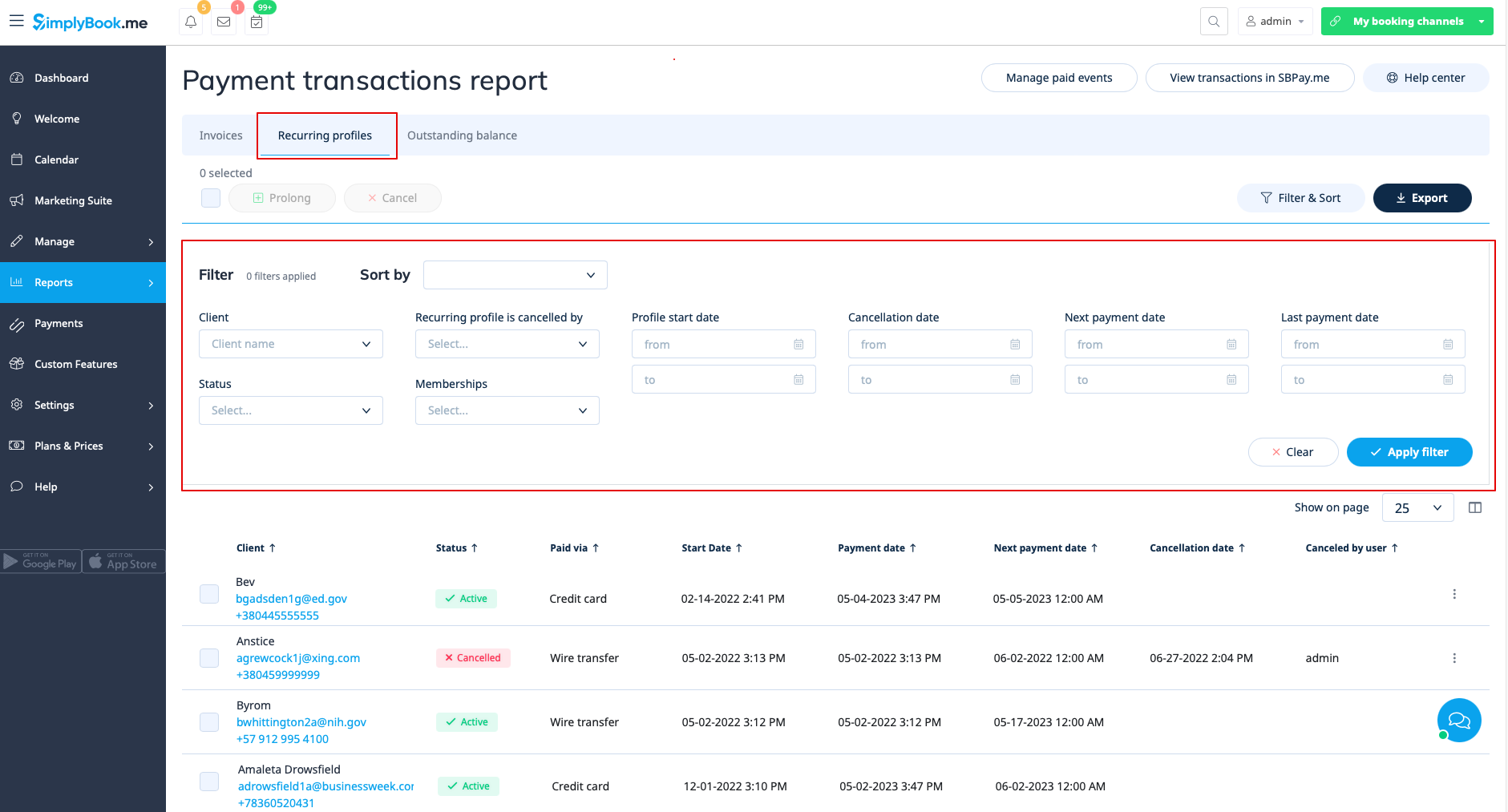
Fanen "Recurring profiles " giver mulighed for at:
- se/annullere tilbagevendende medlemsprofiler;
- forlænge tilbagevendende profiler, der er oprettet af administratoren;
- filtrere medlemsprofiler efter:
- medlemskabsnavn;
- startdatointerval;
- annulleringsdatointerval
- næste betalingsperiode;
- sidste betalingsdatointerval
- kunderegistrering;
- status (aktiv, afventende, annulleret, suspenderet, fejl);
- bruger, der har annulleret profilen.
- eksporter medlemsprofildata til Excel eller .csv (brug filtre, hvis nødvendigt).
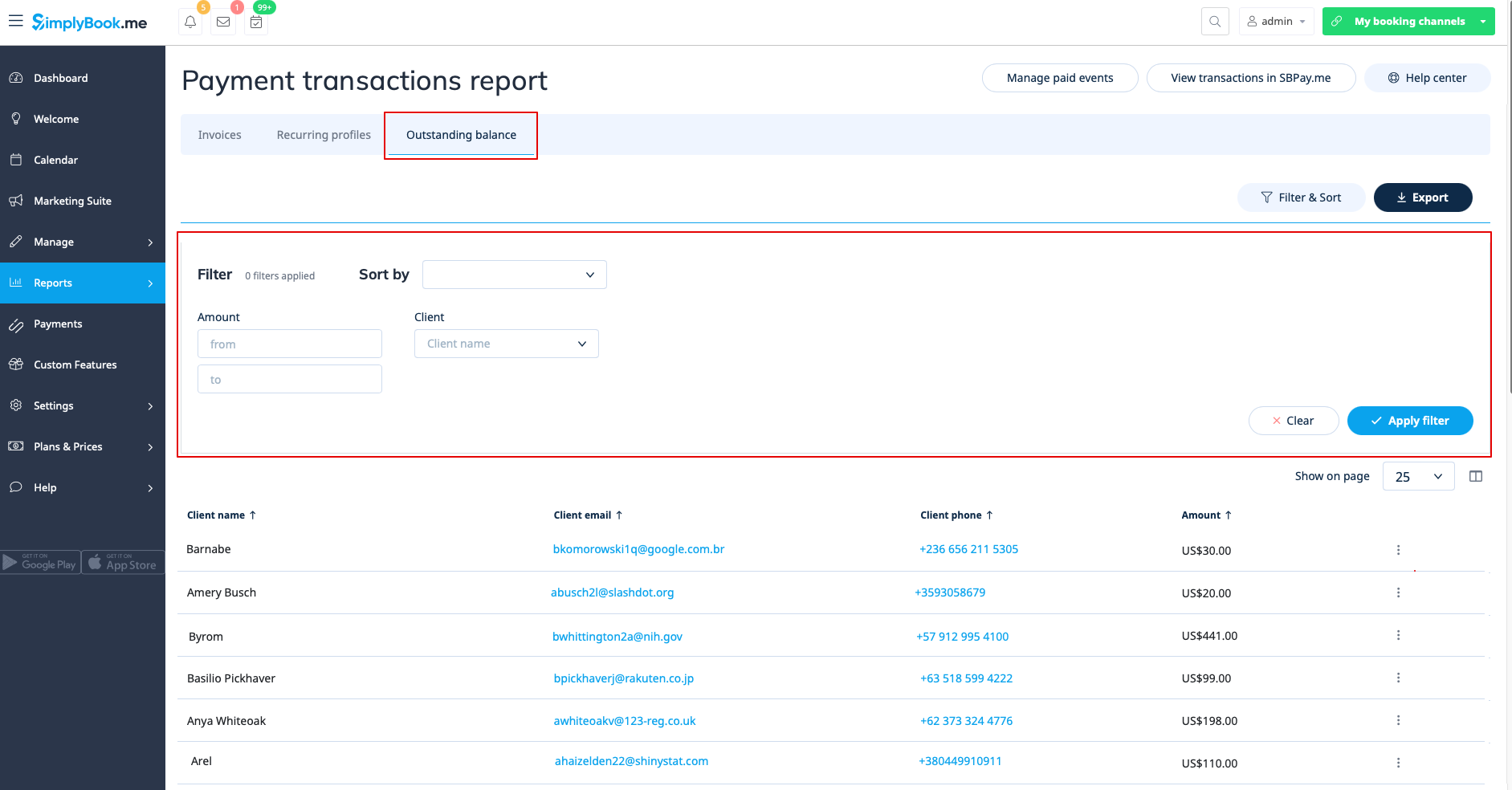
Den tredje fane, "Udestående saldo", giver mulighed for at:
- se udestående saldo pr. kunde;
- filtrere udestående saldo efter beløb og/eller kunde;
- eksportere data om udestående saldo til Excel eller .csv (ved hjælp af filtre, hvis nødvendigt).
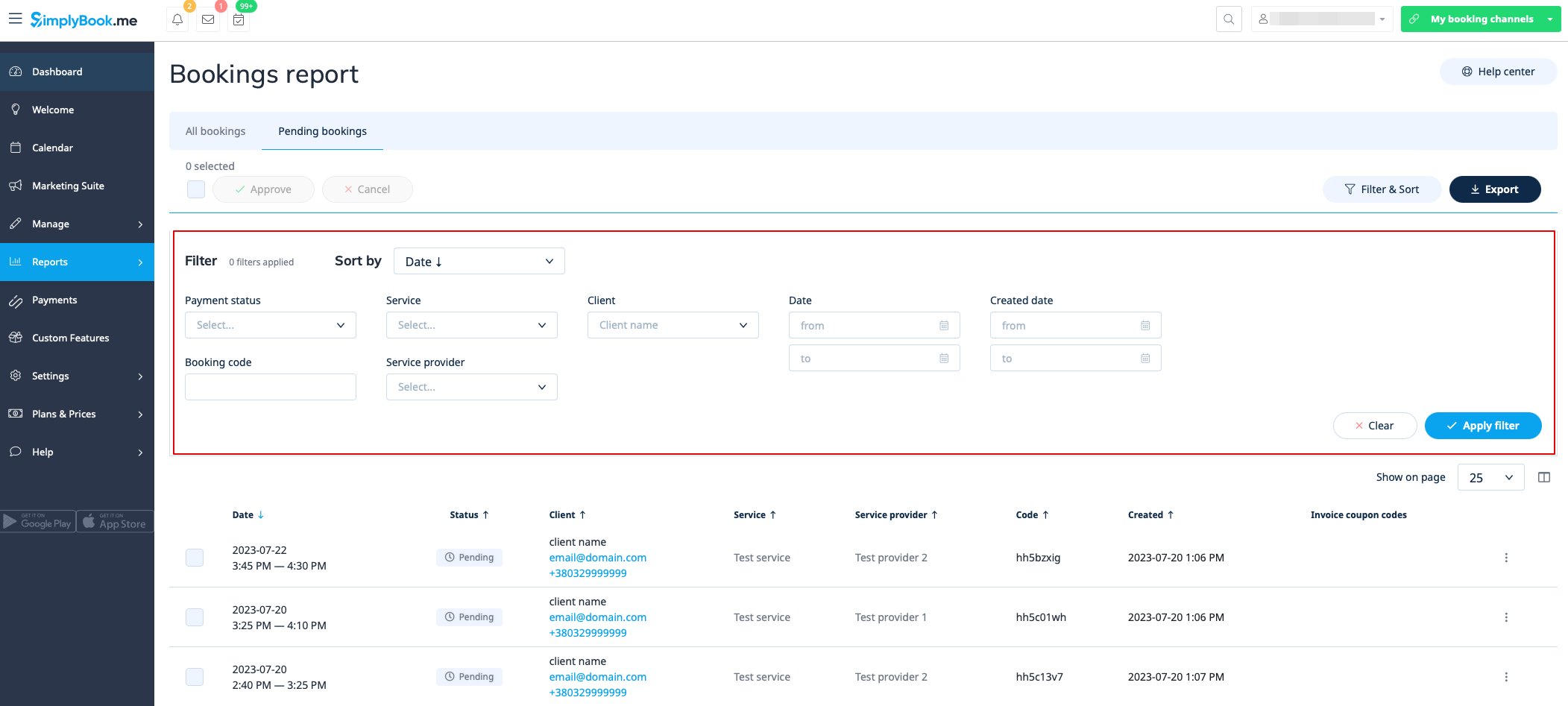
Pending bookings list
You can access it from calendar page if Approve bookings custom feature is on.
In this report you can:
- see/approve/decline pending bookings;
- filter them by:
- booking date;
- client name;
- provider name;
- service name;
- unique booking code.
- export data to Excel(using the filters if needed).
Sales report
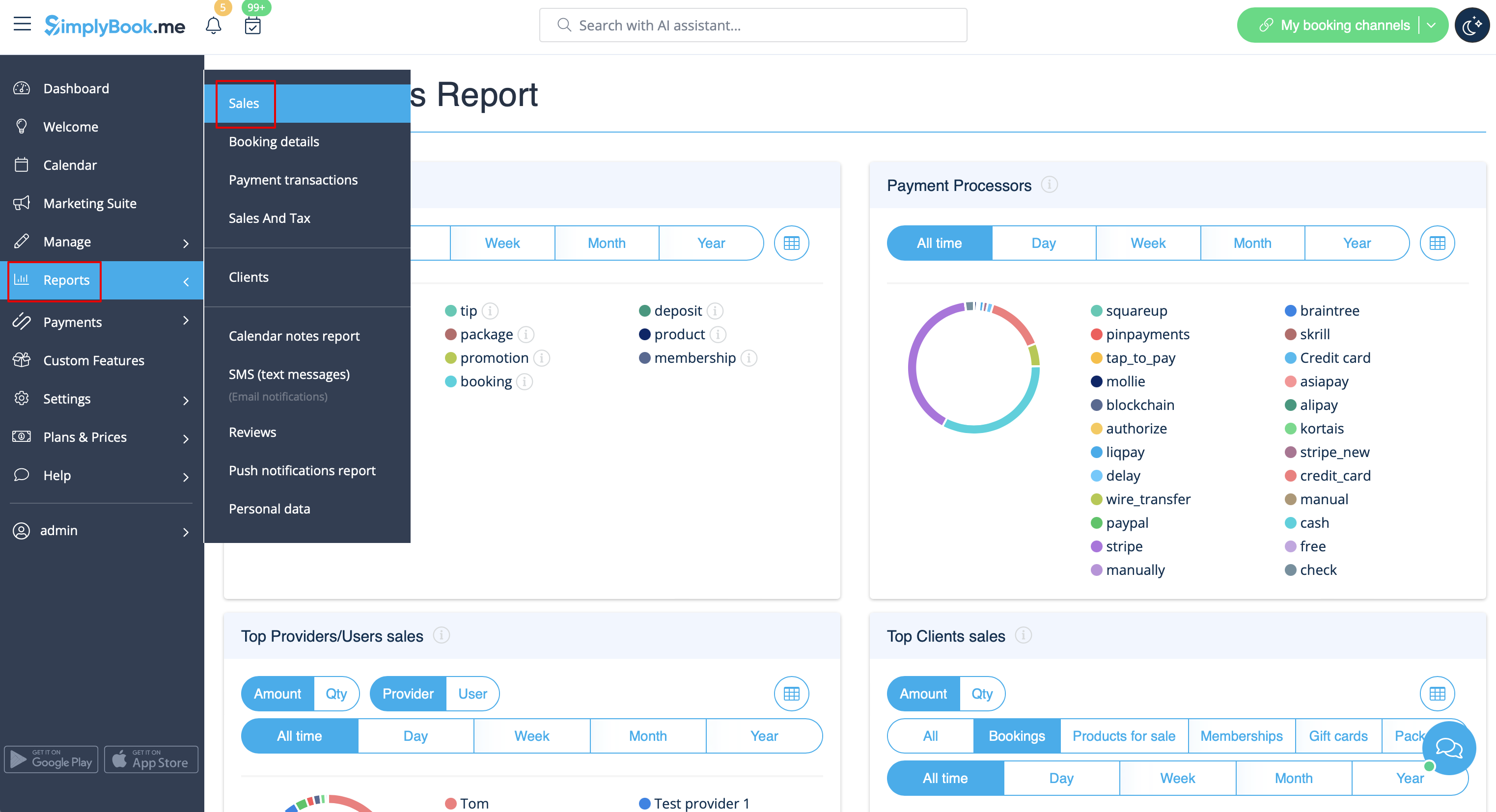
Can be accessed in Reports//Sales report section. It can give you various charts, tables and diagrams on sales statistics.
This report can help you to analyze:
- popular income sources;
- payment processors mostly used by your clients(if you have several);
- top providers;
- clients who paid more;
- income amount.
You can filter the results by:
- time(day, week, month, year, all time);
- items(bookings, packages, service add-ons, products, memberships, gift cards);
- amount/quantity.
Membership payments
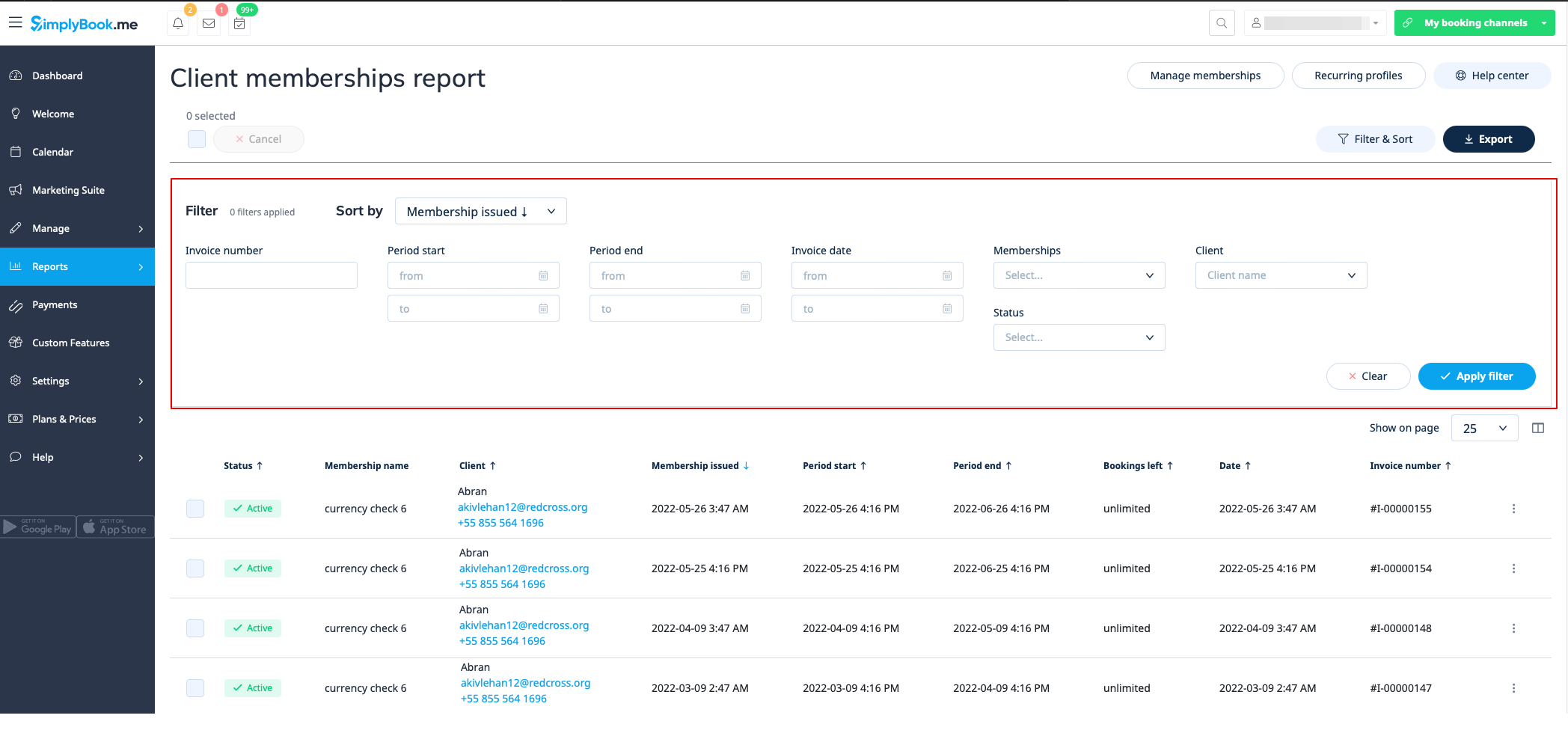
You can see it in Reports//Membership payments. Can be accessed if Membership custom feature is on.
This report can allow you to:
- see memberships purchased by your clients;
- cancel memberships;
- approve pending memberships;
- view invoices related;
- filter memberships by:
- start date range;
- end date range;
- invoice date range;
- invoice number;
- membership name;
- client name;
- status(active, cancelled, error).
- export data to Excel(using the filters if needed).
Classes report
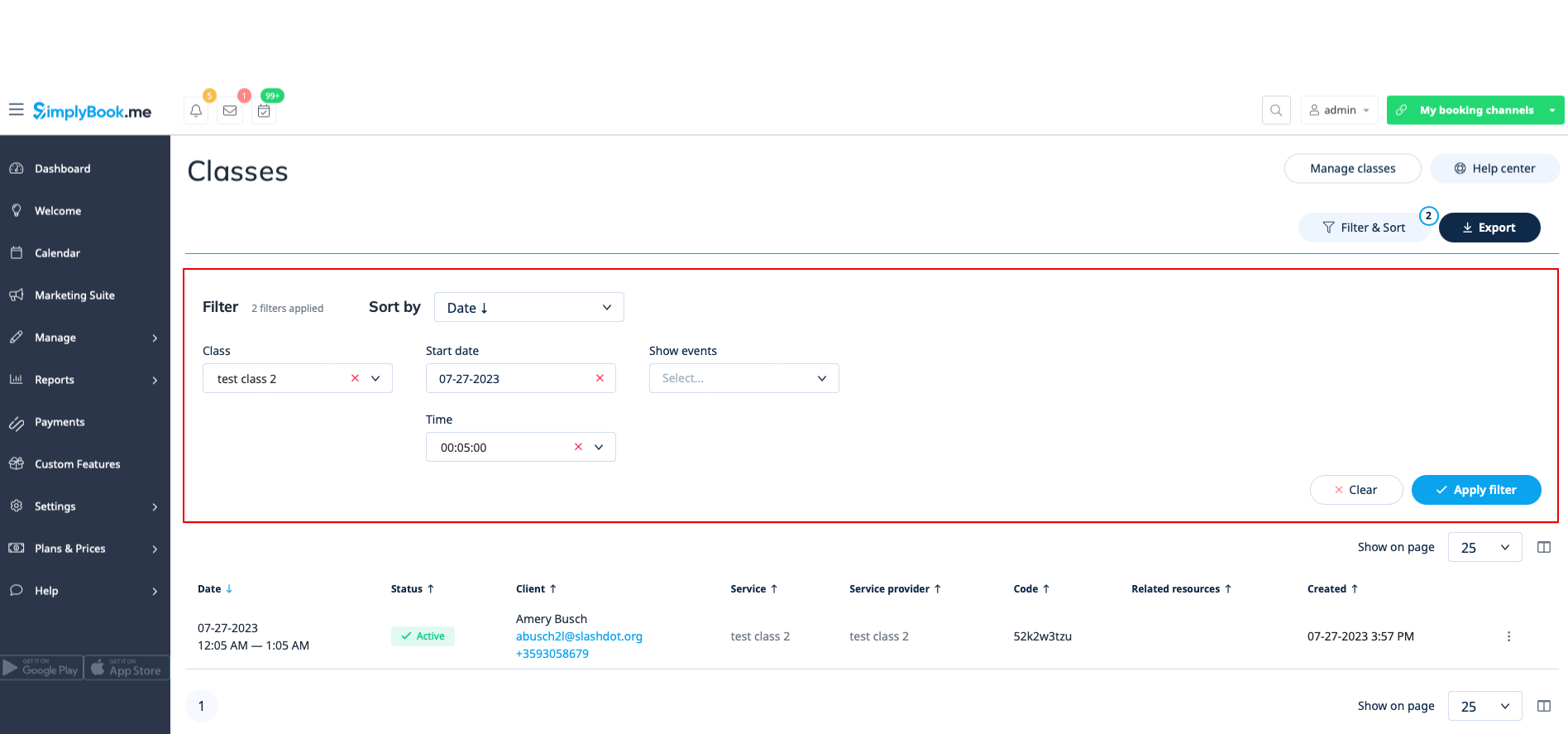
Can be accessed in Reports//Classes report if you are using Classes custom feature.
This report can give you the information on every class participants.
Please filter the report by:
- class name;
- class date;
- class start time;
- canceled/non-cancelled bookings.
You will be able to see who has applied to take part in the particular class, their names, emails, phone numbers, as well as who has created bookings for them(the client himself or it was added by some system user) and if the client has booked your services/classes before.
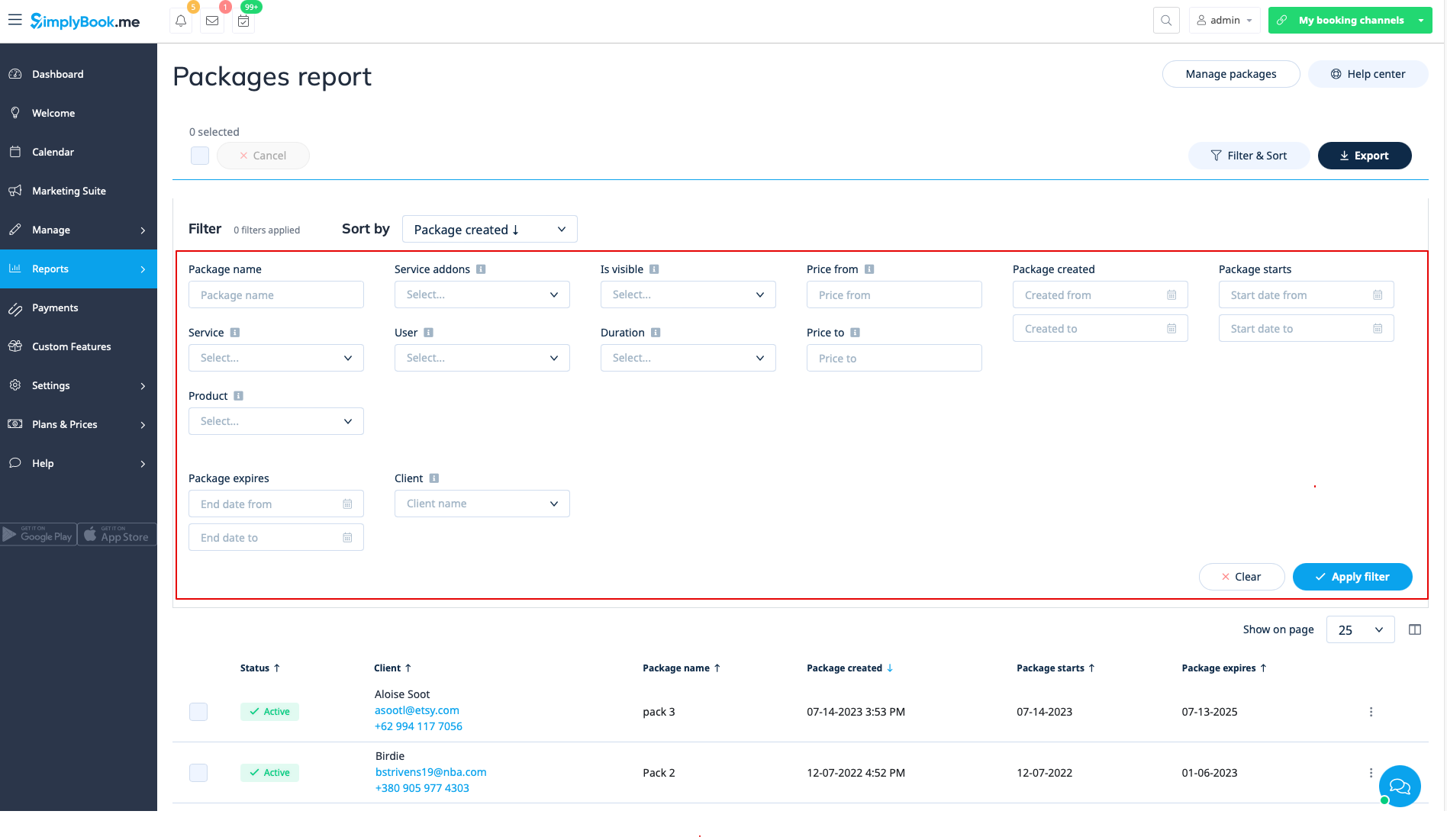
Issued packages
You can see it in Reports//Issued packages if you are using Packages custom feature.
In this report you can:
- see which packages were purchased/issued;
- packages statuses;
- filter the packages by:
- client name;
- user name who has issued the package;
- service/product/service add-on included in the package;
- package duration;
- price range;
- is the package visible on the booking site or not;
- status(Active, cancelled, error).
- export the data to Excel(using the filters if needed).
Issued coupons
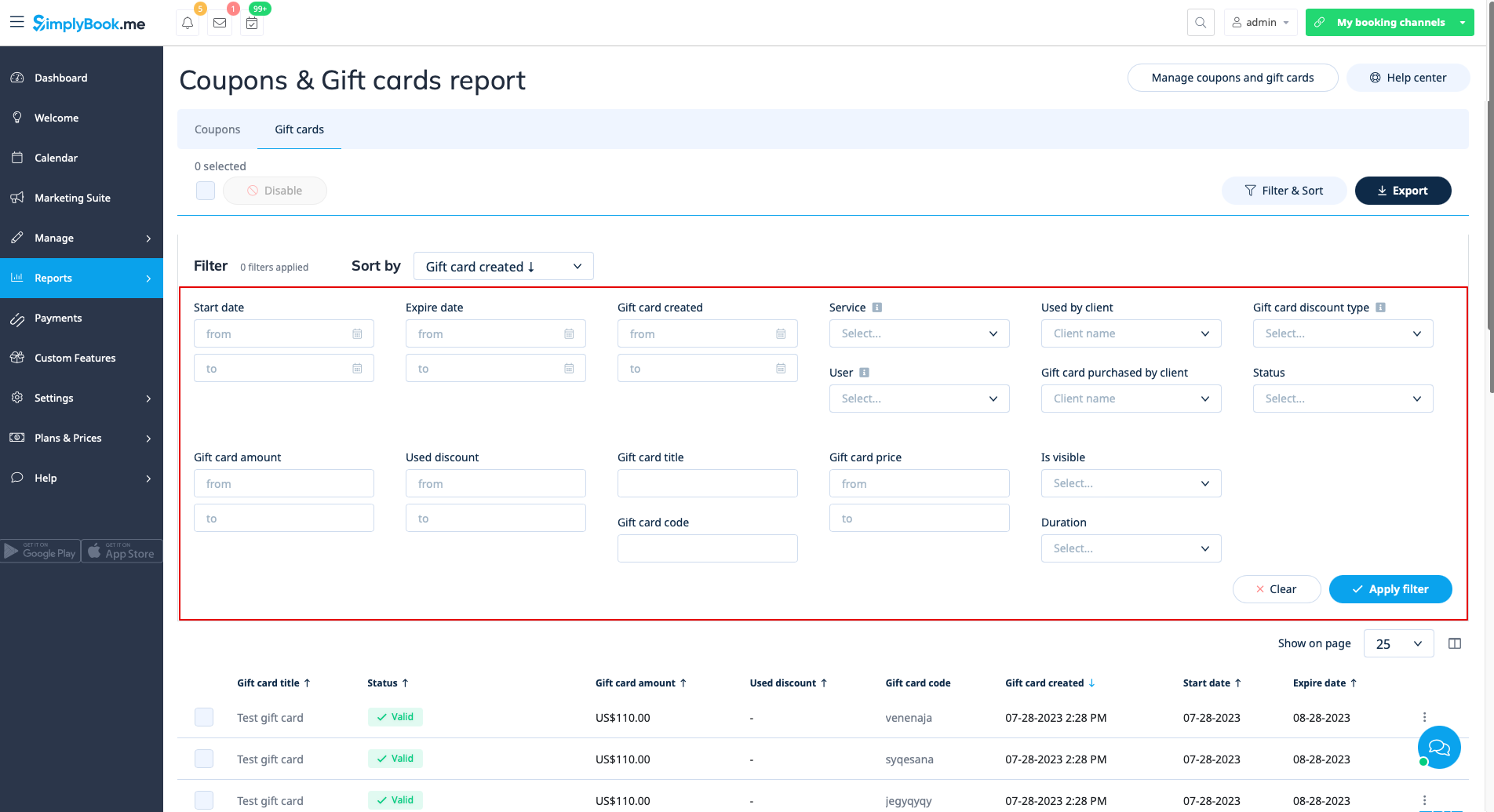
Can be accessed if you are using Coupons & Gift cards custom feature.
In this report you can:
- see which coupons were issued;
- see coupons statuses(Valid or not valid, used, outdated);
- filter the coupons by:
- client name;
- user who has issued the coupon;
- discount type;
- coupon visible on the booking site or not ;
- service the coupon is related to.
- see gift cards issued;
- filter the results by:
- client name who used the card;
- client name who purchased the card;
- gift card discount type;
- user who issued the card;
- service the gift card is related to;
- price range;
- gift card duration;
- gift card visible on the booking site or not;
- gift card status(valid, outdated, used).
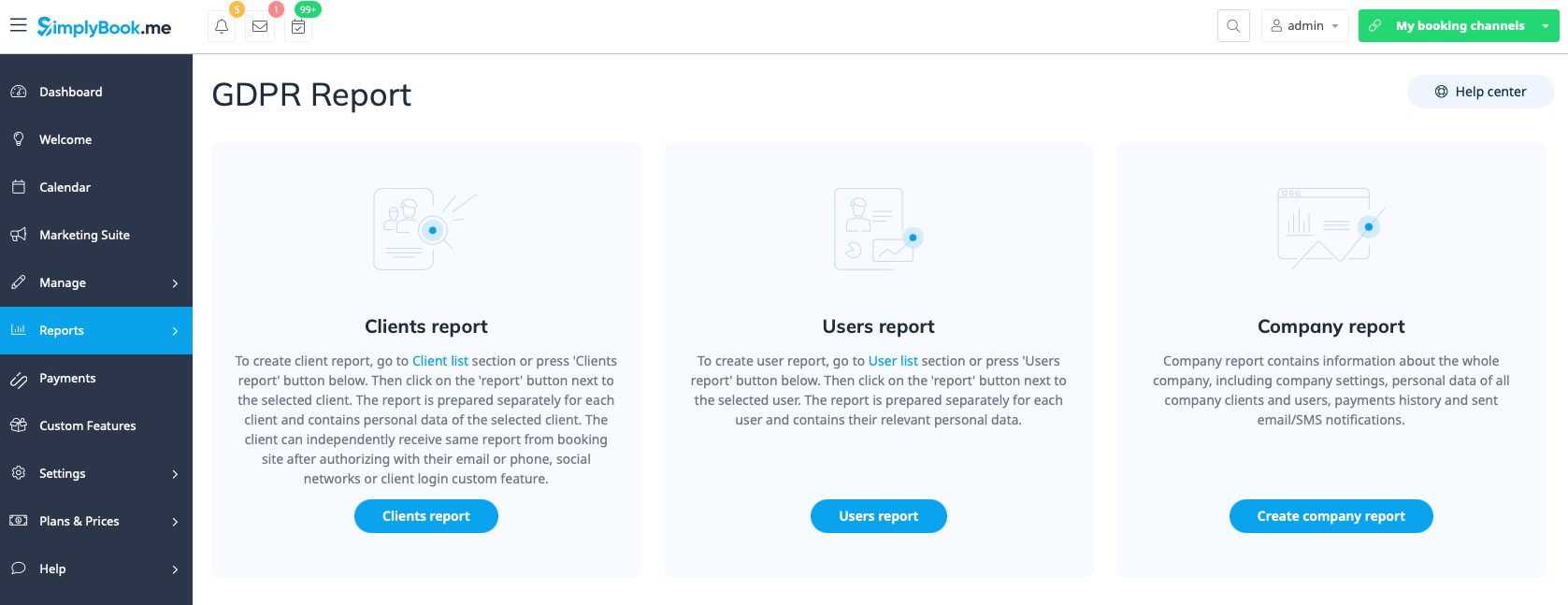
Personal data reports
Can be accessed in Reports//Personal data reports after you retype your password.
It is divided in three sections:
- Client report;
- Users report;
- Company report.
Each section can give you all the details about the data that is stored in the system on the corresponding entity.
For example, you can create a report on some customer or an employee who has requested the information and then provide these details to him/her.