Translations:Widgets for your own website/20/en: Difference between revisions

From SimplyBook.me
FuzzyBot (talk | contribs)
Importing a new version from external source
Tags: Mobile edit Mobile web edit
 
FuzzyBot (talk | contribs)
Importing a new version from external source
Tags: Mobile edit Mobile web edit
 
Line 6: Line 6:
<span style="background-color:#ffe9e9; padding:5px; border-radius:5px;">'''Please note!''' Different website builders/platforms may have various ways to add HTML code, you should check first whether your website supports inserting HTML JavaScript code.</span>
:'''Here are tutorials for several popular website builders:'''
:::*[https://help.simplybook.me/index.php/WordPress_integration Wordpress]
:::*[[Special:MyLanguage/WordPress_integration |Wordpress]]
:::*[https://help.simplybook.me/index.php/Shopify Shopify]
:::*[[Special:MyLanguage/Shopify |Shopify]]
:::*[https://help.simplybook.me/index.php/Joomla_integration Joomla]
:::*[[Special:MyLanguage/Joomla_integration |Joomla]]
:::*[https://help.simplybook.me/index.php/Wix_integration Wix]
:::*[[Special:MyLanguage/Squarespace |Squarespace]]
:::*[https://help.simplybook.me/index.php/Squarespace Squarespace]
:::*[[Special:MyLanguage/Weebly |Weebly]]
:::*[https://help.simplybook.me/index.php/Weebly Weebly]
:::*[[Special:MyLanguage/Go_Daddy |Go Daddy]]
:::*[https://help.simplybook.me/index.php/Go_Daddy Go Daddy]
:::*[[Special:MyLanguage/SITE123_integration |SITE123]]
:::*[https://help.simplybook.me/index.php/SITE123_integration SITE123]

Latest revision as of 12:44, 22 September 2025

Information about message (contribute)
This message has no documentation. If you know where or how this message is used, you can help other translators by adding documentation to this message.
Message definition (Widgets for your own website)
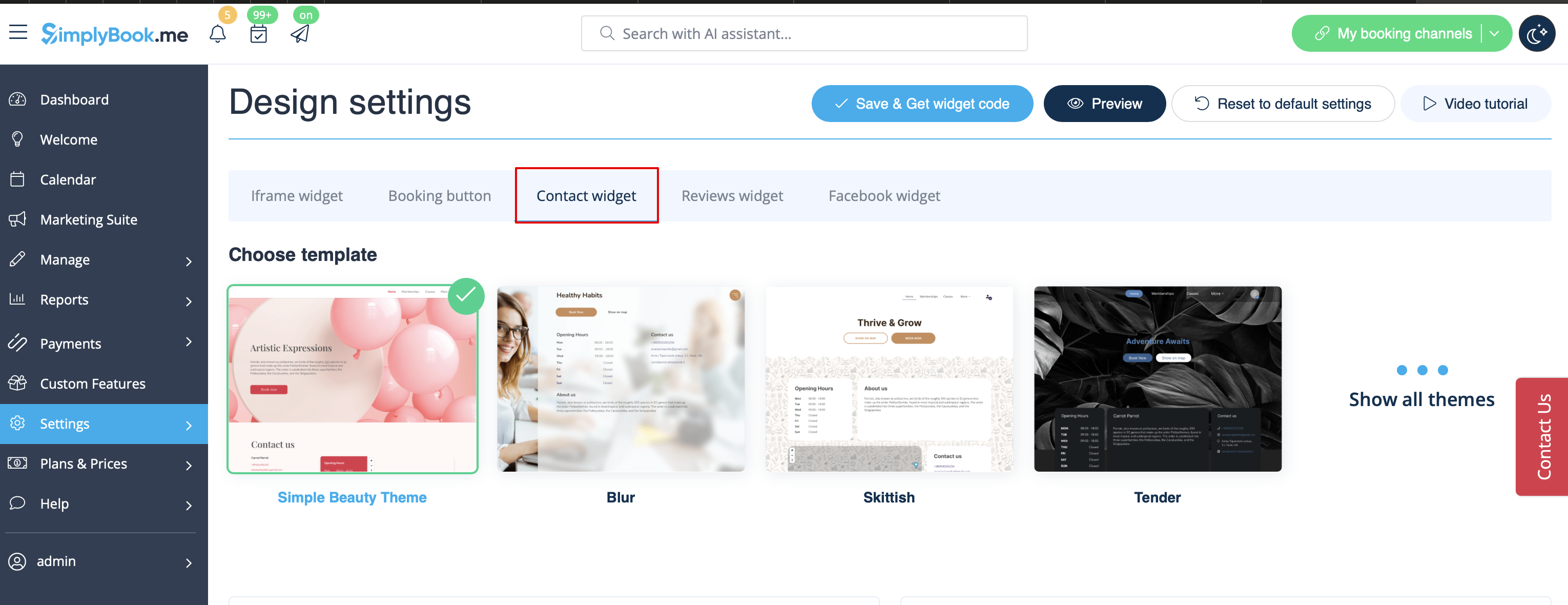
[[File:Contact widget design path redesigned.png|1200px|border|center|link=https://help.simplybook.me/images/7/74/Contact_widget_design_path_redesigned.png]]
<br><br>
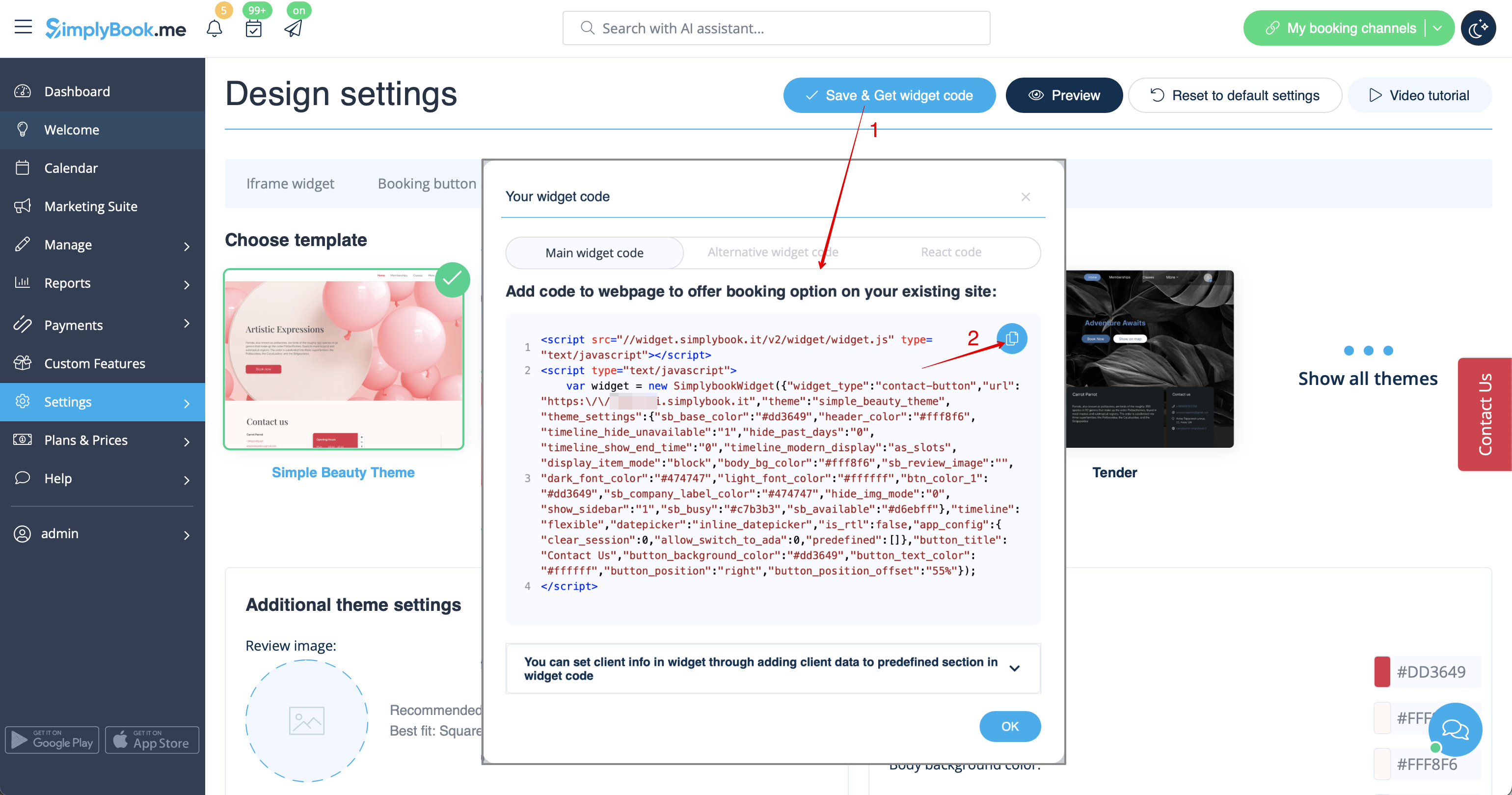
[[File:Contact widget code redesigned.png|1200px | center|link=https://help.simplybook.me/images/4/49/Contact_widget_code_redesigned.png]]
<br><br>
:3. Insert it to the HTML code <body> of your website (or any other place in your website platform designed for inserting HTML JavaScript iFrame code). <br>
<span style="background-color:#ffe9e9; padding:5px; border-radius:5px;">'''Please note!''' Different website builders/platforms may have various ways to add HTML code, you should check first whether your website supports inserting HTML JavaScript code.</span>
:'''Here are tutorials for several popular website builders:'''
:::*[[Special:MyLanguage/WordPress_integration |Wordpress]]
:::*[[Special:MyLanguage/Shopify |Shopify]]
:::*[[Special:MyLanguage/Joomla_integration |Joomla]]
:::*[[Special:MyLanguage/Squarespace |Squarespace]]
:::*[[Special:MyLanguage/Weebly |Weebly]]
:::*[[Special:MyLanguage/Go_Daddy |Go Daddy]]
:::*[[Special:MyLanguage/SITE123_integration |SITE123]]


3. Insert it to the HTML code <body> of your website (or any other place in your website platform designed for inserting HTML JavaScript iFrame code).

Please note! Different website builders/platforms may have various ways to add HTML code, you should check first whether your website supports inserting HTML JavaScript code.

Here are tutorials for several popular website builders: