From SimplyBook.me
Created page with "=== Paiements sécurisés === <span style="background-color:#ffe9e9; padding:5px; border-radius:5px;">'''Remarque importante !'''</span> *<span style="background-color:#ffe9e9; padding:5px; border-radius:5px;">La fonctionnalité personnalisée <span style="background-color:#cdeffc; padding:5px; border-radius:5px;">de connexion client</span> doit être activée pour pouvoir utiliser cette fonctionnalité.</span> *<span style="background-col..." |
No edit summary |
||
| Line 1: | Line 1: | ||
=== Paiements sécurisés === | === Paiements sécurisés === | ||
<span style="background-color:#ffe9e9; padding:5px; border-radius:5px;">'''Remarque importante !'''</span> | <span style="background-color:#ffe9e9; padding:5px; border-radius:5px;">'''Remarque importante !'''</span> | ||
*<span style="background-color:#ffe9e9; padding:5px; border-radius:5px;">La fonctionnalité personnalisée <span style="background-color:#cdeffc; padding:5px; border-radius:5px;">[[Client Login custom feature|de connexion client]]</span> doit être activée pour pouvoir utiliser cette fonctionnalité.</span> | *<span style="background-color:#ffe9e9; padding:5px; border-radius:5px;">La fonctionnalité personnalisée <span style="background-color:#cdeffc; padding:5px; border-radius:5px;">[[Special:MyLanguage/Client Login custom feature|de connexion client]]</span> doit être activée pour pouvoir utiliser cette fonctionnalité.</span> | ||
*<span style="background-color:#ffe9e9; padding:5px; border-radius:5px;">Toutes les passerelles de paiement ne prennent pas en charge cette fonctionnalité. Veuillez vérifier la disponibilité de cette option dans le [[SBPay.me_integration#The_list_of_currently_supported_payment_processors:|tableau]] et/ou en contactant l'assistance de votre passerelle de paiement, car cela peut nécessiter quelques ajustements de leur part.</span> | *<span style="background-color:#ffe9e9; padding:5px; border-radius:5px;">Toutes les passerelles de paiement ne prennent pas en charge cette fonctionnalité. Veuillez vérifier la disponibilité de cette option dans le [[Special:MyLanguage/SBPay.me_integration#The_list_of_currently_supported_payment_processors:|tableau]] et/ou en contactant l'assistance de votre passerelle de paiement, car cela peut nécessiter quelques ajustements de leur part.</span> | ||
<br> | <br> | ||
:1. Activez l'option <span style="background-color:#d4f8e5; padding:5px; border-radius:5px;">Autoriser les paiements enregistrés</span> dans vos paramètres <span style="background-color:#cdeffc; padding:5px; border-radius:5px;">Accepter les paiements</span>. | :1. Activez l'option <span style="background-color:#d4f8e5; padding:5px; border-radius:5px;">Autoriser les paiements enregistrés</span> dans vos paramètres <span style="background-color:#cdeffc; padding:5px; border-radius:5px;">Accepter les paiements</span>. | ||
Latest revision as of 11:56, 19 September 2025
Paiements sécurisés
Remarque importante !
- La fonctionnalité personnalisée de connexion client doit être activée pour pouvoir utiliser cette fonctionnalité.
- Toutes les passerelles de paiement ne prennent pas en charge cette fonctionnalité. Veuillez vérifier la disponibilité de cette option dans le tableau et/ou en contactant l'assistance de votre passerelle de paiement, car cela peut nécessiter quelques ajustements de leur part.
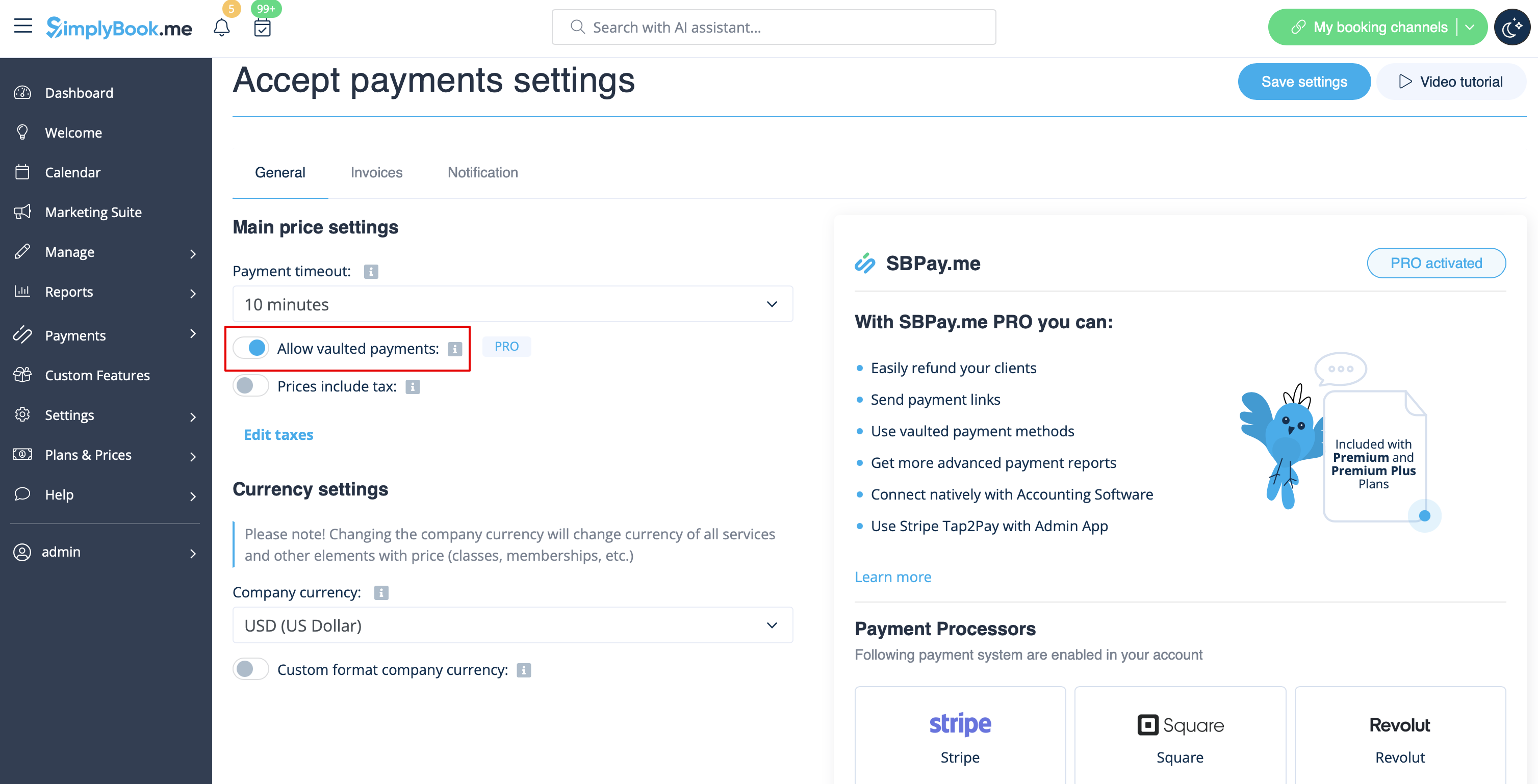
- 1. Activez l'option Autoriser les paiements enregistrés dans vos paramètres Accepter les paiements.
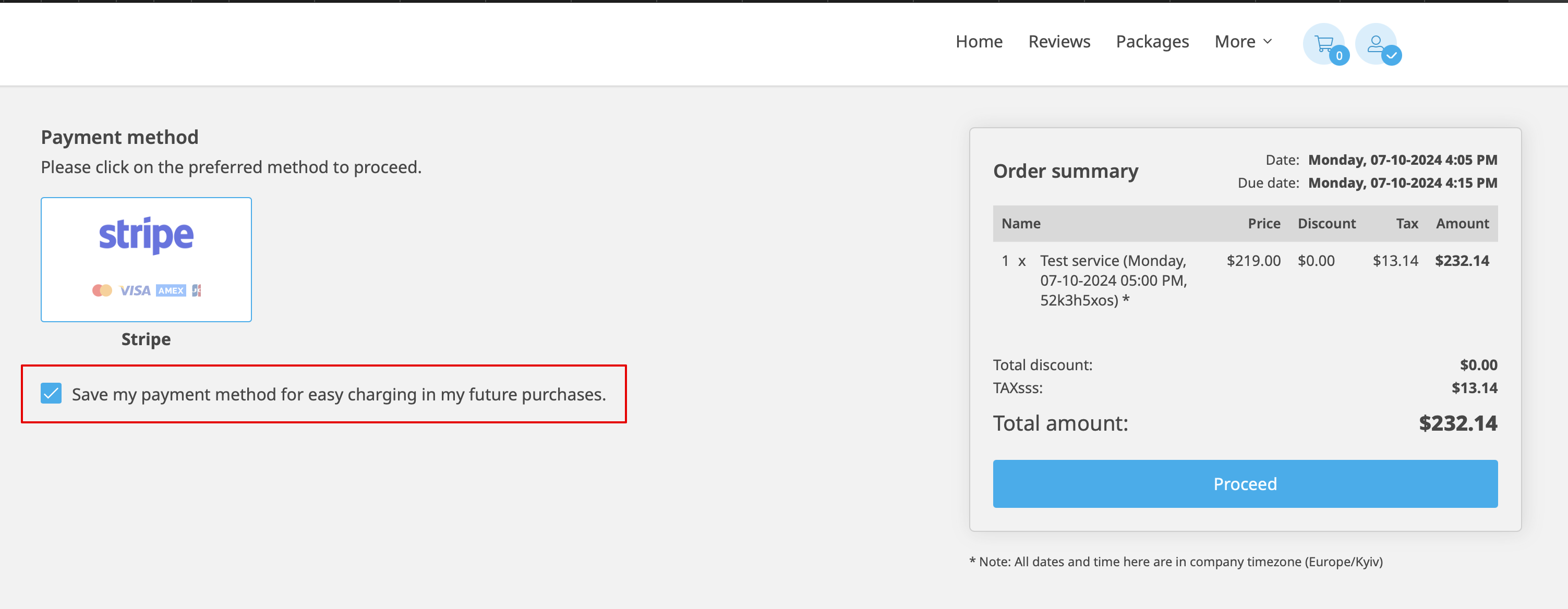
- 2. Le client pourra alors cocher la case Enregistrer mon mode de paiement pour faciliter le paiement de mes futurs achats lors du paiement sur le site de réservation et ses informations de paiement seront associées à son profil client.
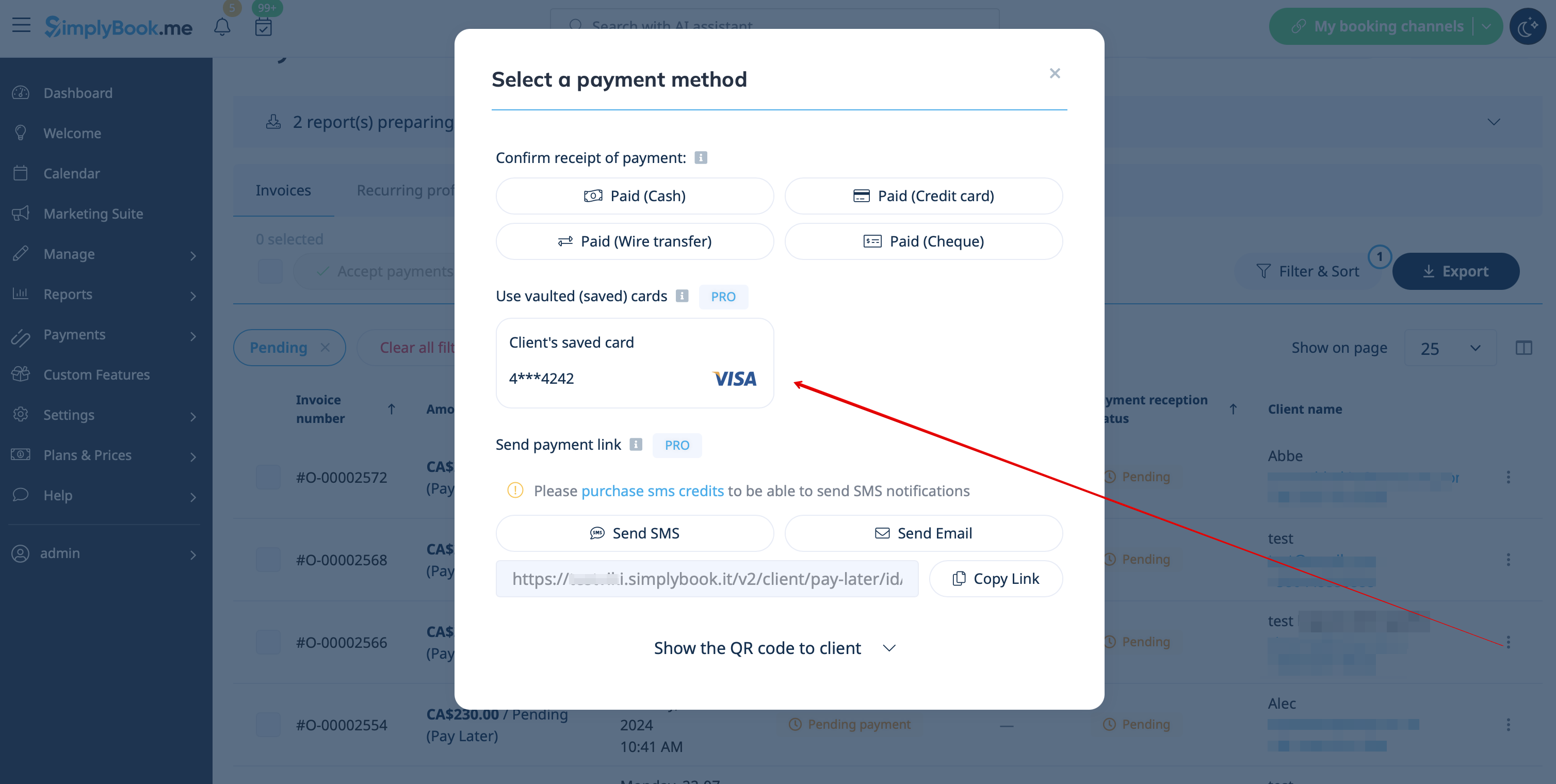
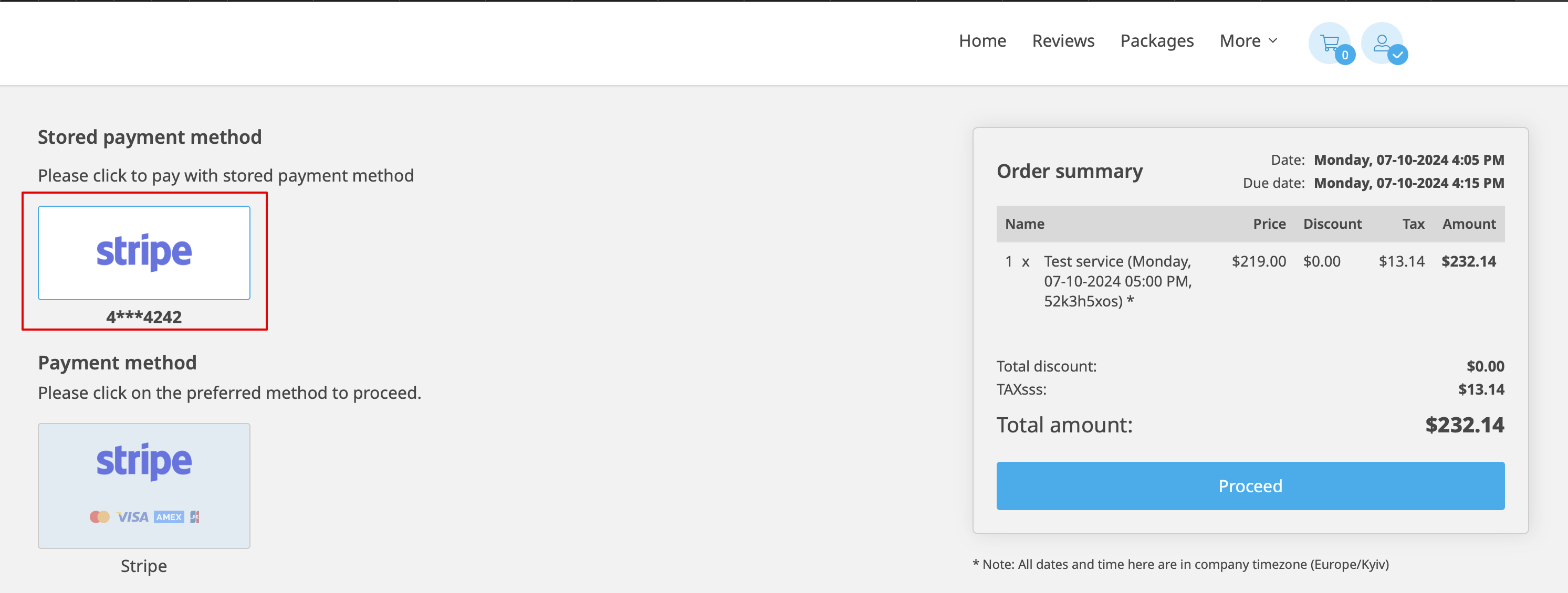
- 3. Lors de son prochain achat ou de sa prochaine réservation, le client pourra choisir de confirmer la commande avec le mode de paiement déjà enregistré ou de sélectionner la nouvelle option.
- 4. Lors de la validation du paiement dans le rapport des transactions de paiement ou la gestion des ventes dans l'interface POS côté administrateur, vous pourrez également utiliser le mode de paiement enregistré du client.