From SimplyBook.me
No edit summary |
Marked this version for translation |
||
| Line 1: | Line 1: | ||
<languages/> | <languages/> | ||
<translate> | <translate> | ||
<!--T:1--> | |||
{{#seo: | {{#seo: | ||
|title=API Custom Feature - SimplyBook.me | |title=API Custom Feature - SimplyBook.me | ||
| Line 11: | Line 12: | ||
<!--T:2--> | |||
<br> | <br> | ||
[[File:Api new icon.png |left]] | [[File:Api new icon.png |left]] | ||
| Line 21: | Line 23: | ||
<!--T:3--> | |||
*[[API| API documentation]] | *[[API| API documentation]] | ||
<!--T:4--> | |||
*[https://simplybook.me/api/explorer API explorer] | *[https://simplybook.me/api/explorer API explorer] | ||
<br><br> | <br><br> | ||
Revision as of 14:24, 19 May 2025

With the help of this custom feature you can design your own solutions varying from simple widgets to multi-functional applications.
Use it to authorize in Simplybook API with API key.
- How to use
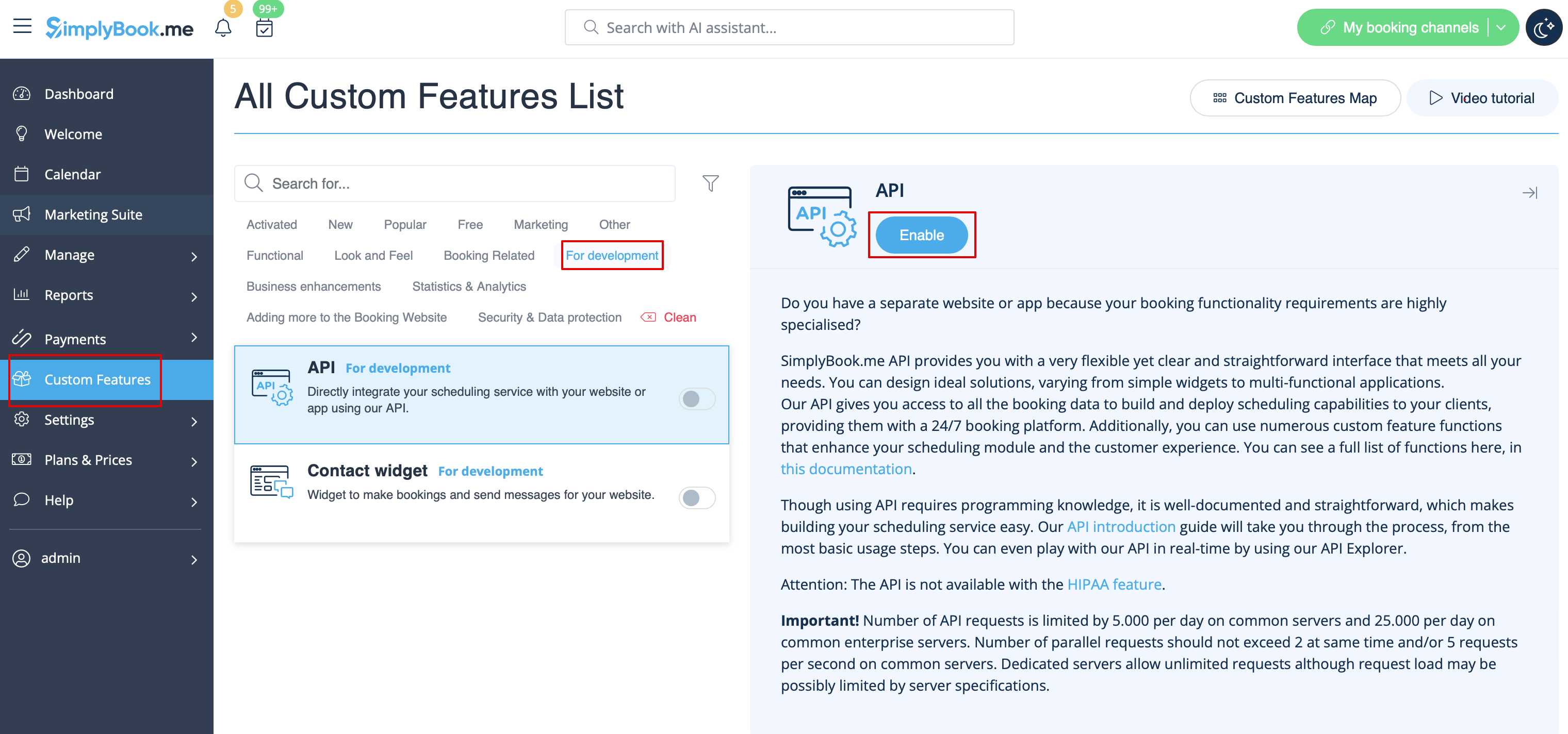
- 1. Navigate to Custom features section using the left-side menu of your admin interface,
- find the corresponding feature and enable it.
- 2. Go to Settings on the right to access the API keys.
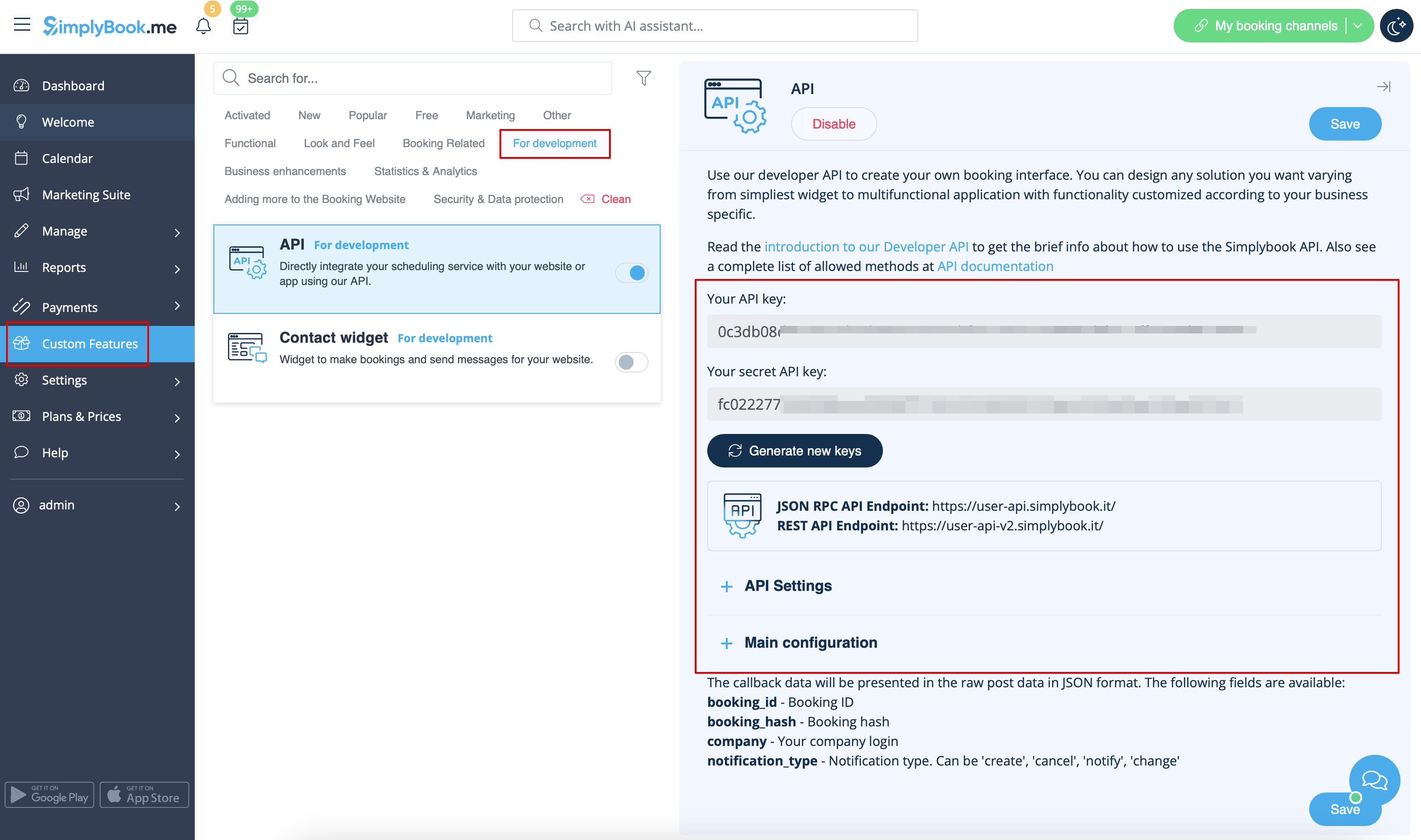
- 3. (optional) Use Callback URL and other available options for your own development.
