From SimplyBook.me
No edit summary |
Marked this version for translation |
||
| Line 1: | Line 1: | ||
<languages/> | <languages/> | ||
<translate> | <translate> | ||
<!--T:1--> | |||
{{#seo: | {{#seo: | ||
|title=Photo Gallery custom feature - SimplyBook.me | |title=Photo Gallery custom feature - SimplyBook.me | ||
| Line 11: | Line 12: | ||
<!--T:2--> | |||
<br> | <br> | ||
[[File:Photo gallery new icon.png| left]] | [[File:Photo gallery new icon.png| left]] | ||
<!--T:3--> | |||
With Photo Gallery custom feature you can upload the photos of your services to attract more clients. Simply browse photos and they will appear on your booking page. | With Photo Gallery custom feature you can upload the photos of your services to attract more clients. Simply browse photos and they will appear on your booking page. | ||
<br><br><br> | <br><br><br> | ||
| Line 21: | Line 24: | ||
<!--T:4--> | |||
;How to use | ;How to use | ||
:1. Enable Photo gallery option on your Custom Features page. | :1. Enable Photo gallery option on your Custom Features page. | ||
Revision as of 15:30, 19 May 2025

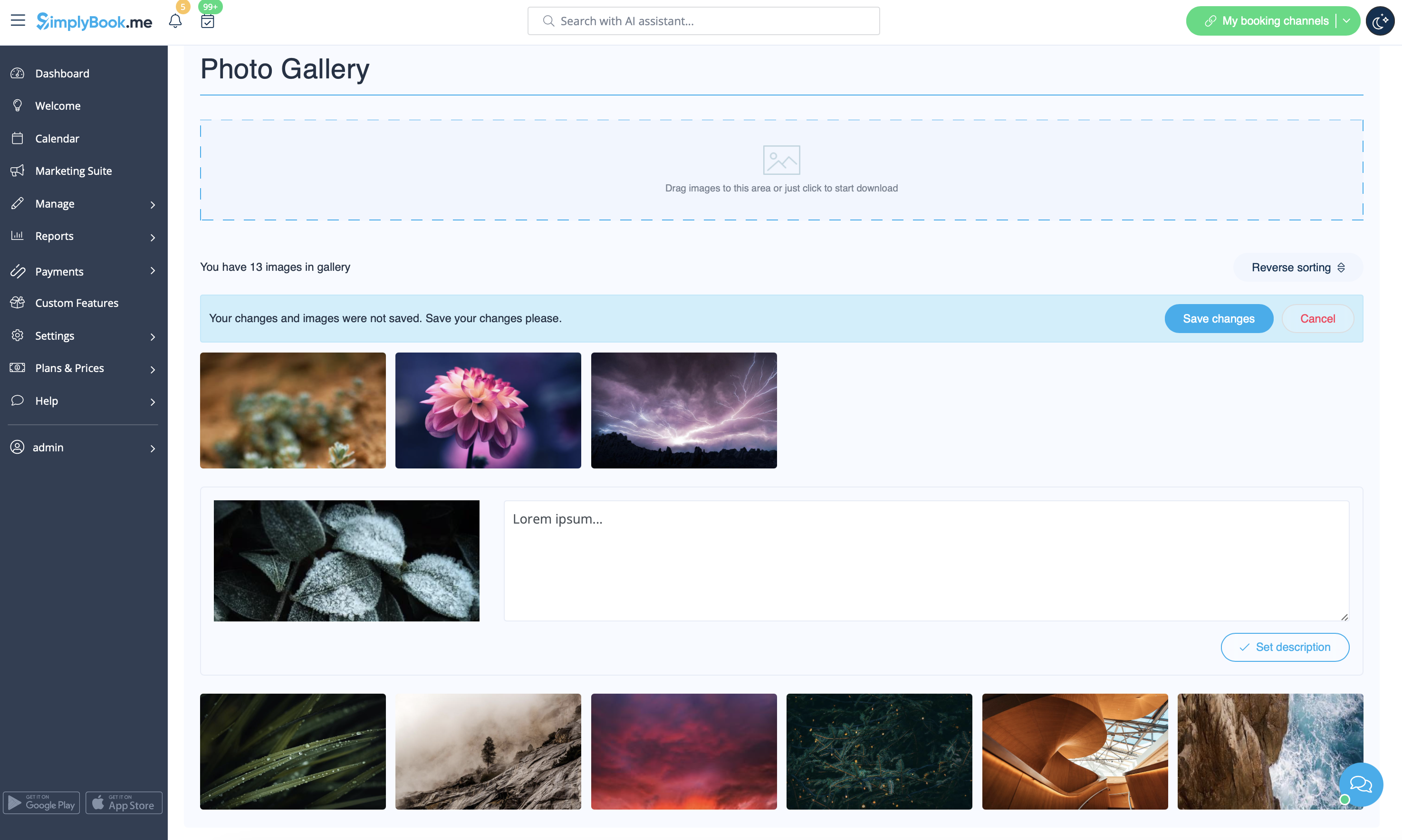
With Photo Gallery custom feature you can upload the photos of your services to attract more clients. Simply browse photos and they will appear on your booking page.
- How to use
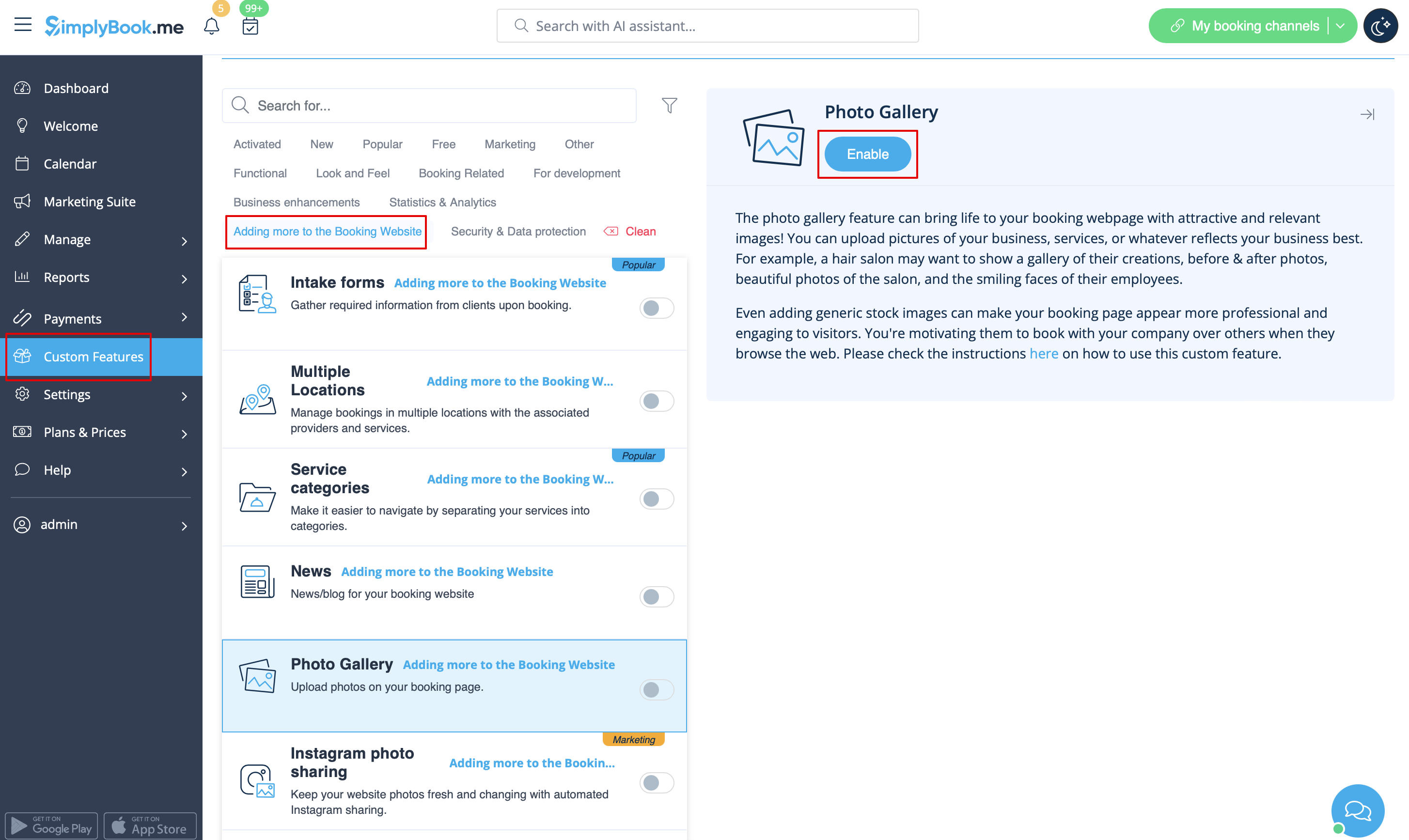
- 1. Enable Photo gallery option on your Custom Features page.
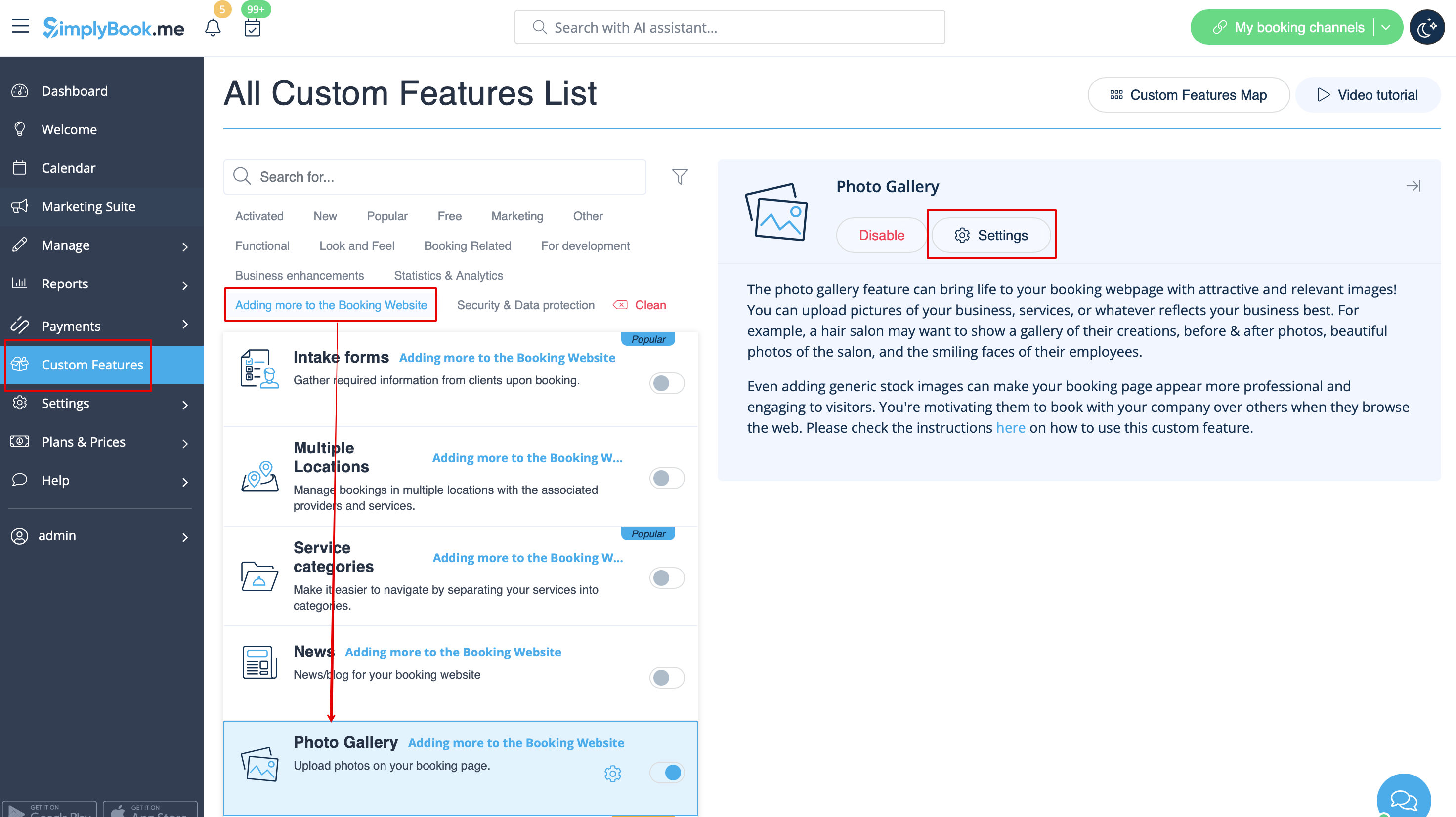
- 2. Click on "Settings" near it.
- 3. Upload the images on the page you see, add descriptions if necessary and they will appear in the separate tab on the booking site.