From SimplyBook.me
No edit summary |
No edit summary |
||
| Line 1: | Line 1: | ||
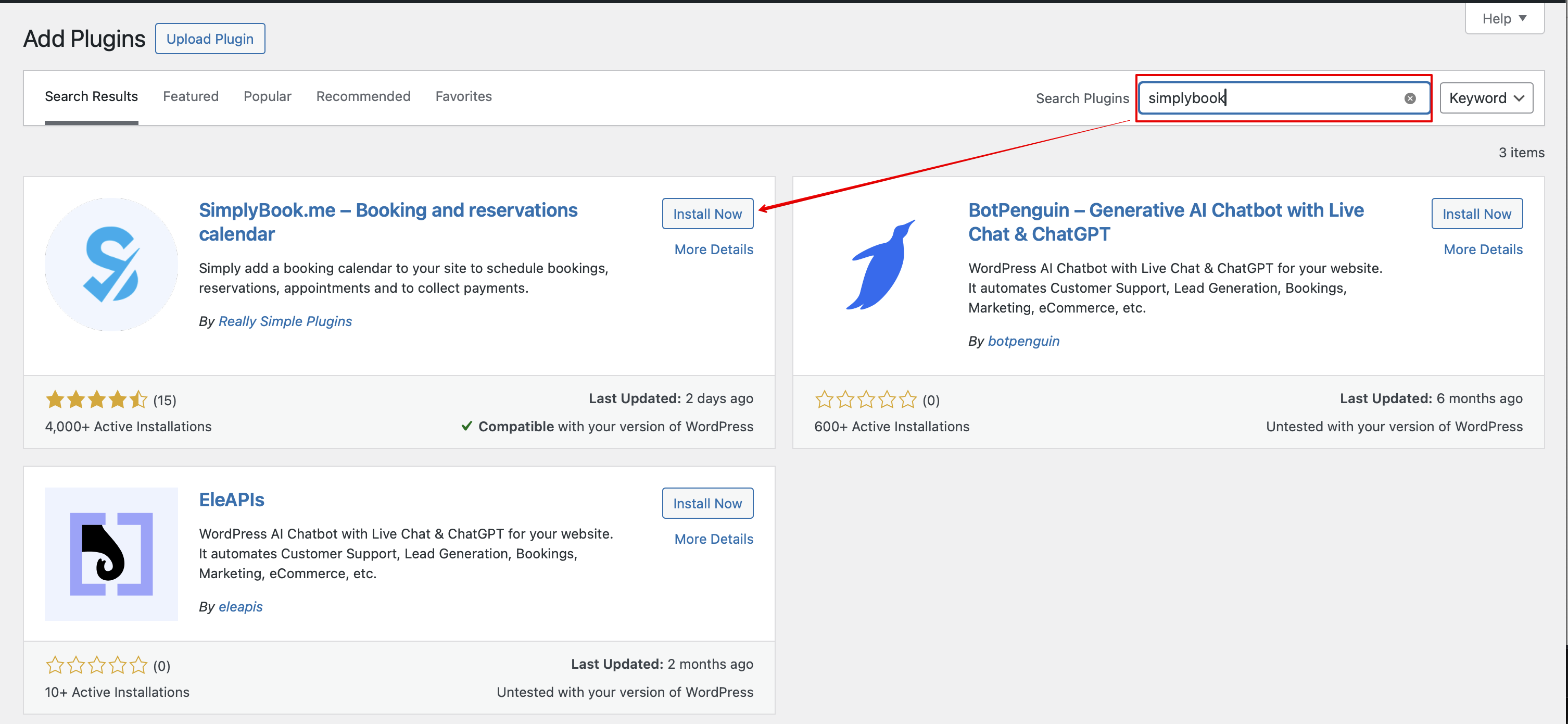
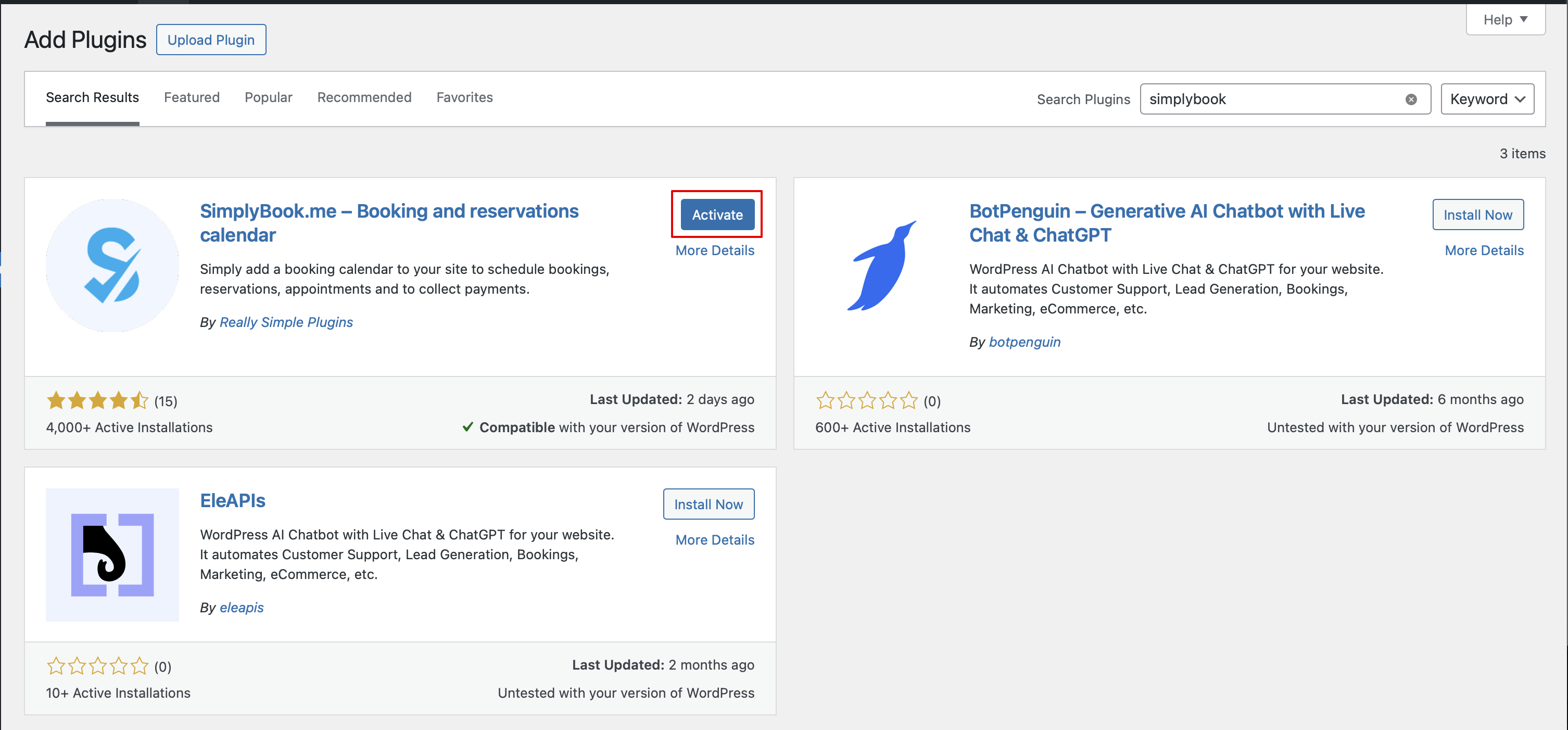
Ga in je WordPress-beheerinterface naar <span style="background-color:#d4f8e5; padding:5px; border-radius:5px;">Plugins</span> -> <span style="background-color:#d4f8e5; padding:5px; border-radius:5px;">Nieuwe plugin toevoegen</span> en zoek naar '''Simplybook'''.<br> | 1. Ga in je WordPress-beheerinterface naar <span style="background-color:#d4f8e5; padding:5px; border-radius:5px;">Plugins</span> -> <span style="background-color:#d4f8e5; padding:5px; border-radius:5px;">Nieuwe plugin toevoegen</span> en zoek naar '''Simplybook'''.<br> | ||
Installeer en activeer het. | |||
[[File:Add simplybook to wp new.png|1200px|center|link=https://help.simplybook.me/images/4/47/Add_simplybook_to_wp_new.png]] | [[File:Add simplybook to wp new.png|1200px|center|link=https://help.simplybook.me/images/4/47/Add_simplybook_to_wp_new.png]] | ||
<br><br> | <br><br> | ||
[[File:Activate new wp plugin.png|1200px|center|link=https://help.simplybook.me/images/3/32/Activate_new_wp_plugin.png]] | [[File:Activate new wp plugin.png|1200px|center|link=https://help.simplybook.me/images/3/32/Activate_new_wp_plugin.png]] | ||
<br><br> | <br><br> | ||
2. Ga naar de <span style="background-color:#d4f8e5; padding:5px; border-radius:5px;">Instellingen</span> van de plugin. | |||
<br><br> | <br><br> | ||
Revision as of 09:40, 29 May 2025
1. Ga in je WordPress-beheerinterface naar Plugins -> Nieuwe plugin toevoegen en zoek naar Simplybook.
Installeer en activeer het.
2. Ga naar de Instellingen van de plugin.
