Translations:WordPress integration/6/nl: Difference between revisions

From SimplyBook.me
No edit summary
Marked translation unit as no longer outdated with no changes
 
(No difference)

Latest revision as of 12:56, 17 October 2025

Information about message (contribute)
This message has no documentation. If you know where or how this message is used, you can help other translators by adding documentation to this message.
Message definition (WordPress integration)
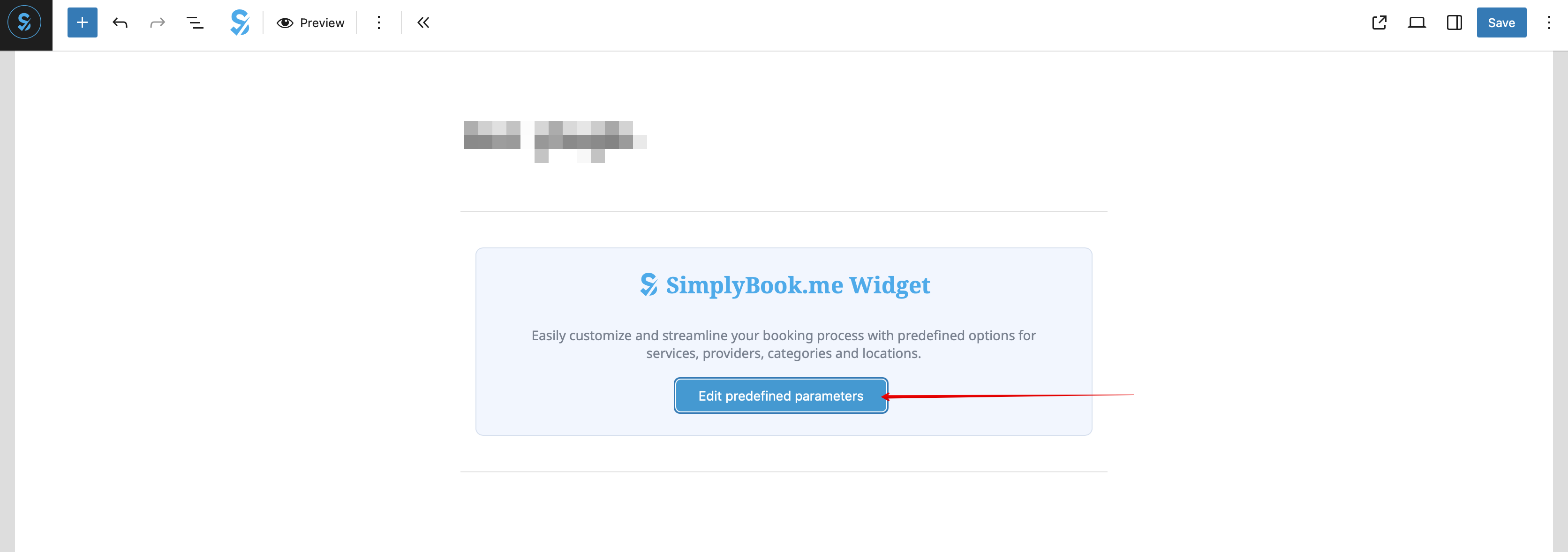
:8. (optional) If you need to have the booking functionality only for some service/provider/location/category you can use <span style="background-color:#d4f8e5; padding:5px; border-radius:5px;">Edit predefined parameters</span> option there.
[[File:Wp edit predefined path.png|1200px|center|link=https://help.simplybook.me/images/d/d7/Wp_edit_predefined_path.png]]
<br><br>
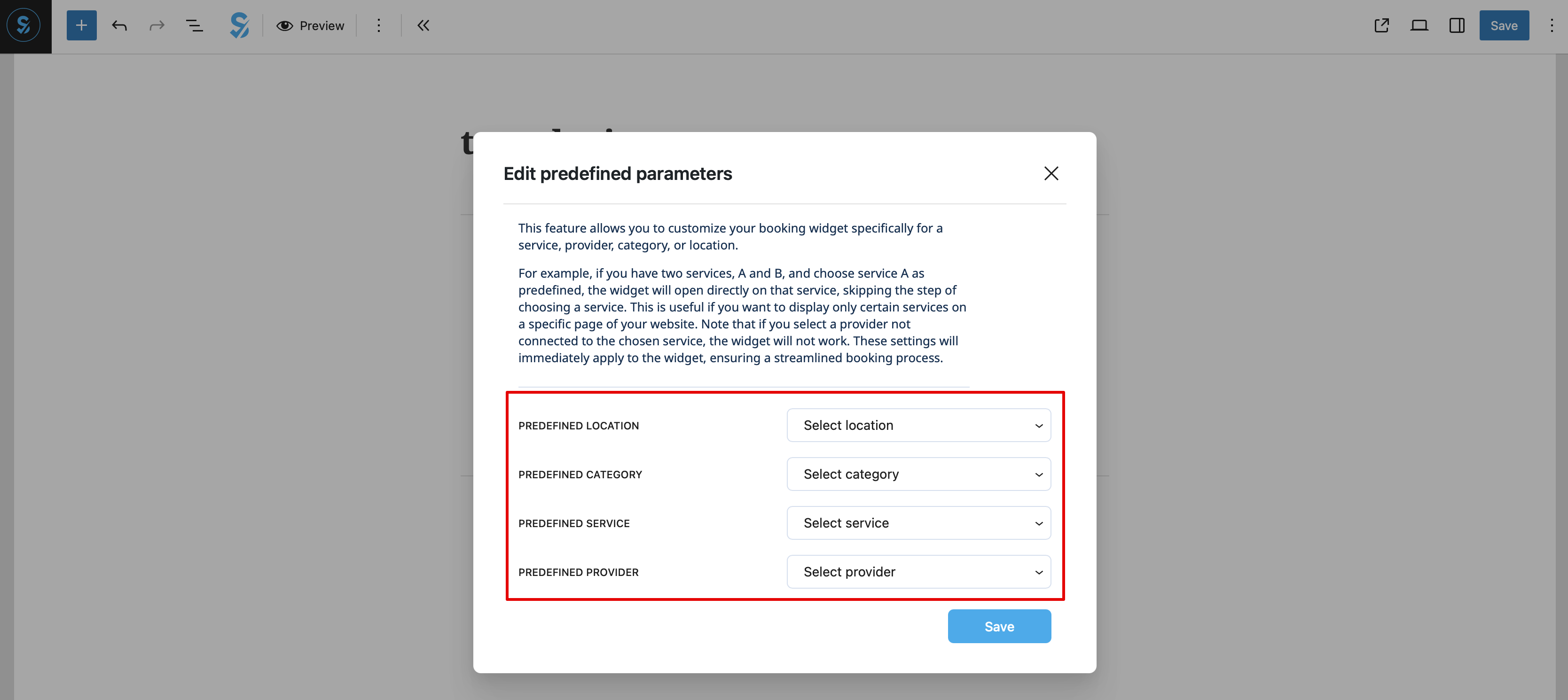
:And select the necessary one(s) in the popup that appears.
[[File:Wp new predefined options.png|1200px|center|link=https://help.simplybook.me/images/7/70/Wp_new_predefined_options.png]]
<br><br>
:9. As alternative way to add the functionality to the page you can use the shortcode.
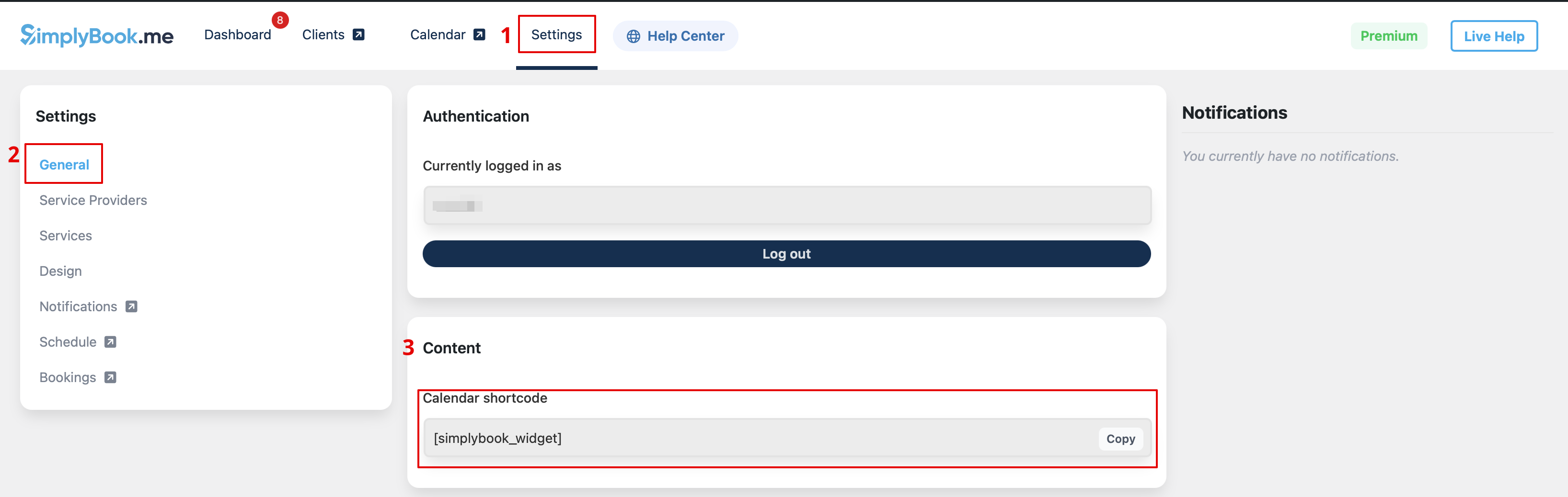
:Copy the calendar shortcode from the plugin <span style="background-color:#d4f8e5; padding:5px; border-radius:5px;">Settings</span> page.
[[File:Wp new shortcode for widget.png|1200px|center|link=https://help.simplybook.me/images/e/e5/Wp_new_shortcode_for_widget.png]]
<br><br>
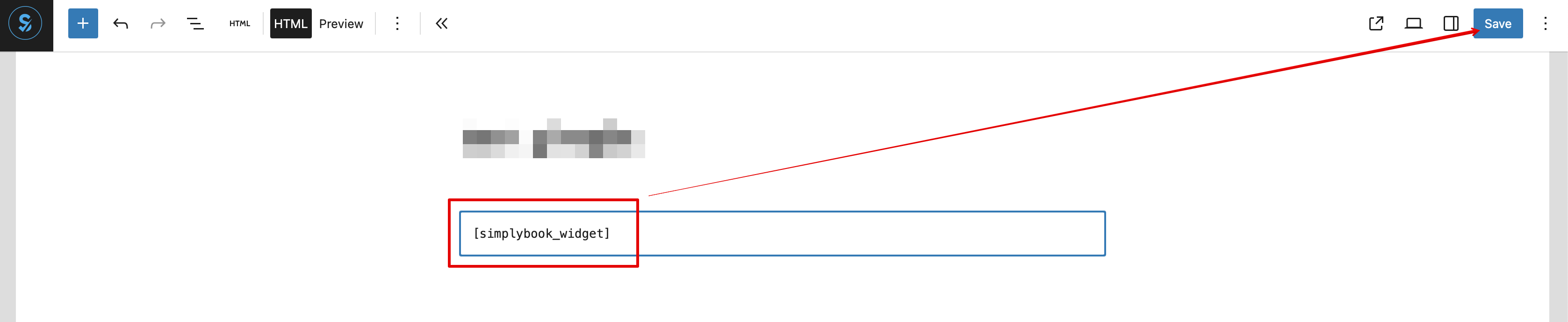
:And simply paste it to the HTML part on the desired page
[[File:Wp new paste shortcode.png|1200px|center|link=https://help.simplybook.me/images/0/0a/Wp_new_paste_shortcode.png]]
<br><br>

8. (optioneel) Als je de boekingsfunctionaliteit alleen voor een bepaalde dienst/aanbieder/locatie/categorie nodig hebt, kun je daar de optie Vooraf gedefinieerde parameters bewerken gebruiken.


En selecteer de benodigde optie(s) in het pop-upvenster dat verschijnt.


9. Als alternatief kun je de functionaliteit aan de pagina toevoegen met behulp van de shortcode.

Kopieer de kalender-shortcode van de pluginpagina Instellingen.


En plak deze eenvoudig in het HTML-gedeelte van de gewenste pagina