Translations:WordPress integration/4/uk: Difference between revisions

From SimplyBook.me
No edit summary
Marked translation unit as no longer outdated with no changes
 
(No difference)

Latest revision as of 13:07, 17 October 2025

Information about message (contribute)
This message has no documentation. If you know where or how this message is used, you can help other translators by adding documentation to this message.
Message definition (WordPress integration)
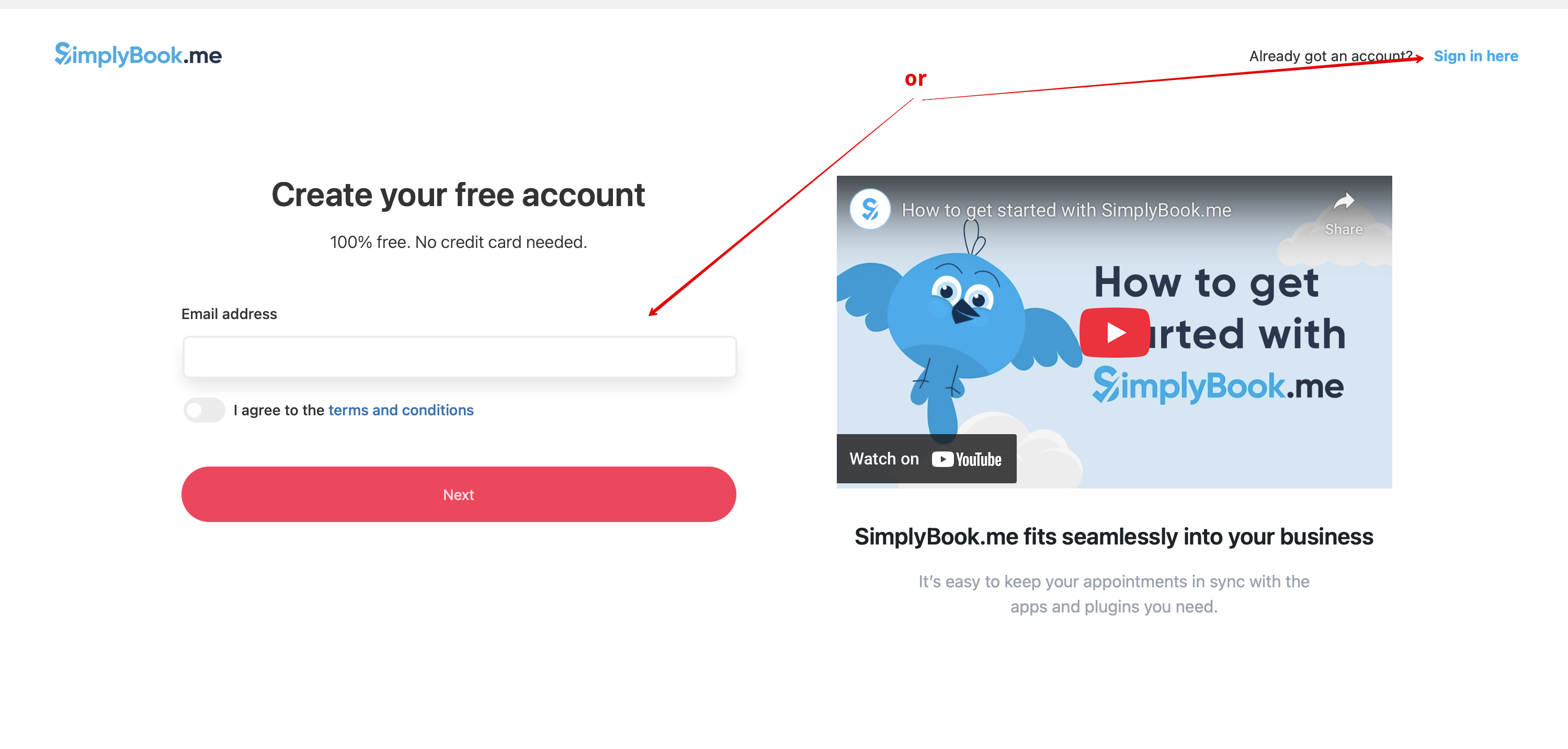
:3. If you already have an account with SimplyBook.me please choose the <span style="background-color:#d4f8e5; padding:5px; border-radius:5px;">Sign in here</span> option there.<br>
:If you have not created it yet, simply follow the <span style="background-color:#d4f8e5; padding:5px; border-radius:5px;">Create free account</span> steps.
[[File:Create account or sign up in wp.png|1200px|center|link=https://help.simplybook.me/images/2/2f/Create_account_or_sign_up_in_wp.png]]
<br><br>
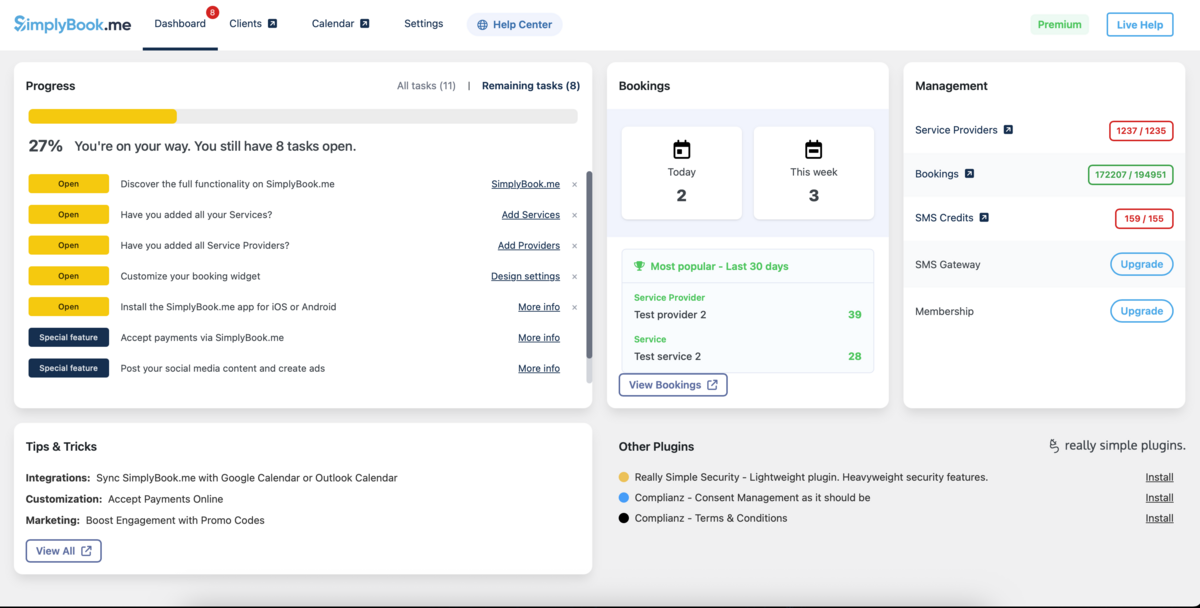
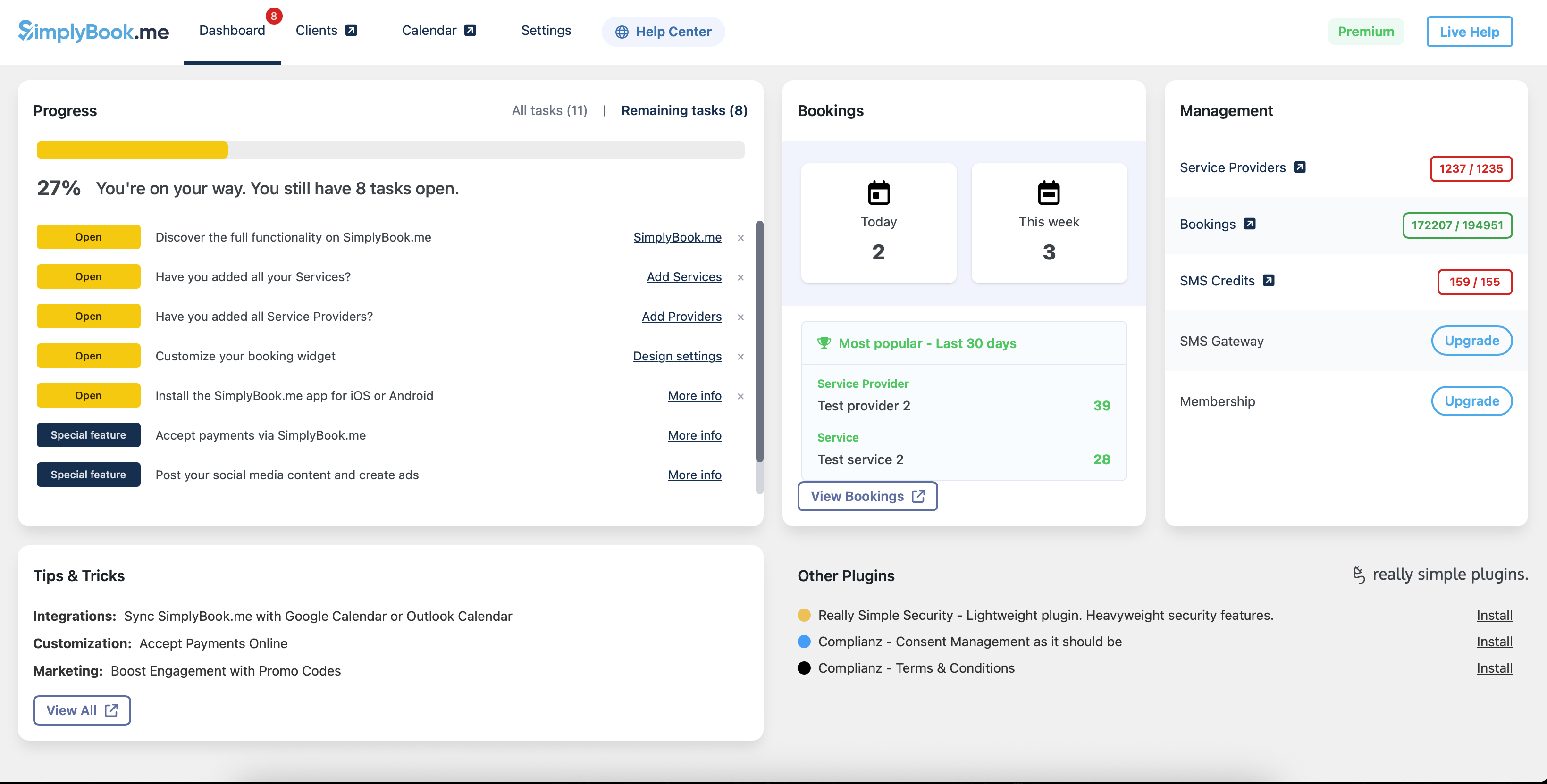
:4. After short registration/login process you will get to your <span style="background-color:#d4f8e5; padding:5px; border-radius:5px;">Dashboard</span> overview.
[[File:Wp new dashboard overview.png|1200px|center|link=https://help.simplybook.me/images/a/ab/Wp_new_dashboard_overview.png]]
<br><br>
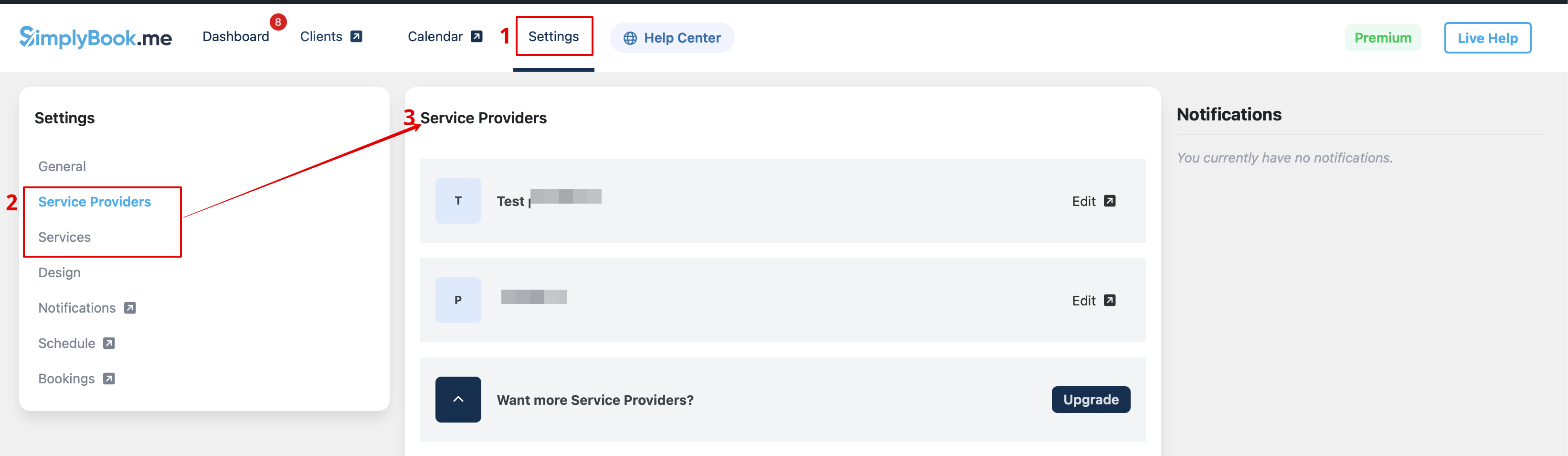
:5. Navigate to <span style="background-color:#d4f8e5; padding:5px; border-radius:5px;">Settings</span> tab and choose "Services" or "Providers" tab to see the list of existing ones in your account and easily navigate to manage them or add more.
[[File:Wp new see the list of services and providers.png|1200px|center|link=https://help.simplybook.me/images/9/97/Wp_new_see_the_list_of_services_and_providers.png]]

3. Якщо у вас вже є обліковий запис SimplyBook.me, виберіть опцію Увійти тут.

Якщо ви ще не створили його, просто дотримуйтесь кроків для Створення безкоштовного акаунту.


4. Після короткої процедури реєстрації/входу ви потрапите на сторінку з оглядом Панелі керування.


5. Перейдіть на вкладку Налаштування і виберіть вкладку "Послуги" або "Постачальники", щоб переглянути наявні у вашому акаунті, а також легко керувати ними або додати нові.