From SimplyBook.me
| Line 8: | Line 8: | ||
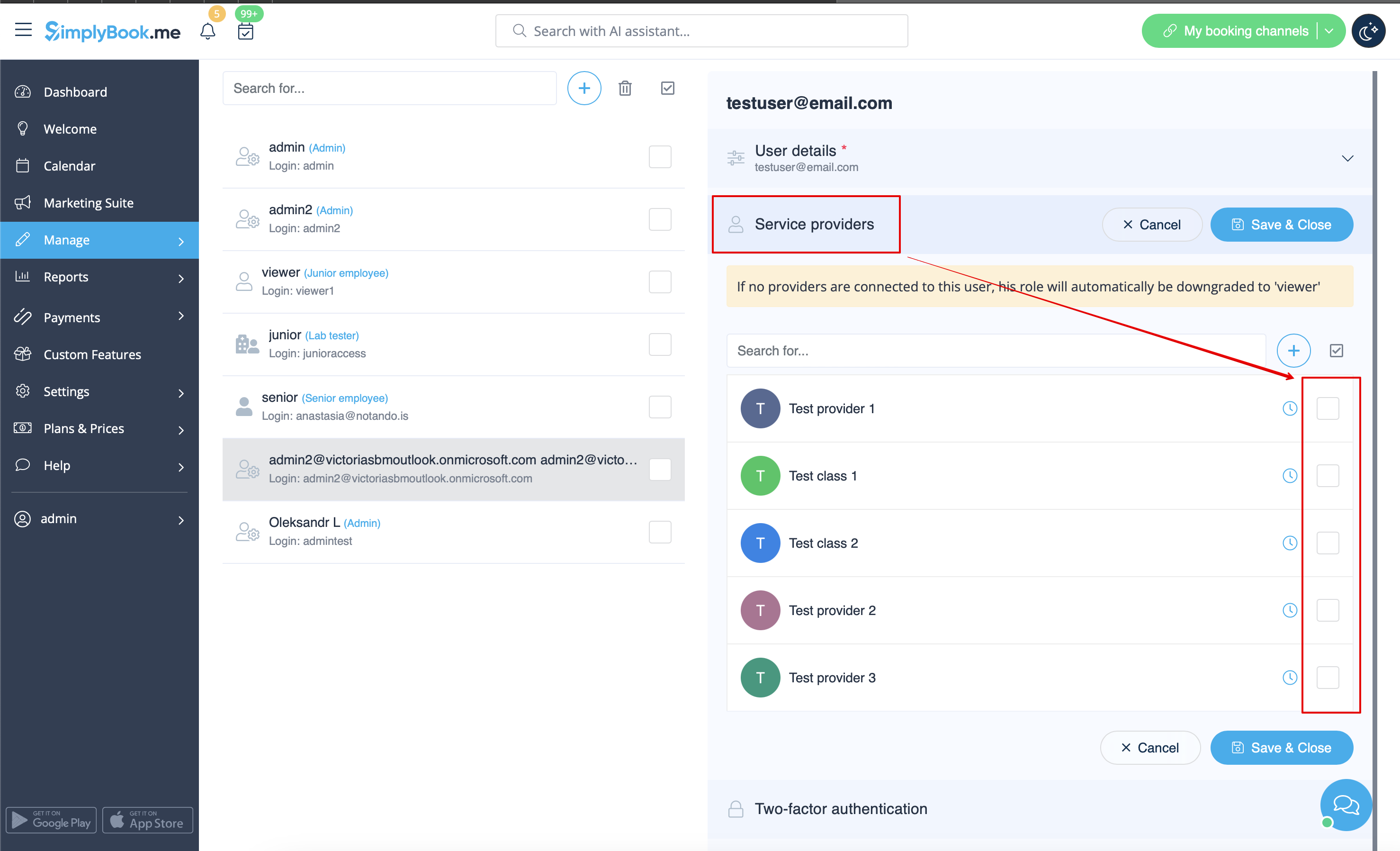
[[File:Relate user with provider redesined.png|1200px | center|link=https://help.simplybook.me/images/4/4b/Relate_user_with_provider_redesined.png]] | [[File:Relate user with provider redesined.png|1200px | center|link=https://help.simplybook.me/images/4/4b/Relate_user_with_provider_redesined.png]] | ||
<div lang="en" dir="ltr" class="mw-content-ltr"> | <div lang="en" dir="ltr" class="mw-content-ltr"> | ||
Revision as of 08:09, 1 July 2025
Sie können unter „Verwalten“ -> „Benutzer“ einen separaten Benutzer für die Person erstellen, die Zugriff auf Ihre Verwaltungsseite benötigt, und ihr die entsprechenden Rechte zuweisen.
Eine Liste der verfügbaren Benutzerrollen finden Sie hier.
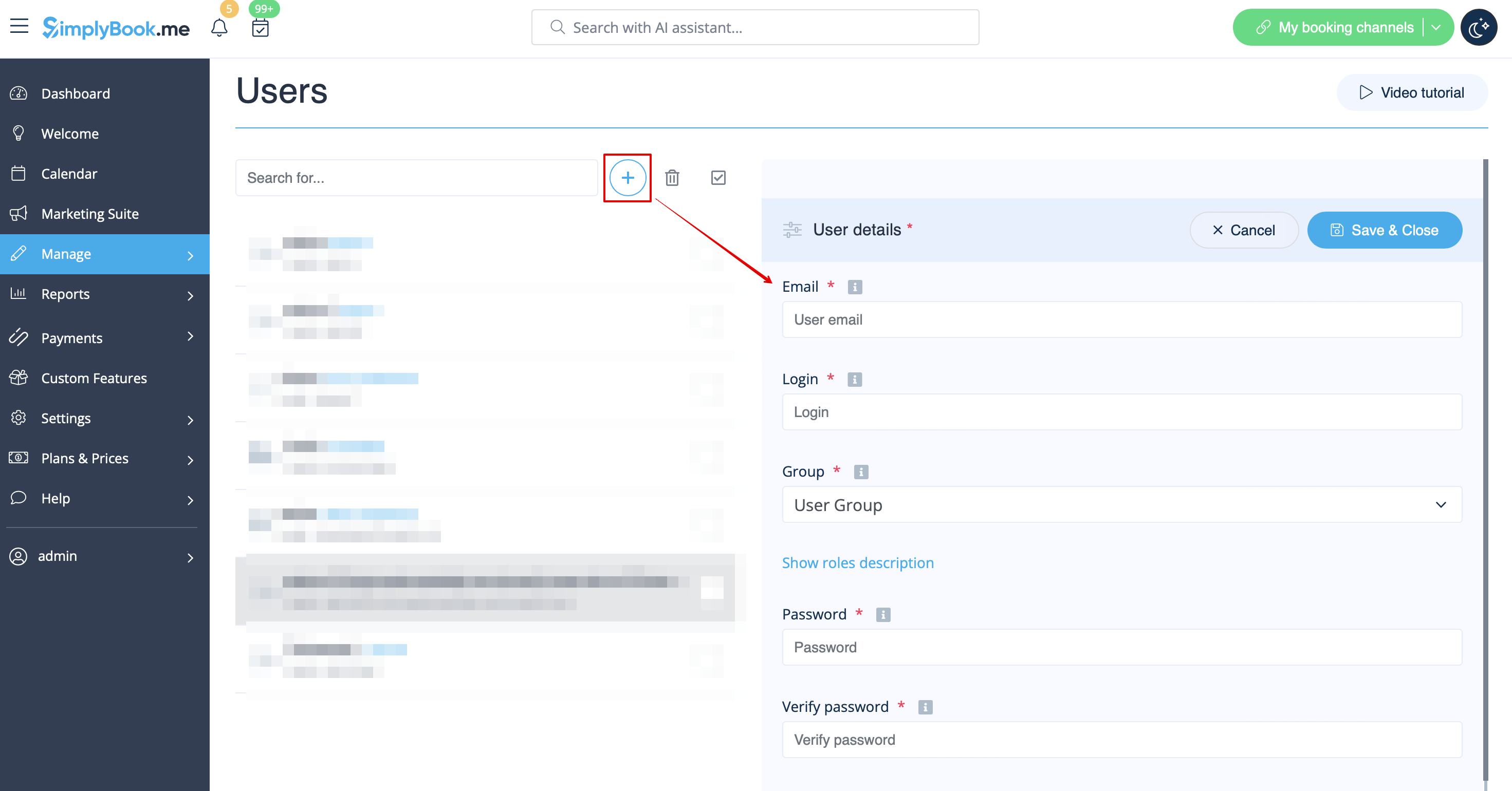
When adding new user details just enable the switch Send login information to user and save the user record.
The system will automatically send the email with the login credentials according to the template you have set in Settings -> Email and SMS Settings -> New user login notification.
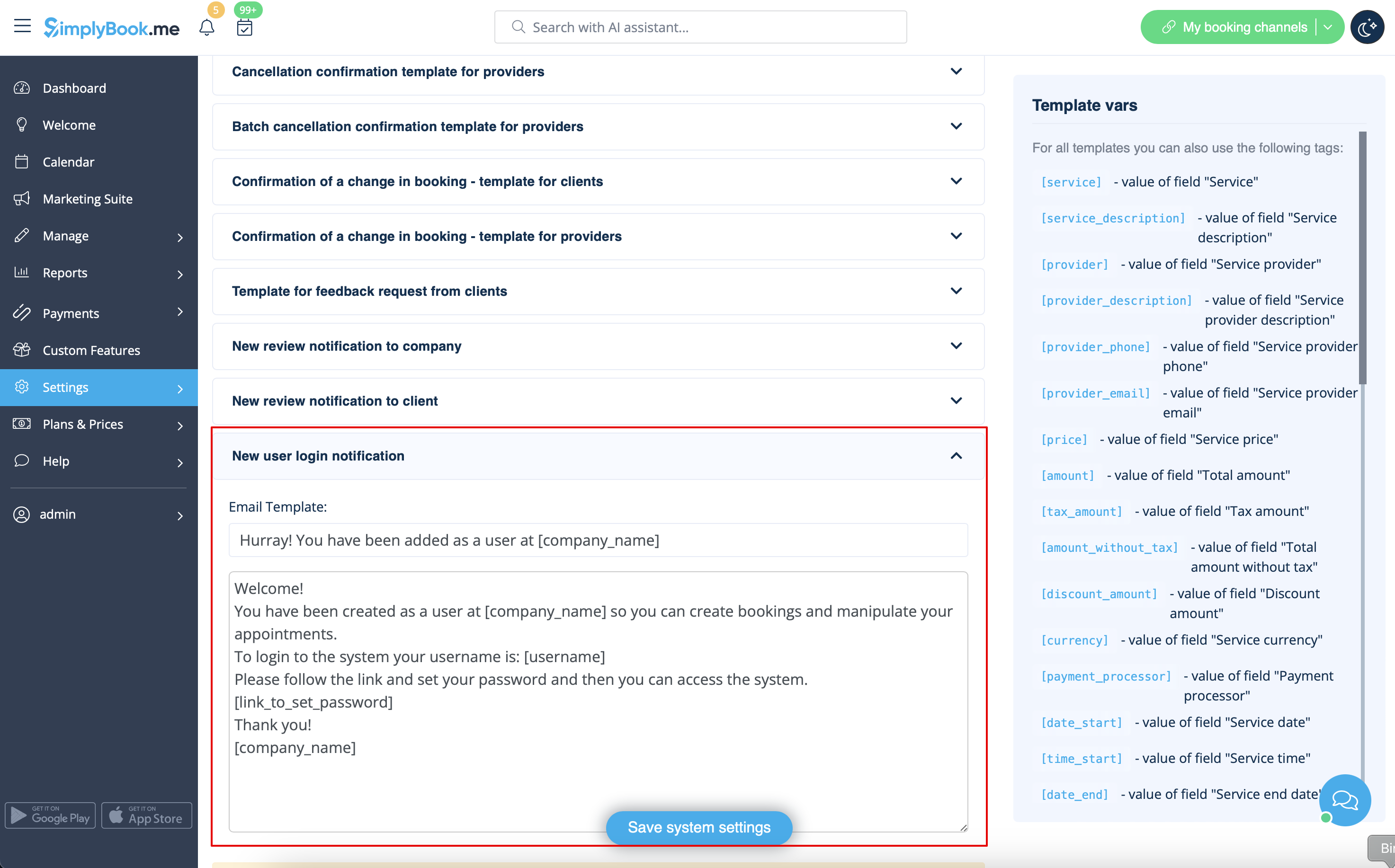
Or you can manually send login and password to your users along with the link to your admin page after saving the user.


