From SimplyBook.me
No edit summary Tag: Manual revert |
Updating to match new version of source page |
||
| Line 1: | Line 1: | ||
<languages/> | <languages/> | ||
<div class="mw-translate-fuzzy"> | |||
{{#seo: |title=WordPress-plugin - SimplyBook.me |description=Integrer SimplyBook.me med WordPress for nemme online bookinger. Konfigurer det nemt med vores omfattende guide! |titlemode=tilføj |keywords=faq, ofte stillede spørgsmål, bookingssoftware, spørgsmål om aftalesystem, onlineaftaler, kalendersoftware, bookingsystem, bookingkalender, planlægningssoftware, online aftaleplanlægning, online planlægning, plugin, wordpress-integration, widget, website-widget, wordpress-plugin }} | {{#seo: |title=WordPress-plugin - SimplyBook.me |description=Integrer SimplyBook.me med WordPress for nemme online bookinger. Konfigurer det nemt med vores omfattende guide! |titlemode=tilføj |keywords=faq, ofte stillede spørgsmål, bookingssoftware, spørgsmål om aftalesystem, onlineaftaler, kalendersoftware, bookingsystem, bookingkalender, planlægningssoftware, online aftaleplanlægning, online planlægning, plugin, wordpress-integration, widget, website-widget, wordpress-plugin }} | ||
</div> | |||
__FORCETOC__ | __FORCETOC__ | ||
| Line 49: | Line 51: | ||
:<span style="background-color:#fef3de; padding:5px; border-radius:5px;">Eksempel</span> (kan se anderledes ud afhængigt af dit WP-tema og [https://simplybook.me/ SimplyBook.me-] tema og indstillinger). | :<span style="background-color:#fef3de; padding:5px; border-radius:5px;">Eksempel</span> (kan se anderledes ud afhængigt af dit WP-tema og [https://simplybook.me/ SimplyBook.me-] tema og indstillinger). | ||
<div class="mw-translate-fuzzy"> | |||
[[File:Wp select location.png|center]] | [[File:Wp select location.png|center]] | ||
<br><br> | <br><br> | ||
<br><br> | <br><br> | ||
</div> | |||
<div lang="en" dir="ltr" class="mw-content-ltr"> | |||
With the AI Voice Booking widget, you can easily place an interactive AI widget button anywhere on your client’s website. Simply enable your feature on SimplyBook.me side, insert the widget code into an HTML section in your website builder and visitors will be able to book appointments just by messaging or speaking to the AI directly on the site. Please, check the [[Special:MyLanguage/AI Voice Booking|tutorial]] to setup the integration. | |||
</div> | |||
Revision as of 20:05, 9 February 2026
Med hjælp fra WordPress-plugin
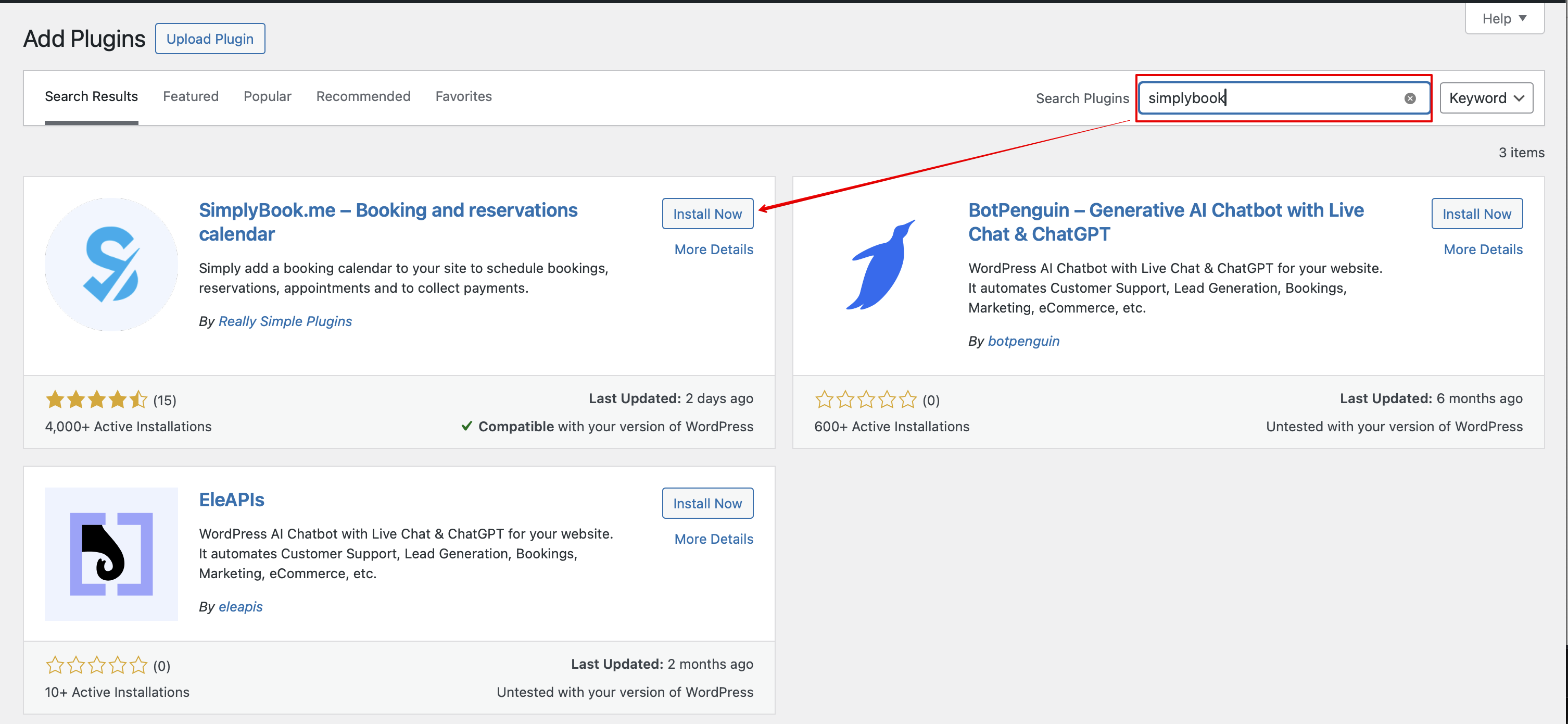
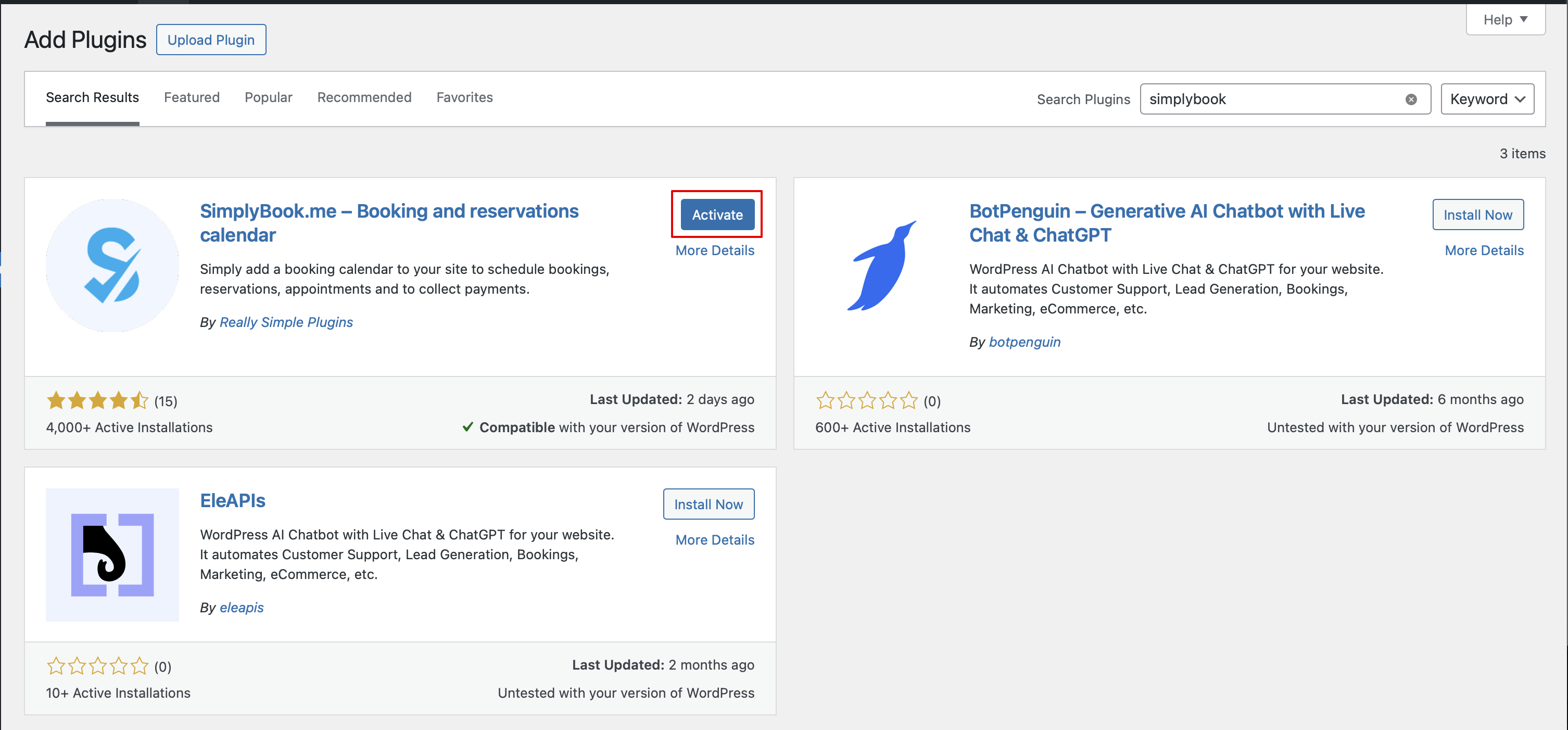
- 1. Gå til Plugins -> Tilføj ny plugin i din WordPress admin-grænseflade og søg efter Simplybook.
- Installer og aktiver den.
- 2. Gå til pluginets Indstillinger.
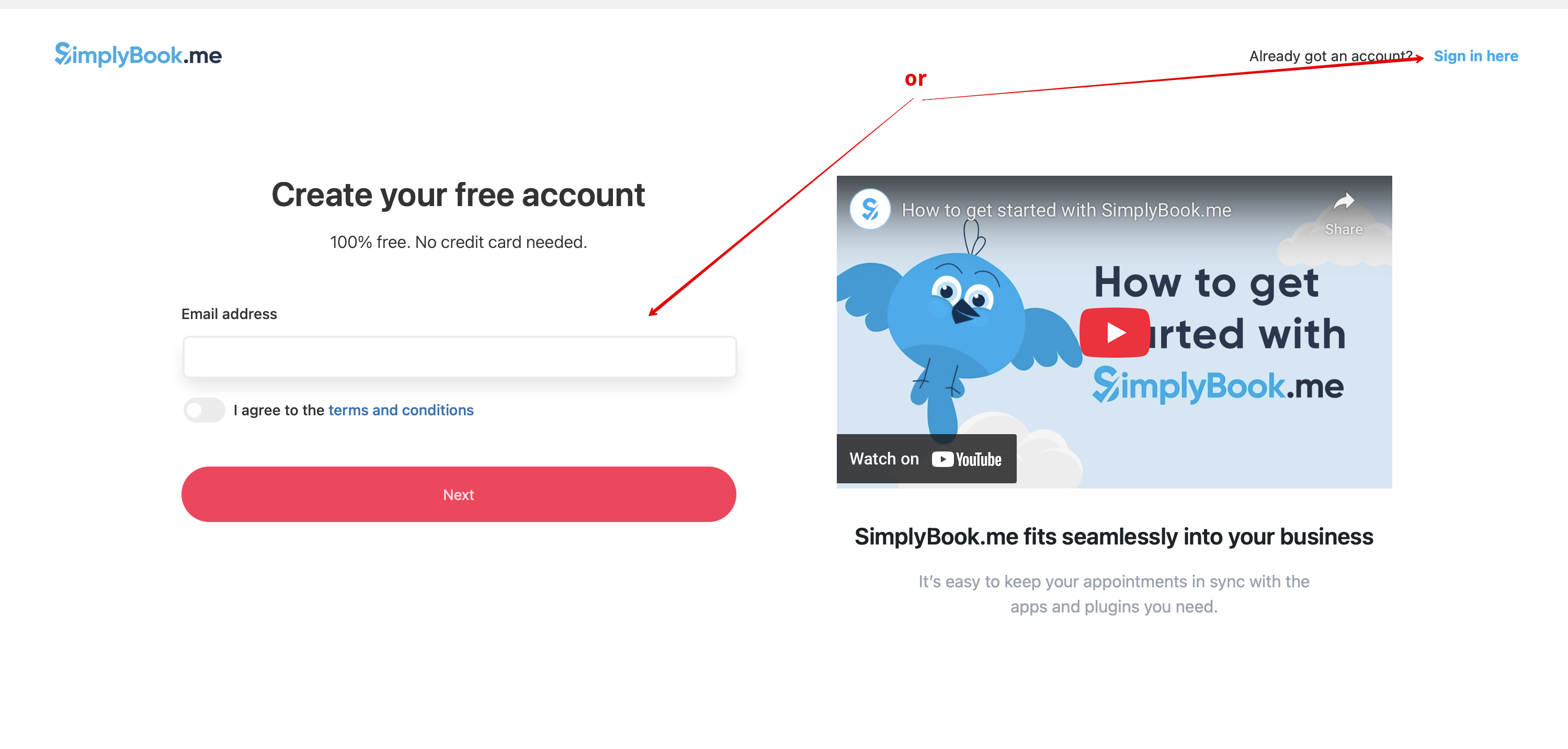
- 3. Hvis du allerede har en konto hos SimplyBook.me, skal du vælge Log ind her.
- Hvis du endnu ikke har oprettet en konto, skal du blot følge trinnene i Opret gratis konto.

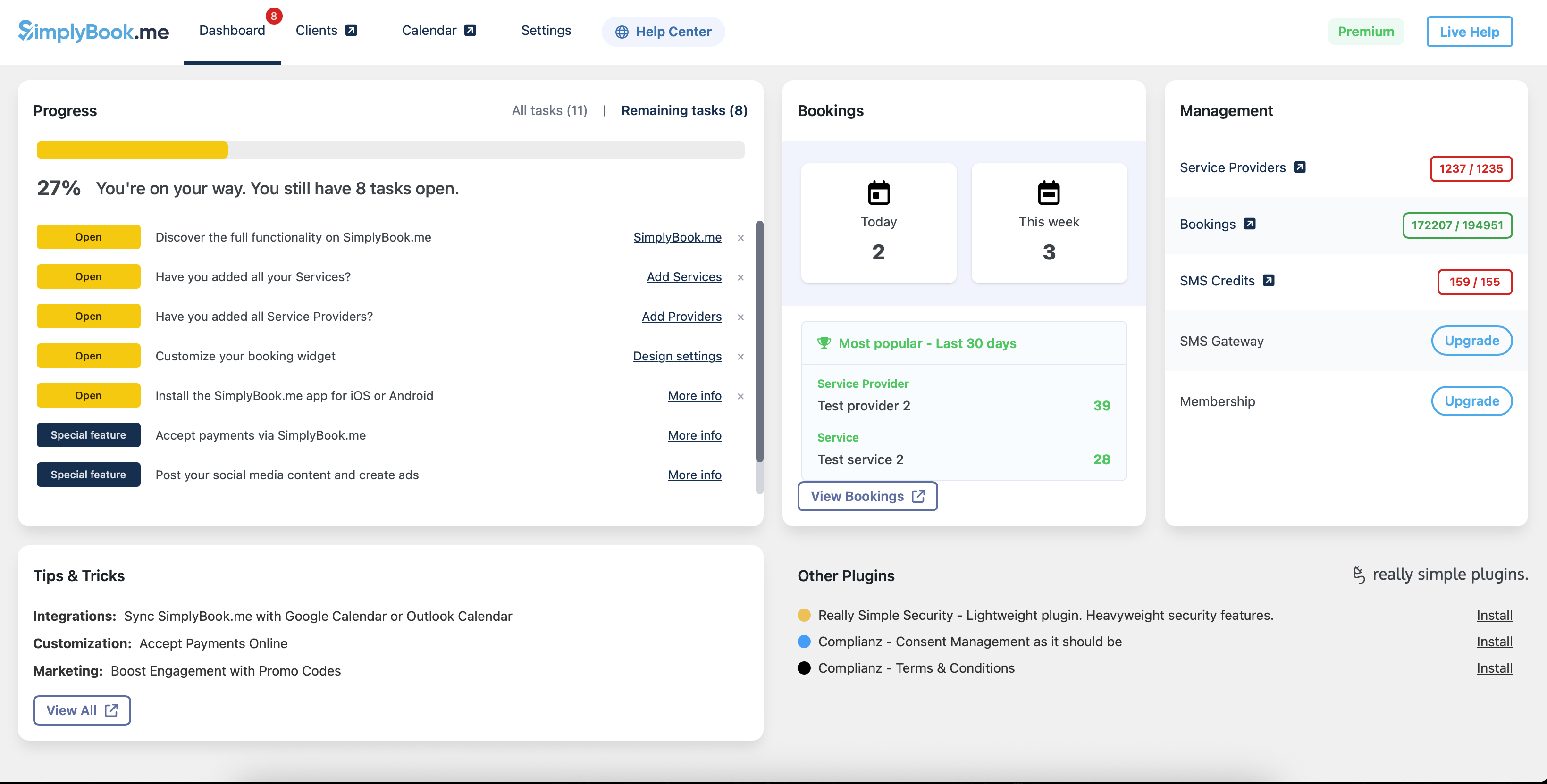
- 4. Efter en kort registrerings-/loginproces kommer du til dit Dashboard-overblik.
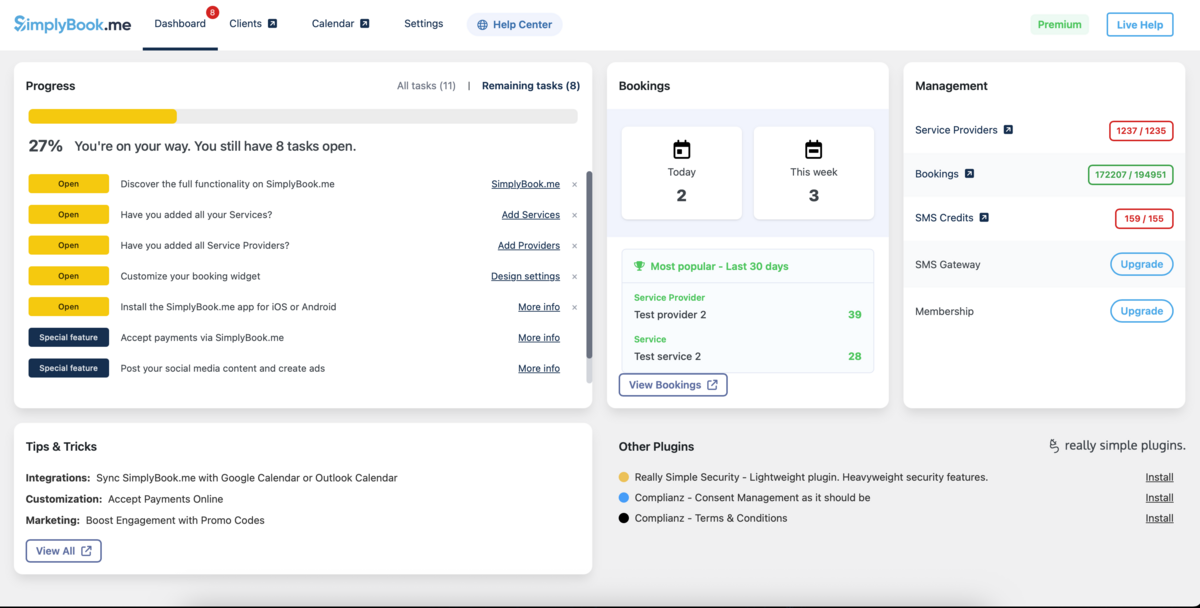
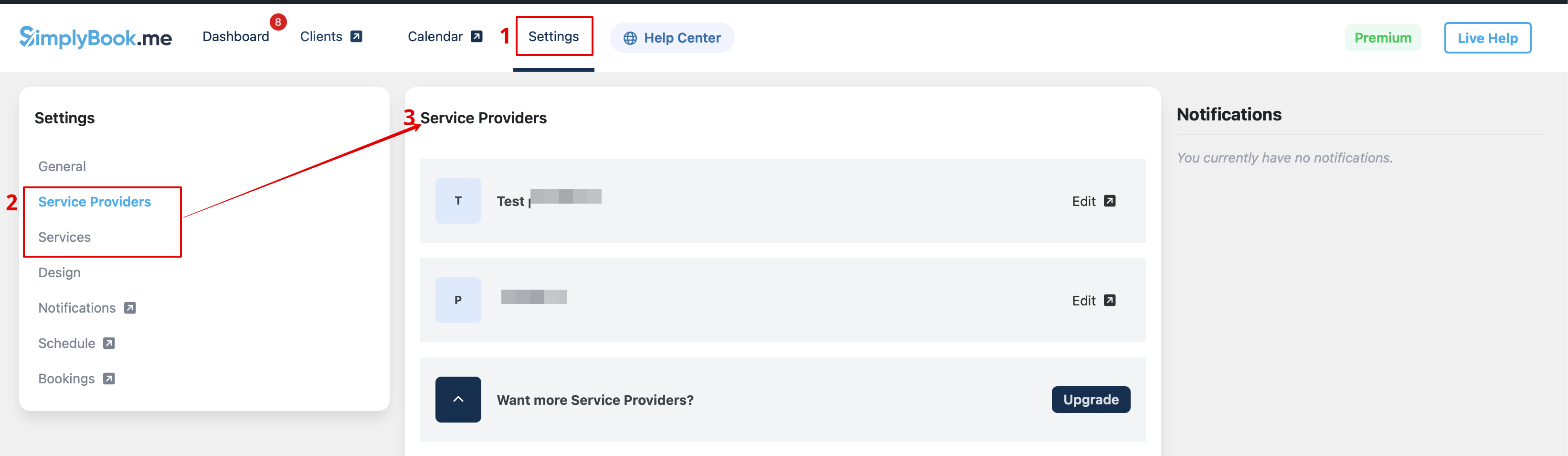
- 5. Gå til fanen Indstillinger og vælg fanen "Tjenester" eller "Udbydere" for at se listen over eksisterende i din konto og nemt administrere dem eller tilføje flere.

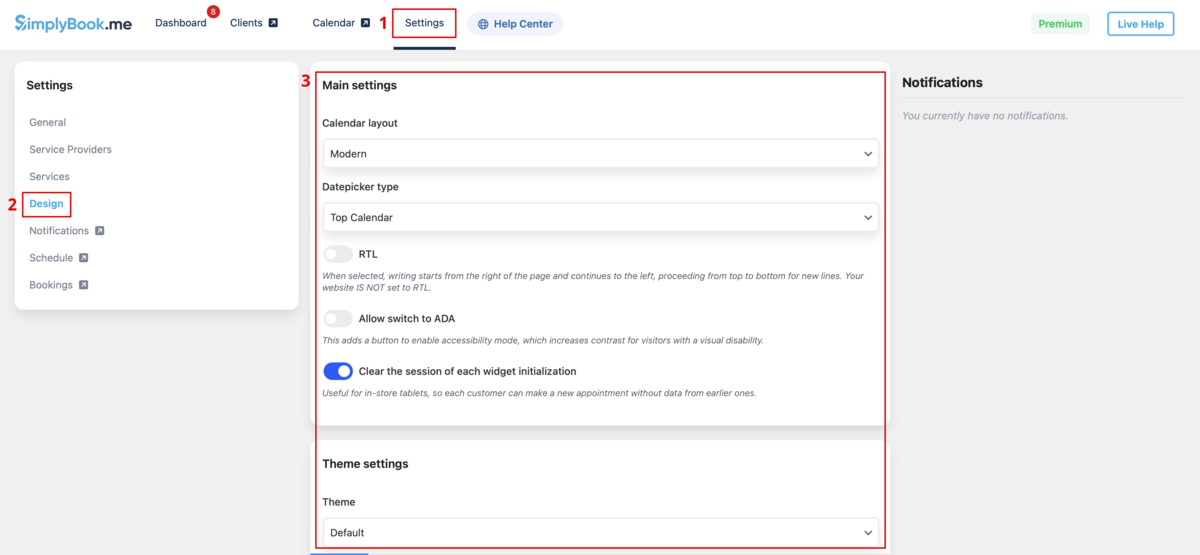
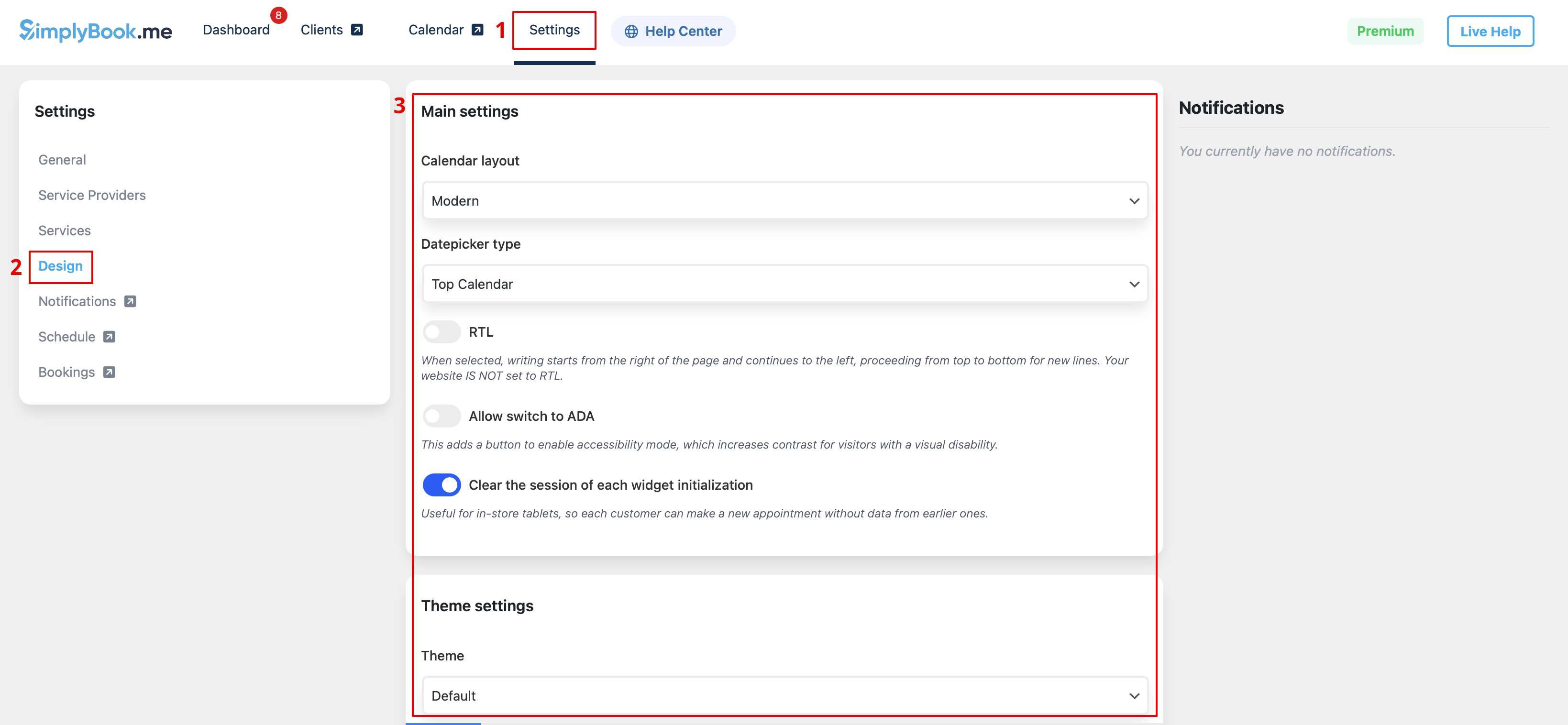
- 6. Skift til fanen Design.
- Juster udseendet på din widget.
- Du kan vælge den foretrukne kalenderlayout, justere farverne og meget mere.
- 7. Gem dine indstillinger og gå til fanen Sider i WordPress-grænsefladen.
- Åbn den side, du vil tilføje bookingfunktionen til, eller opret en ny. :Klik på "+"-knappen og find muligheden Simplybook. Klik på den for at tilføje den til siden. Gem siden.
- Når hjemmesiden er udgivet, vil kunder kunne booke dine tjenester.

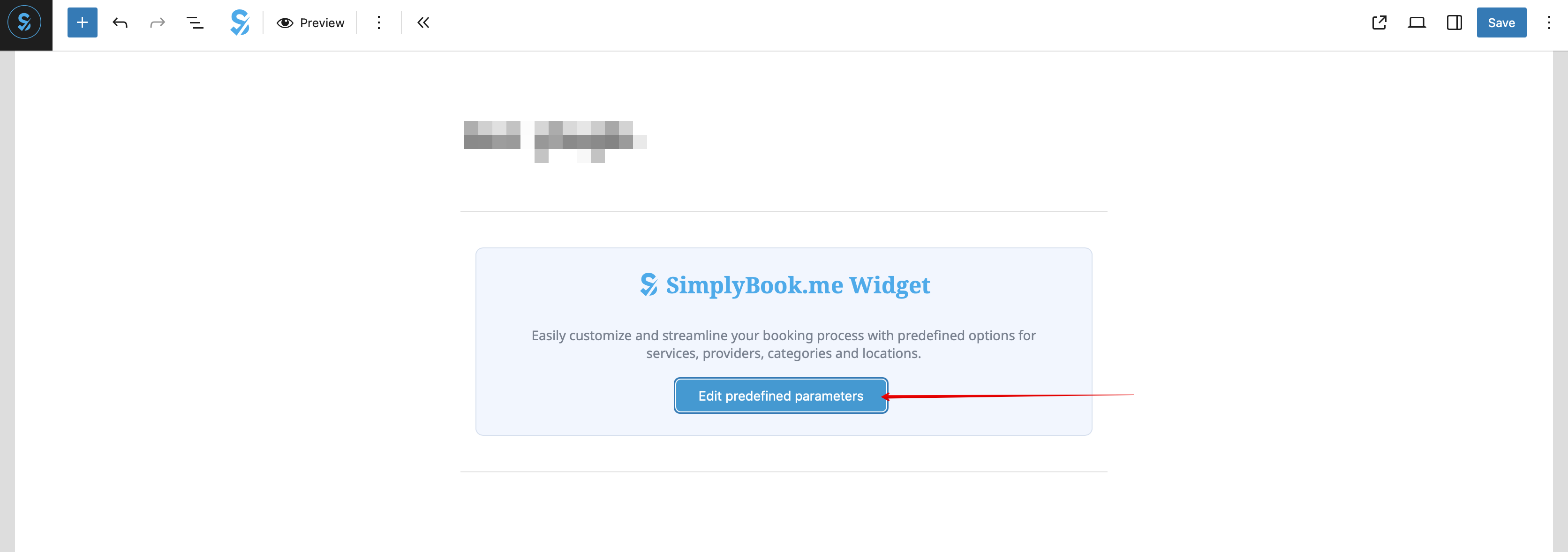
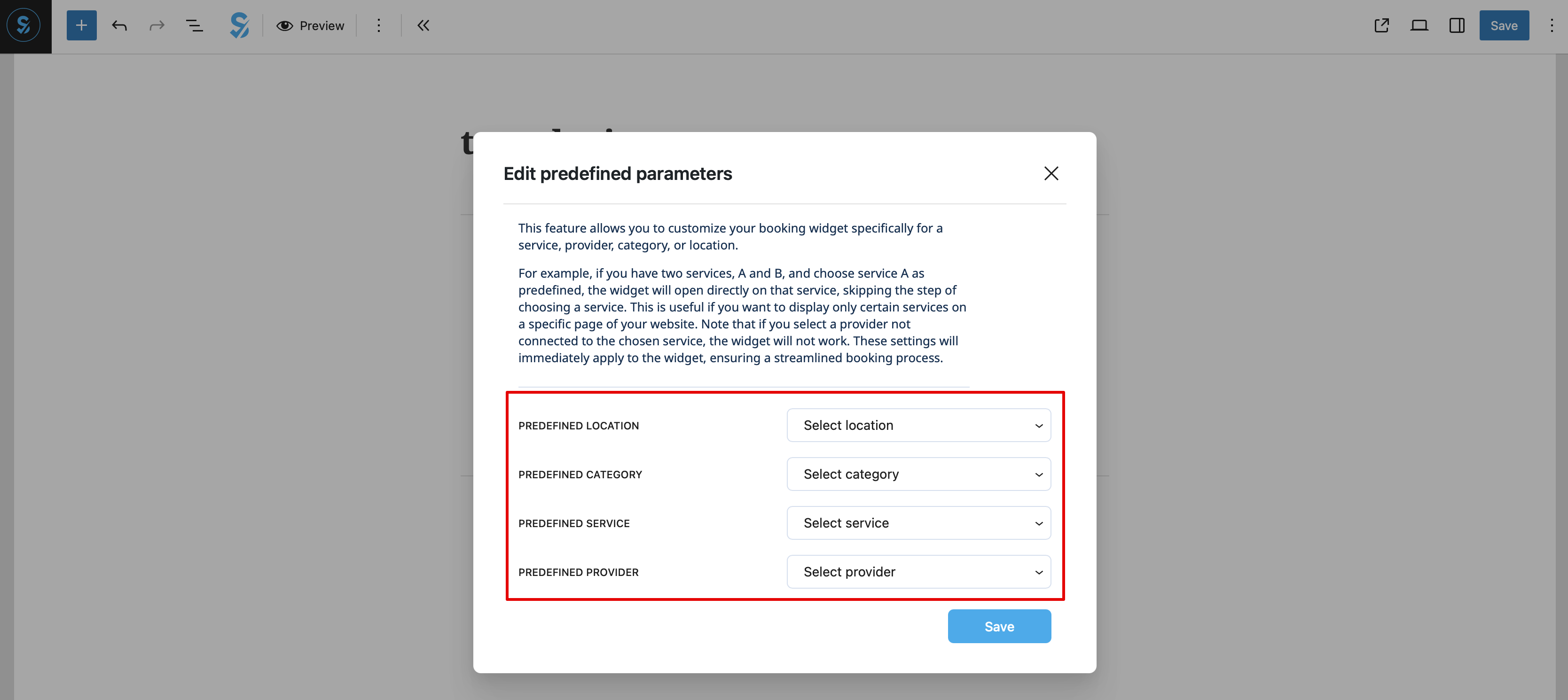
- 8. (valgfrit) Hvis du kun ønsker at tilbyde booking for en bestemt tjeneste/udbyder/lokation/kategori, kan du bruge valgmuligheden Rediger foruddefinerede parametre.

:Og vælg de nødvendige parametre i pop op-vinduet, der vises.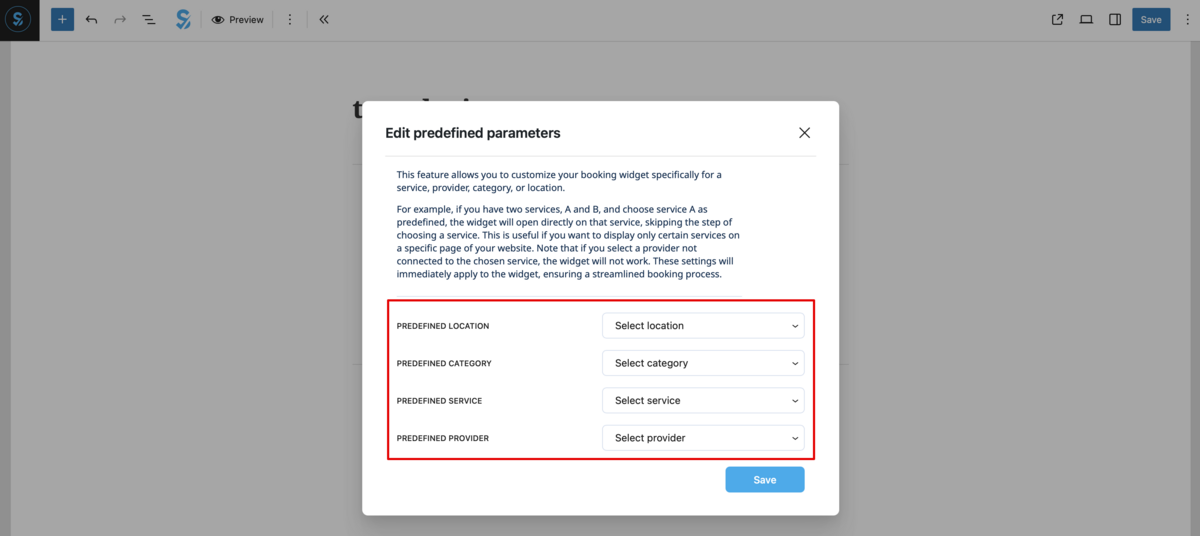
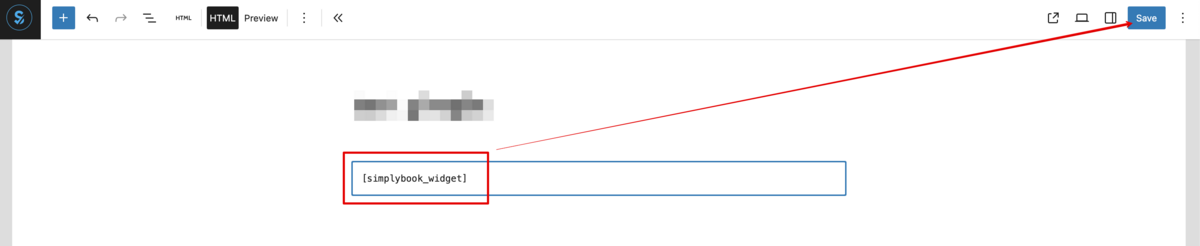
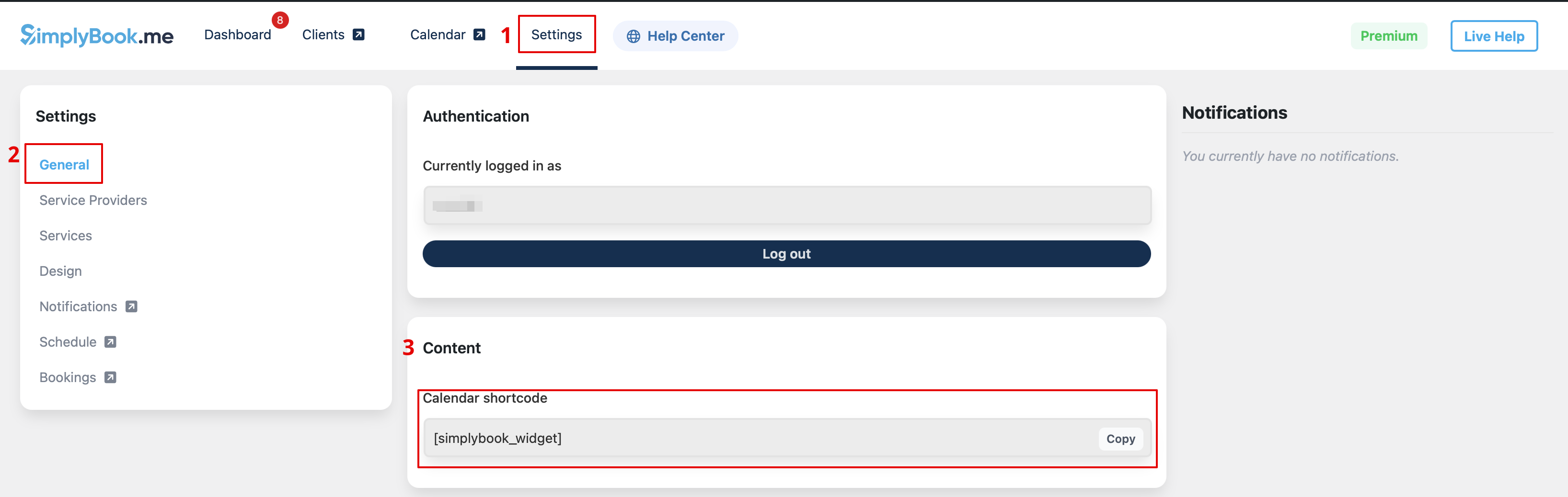
- 9. Som alternativ metode til at tilføje funktionaliteten til siden kan du bruge en shortcode. :Kopiér kalender-shortcoden fra pluginets Indstillinger-side.

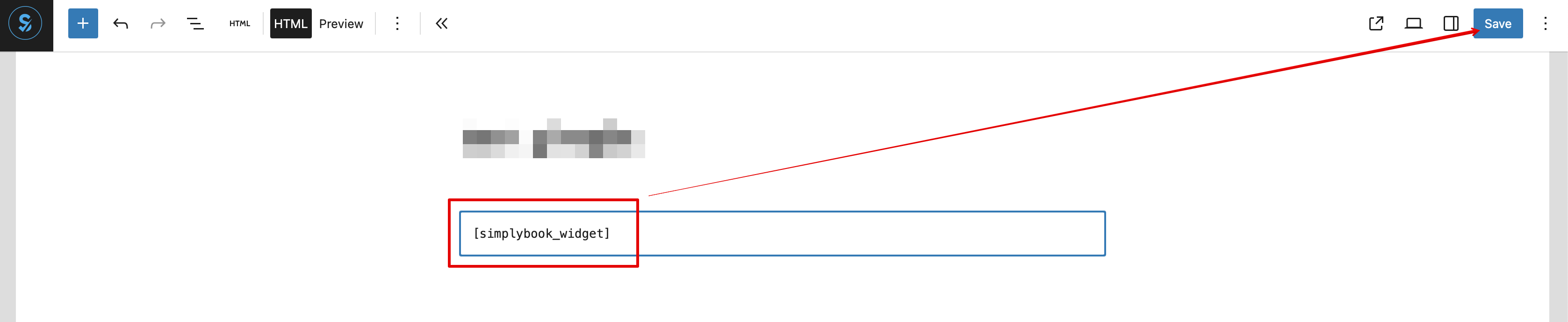
- Og indsæt den blot i HTML-delen af den ønskede side

Som widget
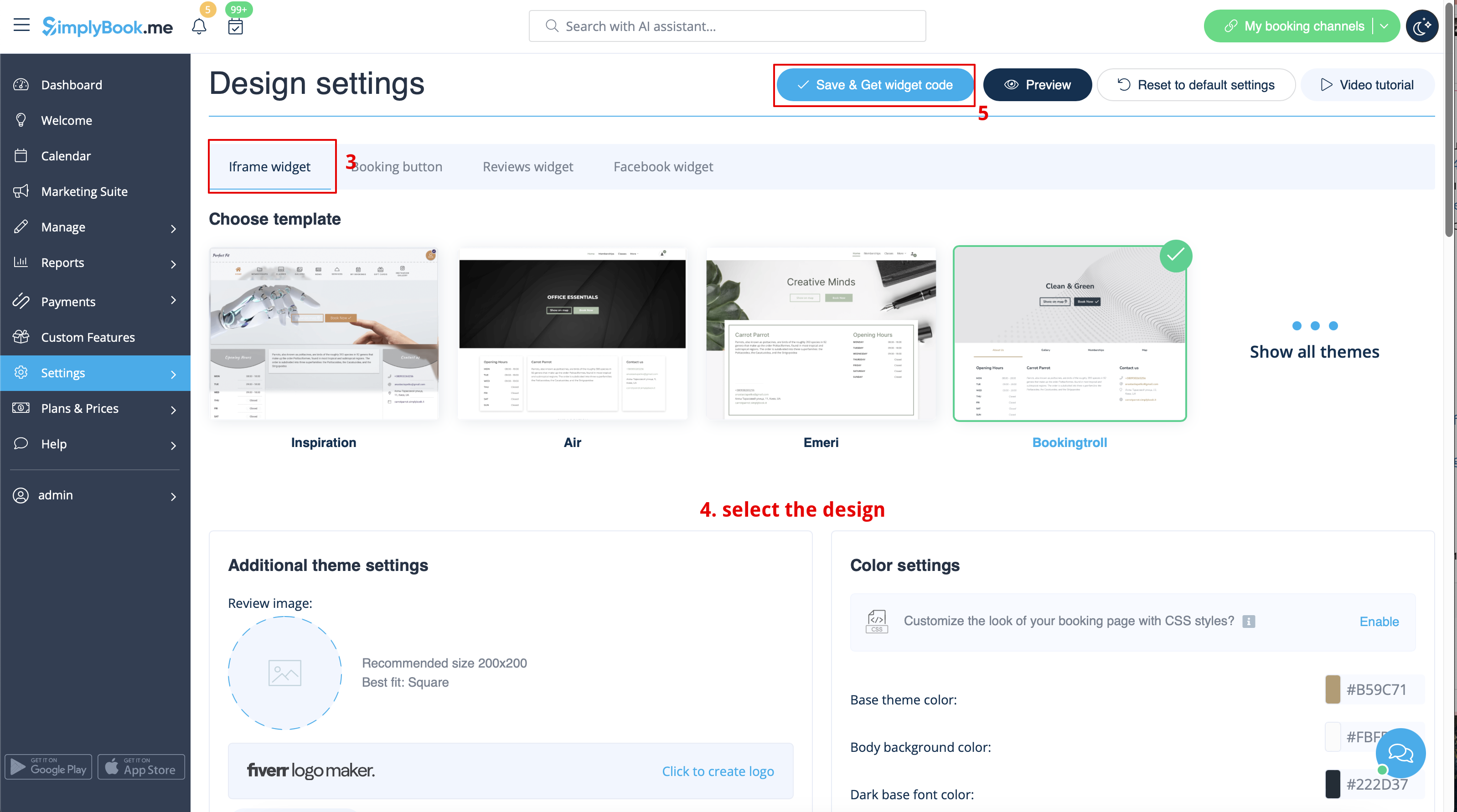
- 1. Kopier koden fra Indstillinger -> Indstillinger for booking-widgets -> iFrame-widget -> Hent widgetkode.


- 2. Gå til din WordPress-administrationsside og opret en ny side, eller naviger til en allerede oprettet side, hvor du vil tilføje widgeten. Klik på + ikonet.

- 3. Søg efter HTML-indstillingen.

- 4. Indsæt den tidligere kopierede kode.

- 5. Offentliggør dine ændringer.
- Eksempel (kan se anderledes ud afhængigt af dit WP-tema og SimplyBook.me- tema og indstillinger).

With the AI Voice Booking widget, you can easily place an interactive AI widget button anywhere on your client’s website. Simply enable your feature on SimplyBook.me side, insert the widget code into an HTML section in your website builder and visitors will be able to book appointments just by messaging or speaking to the AI directly on the site. Please, check the tutorial to setup the integration.
