From SimplyBook.me
No edit summary |
No edit summary |
||
| Line 20: | Line 20: | ||
;How to use | ;How to use | ||
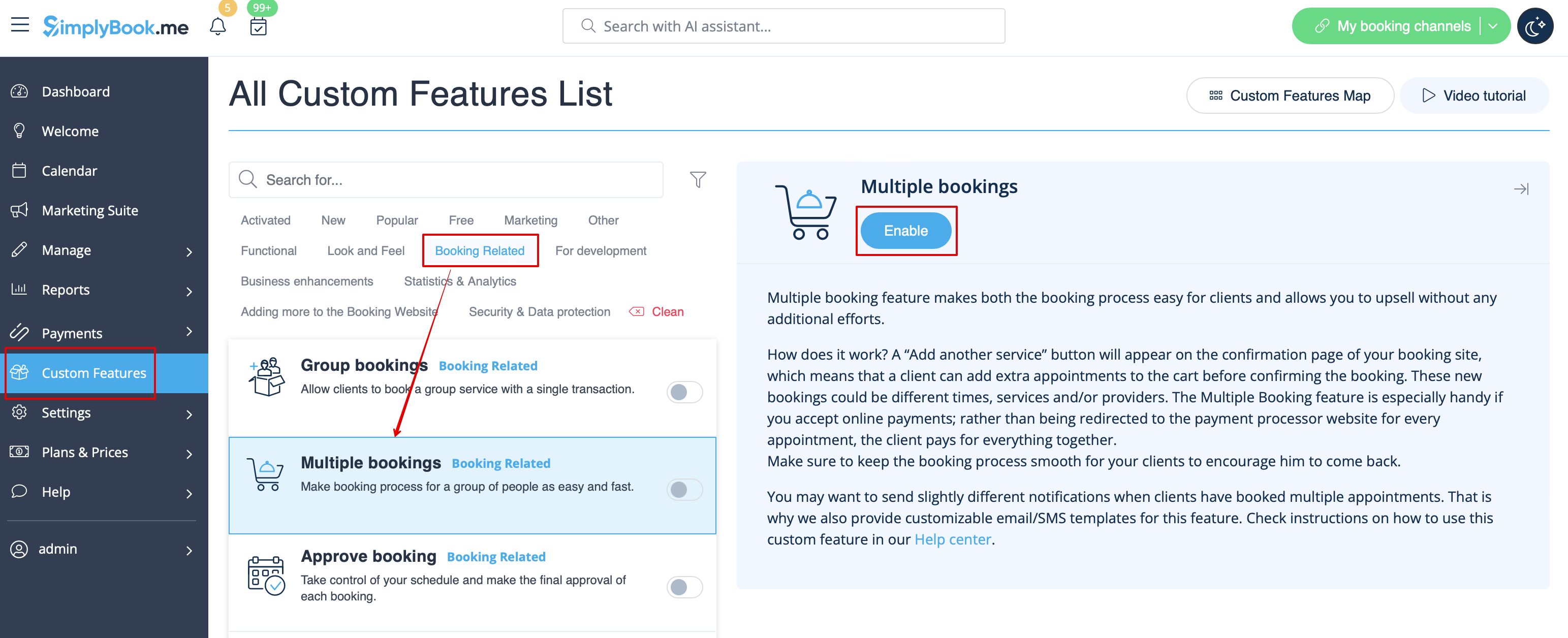
:1. Enable Multiple bookings custom feature on your custom features page. | :1. Enable Multiple bookings custom feature on your custom features page. | ||
[[File:Multiple bookings enable path | [[File:Multiple bookings enable path redesigned.png|1200px | center|link=https://help.simplybook.me/images/b/b7/Multiple_bookings_enable_path_redesigned.png]] | ||
<br><br> | <br><br> | ||
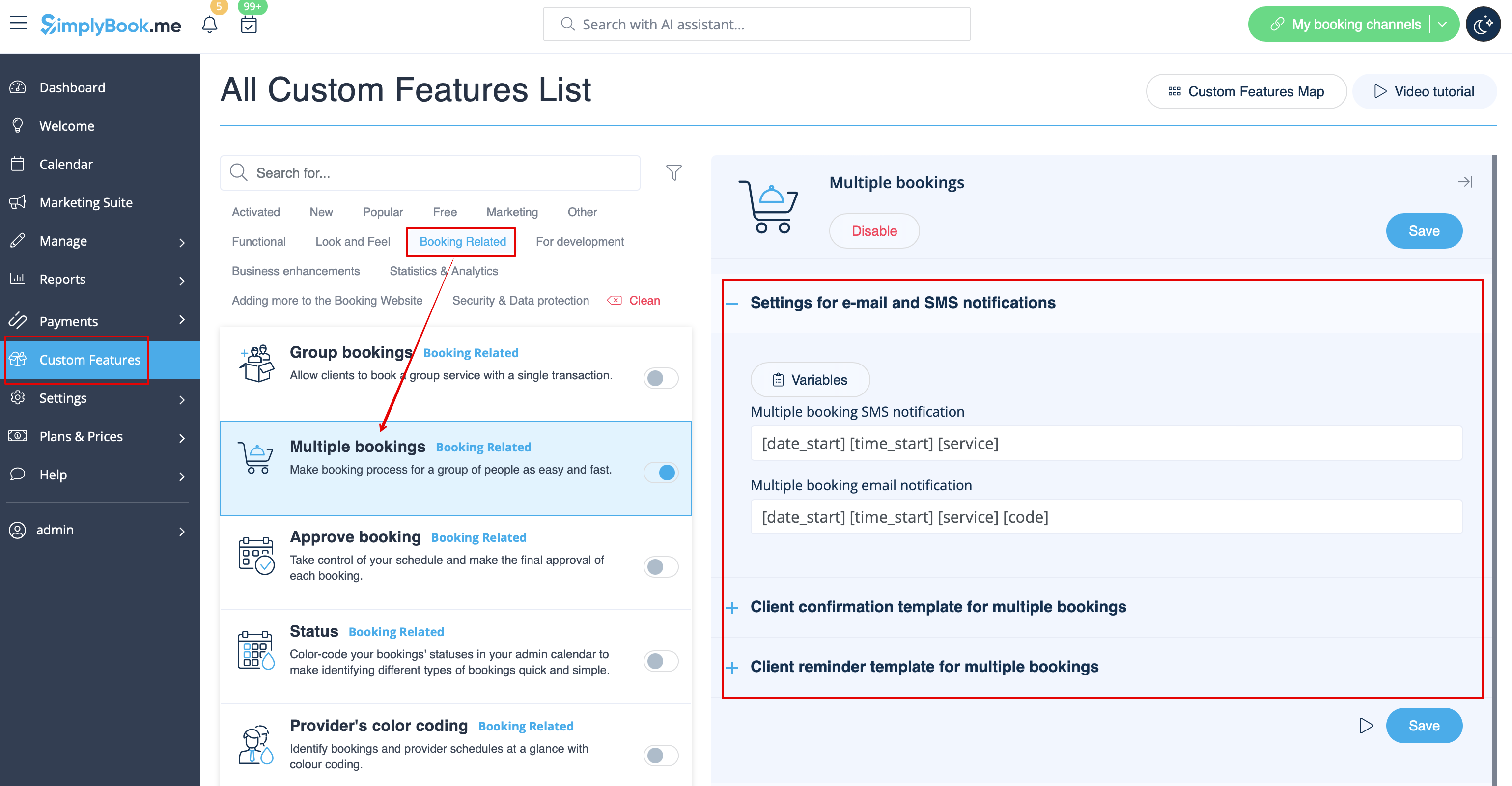
:2. You can edit notification templates related on the right side of the page. | :2. You can edit notification templates related on the right side of the page. | ||
[[File:Multiple bookings notifications | [[File:Multiple bookings notifications settings redesigned.png|1200px | center|link=https://help.simplybook.me/images/6/6f/Multiple_bookings_notifications_settings_redesigned.png]] | ||
<br><br> | <br><br> | ||
:3. Here is how it will look like on the client side in one of the themes. | :3. Here is how it will look like on the client side in one of the themes. | ||
[[File:Multiple bookings client side new.png|1200px| center]] | [[File:Multiple bookings client side new.png|1200px| center]] | ||
<br><br> | <br><br> | ||
Revision as of 10:48, 17 September 2024

Allows clients to book more than one service before they check-out and pay for all booking with one payment. This Custom Feature adds "Add another service" button to the "Details" step on the booking page. This functionality allows clients to book several services/classes on different time or day of the week.
- Please note!
- "Add another service" button will not be shown if several participants are selected with group booking or if the service is recurring.
- This feature cannot be enabled together with Waiting List
- If Approve bookings custom feature is enabled, all appointments from multiple bookings pack are approved if one session is approved. The way around is to edit reservations you want to reschedule and cancel reservations you want to decline first, and then approve the pack.
- How to use
- 1. Enable Multiple bookings custom feature on your custom features page.
- 2. You can edit notification templates related on the right side of the page.
- 3. Here is how it will look like on the client side in one of the themes.

