From SimplyBook.me
Updating to match new version of source page |
Updating to match new version of source page |
||
| Line 1: | Line 1: | ||
<languages/> | <languages/> | ||
{{#seo: | {{#seo: | ||
|title=Daily Report custom feature - SimplyBook.me | |title=Daily Report custom feature - SimplyBook.me | ||
|description=Receive daily reports on bookings, cancellations, and other key stats. Stay informed with automatic updates. Activate now! | |||
|titlemode=append | |titlemode=append | ||
|keywords=faq, frequently asked questions, booking software, appointment system questions, appointments online, calendar software, booking system, booking calendar, scheduling software, online appointment scheduling, online scheduling, plugins, custom features, report, bookings report, everyday report, report to email, recap | |keywords=faq, frequently asked questions, booking software, appointment system questions, appointments online, calendar software, booking system, booking calendar, scheduling software, online appointment scheduling, online scheduling, plugins, custom features, report, bookings report, everyday report, report to email, recap | ||
| Line 22: | Line 22: | ||
;How to use | ;How to use | ||
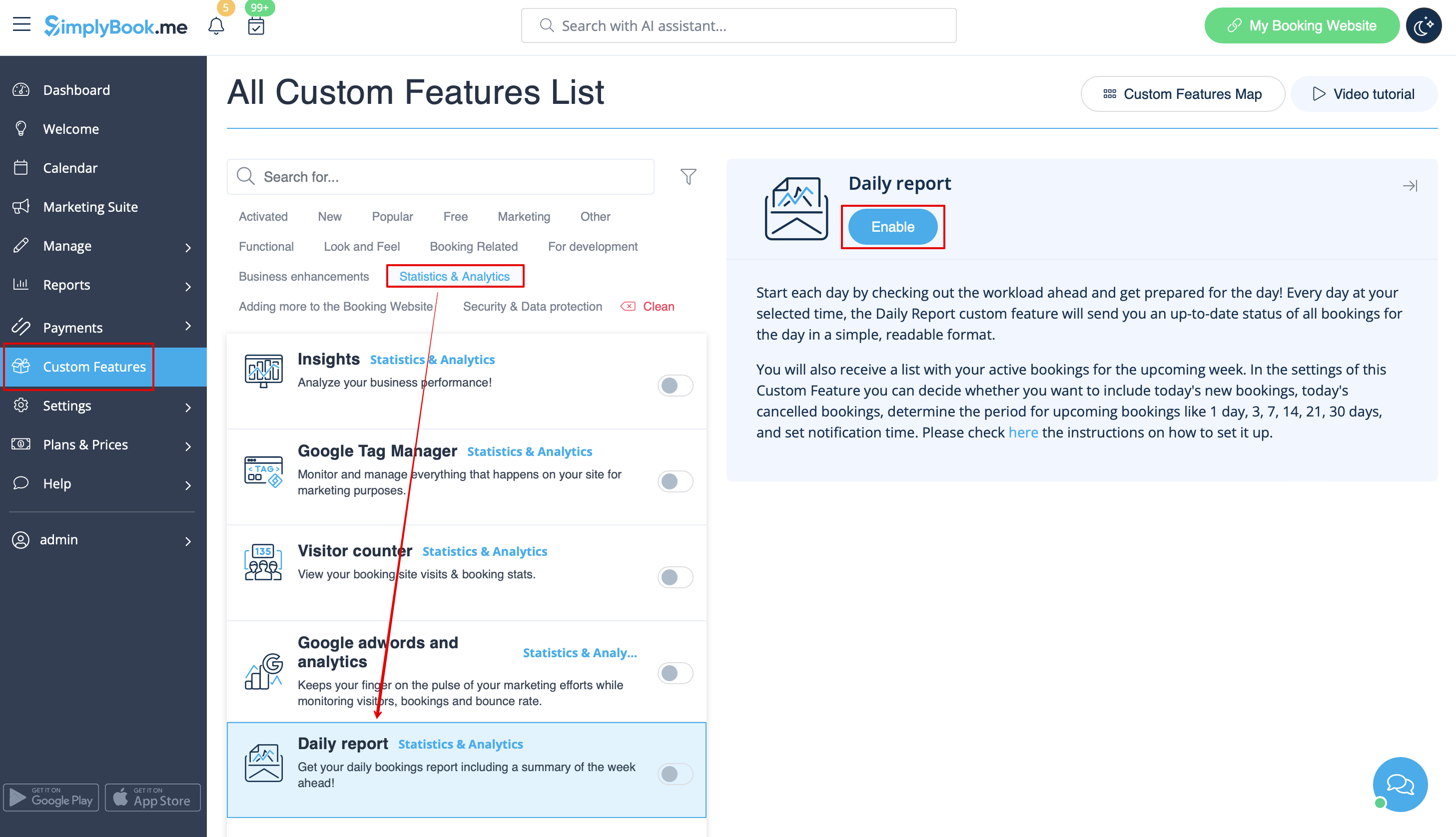
:1. Enable this feature on your Custom Features page. | :1. Enable this feature on your Custom Features page. | ||
[[File:Daily report enable path | [[File:Daily report enable path redesigned.png|1200px | center|link=https://help.simplybook.me/images/5/5d/Daily_report_enable_path_redesigned.png]] | ||
<br><br> | <br><br> | ||
:2. Go to the settings on the right to manage the available options. | :2. Go to the settings on the right to manage the available options. | ||
[[File:Daily report settings | [[File:Daily report settings redesigned.png|1200px | center|link=https://help.simplybook.me/images/8/8a/Daily_report_settings_redesigned.png]] | ||
<br><br> | <br><br> | ||
:3. Adjust the preferences and save. | :3. Adjust the preferences and save. | ||
Revision as of 15:19, 15 January 2025

Every day this Custom Feature will send you an updated status of all bookings for the day. You will also receive a list with your active bookings for the upcoming week.
In the settings of this Custom Feature you can decide whether you want to include today's new bookings, today's canceled bookings, decide the period for upcoming bookings like 1 day, 3, 7, 14, 21, 30 days and set notification time.
- How to use
- 1. Enable this feature on your Custom Features page.
- 2. Go to the settings on the right to manage the available options.
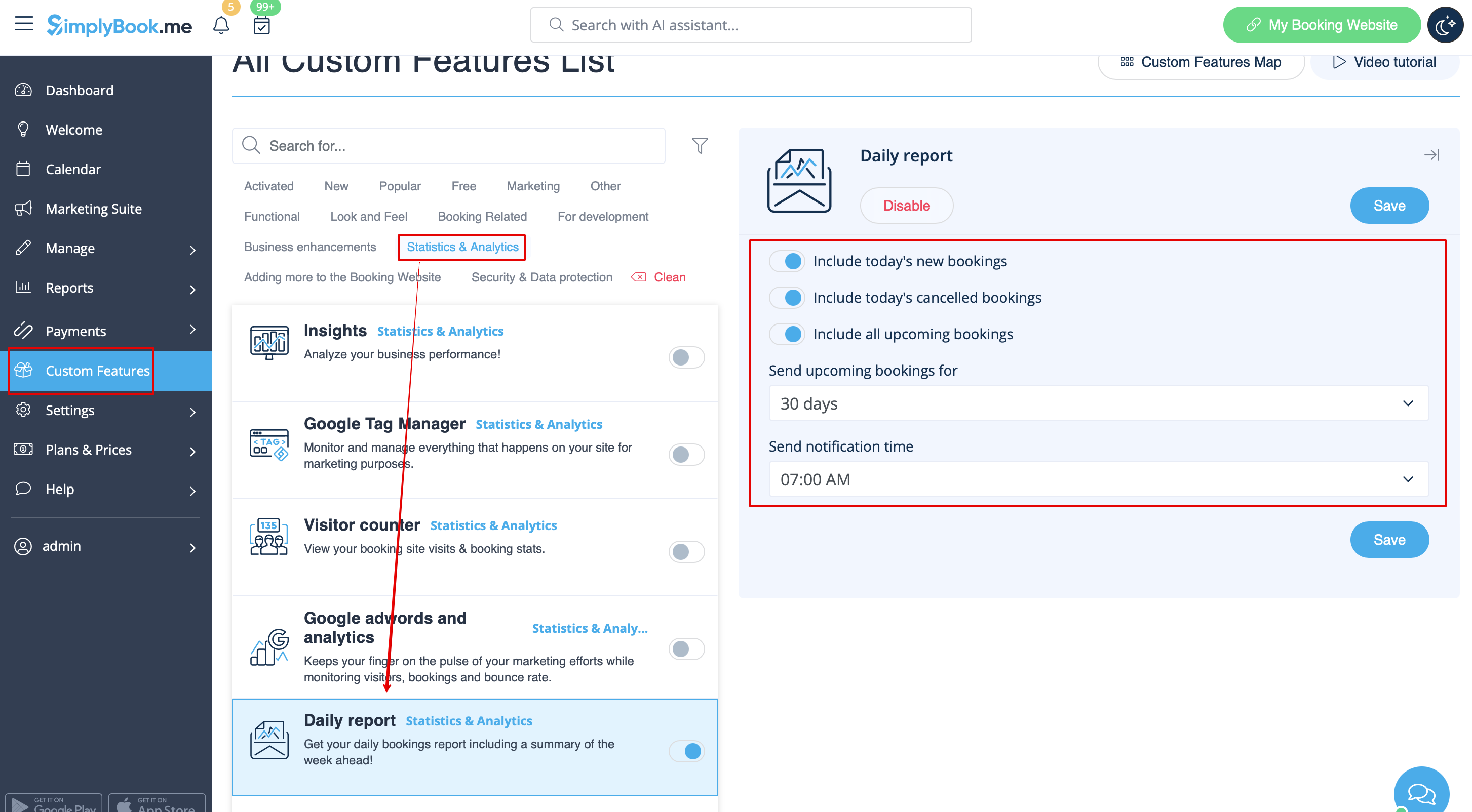
- 3. Adjust the preferences and save.
- The system will send the corresponding report to your company email address that you have indicated in Settings//Company information//Basic information.

